Shopify Plugin Bypass using P3 Clientside injection thru API Implementation Vulnerability
The checkout page allowed the payment amount to be changed by the user, so an attacker could pay a lower price for any product. The author changed the amount from $146.08 to $1.08 and the API accepted it.

xkurtph.medium.com
Published on xkurtph.medium.com
Bug Bounty
The full write-up lives on its author's site
It belongs to its author, so we link to it rather than copy it. The other two tabs are our own rewrites, checked against it.
Context
This is a write-up of a client-side injection combined with an API implementation weakness, found in a private bug bounty program. The researcher, Kurt Russelle Marmol, describes the targets only as shopping websites and keeps their names private, using redacted.com as a stand-in throughout. The affected feature is the checkout and payment flow: a shopper creates an account, picks a product, fills in a shipping address, and then reaches the payment section that finalises the order.
The write-up frames the issue with two definitions. Client-side injection is described, quoting OWASP, as the execution of malicious code on the mobile device via the mobile app, where the malicious code is supplied as data that the threat agent inputs to the app through a number of different means. API implementation is described, quoting Zapier, as a program following the API's rules: a client that can make requests to the /orders endpoint using the correct headers and data format implements the API, and the last step is to put the resulting program on a server.
Setup
No special tooling, version or role is described. The precondition is an ordinary user account on the shopping site, a chosen product, and a completed shipping address, so that the flow reaches the payment step. The researcher notes that the programs are private and that the sites are not to be named.
Finding it
The researcher's attention is on the payment section that finalises the order. After the shipping details are filled in, the website redirects to api.redacted.com, and the request that carries the order contains a key and its value. The amount to be paid appears as one of those key/value pairs in the request.
Exploitation
Step 1: Reach the payment step
Create an account, choose a product and fill in the shipping address. The site then redirects to api.redacted.com, whose request body contains the key and its value. The write-up shows the body in this shape, with the method, email and description masked by the author:
{
 "method": "*****",
 "email": "****@gmail.com",
 "description": "******",
 "amount": "146.08"
}
The amount field is the order total, here 146.08, and it is sent as a string value in the client's request.
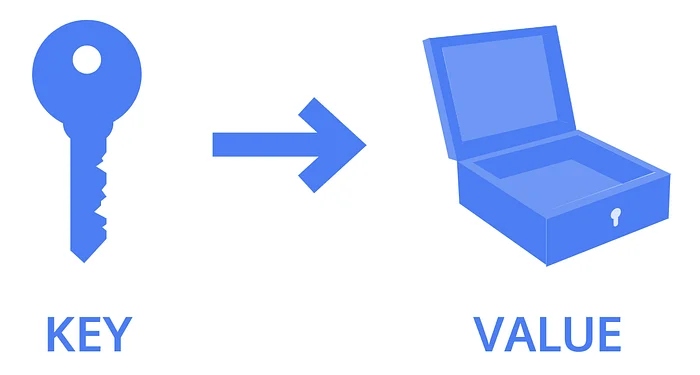
The image illustrates the key and value concept that the redirected request relies on.
Step 2: Change the amount
The researcher changes the value of the amount key from $146.08 to $1.08. The server answers with HTTP 201 Created, which the write-up explains as a success status response code indicating that the request has succeeded and has led to the creation of a resource. The server answered with 201 Created, which the write-up explains as the request succeeding and creating a resource.
Step 3: Confirm the change persisted
On reloading the page, the API containing the amount of the price had been changed to $1.08. After reloading the page, the API containing the price amount showed $1.08.
The researcher states the bug plainly: the checkout page does allow the amount to be changed.
Root cause
The checkout page allows the amount in the request to be changed. Because the checkout page accepts the amount key as sent, a user can rewrite the price and the API creates the order at that price. The write-up does not describe any server-side validation of the amount.
Impact
Any user can perform the attack by changing the original price and paying the lower one. The researcher tried a $0 amount, which did not work, but anything from $1 upwards did, so an order totalling $120 can be changed to $1 and paid. Any user can change the original price and pay the lower one; a $0 amount did not work, but $1 upwards did.
Fix
The write-up does not describe the fix itself. It records only that the private program replied on Dec 22, 2021 saying the bug had been fixed since Dec 16, 2021. The change made is not stated.
Timeline
| Date | Event |
|---|---|
| Dec 13, 2021 | Bug submitted |
| Dec 15, 2021 | Bug reviewed and eligible for bounty reward |
| Dec 16, 2021 | Bug fixed, per the program's later reply |
| Dec 22, 2021 | Private program replied confirming the fix |
Variants to test
What happened, in plain words
A security researcher found a way to buy a product from an online shop and pay a lower price for it. The shop let the shopper's own browser tell the payment system how much the order cost. Here the shopper could rewrite the price before sending it, and the shop accepted the new, lower number. The researcher changed an order of 146.08 to 1.08, and the shop created the order at the lower price. Reloading the page showed the reduced price had been saved.
The write-up covers two ideas that combine to make this possible. The first is client-side injection, which the write-up quotes OWASP as describing: malicious code executed on the mobile device via the mobile app, supplied as data the threat agent inputs. The second is an API implementation weakness, which the write-up quotes Zapier as describing: a program following the API's rules, sending requests with the correct headers and data format.
The researcher keeps the shop's name private because it was a private bug bounty program, and uses redacted.com as a stand-in. The affected feature is the checkout and payment flow: you create an account, pick a product, fill in a shipping address, and then reach the payment section that finalises the order.
The two ideas behind the bug
The write-up quotes two definitions to frame the issue.
Client-side injection, quoting OWASP, is described as the execution of malicious code on the mobile device via the mobile app, where the malicious code is supplied as data that the threat agent inputs to the app through a number of different means. In everyday terms: the app takes something the user typed or sent and treats it as an instruction rather than as plain information. Imagine a restaurant where the customer writes the price on the bill themselves and the cashier simply charges that amount. The customer's note is data, but the shop treats it as the truth.
API implementation, quoting Zapier, is described as a program following the API's rules: a client that can make requests to the /orders endpoint using the correct headers and data format implements the API, and the last step is to put the resulting program on a server. An API (application programming interface) is the set of doors and rules a website offers so that other software can talk to it. Think of it as a service counter: you hand over a form with the right fields filled in, and the clerk behind the counter processes it. The clerk is supposed to check the form, not just accept whatever is written on it.
Setting up
The write-up describes no special tooling, version or role. The only precondition is an ordinary user account on the shopping site, a chosen product, and a completed shipping address, so that the flow reaches the payment step. The researcher notes that the programs are private and that the sites are not to be named.
Finding it
The researcher's attention is on the payment section that finalises the order. After the shipping details are filled in, the website redirects to api.redacted.com, and the request that carries the order contains a key and its value. A key is a label, like amount or email, and its value is what sits next to that label, like 146.08. Together they form a key/value pair, the same way a form field has a name and an answer.
The amount to be paid appears as one of those key/value pairs in the request. The client is your browser; the server is the shop's computer. If the price lives in the browser's request, the browser can change it before sending.
Exploitation
Step 1: Reach the payment step
Create an account, choose a product and fill in the shipping address. The site then redirects to api.redacted.com, whose request body contains the key and its value. The write-up shows the body in this shape, with the method, email and description masked by the author:
{
 "method": "*****",
 "email": "****@gmail.com",
 "description": "******",
 "amount": "146.08"
}
Line by line:
- The outer braces
{and}mark the start and end of a JSON object, which is just a bundle of key/value pairs. JSON is a common text format for sending structured data between software. "method": "*****"is a key calledmethodwith a value the author has masked out. It probably says how the payment is made, but the write-up does not say what it contains."email": "****@gmail.com"is the shopper's email address, partly masked. It identifies the order's owner."description": "******"is a free-text description of the order, masked by the author."amount": "146.08"is the order total, here 146.08, and it is sent as a string value in the client's request. A string means the number is wrapped in quotes and treated as text, not as a number.
The amount field is the order total. Because it sits in the request body, it is part of what the browser sends, and the browser is under the shopper's control.
The image illustrates the key and value concept that the redirected request relies on.
Step 2: Change the amount
The researcher changes the value of the amount key from $146.08 to $1.08. The server answers with HTTP 201 Created, which the write-up explains as a success status response code indicating that the request has succeeded and has led to the creation of a resource. The server answered with 201 Created, which the write-up explains as the request succeeding and creating a resource.
An HTTP status code is a short number the server sends back to say how the request went. 201 is the server's way of saying "done, and I made a new thing for you". A resource is simply a stored item on the server, here the order.
Step 3: Confirm the change persisted
On reloading the page, the API containing the amount of the price had been changed to $1.08. The reduced total was not a one-off in the request: it was stored and reflected back. That distinction matters. If the server had merely echoed the number back without saving it, the order would still have been charged at the real price. After reloading the page, the API containing the price amount showed $1.08.
The researcher states the bug plainly: the checkout page does allow the amount to be changed.
Root cause
The checkout page allows the amount in the request to be changed. Because the checkout page accepts the amount key as sent, a user can rewrite the price and the API creates the order at that price. The write-up does not describe any server-side validation of the amount.
Impact
Any user can perform the attack by changing the original price and paying the lower one. The researcher tried a $0 amount, which did not work, but anything from $1 upwards did, so an order totalling $120 can be changed to $1 and paid. Any user can change the original price and pay the lower one; a $0 amount did not work, but $1 upwards did.
Fix
It records only that the private program replied on Dec 22, 2021 saying the bug had been fixed since Dec 16, 2021. The change made is not stated.
Timeline
| Date | Event |
|---|---|
| Dec 13, 2021 | Bug submitted |
| Dec 15, 2021 | Bug reviewed and eligible for bounty reward |
| Dec 16, 2021 | Bug fixed, per the program's later reply |
| Dec 22, 2021 | Private program replied confirming the fix |
Variants to test
These are the same kinds of checks applied to other shops, in case they make the same mistake.
To intercept a request means to pause it between your browser and the server so you can read and edit it.
Type confusion means giving a value in a different form than expected, such as "146.08" (text) versus 146.08 (number), and seeing whether the server handles it carelessly.
Glossary
- API: the set of doors and rules a website offers so other software can talk to it; like a service counter with a form to fill in.
- API implementation: a program following the API's rules, sending requests with the correct headers and data format.
- Client: the software on your side, usually your browser, that sends requests to the server.
- Client-side injection: a weakness where the app trusts data supplied from the user's side and acts on it as if it were trustworthy.
- HTTP status code: a short number the server returns to say how a request went, such as 201 for created.
- JSON: a text format for sending structured data as key/value pairs.
- Key: a label in a key/value pair, such as
amount. - Value: what sits next to a key, such as
146.08. - Request body: the part of a request that carries the data, such as the order details.
- Resource: a stored item on the server, such as an order.
- Server: the shop's computer that receives requests and stores data.
- String: a value treated as text, usually wrapped in quotes.
- Type confusion: giving a value in a different form than expected and seeing whether the server handles it carelessly.
- Intercept: to pause a request between browser and server so it can be read and edited.
- Endpoint: a specific address on an API, such as
/orders, that accepts requests. - Headers: extra information sent alongside a request, such as the data format.
- Validation: checking that data is correct and allowed before acting on it.
- Reconciliation: comparing records after the fact to catch mismatches.
- Bug bounty program: a scheme where a company pays researchers for reporting security bugs, sometimes privately.




