The Art of Business Logic — When the Checkout Got the Price Wrong
The checkout flow trusted a stale pricing state after the cart state was changed, so the server calculated a lower total than the real product price. An attacker could potentially buy products below their intended price.

Cybersecurity
The full write-up lives on its author's site
It belongs to its author, so we link to it rather than copy it. The other two tabs are our own rewrites, checked against it.
Context
During an assessment of a public e-commerce application, Zuksh found a business logic flaw in the checkout price calculation. The application exposes a normal catalogue, cart and checkout flow: a product is fetched with its price, added to a cart, and a checkout preview endpoint calculates the subtotal, any discount and the final total. The interesting property of this finding is that no price parameter was tampered with and the price was never replaced with 1. Instead, the researcher followed the cart and checkout state until the server itself calculated an amount lower than the legitimate product price.
A note that applies to every request below: the HTTP requests in the write-up are sanitised and illustrative examples created to explain the vulnerability. They do not represent the target's exact endpoints, hostnames, identifiers, cookies or production request structure.

Setup
The write-up does not describe accounts, roles, tooling versions or any special preconditions. The only tool named is Burp Suite, used to intercept and modify requests. The starting point was an ordinary purchase: pick a product, add it to the cart, walk through checkout.
Finding it
The first pass was deliberately boring. The product had the expected price, the cart had the same price, and checkout had the same price. Nothing looked interesting, so the researcher opened Burp Suite and asked a more fundamental question than the usual price=1 tampering:
Where does the application actually decide how much I have to pay?
The transaction was followed from beginning to end:
Product ↓Cart ↓Discount / Promotion ↓Checkout ↓Payment
Establishing the baseline
A normal product request was captured. A simplified version:
GET /api/products/1337 HTTP/2Host: shop.exampleAccept: application/json
The server responded with the product record:
{ "id": 1337, "name": "Premium Product", "price": 999, "currency": "EUR"}
The product costs €999. It was then added to the cart through the normal flow:
POST /api/cart/items HTTP/2Host: shop.exampleContent-Type: application/json
{ "productId": 1337, "quantity": 1}
The cart returned:
{ "cartId": "CART-12345", "items": [ { "productId": 1337, "quantity": 1, "unitPrice": 999, "total": 999 } ], "total": 999, "currency": "EUR"}
Still normal, giving a baseline of:
Product: €999Cart: €999
Before doing anything unusual, the researcher wanted to know exactly what a normal checkout looked like:
POST /api/checkout/preview HTTP/2Host: shop.exampleContent-Type: application/json
{ "cartId": "CART-12345"}
The server calculated:
{ "subtotal": 999, "discount": 0, "total": 999, "currency": "EUR"}
Nothing interesting, but now there was something useful: a known-good transaction.
Thinking in state, not parameters
At this point the researcher stopped thinking about individual parameters and started thinking about checkout as a state machine, testing different cart-state transitions through the normal workflow and watching how each change affected the pricing information used later by checkout. Most tests produced nothing. Then a sequence was found that caused the pricing state to behave differently.
The important part was not changing the price parameter, and there was not even a need to set the price directly. The problem was that different stages of the transaction were not agreeing about the state of the order.
Exploitation
Step 1: Select a product
Start with a normal product:
GET /api/products/1337 HTTP/2Host: shop.exampleAccept: application/json
The server returns:
{ "id": "1337", "name": "Premium Product", "price": 999, "currency": "EUR"}
At this point the product price is €999.
Step 2: Add the product to the cart
Add the product through the normal application workflow:
POST /api/cart/items HTTP/2Host: shop.exampleContent-Type: application/json
{ "productId": "1337", "quantity": 1}
The cart is created with the expected price:
{ "cartId": "CART-12345", "items": [ { "productId": "1337", "quantity": 1, "unitPrice": 999, "total": 999 } ], "total": 999, "currency": "EUR"}
So far everything is normal: product €999, cart €999.
Step 3: Confirm the normal checkout price
Before manipulating anything, trigger the normal checkout calculation:
POST /api/checkout/preview HTTP/2Host: shop.exampleContent-Type: application/json
{ "cartId": "CART-12345"}
The expected response is:
{ "subtotal": 999, "discount": 0, "total": 999, "currency": "EUR"}
This gives the baseline of a normal checkout at €999.
Step 4: Intercept the cart-state request
Return to the cart and perform the relevant action through the normal application workflow. Intercept the request responsible for updating the cart state:
POST /api/cart/<cart-action> HTTP/2Host: shop.exampleContent-Type: application/json
{ "cartId": "CART-12345", "...": "..."}
The important part here is not the specific parameter. The request represents the cart-state transition that later affects the checkout calculation.
Step 5: Send the modified cart state
Modify the relevant cart-state value and forward the request. The server accepts the updated cart state normally. At this point the cart has moved into a different state, but the pricing information associated with the previous state is still available to the checkout flow. Conceptually:
Previous Cart State ↓Pricing State Created ↓Cart State Changed
Step 6: Return to checkout
Trigger the checkout calculation again:
POST /api/checkout/preview HTTP/2Host: shop.exampleContent-Type: application/json
{ "cartId": "CART-12345"}
Instead of rebuilding the price from the current authoritative product and cart state, the vulnerable logic continues using the previous pricing state.
Step 7: Observe the unexpected amount
The checkout response now contains a lower amount. For illustration:
{ "subtotal": 999, "discount": 799, "total": 200, "currency": "EUR"}
The comparison that matters:
Legitimate Product Price: €999Checkout Amount: €200
The lower amount is returned by the server-side checkout calculation, rather than being created only in the browser.
Step 8: Verify the impact
The key question is whether the lower amount is merely a display issue or whether it actually affects the transaction. The relevant validation is:
Product Price ↓Cart ↓Checkout ↓Final Payable Amount
If the reduced amount is accepted by the server-side order and payment flow, the issue is a genuine price manipulation vulnerability rather than a frontend-only discrepancy.
Step 9: The complete attack chain
The full flow can be summarised as:
Normal Product ↓Add to Cart ↓Normal Pricing State ↓Modify Cart State ↓Return to Checkout ↓Previous Pricing State Still Trusted ↓Incorrect Server-Side Calculation ↓Lower Final Amount
The attacker does not directly set the product price. The attacker changes the transaction state, and the application's own business logic produces the unexpected lower amount.
Why this is not price tampering
The researcher did not send:
{ "price": 1}
and hope the server accepted it. The application's normal cart workflow was used to reach an unexpected transaction state, and the application then performed its own calculation and arrived at the wrong amount. That is a different class of problem:
Normal Product ↓Normal Cart ↓Manipulate Cart State ↓Trigger Checkout ↓Incorrect Server-Side Calculation ↓Lower Payable Amount
If a browser is made to display €1 for a €999 product but the server still charges €999, that is not an interesting price manipulation, only a change to what the browser displays. The interesting situation is when valid application actions lead to an unexpected state and the server calculation itself produces €200:
€999 ↓Valid application actions ↓Unexpected state ↓Server calculation ↓€200
Now the server itself believes the final transaction is worth €200, and that is where the security impact begins.
Root cause
The write-up describes the flaw as a disagreement between stages of the transaction about the state of the order. A pricing state is created for one cart state, the cart state is then changed through a normal workflow request, and the checkout calculation keeps using the previous pricing state instead of rebuilding the price from the current authoritative product and cart state. In the researcher's words, the vulnerable logic does not recalculate the transaction using the authoritative product price and valid discount rules.
The write-up does not show the server-side code, so the exact implementation mistake is not stated.
Impact
If the manipulated amount can be used to successfully complete an order, an attacker could potentially purchase affected products below their intended price. For the illustrative figures:
Legitimate Price: €999
Manipulated Price: €200Difference: €799
The actual financial impact depends on:
- Which products are affected
- The maximum achievable price difference
- Whether the transaction can be completed
- Whether the behaviour can be repeated
- Whether high-value products are affected
For an e-commerce application this can represent a direct financial loss per successful transaction.
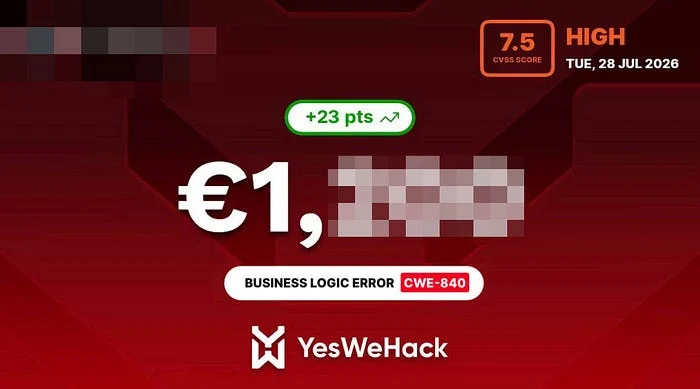
After the report was validated and the impact was confirmed, the finding was accepted and rewarded with a 4-digit € bounty.
Fix
Based on the described behaviour, the checkout calculation should rebuild the price from the current authoritative product and cart state on every request, applying only valid discount rules, and any stored pricing result should be invalidated whenever the cart state changes.
Variants to test
- Stale pricing after any cart mutation. Create a pricing state with a normal cart, then change quantity, variant, or cart contents through the normal workflow, and call the checkout preview again. A positive result is a total that still reflects the earlier state rather than the current cart.
- Preview versus order creation. Compare the preview total with the amount the order or payment step actually accepts. A positive result is the reduced amount surviving into the server-side order and payment flow, which is the validation the researcher describes in step 8.
It was another good reminder that some of the most valuable bugs do not require a complicated payload. Sometimes you just need to understand the application's business logic better than the application does.
What happened, in plain words
An online shop sells a product for €999. A security researcher, Zuksh, went through the normal buying process: look at the product, put it in the basket, go to the checkout page. Everything showed €999, as it should.
Then he did something subtler than the classic trick of editing the price in the browser. He changed the state of the basket, meaning the stage the basket is in, using the shop's own normal buttons and requests. After that, when he asked the shop to calculate the checkout total again, the shop's own server came back with €200 instead of €999.
That is the whole finding. Nobody typed a fake price. The shop's own logic, fed a slightly unusual sequence of normal actions, produced a wrong amount on the server side, which is the side that matters for money.
A few words before we start, because this write-up uses them constantly:
- Server: the computer somewhere in the world that runs the shop. Your browser asks it questions and it answers. You never see it directly.
- Browser: the program on your computer (Chrome, Firefox, Safari) that shows web pages and sends those questions.
- API: the set of addresses a website's own pages use to talk to its server. When you click "Add to cart", your browser sends a small message to one of these addresses and the server replies with data. An API is like a restaurant's serving hatch: you do not walk into the kitchen, you pass a written order through the hatch and get a plate back.
- Request: one such message from browser to server. Response: the server's reply.
- Endpoint: one specific address in that API, for example the one for "get a product" or the one for "calculate checkout".
- Business logic: the shop's own rules about how buying works, for example "the total is the sum of the items minus valid discounts". A business logic bug is not a broken lock; it is a rule that can be bent by doing things in an order the programmer did not expect.
One note applies to every request shown below. The requests in the write-up are sanitised and illustrative examples, created to explain the vulnerability. They do not represent the target's exact endpoints, hostnames, identifiers, cookies or production request structure. In other words, the addresses and numbers are made up to make the idea clear, not copied from the real shop.
Setting the scene
The write-up does not describe accounts, roles, tooling versions or any special preconditions. The only tool named is Burp Suite. Burp Suite is a program that sits between your browser and the server and lets you read every message going each way, pause one, change it, and send it on. Think of it as a post office clerk who lets you open a letter, rewrite a line, and seal it again before delivery.
The starting point was an ordinary purchase: pick a product, add it to the cart, walk through checkout.
Finding it
The first pass was deliberately boring. The product had the expected price, the cart had the same price, and checkout had the same price. Nothing looked interesting, so the researcher opened Burp Suite and asked a more fundamental question than the usual price=1 tampering. The usual trick is to find a field called price in a request and change it to 1, hoping the server believes you. He did not want to do that. He wanted to know:
Where does the application actually decide how much I have to pay?
That is a good question because a shop has several places where a number could be calculated: the product page, the cart, the discount step, the checkout, the payment. If they disagree, one of them might be the weak one.
The transaction was followed from beginning to end:
Product ↓Cart ↓Discount / Promotion ↓Checkout ↓Payment
Read this as a chain of five stages. First you look at a product. Then it goes into a cart (the basket). Then a discount or promotion may be applied. Then checkout works out what you owe. Then payment takes the money. The arrow means "then". The researcher's plan was to watch the price at each arrow and see whether the number stayed the same all the way down.
Establishing the baseline
A baseline is a recording of what normal looks like, so that later you can tell what is abnormal. Without a baseline you cannot say "this number is wrong", because you do not know what right was.
A normal product request was captured. A simplified version:
GET /api/products/1337 HTTP/2Host: shop.exampleAccept: application/json
Line by line:
GET /api/products/1337 HTTP/2is the request line.GETmeans "give me something, I am not changing anything"./api/products/1337is the endpoint: the address of product number 1337 in the API.HTTP/2is the version of the language browsers and servers speak.Host: shop.exampletells the server which website this is for. One server can host many sites, so it needs to know which one you mean.shop.exampleis a placeholder name, not a real shop.Accept: application/jsonsays "please reply in JSON", which is a plain-text format for structured data, like a very tidy shopping list with labels.
The server responded with the product record:
{ "id": 1337, "name": "Premium Product", "price": 999, "currency": "EUR"}
This is JSON. The curly brackets hold a set of labelled values. "id": 1337 is the product's number. "name": "Premium Product" is its name. "price": 999 is the price, in cents or whole euros depending on the shop, and "currency": "EUR" says the money is euros. The write-up treats it as €999.
So the product costs €999. It was then added to the cart through the normal flow:
POST /api/cart/items HTTP/2Host: shop.exampleContent-Type: application/json
Line by line:
POSTmeans "here is some data, please do something with it". UnlikeGET, it changes things on the server./api/cart/itemsis the endpoint for the items in a cart.Host: shop.exampleis the same site label as before.Content-Type: application/jsonsays "the data I am sending you is in JSON format", so the server knows how to read the body that follows.
The body sent with that request was:
{ "productId": 1337, "quantity": 1}
"productId": 1337 says which product, and "quantity": 1 says how many. One unit of product 1337.
The cart returned:
{ "cartId": "CART-12345", "items": [ { "productId": 1337, "quantity": 1, "unitPrice": 999, "total": 999 } ], "total": 999, "currency": "EUR"}
Line by line:
"cartId": "CART-12345"is the cart's own identifier. A cart ID is like a coat-check ticket: the server keeps your basket under that number, and every later request quotes the number so the server knows which basket you mean."items": [ ... ]is a list (the square brackets) of things in the cart. Here there is one item.- Inside the item,
"productId": 1337and"quantity": 1repeat what was sent,"unitPrice": 999is the price of one unit, and"total": 999is quantity times unit price. - After the list,
"total": 999is the whole cart's total, and"currency": "EUR"is the money.
Still normal, giving a baseline of:
Product: €999Cart: €999
This is just a note to himself: the product page said €999 and the cart says €999, so those two stages agree.
Before doing anything unusual, the researcher wanted to know exactly what a normal checkout looked like:
POST /api/checkout/preview HTTP/2Host: shop.exampleContent-Type: application/json
Line by line:
POST /api/checkout/previewcalls the checkout's preview endpoint. A preview is a calculation that shows you what you would pay without actually placing the order. Shops use it to display the total on the checkout page before you press "buy".HostandContent-Typemean the same as before.
The body was:
{ "cartId": "CART-12345"}
It simply says "calculate the checkout for cart CART-12345". Notice that no price is sent. The browser is not telling the server the price; it is asking the server to work it out. That is exactly the behaviour you want to test, because the server is the one making the decision.
The server calculated:
{ "subtotal": 999, "discount": 0, "total": 999, "currency": "EUR"}
Line by line:
"subtotal": 999is the amount before discounts."discount": 0is how much is taken off. Zero here."total": 999is what you would pay."currency": "EUR"is the money.
Nothing interesting, but now there was something useful: a known-good transaction. He had written down what normal looks like at every stage, so any later difference would stand out.
Thinking in state, not parameters
A parameter is one named value inside a request, like price or quantity. Most beginners attack parameters: change the number, see what happens.
A state machine is a way of describing something that moves through a fixed set of stages, where each stage allows certain moves and not others. A vending machine is a state machine: it is idle, then you insert a coin, then you choose a drink, then it dispenses. You cannot choose a drink before inserting a coin. A shopping cart is also a state machine: empty, has items, has a discount applied, is at checkout, is paid.
At this point the researcher stopped thinking about individual parameters and started thinking about checkout as a state machine. He tested different cart-state transitions through the normal workflow, meaning he used the shop's own buttons to move the cart from one stage to another, and watched how each change affected the pricing information used later by checkout. Most tests produced nothing. Then a sequence was found that caused the pricing state to behave differently.
The important part was not changing the price parameter, and there was not even a need to set the price directly. The problem was that different stages of the transaction were not agreeing about the state of the order. One part of the shop had worked out a price for one situation, another part had since changed the situation, and the first part's answer was still being used.
Exploitation
Exploitation here just means carrying out the sequence deliberately, step by step, to show it works and to measure the effect.
Step 1: Select a product
Start with a normal product:
GET /api/products/1337 HTTP/2Host: shop.exampleAccept: application/json
This is the same product lookup as before: GET asks for product 1337, Host names the site, Accept asks for JSON. The reason for repeating it is to start the demonstration from a clean, known point.
The server returns:
{ "id": "1337", "name": "Premium Product", "price": 999, "currency": "EUR"}
Same fields as before: identifier, name, price of 999, currency EUR. At this point the product price is €999.
Step 2: Add the product to the cart
Add the product through the normal application workflow:
POST /api/cart/items HTTP/2Host: shop.exampleContent-Type: application/json
POST to the cart items endpoint, with the site name and the note that the body is JSON. This is exactly what the shop's own "Add to cart" button sends.
The body:
{ "productId": "1337", "quantity": 1}
One unit of product 1337. The only difference from the earlier example is that the product number is written in quotes, which some servers accept just as happily.
The cart is created with the expected price:
{ "cartId": "CART-12345", "items": [ { "productId": "1337", "quantity": 1, "unitPrice": 999, "total": 999 } ], "total": 999, "currency": "EUR"}
Same structure as before: a cart ID, a list with one item, that item's unit price and line total, then the cart total and currency. So far everything is normal: product €999, cart €999.
Step 3: Confirm the normal checkout price
Before manipulating anything, trigger the normal checkout calculation:
POST /api/checkout/preview HTTP/2Host: shop.exampleContent-Type: application/json
A POST to the preview endpoint, with the site name and JSON content type. The reason for doing this now, before any tampering, is to prove that the checkout works correctly when nothing unusual has happened.
The body:
{ "cartId": "CART-12345"}
Just the cart ID. The server is asked to calculate, not told a price.
The expected response is:
{ "subtotal": 999, "discount": 0, "total": 999, "currency": "EUR"}
Subtotal 999, no discount, total 999, euros. This gives the baseline of a normal checkout at €999.
Step 4: Intercept the cart-state request
Intercepting means catching a request in Burp Suite before it reaches the server, so you can look at it and change it. The browser thinks it sent the request; in reality Burp is holding it.
Return to the cart and perform the relevant action through the normal application workflow. In other words, click whatever button the shop provides that changes the cart's stage. Intercept the request responsible for updating the cart state:
POST /api/cart/<cart-action> HTTP/2Host: shop.exampleContent-Type: application/json
Line by line:
POST /api/cart/<cart-action>is a placeholder.<cart-action>stands for whatever the real action is called, for example something like applying a promotion or changing a cart setting. The write-up deliberately does not name it.HostandContent-Typeare the same as everywhere else.
The body:
{ "cartId": "CART-12345", "...": "..."}
"cartId": "CART-12345" identifies the cart. The "...": "..." is a placeholder meaning "other fields go here". The write-up does not say what they are.
The important part here is not the specific parameter. The request represents the cart-state transition that later affects the checkout calculation. In plain terms: this is the moment the basket moves from one stage to another, and that move is what later confuses the checkout.
Step 5: Send the modified cart state
Modify the relevant cart-state value and forward the request. Forward means letting Burp send it on to the server after your edit. The server accepts the updated cart state normally. It does not complain, does not reject the request, does not ask for anything extra.
At this point the cart has moved into a different state, but the pricing information associated with the previous state is still available to the checkout flow. Think of a restaurant: you order a set menu at one price, then change your order to something cheaper, but the kitchen still has the old order slip on the counter and later bills you from that slip, or from a mix of both. Conceptually:
Previous Cart State ↓Pricing State Created ↓Cart State Changed
Read it downwards: first the cart was in its previous state. Then a pricing state was created for it, meaning the shop worked out and stored a price for that situation. Then the cart state changed. The stored price was not thrown away.
Step 6: Return to checkout
Trigger the checkout calculation again:
POST /api/checkout/preview HTTP/2Host: shop.exampleContent-Type: application/json
Same preview call as in step 3, same site, same content type. The reason for calling it again is to see whether the checkout notices that the cart has changed.
The body:
{ "cartId": "CART-12345"}
Same cart ID as before. Nothing about the request is unusual. That is the point: the request is completely normal, and the shop's answer is not.
Instead of rebuilding the price from the current authoritative product and cart state, the vulnerable logic continues using the previous pricing state. Authoritative means the source that should be trusted above all others, here the product's real price and the cart's real contents. The checkout should always start again from those. Instead it reused the old answer.
Step 7: Observe the unexpected amount
The checkout response now contains a lower amount. For illustration:
{ "subtotal": 999, "discount": 799, "total": 200, "currency": "EUR"}
Line by line:
"subtotal": 999still says the goods are worth 999."discount": 799now claims a discount of 799."total": 200is 999 minus 799."currency": "EUR"is the money.
The comparison that matters:
Legitimate Product Price: €999Checkout Amount: €200
Legitimate means the correct, intended price. The lower amount is returned by the server-side checkout calculation, rather than being created only in the browser. That distinction is the heart of the finding. A number changed in your browser is a picture of a number. A number calculated by the server is the number the shop will actually charge.
Step 8: Verify the impact
Impact means the real-world harm a bug can cause. A wrong number on a screen has little impact. A wrong number that the payment system accepts has a lot.
The key question is whether the lower amount is merely a display issue or whether it actually affects the transaction. The relevant validation is:
Product Price ↓Cart ↓Checkout ↓Final Payable Amount
Read it as a chain: the product price flows into the cart, the cart into checkout, and checkout into the final payable amount, the sum actually demanded at payment. If the reduced amount is accepted by the server-side order and payment flow, the issue is a genuine price manipulation vulnerability rather than a frontend-only discrepancy. Frontend means the part that runs in your browser; server-side means the part that runs on the shop's computer. A discrepancy is a disagreement between two things that should match.
Step 9: The complete attack chain
An attack chain is the full sequence of steps, in order, that produces the bad result. The full flow can be summarised as:
Normal Product ↓Add to Cart ↓Normal Pricing State ↓Modify Cart State ↓Return to Checkout ↓Previous Pricing State Still Trusted ↓Incorrect Server-Side Calculation ↓Lower Final Amount
Read it downwards, one arrow at a time: a normal product is added to the cart in the normal way, which creates a normal pricing state. Then the cart state is modified. Then checkout is called again. The previous pricing state is still trusted, meaning the shop still believes the old calculation. That produces an incorrect server-side calculation, and the final amount is lower.
The attacker does not directly set the product price. The attacker changes the transaction state, and the application's own business logic produces the unexpected lower amount.
Why this is not price tampering
Price tampering is the beginner's version: find a field called price in a request and change it. The researcher did not send:
{ "price": 1}
and hope the server accepted it. That body would simply claim the price is 1. Many shops ignore such a field entirely, because they look up the real price themselves.
The application's normal cart workflow was used to reach an unexpected transaction state, and the application then performed its own calculation and arrived at the wrong amount. That is a different class of problem:
Normal Product ↓Normal Cart ↓Manipulate Cart State ↓Trigger Checkout ↓Incorrect Server-Side Calculation ↓Lower Payable Amount
Every step here is a normal action. The product is normal, the cart is normal, the cart state is changed using the shop's own feature, checkout is triggered normally. The only abnormal thing is the shop's own arithmetic at the end.
If a browser is made to display €1 for a €999 product but the server still charges €999, that is not an interesting price manipulation, only a change to what the browser displays. You could achieve the same by editing the page with the browser's developer tools, and it would buy you nothing. The interesting situation is when valid application actions lead to an unexpected state and the server calculation itself produces €200:
€999 ↓Valid application actions ↓Unexpected state ↓Server calculation ↓€200
Valid application actions means actions the shop itself offers and permits. The state is unexpected, meaning the programmer did not plan for it. The server calculation then produces 200. Now the server itself believes the final transaction is worth €200, and that is where the security impact begins.
Root cause
Root cause is the underlying reason the bug exists, as opposed to the symptom you see.
The write-up describes the flaw as a disagreement between stages of the transaction about the state of the order. A pricing state is created for one cart state, the cart state is then changed through a normal workflow request, and the checkout calculation keeps using the previous pricing state instead of rebuilding the price from the current authoritative product and cart state. In the researcher's words, the vulnerable logic does not recalculate the transaction using the authoritative product price and valid discount rules.
Likely the checkout flow trusts a stored or cached pricing result keyed to an earlier cart state, and the cart-state transition does not invalidate it. Cached means kept for reuse instead of being worked out again. Keyed to means looked up by a particular identifier, here the earlier cart state. Invalidate means mark as no longer usable.
Impact
If the manipulated amount can be used to successfully complete an order, an attacker could potentially purchase affected products below their intended price. For the illustrative figures:
Legitimate Price: €999
Manipulated Price: €200Difference: €799
The first block is the correct price. The second is the price after the manipulation. The third line is the gap between them, 799 euros.
The actual financial impact depends on:
- Which products are affected
- The maximum achievable price difference
- Whether the transaction can be completed
- Whether the behaviour can be repeated
- Whether high-value products are affected
Each of these is a question about scale. A bug that saves €1 on a cheap item once is a curiosity. A bug that saves hundreds on expensive items is a direct loss. For an e-commerce application this can represent a direct financial loss per successful transaction.
After the report was validated and the impact was confirmed, the finding was accepted and rewarded with a 4-digit € bounty. A bounty is a payment a company makes to a researcher who reports a security problem responsibly instead of abusing it.
Fix
A fix is the change that removes the bug. Based on the described behaviour, the checkout calculation should rebuild the price from the current authoritative product and cart state on every request, applying only valid discount rules, and any stored pricing result should be invalidated whenever the cart state changes.
In everyday terms: every time the total is needed, work it out fresh from the real product price and the real basket, and throw away any old answer the moment the basket changes.
Variants to test
A variant is a neighbouring version of the same bug, to check whether the same weakness appears in slightly different situations. These are the kinds of tests a researcher would try next.
- Stale pricing after any cart mutation. Stale means out of date. A mutation is any change to the cart. Create a pricing state with a normal cart, then change quantity, variant, or cart contents through the normal workflow, and call the checkout preview again. A positive result is a total that still reflects the earlier state rather than the current cart.
- Preview versus order creation. Compare the preview total with the amount the order or payment step actually accepts. A positive result is the reduced amount surviving into the server-side order and payment flow, which is the validation the researcher describes in step 8.
It was another good reminder that some of the most valuable bugs do not require a complicated payload. A payload is the piece of data you send to trigger a bug; here the payload was not a strange string but a sequence of ordinary actions. Sometimes you just need to understand the application's business logic better than the application does.
Glossary
- API: the set of addresses a website's own pages use to exchange data with its server.
- Attack chain: the full ordered sequence of steps that produces a security problem.
- Authoritative: the source that should be trusted above all others, such as the real product price.
- Baseline: a recording of normal behaviour, used to spot what is abnormal later.
- Bounty: a payment from a company to a researcher who reports a security problem responsibly.
- Browser: the program on your computer that displays web pages and sends requests to servers.
- Burp Suite: a tool that sits between browser and server, letting you read, pause, edit and forward requests.
- Business logic: the application's own rules about how its features work, for example how a total is calculated.
- Cached: kept for reuse instead of being calculated again.
- Cart ID: the identifier the server uses to keep track of one particular basket.
- Content-Type: a request header saying what format the data in the body is in, such as JSON.
- Discrepancy: a disagreement between two things that should match.
- Discount: an amount taken off the subtotal.
- Endpoint: one specific address in an API, for example the one for fetching a product.
- Exploitation: deliberately carrying out a sequence of steps to demonstrate a bug and measure its effect.
- Fix: the change that removes the bug.
- Forward: in an intercepting tool, sending a held request on to the server after viewing or editing it.
- Frontend: the part of a website that runs in your browser.
- GET: a request that asks for data without changing anything on the server.
- Host: a request header naming which website the request is for.
- HTTP/2: a version of the language browsers and servers use to exchange requests and responses.
- Impact: the real-world harm a bug can cause.
- Intercept: to catch a request before it reaches the server so it can be inspected or changed.
- Invalidate: to mark stored data as no longer usable.
- JSON: a plain-text format for structured data, made of labelled values in curly brackets and lists in square brackets.
- Keyed to: looked up by a particular identifier.
- Legitimate: correct and intended, as opposed to manipulated.
- Mutation: any change to the cart's contents or settings.
- Parameter: one named value inside a request, such as
priceorquantity. - Payload: the piece of data sent to trigger a bug.
- POST: a request that sends data and asks the server to do something with it, changing state.
- Preview: a checkout calculation that shows what you would pay without placing the order.
- Price tampering: changing a price value in a request and hoping the server accepts it.
- Request: one message from browser to server.
- Response: the server's reply to a request.
- Root cause: the underlying reason a bug exists.
- Server: the computer that runs the website and answers requests.
- Server-side: happening on the shop's computer rather than in your browser.
- Stale: out of date, kept from an earlier moment.
- State machine: a way of describing something that moves through a fixed set of stages, where each stage allows certain moves.
- Subtotal: the amount before discounts are applied.
- Total: the amount to be paid after discounts.
- Transaction: one complete purchase, from choosing a product to paying.
- Variant: a neighbouring version of the same bug, tested to see whether the weakness appears elsewhere.
- Vulnerability: a weakness in an application that can be used to make it behave in a way its owners did not intend.




