Thursday, April 16, 2020
A numeric-looking identifier parameter was concatenated into an Oracle SQL query, so an attacker could inject string concatenation operators and boolean conditions to confirm injection and then extract data such as column names and usernames character by character. The author describes a tricky situation where the usual quote-based tests behaved unexpectedly and a concatenation-based approach was needed.

The original lives on blog.yappare.com
We do not hold its text, so we link to it rather than copy it. The other two tabs are our own rewrites, checked against it.
What the report shows
The write-up is dated Thursday, April 16, 2020, and concerns a SQL injection in an Oracle-backed application. The researcher, yappare, works against a single endpoint, /foo/, which takes two parameters: theName and idNumber. The baseline request is:
/foo/?theName=YAP&idNumber=248001
The first step is a classic boolean pair. Appending a tautology returns the normal page, while a contradiction changes it:
/foo/?theName=YAP&idNumber=248001'+AND+'1'='1
/foo/?theName=YAP&idNumber=248001'+AND+'2'='1
The first is described as TRUE and the second as FALSE, which confirms that the value reaches a SQL statement and that the result of the expression influences the response. The single quote closes a string literal, so the parameter is being concatenated into a quoted context.
The researcher then switches from boolean logic to string concatenation, using Oracle's || operator. Splitting the numeric value and rejoining it produces the same page as the original:
/foo/?theName=YAP&idNumber=248'||'001
/foo/?theName=YAP&idNumber=24'||'8'||'001
Replacing one fragment with a non-numeric string breaks the result:
/foo/?theName=YAP&idNumber=24'||'X'||'001
This is a useful confirmation because it shows the injected expression is evaluated as SQL rather than merely reflected. The next payload places a placeholder where a function call would go:
/foo/?theName=YAP&idNumber=248'||<bruteforce any known SQL functions here>||'001
A further payload uses rownum, an Oracle pseudocolumn, in the same position:
/foo/?theName=YAP&idNumber=24800'||rownum||'
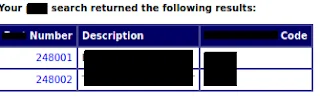
The report then notes a set of characters that can be used in this context: underscore, parentheses, plus, dot and whitespace. These are the building blocks for calling functions and for constructing expressions without relying on characters that might be filtered.
Next the researcher moves from function probing to column enumeration, again through the concatenation slot:
/foo/?theName=YAP&idNumber=248'||<bruteforce all column_name here>||'001
The report states that a few column names were found and that one of them was username. That is the only column named in the text.
The final payload shown uses the discovered column inside a LIKE comparison, with a placeholder for a character to brute force:
/foo/?theName=YAP&idNumber=248001'and''||username||''like'<bruteforce-character>%
The write-up ends there. It gives no bounty, no severity rating, no CVSS score and no fix. The text stops at the point where the column value is being extracted character by character.
Root cause
The payloads show the input is placed inside a quoted literal and evaluated as SQL. The idNumber value is placed inside a quoted literal, and the injected single quote closes that literal so that the rest of the payload is parsed as SQL. The successful || payloads show that the database is Oracle and that the expression is evaluated server-side. The payloads show the value is concatenated into a quoted SQL context and evaluated server-side.
Impact
The researcher found a column named username and sent a LIKE payload with a placeholder for a character to brute force. Because the same slot accepts arbitrary expressions, an attacker who can do this could in principle read other columns and tables reachable by the database account, subject to its privileges. The report does not demonstrate writes, authentication bypass or privilege escalation, so those remain unproven here.
How this kind of bug works
SQL injection happens when an application builds a query by concatenating input with SQL text, so the parser cannot tell developer-written syntax from attacker-supplied syntax. In a quoted context, a single quote ends the literal and everything after it is treated as code. Boolean pairs (AND '1'='1 versus AND '2'='1) reveal whether the expression is evaluated. String concatenation operators such as Oracle's || let a tester rebuild a value from fragments and confirm evaluation without relying on arithmetic.
Defences are well established. Parameterised queries and prepared statements keep input as data, never as syntax. Where dynamic identifiers are unavoidable, they should be validated against an allowlist. Least-privilege database accounts limit what a successful injection can reach, and generic error handling avoids leaking query structure. Input filtering alone is not a reliable fix.
How to test for it
- Identify parameters that look like they feed a query: numeric identifiers, sort keys, filters and search fields.
- Send a benign baseline and record the exact response, including length and status.
- Send a single quote and look for errors, truncation or a changed page.
- Send a boolean pair: a tautology and a contradiction. A stable difference between the two is a strong signal.
- In quoted contexts, try concatenation with the database's operator (
||in Oracle,CONCATor+elsewhere) to rebuild the original value from fragments, then break it with a non-numeric fragment. - Probe for function calls and pseudocolumns such as
rownumin Oracle, using characters the context allows. - Enumerate column names through the same slot, then extract values with
LIKEorSUBSTRcomparisons.
A positive result is a reproducible, payload-dependent difference in the response. Common false positives include caching, rate limiting, WAF blocks that change the page for any quote, and reflected input that alters the HTML without touching the query. Always re-test with a clean baseline and confirm the difference disappears when the payload is removed.
How it is fixed
Use parameterised queries for every value. Validate dynamic identifiers against a fixed allowlist. Run the application with a least-privilege database account. Return generic errors and log details server-side. Add regression tests that send quote and boolean payloads to each query-backed parameter.
Hunting notes
Injection tends to hide in older endpoints, reporting and export features, sort and filter parameters, and anything that builds SQL from fragments. Numeric-looking parameters are worth testing because developers often assume they are safe. Recon signals include Oracle-specific behaviour, verbose database errors and parameters that accept expressions without complaint. To make a report accepted, show a minimal reproducible pair, state the exact request and response difference, and demonstrate data access rather than only an error. Stop at the minimum proof needed and never exfiltrate more than necessary.
What happened, in plain words
This write-up, dated Thursday, April 16, 2020, describes a SQL injection found by the researcher yappare in a web application backed by an Oracle database. A SQL injection is a bug where a website takes something you typed and pastes it straight into a database command, so that you can sneak in extra database instructions of your own. Think of it like a form where you write your name and the clerk reads it out loud to a colleague; if you write "Bob, and also open the safe", the colleague may do both.
The target is a single page, /foo/, which accepts two values in its address: theName and idNumber. The normal, unmodified request looks like this:
/foo/?theName=YAP&idNumber=248001
A request is simply your browser asking the server for a page, and everything after the ? is extra information sent along with it. Here theName is set to YAP and idNumber to 248001.
Step 1: asking the database a yes/no question
The researcher first added a single quote and a small logical test to the idNumber value:
/foo/?theName=YAP&idNumber=248001'+AND+'1'='1
/foo/?theName=YAP&idNumber=248001'+AND+'2'='1
The first is described as TRUE and the second as FALSE. Why does this matter? The single quote (') is the character that marks the end of a piece of text inside a database command. By adding one, the researcher closes whatever text the site had opened, and the rest of the input is read as database instructions. AND '1'='1 is always true, so the page comes back normal. AND '2'='1 is always false, so the page changes. A stable difference between a true and a false statement proves the input really reaches the database.
Step 2: rebuilding the number from pieces
Next the researcher used Oracle's || symbol, which glues two pieces of text together:
/foo/?theName=YAP&idNumber=248'||'001
/foo/?theName=YAP&idNumber=24'||'8'||'001
Both produce the same page as the original request, because 248 glued to 001 is still 248001. Then one piece was swapped for a letter:
/foo/?theName=YAP&idNumber=24'||'X'||'001
This returns FALSE. That is important: it shows the database is actually calculating the glued-together value, not just echoing the text back onto the page.
Step 3: probing for functions and columns
With the glue slot confirmed, the researcher placed a placeholder where a database function call would go:
/foo/?theName=YAP&idNumber=248'||<bruteforce any known SQL functions here>||'001
A function is a named built-in operation in the database, and "bruteforcing" here means trying many candidates one after another to see which are accepted. Another payload used rownum, an Oracle pseudocolumn that numbers the rows a query returns:
/foo/?theName=YAP&idNumber=24800'||rownum||'
The report then lists characters that work in this position: underscore, parentheses, plus, dot and whitespace. These are the small building blocks needed to write function calls and expressions while avoiding characters that might be blocked.
Step 4: finding column names
The same slot was then used to guess the names of columns, which are the labelled fields in a database table:
/foo/?theName=YAP&idNumber=248'||<bruteforce all column_name here>||'001
The report says a few column names were found, and that one of them was username. That is the only column named in the text.
Step 5: reading the data
The last payload puts the discovered column into a LIKE comparison, which checks whether text matches a pattern:
/foo/?theName=YAP&idNumber=248001'and''||username||''like'<bruteforce-character>%
The % means "anything after this", and the placeholder marks where a character would be tried. The write-up stops at this point. It gives no bounty, no severity rating, no CVSS score and no fix.
In general, how this kind of bug works and how to handle it
SQL injection happens when a program builds a database command by pasting user input into it. The database cannot tell which parts the developer wrote and which parts the visitor supplied, so the visitor's text becomes instructions. The payloads show the idNumber value is placed inside a quoted piece of text, and the injected quote closes it.
To test for it, a beginner can follow the same shape of steps:
- Find inputs that look like they feed a query: numbers, sort options, filters and search boxes.
- Send a normal request and note exactly what comes back, including the page length and status.
- Add a single quote and look for an error, a cut-off page or any change.
- Send a true statement and a false statement. A stable difference between them is a strong sign.
- In quoted spots, try gluing the original value back together from pieces (
||in Oracle,CONCATor+elsewhere), then break it with a letter. - Try function names and pseudocolumns such as
rownumusing characters the spot allows. - Guess column names through the same slot, then read values with
LIKEorSUBSTRcomparisons.
A real finding is a difference you can reproduce that depends on your payload. Watch out for false alarms: caching, rate limiting, a firewall that blocks any request containing a quote, or input that only changes the visible page without touching the database. Always re-test with a clean request and check the difference disappears when the payload is removed.
The fix is well established. Use parameterised queries, where input is always treated as data and never as instructions. Where a name such as a column or table must be chosen dynamically, check it against a fixed list of allowed values. Give the application a database account with only the permissions it needs, return generic error messages, and add tests that send quote and true/false payloads to every query-backed input.
Glossary
- SQL: the language used to ask a database for data and to change it.
- SQL injection: a bug where user input is pasted into a SQL command and read as instructions.
- Database: the system that stores and retrieves an application's data.
- Oracle: a particular brand of database; it uses
||to glue text together. - Request: the message your browser sends to a server asking for a page, including any values after the
?. - Parameter: a named value in a request, such as
theNameoridNumber. - Endpoint: a specific address on a server that handles a request, here
/foo/. - Single quote (
'): the character that marks the start or end of a piece of text inside a SQL command. - Boolean: a true or false value; used here to compare a true statement with a false one.
- Tautology: a statement that is always true, such as
'1'='1. - Contradiction: a statement that is always false, such as
'2'='1. - Concatenation: joining two pieces of text end to end;
||does this in Oracle. - Function: a named built-in operation in a database.
- Pseudocolumn: a value the database supplies automatically, like Oracle's
rownum, which numbers returned rows. - Column: a labelled field in a database table, such as
username. LIKE: a SQL comparison that matches text against a pattern.%: in aLIKEpattern, a wildcard meaning "any characters".- Bruteforce: trying many candidates one by one until one works.
- Parameterised query: a way of building SQL where input is kept separate as data, which prevents injection.
- Allowlist: a fixed list of permitted values that input is checked against.
- Least privilege: giving an account only the permissions it genuinely needs.
- CVSS: a standard scoring system for rating the severity of a vulnerability.