When Verified Doesn’t Mean Verified: Finding a Business Logic Flaw in a Citizen Data Platform
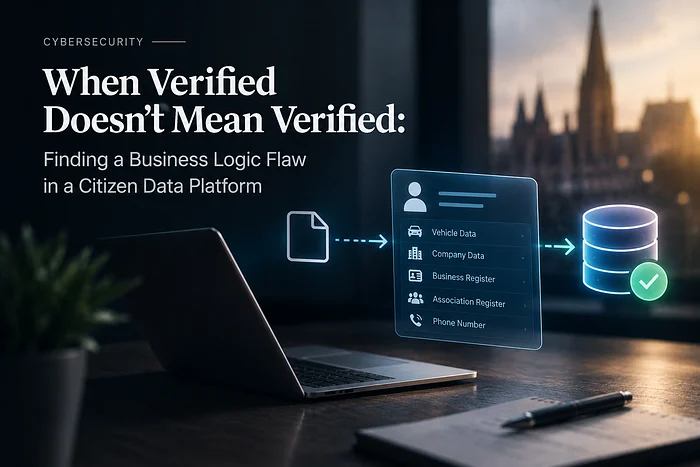
An authenticated user could create records of any type, such as vehicle, company or registration details, with entirely invented values, and the platform stored them as legitimate profile data and used them to pre-fill official forms. The API also returned a flag saying ownership validation had succeeded, so downstream staff and systems could treat fabricated identity claims as verified.

Cybersecurity
The full write-up lives on its author's site
It belongs to its author, so we link to it rather than copy it. The other two tabs are our own rewrites, checked against it.
Context
Most vulnerability research focuses on breaking authentication, bypassing authorization, or exploiting technical weaknesses such as SQL injection and XSS. Sometimes the most interesting findings emerge when an application behaves exactly as designed. This write-up is about one of those cases.
During a security assessment of a public-facing platform, the researcher found a business logic flaw that allowed authenticated users to create and store entirely fictitious identity-related information inside a trusted data repository used to pre-fill official forms and administrative procedures. There was no privilege escalation, no account takeover and no access to another user's data. Yet the platform would accept fabricated information, mark it as owned by the user, and treat it as legitimate throughout the application workflow.
The platform maintained a collection of structured user records representing various categories of personal and organisational information, including:
- Contact information
- Vehicle information
- Business identity information
- Registration identifiers
- Other profile-related records
The purpose of these records was convenience. Instead of requiring users to repeatedly enter the same information, the platform stored it centrally and automatically used it to pre-fill future forms and requests. At first glance this seemed perfectly reasonable. The problem appeared when the researcher started examining how those records were created.
Setup
The report does not describe the accounts, roles, tools or versions used. The only precondition it makes explicit is that the tester was an authenticated user of the platform, since the flaw concerns records that authenticated users create and own.
Finding it
The application exposed a generic API endpoint responsible for creating and updating these records. The request structure was surprisingly simple:
{ "recordType": "<type identifier>", "content": { "...": "..." }}
Different record types represented different categories of information, for example:
- Vehicle records
- Company records
- Business registration identifiers
- Association registration identifiers
- Telephone numbers
What immediately caught the researcher's attention was that the API appeared to accept whatever values the client submitted. There was no evidence of server-side verification, no validation against authoritative sources, and no confirmation that the information actually existed.
Exploitation
Step 1: Create records with fictitious values
To verify the behaviour, the researcher created several records containing entirely fictitious information. The values were intentionally chosen to avoid matching real-world entities. Examples included:
- Non-existent vehicle registration numbers
- Invented company names
- Fabricated business registration identifiers
- Random association registration numbers
- Arbitrary telephone numbers
The goal was simple: could the system distinguish legitimate information from completely invented data?
Step 2: Observe the response
The answer was no. Every submission returned a successful response. More interestingly, the API indicated that ownership validation had succeeded. A simplified response looked like this:
{ "id": "...", "content": { "...": "..." }, "ownershipValid": true}
The platform accepted the data without question.
Step 3: Reload the profile
At this point, one might argue that accepting user-provided information is normal, since many applications allow users to store arbitrary profile data. The more significant issue emerged after reloading the profile. The fabricated records were no longer just temporary inputs: they had become first-class records inside the platform. The information appeared throughout the user interface exactly like legitimate records, the system treated them as active profile data, and some were automatically selected for form pre-filling workflows. In other words, the platform was not merely storing user assertions; it was operationalising them.
Step 4: Focus on vehicle records
Among all tested record types, vehicle information stood out. The application allowed users to create records describing vehicles and mark them for future form usage. The submitted values were never checked against any authoritative source. As a result, entirely fictitious vehicles could become part of the user's profile and be presented in future administrative workflows.
The issue was not whether the platform would ultimately approve a request based on that information. The issue was that the platform had already assigned a level of trust to data that had never been validated. Once false information enters a trusted workflow, downstream systems and human operators may reasonably assume that some verification has already occurred.
Step 5: Business identity records
The same behaviour affected business-related data. Users could create records describing:
- Company names
- Business registration identifiers
- Organisational identifiers
- Other identity-related information
Again, the platform performed no meaningful verification, and any well-formed value appeared acceptable. From a security perspective, this effectively transformed verified identity fields into self-asserted claims. The distinction is important: identity data often exists specifically because it establishes eligibility, authority or ownership. If validation never occurs, those assurances disappear.
Root cause
The vulnerability illustrates an important security principle: validation and authorization are not the same thing. The platform correctly verified that users could modify their own records. The response included an ownershipValid field set to true. What it failed to verify was whether those records represented reality. As a result, the system blurred the distinction between verified information and user-supplied information.
When those two categories become indistinguishable, trust begins to leak into downstream processes. Caseworkers, partner systems, automated workflows and other consumers of the data may assume a level of authenticity that does not actually exist. The API worked, authentication worked, authorization worked and input filtering worked; the flaw existed because the platform implicitly trusted information that had never been validated.
Impact
An authenticated user could create and persist fabricated identity-related records, including non-existent vehicle registration numbers, invented company names, fabricated business registration identifiers, random association registration numbers and arbitrary telephone numbers. These records were stored as first-class profile data, displayed like legitimate records, and in some cases automatically selected for form pre-filling workflows, so fictitious values could be presented in future administrative procedures.
The report is explicit about the limits: there was no privilege escalation, no account takeover and no access to another user's data. The impact described is the loss of assurance: downstream systems and human operators may assume a level of verification that never took place. Whether any downstream request would ultimately be approved based on the fabricated data is not something the report claims.
Fix
The report does not state what was changed. The fix it implies is server-side validation of identity-related fields against authoritative sources before the records are stored or used for pre-filling, so that verified information and user-supplied information remain distinguishable throughout the workflow.
Variants to test
- Generic record-creation endpoints. Submit a record with a plausible but invented identifier for each supported record type and check whether the response marks it as valid. A positive result is a success response with an ownership or validity flag set to true for data that cannot exist.
- Pre-fill selection. After creating a fabricated record, reload the profile and start a form that uses pre-filled data. A positive result is the invented value appearing automatically in the form as if it were verified. A positive result is a record type accepted by the API and rendered in the profile. A positive result is a downstream view that presents the value without any indication that it is self-asserted.
What happened, in plain words
A security researcher tested a public-facing platform that stores citizens' contact details, vehicles, companies, registration numbers and similar records. The site keeps these records so that people do not have to type the same details again and again when filling in official forms. The site then fills those forms in automatically.
The researcher found that the site never checked whether the information people typed in was real. You could type in a car registration number for a car that does not exist, or a company name you made up on the spot, and the site would accept it, save it, and treat it as if it were a genuine, verified fact about you. Later, when a form was pre-filled, that invented information would appear in it just like real information.
Nothing was hacked in the usual sense. Nobody got into another person's account. Nobody gained extra permissions. The site did exactly what it was built to do. The problem was that what it was built to do was unsafe: it trusted information that had never been checked.
This is called a business logic flaw. Most security bugs are technical: a piece of software crashes, or lets someone sneak commands into a database. A business logic flaw is different. The software runs perfectly. The rules of the business, the assumptions about how people will behave, are the thing that is wrong. A simple comparison: a bank's website might correctly check that you are logged in as you, and correctly let you transfer money from your own account. But if it never checks that the amount you typed is a number greater than zero, you could transfer a negative amount and end up richer. Every piece of code worked. The rule was missing.
The platform and its records
The site kept a collection of structured user records. A record here means one saved entry about one thing: one phone number, one vehicle, one company. "Structured" means the entry is not free text but has named fields, like a form with labelled boxes, so the site can read and reuse each part.
The categories of record included:
- Contact information
- Vehicle information
- Business identity information
- Registration identifiers
- Other profile-related records
Why did the site keep these? For convenience. If you have already told the site your phone number, you should not have to type it again every time a form asks for it. The site stores it once, centrally, and uses it to pre-fill forms: it puts the saved value into the form for you before you submit it.
Pre-filling is a familiar idea. When a browser offers to fill in your address on a shopping site, that is pre-filling. It saves typing, and it reduces mistakes. It only works well if the saved value is correct.
At first glance this design is sensible. The researcher's interest began when looking at how those records get created in the first place.
How the site creates records: the API
To create or update a record, the site's own web pages talk to a server using an API. An API (Application Programming Interface) is the set of doors and instructions a program offers to other programs. When you click Save on a web page, your browser does not send a letter to the server; it sends a structured message to one of these doors, and the server replies with a structured message.
A useful comparison is a restaurant. The menu and the waiter are the API: a fixed list of things you can ask for, in a fixed way of asking. You do not walk into the kitchen and cook. You ask through the waiter, and food comes back. The API is the menu plus the waiter, and the kitchen is the server.
The site had one generic API endpoint for creating and updating these records. Endpoint means one specific address on the server that accepts a particular kind of request, like one particular counter at a post office. "Generic" means it was not one endpoint per record type; the same endpoint handled all of them, and the request said which type it was.
The request structure was surprisingly simple:
{ "recordType": "<type identifier>", "content": { "...": "..." }}
Line by line, in plain words:
- The outer
{and}are JSON, a way of writing data as labelled boxes. JSON is just text, but written in a strict shape so that programs can read it reliably. Think of a luggage tag: a label, then a value. "recordType": "<type identifier>"is one labelled box. The label isrecordType, and the value is a placeholder,<type identifier>, standing for the name of the kind of record, such as a vehicle or a phone number. The angle brackets are not real data; they mark a spot where a real value goes."content": { ... }is a second labelled box whose value is itself a group of boxes, shown here as"...": "...". That inner group is where the actual details go: the registration number, the company name, and so on.- The commas separate the boxes, and the whole thing is one message that the browser sends to the server.
Different record types represented different categories of information, for example:
- Vehicle records
- Company records
- Business registration identifiers
- Association registration identifiers
- Telephone numbers
What caught the researcher's attention was that the API appeared to accept whatever values the client submitted. Client here means the browser, the program on your side. The server is the program on the site's side that stores and answers. The researcher's suspicion was that the server was not checking the values at all: no server-side verification (checking on the server, where checks cannot be skipped), no validation against authoritative sources (official registers that could confirm a car or company really exists), and no confirmation that the information actually existed.
Why does it matter where a check happens? Because checks in the browser can be bypassed. A web page can stop you from typing letters into a number field, but the browser is under your control, and anyone can send a message to the server directly, skipping the page entirely. A check that only exists in the browser is like a nightclub that checks IDs at the door of the car park but leaves the back door open. Only checks made on the server count.
Testing the idea
To verify the behaviour, the researcher created several records containing entirely fictitious information. The values were deliberately chosen so they would not match anything real. Examples included:
- Non-existent vehicle registration numbers
- Invented company names
- Fabricated business registration identifiers
- Random association registration numbers
- Arbitrary telephone numbers
The goal was simple: could the system tell the difference between legitimate information and completely invented data?
Why test this way? Because a security tester needs evidence, not a hunch. Sending obviously fake data is the cleanest experiment: if the site accepts it, the site is not checking. Choosing values that cannot exist in the real world removes any doubt that the site might have matched them against something.
What came back
The answer was no, the system could not tell the difference. Every submission returned a successful response. More interestingly, the API said that ownership validation had succeeded. A simplified response looked like this:
{ "id": "...", "content": { "...": "..." }, "ownershipValid": true}
Line by line:
"id": "..."is the identifier the server gave the new record. An ID is a unique name for one saved item, so the site can refer to it later without confusion. The...stands for the actual value, which the report does not show."content": { ... }is the stored details, echoed back. Again the report hides the actual values."ownershipValid": trueis the important part.trueis a yes/no value meaning yes. The field name suggests the server checked that the record belongs to the person making the request, and that check passed.
This is the heart of the misunderstanding. The server did check something: it checked that you are allowed to create records for yourself. That is authorization, the question of who may do what. It did not check whether the content was true. That is validation, the question of whether the data is correct. The two words sound similar and are completely different jobs. A bouncer checking that you hold a ticket is authorization. Checking that the ticket is not a photocopy is validation. This site had a bouncer and no ticket inspection.
The records stayed
At this point, someone might object that accepting information from users is normal. Many applications let you store whatever you like in your profile. A nickname, a favourite colour, a short bio: none of that is checked, and nobody expects it to be.
The more serious issue appeared after reloading the profile. Reloading means asking the browser to fetch the page again from the server, so you see what is actually stored rather than what is still in the page's memory. The fabricated records were no longer temporary inputs. They had become first-class records inside the platform: saved items that the system treats like any other, not second-class notes.
The information appeared throughout the user interface exactly like legitimate records. The user interface is everything you see and click on the screen. The system treated the records as active profile data, and some were automatically selected for form pre-filling workflows. A workflow is a sequence of steps a process goes through, such as: open a form, fill it from the profile, submit it, send it to a caseworker.
In other words, the platform was not merely storing what the user claimed. It was acting on those claims. Storing a claim is like writing a note in a diary. Acting on it is like reading the note aloud in a meeting as if it were a fact.
Why vehicle records stood out
Among all the record types tested, vehicle information was the most concerning. The application let users create records describing vehicles and mark them for future form use. The submitted values were never checked against any authoritative source. As a result, entirely fictitious vehicles could become part of the user's profile and be presented in future administrative workflows.
The issue was not whether the platform would ultimately approve a request based on that information. The issue was that the platform had already given a level of trust to data that had never been validated. Once false information enters a trusted workflow, the systems and people further down the line may reasonably assume that some checking has already happened.
"Further down the line" is worth spelling out. A form submitted by a citizen does not end at the website. It may go to a caseworker, a partner organisation, or an automated process. Each of those may see a value that came from a profile and think: the platform already checked this, otherwise why would it be there? That assumption is the real damage. The lie travels, and the trust travels with it.
Business identity records
The same behaviour affected business-related data. Users could create records describing:
- Company names
- Business registration identifiers
- Organisational identifiers
- Other identity-related information
Again, the platform performed no meaningful verification, and any well-formed value appeared acceptable. Well-formed means shaped correctly: the right kind of characters, the right length. It says nothing about whether the value is true. A phone number of the right length is well-formed even if nobody answers it.
From a security point of view, this turned verified identity fields into self-asserted claims. A self-asserted claim is something you say about yourself with nothing backing it up. "I am a registered company" is a claim. A company register entry is evidence. The site was accepting claims and presenting them as evidence.
The distinction matters because identity data usually exists for a reason: to establish eligibility (you qualify for something), authority (you are allowed to act for an organisation) or ownership (this thing is yours). If nobody ever checks, those assurances disappear, and the field becomes decoration.
The root cause
The vulnerability shows an important security principle: validation and authorization are not the same thing. The platform correctly verified that users could modify their own records. The response included an ownershipValid field set to true. What it failed to verify was whether those records represented reality. As a result, the system blurred the line between verified information and user-supplied information.
When those two categories become indistinguishable, trust leaks into downstream processes. Caseworkers, partner systems, automated workflows and other consumers of the data may assume a level of authenticity that does not exist. The API worked, authentication worked, authorization worked and input filtering worked. The flaw existed because the platform implicitly trusted information that had never been validated.
A few of those words deserve a plain explanation.
- Authentication is proving who you are, like showing a passport at check-in. It answers: are you the person you say you are?
- Authorization is what you are allowed to do once you are known, like the seat number on your boarding pass. It answers: may you do this particular thing?
- Input filtering is cleaning up what arrives, for example rejecting text where a number is expected. It protects against malformed data, not against untrue data.
- Implicit trust is trust given without anyone deciding to give it. Nobody wrote a rule saying "treat these records as verified". The system simply never marked them as unverified, so everything downstream assumed the best.
What an attacker could do with it
An authenticated user could create and keep fabricated identity-related records: non-existent vehicle registration numbers, invented company names, fabricated business registration identifiers, random association registration numbers and arbitrary telephone numbers. These records were stored as first-class profile data, shown like legitimate records, and in some cases automatically selected for form pre-filling, so invented values could appear in future administrative procedures.
The report is clear about the limits: there was no privilege escalation (gaining more rights than you started with), no account takeover (getting into someone else's account) and no access to another user's data. The harm described is the loss of assurance: systems and people downstream may assume a level of checking that never happened. Whether any downstream request would actually be approved on the basis of the fabricated data is not something the report claims.
That restraint is part of good reporting. It is tempting to inflate a finding into "I could defraud the government". The honest version is: I could put untrue information into a place that others trust, and that is a real problem even before anyone is fooled by it.
How it should be fixed
The report does not say what was changed. The fix it implies is server-side validation of identity-related fields against authoritative sources before the records are stored or used for pre-filling, so that verified information and user-supplied information stay distinguishable throughout the workflow.
In everyday terms: before saving a car registration number, ask the vehicle register whether that number exists. Before saving a company number, ask the company register. And if a value cannot be checked, label it clearly as unverified wherever it is shown or passed on, so nobody downstream mistakes it for checked data.
Similar things to test elsewhere
If you ever test a site like this, these are variations worth trying. Each one has a clear sign of success.
- Generic record-creation endpoints. Send a record with a plausible but invented identifier for each supported record type, and see whether the response marks it as valid. Success looks like a successful response with an ownership or validity flag set to true for data that cannot exist.
- Pre-fill selection. After creating a fabricated record, reload the profile and start a form that uses pre-filled data. Success looks like the invented value appearing in the form automatically, as if it were verified. Success looks like a record type accepted by the API and then displayed in the profile. Success looks like a downstream view that shows the value with no indication that it is self-asserted.
Final thoughts
Some vulnerabilities are easy to explain because something obviously broke. This was not one of them. The API worked. Authentication worked. Authorization worked. Input filtering worked. The flaw existed because the platform trusted information that had never been validated.
Security is often pictured as stopping attackers from reaching data they should not have. Equally important is stopping systems from trusting data they should not. In this case the lesson was not about breaking access controls. It was about how easily trust can be manufactured when validation is missing.
Glossary
- API: the set of addresses and message formats a program offers so other programs can ask it to do things; the menu and waiter between your browser and the server.
- Authentication: proving who you are, such as logging in with a password.
- Authorization: what a known user is allowed to do.
- Authoritative source: an official register or record that can confirm whether a fact is real, such as a vehicle or company register.
- Business logic flaw: a security problem caused by a wrong or missing rule about how the business works, rather than by broken code.
- Client: the program on the user's side, usually the browser.
- Downstream: the systems, organisations or people that receive data after it leaves the platform.
- Endpoint: one specific address on a server that accepts a particular kind of request.
- First-class record: a saved item the system treats like any other real item, not a temporary or second-class note.
- ID: a unique name given to one saved item so it can be referred to later.
- Implicit trust: trust that is assumed without anyone explicitly deciding to give it.
- Input filtering: cleaning or rejecting incoming data based on its shape, not its truth.
- JSON: a text format for writing data as labelled boxes, used for messages between programs.
- Ownership validation: checking that a record belongs to the user making the request.
- Pre-fill: automatically putting saved values into a form before the user submits it.
- Privilege escalation: gaining more rights or permissions than you started with.
- Record: one saved entry about one thing, such as a phone number or a vehicle.
- Reload: asking the browser to fetch a page again from the server, showing what is actually stored.
- Self-asserted claim: something a user says about themselves with no evidence behind it.
- Server: the program on the site's side that stores data and answers requests.
- Server-side verification: checking data on the server, where the user cannot skip or alter the check.
- Structured data: data organised into named fields rather than free text.
- User interface: everything you see and click on the screen.
- Validation: checking whether data is correct or true.
- Well-formed: shaped correctly, with the right kind of characters and length, regardless of whether it is true.
- Workflow: a sequence of steps a process goes through, such as filling, submitting and reviewing a form.




