XSS in hidden input field
A user-controlled value was reflected into an input field that sat inside a hidden container, so the author could inject an event handler that fired when the field failed validation. An attacker could run script in the victim's browser and read their cookies.
 Published on f4t7.medium.com
Hello again! I’m faizan and today I’m writing about an XSS I found in an input field which was hidden from the page using Content division element.
The full write-up lives on its author's site
It belongs to its author, so we link to it rather than copy it. The other two tabs are our own rewrites, checked against it.
Context
This is a write-up about a stored XSS found in an input field that was hidden from the page using a content division element, that is, a <div>. The author, Faizan Elahi, does not name the target application or describe the feature the input field belongs to; the report only says that a value submitted to the application was reflected back inside a hidden <input> tag. The platform metadata lists the asset as f4t7.medium.com, but the report text itself gives no further detail about the product or what the field normally does.
The report opens with a short primer, which is worth keeping because it frames the reasoning. An XSS (Cross Site Scripting) is a vulnerability where an attacker can inject their own JavaScript code, making the application treat it as its own code, and use it for purposes such as stealing session cookies, credentials, credit card information and more. A stored XSS is the case where the attacker can permanently store the malicious payload inside the application server.
Setup
The report does not describe any accounts, roles, tools or versions. The only precondition it establishes is the shape of the markup: the input field is hidden by wrapping it in a <div> whose style is set to display:none, rather than by using the type="hidden" attribute.
Finding it
Before the exploitation, the author explains how an input field can be hidden from a web page. There are various ways, and the report names two:
- Using the
type="hidden"attribute inside an<input>tag. - Putting the
<input>tag inside another element and setting itsstyletodisplay:none.
The first variant can be bypassed if the value is reflected before the attribute is called inside the <input> tag, for example:
<input name="xyz" value="somevalue" type="hidden">
That can be bypassed by inserting another type attribute set to type="text":
<input name="xyz" value="somevalue" type="text" type="hidden">
This overrides the hidden field. In the author's case, however, the <input> tag was inside a <div> element instead:
<div style="display:none">
 <input type="text" value="somevalue">
</div>
Because the input field was hidden, event attributes that depend on the field being visible, such as onmouseover or similar, could not be used. The author therefore tried the universal attribute autofocus, which focuses the input field automatically, combined with onfocus="alert(document.cookie)". The payload looked like this:
<div style="display:none">
 <input type="text" value="somevalue" autofocus onfocus="alert(document.cookie)">
</div>
The author sent the request and opened the browser, but there was no luck: because the <input> tag was hidden, it could not be autofocused.

Exploitation
Step 1: try autofocus and onfocus
The first attempt relied on the field receiving focus automatically. The payload above was sent in a request, and the browser showed no pop-up. The browser did not fire onfocus, so no pop-up appeared. The reason is the one the author gives: a hidden input cannot be autofocused.
Step 2: switch to pattern and oninvalid
After trying multiple attributes, the author came across pattern. This attribute compares value and pattern, in the same way as an if condition: if the pattern matches and the value is valid, something happens; if it is invalid, something else happens. The reflected markup contained a value that does not match the pattern, with the handler on oninvalid. The reflected response looked like this:
<div style="display:none">
 <input type="text" value="somevalue" pattern="somethingelse" oninvalid="alert(document.cookie)">
</div>
Here value="somevalue" does not satisfy pattern="somethingelse", so the constraint validation marks the field invalid and fires oninvalid, which runs alert(document.cookie). The author sent the request again and opened the browser, and the pop-up appeared on the screen.

developers wondering how I got inside 😂
Root cause
The application reflected user-supplied input into the value of an <input> tag that was hidden by an ancestor <div style="display:none">, without encoding the value in a way that prevents new attributes from being introduced. Because the value is reflected before the rest of the tag is written, an attacker can close the value context and add arbitrary attributes to the same <input> element, including event handlers.
The hiding mechanism is what shaped the exploitation. With type="hidden" the author's described bypass would have been to inject a second type="text" attribute to override the hidden type. With the <div style="display:none"> wrapper, the element type stays text, but the element is not rendered, so visibility-dependent handlers such as onmouseover and focus-dependent handlers such as autofocus/onfocus do not fire. The pattern/oninvalid pair works because constraint validation runs on the element regardless of whether it is displayed, so the invalid state is reached and the handler executes. The report does not describe any server-side or client-side defence that was present and bypassed; it only shows the reflected markup.
Impact
The report frames the impact in general XSS terms: an attacker can inject their own JavaScript, have the application treat it as its own code, and use it for malicious purposes such as stealing session cookies, credentials, credit card information and much more. The author frames the report as stored XSS, where the payload is stored on the application server.
Fix
The fix implied by the root cause is to HTML-encode the reflected value so that characters such as quotes and angle brackets cannot break out of the value attribute or introduce new attributes, and to apply the same output encoding wherever user input is placed inside tag attributes.
Variants to test
type="hidden"with value reflected before the type attribute. Submit a value that closes the attribute and addstype="text"alongside the existingtype="hidden", as in the report's example. A positive result is a rendered, editable field where the page intended a hidden one.- Hidden by an ancestor with
display:none. Tryautofocuswithonfocusfirst; if the field is not rendered, trypatternwith a non-matchingvalueandoninvalid. A positive result is the handler firing without any user interaction. - Other constraint-validation handlers. Where
patternis present or can be injected, try handlers tied to validation states such asoninvalidandonchangeon fields whose value can be made invalid. A positive result is script execution on page load or on the first validation pass. - Other attributes that fire without visibility. Test attributes that do not depend on the element being displayed, for example error handlers on resource-loading elements. A positive result is execution in a context where the element is hidden from the user.
If you have other ideas or questions, the author invites comments below.
-Faizan
What happened, in plain words
A security researcher named Faizan Elahi found a way to make a website run his own JavaScript code. The trick was a text box that the page kept hidden from visitors. Even though nobody could see the box, the site still let him slip extra instructions into it, and those instructions ran in his browser.
This kind of problem is called Cross Site Scripting, or XSS for short. The report does not name the website or say which feature the hidden box belonged to. It only says that a value he submitted came back inside a hidden input field. The platform metadata lists the asset as f4t7.medium.com, but the write-up itself gives no more detail about the product or what the field normally does.
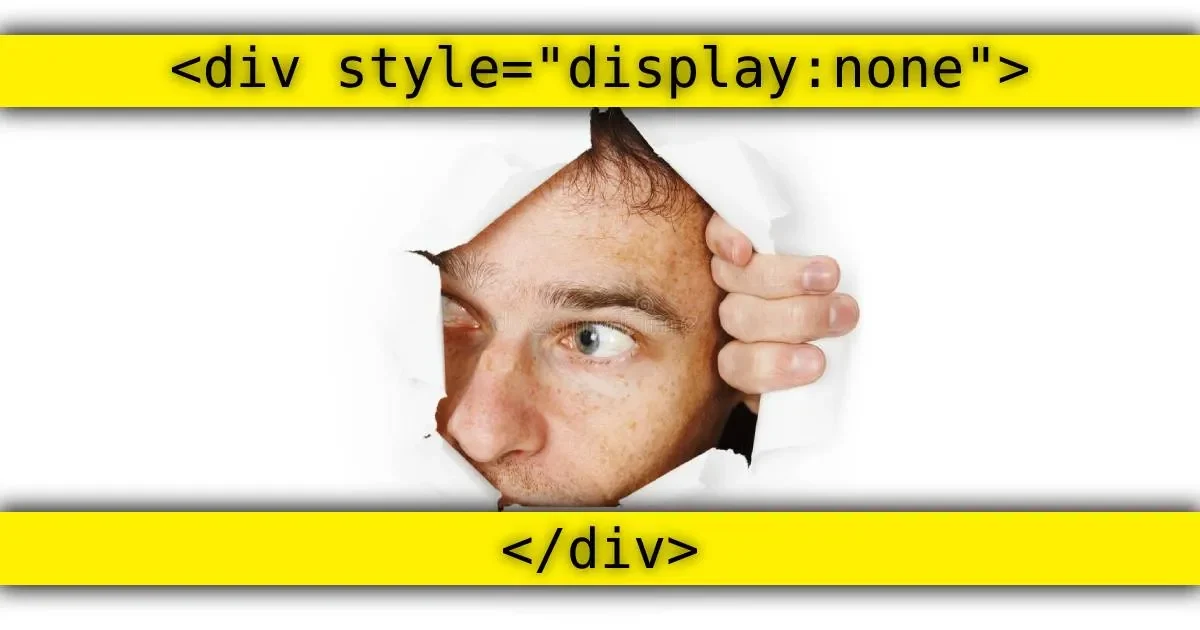
Before going further, two ideas need explaining, because the whole report rests on them.
What is an XSS? An XSS (Cross Site Scripting) is a type of vulnerability where an attacker can inject their own JavaScript code, making the application think it is its own written code, and ultimately using it for malicious purposes such as stealing session cookies, credentials, credit card information and much more.
Think of a website as a restaurant that prints whatever a customer writes on an order slip straight onto the menu. If a customer writes something rude on the slip, the restaurant prints it as if it were the restaurant's own words. XSS is the same idea: the site takes text from a visitor and puts it into the page without checking it, so the visitor's text becomes part of the site's own instructions to the browser.
What does it mean by Stored XSS? When the attacker is capable of permanently storing his or her malicious payload, that is the JavaScript code, inside the application server.
To stay with the restaurant comparison: instead of writing on a slip that gets thrown away, the attacker writes on the master copy of the menu that is kept in the kitchen. Every customer who later orders from that menu gets the attacker's text. In web terms, the malicious code sits on the server and is served to other people who open the affected page.
Methodology
Before diving in, the report explains how an input field is hidden from a web page. An input field is the box where you type things, such as your name or a search term. There are various ways to hide one, and the report names two:
- Using the
type="hidden"attribute inside an<input>tag. - Putting the
<input>tag inside another element and setting itsstyletodisplay:none.
An attribute is an extra instruction written inside a tag, like a label stuck on a box. A tag is the piece of markup that tells the browser what to draw. display:none is a styling instruction that means "do not draw this at all".
The first variant, type="hidden", can be bypassed if the value is being reflected before the attribute is called inside an <input> tag, for example:
<input name="xyz" value="somevalue" type="hidden">
Line by line, this says: make an input field, call it xyz, give it the starting text somevalue, and mark it as hidden so the visitor never sees it. The important detail is the order. The value comes before type="hidden". If the site drops whatever the visitor typed into that value slot without cleaning it, the visitor can type characters that end the value early and start new instructions of their own.
That can be bypassed by inserting another type attribute set to type="text":
<input name="xyz" value="somevalue" type="text" type="hidden">
Here the attacker has added type="text" in front of the original type="hidden". When a browser sees two instructions of the same kind, it follows the first one it reads. So the field becomes a normal, visible text box instead of a hidden one. This overrides the hidden field, and the author notes that you are good to go.
In the author's case, however, the <input> tag was inside a <div> element instead:
<div style="display:none">
 <input type="text" value="somevalue">
</div>
A <div> is a generic container, like a cardboard box you put other things into. Here the box itself carries the instruction display:none, so the browser does not draw the box or anything inside it. The input field inside is a normal text field, but because its parent box is invisible, the field is invisible too. This is a different hiding method from type="hidden", and it changes what an attacker can do.
Because the input field was hidden, the author could not use onmouseover or similar attributes, since the input field was not visible. onmouseover means "when the mouse pointer moves over this element, do something". If the element is never drawn, the mouse can never move over it, so that instruction can never fire.
The author therefore tried the universal attribute autofocus, which focuses on the input field automatically, then used onfocus="alert(document.cookie)" to do the job. autofocus means "when the page loads, put the typing cursor in this field". onfocus means "when this field receives the typing cursor, do something". alert(document.cookie) means "show a pop-up box containing the site's cookies". A cookie is a small piece of data the browser stores for a site, often used to remember who you are after you log in, which is why stealing it matters. After inserting the payload, it looked something like:
<div style="display:none">
 <input type="text" value="somevalue" autofocus onfocus="alert(document.cookie)">
</div>
Line by line: the outer <div> is still invisible. Inside it sits a text field whose starting text is somevalue. The added autofocus asks the browser to put the cursor in the field as soon as the page loads. The added onfocus says that when the cursor arrives, run alert(document.cookie), which pops up the visitor's cookies. The plan was: the browser focuses the field, the focus triggers the handler, the handler shows the cookies.
The author was so happy. He sent the request and opened the browser, but there was no luck.
As the <input> tag was hidden, it could not be autofocused. A browser will not put the typing cursor into something it is not drawing. The plan failed for the same reason the mouse plan failed: the element is invisible, so nothing that depends on the element being on screen can happen.
How did I perform the XSS?
After playing around with multiple attributes, the author came across an attribute called pattern. This attribute is used to compare value and pattern, in the same way as an if condition: if the pattern matches and is valid, do something; otherwise, if it is invalid, do something else.
In everyday terms, pattern is like a form at a bank that says "your account number must be exactly eight digits". If you write eight digits, the form is happy. If you write something else, the form complains. The browser does this checking itself, and it announces the result: a field that fails its check is marked invalid, and the browser fires an event called oninvalid at that moment. An event is simply a moment the browser notices, and a handler is the instruction attached to that moment.
After providing the payload, the response looked like this:
<div style="display:none">
 <input type="text" value="somevalue" pattern="somethingelse" oninvalid="alert(document.cookie)">
</div>
The text field's starting text is somevalue. The pattern attribute says the field's contents must match somethingelse. They do not, because somevalue and somethingelse are different words, so the browser marks the field invalid. The oninvalid attribute says that when the field is found invalid, run alert(document.cookie). The key difference from the earlier attempt is that this check does not need the field to be visible. The browser validates the field whether or not it is drawn on screen, so the invalid state is reached and the handler runs.
The author sent the request again and opened the browser, and the pop-up appeared on the screen.
developers wondering how I got inside 😂
Why it worked
The application took text supplied by the visitor and placed it into the value of an <input> tag that was hidden by a surrounding <div style="display:none">. It did not encode the value in a way that stops new attributes from being introduced. Encoding means turning special characters such as quotes and angle brackets into harmless stand-ins, so the browser reads them as plain text rather than as instructions. Because the value is placed before the rest of the tag is written, an attacker can end the value early and add arbitrary attributes to the same <input> element, including event handlers.
The hiding method shaped the whole attack. With type="hidden", the bypass described in the report would have been to inject a second type="text" attribute to override the hidden type. With the <div style="display:none"> wrapper, the element type stays text, but the element is not drawn, so handlers that need the element to be visible, such as onmouseover, and handlers that need it to receive focus, such as autofocus with onfocus, do not fire. The pattern and oninvalid pair works because the browser's built-in validation runs on the element regardless of whether it is displayed, so the invalid state is reached and the handler executes. The report does not describe any server-side or client-side defence that was present and bypassed; it only shows the reflected markup.
Impact
The report frames the impact in general XSS terms: an attacker can inject their own JavaScript, have the application treat it as its own code, and use it for malicious purposes such as stealing session cookies, credentials, credit card information and much more. The author frames the report as stored XSS, where the payload is stored on the application server.
Fix
The fix implied by the root cause is to HTML-encode the reflected value so that characters such as quotes and angle brackets cannot break out of the value attribute or introduce new attributes, and to apply the same output encoding wherever user input is placed inside tag attributes.
Variants to test
type="hidden"with the value reflected before the type attribute. Submit a value that closes the attribute and addstype="text"alongside the existingtype="hidden", as in the report's example. A positive result is a rendered, editable field where the page intended a hidden one.- Hidden by an ancestor with
display:none. Tryautofocuswithonfocusfirst; if the field is not rendered, trypatternwith a non-matchingvalueandoninvalid. A positive result is the handler firing without any user interaction. - Other constraint-validation handlers. Where
patternis present or can be injected, try handlers tied to validation states such asoninvalidandonchangeon fields whose value can be made invalid. A positive result is script execution on page load or on the first validation pass. - Other attributes that fire without visibility. Test attributes that do not depend on the element being displayed, for example error handlers on resource-loading elements. A positive result is execution in a context where the element is hidden from the user.
If you have other ideas or questions, the author invites comments below.
-Faizan
Glossary
- XSS (Cross Site Scripting): a vulnerability where an attacker's own JavaScript ends up running in a page as if the site had written it.
- Stored XSS: XSS where the malicious code is saved on the server and served to other visitors who load the affected page.
- JavaScript: the programming language browsers run to make pages interactive; injected JavaScript is what an XSS executes.
- Payload: the piece of text an attacker submits in the hope that it will be treated as code.
- Input field: the box on a page where a visitor types text.
- Tag: the piece of markup, such as
<input>or<div>, that tells the browser what to draw. - Attribute: an extra instruction written inside a tag, such as
type,valueorstyle. <input>: the tag that creates a text box or similar control.<div>: a generic container tag used to group other elements.type="hidden": an attribute that makes an input field invisible to the visitor.display:none: a styling instruction that tells the browser not to draw an element or its contents.value: the starting text held inside an input field.- Reflection: when a site puts text supplied by a visitor back into the page it returns.
- Encoding: turning special characters into harmless stand-ins so the browser reads them as text, not instructions.
- Event: a moment the browser notices, such as a field receiving focus or failing a check.
- Event handler: the instruction attached to an event, written as an attribute such as
onfocusoroninvalid. onmouseover: a handler that fires when the mouse pointer moves over an element.autofocus: an attribute that asks the browser to put the typing cursor in a field when the page loads.onfocus: a handler that fires when a field receives the typing cursor.pattern: an attribute that states what the field's contents must look like; the browser checks the value against it.oninvalid: a handler that fires when a field fails its validation check.alert(): a browser function that shows a pop-up box with the given text.document.cookie: the browser's way of reading the cookies stored for the current page.- Cookie: a small piece of data a site stores in the browser, often used to remember a logged-in user.
- Session cookie: a cookie that identifies your logged-in session, which is why stealing it can let an attacker act as you.
- Credentials: the username and password, or equivalent, used to prove who you are.
- Constraint validation: the browser's built-in checking of fields against rules such as
pattern, which runs whether or not the field is visible. - Bypass: getting past a protection or restriction that was meant to stop you.




