url that twitter mobile site can not load
A URL containing invalid percent-encoding characters caused the Twitter mobile site to fail to load any page containing it, including direct message conversations and tweet timelines. An attacker could send or tweet such a URL to prevent affected users from viewing content on the mobile site.
 Originally disclosed on HackerOne
- Triaged in 5 days
- Fixed in 8 days
- Paid in 18 days
- Disclosed after 23 days
Summary: A url that twitter mobile site can not load, crushes any page containing this url
Description:
Invalid hex characters crushes twitter mobile site as example go to https://mobile.twitter.com/?%xx
twitter won't load.
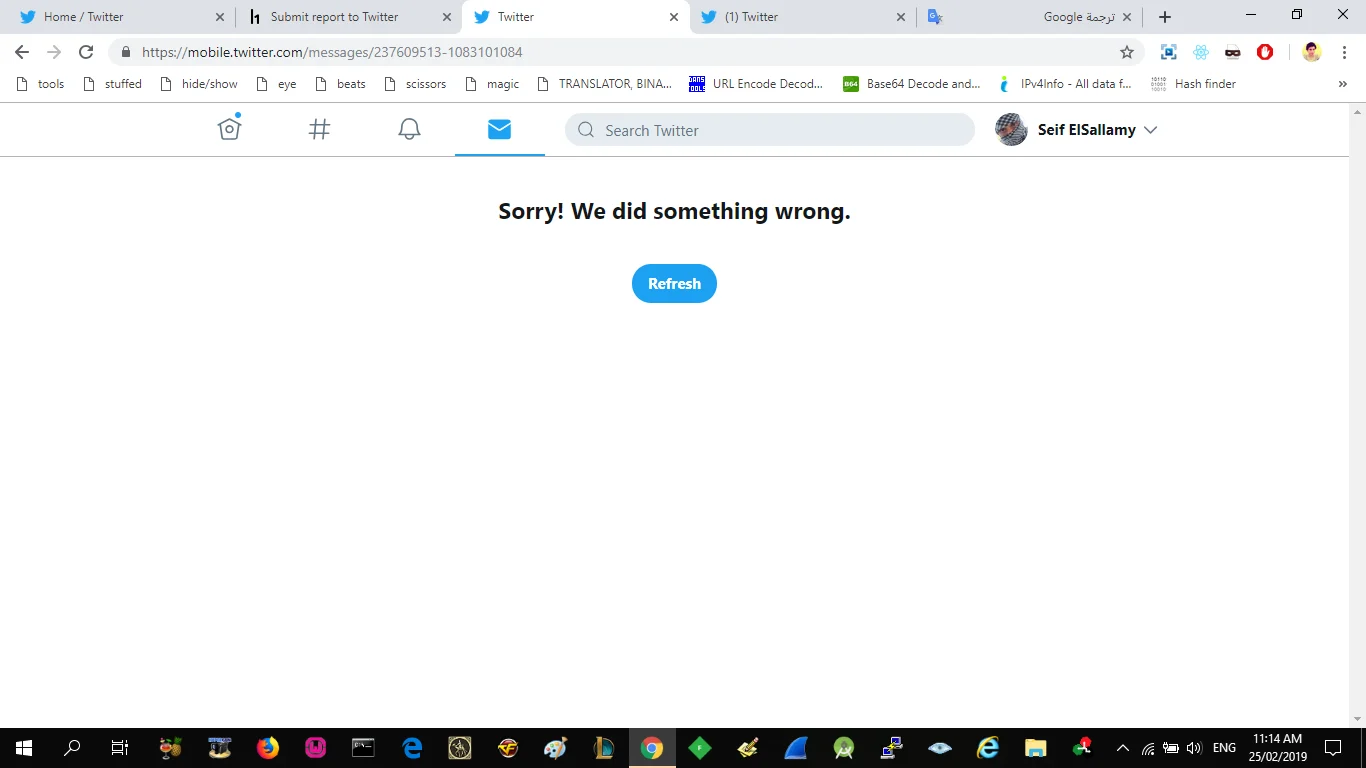
- Sending such url on a direct message, twitter will no longer be able to load the conversation,
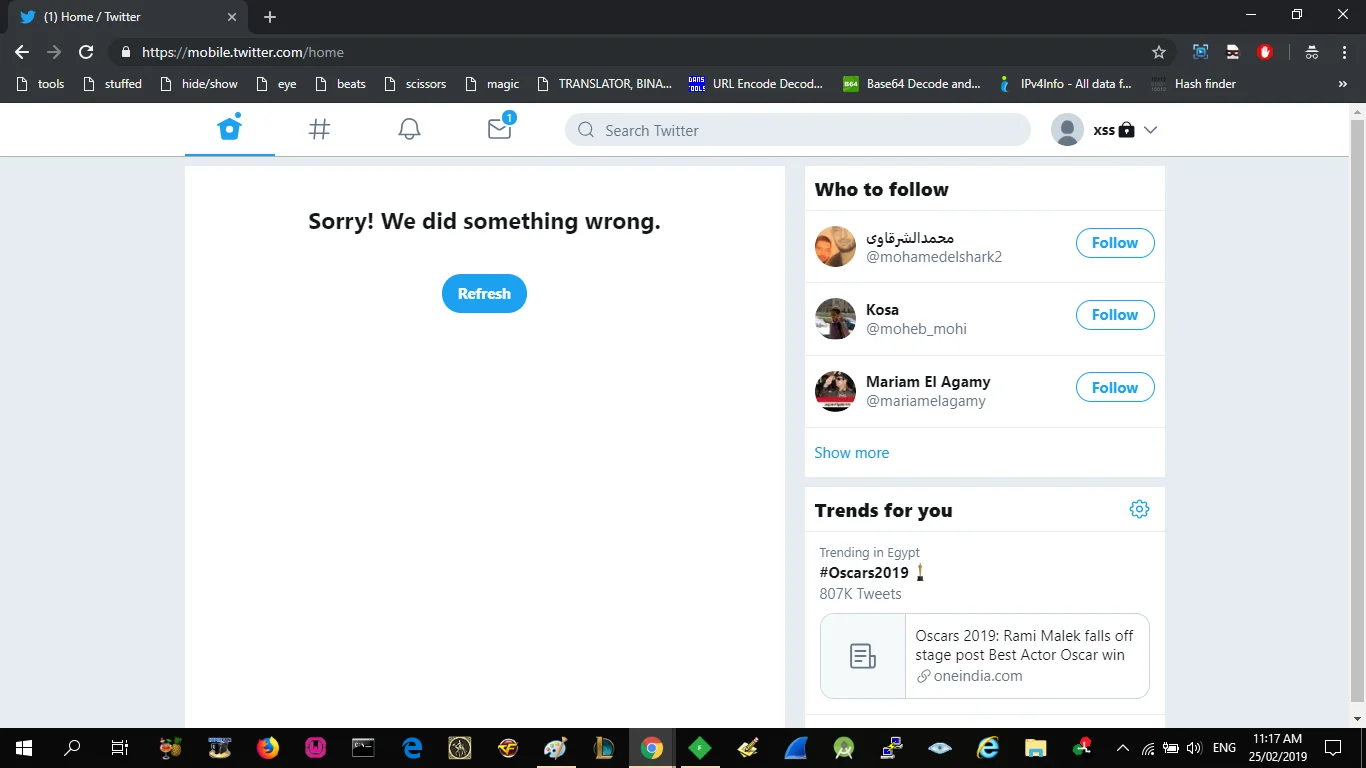
F429765 2) Tweet such url, anyone following you won't be able to load any tweets
F429766
I think Twitter on the client side trying to find a value for %xx which is not possible so it raises an error
Steps To Reproduce:
- Go to https://mobile.twitter.com/
- Send or tweet this url
https://mobile.twitter.com/?%xx - You and your followers won't be able to see any tweets on the mobile site
Impact
This issue works only on https://mobile.twitter.com/ (not working on IOS, Android and https://twitter.com/ ) however, all twitter mobile users with no twitter app should be affected
Attachments
Context
The target is Twitter's mobile web client, served at https://mobile.twitter.com/. This is the browser-based version of Twitter aimed at mobile users, and it is the surface that people without the native app use to read timelines, open direct messages and follow conversations. The report treats the mobile site as a distinct product from the desktop site and from the native iOS and Android apps, and that distinction turns out to matter for the impact.
The weakness class recorded for the report is uncontrolled resource consumption, and the researcher's own explanation is a client-side parsing failure: the page tries to resolve a value for %xx and cannot, so it raises an error that takes the whole page down.
Setup
No special tooling, accounts or roles are described. The researcher used two delivery channels that any logged-in user has: direct messages and tweets. The only precondition is that the victim uses the mobile web client, either by navigating to a crafted URL or by receiving one through a DM or a tweet.
Finding it
The observation is simple: a URL containing invalid percent-encoding makes the mobile site fail to load. The example given is:
https://mobile.twitter.com/?%xx
%xx is not valid percent-encoding. A percent sign must be followed by two hexadecimal digits, and x is not a hex digit, so a decoder that tries to turn %xx into a byte has nothing valid to work with. On the mobile site this does not degrade gracefully: the page will not load at all.
The researcher's reading is that the client-side code attempts to find a value for %xx, finds none, and raises an error that is not caught, which stops the page from rendering.
Exploitation
Step 1: Load the crafted URL directly
Navigate to the mobile site with the malformed query string:
https://mobile.twitter.com/?%xx
The result is that Twitter does not load. This establishes the primitive: a single URL with invalid hex characters breaks the page for whoever opens it.
Step 2: Deliver it through a direct message
Send the same URL in a direct message. The report records that Twitter is then no longer able to load the conversation. The reference attached to this observation is F429765.
The report attaches a screenshot alongside this observation.
Step 3: Deliver it through a tweet
Post the URL as a tweet. Anyone following the account is then unable to load any tweets. The reference attached to this observation is F429766.
The important property here is that the payload does not have to be clicked. It only has to be present in content that the mobile client renders, and the rendering itself is what fails. That turns a single URL into something that affects other people, not just the person who typed it.
Root cause
The report attributes the failure to client-side handling: the code tries to find a value for %xx, which is not possible, and raises an error. In other words, a decoding step on the client assumes that anything following a % is well-formed percent-encoding, and there is no fallback when it is not. Because the failure happens while the page or the content is being rendered, the error takes down the surrounding view rather than just the malformed fragment.
This is likely an unhandled exception in the client-side parsing path rather than a server-side rejection, since the server still serves the page and the breakage appears in the browser. The report does not describe the specific function or library involved.
Impact
The effect is denial of service against the mobile web client. The report is explicit about the boundaries:
- It works only on
https://mobile.twitter.com/. - It does not work on iOS, on Android, or on
https://twitter.com/. - All Twitter mobile users without the Twitter app should be affected.
Within those limits, an attacker can break a direct message conversation for the participants, or break the timeline for everyone following the attacker, simply by placing the URL in a message or a tweet. The report does not describe persistence, recovery steps or how long the breakage lasts.
Fix
The fix implied by the root cause is to make the client-side decoding tolerant of malformed input: treat an invalid % sequence as literal text instead of throwing, and make sure a parsing error in one fragment cannot abort rendering of the whole page or conversation. The report does not confirm which of these was applied.
Variants to test
- Other malformed percent sequences in the same query position, such as a trailing
%or%zz. A positive result is the mobile page failing to render in the same way as%xx. - The same payload in other content surfaces that the mobile client renders, beyond DMs and tweets. A positive result is that surface failing to load once the URL is present.
- The same malformed-encoding idea against other mobile-specific front ends of large sites. A positive result is a mobile page that breaks where the desktop equivalent still loads, which is the pattern this report describes.
Hunting notes
This kind of bug tends to sit in client-side code paths that parse URLs or query strings and assume well-formed input, especially where a separate mobile front end has its own rendering logic. During recon, the signal is a product that behaves differently on its mobile host than on its desktop host: if a malformed input breaks one and not the other, the mobile path is worth probing.
The report shows impact by demonstrating the payload in two real delivery channels, a direct message and a tweet, and by stating clearly which platforms are and are not affected. That framing, a single URL that breaks a conversation or a follower's timeline on the mobile web client, is what makes the case concrete for the program.
What happened, in plain words
Twitter has more than one way to be used. There is the full website you open on a laptop, and there is a separate, lighter version made for phones, at https://mobile.twitter.com/. That mobile version is what people use in a phone browser when they have not installed the Twitter app. It is a different piece of software from the desktop site and from the iOS and Android apps, and it behaves differently, which matters a lot here.
The researcher found that one specially crafted web address, containing a broken piece of text, makes the mobile site fail to load completely. Not just a small part of the page: the whole page. And because the address can be placed inside a direct message or a tweet, it does not even need to be clicked. It only needs to appear in content that the mobile site tries to display, and the display itself breaks. So one person can make a conversation unreadable for everyone in it, or make a timeline unreadable for everyone who follows them, as long as those people are using the mobile web version.
The report classifies this as uncontrolled resource consumption. That is a broad label for bugs where a system is pushed into using more of something (memory, processing time, and so on) than it should, often until it stops working. Here the practical result is simpler to describe: a page that will not load, which is a denial of service (making something unavailable to the people who need it).
Context
The target is Twitter's mobile web client, served at https://mobile.twitter.com/. In plain terms, this is the browser-based version of Twitter aimed at mobile users. It is the surface that people without the native app use to read timelines, open direct messages and follow conversations. The report treats the mobile site as a distinct product from the desktop site and from the native iOS and Android apps, and that distinction turns out to matter for the impact.
The weakness class recorded for the report is uncontrolled resource consumption, and the researcher's own explanation is a client-side parsing failure: the page tries to resolve a value for %xx and cannot, so it raises an error that takes the whole page down.
Two terms in that paragraph deserve unpacking for a newcomer.
Client-side means the work happens in your own browser, on your own device, rather than on Twitter's servers. When you open a page, the server sends code (mostly JavaScript, the programming language browsers run) and your browser executes it to build what you see. If that code hits a problem, the page can break on your screen even though the server is perfectly healthy.
Parsing means reading a piece of text and working out what it means, the way you read a sentence and pick out the words. A parser is the part of the program that does this reading. When a parser meets text it does not expect, a well-written program shrugs and treats it as ordinary characters; a badly written one throws an error and stops.
Setup
No special tooling, accounts or roles are described. The researcher used two delivery channels that any logged-in user has: direct messages and tweets. The only precondition is that the victim uses the mobile web client, either by navigating to a crafted URL or by receiving one through a DM or a tweet.
In other words, you do not need hacking software for this. You need a browser, a Twitter account, and the ability to send a message or post a tweet. The victim does not need to do anything unusual either: just use the mobile site the way they normally would.
Finding it
The observation is simple: a URL containing invalid percent-encoding makes the mobile site fail to load. The example given is:
https://mobile.twitter.com/?%xx
To understand why this is strange, you need to know what percent-encoding is. Web addresses cannot contain every character directly, so certain characters are written in a code that starts with a percent sign followed by two hexadecimal digits. Hexadecimal is just a number system that uses 0 to 9 and A to F. So %20 means a space, %2F means a slash, and so on. The rule is rigid: after a % there must be exactly two characters, and both must be hex digits.
%xx is not valid percent-encoding. A percent sign must be followed by two hexadecimal digits, and x is not a hex digit, so a decoder that tries to turn %xx into a byte has nothing valid to work with. On the mobile site this does not degrade gracefully: the page will not load at all.
Looking at the address piece by piece:
https://is the protocol, the set of rules for fetching a web page securely.mobile.twitter.comis the server being asked./is the path, here just the front page.?marks the start of the query string, the extra information passed to the page after the address itself.%xxis the malformed part: a percent sign followed by two characters that are not valid hex digits.
The researcher's reading is that the client-side code attempts to find a value for %xx, finds none, and raises an error that is not caught, which stops the page from rendering. An uncaught error is like a factory line where one station jams and nobody has a plan for it, so the whole line halts instead of the faulty item being set aside.
Exploitation
Step 1: Load the crafted URL directly
Navigate to the mobile site with the malformed query string:
https://mobile.twitter.com/?%xx
The result is that Twitter does not load. This establishes the primitive: a single URL with invalid hex characters breaks the page for whoever opens it.
Why start here? Because before claiming that a payload can hurt other people, you first have to show that it hurts at all. Opening the address yourself is the smallest possible test: one browser, one address, one result. If the page loads fine, there is nothing to report. If it fails, you have a primitive, a basic building block that later steps can reuse.
Step 2: Deliver it through a direct message
Send the same URL in a direct message. The report records that Twitter is then no longer able to load the conversation. The reference attached to this observation is F429765.
The report attaches a screenshot alongside this observation.
Why this step? Because a bug that only affects the person who types the address is a curiosity. A bug that affects a second person, who did nothing but open their messages, is a real problem. A direct message is a natural delivery channel: it is private, it is rendered by the same mobile client, and the recipient does not have to click anything for the text to be displayed.
Step 3: Deliver it through a tweet
Post the URL as a tweet. Anyone following the account is then unable to load any tweets. The reference attached to this observation is F429766.
The important property here is that the payload does not have to be clicked. It only has to be present in content that the mobile client renders, and the rendering itself is what fails. That turns a single URL into something that affects other people, not just the person who typed it.
This is the step that widens the blast radius from one conversation to a whole audience. A tweet is public and goes to every follower, so a single post can break the timeline for all of them at once, provided they are on the mobile web client.
Root cause
The report attributes the failure to client-side handling: the code tries to find a value for %xx, which is not possible, and raises an error. In other words, a decoding step on the client assumes that anything following a % is well-formed percent-encoding, and there is no fallback when it is not. Because the failure happens while the page or the content is being rendered, the error takes down the surrounding view rather than just the malformed fragment.
A useful comparison is a form that insists every phone number has exactly ten digits. If someone types nine, a robust form says "please check this field" and lets the rest of the page work. A fragile form crashes the whole page. Here the fragile behaviour wins: one bad fragment takes the whole view with it.
This is likely an unhandled exception in the client-side parsing path rather than a server-side rejection, since the server still serves the page and the breakage appears in the browser. The report does not describe the specific function or library involved.
Impact
The effect is denial of service against the mobile web client. The report is explicit about the boundaries:
- It works only on
https://mobile.twitter.com/. - It does not work on iOS, on Android, or on
https://twitter.com/. - All Twitter mobile users without the Twitter app should be affected.
Within those limits, an attacker can break a direct message conversation for the participants, or break the timeline for everyone following the attacker, simply by placing the URL in a message or a tweet. The report does not describe persistence, recovery steps or how long the breakage lasts.
Those boundaries are worth pausing on, because they show careful testing. The report states that the desktop site and both native apps are unaffected. That is exactly the kind of detail a security team needs: it tells them where the faulty code lives, and it stops them from chasing a problem in products that are fine.
Fix
The fix implied by the root cause is to make the client-side decoding tolerant of malformed input: treat an invalid % sequence as literal text instead of throwing, and make sure a parsing error in one fragment cannot abort rendering of the whole page or conversation. The report does not confirm which of these was applied.
In everyday terms, the fix is the difference between a machine that stops dead when it meets a word it does not know and one that simply reads the word as-is and carries on.
Variants to test
- Other malformed percent sequences in the same query position, such as a trailing
%or%zz. A positive result is the mobile page failing to render in the same way as%xx. - The same payload in other content surfaces that the mobile client renders, beyond DMs and tweets. A positive result is that surface failing to load once the URL is present.
- The same malformed-encoding idea against other mobile-specific front ends of large sites. A positive result is a mobile page that breaks where the desktop equivalent still loads, which is the pattern this report describes.
These are follow-up ideas, not things the report proves. They are the natural next questions once you know that one malformed sequence breaks one mobile front end.
Hunting notes
This kind of bug tends to sit in client-side code paths that parse URLs or query strings and assume well-formed input, especially where a separate mobile front end has its own rendering logic. During recon, the signal is a product that behaves differently on its mobile host than on its desktop host: if a malformed input breaks one and not the other, the mobile path is worth probing.
Recon (reconnaissance) is the early phase of security testing where you map out what a target is made of: which hosts exist, which pages respond, which versions of a site are served. Here the useful habit is comparison. Open the same address on the desktop site and on the mobile site and watch for differences. When the two disagree, the mobile one is a candidate for exactly this class of bug.
The report shows impact by demonstrating the payload in two real delivery channels, a direct message and a tweet, and by stating clearly which platforms are and are not affected. That framing, a single URL that breaks a conversation or a follower's timeline on the mobile web client, is what makes the case concrete for the program.
Glossary
- Client-side: work done in your own browser on your own device, rather than on the website's servers.
- Denial of service: making a service unavailable to the people who normally use it.
- Direct message (DM): a private message sent from one account to another inside the platform.
- Hexadecimal: a number system using 0 to 9 and A to F, often used to write character codes in web addresses.
- Mobile web client: the browser-based version of a site designed for phones, as opposed to a native app.
- Parsing: reading a piece of text and working out its structure and meaning.
- Payload: the crafted input that triggers a bug, here the malformed URL.
- Percent-encoding: the convention of writing special characters in a URL as a percent sign followed by two hex digits, such as
%20for a space. - Primitive: a basic, confirmed building block of an attack that later steps rely on.
- Query string: the part of a URL after the
?, carrying extra information to the page. - Recon (reconnaissance): the early mapping phase of security testing, finding out what a target is made of.
- Timeline: the stream of tweets shown to a user, made up of accounts they follow.
- Uncaught error: a failure in a program that no part of the code handles, so the surrounding operation stops.
- Uncontrolled resource consumption: a weakness class where a system is pushed to use more of a resource than intended, often until it stops working.
- URL: the address of a resource on the web, such as a page or an image.




