Bypassing the Confirmation Email for Newsletter (bof.nl)
The MailPoet newsletter plugin failed to validate the confirmation token, allowing an attacker to confirm any email address for the newsletter without the owner's knowledge. An attacker could subscribe anyone by simply knowing their email address.
 Published on medium.com
I’ve been meaning to write about this for a while. It all started back in September 2017 when I decided to look for vulnerabilities on BoF.
The full write-up lives on its author's site
It belongs to its author, so we link to it rather than copy it. The other two tabs are our own rewrites, checked against it.
Context
Bits of Freedom (BoF) is a Dutch digital rights organisation, and the target here is its public website at https://www.bof.nl/. The feature under test is the newsletter subscription form at the bottom of the page. Subscribing is a two-step process: you enter an email address, and the site sends a confirmation email to that address. Only after the recipient follows the confirmation link is the subscription activated.
The site runs the MailPoet newsletter plugin to manage subscriptions. The researcher's conclusion is that the flaw sits in MailPoet rather than in the site itself.

Setup
No special tooling was needed. The researcher used two dummy addresses to demonstrate the issue:
[redacted][redacted]
Finding it
The researcher had spent time on https://www.bof.nl/ without finding anything interesting, and turned to the newsletter section out of genuine interest in the blog posts. After submitting an email address, the site made clear that a confirmation step was in place. The confirmation email arrived from [redacted].
The researcher found the confirmation email itself seemed vulnerable, and after digging further was able to confirm anyone's email.
Exploitation
The confirmation link has three parts: the endpoint, the action and the data. In the link below, the endpoint selects the method, the action selects the process, and the data parameter carries the token:
https://www.bof.nl/je-bent-ingeschreven/?mailpoet_router&endpoint=subscription&action=confirm&data=[redacted]
Step 1: Reach the newsletter form
Go to the official website:
https://www.bof.nl
Step 2: Subscribe with the first address
Go to the newsletter section at the bottom of the page and enter an email address, for example [redacted].
Step 3: Receive the confirmation email
A confirmation mail is sent to that address.
Step 4: Copy the confirmation link
Copy the confirmation link out of the email and paste it somewhere it can be edited. The link is the one shown above, and it belongs to [redacted].
Step 5: Edit the address in the link
Change the URL so that the data part carries the second address instead:
https://www.bof.nl/je-bent-ingeschreven/?mailpoet_router&endpoint=subscription&action=confirm&data=[redacted]
The researcher used his own second address, but any email address can be placed there to activate a subscription for it.
Step 6: Visit the edited URL
Loading the modified link returns a page with the following message from BoF:
You are registered on one or more of our newsletters or mailing lists. Can not you wait? Then read our latest news .
At the bottom of each newsletter, you can unsubscribe you and all your newsletters at once and manage your listings.
The page shows the registration message for the second address, without its owner having followed any confirmation link.
Root cause
The BoF team uses the MailPoet newsletter plugin, and the researcher attributes the issue to the plugin rather than to the site. In his words, the MailPoet system failed to validate the token: the confirmation link's data part is accepted after being edited to a different email address, so the confirmation is not tied to the address that originally requested it. The confirmation step therefore does not prove that the person following the link controls the mailbox it names.
Impact
An attacker can subscribe anyone by simply knowing their email address. The subscription is activated without the target's prior knowledge, and the target never has to interact with the confirmation email. The effect is limited to newsletter subscription: the report describes no access to account data, no ability to read the victim's information and no other action on the site.
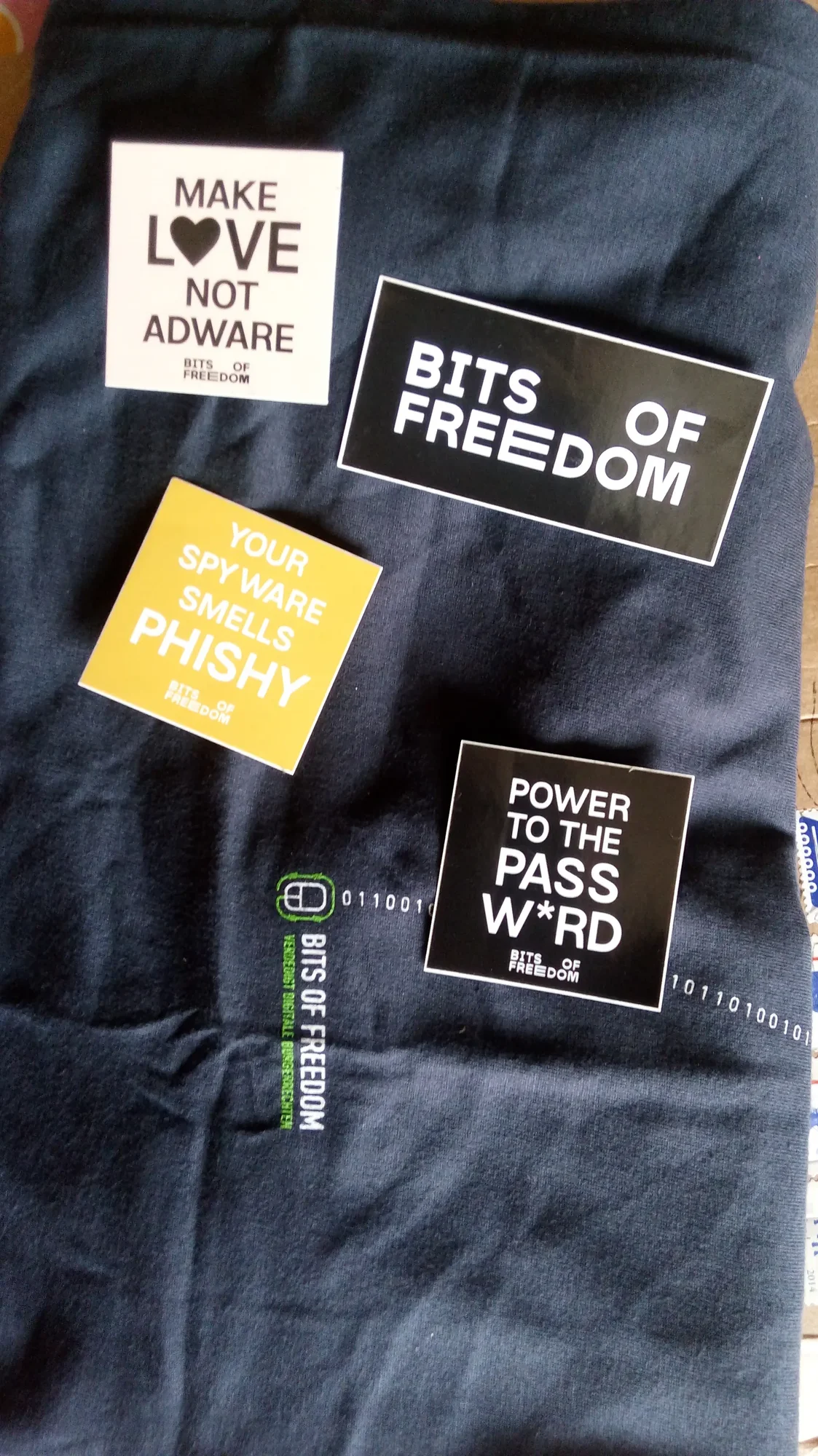
At the end of the exercise the researcher received a T-shirt and BoF stickers as a token of appreciation from the BoF team.
Fix
The report states that the issue is marked as fixed. It does not describe the change that was made.
- Swap the address in the data parameter. On any MailPoet-style confirmation link, replace the encoded data with a plain address or with a re-encoded payload naming a different address. A positive result is a success page for an address whose mailbox you do not control.
- Reuse a token across addresses. Take a token issued for your own address and pair it with a second address, keeping the token unchanged. A positive result is a confirmation for the second address.
- Replay an old confirmation link. Follow a confirmation link a second time, or after unsubscribing. A positive result is a fresh activation without a new email being sent.
- Decode and inspect the data parameter. Base64-decode the data value and look at which fields it contains, such as a token and an email. A positive result is a payload whose fields can be changed independently and still accepted.
- Test other double opt-in flows. Apply the same edit to confirmation links from other newsletter plugins and mailing list managers. A positive result is any flow where the confirmation succeeds for an address that did not request it.
What happened, in plain words
Bits of Freedom (BoF) is a Dutch organisation that campaigns for digital rights. Its public website is at https://www.bof.nl/, and near the bottom of the page there is a form where you can sign up for its newsletter, a regular email with news and blog posts.
Signing up happens in two steps. You type your email address into the form and press subscribe. The site then sends an email to that address with a link inside. Only when the person who owns that mailbox clicks the link does the subscription become active. This two-step design is called double opt-in, and its whole purpose is to prove that the person asking for the newsletter really controls the mailbox they typed in. Without it, anyone could sign up any address they know and fill someone else's inbox with mail they never asked for.
The site uses a piece of software called MailPoet to run all of this. MailPoet is a plugin, meaning an add-on that plugs into a website to give it an extra feature, in this case newsletter management. The researcher's conclusion is that the mistake lives in MailPoet, not in the BoF site itself.
What the researcher found is that the confirmation link can be edited by hand. If you take the link sent to your own address and change the address inside it to somebody else's, the site still accepts it and activates the subscription for that other person. The confirmation step is supposed to prove you own the mailbox, but here it proves nothing, because the link is not tied to the address it was issued for. This kind of flaw, where a system accepts a request for something the requester should not be allowed to touch, is often called broken authorisation, or an IDOR (Insecure Direct Object Reference): the link refers to an object, here an email address, and the server does not check that you are allowed to act on it.
The image above is the banner from the BoF site, reading Voor Jouw Internetvrijheid, Dutch for "For Your Internet Freedom".
Setup
No special tools were needed for this. Everything was done with a normal browser and an email inbox. The researcher used two dummy addresses to demonstrate the issue:
[redacted][redacted]
The only thing you need is access to the mailbox of the first address, so that you can read the confirmation email and copy its link. If the subscription for the second address becomes active without anyone reading its mail, the confirmation step has been bypassed.
Finding it
The researcher had spent time on https://www.bof.nl/ without finding anything interesting, and turned to the newsletter section out of genuine interest in the blog posts. After submitting an email address, the site made clear that a confirmation step was in place. The confirmation email arrived from [redacted].
The researcher found the confirmation email itself seemed vulnerable, and after digging further was able to confirm anyone's email.
Exploitation
The confirmation link has three parts: the endpoint, the action and the data. In the link below, the endpoint selects the method, the action selects the process, and the data parameter carries the token:
https://www.bof.nl/je-bent-ingeschreven/?mailpoet_router&endpoint=subscription&action=confirm&data=[redacted]
Reading this link piece by piece:
https://www.bof.nl/je-bent-ingeschreven/is the page on the BoF site that handles the confirmation. The Dutch part means "you are subscribed".?marks the start of the parameters, the extra instructions sent along with the page request.mailpoet_routeris a flag telling the site to hand this request to the MailPoet plugin's routing logic, the part that decides which internal function should run.endpoint=subscriptionsays which area of the plugin to use, here subscriptions.action=confirmsays what to do in that area, here confirm the subscription.data=...is the payload, the actual information the action needs. The long string of letters and digits is not random: it is a token, a short piece of data that acts as proof that this request is legitimate, encoded so it can travel safely inside a web address. A token works like a cloakroom ticket: you hand in your coat, you get a ticket, and only that ticket gets the coat back. Here the ticket is supposed to prove that the confirmation belongs to a particular email address.
Step 1: Reach the newsletter form
Go to the official website:
https://www.bof.nl
This is simply the starting point, the public home page of the organisation.
Step 2: Subscribe with the first address
Go to the newsletter section at the bottom of the page and enter an email address, for example [redacted].
You use your own address here because you need to receive the confirmation email. This is the address whose mailbox you control.
Step 3: Receive the confirmation email
A confirmation mail is sent to that address.
This is the normal, intended behaviour of double opt-in: the site asks the mailbox owner to prove they asked for the subscription.
Step 4: Copy the confirmation link
Copy the confirmation link out of the email and paste it somewhere it can be edited, such as a text editor or the address bar of your browser. The link is the one shown above, and it belongs to [redacted].
You copy it out because the next step is to change it by hand, and you cannot easily edit a link while it is still inside an email.
Step 5: Edit the address in the link
Change the URL so that the data part carries the second address instead:
https://www.bof.nl/je-bent-ingeschreven/?mailpoet_router&endpoint=subscription&action=confirm&data=[redacted]
Line by line, this is the same link as before with one change:
- The page, the
mailpoet_routerflag, the endpoint and the action are all unchanged. The request still asks MailPoet to confirm a subscription. - The
datavalue is no longer the long encoded token. It has been replaced with a plain email address,[redacted], the address the researcher does not control.
The researcher used his own second address, but any email address can be placed there to activate a subscription for it. The reason this step matters is that it tests the core question: does the server check that the data it receives matches the token it issued, or does it simply trust whatever address is written there?
Step 6: Visit the edited URL
Load the modified link in the browser. The page returns a message from BoF:
You are registered on one or more of our newsletters or mailing lists. Can not you wait? Then read our latest news .
At the bottom of each newsletter, you can unsubscribe you and all your newsletters at once and manage your listings.
The page shows the registration message for the second address, without its owner having followed any confirmation link. The success message is the proof: the site believes the confirmation is genuine, even though the address in the link was never the one the token was issued for.
Root cause
The BoF team uses the MailPoet newsletter plugin, and the researcher attributes the issue to the plugin rather than to the site. In his words, the MailPoet system failed to validate the token: the confirmation link's data part is accepted after being edited to a different email address, so the confirmation is not tied to the address that originally requested it. The confirmation step therefore does not prove that the person following the link controls the mailbox it names.
In everyday terms, imagine a hotel that gives you a key card for room 101. If the card simply says "room 101" and the door only reads the number, anyone who writes "room 102" on a blank card gets into room 102. A properly built system checks the card against a list of issued cards, so an edited card is refused. Here the confirmation link behaved like the blank card: the address written in it was taken at face value.
Impact
An attacker can subscribe anyone by simply knowing their email address. The subscription is activated without the target's prior knowledge, and the target never has to interact with the confirmation email. The effect is limited to newsletter subscription: the report describes no access to account data, no ability to read the victim's information and no other action on the site.
At the end of the exercise the researcher received a T-shirt and BoF stickers as a token of appreciation from the BoF team.
The image above shows the T-shirt and stickers the researcher received, captioned Token of Appreciation.
Fix
The report states that the issue is marked as fixed. It does not describe the change that was made.
These are the same ideas generalised, so you can look for the same mistake elsewhere. Each one describes what to try and what a positive result looks like.
- Swap the address in the data parameter. On any MailPoet-style confirmation link, replace the encoded data with a plain address or with a re-encoded payload naming a different address. A positive result is a success page for an address whose mailbox you do not control.
- Reuse a token across addresses. Take a token issued for your own address and pair it with a second address, keeping the token unchanged. A positive result is a confirmation for the second address.
- Replay an old confirmation link. Follow a confirmation link a second time, or after unsubscribing. A positive result is a fresh activation without a new email being sent.
- Decode and inspect the data parameter. Base64-decode the data value and look at which fields it contains, such as a token and an email. Base64 is a way of writing data using only letters, digits and a couple of symbols so it can travel inside a web address; decoding it is not hacking, it just reveals what is inside. A positive result is a payload whose fields can be changed independently and still accepted.
- Test other double opt-in flows. Apply the same edit to confirmation links from other newsletter plugins and mailing list managers. A positive result is any flow where the confirmation succeeds for an address that did not request it.
Glossary
- Action: the parameter in the link that says which operation to perform, here
confirm. - Base64: an encoding that turns data into letters, digits and a few symbols so it can be carried inside a web address; it hides nothing and can be decoded by anyone.
- Broken authorisation: a flaw where a system lets someone do something they should not be allowed to do, because it does not check permissions properly.
- Confirmation link: the link inside the signup email that the recipient must open to activate the subscription.
- Data parameter: the part of the link that carries the payload, here the token or an email address.
- Double opt-in: a signup process with two steps, entering an address and then confirming from that mailbox, so the owner really asked for it.
- Endpoint: the parameter in the link that selects which area of the plugin handles the request, here
subscription. - IDOR (Insecure Direct Object Reference): a flaw where a link or request names an object, such as an email address, and the server does not check that you are allowed to act on it.
- MailPoet: a newsletter plugin for websites, used by BoF to manage subscriptions.
- Parameter: an extra instruction attached to a web address after the
?, separated by&. - Payload: the actual information a request carries, as opposed to where it is sent.
- Plugin: an add-on that gives a website an extra feature, such as newsletter management.
- Query string: the part of a web address after the
?that holds the parameters. - Replay: sending the same request again, for example following a confirmation link a second time.
- Token: a short piece of data that acts as proof a request is legitimate, like a cloakroom ticket.
- Validate: to check that something is genuine and allowed, for example checking a token against the address it was issued for.
- Victim: in a security test, the person or account affected by the flaw, here the owner of the second email address.




