UXss on brave browser via scan QR Code

- Triaged in under an hour
- Fixed in 6 days
- Paid in 22 hours
- Disclosed after 48 days
Summary:
I found UXss in your browser, and executed Xss on all open domains. before that I want to tell you a little, that I've found a vulnerability like this in Microsoft Edge : https://msrc.microsoft.com/update-guide/en-US/vulnerability/CVE-2022-23258
Oppo browser : (Private/no disclosure)
and now i found it in your application
Products affected:
- Android 13, Brave browser version 1.48.164, Brave Nightly browser version 1.50.53, Brave Beta Browser version 1.49.106, Chromium 110.5481.100
Payload :
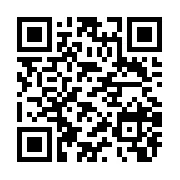
This is a QR Code containing the url : javascript:alert(document.domain);
which the attacker will use to attack the victim
Steps To Reproduce:
- Open Brave browser
- Open www.google.com
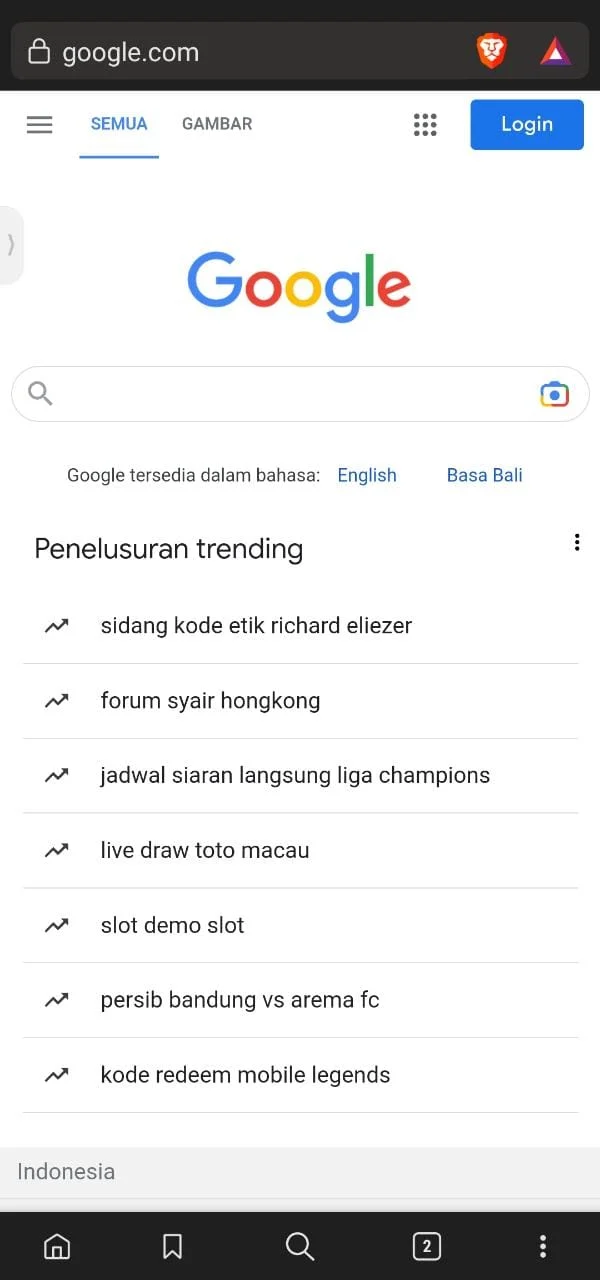
- Click the url bar and delete the url (click the cross on the Url Bar)
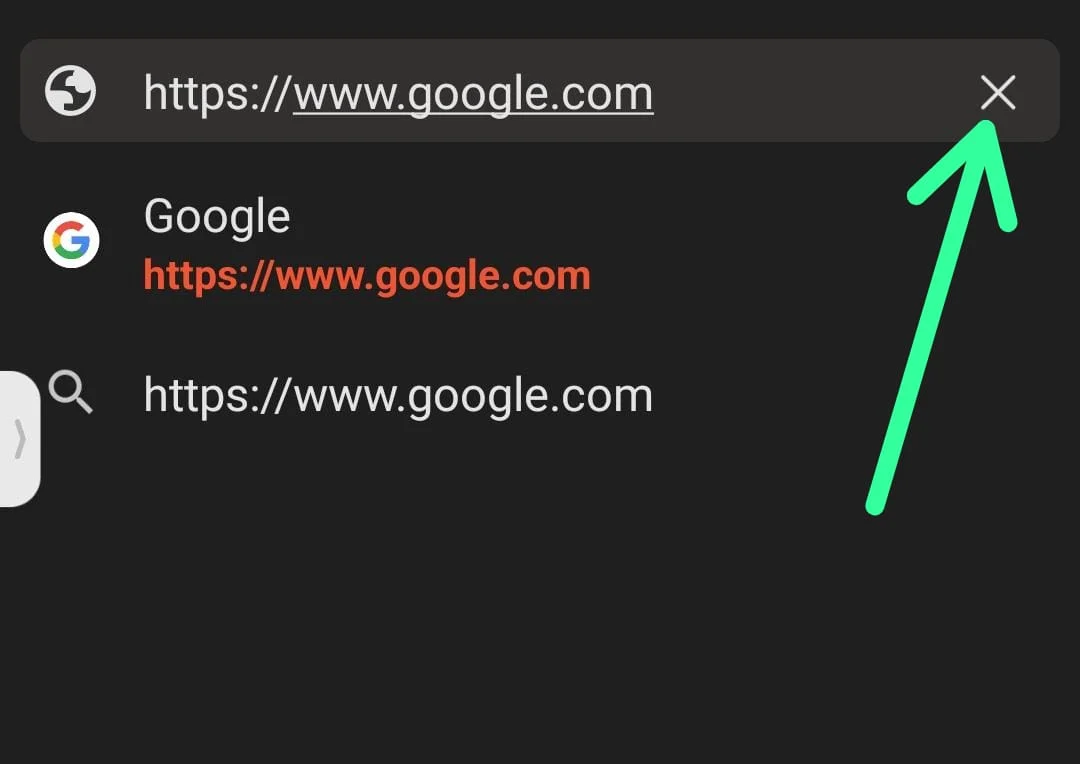
- You will see a Scan QR Code button
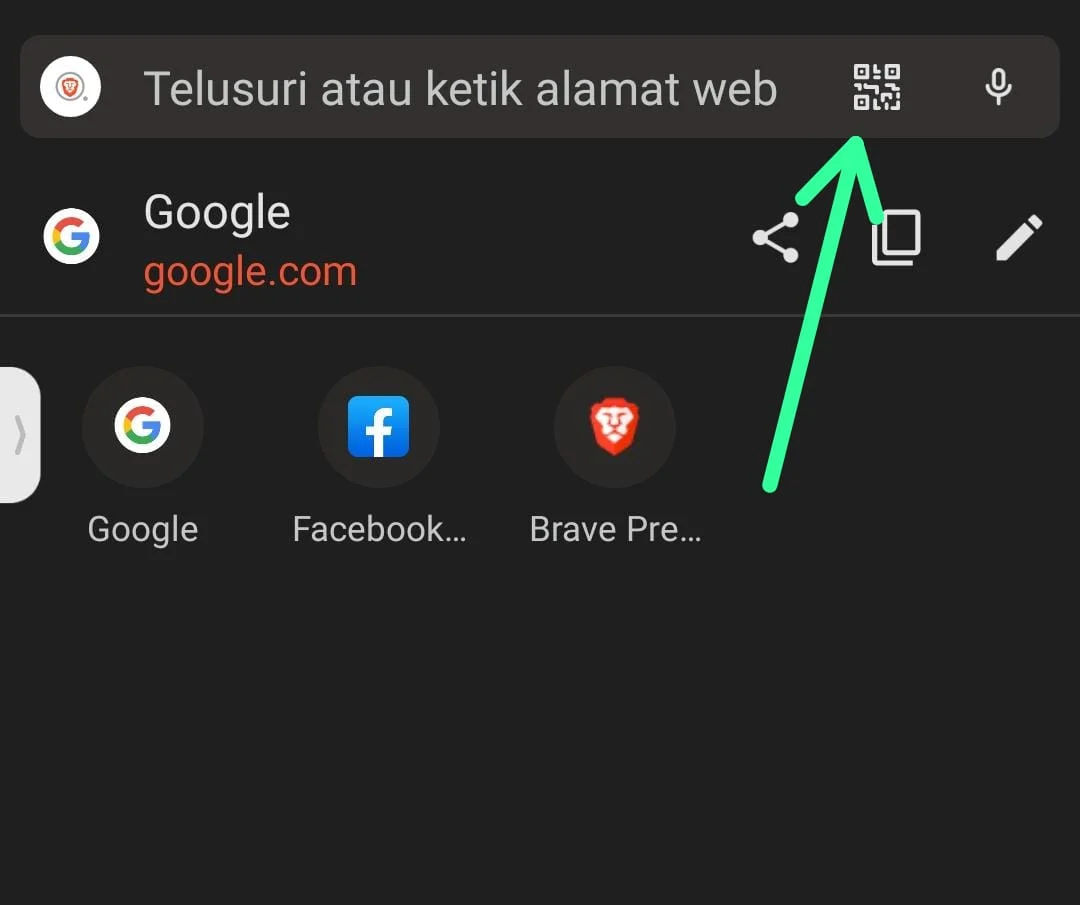
- Click Scan QR Code button & Scan the QR Code above
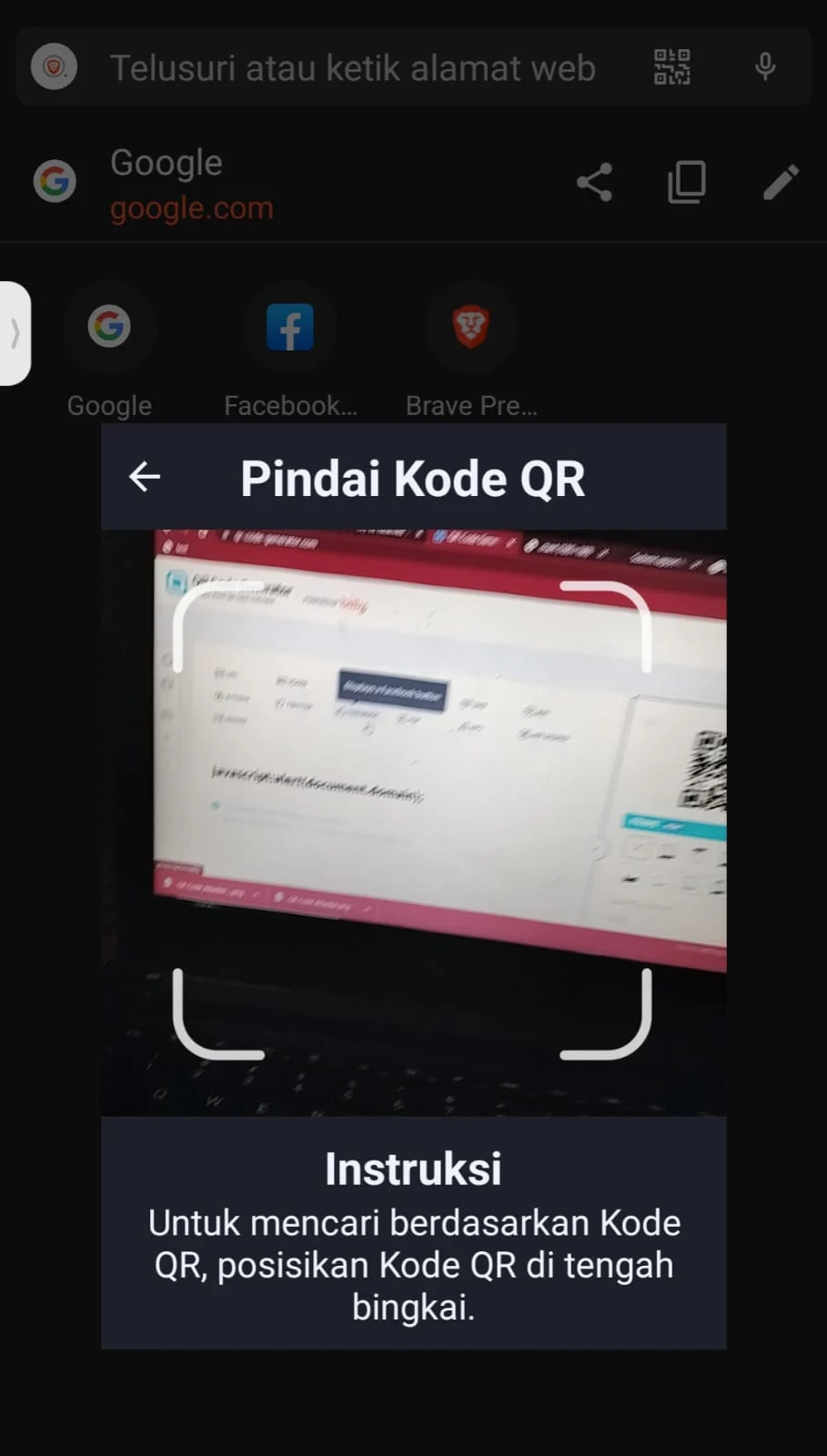
- Xss Executed.
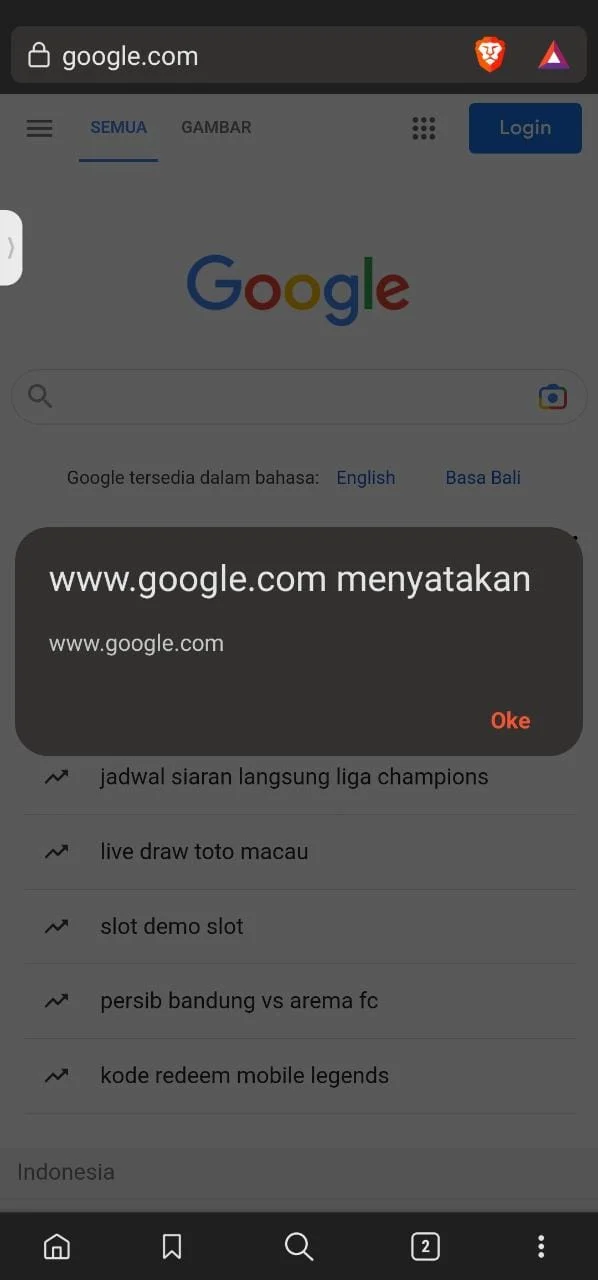
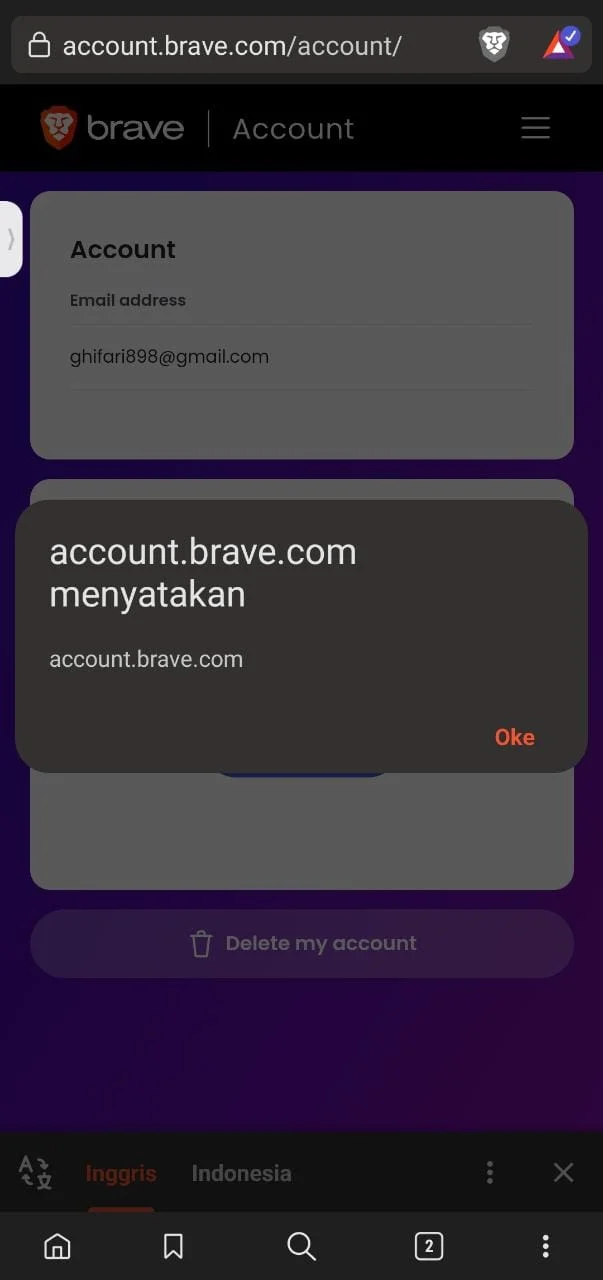
Supporting Material/References:
https://msrc.microsoft.com/update-guide/en-US/vulnerability/CVE-2022-23258
Impact
Attackers can steal the victim's cookies, and as you can see at this point. that this vulnerability does not only affect brave, but will affect all existing domains/websites. and it is very possible that websites such as facebook.com, google.com, microsoft.com are also affected by this vulnerability example : https://portswigger.net/daily-swig/microsoft-edge-translator-contained-uxss-flaw-exploitable-on-any-web-page
Attachments
Context
Brave for Android is a Chromium-based mobile browser. Among its user-facing features is a QR code scanner reachable from the address bar, which lets a user open a link by scanning it with the camera instead of typing it. The researcher reports that this scanner accepted a javascript: URI and executed it in the context of the currently open page, producing a universal XSS (UXSS) that runs on any open domain.
The affected products listed in the report are:
| Product | Version |
|---|---|
| Android 13 | (platform) |
| Brave browser | 1.48.164 |
| Brave Nightly | 1.50.53 |
| Brave Beta | 1.49.106 |
| Chromium | 110.5481.100 |
The researcher notes having previously found a similar issue in Microsoft Edge (CVE-2022-23258) and in Oppo browser (private, no disclosure), and says the same class of bug exists in Brave.
Setup
No accounts, roles or special tooling are described. The preconditions implied by the reproduction steps are an Android 13 device running one of the listed Brave builds, the ability to display a QR code for the victim to scan (the researcher supplies one as an image), and a page already open in the browser. The attack is delivered by getting the victim to scan an attacker-controlled QR code with the browser's own scanner.
Finding it
The researcher's starting point is prior knowledge of the same class of bug in other browsers, having found it before in Microsoft Edge and Oppo browser. The scanned javascript: URI is executed rather than treated as an inert address. The researcher frames the result as UXSS: script execution that is not bound to a single origin but applies to whatever page is currently open.
Exploitation
The payload is a QR code encoding the following URL:
javascript:alert(document.domain);
The QR code above carries the javascript: URI that the attacker presents to the victim. When the browser's scanner passes it to the page, the script runs in the context of the open document, and document.domain is displayed to prove which origin executed it.
Step 1: Open Brave and load a page
Open Brave browser and navigate to www.google.com.
Step 2: Clear the address bar
Click the URL bar and delete the URL using the cross on the URL bar.
Step 3: Reveal the scanner
With the address bar emptied, a Scan QR Code button appears.
Step 4: Scan the QR code
Click the Scan QR Code button and scan the QR code shown earlier.
Step 5: Script executes
The javascript: URI runs and the alert fires.
The two screenshots above show the result of the scan: the injected script executing against the page that was open before the scan.
A screen recording of the full flow is included as supporting material.
Root cause
The scanned QR content, a javascript: URI, is executed in the context of the open page. Because javascript: URIs are executable navigation targets in Chromium, the decoded string is evaluated as script in the context of the active page rather than being rejected or treated as plain text. The report does not include the code path or the specific validation that was missing, so the exact location of the flaw is not stated; the behaviour is consistent with a missing scheme allow-list at the point where the scanned string is handed to the navigation layer.
Impact
The researcher states that attackers can steal the victim's cookies and that the vulnerability does not only affect Brave but will affect all existing domains and websites, with sites such as facebook.com, google.com and microsoft.com also potentially affected. The report points to public coverage of the equivalent Microsoft Edge translator UXSS as an example of the same class.
In practical terms, the conditions are: the victim uses an affected Brave build on Android, has a page open, and scans an attacker-supplied QR code with the built-in scanner. Under those conditions the attacker's script runs in the origin of the open page, which is what makes cookie theft and other same-origin actions possible. The report does not demonstrate cookie exfiltration or any specific post-exploitation step; the proof is the alert(document.domain) firing.
Fix
The report does not describe a fix, a patch or a code change.
Variants to test
- Other executable schemes in the same scanner: try
data:text/html,<script>alert(document.domain)</script>andvbscript:where supported. A positive result is script execution in the context of the previously open page. - Other entry points that accept pasted or scanned text: QR scanners in other mobile browsers, share-sheet handlers, and "open link from clipboard" features. A positive result is the same origin-context execution after the string is supplied through the feature rather than typed into the address bar.
- Scheme obfuscation: mixed case (
JaVaScRiPt:), leading whitespace or control characters, and URL-encoded forms. A positive result is execution where the plain form was blocked. - Cross-check the same payload against the address bar directly. If typing it is blocked but scanning it is not, the gap is in the scanner's validation rather than in the navigation layer.
Hunting notes
This class of bug hides in browser-owned input surfaces that feed strings into navigation: QR scanners, clipboard readers, intent handlers, and deep-link parsers. During recon, the signal is any feature that converts external text into a URL without the user typing it, especially on mobile builds where the scanner is one tap away from the address bar.
What happened, in plain words
A security researcher found a way to make Brave, a web browser for Android phones, run code that an attacker wrote, on whatever website the victim happened to have open. The trick was a QR code.
Most of us know QR codes: those square black-and-white patterns you scan with a phone camera to open a menu, a ticket or a website. Brave has a built-in QR scanner in its address bar, so you can open a link by pointing the camera at a code instead of typing the address. The researcher showed that this scanner would happily accept a QR code that does not contain a normal web address but a small piece of JavaScript, the programming language that web pages use to make things happen. Brave ran that code as if the website itself had written it.
This kind of bug is called universal XSS, or UXSS. To understand it, you first need to know what XSS is. XSS stands for cross-site scripting: it means getting your own code to run inside someone else's website, in the browser, so that the site treats it as its own. Normally a website tries hard to stop this. UXSS is worse: the code does not sneak in through the website at all, it comes from the browser itself, so the website has no chance to defend itself. That is why the researcher says it works on every open domain, not just one site.
The researcher had found the same kind of flaw before, in Microsoft Edge (a public Microsoft advisory, CVE-2022-23258) and in the Oppo browser (kept private, never disclosed). Now the same pattern turned up in Brave.
The products involved
Brave for Android is built on Chromium, the open-source engine that also powers Chrome and Edge. The report lists these affected products and versions:
| Product | Version |
|---|---|
| Android 13 | (platform) |
| Brave browser | 1.48.164 |
| Brave Nightly | 1.50.53 |
| Brave Beta | 1.49.106 |
| Chromium | 110.5481.100 |
A quick word on the three Brave builds. Brave browser is the normal, stable version most people install. Brave Beta and Brave Nightly are test versions released ahead of the stable one, so users can try features early. The fact that all three are listed means the bug was present across the release channels, not just in one experimental build.
What you need to try it
The report describes no accounts, no special tools and no configuration. To follow the steps you need:
- An Android 13 phone with one of the Brave builds listed above installed.
- A QR code to scan. The researcher provides one as an image, so you can display it on a screen and point the phone's camera at it.
- A web page already open in Brave, because the code runs in the context of whatever page is currently showing.
The attack works by getting the victim to scan a QR code the attacker controls. That is the whole delivery method: no link to click, no file to download, just a code to scan.
How the researcher got the idea
The starting point was not Brave itself but the earlier bugs in Edge and Oppo. In each case the browser ran attacker-supplied code in the context of the open page. In a browser, an address is not always a website. Some addresses start with javascript: and contain code instead of a location. If a browser is told to "go to" such an address, it runs the code.
The researcher found that scanning a javascript: address in Brave's scanner executed it. The result is UXSS, because the code runs against whichever page is open at that moment, not against one fixed site.
The payload
The payload is a QR code that encodes this address:
javascript:alert(document.domain);
Line by line, in plain words:
javascript:tells the browser that what follows is code, not a web address. It is a real address scheme, likehttp:orhttps:, but instead of fetching a page it runs a script.alert(...)is a built-in browser function that pops up a small dialog box with a message. It is the simplest way to prove that code ran.document.domainis a property that holds the name of the website the current page belongs to, for examplewww.google.com. Putting it inside the alert means the dialog will show which site the code executed on.- The semicolon at the end simply ends the statement.
The QR code in the image above carries that address. The attacker shows it to the victim, and the victim's own browser does the rest.
Step by step
Step 1: Open Brave and load a page
Open Brave browser and go to www.google.com.
Why this step: the bug runs code in the context of the page that is open. To show that, you need a real page open first. Google is used as an ordinary, well-known site, which makes the result easy to recognise: if the dialog later says www.google.com, the code clearly ran as if Google had written it.
Step 2: Clear the address bar
Click the URL bar and delete the URL using the cross on the URL bar.
Why this step: the QR scanner button is not visible all the time. Emptying the address bar is what makes Brave offer the scanner, so this step is just about reaching the feature through the normal user interface, exactly as a real user would.
Step 3: Reveal the scanner
With the address bar emptied, a Scan QR Code button appears.
This is the feature under test: a browser-owned button that turns the phone camera into a way of opening links. The important detail is that it belongs to the browser, not to any website, which is why a website's own protections cannot get in the way.
Step 4: Scan the QR code
Click the Scan QR Code button and scan the QR code shown earlier.
At this point the camera reads the pattern, the scanner decodes it back into text, and that text is the javascript: address. The question the researcher is answering is what Brave does with that text next.
Step 5: The script runs
The javascript: address runs and the alert fires.
The two screenshots above show the result of the scan: the injected script running against the page that was open before the scan. The dialog displaying document.domain is the proof, because it names the site whose context the code executed in.
A screen recording of the full flow is included as supporting material.
Why it works
When you scan a QR code, the scanner turns the pattern back into text. That text is then handed to the browser as something to open, the same way a typed address is. The scanned javascript: address was executed in the context of the active page. Because javascript: addresses are executable in Chromium, the decoded text was evaluated as code in the context of the active page instead of being rejected or shown as plain text.
The report does not include the code path or name the specific check that was missing, so the exact location of the flaw is not stated. The behaviour fits a missing allow-list of permitted schemes at the point where the scanned text is passed to the navigation layer. An allow-list is simply a list of what is permitted: here, it would mean accepting only ordinary web addresses such as http: and https: and refusing everything else.
What an attacker could do
A cookie is a small piece of data a website asks the browser to store and send back on later visits, commonly used to remember that you are logged in. Because the attacker's code runs in the context of the open site, it is treated as part of that site, and the researcher states that attackers can steal the victim's cookies this way.
The researcher also stresses that the problem is not limited to Brave or to one website: it affects all existing domains and websites, and sites such as facebook.com, google.com and microsoft.com could be affected too. The report points to public coverage of the equivalent Microsoft Edge translator UXSS as an example of the same class of bug.
In practical terms, three conditions have to line up: the victim uses an affected Brave build on Android, has a page open, and scans an attacker-supplied QR code with the built-in scanner. When they do, the attacker's script runs in the origin of the open page. Origin is the combination of scheme, host and port that a browser uses to decide which site a page belongs to; code running in a site's origin can do what that site's own code can do. That is what makes cookie theft and other same-origin actions possible.
The report does not demonstrate cookie theft or any specific follow-up step. The proof is the alert(document.domain) dialog firing.
Was it fixed?
The report does not describe a fix, a patch or a code change.
Other things worth testing
These are follow-up ideas in the same spirit, useful for anyone learning how researchers widen a finding:
- Other executable schemes in the same scanner: try
data:text/html,<script>alert(document.domain)</script>andvbscript:where supported. A positive result is script execution in the context of the previously open page. - Other entry points that accept pasted or scanned text: QR scanners in other mobile browsers, share-sheet handlers, and "open link from clipboard" features. A positive result is the same origin-context execution after the text is supplied through the feature rather than typed into the address bar.
- Scheme obfuscation: mixed case (
JaVaScRiPt:), leading whitespace or control characters, and URL-encoded forms. A positive result is execution where the plain form was blocked. - Cross-check the same payload against the address bar directly. If typing it is blocked but scanning it is not, the gap is in the scanner's validation rather than in the navigation layer.
Notes for anyone hunting similar bugs
This class of bug hides in browser-owned input surfaces that feed text into navigation: QR scanners, clipboard readers, intent handlers (the mechanism Android uses to pass a request, such as "open this link", from one app to another), and deep-link parsers (code that turns a special link into a place inside an app). During recon, short for reconnaissance, the signal is any feature that turns outside text into an address without the user typing it, especially on mobile builds where the scanner sits one tap away from the address bar.
A CVE is a public identifier given to a known vulnerability so people can refer to it unambiguously.
Glossary
- Android: the operating system made by Google that runs on most phones that are not iPhones.
- API: an interface that lets one piece of software ask another to do something, like a service counter where you make a request and get a defined response.
- Address bar: the field at the top of a browser where the address of the current page is shown and new addresses are typed.
- Allow-list: a list of things that are permitted, with everything not on the list refused.
- Brave: a web browser built on Chromium, available on desktop and mobile.
- Brave Beta / Brave Nightly: test versions of Brave released ahead of the stable version so users can try features early.
- Browser: the program you use to view websites, such as Chrome, Firefox, Edge or Brave.
- Chromium: the open-source browser engine that Brave, Chrome and Edge are built on.
- Cookie: a small piece of data a website asks the browser to store and send back later, often used to keep you logged in.
- CSP (Content Security Policy): rules a website sends to the browser saying which scripts and resources are allowed to load on its pages.
- CVE: a public identifier assigned to a known vulnerability so it can be referred to unambiguously.
- Deep-link parser: code that turns a special link into a specific place inside an app.
document.domain: a browser property holding the name of the website the current page belongs to.- Domain: the name of a website, such as
google.com. - Executable scheme: the part at the start of an address, such as
javascript:, that makes the browser run code instead of fetching a page. - Intent handler: the Android mechanism that passes a request, such as "open this link", from one app to another.
- JavaScript: the programming language that web pages use to make things happen in the browser.
javascript:URI: an address that contains code instead of a location; the browser runs the code when asked to open it.- Origin: the combination of scheme, host and port that a browser uses to decide which site a page belongs to.
- Payload: the piece of input an attacker supplies to trigger a vulnerability.
- QR code: a square black-and-white pattern that stores text, usually a web address, to be read by a camera.
- Recon (reconnaissance): the exploratory phase of security testing, looking for features and behaviours worth probing.
- Scheme: the first part of an address, before the colon, such as
http:,https:orjavascript:. - Stable build: the normal released version of a browser that most users install.
- Universal XSS (UXSS): script execution that is not tied to one website but applies to whatever page is open, usually because the flaw is in the browser rather than in a site.
- URL: the address of a resource, such as a web page.
- UXSS: see universal XSS.
- XSS (cross-site scripting): getting your own code to run inside someone else's website in the browser, so the site treats it as its own.






