Brave Shields Domain Reordering Leads to Origin Confusion
Brave Shields displayed the site's domain with its labels reversed, so a host such as 1.attacker.com was shown as attacker.com.1. An attacker could register a lookalike hostname and trick a user into believing the page belongs to a trusted domain, aiding phishing.
 Originally disclosed on HackerOne
- Triaged in 43 hours
- Fixed in 3 days
- Paid in 3 days
- Disclosed after 3 days
Summary:
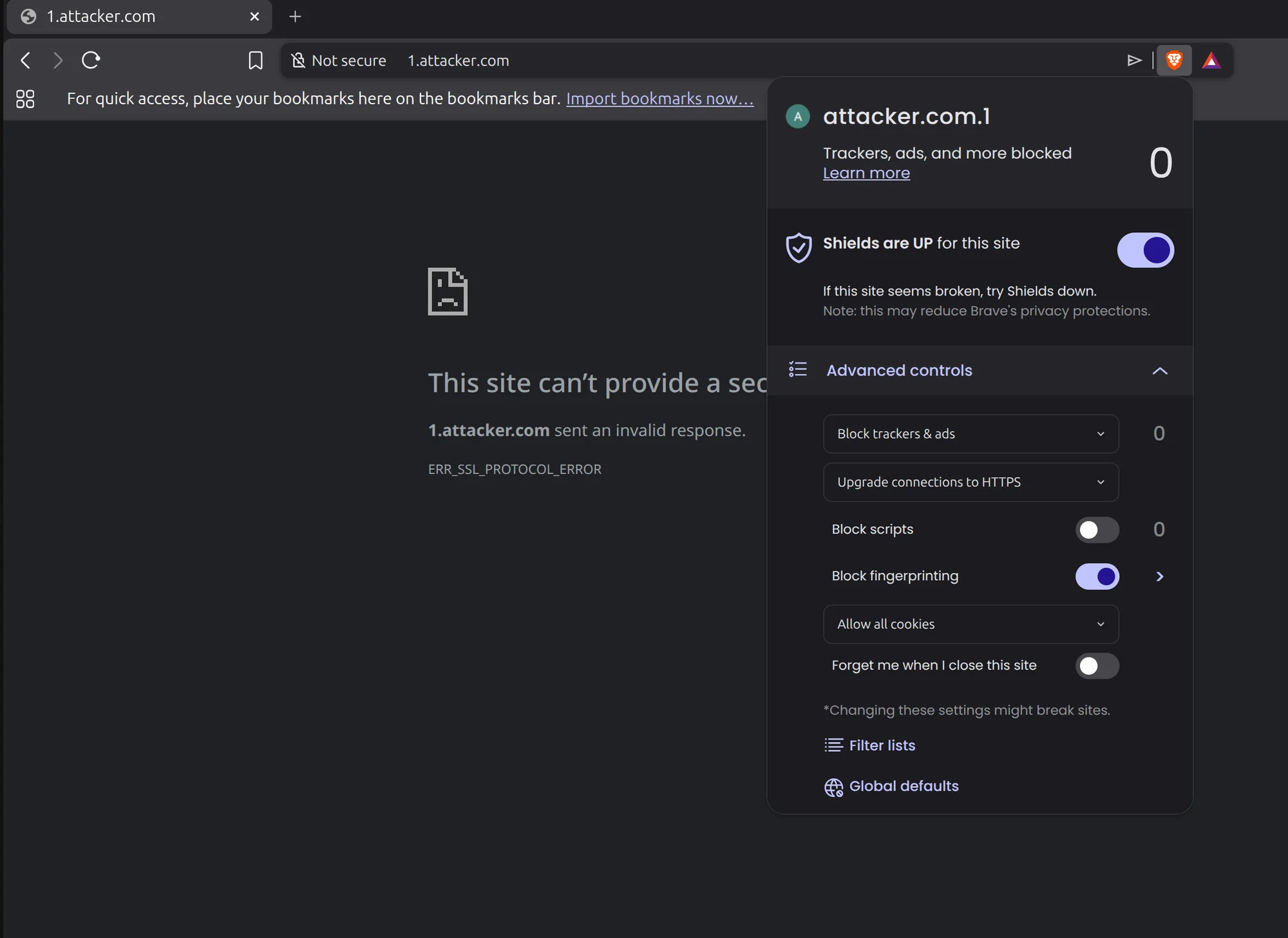
brave shields shows the domain like 1.attacker.com as attacker.com.1
steps to reproduced
- go to brave browser ( currently i am using ubuntu as os and browser version is
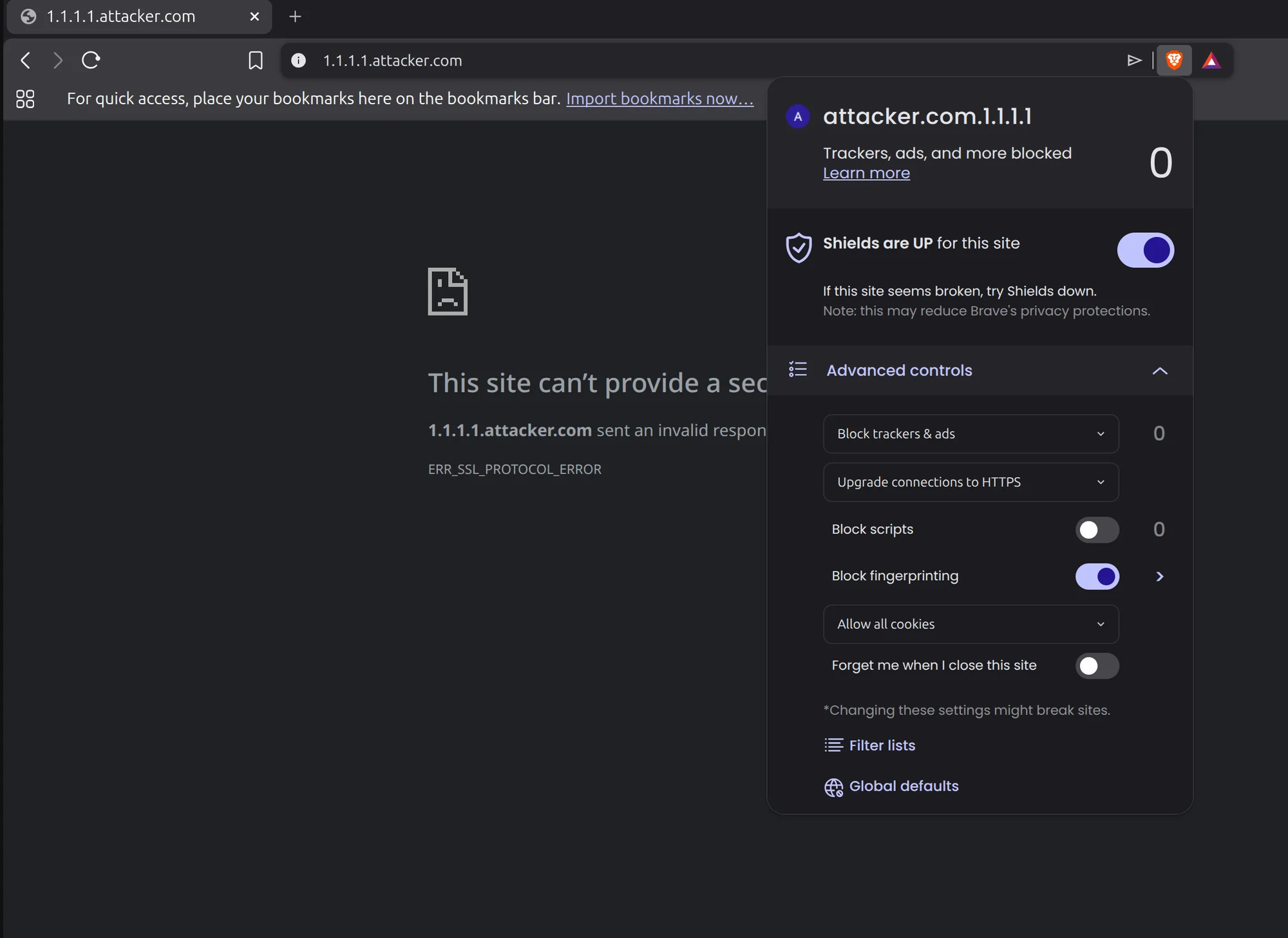
Brave 1.89.132 (Official Build) (64-bit) Chromium: 147.0.7727.56 2. go to 1.1.1.1.attacker.com 3. click on brave shield and you can see that the site name changed to attacker.com.1.1.1.1
Here is the POC for 1.attacker.com
for 1.1.1.1.attcker.com it changed to attacker.com.1.1.1.1 tricking user that this is from cloudflare DNS.
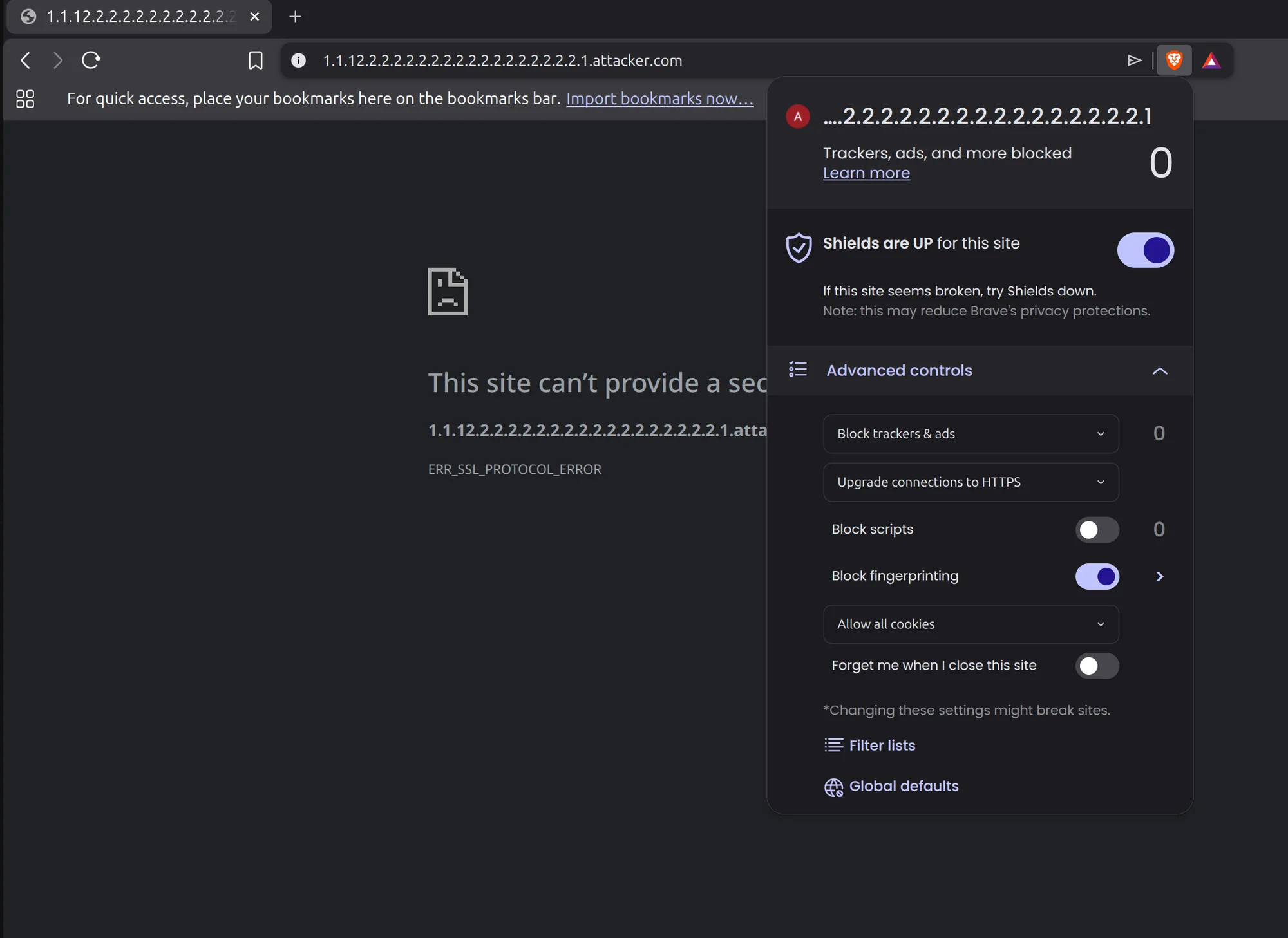
hide the actual domain same as in this report( https://hackerone.com/reports/2501378). but the difference is that in this report we use a very long subdomain but in my case we are using numericals values.
but brave in android handles this properly.
Impact
Misrepresentation of domain structure in Brave Shields can mislead users into trusting attacker-controlled sites, enabling phishing attacks.
Not written yet. The AI write-up for this report has not been written yet. The Original tab links to the source.
How it worked
Root cause
Likely the Shields UI reverses or mis-splits the hostname labels before displaying them, instead of showing them in their original order.
Impact
The misleading display could convince users that an attacker-controlled site is a trusted one, which may enable phishing; the reporter notes that Brave on Android handles this correctly.
What the attacker needed
Brave desktop browser; victim visits attacker-controlled hostname
How it was found
- Open the Brave browser on Ubuntu (version 1.89.132).
- Visit a hostname whose leftmost label is a number, such as 1.1.1.1.attacker.com.
- Open the Brave Shields panel and observe the displayed site name.
- Note that the name appears reversed, as attacker.com.1.1.1.1.
Explained by bugbounty.wiki with AI from the original and checked against quotes from it; it can still be wrong. Read the original before relying on a detail.
Not written yet. The AI write-up for this report has not been written yet. The Original tab links to the source.
Every website address is made of parts separated by dots, and the part on the right is the real owner (for example example.com). Brave Shields is a privacy feature that shows you which site you are on. Here it printed those parts in the wrong order, so a site the attacker controls looked like it belonged to a trusted name.
What is Misconfiguration?
Settings left unsafe: exposed panels, open storage buckets, debug modes, default credentials.



