Never Give Up — Story of Hacking Dutch Government and Earning that Dutch Swag.
A portal let users store endpoint data that was identified by a sequential numeric ID, and the delete request trusted that ID without checking ownership. An attacker could change the ID to another user's value and delete their endpoint data.
 Published on medium.com
Hmm!! Dutch Swag!!
The full write-up lives on its author's site
It belongs to its author, so we link to it rather than copy it. The other two tabs are our own rewrites, checked against it.
Context
The target was a portal belonging to the Dutch Government. The feature in question lets a signed-in user add data to a field called "Endpoint" in their own account, and that data is later used for certificate validation. Each user's endpoint data sits inside their own account, and the application identifies it by an "organization ID" parameter.
The researcher's goal was not a specific bug class but the Dutch Government swag, and the write-up is as much about the approach as about the vulnerability. The bug that finally worked was an IDOR leading to deletion of another user's data.
Setup
The researcher had been working on Dutch Government domains for roughly six to seven months before this finding. The first phase was recon: finding as many domains and subdomains as possible. The initial approach was XSS and other low-hanging bugs, but reported XSS either came back as a duplicate or was rated low impact, which was not enough for the swag. After a break from the programme, the researcher returned with a different plan and deliberately stopped hunting XSS.
No specific tools, versions or proxy product are named in the write-up. The only stated precondition is the ability to register accounts on the portal, since the whole technique depends on controlling two of them.
Finding it
During recon the researcher found a Dutch Government website that was a portal where a user can add data to an "Endpoint" field, later used for certificate validation.
The researcher created an account and added data to that field. The endpoint data was only visible to its owner: no other user could view or delete it, because it belonged to that account. Deleting the data and inspecting the request revealed that the application recognised the data by an "organization ID" parameter.
A second account was created and data added there too, and its request was observed as well. This made it clear that whenever a user adds data in the Endpoint field, the application assigns a particular ID to that data. While deleting, the important observation was that the ID value was sequential.
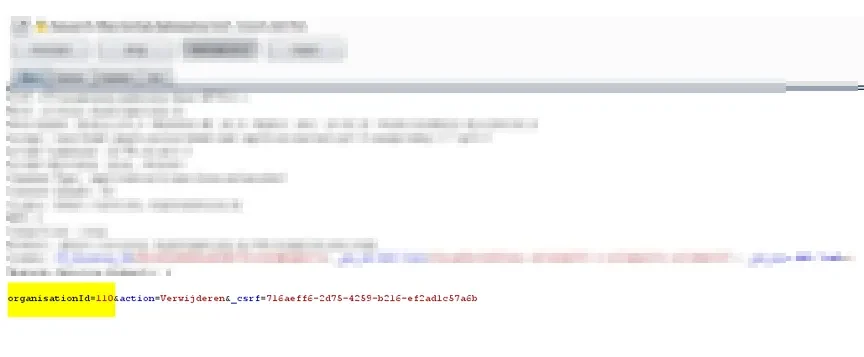
The screenshot accompanies the observation that the ID value was sequential.
Exploitation
The attack scenario follows directly from the sequential IDs: if the identifier of a record is predictable, changing it in a delete request may address somebody else's record.
Step 1: Create two accounts and add endpoint data
Two accounts were created, and data was added in the "Manage endpoints" tab of both accounts. Having two accounts is what makes the test verifiable: one account supplies the record that will be attacked, the other supplies the request that will be tampered with.
Step 2: Capture the delete request and change the ID
Data belonging to one account was deleted and the request was captured in a proxy tool. The application recognised the data with an ID parameter. The captured request carried the ID 109, which was changed to 110:
The ID is the only value that was modified. The request was otherwise the one the application itself had generated for the researcher's own record, so it carried whatever authorisation the application expected for a legitimate delete.
Step 3: Observe the deletion of the other account's data
The other account's endpoint data was deleted as a result of the modified request. The application did not check that the record addressed by the ID belonged to the requesting user, so the delete succeeded against a record owned by a different account. This is improper access control, an IDOR attack, and the researcher describes it as a Broken Access Control attack resulting in deletion of another user's data.
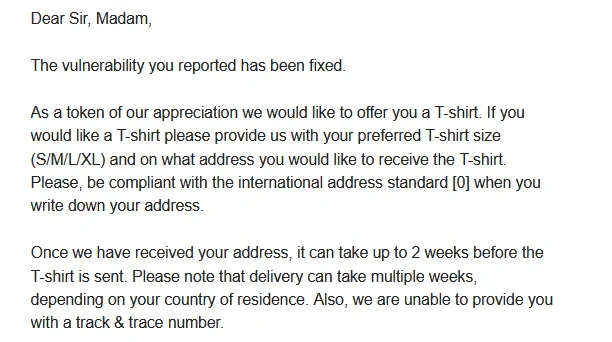
The screenshot follows the description of the IDOR and the reply received after reporting.
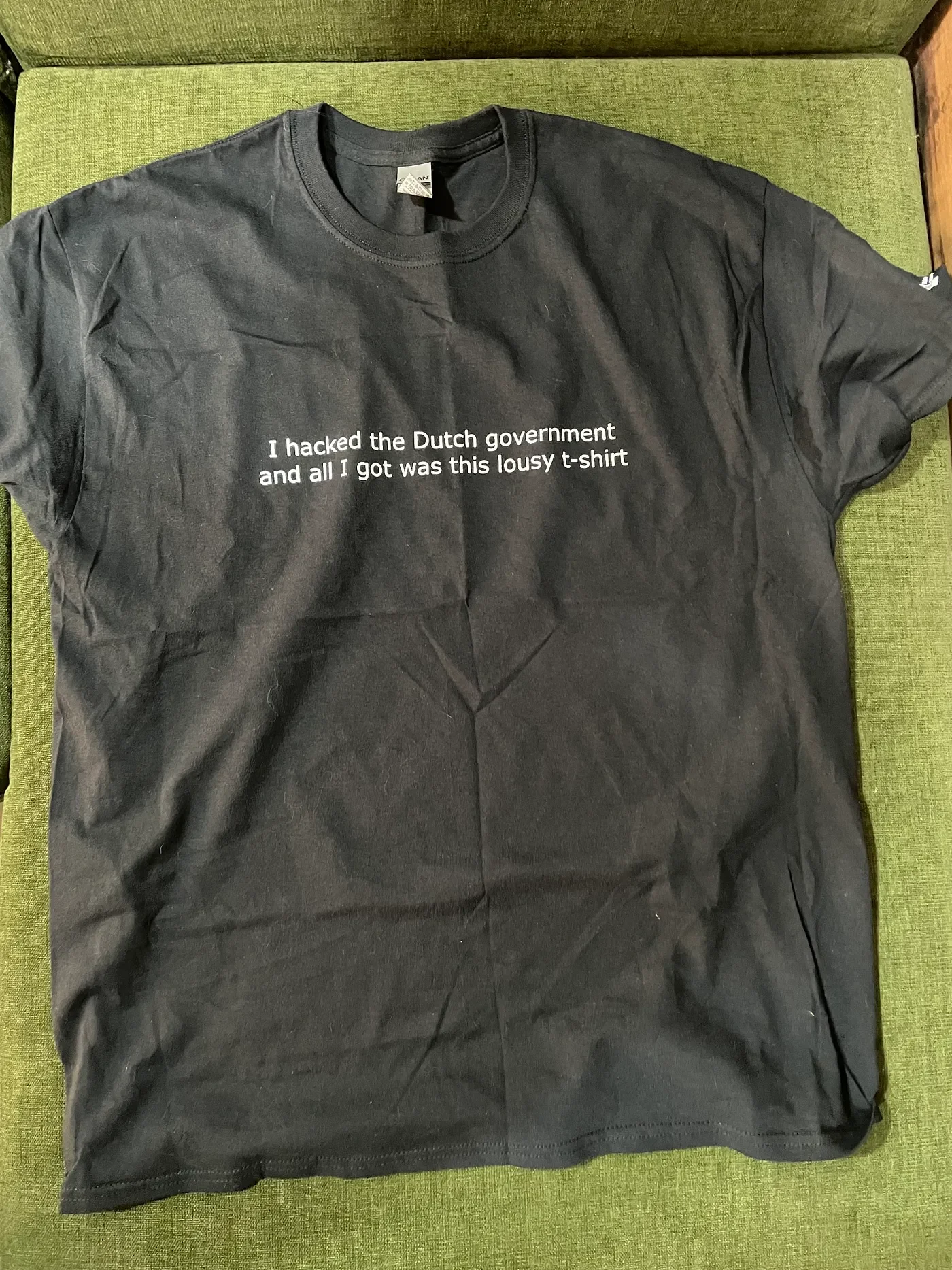
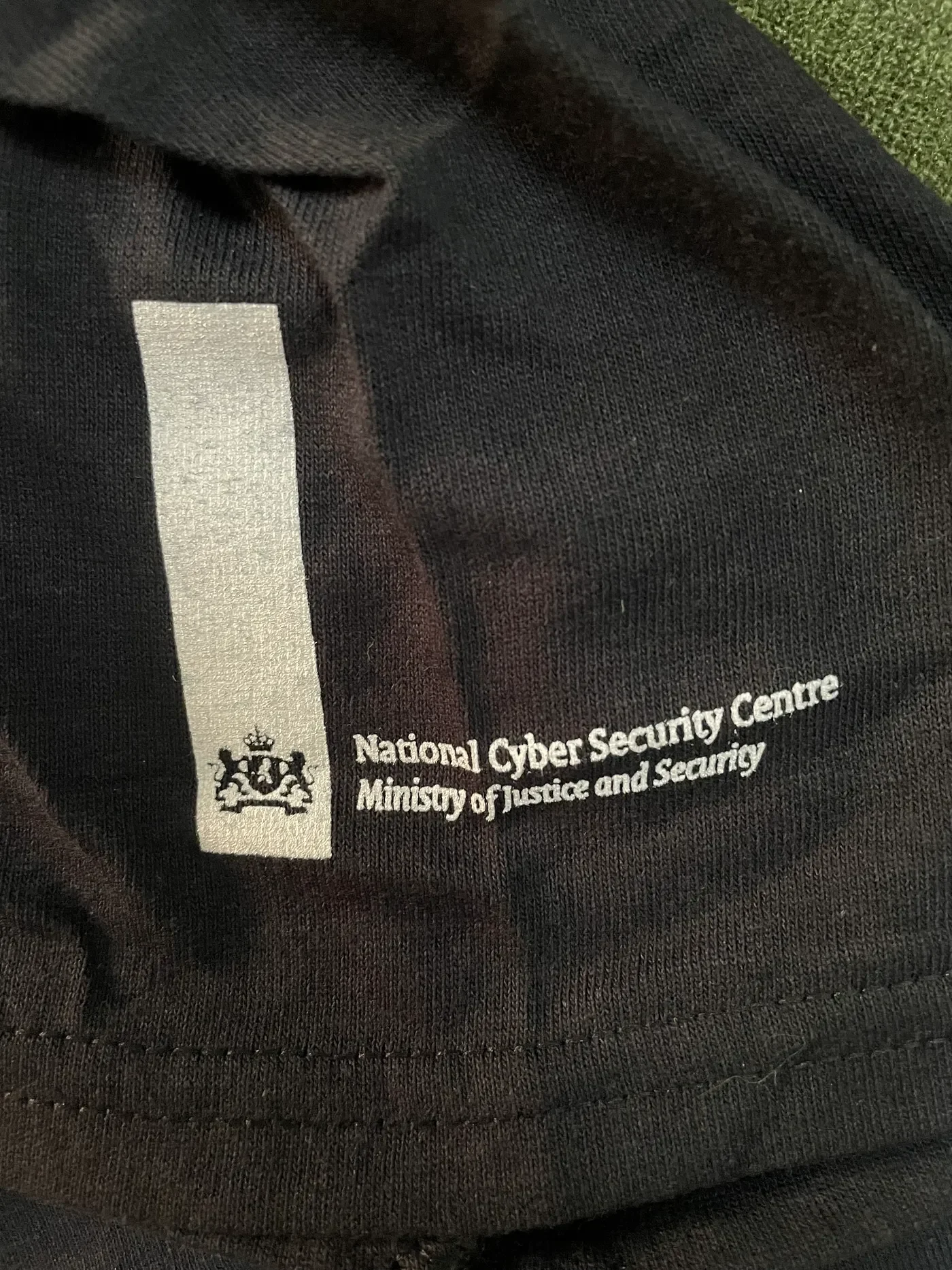
The finding was reported quickly, and a reply came within a few days. The swag itself took three months to arrive.
Root cause
The application assigns a sequential numeric ID to each endpoint record and uses that ID as the sole reference when processing a delete. The application did not stop the delete of a record belonging to another account, which the researcher calls improper access control. Because the IDs are sequential, an attacker does not need to discover a valid identifier: the next integer is a valid guess.
The write-up does not describe any server-side ownership check, CSRF token binding to the record, or per-record authorisation that would have stopped the change. The write-up does not explain how the organisation ID parameter related to the deletion, only that the record was recognised by an ID parameter.
Impact
An authenticated user could delete endpoint data belonging to other users by changing the ID in the delete request. The affected data is the endpoint information used for certificate validation, so its deletion removes a record another account depends on.
The attack requires two accounts on the portal and a captured delete request.
Fix
The fix implied by the finding is a server-side ownership check on every operation that addresses an endpoint record by ID: the application should confirm that the record belongs to the authenticated user's account or organisation before deleting it, and reject the request otherwise. Sequential identifiers make guessing trivial, so object-level authorisation is the control that matters here rather than obscurity of the ID.
Variants to test
- Apply the same ID substitution to read and update operations on the endpoint record, not just delete. A positive result is another account's endpoint data appearing in a response or being modified.
- Walk the ID by one in both directions (for example
108and110around a known109) to confirm the sequence is dense and that neighbouring records belong to other accounts. - Test the organisation ID parameter directly: swap it for another organisation's value while keeping your own record ID, and see whether records from that organisation become reachable.
- Repeat the two-account setup on other features of the same portal that create per-user records, such as certificate or endpoint management screens, and check whether their identifiers are also sequential and unguarded.
- Where IDs are not sequential, check whether they are otherwise predictable, for example short numeric values or values derived from a timestamp, and whether the delete endpoint enforces ownership when a valid foreign ID is supplied.
Always read write-ups, keep changing your approach and never give up.
What happened, in plain words
A security researcher spent months trying to find a bug on websites run by the Dutch Government, mostly because the programme gave out swag (free branded merchandise) to people who reported something useful. His early attempts were all about XSS, a common bug class, but those reports were either rejected as duplicates (somebody else had already reported the same thing) or rated as low impact, which was not enough to earn the swag. He took a break, came back with a new plan, and stopped looking for XSS entirely.
During recon (the phase where you map out what a target is made of), he found a portal where a signed-in user can add some data to a field called "Endpoint", and that data is later used for certificate validation. He made an account, added data, and noticed that the application identified his data by an "organization ID" parameter. He made a second account, added data there too, and watched the requests. The key observation was that each new piece of data got a number, and those numbers went up one at a time.
When he deleted his own data, the captured request carried the ID 109. He changed it to 110, and the other account's data was deleted. The application never checked that record 110 belonged to him. This kind of flaw is called IDOR (Insecure Direct Object Reference), and it falls under the wider family of Broken Access Control bugs. He reported it, got a reply within a few days, and the swag arrived about three months later.
Background concepts, from zero
Before walking through the steps, here are the ideas you need. None of them require any security knowledge, only the experience of using a browser.
What a web application and an API are
A web application is a program that runs on a server and that you talk to through your browser. When you click a button, your browser sends a request over the internet to the server, the server does something, and it sends a response back. The page you see is built from that response.
An API (Application Programming Interface) is the part of the application that accepts those requests directly, without a human clicking. Think of a restaurant: the dining room is the website you see, the kitchen is the database where data lives, and the waiter is the API. You do not walk into the kitchen yourself; you tell the waiter what you want, and the waiter carries the order back and forth. When a security researcher "captures a request", they are reading the note the waiter is carrying.
What a request looks like
Every action in a web application becomes a request with a few parts:
- Method: the verb.
GETmeans "give me something",POSTmeans "create something",DELETEmeans "remove something". - URL: the address of the thing being acted on, for example
/api/endpoints/109. - Headers: extra information attached to the request, such as who you are.
- Body: the data being sent, if any.
What a cookie or token is
When you log in, the server needs a way to recognise you on the next request, because the web itself does not remember anything between requests. It gives your browser a small piece of text, usually stored as a cookie or sent as a token in a header. Your browser attaches it to every subsequent request automatically. It works like a wristband at a festival: you show it once at the gate, and after that the staff let you back in without asking for your ID again. In a write-up, cookies and tokens are always redacted, because anyone holding one can act as you.
What an ID is, and why sequential IDs matter
Every record in a database needs a name so the application can find it again. That name is its ID (identifier). Some applications use long random strings, which are effectively impossible to guess. Others use simple counting numbers: the first record is 1, the next is 2, and so on. These are called sequential IDs.
Sequential IDs are convenient for developers and terrible for security, for the same reason house numbers on a street are easy to find: if you know number 109 exists, you can be confident that 108 and 110 exist too. A random ID is more like a phone number picked at random from a billion possibilities: you cannot walk to the next one.
What IDOR and Broken Access Control mean
Access control is the set of rules deciding who is allowed to do what. In a well-built application, the server checks two things on every request: are you logged in (authentication), and are you allowed to touch this specific thing (authorisation)?
Broken Access Control is the family of bugs where that second check is missing or wrong. IDOR is the most common member of that family: the application takes an ID from the request and uses it to look up a record, but never checks that the record belongs to the person asking. It is like a hotel where the receptionist gives you a key card for room 109, and the lock on room 110 also opens with it because the lock only checks that the card is a valid hotel card, not which room it belongs to.
What the product and feature do
The target was a portal belonging to the Dutch Government. The feature in question lets a signed-in user add data to a field called "Endpoint" in their own account. That data is later used for certificate validation, meaning the application uses it to check that a certificate is legitimate. Each user's endpoint data sits inside their own account, and the application identifies it by an "organization ID" parameter.
Setup
The researcher had been working on Dutch Government domains for roughly six to seven months before this finding. The first phase was recon: finding as many domains and subdomains as possible. The initial approach was XSS and other low-hanging bugs, but reported XSS either came back as a duplicate or was rated low impact, which was not enough for the swag. After a break from the programme, the researcher returned with a different plan and deliberately stopped hunting XSS.
No specific tools, versions or proxy product are named in the write-up. The only stated precondition is the ability to register accounts on the portal, since the whole technique depends on controlling two of them.
Finding it
During recon the researcher found a Dutch Government website that was a portal where a user can add data to an "Endpoint" field, later used for certificate validation.
The researcher created an account and added data to that field. The endpoint data was only visible to its owner: no other user could view or delete it, because it belonged to that account. Deleting the data and inspecting the request revealed that the application recognised the data by an "organization ID" parameter.
A second account was created and data added there too, and its request was observed as well. This made it clear that whenever a user adds data in the Endpoint field, the application assigns a particular ID to that data. While deleting, the important observation was that the ID value was sequential.
The screenshot accompanies the observation that the ID value was sequential.
Exploitation
The attack scenario follows directly from the sequential IDs: if the identifier of a record is predictable, changing it in a delete request may address somebody else's record.
Step 1: Create two accounts and add endpoint data
Two accounts were created, and data was added in the "Manage endpoints" tab of both accounts. Having two accounts is what makes the test verifiable: one account supplies the record that will be attacked, the other supplies the request that will be tampered with.
Step 2: Capture the delete request and change the ID
Data belonging to one account was deleted and the request was captured in a proxy tool. The application recognised the data with an ID parameter. The captured request carried the ID 109, which was changed to 110:
This block is not a program; it is shorthand for the single change made to the captured request. On the left is the value the application itself put in the request when the researcher deleted his own record: 109. On the right is the value he typed in its place: 110. Nothing else in the request was touched. The arrow simply means "replace the left with the right".
The ID is the only value that was modified. The request was otherwise the one the application itself had generated for the researcher's own record, so it carried whatever authorisation the application expected for a legitimate delete.
Step 3: Observe the deletion of the other account's data
The other account's endpoint data was deleted as a result of the modified request. The application did not check that the record addressed by the ID belonged to the requesting user, so the delete succeeded against a record owned by a different account. This is improper access control, an IDOR attack, and the researcher describes it as a Broken Access Control attack resulting in deletion of another user's data.
The screenshot follows the description of the IDOR and the reply received after reporting.
The finding was reported quickly, and a reply came within a few days. The swag itself took three months to arrive.
Root cause
The application assigns a sequential numeric ID to each endpoint record and uses that ID as the sole reference when processing a delete. The application did not stop the delete of a record belonging to another account, which the researcher calls improper access control. Because the IDs are sequential, an attacker does not need to discover a valid identifier: the next integer is a valid guess.
The write-up does not describe any server-side ownership check, CSRF token binding to the record, or per-record authorisation that would have stopped the change. The write-up does not explain how the organisation ID parameter related to the deletion, only that the record was recognised by an ID parameter.
Impact
An authenticated user could delete endpoint data belonging to other users by changing the ID in the delete request. The affected data is the endpoint information used for certificate validation, so its deletion removes a record another account depends on.
The attack requires two accounts on the portal and a captured delete request.
Fix
The fix implied by the finding is a server-side ownership check on every operation that addresses an endpoint record by ID: the application should confirm that the record belongs to the authenticated user's account or organisation before deleting it, and reject the request otherwise. Sequential identifiers make guessing trivial, so object-level authorisation is the control that matters here rather than obscurity of the ID.
Variants to test
- Apply the same ID substitution to read and update operations on the endpoint record, not just delete. A positive result is another account's endpoint data appearing in a response or being modified.
- Walk the ID by one in both directions (for example
108and110around a known109) to confirm the sequence is dense and that neighbouring records belong to other accounts. - Test the organisation ID parameter directly: swap it for another organisation's value while keeping your own record ID, and see whether records from that organisation become reachable.
- Repeat the two-account setup on other features of the same portal that create per-user records, such as certificate or endpoint management screens, and check whether their identifiers are also sequential and unguarded.
- Where IDs are not sequential, check whether they are otherwise predictable, for example short numeric values or values derived from a timestamp, and whether the delete endpoint enforces ownership when a valid foreign ID is supplied.
Always read write-ups, keep changing your approach and never give up.
Glossary
- Access control: the rules that decide who may do what in an application.
- API: the part of a web application that accepts requests directly, without a human clicking through pages.
- Authentication: proving who you are, usually by logging in.
- Authorisation: deciding whether the person asking is allowed to perform this specific action on this specific record.
- Broken Access Control: a bug class where the authorisation check is missing or wrong.
- Cookie: a small piece of text a server gives your browser after login, sent back automatically on later requests so the server recognises you.
- CSRF token: a value embedded in a request to prove it came from the application's own page rather than a forged one.
- Duplicate: a report describing a bug somebody else already reported.
- Endpoint: in this report, the name of the field where a user stores data used for certificate validation.
- Header: extra information attached to a request, such as who you are.
- ID (identifier): the name a database uses to find a specific record.
- IDOR (Insecure Direct Object Reference): a bug where the application takes an ID from the request and uses it without checking that the record belongs to the person asking.
- Low-hanging bug: a common, easy-to-find bug class such as XSS.
- Method: the verb of a request, such as
GET,POSTorDELETE. - Organisation ID: the parameter the application used to recognise a user's data in this report.
- Proxy tool: software that sits between your browser and the server so you can read and edit requests before they are sent.
- Recon: the phase of mapping out a target, such as finding domains and subdomains.
- Request: the message your browser sends to a server asking it to do something.
- Response: the message the server sends back.
- Sequential ID: identifiers that count up one at a time, making them easy to guess.
- Server-side: happening on the server, where the user cannot see or change the code.
- Swag: free branded merchandise given as a reward.
- Token: a piece of text proving you are logged in, similar to a cookie.
- XSS (Cross-Site Scripting): a bug where an attacker gets their own code to run in another user's browser.



