Got Nice catch by Google
The login page had an open redirect via the returnUrl parameter, and the OAuth flow lacked a state parameter, enabling CSRF. By chaining these, an attacker could redirect the OAuth authorization code to an attacker-controlled site, potentially leading to account takeover.
 Published on parthdeshani.medium.com
This is my story of finding multiple bugs in Google’s acquisition chain to increase the severity and get aNice catch by GOOGLE
The full write-up lives on its author's site
It belongs to its author, so we link to it rather than copy it. The other two tabs are our own rewrites, checked against it.
Context
Appsheet.com is described in the report as Google's intelligent no-code platform. The feature at the centre of the story is the account login flow at /account/login, which takes a retrunUrl parameter (spelled that way in the application) and, after authentication, sends the user to the page named in that parameter. The second feature is the OAuth 2.0 authorisation flow used by the same application, which issues an authorisation code and then redirects the user to a redirect URL (ru) carrying that code.
Both features are ordinary: a login page that returns you to where you were going, and an OAuth client that hands the authorisation code back to the application. The report chains them.
Setup
The researcher had no special access. The work was done against the public site with a normal browser session, during the 2020 lock-down, after a run of previous Google submissions that had come back duplicate or not applicable. The only external material used was the public open redirect payload list:
https://github.com/payloadbox/open-redirect-payload-list#:~:text=Unvalidated%20redirects%20and%20forwards%20are,URL%20contained%20within%20untrusted%20input.
The OAuth CSRF angle came out of a discussion with Sahil Tikoo (@Pig.wig45). No accounts, roles or versions beyond that are given.
Finding it
The starting point was a link of this shape, seen in the login flow:
https://www.appsheet.com/account/login?retrunUrl=/account
After login, the browser was redirected to the /account page, so the parameter clearly drives a redirect. The first attempt was to point it at an external site:
That did not work, because restrictions were in place. Working through the payload list above, one payload did work:
/\/\/google.com
So the login page had an open redirect. On its own this is the kind of low-level bug the researcher expected Google to close as won't fix, and the target was set aside for two or three days.
Exploitation
Step 1: confirm the missing OAuth state parameter
Returning to appsheet.com after the OAuth CSRF discussion, the researcher checked the authorisation request and found no state parameter defined: the request carried state=?. The state parameter is what binds an OAuth authorisation response to the user's own session and is the standard defence against CSRF in the flow. Its absence was the second bug.
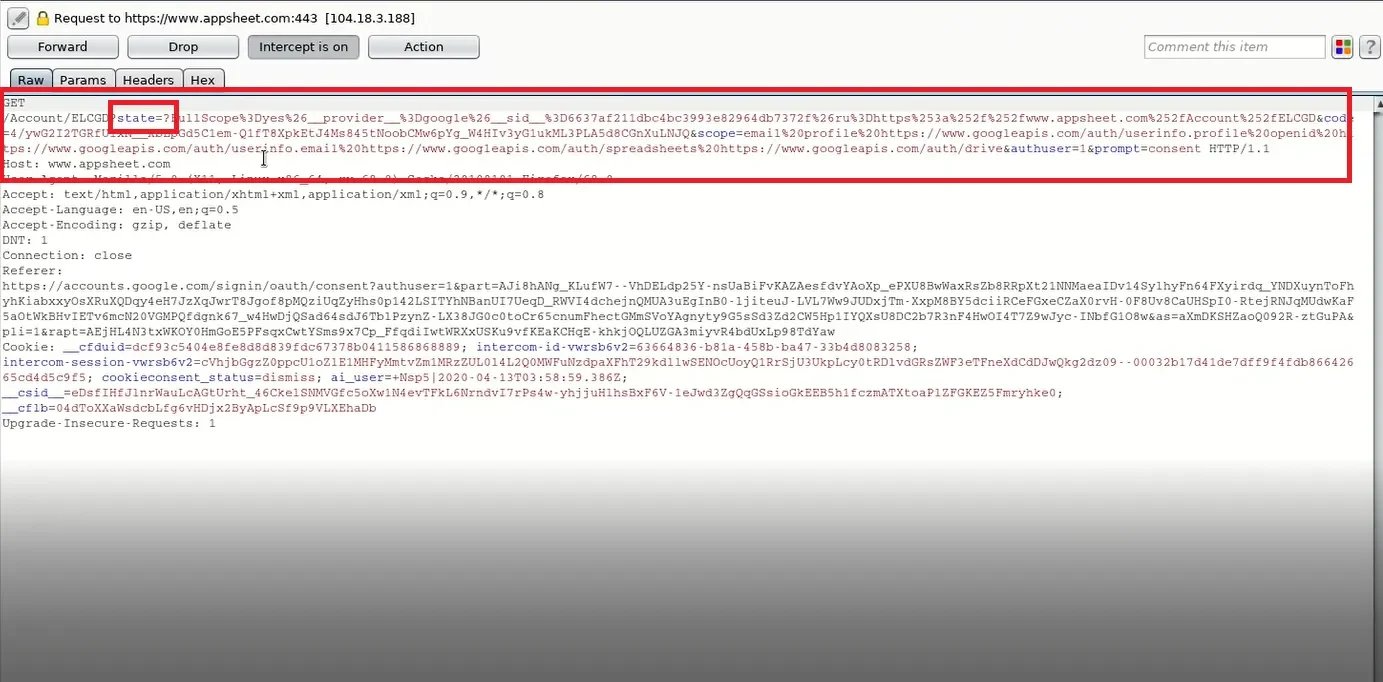
The screenshot is captioned Missing State Parameter and shows the request with state=?.
At this point there were two primitives:
- Open redirection on the login page.
- OAuth CSRF from the missing state parameter.
Step 2: attack the OAuth redirect URL
The next thing checked was the redirect URL (ru) in the OAuth flow. In OAuth 2.0 this is the parameter that receives the authorisation code, so if an attacker can change it, the user's authentication token can be leveraged. As is usual, the redirect URL was protected and could not simply be swapped for an arbitrary host.
The move was to substitute the open redirect for the redirect URL, so that the OAuth response still goes to an allowed appsheet.com address, which then bounces onward to the attacker's host. The resulting URL in the report is:
The important parts: ru points at the appsheet.com account page, which is an allowed redirect target, and that page's own retrunUrl carries the open redirect payload /\/\/evil.com. The code value is the authorisation code, shown as XXXXXXXXXXXXXXXXXXXXXXXXXXXXXXXX in the report, and the scope list covers email, profile, openid, spreadsheets and drive, with authuser=1&prompt=consent appended. The report ends the step with "And …….." and does not describe the result.
Step 3: report
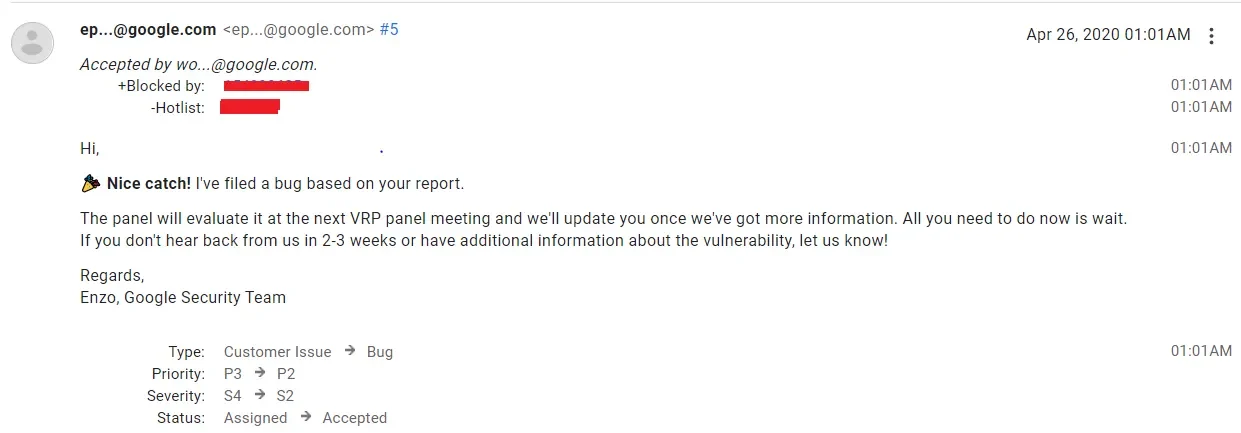
The chain was reported to Google and acknowledged as a nice catch.
Root cause
Two independent mistakes combine.
First, the login page validates retrunUrl insufficiently: the value /\/\/google.com passes whatever check is in place and is then treated as a redirect target. The exact validation logic is not shown in the report, so the reason this particular payload slips through is likely a parser mismatch between the check and the browser's URL handling of backslashes.
Second, the OAuth authorisation request does not carry a state value, so nothing ties the authorisation response to the user who started the flow. Without state, an attacker can feed a victim a completed authorisation response and have the victim's session bound to the attacker's authorisation, or otherwise have the code delivered where the attacker wants it.
The redirect URL allow-list on its own held: ru could not be pointed at an arbitrary host. It was defeated indirectly, because an allowed appsheet.com URL was itself an open redirect. The allow-list checked the host of the first hop and nothing beyond it.
Impact
The report frames the impact as leveraging the user's authentication token by changing the redirect URL, and shows a crafted URL that nests the open redirect inside the allowed ru target. The scopes in the request include email, profile, openid, spreadsheets and drive, so a stolen code would carry those authorisations. The report does not demonstrate a full account takeover or quantify affected users; the impact is stated at the level of the token being leverageable.
Fix
No fix is described in the report. The two changes implied by the findings are to validate retrunUrl so that values such as /\/\/google.com cannot resolve to an external host, and to require and verify a state parameter on the OAuth authorisation request. Neither is stated as having been applied.
Outcome
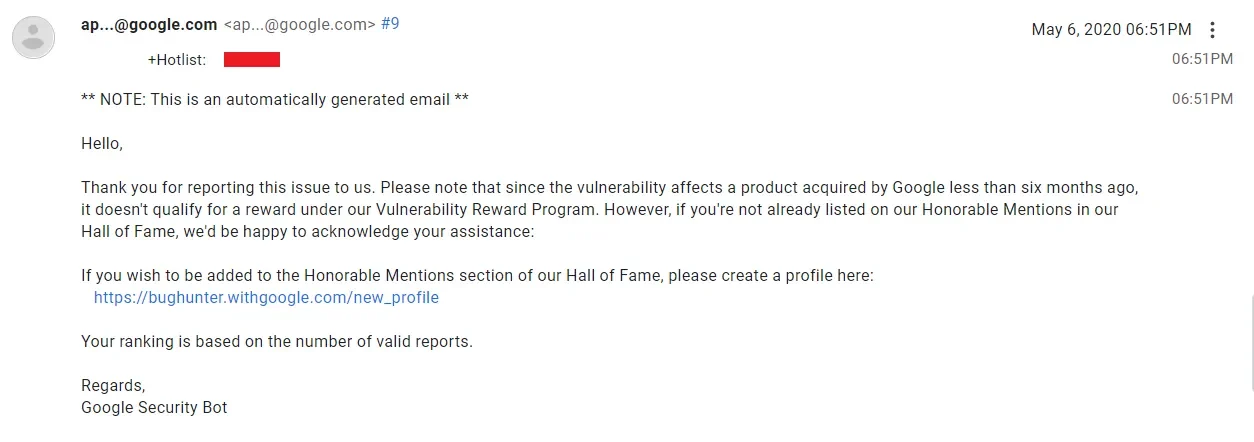
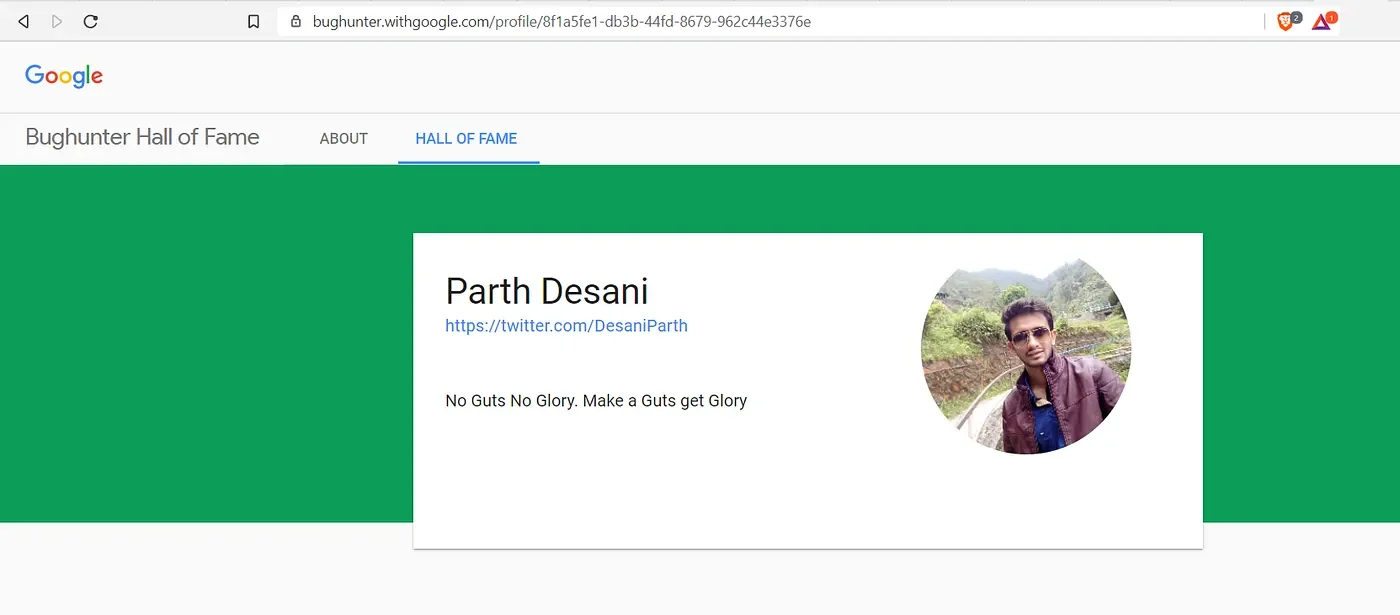
The report was accepted as a nice catch but paid no bounty: Google's position was that acquired assets need to be at least six months old, and the report was made on the fifth month after the acquisition. The researcher was nonetheless added to Google's Honorable Hall of Fame.
Variants to test
- Backslash and slash tricks on any return/redirect parameter. Try values like
/\/\/google.comand other entries from the payload list against login, logout and post-action return parameters. A positive result is a redirect to an external host after authentication. - OAuth authorisation requests without
state. Inspect the authorisation request for astatevalue. A positive result is a request that completes withstate=?or no state at all, which points to CSRF exposure in the flow. - Redirect URL allow-lists that permit same-host URLs with their own redirect parameters. Look for an allowed
rutarget that itself takes a return URL, and nest the open redirect inside it. A positive result is the authorisation code arriving at an attacker-controlled host through the allowed first hop. - Scope review on the same flow. Note which scopes the client requests, as in the report's list, to judge how much a leaked code would grant.
- Scope of the programme. Check whether the asset is an acquisition and how long it has been in scope before investing time, since the report's own lesson is that the six-month rule on acquired assets cost the bounty.
What happened, in plain words
A security researcher spent some time looking at Appsheet.com, a website that Google had recently bought. Appsheet is described in the report as Google's intelligent no-code platform: a service that lets people build apps without writing code, a bit like a very advanced form builder that can also talk to spreadsheets and other data.
While poking around the login page, the researcher noticed that the site would send you to another page after you logged in, and that the address of that page was written into the web address itself. That is a normal, useful feature: you click a link to a private page, you are asked to log in, and afterwards the site takes you where you originally wanted to go. The problem was that the site did not check carefully enough where it was sending you. With the right trick, it could be made to send you to any website at all. This kind of bug is called an open redirect.
A few days later, while talking with a friend about a different class of bug in the way apps log you in through Google (called OAuth), the researcher went back and found a second problem: the login handshake was missing a safety value called the state parameter. On its own, each bug is fairly minor. Chained together, they could let an attacker have the authorisation code delivered to a website the attacker controls. Google called it a "nice catch".
The image at the top of the story introduces the idea: several small bugs in a Google-acquired product, chained together, produced a Nice catch by Google.
There was no money in it, because Google's rules say that a company it has bought only counts for bounties once it has been part of Google for at least six months, and the report arrived in month five. The researcher did get a mention in Google's Honorable Hall of Fame, a public list of people who have reported good bugs.
Below, we walk through the whole thing step by step, explaining every term as it comes up.
The two features involved
Before the bugs, it helps to understand the two ordinary features that were abused.
Feature one: the login page that sends you back
Most websites with a login have a small convenience: if you try to open a page while logged out, the site remembers where you were headed, asks you to log in, and then forwards you there. To do this, the site puts the destination into the web address as a parameter. A parameter is the part of a URL after a question mark, written as name=value, and it is how a web page receives small pieces of information. If you have ever seen ?search=cats at the end of a web address, you have seen a parameter.
In Appsheet's case the parameter was called retrunUrl (note the spelling: the application spells it that way, with the letters transposed, and we keep it exactly as it appears). The value of retrunUrl is the page the site should send you to after login.
Feature two: OAuth, the "log in with Google" handshake
OAuth 2.0 is the standard that powers buttons like "Sign in with Google". It lets one website (the client) ask another (the authorisation server, here Google) to confirm who you are, without the client ever seeing your password. A simple everyday comparison: it is like a hotel reception calling the airline to confirm your booking. The hotel never gets your airline password; the airline just says "yes, this person is who they say they are" and hands over a short confirmation slip.
That slip is called an authorisation code. The flow works roughly like this:
- The client sends your browser to Google's authorisation page, with a list of things it wants to do on your behalf (the scopes, such as reading your email address or your spreadsheets).
- Google asks you to approve, then sends your browser back to the client, carrying the authorisation code in the web address.
- The client's server swaps that code for an access token, a secret string that lets it call Google's APIs on your behalf.
An API (Application Programming Interface) is simply a way for one piece of software to ask another to do something, like a waiter taking your order to the kitchen. The access token is the receipt that proves the waiter is allowed to place the order.
The address Google sends you back to is called the redirect URL, shortened to ru in the report. Because the code arrives in that address, whoever controls the redirect URL can receive the code. That is why real OAuth servers keep a strict allow-list of permitted redirect URLs.
The two bugs, in one sentence each
- Open redirect: the login page's
retrunUrlcould be made to point at an outside website, so after logging in you would be bounced to a site of the attacker's choosing. - OAuth CSRF: the authorisation request had no
stateparameter, the value that ties a login response back to the person who started it.
CSRF stands for Cross-Site Request Forgery. The everyday comparison: imagine someone posts you a pre-filled form and you sign it without reading, thinking it is routine paperwork. In web terms, an attacker gets your browser to perform an action you did not intend, using the login you already have. The state parameter is the defence: the client makes up a random value, sends it with the request, and checks that the same value comes back. If it does not match, the response is not trusted. Without it, an attacker can feed you a response that belongs to their login attempt, and your session gets tangled up with theirs.
Setting the scene
The work happened during the 2020 lock-down. The researcher had already submitted many bugs to Google and had them come back as duplicate (someone else reported it first) or NA (not applicable, meaning the programme did not consider it a valid issue). So this time the aim was to find something more substantial.
The only outside material used was a public list of known tricks for open redirects:
https://github.com/payloadbox/open-redirect-payload-list#:~:text=Unvalidated%20redirects%20and%20forwards%20are,URL%20contained%20within%20untrusted%20input.
This is a GitHub page collecting payloads, meaning ready-made snippets of text designed to trigger a particular behaviour. The link points at a section about unvalidated redirects and forwards, which is the formal name for the open redirect class. The idea of using it is simple: instead of inventing tricks from scratch, try the ones other people have already found to work against careless sites.
The OAuth CSRF angle came from a conversation with Sahil Tikoo (@Pig.wig45). No special accounts, roles or software versions are mentioned in the report.
Finding the open redirect
The starting point was a link of this shape, seen in the login flow:
https://www.appsheet.com/account/login?retrunUrl=/account
Line by line:
https://www.appsheet.comis the site./account/loginis the login page.?retrunUrl=/accountis the parameter. It says: after a successful login, send the user to/account, a page on the same site.
After logging in, the browser did indeed go to the /account page. That confirms the parameter really does control where you end up. This is the key observation: a value you can type into the address bar decides your destination.
The first attempt was to point it at an outside site:
Line by line:
- Everything is the same as before, except the value of
retrunUrlis now/accountgoogle.com. - The intent was to see whether the site would treat that as a path on appsheet.com (harmless) or as the domain
google.com(a redirect off-site).
It did not work, because restrictions were in place. In other words, the site does some checking of the value before using it. That is the right thing to do, but the check turned out to be incomplete.
So the researcher worked through the payload list mentioned above. One payload did work:
/\/\/google.com
Line by line:
- The value starts with a forward slash
/, then a backslash\, then another forward slash/, another backslash\, and thengoogle.com. - To a human it looks like a messy path. To a browser, backslashes in a URL are often treated the same as forward slashes, so the browser can end up reading this as
//google.com, which means "go to the host google.com". - The site's check apparently did not normalise backslashes the way the browser does, so it saw something that looked local and allowed it, while the browser saw an external address.
That mismatch between how the checker reads a string and how the browser reads it is the essence of this bug. The login page had an open redirect: anyone could craft a link that, after login, sent the victim to an arbitrary site.
On its own, this is the kind of low-level bug the researcher expected Google to close as won't fix, meaning the company acknowledges it but decides not to change anything. So the target was set aside for two or three days.
Chaining it: the OAuth side
Step 1: confirm the missing state parameter
After the conversation about OAuth CSRF, the researcher went back to appsheet.com and looked at the authorisation request, the first leg of the OAuth handshake described earlier. The finding: there was no state parameter defined. The request carried state=?, meaning the value was empty or a placeholder rather than a real random value.
Why this matters: the state parameter is the only thing that binds an OAuth response to the session that started it. Without it, the client cannot tell whether the response it just received belongs to the user in front of it or to somebody else. That is the CSRF exposure.
The screenshot is captioned Missing State Parameter and shows the request with state=?.
At this point there were two building blocks, which the researcher calls primitives:
- Open redirection on the login page.
- OAuth CSRF from the missing state parameter.
A primitive here means a small, reliable behaviour you can trigger. Each one alone is weak; combined, they can do more than either could alone, the way a key and a door are useless separately but together let you in.
Step 2: attack the OAuth redirect URL
The next thing checked was the redirect URL (ru) in the OAuth flow. As explained above, this is the parameter that receives the authorisation code. If an attacker can change it, the user's authentication token can be leveraged, meaning the attacker can use the victim's login to act as them.
As is usual, the redirect URL was protected: it could not simply be swapped for an arbitrary host. The OAuth server checks it against an allow-list, a list of addresses it is willing to send codes to.
The move was to substitute the open redirect for the redirect URL. The OAuth response still goes to an allowed appsheet.com address, but that address is itself an open redirect, so it bounces onward to the attacker's host. The resulting URL in the report is:
Line by line, the important parts:
https://www.appsheet.com/Account/ELCGDis the address the browser is on.ELCGDlooks like an account identifier.state=?is the missing state parameter, still empty.FullScope=yesis another parameter in the request.ru=https%3a%2f%2fwww.appsheet.com%2fAccountis the redirect URL. The%3aand%2fare percent-encoding, a way of writing characters that would otherwise be ambiguous in a URL:%3ais a colon:and%2fis a slash/. Decoded, this value ishttps://www.appsheet.com/Account, which is an allowed appsheet.com address. That is why the allow-list accepts it.?retrunUrl=/\/\/evil.comis the crucial twist. The allowed appsheet.com address itself takes aretrunUrlparameter, and here it carries the open redirect payload, this time pointing atevil.com, a stand-in for an attacker-controlled site.&code=XXXXXXXXXXXXXXXXXXXXXXXXXXXXXXXXis the authorisation code. The report shows it as a row of Xs, meaning the real value is hidden.&scope=email profile https://www.googleapis.com/auth/userinfo.profile openid https://www.googleapis.com/auth/userinfo.email https://www.googleapis.com/auth/spreadsheets https://www.googleapis.com/auth/drivelists the permissions being requested. Scopes are the specific things the client is asking to do on your behalf. Here they cover your email address, your basic profile, the OpenID identity, your Google Sheets spreadsheets and your Google Drive files.&authuser=1&prompt=consentare extra parameters:authuser=1picks which Google account to use when several are signed in, andprompt=consentforces Google to show the permission screen again.
The report ends the step with "And …….." and does not describe the result.
Step 3: report
The chain was reported to Google and acknowledged as a nice catch.
Why it worked: the root cause
Two independent mistakes combine.
First, the login page validates retrunUrl insufficiently. The value /\/\/google.com passes whatever check is in place and is then treated as a redirect target. The exact validation logic is not shown in the report, so the reason this particular payload slips through is likely a parser mismatch between the check and the browser's URL handling of backslashes. In plain terms: the site's checker and the browser disagree about what the string means, and the attacker exploits that disagreement.
Second, the OAuth authorisation request does not carry a state value, so nothing ties the authorisation response to the user who started the flow. Without state, an attacker can feed a victim a completed authorisation response and have the victim's session bound to the attacker's authorisation, or otherwise have the code delivered where the attacker wants it.
The redirect URL allow-list on its own held: ru could not be pointed at an arbitrary host. It was defeated indirectly, because an allowed appsheet.com URL was itself an open redirect. The allow-list checked the host of the first hop and nothing beyond it. The everyday comparison: a bouncer checks that you are going into the right building, but not that the building has a back door onto the street.
What the impact was
The report frames the impact as leveraging the user's authentication token by changing the redirect URL, and shows a crafted URL that nests the open redirect inside the allowed ru target. The scopes in the request include email, profile, openid, spreadsheets and drive, so a stolen code would carry those authorisations. The report does not demonstrate a full account takeover or quantify affected users; the impact is stated at the level of the token being leverageable.
What the fix would be
No fix is described in the report. The two changes implied by the findings are to validate retrunUrl so that values such as /\/\/google.com cannot resolve to an external host, and to require and verify a state parameter on the OAuth authorisation request. Neither is stated as having been applied.
The outcome
The report was accepted as a nice catch but paid no bounty: Google's position was that acquired assets need to be at least six months old, and the report was made on the fifth month after the acquisition. The researcher was nonetheless added to Google's Honorable Hall of Fame.
Things to try yourself
These are the same ideas, written for someone who has only a browser.
- Backslash and slash tricks on any return or redirect parameter. Try values like
/\/\/google.comand other entries from the payload list against login, logout and post-action return parameters. A positive result is a redirect to an external host after authentication. How to check: log in, watch where the browser lands, and see whether the address bar shows a different domain. - OAuth authorisation requests without
state. Inspect the authorisation request for astatevalue. A positive result is a request that completes withstate=?or no state at all, which points to CSRF exposure in the flow. How to check: start a "Sign in with Google" flow and look at the address bar of the Google page; the parameters are visible there. - Redirect URL allow-lists that permit same-host URLs with their own redirect parameters. Look for an allowed
rutarget that itself takes a return URL, and nest the open redirect inside it. A positive result is the authorisation code arriving at an attacker-controlled host through the allowed first hop. - Scope review on the same flow. Note which scopes the client requests, as in the report's list, to judge how much a leaked code would grant. The more scopes, the more damage a stolen code can do.
- Scope of the programme. Check whether the asset is an acquisition and how long it has been in scope before investing time, since the report's own lesson is that the six-month rule on acquired assets cost the bounty.
Glossary
- API: a way for one piece of software to ask another to do something, like a waiter taking an order to the kitchen.
- Access token: a secret string that proves a client is allowed to call an API on your behalf.
- Allow-list: a list of values a system will accept, and nothing else.
- Authorisation code: a short-lived value handed back by an OAuth server that the client swaps for an access token.
- Backslash: the
\character, which browsers often treat like a forward slash in URLs. - CSRF (Cross-Site Request Forgery): tricking your browser into performing an action you did not intend, using a login you already have.
- Duplicate: a bug report that matches one already submitted by someone else.
- Honorable Hall of Fame: a public list of people who have reported valid bugs, used as recognition when no money is paid.
- NA (not applicable): a report the programme does not consider a valid issue.
- No-code platform: a service that lets people build apps without writing code.
- OAuth 2.0: the standard behind "Sign in with Google", letting one site confirm your identity through another without seeing your password.
- Open redirect: a bug where a site can be made to send you to an arbitrary outside website through a parameter it does not check properly.
- Parameter: the
name=valuepart of a URL after the question mark, used to pass information to a page. - Payload: a ready-made snippet of text designed to trigger a particular behaviour in a vulnerable system.
- Percent-encoding: writing characters in a URL as
%plus two hex digits, such as%3afor:and%2ffor/. - Primitive: a small, reliable behaviour you can trigger, which can be combined with others.
- Redirect URL (
ru): the address an OAuth server sends the authorisation code back to. - Scope: a specific permission a client asks for, such as reading your email or your spreadsheets.
- State parameter: a random value an OAuth client sends and checks on return, to tie a response to the session that started it and prevent CSRF.
- Won't fix: a company's decision to acknowledge a bug but not change anything.


