XSS on Report Classic
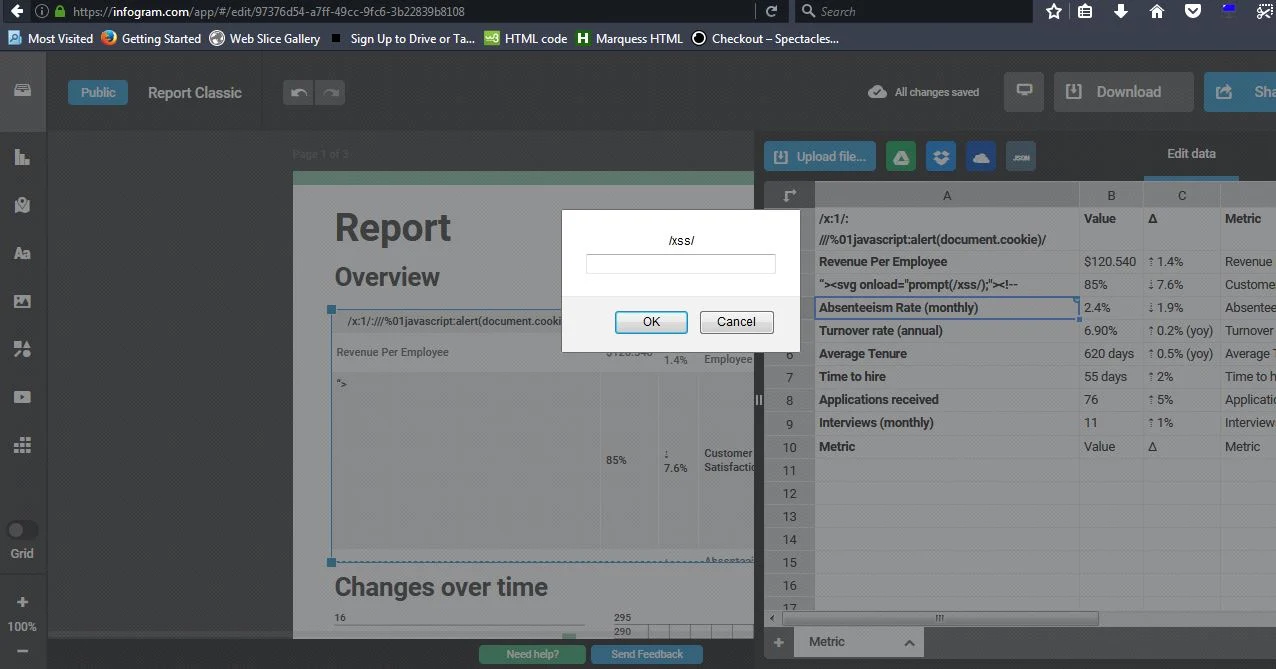
An XSS flaw existed in the Report Classic template's edit_data feature, where a script payload executed.
 Originally disclosed on HackerOne
- Triaged in 28 hours
- Fixed in 7 days
- Disclosed after 10 days
hi team ...
i found XSS on https://infogram.com/app/#/library
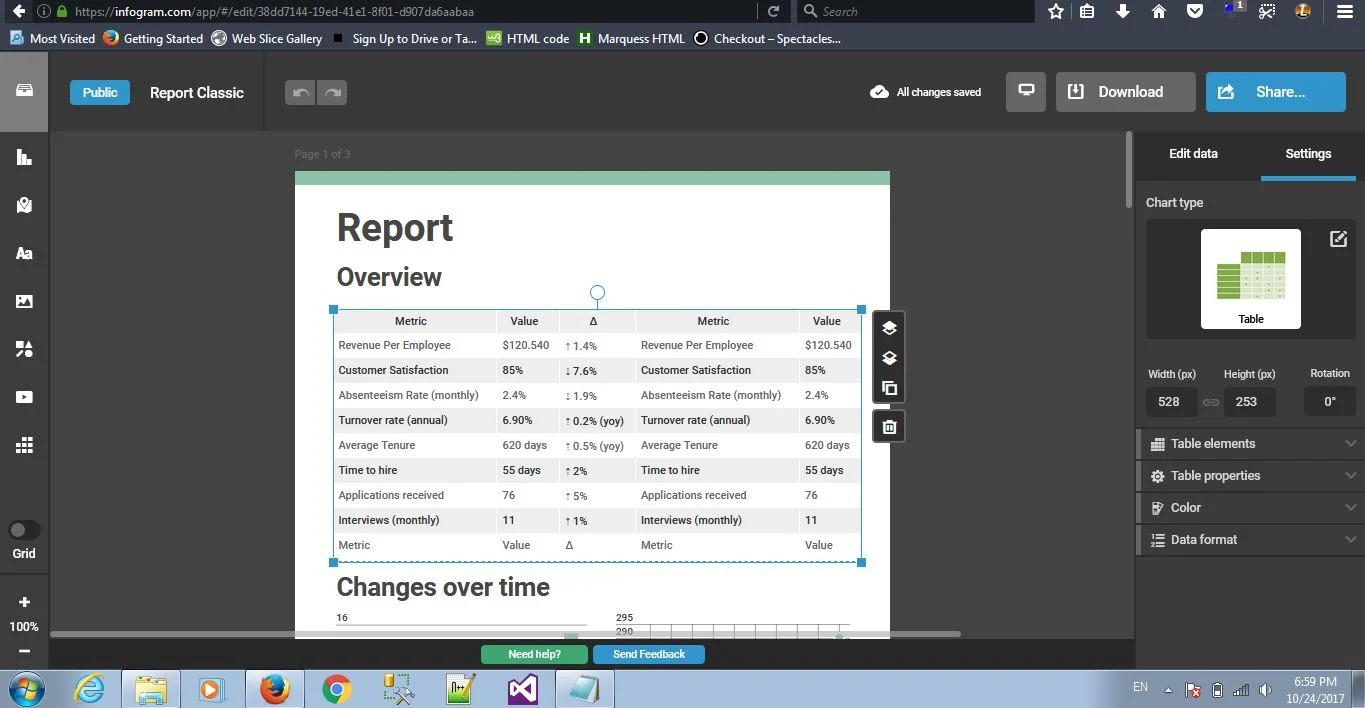
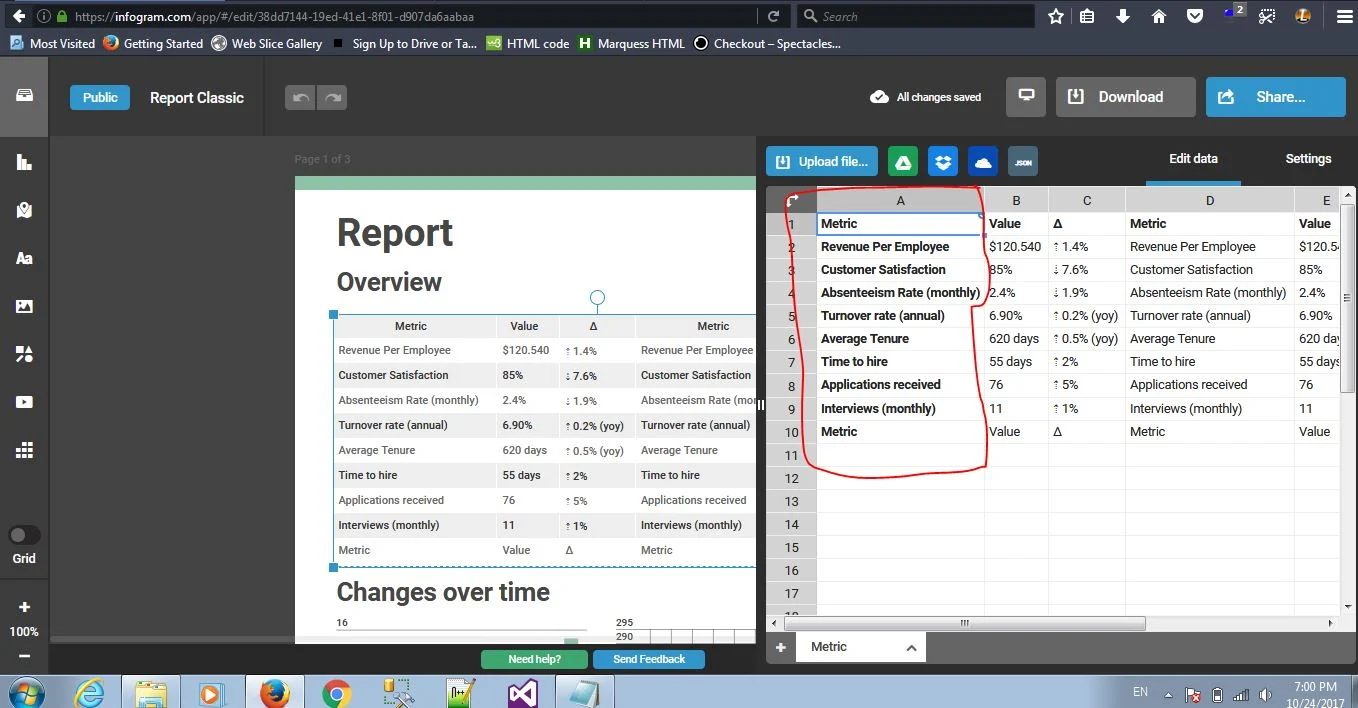
#step .. 1- go to https://infogram.com/app/#/library 2- choose Report Templates . 3- Use Report Classic 4- click to edit_data 5- payload
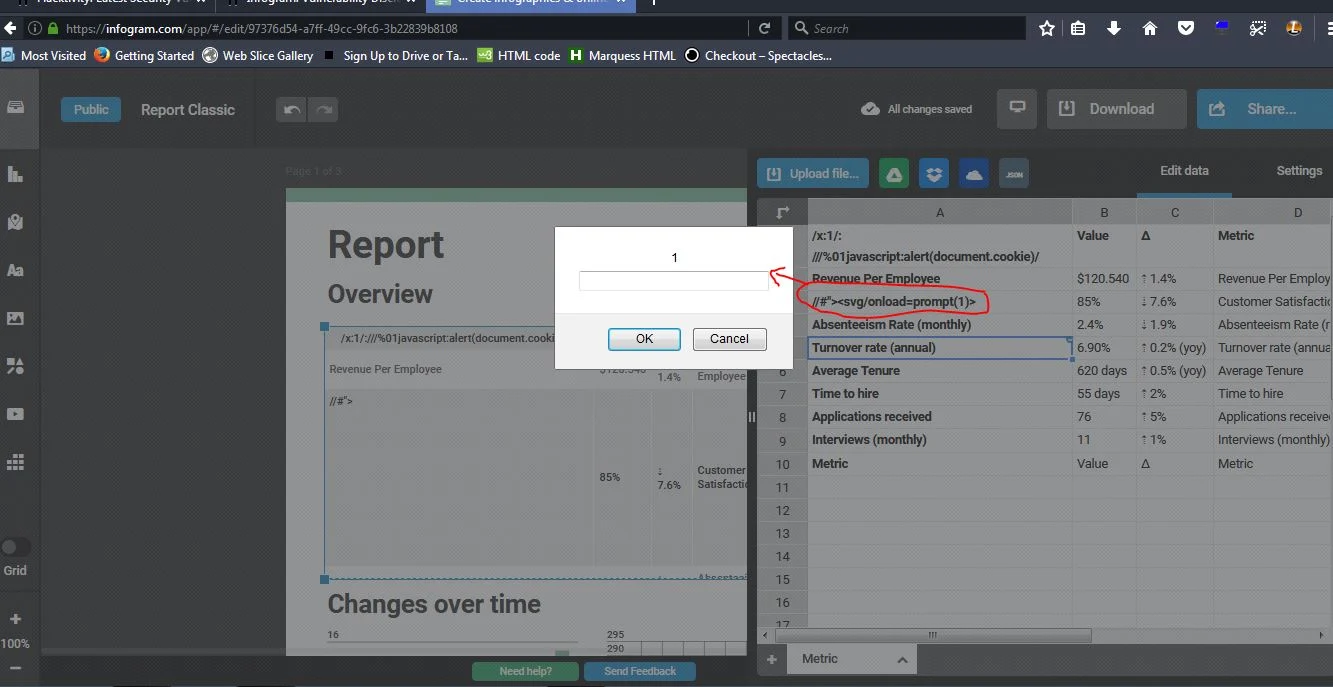
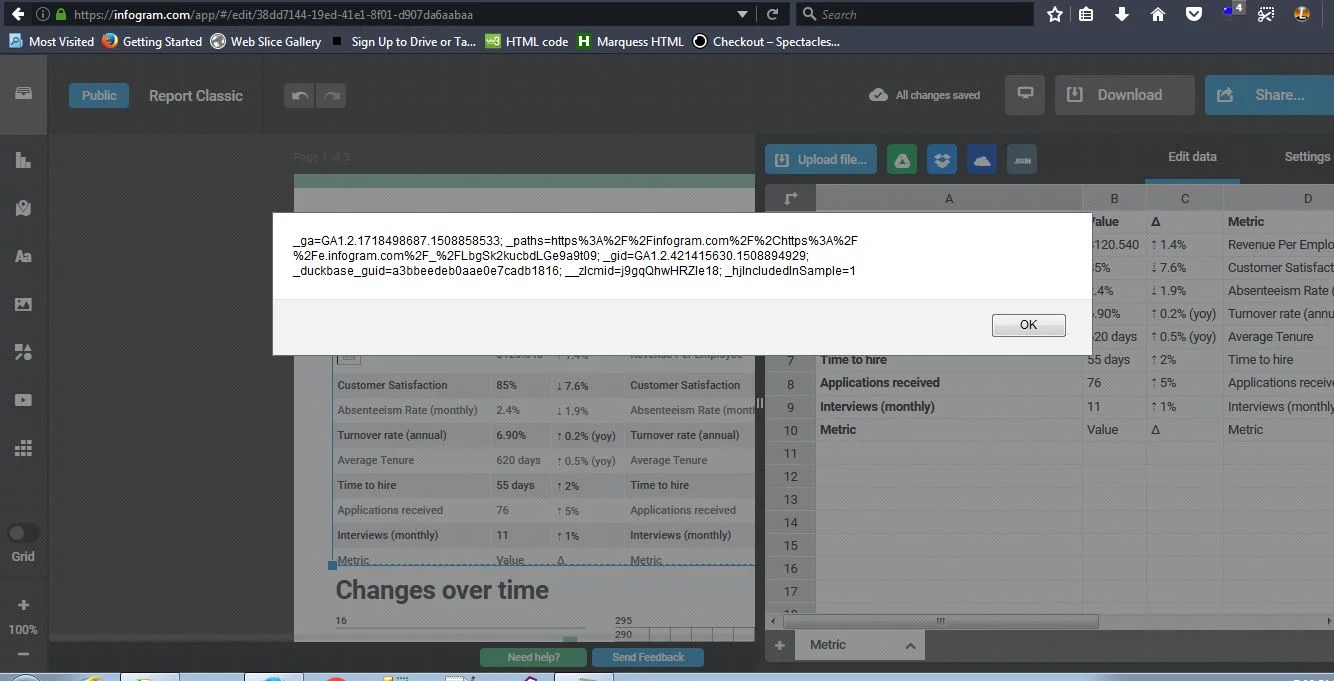
<img/ src=1 onerror= alert(document.cookie)> //#"><svg/onload=prompt(1)> “><script>alert(document.cookie)</script>
6-execute XSS and which you edit data XSS stared
Attachments
Not written yet. The AI write-up for this report has not been written yet. The Original tab links to the source.
How it worked
Root cause
Likely the application rendered user-supplied data in the report editor without sanitising or escaping HTML and script content.
Impact
An attacker could execute script in the browser when the crafted data is viewed.
What the attacker needed
Access to the report editor
How it was found
- Open the library page in the application.
- Select Report Templates.
- Choose the Report Classic template.
- Click edit_data.
- Enter a script payload in the data field.
- Observe the script executing.
Explained by bugbounty.wiki with AI from the original and checked against quotes from it; it can still be wrong. Read the original before relying on a detail.
Not written yet. The AI write-up for this report has not been written yet. The Original tab links to the source.
XSS is when a site runs user input as code. Here, the edit_data feature of a report template let the author insert a script payload, and it executed.
What is XSS?
Script an attacker supplies runs in another user's browser, on the target's origin, with that user's session.