Business Logic Bypass Allows Setting “Read Access” Role Without Pro Plan Subscription
A free-plan user could create an invitation link that granted the restricted Read Access role, which is meant only for Pro Plan subscribers. An attacker could therefore hand out a paid-tier permission without paying for the subscription.

- Fixed in 8 days
- Disclosed after 8 days
Summary:
A business logic flaw allows a user with a free plan to generate an invitation link that assigns the Read Access (Read) role, even though this role is intended to be restricted to users with a Pro Plan subscription. By manipulating the invitation creation process, an attacker can create an invite link that grants this restricted role without having the required paid subscription.
Steps To Reproduce:
-
Create two accounts one for the owner and the second one for the user who will be invited to the project.
-
From the owner account create a project.
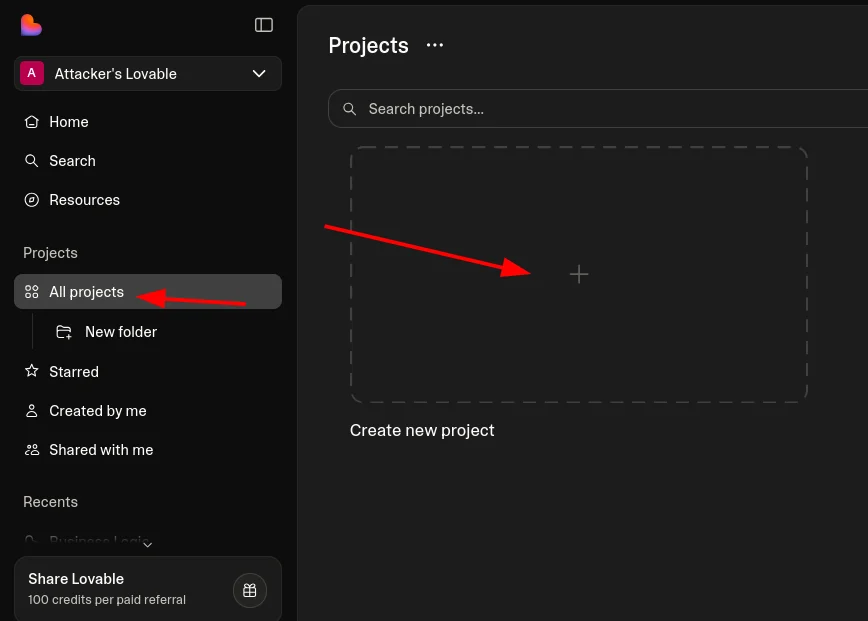
- Choose any template, click use template button, name your project, and click Remix button
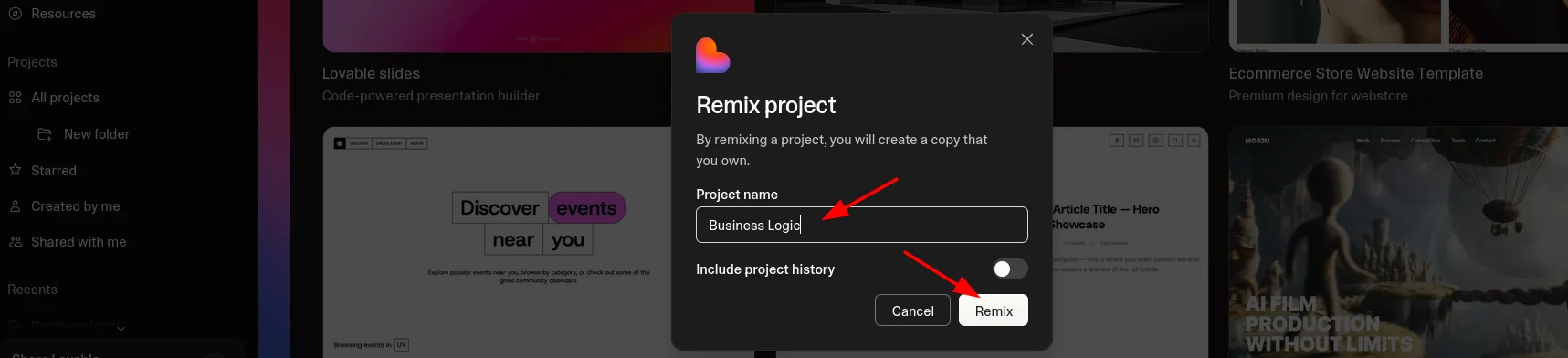
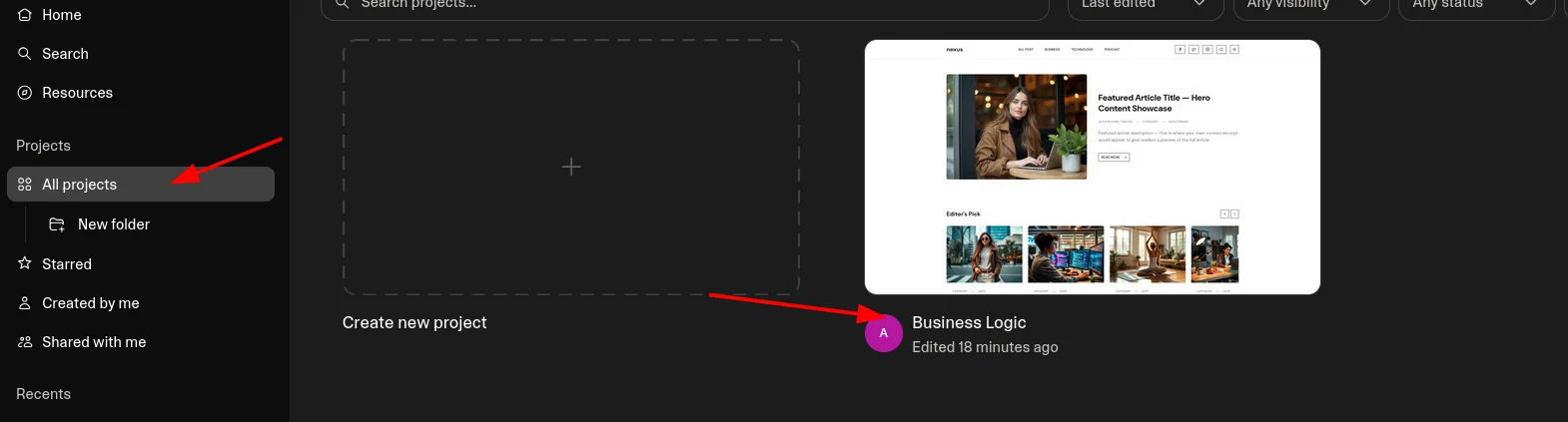
- Go to the created project you will find it at
Projectssection.
- Click on
share, on the top right corner, and notice in the invite link that you should be on the pro plane to modify the access toView access.
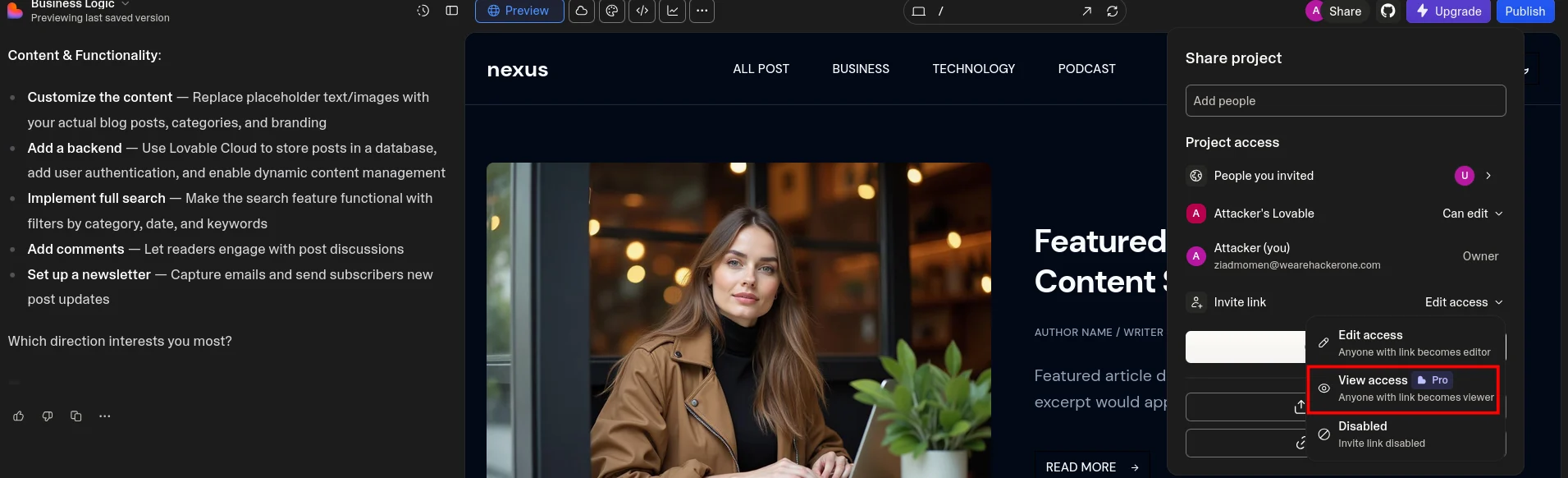
- From invite link click
Disabled. - Return the access right back to
Edit accesswhile keeping the intercept on. - You should notice the
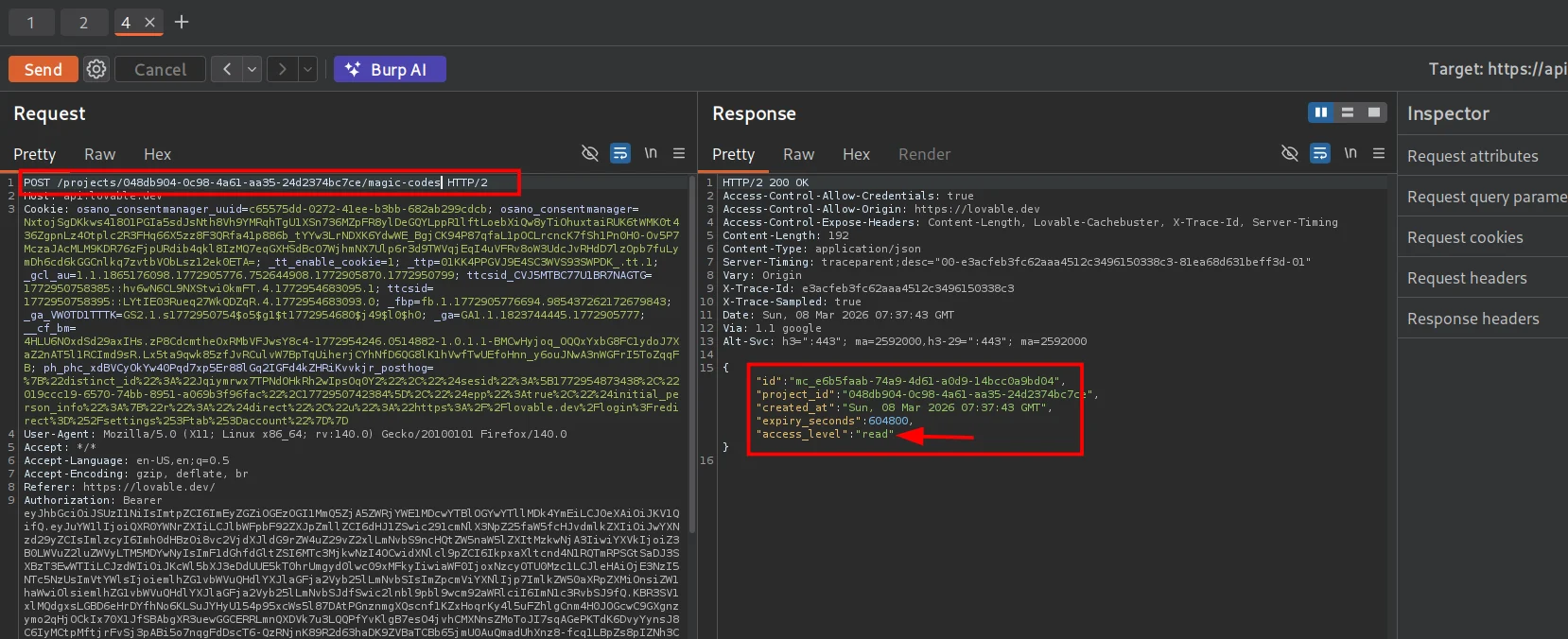
OPTIONS requesthas been issued to the projects endpoint. Forward it and wait for thePOST method. - Modify the
access_levelparameter fromwritetoreadand do intercept to the response.
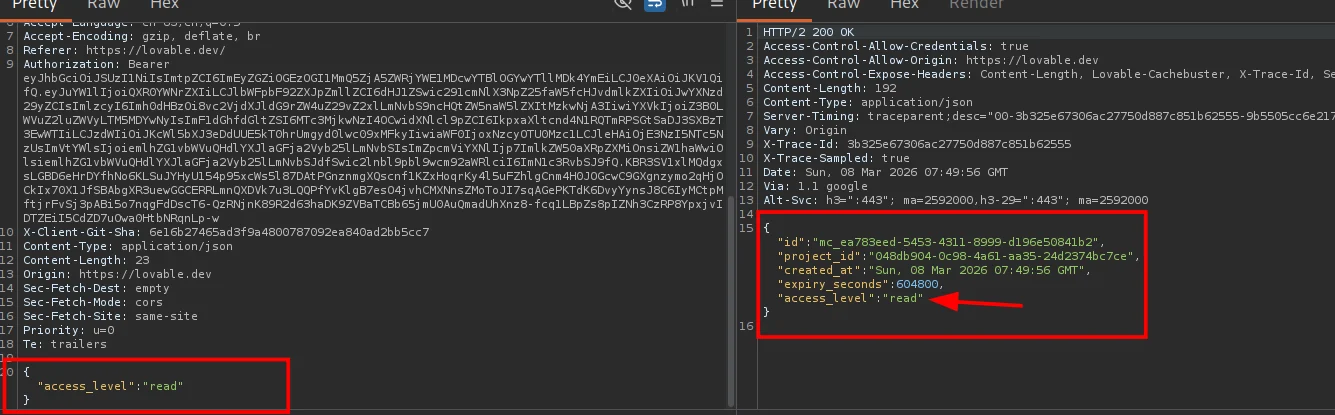
-
Notice that the
readpermission reflected in the response without any issues. Go Back to your project and refresh the page. Click on share and you will find that right access becomeView accesswhile you are on the free plane. -
Copy the invite link and paste it in the second account , accept the invitation to the project, click on share ->
people you invited, and you will find that the second account gained access with theviewerpermission.
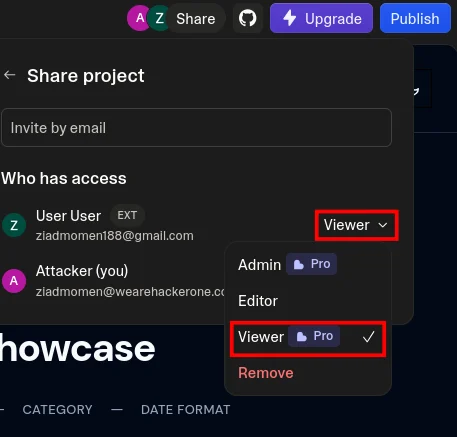
Example of the request from which you can modify the access right
POST /projects/Project-ID/magic-codes HTTP/2
Host: api.lovable.dev
Cookie: [Your-Cookie]
User-Agent: []
Accept: */*
Accept-Language: en-US,en;q=0.5
Accept-Encoding: gzip, deflate, br
Referer: https://lovable.dev/
Authorization: Bearer [Your-Authorization-Header]
Content-Type: application/json
Content-Length: 23
Origin: https://lovable.dev
Sec-Fetch-Dest: empty
Sec-Fetch-Mode: cors
Sec-Fetch-Site: same-site
Priority: u=0
Te: trailers

{"access_level":"read"}
Impact
Impact:
This vulnerability allows users to bypass the platform’s subscription restrictions and access premium features without paying. As a result, attackers can assign roles that should only be available to Pro Plan users, leading to unauthorized use of paid functionality and potential financial impact on the platform due to subscription bypass. From a security perspective, this mainly affects Integrity and Business Logic enforcement, as the system fails to properly validate plan-based permission restrictions.
Attachments
Not written yet. The AI write-up for this report has not been written yet. The Original tab links to the source.
How it worked
Root cause
Likely the server accepted the client-supplied access level for an invite without checking the caller's subscription plan.
Impact
Free users could grant a paid-only role, bypassing subscription restrictions and causing potential financial loss to the platform; the report does not show any access beyond the intended viewer permission.
What the attacker needed
A free-plan account; an intercepting proxy; a second account to accept the invite
How it was found
- Create an owner account and a second account to be invited.
- From the owner account, create a project from a template.
- Open the project's share panel and note that changing access to view is a Pro feature.
- Intercept the invite request, change the access level from write to read, and forward it.
- Refresh the share panel and confirm the invite now shows view access on the free plan.
- Accept the invite from the second account and confirm it has viewer permission.
Explained by bugbounty.wiki with AI from the original and checked against quotes from it; it can still be wrong. Read the original before relying on a detail.
Not written yet. The AI write-up for this report has not been written yet. The Original tab links to the source.
Some websites sell extra features through paid plans. Here the server trusted the browser's request when creating an invite link and never checked whether the account actually had the paid plan. So a free user could ask for a paid-only permission and get it.
What is Business logic?
The application works as coded but not as intended: a negative price, a skipped payment step, a limit that can be crossed.




