Bypass Email Verification on Add Email Monitoring
The email verification token for adding a new email address to Mozilla Monitor was exposed in the server response. An attacker could use this token to verify any email address without access to its inbox, potentially causing denial of service or receiving breach alerts for the victim.

- Triaged in 21 hours
- Fixed in 14 days
- Paid in 11 days
- Disclosed after 11 months
Summary by the program
A security vulnerability has been identified in the email verification process of Mozilla Monitor. The issue allows an attacker to bypass the email verification step when adding a new email address for monitoring.
The vulnerability exploits a flaw in the verification mechanism where the verification token is exposed in the server response. By using this token, an attacker can manually verify any email address without having access to the associated inbox. This bypass enables unauthorized addition of email addresses to the monitoring service, leading to denial of service for users.
The report
Steps To Reproduce:
- Login to https://monitor.firefox.com OR https://stage.firefoxmonitor.nonprod.cloudops.mozgcp.net and click Add email address
█████████
- Fill the victim's email address (I'm use my personal email) and click Send verification link
██████
- Check the request on your burp suite intercept and turn on Response intercept to this request
████████
- Wait until we got the response from the server and search the victim's email address, we can get the verification_token on the response
███████
- For make sure the victim's email address is need a verification.. refresh your browser
█████
-
Copy and Paste the verification_token from the response to this link:
https://stage.firefoxmonitor.nonprod.cloudops.mozgcp.net/api/v1/user/verify-email?token={verification_token} -
Open the link on your browser, Done.. the victim's email address is already verified
██████
Impact
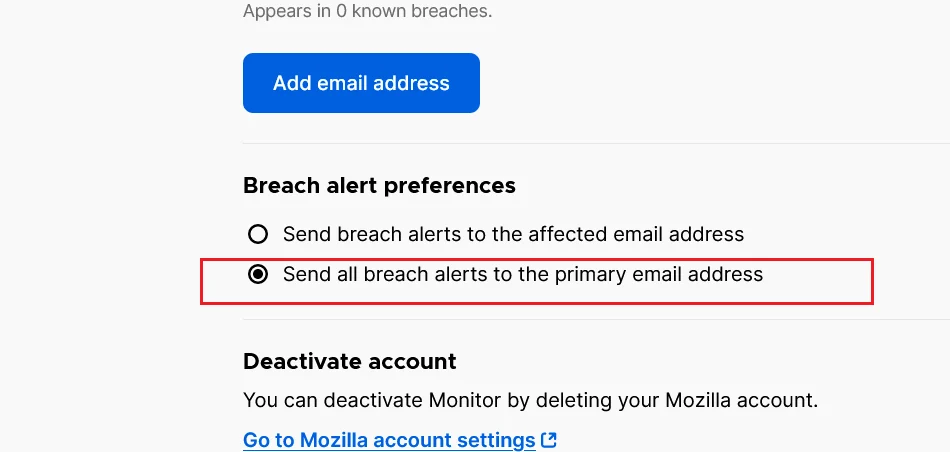
Attacker can add the victim's email address without verification. And if attacker choose Send all breach alerts to primary email address, attacker will get a notification when victim's email address is leaked
Not written yet. The AI write-up for this report has not been written yet. The Original tab links to the source.
How it worked
Root cause
Likely the server included the verification token in the response to the request that sends the verification email, instead of keeping it secret and only sending it via email.
Impact
An attacker could add the victim's email address without verification and, if they choose to send all breach alerts to their primary email, receive notifications when the victim's email is leaked, potentially causing denial of service.
What the attacker needed
A free account on Mozilla Monitor; victim's email address known; ability to intercept HTTP responses
How it was found
- Log in to Mozilla Monitor and click 'Add email address'.
- Enter the victim's email address and click 'Send verification link'.
- Intercept the request in Burp Suite and enable response interception.
- Inspect the server response and find the verification_token for the victim's email.
- Copy the token and open the verification URL with it in the browser.
- The victim's email address is now verified without access to their inbox.
Explained by bugbounty.wiki with AI from the original and checked against quotes from it; it can still be wrong. Read the original before relying on a detail.
Not written yet. The AI write-up for this report has not been written yet. The Original tab links to the source.
When you add an email to a monitoring service, it usually sends a verification link to that email to prove you own it. Here, the secret code for that link was sent back in the web page's response, so anyone could see it and verify an email they don't control. This lets an attacker add someone else's email to their account and get alerts meant for the victim.
What is Info disclosure?
Data the application should keep private (personal data, internal details, other users' records) reaches someone it should not.



