Possible SSRF in email server settings(SMTP mode)
The Nextcloud admin settings for SMTP server address returned different error messages depending on whether the supplied IP address was reachable and had an open SMTP port. An attacker with admin access could use these messages to probe internal network hosts and ports.
 Originally disclosed on HackerOne
- Disclosed after 24 days
Description:
vul address https://demo.nextcloud.com/xxx/settings/admin/additional,when you change smtp server address ,you will get some different hints.
Reproduce steps:
1.Go to https://demo.nextcloud.com/xxx/settings/admin/additional,choose SMTP mode
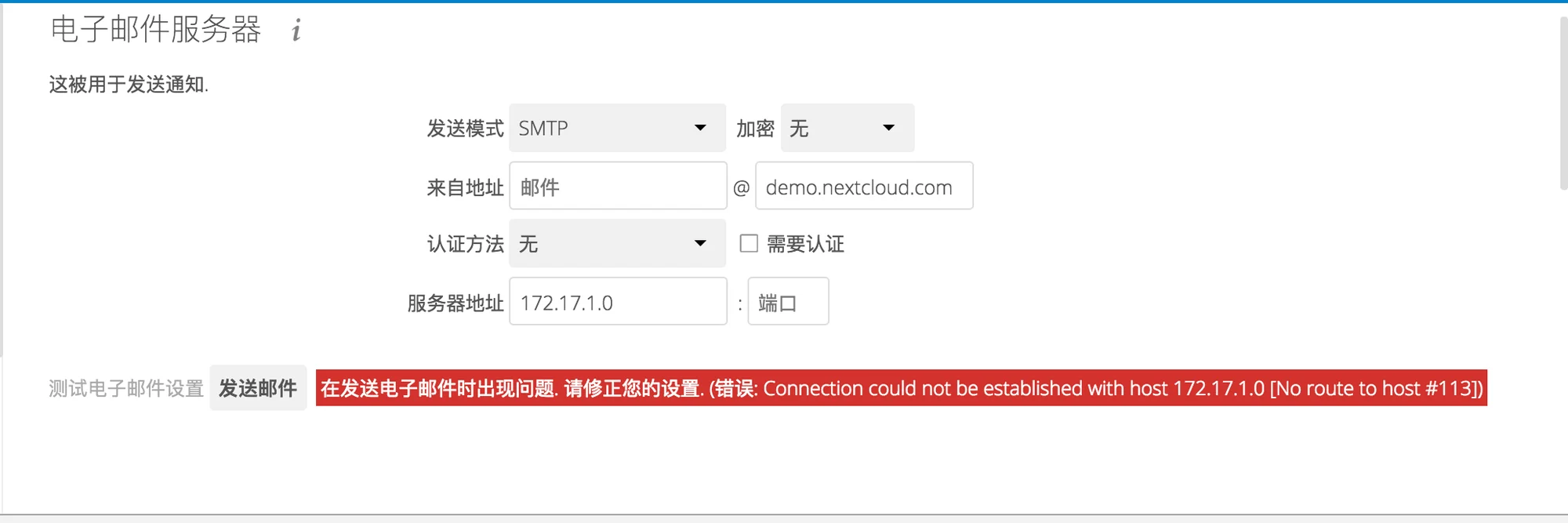
2.Set server address to "172.17.1.0`,then you will get screenshot(nextcloud1.png),it means not on the same network segment
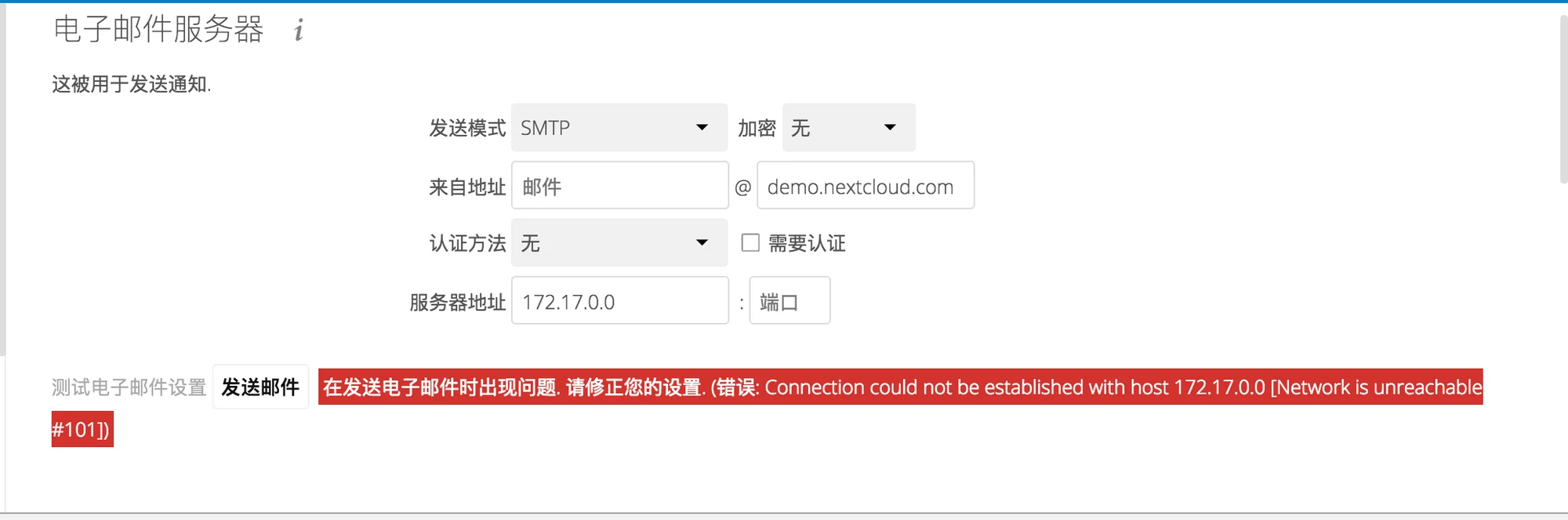
3.Set server address to "172.17.0.0`,then you will get screenshot(nextcloud2.png),it means the address not exists or doesn't open any port to access
4.Set server address to "172.17.0.1` and port to empty,then the test email will send successfully! it means this host exists and opens a smtp port
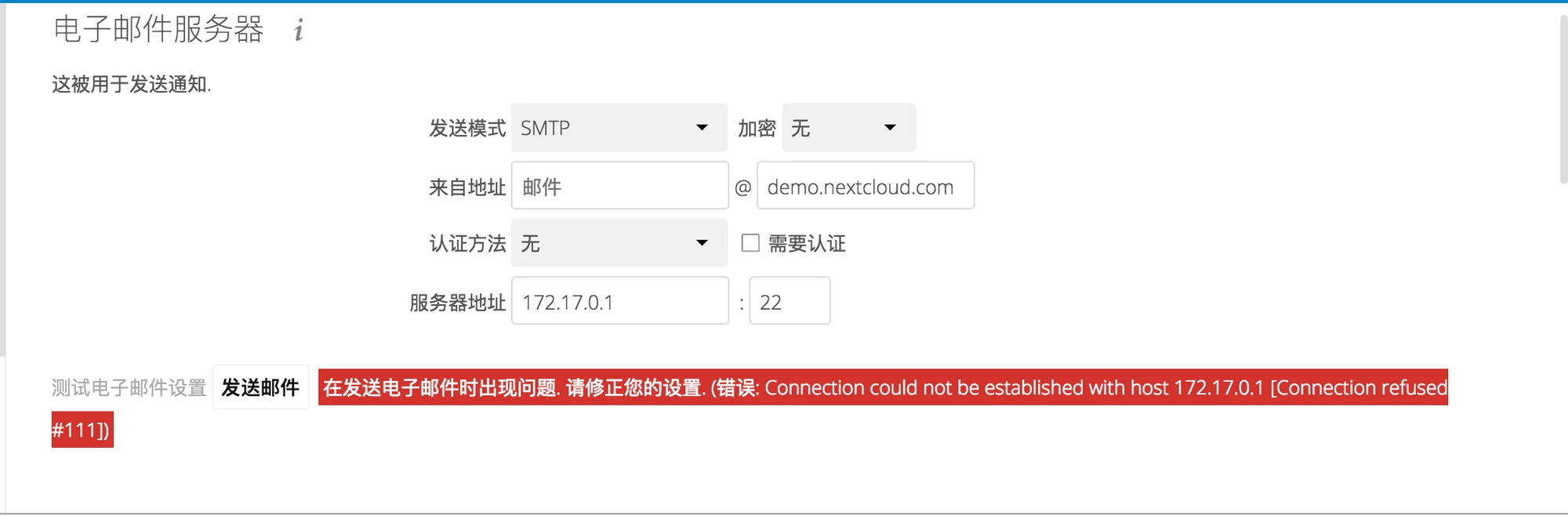
5.Set server address to "172.17.0.1and port to22`,then you will get screenshot(nextcloud3.png),it means the address exists,but can not access to the port
Attachments
Not written yet. The AI write-up for this report has not been written yet. The Original tab links to the source.
How it worked
Root cause
Likely the SMTP test feature returns distinct error messages for different network conditions, revealing internal network topology.
Impact
An attacker with admin privileges could use the different error messages to map internal hosts and open ports, potentially aiding further attacks.
What the attacker needed
Admin access to Nextcloud settings
How it was found
- Go to the admin additional settings page and choose SMTP mode.
- Set the server address to an internal IP range and observe the error indicating a different network segment.
- Set the server address to another internal IP and observe the error indicating the host does not exist or has no open port.
- Set the server address to a specific internal IP with an empty port and observe that the test email sends successfully, confirming the host and SMTP port exist.
- Set the same server address with port 22 and observe the error indicating the host exists but the port is not accessible.
Explained by bugbounty.wiki with AI from the original and checked against quotes from it; it can still be wrong. Read the original before relying on a detail.
Not written yet. The AI write-up for this report has not been written yet. The Original tab links to the source.
The application lets an administrator type in an email server address and then tries to connect to it. The error message changes depending on whether the address exists and whether the expected email port is open. This lets someone use the application as a probe to discover other computers and services inside a private network.
What is SSRF?
The server can be made to fetch an address the attacker chooses, reaching internal services, cloud metadata or other customers' data.







