DNS rebinding in --inspect (insufficient fix of CVE-2022-32212 affecting macOS devices)
The Node.js debugger's DNS rebinding protection allowed the IP address [redacted] in the Host header, and on macOS browsers this address triggers a DNS lookup for the computer's .local hostname. An attacker controlling DNS could resolve that hostname to their own IP, serve a page that later rebinds to [redacted], and access the debugger to achieve remote code execution.

- Triaged in 44 hours
- Fixed in 3 months
- Disclosed after 3 months
Summary: This is an insufficient fix of CVE-2022-32212, which itself is a fix of CVE-2018-7160. There exists a specific behaviour in browsers on macOS devices when handling the http://0.0.0.0URL that allows an attacker-controlled DNS server to bypass the DNS rebinding protection by resolving hosts in the .local domain.
Description:
In the latest version, only IP addresses and localhost are allowed in the Host header when connecting to the debugger endpoint. IsIPAddress ensures that IPv4 address octets only contain values ranging from 0 to 255, but this allows 0.0.0.0 which indicates an invalid or unroutable target.
In macOS devices, using fetch("http://0.0.0.0")or opening http://0.0.0.0 through a top-level navigation in Chrome and Firefox will cause a DNS request to resolve <Computer Name>.local, where Computer Name is configured in the system preferences (the use of the .local TLD is a known feature of macOS devices). If such a request succeeds, http://0.0.0.0 is routed to the IP address provided in the DNS reply. This would typically be the same as the IP address of the device on the local network, so http://0.0.0.0 will typically route to any application listening on the local interface - working as intended.
An attacker-controlled DNS server can, however, resolve <Computer Name>.local to any arbitrary IP address, and consequently cause the victim's browser to load arbitrary content at http://0.0.0.0. This allows the attacker to bypass the DNS rebinding protection.
Note: On Windows devices, http://0.0.0.0 is treated as an invalid URL and the request is blocked.
Steps To Reproduce:
General Attack Flow
- Victim runs node with --inspect option
- Victim visits attacker's webpage
- The attacker's webpage opens
http://0.0.0.0:9229 - Victim asks the DNS server for
<Computer Name>.localand gets <attacker's-IP>. - Victim loads webpage
http://0.0.0.0:9229from <attacker's-IP>. - The webpage
http://0.0.0.0:9229tries to loadhttp://0.0.0.0:9229/json. - Due to a short TTL, the DNS server will be soon asked again about an entry for
<Computer Name>.local. This time, the DNS server responds with "127.0.0.1". - The
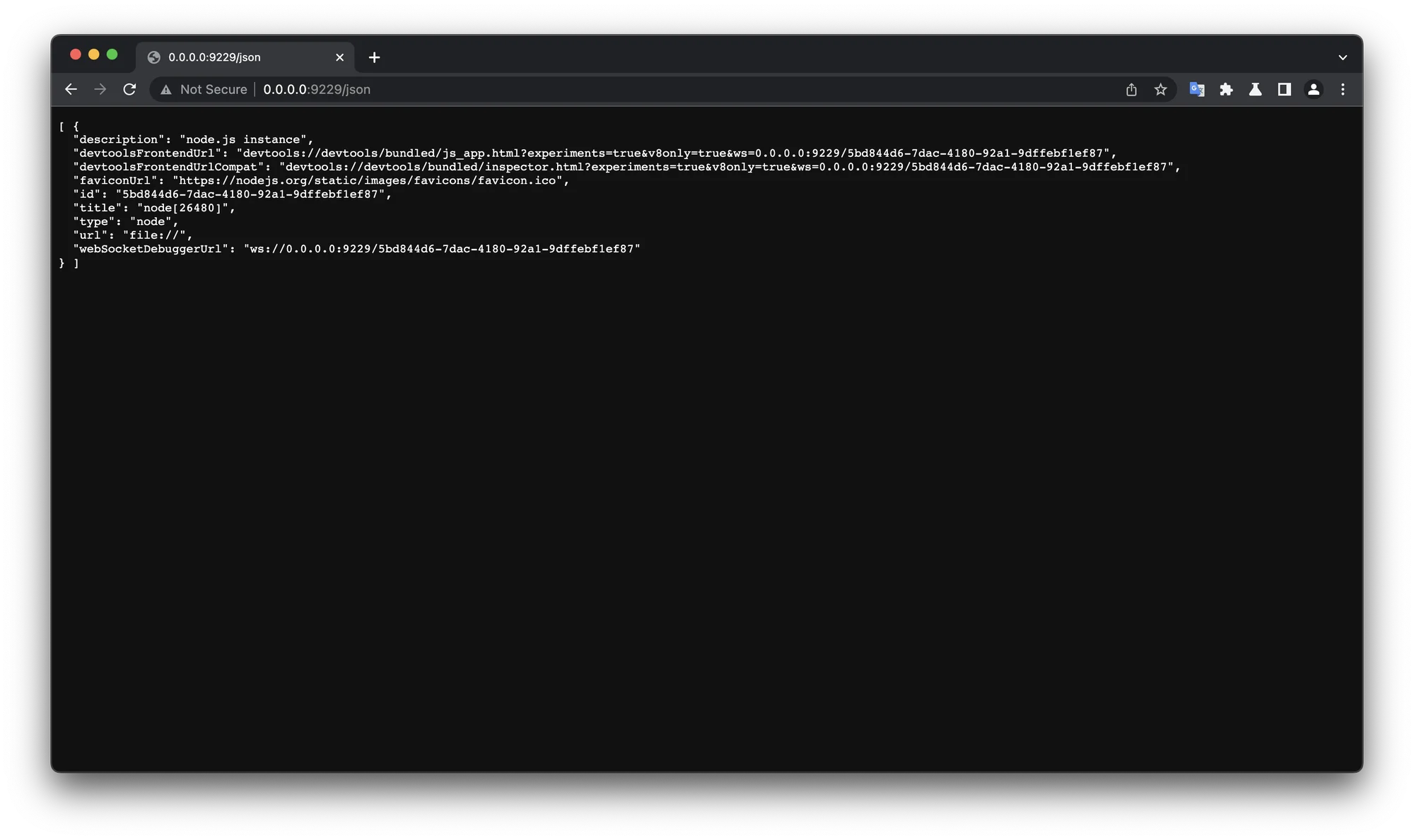
http://0.0.0.0:9229website (i.e., the one hosted on <attacker's IP>) will retrievehttp://0.0.0.0:9229/jsonfrom 127.0.0.1, including webSocketDebuggerUrl. - Now, the attacker knows the webSocketDebuggerUrl and can connect to it using WebSocket. Note that WebSocket is not restricted by same-origin policy. By doing so, they can gain the privileges of the Node.js instance.
Vulnerable code segment: https://github.com/nodejs/node/blob/d9b71f4c241fa31cc2a48331a4fc28c15937875a/src/inspector_socket.cc#L164-L183
DNS Setup
In this example I used dnsmasq as my DNS server. You can use (Attachment on the original report: dnsmasq_setup.zip) for a minimal Docker setup that demonstrates the arbitrary resolution of <Computer Name>.local domains. The hosts file should be changed according to the configured Computer Name of the victim device (through system preferences). For example, my Computer Name is Zeyu’s MacBook Pro, which means I had the Zeyus-Macbook-Pro.local domain.
# Resolve <Computer Name>.local to any IP address
1.1.1.1 Zeyus-Macbook-Pro.local
When connecting to http://0.0.0.0, the page is loaded from 1.1.1.1 instead.
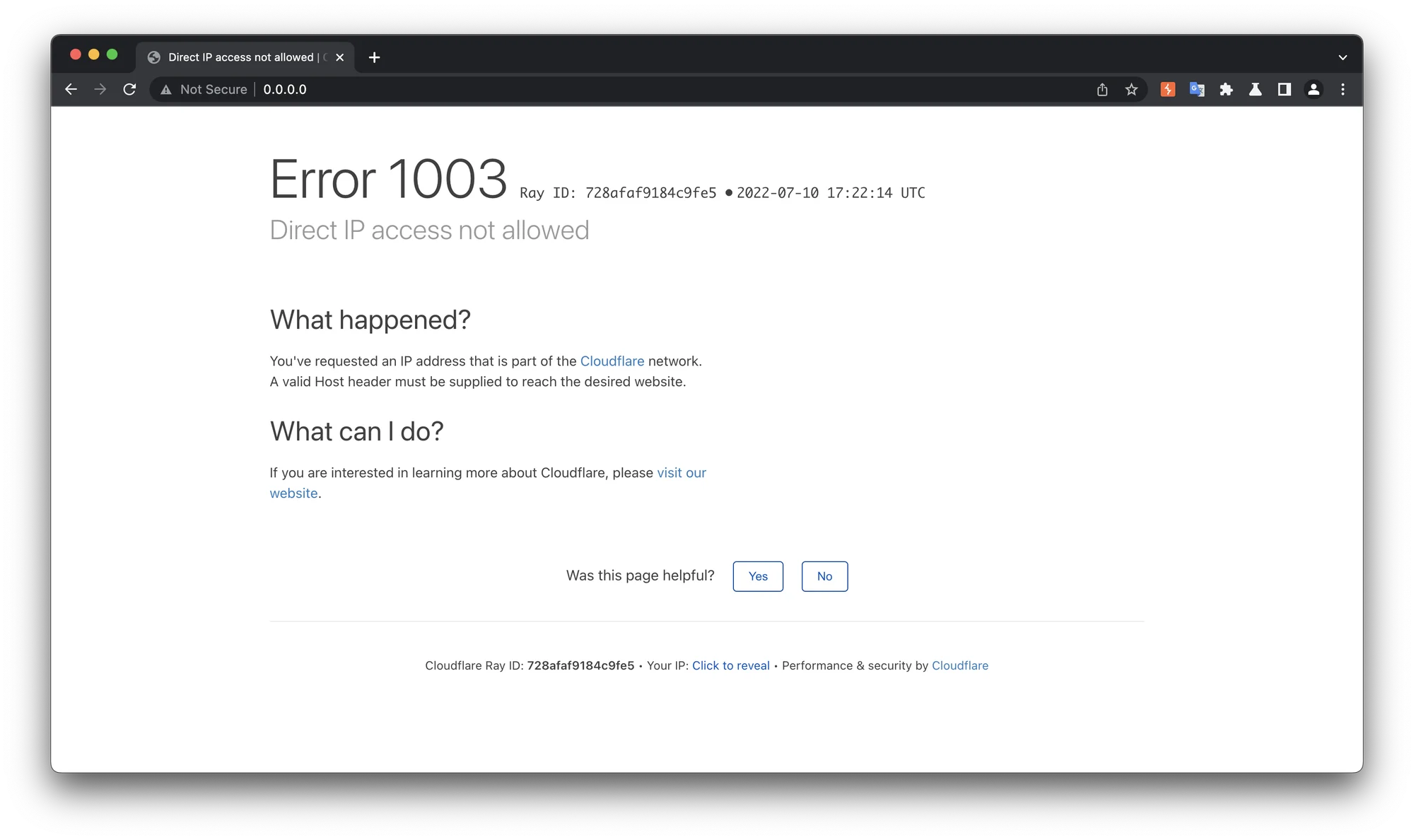
If you observe the network traffic while connecting to http://0.0.0.0, you should see the relevant DNS requests and replies.

Subsequently <Computer Name>.local can be rebinded to 127.0.0.1, causing the page to be loaded from 127.0.0.1 where the debugger is listening.
Suggested Remediation
According to IANA, 0.0.0.0/8 is a reserved address range. To prevent this vulnerability, this address range could be blocked.
A way to check for this address range could simply be accum == 0 in the first octet or host.front() == '0' in IsIPAddress
Supporting Material/References:
- Original vulnerability: https://nvd.nist.gov/vuln/detail/CVE-2018-7160
- Code segment: https://github.com/nodejs/node/blob/d9b71f4c241fa31cc2a48331a4fc28c15937875a/src/inspector_socket.cc#L164-L183
Impact
Attacker with access to a compromised DNS server or the ability to spoof its responses can gain access to the Node.js debugger, which can result in remote code execution.
Not written yet. The AI write-up for this report has not been written yet. The Original tab links to the source.
How it worked
Root cause
Likely the IsIPAddress check accepted [redacted] as a valid IP address, and macOS browsers resolve [redacted] via a DNS lookup for the computer's .local hostname, which an attacker can control.
Impact
An attacker with access to a compromised DNS server or the ability to spoof its responses can gain access to the Node.js debugger, which can result in remote code execution.
What the attacker needed
Victim runs Node.js with --inspect; Victim uses macOS with Chrome or Firefox; Attacker controls or spoofs DNS responses; Victim visits attacker's webpage
The fix
The [redacted]/8 reserved address range should be blocked in the IsIPAddress check.
How it was found
- Victim runs node with --inspect option
- Victim visits attacker's webpage
- The attacker's webpage opens http://[redacted]:9229
- Victim asks the DNS server for <Computer Name>.local and gets <attacker's-IP>.
- Victim loads webpage http://[redacted]:9229 from <attacker's-IP>.
- The webpage http://[redacted]:9229 tries to load http://[redacted]:9229/json.
Explained by bugbounty.wiki with AI from the original and checked against quotes from it; it can still be wrong. Read the original before relying on a detail.
Not written yet. The AI write-up for this report has not been written yet. The Original tab links to the source.
When you run Node.js with the --inspect flag, it opens a debugging port that can run code. To stop malicious websites from reaching it, Node.js only accepts connections where the Host header is an IP address or localhost. But the address [redacted] was accepted, and on macOS browsers this address causes a DNS lookup for the computer's local name. An attacker who controls DNS can point that name to their server, then quickly change it to [redacted] so the browser talks to the debugger.
What is RCE?
Running the attacker's code on the target's servers: through command or code injection, unsafe deserialisation or template injection.