XSS in Peerio 2 Windows Application (Write Up)
A cross-site scripting flaw was introduced in the Peerio 2 Windows desktop application, allowing injected script to run inside the app. The vendor confirmed the issue, shipped a direct fix and later added a strict content security policy as a broader mitigation.
 Published on blog.evanricafort.com
The original lives on blog.evanricafort.com
We do not hold its text, so we link to it rather than copy it. The other two tabs are our own rewrites, checked against it.
What the report shows
The target is the Peerio 2 Windows desktop application, and the bug class is cross-site scripting (XSS). The write-up itself is short: it opens with the title and two screenshots, then quotes the vendor's replies. It does not walk through the individual requests or payloads the researcher used, so the technical detail below is limited to what the correspondence records.
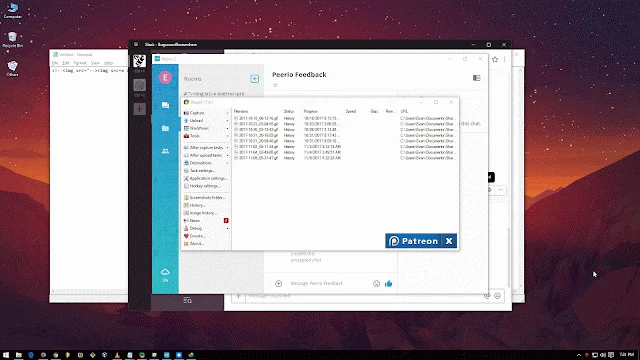
The two images sit at the top of the post, before any vendor text. The report does not caption them, so what they show is not described in the text.
The vendor's first reply confirms the finding and dates it:
Hi Evan, thanks a lot, and quick catch, looks like this was introduced exactly one week ago. What's the best way to pay you? I'll get the bureaucracy moving… We should have a fix out tomorrow.
So the vulnerable code had been introduced about a week before the report, the vendor accepted it, and a bounty was offered. The platform record puts the reward at 1,000.00 USD. No severity rating or CVSS score is given.
The second reply describes the remediation in two stages:
Hi, We pushed a direct fix in this release: https://github.com/PeerioTechnologies/peerio-desktop/releases/tag/v2.98.7 And then added strict CSP in the following release for a more global solution: https://github.com/PeerioTechnologies/peerio-desktop/releases/tag/v2.103.0 (you can check out pull requests #144 and #145 for details) Thanks!
Two things stand out. First, the immediate fix shipped in v2.98.7, a targeted change rather than a redesign. Second, the vendor then added a strict Content Security Policy in v2.103.0 as a broader mitigation, with the details in pull requests #144 and #145. That layered response, a point fix plus a policy that limits the damage of any future injection, is the pattern worth remembering.
Root cause
The report does not name the vulnerable component, the input that carried the payload, or the rendering context. The vendor's note that the flaw was introduced one week earlier suggests a regression in recently changed code. Beyond that the text gives nothing to pin down. Beyond that the text gives nothing to pin down, so treat any specific mechanism as unconfirmed.
Impact
The report does not state what an attacker could achieve. In a desktop client built on web technology, script execution in the application's rendering context is the general concern, because that context may hold session state or reach privileged APIs. The report itself makes no claim about which of these applied here.
How this kind of bug works
XSS happens when data that an attacker can influence reaches a context that interprets it as code rather than text. The three common contexts are HTML body, HTML attribute, and JavaScript, and each needs different handling. Encoding that is correct for one context is wrong for another: HTML-escaping a value that is then placed inside a JavaScript string does not stop a quote from breaking out.
In desktop applications built with Electron or similar frameworks, the renderer is a browser engine, so the same rules apply. The risk is higher when the renderer has Node.js integration enabled or a permissive preload bridge, because injected script may then reach the file system or the operating system rather than being confined to a web page. Message content, contact names, file names, link previews and notification text are all typical carriers, since they are attacker-controlled and often rendered in several places.
Defences work at two levels. Correct output encoding at each sink prevents the injection. A strict Content Security Policy limits what injected script can do if encoding fails, by blocking inline script and restricting script sources. Disabling Node integration in renderers and exposing only a narrow, validated API through a preload script reduces the consequences further.
How to test for it
- Map every place where data you control is displayed: message bodies, display names, group names, file names, link previews, search results, notifications and error messages.
- For each, send a benign marker such as a unique string and observe where it appears in the rendered output. Use the developer tools to see whether it lands in HTML, an attribute, a script block or a URL.
- Send context-appropriate probes. For HTML body, a tag that would be visible if interpreted. For attributes, a value that breaks out of the quoting. For script contexts, a string terminator followed by an expression. For URLs, a scheme that executes script.
- Watch for execution, not just reflection. A payload that appears in the page but is encoded, or that sits in a context where it cannot run, is not a finding.
- Test the desktop client as well as the web interface where both exist, since rendering paths can differ.
Common false positives: the marker is reflected but HTML-encoded; the payload runs only in your own browser through a self-XSS path that requires pasting into the console; the input is sanitised by a library that strips the dangerous parts; or the reflection appears in a context that is never rendered to another user. Confirm that a second account, or a fresh session, receives the executing payload.
How it is fixed
The standard fix is context-aware output encoding at every sink, plus input validation where a value has a known shape. Where rich text is required, a maintained sanitiser with an allowlist is preferable to hand-rolled filtering. For desktop clients, disable Node integration in renderers, enable context isolation, and expose only the specific functions the UI needs through a preload bridge. Add a strict Content Security Policy that forbids inline script and restricts sources, as a second layer. Regression tests that assert encoding behaviour help prevent the same flaw returning, which matters when a bug was introduced by a recent change.
Hunting notes
Recently added features are worth attention, since new rendering paths often miss the encoding applied elsewhere. Recon signals include desktop clients built on Electron, rich text or markdown rendering, link previews that fetch and display remote content, and any feature that shows another user's data in a notification or summary. To make a report land, show execution with a minimal payload, demonstrate the context it runs in, and describe what the script can reach in that context. A short screen recording of the payload firing in a fresh session is usually more persuasive than a screenshot of reflected input.
What happened, in plain words
Peerio 2 is a Windows desktop application, a program you install on your computer rather than a page you open in a browser. A cross-site scripting (XSS) bug was found in that application. XSS means that text someone else can influence gets treated by the program as code instead of as plain text, so the program runs instructions the attacker chose.
The published write-up is short. It has a title, two screenshots, and then quotes from the vendor's replies. It does not show the individual requests or payloads used to trigger the bug, so there is no step-by-step reproduction to follow here.
The two images appear at the top of the post, before any vendor text. The post gives them no caption, so what they show is not described.
The vendor's first reply confirms the finding and dates it:
Hi Evan, thanks a lot, and quick catch, looks like this was introduced exactly one week ago. What's the best way to pay you? I'll get the bureaucracy moving… We should have a fix out tomorrow.
Three things come out of this. The vulnerable code had been introduced about a week before the report. The vendor accepted the finding. And a payment was offered; the platform record puts the reward at 1,000.00 USD. No severity rating or CVSS score is given.
The second reply describes the fix in two stages:
Hi, We pushed a direct fix in this release: https://github.com/PeerioTechnologies/peerio-desktop/releases/tag/v2.98.7 And then added strict CSP in the following release for a more global solution: https://github.com/PeerioTechnologies/peerio-desktop/releases/tag/v2.103.0 (you can check out pull requests #144 and #145 for details) Thanks!
A release is a published version of the application that users download and install. The first fix, in v2.98.7, was a targeted change: it closed the specific hole. The second, in v2.103.0, added a strict Content Security Policy (CSP). A CSP is a set of rules the application gives its built-in browser engine about which scripts are allowed to run; a strict one blocks scripts that were not explicitly permitted. That is a safety net: if another injection slips through later, the policy limits what the injected code can do. The vendor points to pull requests #144 and #145 for the details. A pull request is a proposed change to the source code, reviewed before it is merged.
That two-layer response, a point fix plus a policy that caps the damage of any future injection, is the part worth remembering.
In general, how this kind of bug works
XSS happens when data an attacker can influence reaches a place that interprets it as code rather than as text. Think of a comment box on a website: you type words, and the page is supposed to show them as words. If the page instead treats your words as instructions, you have XSS.
The place where data is inserted is often called a sink. There are three common kinds of sink, and each needs different handling:
- The HTML body, where text sits between tags.
- An HTML attribute, such as the value of a link or an image source.
- A JavaScript block, where text sits inside the program's own code.
Encoding that is correct for one sink is wrong for another. Escaping a value for HTML and then placing it inside a JavaScript string does not stop a quote character from breaking out of that string. This is why the fix has to be context-aware: it must match the place where the value lands.
Desktop applications built with Electron or similar frameworks embed a browser engine to draw their screens, so the same rules apply. The risk grows when that engine is given direct access to the computer's files and operating system, because injected script may then reach beyond the app window. In a messaging client, the usual carriers are things other people send you: message text, contact names, group names, file names, link previews and notification text. These are attacker-controlled and often displayed in several places at once.
Defences work at two levels. Correct output encoding at each sink stops the injection in the first place. A strict CSP limits what injected script can do if encoding fails, by blocking inline script and restricting where scripts may load from. Reducing the renderer's access to the operating system, and exposing only a small, checked set of functions to the interface, shrinks the consequences further.
In general, how to test for it
- List every place where data you control is displayed: message bodies, display names, group names, file names, link previews, search results, notifications and error messages.
- For each one, send a harmless marker, such as a unique string, and see where it appears in the rendered output. Browser developer tools show whether it landed in HTML, in an attribute, in a script block or in a URL.
- Send probes suited to that context: a tag that would be visible if interpreted as HTML, a value that breaks out of attribute quoting, a string terminator followed by an expression in a script context, or a URL scheme that runs script.
- Look for execution, not just reflection. A payload that appears on the page but is encoded, or sits where it cannot run, is not a finding.
- Test the desktop client as well as any web interface, because the two can render the same data differently.
Common false positives: the marker is reflected but HTML-encoded; the payload only runs in your own browser through a path that requires you to paste it into the console yourself; a library strips the dangerous parts; or the reflection is never shown to anyone else. Confirm that a second account, or a fresh session, receives the executing payload.
In general, how it is fixed
The standard fix is context-aware output encoding at every sink, plus input validation where a value has a known shape. Where rich text is needed, a maintained sanitiser with an allowlist beats hand-written filtering. For desktop clients, restrict the renderer's access to the operating system and expose only the functions the interface needs. Add a strict CSP as a second layer. Regression tests that check encoding behaviour help stop the same flaw coming back, which matters most when a bug arrived in a recent change.
Glossary
- XSS (cross-site scripting): a bug where attacker-influenced data is treated as code by a program instead of as text.
- Payload: the piece of input an attacker sends to try to trigger the bug.
- Sink: the place in a program where data is inserted and interpreted.
- Context: the kind of place data lands in (HTML body, attribute, script, URL), which decides how it must be encoded.
- Encoding / escaping: converting characters so they are shown as text rather than interpreted as code.
- Sanitiser: a library that removes dangerous parts from rich text using an allowlist.
- Allowlist: a list of things that are permitted, with everything else rejected.
- CSP (Content Security Policy): rules telling a browser engine which scripts may run and from where.
- Electron: a framework for building desktop applications with web technology and an embedded browser engine.
- Renderer: the part of such an application that draws the interface using the browser engine.
- Release: a published version of an application that users install.
- Pull request: a proposed code change, reviewed before being merged.
- Regression: a bug that reappears or is newly introduced by a recent change.
- Reflection: input that comes back in the page's output without being executed.
- False positive: a suspected bug that turns out not to be exploitable.
- CVSS: a standard scoring system for the severity of a vulnerability.