How I accidentally found XSS in Protonmail for iOS app

A lot of things happen without intention. So it came that I discovered a XSS vulnerability in an iOS app.
The full write-up lives on its author's site
It belongs to its author, so we link to it rather than copy it. The other two tabs are our own rewrites, checked against it.
Context
This is an account of an accidental cross-site scripting (XSS) discovery in the ProtonMail iOS app. The researcher was not targeting ProtonMail at the time: while working on a BugCrowd program, they had been probing for XSS and injection issues and had changed account names and personal details in their researcher account to XSS strings. That testing had not produced a result.
A couple of days later, the service under test sent an email asking how the researcher liked the service. The message arrived in the researcher's ProtonMail account. The researcher nearly deleted it in the ProtonMail web mail interface, then forgot about it. The next day, while clearing out the ProtonMail inbox on an iPhone, a JavaScript popup appeared in the mail view.
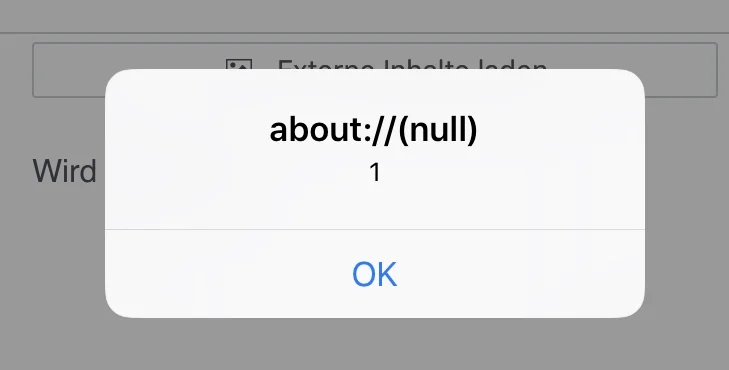
The image shows the XSS JavaScript popup appearing in the ProtonMail iOS app. The web mail interface showed nothing unusual, and the popup was not present there either.
Setup
The report describes no special accounts, roles or versions. The relevant preconditions are:
- A ProtonMail account receiving mail from an external sender.
- The ProtonMail iOS app installed on an iPhone.
- A way to send HTML email to that address. The researcher used a PowerShell script against an SMTP server they had access to.
The researcher notes that most mail clients filter out script parts in new emails, so the test had to be done manually by sending a crafted message.
Finding it
The trigger was an ordinary service email. The researcher had earlier placed XSS strings into account names and personal details on a BugCrowd program, and the service later sent a "Hey, how do you like our service?" email. Opening the ProtonMail inbox on the iPhone produced a JavaScript popup inside the app. The same message in the ProtonMail web mail interface showed nothing, and the popup was not present there.
Exploitation
Step 1: Reproduce with a crafted email
The researcher wrote a PowerShell script to send an HTML email over SMTP:
$smtp = "mymailserver"
$to = "[redacted]"
$from = "[redacted]"
$subject = "foobar"

$body = "<html><head>"
$body += "<title>test</title></head>"
$body += "test`">`'><i>I</script><script>alert(1)</script>testscript</i>"
$body += "</body></html>"

send-MailMessage -SmtpServer $smtp -To $to -From $from -Subject $subject -Body $body -BodyAsHtml
The script sets the SMTP server, recipient, sender and subject, then builds an HTML body containing a <script>alert(1)</script> tag inside markup. send-MailMessage delivers it with -BodyAsHtml, so the message is sent as HTML rather than plain text.
Step 2: Observe the result
The popup appeared again in the iOS app after the crafted email was sent.
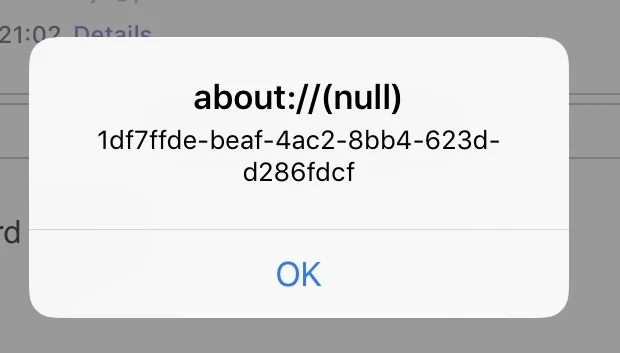
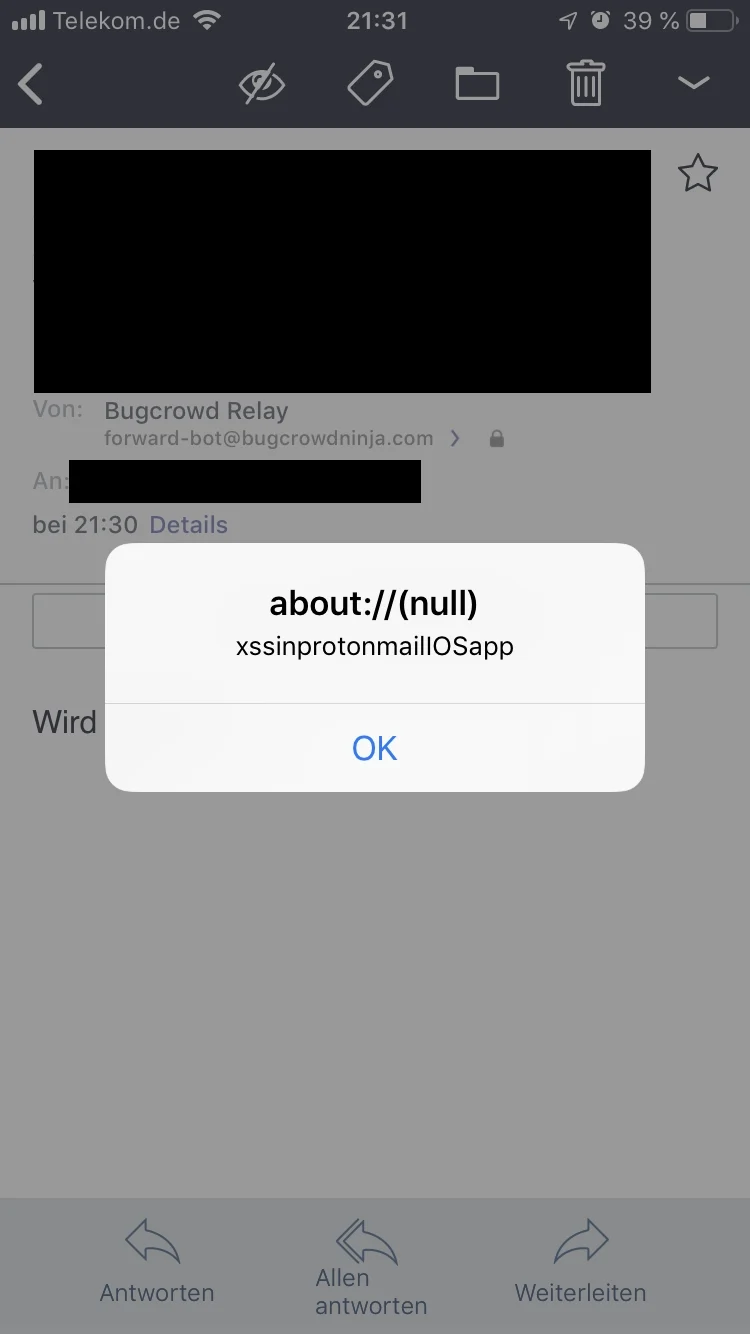
The images show the popup returning after the crafted email was delivered.
Step 3: Check the web client
The researcher checked the source in the ProtonMail web mail interface and found nothing there, and the popup was not present in the web client. The web mail interface showed nothing and the popup was not present there.
Root cause
The report states the cause directly: the ProtonMail app on iOS was not filtering out the <script> tag. The web client did not execute the payload, so the difference is in how the iOS app rendered the message body. The report does not describe the app's rendering code or the exact mechanism, so the precise reason the tag survived into an executable context is not stated.
Impact
The researcher states they did not find any way to compromise their own user data through this issue. The XSS could not access ProtonMail data on the phone. The report says it could still have been used for phishing or possibly for downloading malicious code to the phone.
The researcher sent a bug report to ProtonMail. It was accepted even though the vulnerability was already known. The bug was fixed within 24 hours and a new app update was released. The Android app was not vulnerable.
Fix
ProtonMail fixed the issue and released an updated iOS app within 24 hours of the report. The report does not describe the code change.
Variants to test
- Send HTML email with a
<script>tag to other mobile mail clients and check whether a popup appears. A positive result is script execution in the message view. - Compare the same message in the provider's web client and its mobile app. A difference in execution between the two points to a rendering gap in the app.
- Try payloads that break out of surrounding markup, as in the researcher's body string, rather than a bare script tag. A positive result is execution where a plain tag was filtered.
- A positive result is execution from an address the recipient does not control.
- A positive result is the app opening a link or fetching a file from the message content.
What happened, in plain words
A security researcher found a bug in the ProtonMail app for iPhone by accident. ProtonMail is an email service, and its iPhone app is a program you install on an Apple phone to read and send email. The bug was a type of problem called cross-site scripting, usually shortened to XSS. In plain terms, XSS means that text which is supposed to be shown to you as harmless content gets treated as a small program and runs. Here, a piece of script hidden inside an email ran inside the mail app.
The researcher was not looking at ProtonMail at the time. They were testing a different service that was part of a BugCrowd program. BugCrowd is a website where companies list their products and invite outside researchers to look for bugs, often paying a reward when a real one is found. While testing that other service, the researcher tried to find XSS and injection problems. Injection is a broad idea: you put special characters into an input, and the program that later handles that input misreads them as instructions instead of as plain text. To try this, the researcher changed account names and personal details in their researcher account to XSS strings. An XSS string is a short piece of text crafted so that, if a program treats it as code, something visible happens, such as a popup box. That testing did not produce a result.
A couple of days later, the service under test sent an email asking how the researcher liked the service. The message arrived in the researcher's ProtonMail account. The researcher nearly deleted it in the ProtonMail web mail interface, then forgot about it. Web mail means using email through a browser page rather than an installed app. The next day, while clearing out the ProtonMail inbox on an iPhone, a JavaScript popup appeared in the mail view. JavaScript is the programming language that web pages and many apps use to make things happen on screen, and a popup is a small box that appears over the content.
The image shows the XSS JavaScript popup appearing in the ProtonMail iOS app. iOS is the operating system of Apple's iPhones. The web mail interface showed nothing unusual, and the popup was not present there either.
Setup
The report describes no special accounts, roles or versions. The relevant preconditions are:
- A ProtonMail account receiving mail from an external sender. External means the sender is not the account owner and is not inside the same organisation.
- The ProtonMail iOS app installed on an iPhone.
- A way to send HTML email to that address. HTML is the language used to describe the layout of a page or a message: headings, links, images and so on. An email can be sent in plain text or in HTML, and HTML email is what lets a message look formatted. The researcher used a PowerShell script against an SMTP server they had access to. PowerShell is a scripting tool built into Windows for automating tasks. SMTP, the Simple Mail Transfer Protocol, is the standard way one computer hands an email to another, roughly like a postal sorting office that accepts a letter and passes it along.
The researcher notes that most mail clients filter out script parts in new emails, so the test had to be done manually by sending a crafted message. Filtering here means removing or neutralising dangerous pieces before showing the message. A mail client is the program or page you use to read mail.
Finding it
The trigger was an ordinary service email. The researcher had earlier placed XSS strings into account names and personal details on a BugCrowd program, and the service later sent a "Hey, how do you like our service?" email. Opening the ProtonMail inbox on the iPhone produced a JavaScript popup inside the app. The same message in the ProtonMail web mail interface showed nothing, and the popup was not present there.
The web mail interface showed nothing, and the popup was not present there. A payload is the part of the crafted input that actually does something when it is treated as code. Executed means the program ran it rather than displaying it as text.
Exploitation
Exploitation means taking a suspected bug and proving it can be triggered on purpose, reliably, rather than once by luck.
Step 1: Reproduce with a crafted email
The researcher wrote a PowerShell script to send an HTML email over SMTP:
$smtp = "mymailserver"
$to = "[redacted]"
$from = "[redacted]"
$subject = "foobar"

$body = "<html><head>"
$body += "<title>test</title></head>"
$body += "test`">`'><i>I</script><script>alert(1)</script>testscript</i>"
$body += "</body></html>"

send-MailMessage -SmtpServer $smtp -To $to -From $from -Subject $subject -Body $body -BodyAsHtml
Line by line, in plain words:
$smtp = "mymailserver"stores the name of the mail server the script will hand the message to. A server is a computer that provides a service to other computers.$to = "[redacted]"stores the recipient address, the ProtonMail inbox that will receive the test message.$from = "[redacted]"stores the sender address shown on the message.$subject = "foobar"stores the subject line, a placeholder word here.$body = "<html><head>"starts building the message body, the actual content of the email, opening an HTML document and its head section. The head is the part that carries information about the document rather than visible content.$body += "<title>test</title></head>"adds a title element and closes the head.+=means append to what is already stored.$body += "test">'><i>I</script><script>alert(1)</script>testscript</i>"adds the interesting part. It contains ordinary text, some quote and angle bracket characters, an opening<i>tag for italic text, a closing</script>tag, then a<script>alert(1)</script>block, then more text and a closing</i>. Thealert(1)is the classic harmless test: if it runs, a small popup showing1appears. The stray closing</script>and the quote characters are there to break out of whatever markup might surround the text, so the script tag is not left sitting harmlessly inside another element. The backtick characters are PowerShell's way of escaping a quote so it becomes part of the string.$body += "</body></html>"closes the body and the HTML document.send-MailMessage -SmtpServer $smtp -To $to -From $from -Subject $subject -Body $body -BodyAsHtmlis the command that actually sends the message. It uses the values stored above, and-BodyAsHtmltells it to send the body as HTML rather than as plain text. That matters because plain text is normally shown literally, while HTML can carry markup that a viewer might interpret.
The script sets the SMTP server, recipient, sender and subject, then builds an HTML body containing a <script>alert(1)</script> tag inside markup. send-MailMessage delivers it with -BodyAsHtml, so the message is sent as HTML rather than plain text.
Step 2: Observe the result
The popup appeared again in the iOS app after the crafted email was sent.
The images show the popup returning after the crafted email was delivered.
Step 3: Check the web client
The researcher checked the source in the ProtonMail web mail interface and found nothing there, and the popup was not present in the web client. Source here means the underlying HTML of the message as the client handles it.
Root cause
The report states the cause directly: the ProtonMail app on iOS was not filtering out the <script> tag. The web client did not execute the payload, so the difference is in how the iOS app rendered the message body. Rendering means turning the stored content into what you actually see on screen. The report does not describe the app's rendering code or the exact mechanism, so the precise reason the tag survived into an executable context is not stated.
Impact
Impact means what an attacker could realistically do with the bug. The researcher states they did not find any way to compromise their own user data through this issue. The XSS could not access ProtonMail data on the phone. The report says it could still have been used for phishing or possibly for downloading malicious code to the phone. Phishing is a trick message designed to look trustworthy so the reader clicks a link or hands over information. Malicious code means software written to do something harmful.
The researcher sent a bug report to ProtonMail. It was accepted even though the vulnerability was already known. The bug was fixed within 24 hours and a new app update was released. The Android app was not vulnerable. Android is the other major phone operating system, used by many non-Apple devices.
Fix
ProtonMail fixed the issue and released an updated iOS app within 24 hours of the report. The report does not describe the code change.
Variants to test
These are follow-up checks in the same spirit, useful for anyone learning how this class of bug is found.
- Send HTML email with a
<script>tag to other mobile mail clients and check whether a popup appears. A positive result is script execution in the message view. - Compare the same message in the provider's web client and its mobile app. A difference in execution between the two points to a rendering gap in the app.
- Try payloads that break out of surrounding markup, as in the researcher's body string, rather than a bare script tag. A positive result is execution where a plain tag was filtered.
- A positive result is execution from an address the recipient does not control.
- A positive result is the app opening a link or fetching a file from the message content.
Glossary
- Android: the operating system used by many non-Apple phones.
- Bug bounty / BugCrowd: a programme where a company invites outside researchers to find bugs, often for a reward; BugCrowd is a website that hosts such programmes.
- Cross-site scripting (XSS): a bug where content meant to be shown as text is treated as code and runs.
- Email client / mail client: the program or web page you use to read and send email.
- Executed: run as a program rather than displayed as text.
- External sender: someone sending mail from outside the recipient's own account or organisation.
- Filtering: removing or neutralising dangerous pieces of content before showing it.
- HTML: the language that describes the structure and formatting of a page or message.
- Impact: what an attacker could realistically do with a bug.
- Injection: putting special characters into input so a program misreads them as instructions.
- iOS: the operating system of Apple's iPhones.
- JavaScript: the programming language used to make things happen on screen in web pages and many apps.
- Malicious code: software written to do something harmful.
- Payload: the part of crafted input that does something when treated as code.
- Phishing: a deceptive message designed to make the reader click a link or give away information.
- Popup: a small box that appears over the content on screen.
- PowerShell: a scripting tool built into Windows for automating tasks.
- Rendering: turning stored content into what you actually see on screen.
- Reproducible: able to be made to happen again on demand.
- Server: a computer that provides a service to other computers.
- SMTP (Simple Mail Transfer Protocol): the standard way computers hand email to each other.
- Source: the underlying HTML of a message as a client handles it.
- Web mail: reading email through a browser page rather than an installed app.
- XSS string: a short piece of text crafted so that, if treated as code, something visible happens.




