GIF flooding
A GIF file containing 40,000 tiny frames bypassed the size and dimension limits and caused the image processing library to freeze until timeout. An attacker could upload such a file to cause a denial of service.

- Fixed in 7 days
- Paid in 15 days
- Disclosed after 15 days
Current limits
Image size: 1 MB
Image dimensions: 2048x2048px
File types: jpg/png/gif
Another image hack
A GIF composed of 40k 1x1 images made Paperclip freeze until timeout.
As attachments I sent the file composed of 40k images, and a screenshot of the timeout.
Possible Fix
Check if: file size / (width * height) != ridiculous amount
Attachments
What the report shows
The target was an image upload feature that accepted attachments. The report lists the limits that were in place at the time:
Image size: 1 MB
Image dimensions: 2048x2048px
File types: jpg/png/gif
Those three checks, file size, pixel dimensions and file type, are the whole of the validation described. The researcher found that they can all be satisfied by a file that is still expensive to process.
The technique was to build a GIF composed of 40,000 separate 1x1 images. Each frame is a single pixel, so the file is small in bytes and dimensions while the frame count is large. The cost is in the frame count: the image library has to decode and handle all 40,000 frames. When that file was uploaded, the image processing component, which the report calls Paperclip, froze until it hit a timeout.
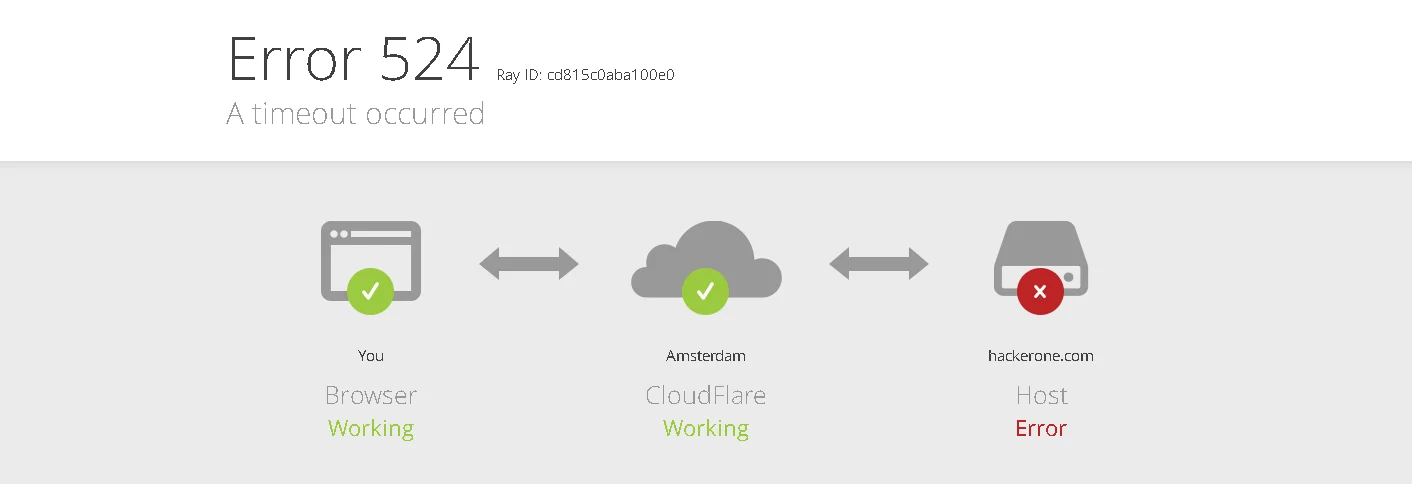
The screenshot above shows the resulting timeout. The researcher also attached the file itself, made of the 40,000 images, alongside that screenshot.
The report proposes a check to catch this class of file:
file size / (width * height) != ridiculous amount
In other words, compare the file size against the declared pixel area and reject files where the ratio is implausible. The report does not describe a fix being deployed, gives no severity or CVSS score, and does not state how long the freeze lasted beyond the timeout. The bounty was 250.00 USD and the report was disclosed on 2013-11-30.
Root cause
The validation in place constrained the wrong properties. File size, width and height bound the cost of decoding a single still image reasonably well, but they say nothing about how many frames a GIF contains. A multi-frame format lets an attacker multiply the work per byte: each 1x1 frame adds decoding overhead while adding almost nothing to the file size or to the reported dimensions. The report does not analyse the root cause; it only notes the limits in place and the resulting freeze.
Impact
The demonstrated impact is denial of service against the image processing step: the component froze until timeout when handling one uploaded file. The report does not say whether the file passed the stated size and dimension limits. Treat the impact as resource exhaustion of the processing worker, with the wider availability effect implied rather than measured.
How this kind of bug works
Image libraries do work proportional to decoded output, not to input bytes. Formats that describe many sub-images in one container, such as animated GIF, APNG, multi-page TIFF or ICO, let a small file expand into a large amount of decoding, allocation and per-frame processing. Compression makes the gap wider: a frame of uniform colour compresses to almost nothing but still costs memory and CPU to reconstruct. The same principle underlies decompression bombs in archives and pixel-flood attacks in SVG and other vector formats.
The failure happens when a service accepts user-supplied media and processes it synchronously or in a worker pool with limited concurrency, and the only guards are input size, declared dimensions and MIME type or extension. Defences that actually stop it bound the decoded work: frame and page limits, a cap on total pixels across all frames, a decode timeout, memory limits on the worker, and processing in an isolated sandbox so a stuck job cannot take down the service.
How to test for it
- Identify every place user-supplied media is processed: avatars, attachment previews, thumbnail generation, OCR, EXIF parsing, conversion to other formats.
- Establish the stated limits from error messages, documentation or by probing: maximum file size, maximum dimensions, accepted types.
- Build a candidate file that stays inside every stated limit but maximises decoded work. For animated formats, that means many minimal frames; for other containers, many pages or layers. Keep the file comfortably under the size cap.
- Upload it and observe timing and behaviour: response latency, timeouts, error pages, worker restarts, or the preview never appearing. Compare against a normal image of similar file size.
- If one file is tolerated, test a small number of concurrent uploads to see whether the processing pool saturates. Stop as soon as you have evidence; do not run a sustained flood against production.
A positive result is a measurable, repeatable difference: the crafted file causes a timeout or a large latency increase where a normal file of the same size does not. Common false positives are slow responses caused by network conditions, a single slow request that the service retries successfully, or limits that are enforced but not surfaced in error messages. Repeat the test and use a control file before claiming anything.
How it is fixed
- Cap the number of frames or pages per image, and cap total decoded pixels summed across all frames.
- Enforce a decode timeout and a memory ceiling on the processing worker so a pathological file fails fast instead of hanging.
- Reject files whose size-to-pixel-area ratio is implausible, as the report suggests, as a cheap additional filter.
- Process untrusted media in an isolated, restartable sandbox with bounded concurrency, so one bad job cannot block the queue.
- Re-encode accepted images to a normalised format after validation, discarding unexpected structure.
Hunting notes
This bug class hides wherever uploads are accepted and then transformed: profile pictures, support ticket attachments, chat and comment uploads, import features, document previews, and any endpoint that returns a generated thumbnail. Recon signals include error messages naming an image library, preview endpoints that respond slowly, and features that accept animated or multi-page formats. When you report, show the control comparison (normal file versus crafted file, same size), the observed timeout or latency, and the fact that the file passed the documented limits. Keep the proof minimal and avoid sustained load, since availability testing that degrades a live service is the quickest way to have a report closed.
What happened, in plain words
A website let people upload images as attachments. To stop people uploading enormous files, the site checked three things before accepting an image:
Image size: 1 MB
Image dimensions: 2048x2048px
File types: jpg/png/gif
In plain terms: the file could be no bigger than 1 MB (about a million bytes), the picture could be no wider or taller than 2048 pixels, and only three picture formats were allowed, jpg, png and gif. Those three checks were the whole of the protection described in the report.
The researcher found a file that passes all three checks and still causes trouble. The trick was a GIF made of 40,000 separate 1x1 images. A GIF is one of the few common picture formats that can hold several images in one file and play them in sequence, which is how simple animations work. Each of the 40,000 frames here is a single pixel, so the frames are tiny even though there are many of them. The cost is not in the size of the picture but in the number of frames: the software that handles uploads has to open and process every one of the 40,000 frames.
When that file was uploaded, the image processing component, which the report calls Paperclip, froze until it hit a timeout. A timeout is a safety cut-off: after waiting a certain amount of time, the system gives up on a task that has not finished. The screenshot below shows that timeout.
The researcher attached both the crafted file, made of the 40,000 images, and the screenshot of the timeout.
To catch this kind of file, the report suggests one check:
file size / (width * height) != ridiculous amount
Read it as a sum: divide the file's size in bytes by its pixel area (width times height). For a normal photo the result is a sensible number, because a real picture needs a fair amount of data per pixel. The suggestion is to reject files where that ratio is implausible. The report does not say whether a fix was ever deployed, gives no severity rating or CVSS score, and does not say how long the freeze lasted beyond the timeout. The bounty was 250.00 USD and the report was disclosed on 2013-11-30.
In general, this kind of bug
This is a resource exhaustion bug: one crafted file makes the image processing component spend so much effort that it freezes until timeout. The everyday comparison is a restaurant that accepts a booking for a table of two, then the two guests each order a hundred courses. The booking looked small on paper, but the kitchen is stuck for the evening.
The underlying mistake is that the site measured the wrong thing. File size, width and height are good proxies for how much work a single still picture takes to decode. They say nothing about how many frames a GIF contains. A format that holds many sub-images in one container, such as an animated GIF, lets a small file expand into a large amount of decoding, memory use and per-frame processing. Compression makes the gap wider: a frame of one uniform colour compresses to almost nothing but still costs memory and processor time to rebuild. The same idea sits behind "decompression bombs" in archive files and pixel-flood attacks in vector formats.
The failure happens when a service accepts media from users and processes it straight away, or in a small pool of workers, and the only guards are input size, declared dimensions and file type. Defences that actually work limit the decoded work: a cap on frames or pages, a cap on total pixels across all frames, a decode timeout, a memory ceiling on the worker, and processing inside an isolated sandbox so one stuck job cannot take the whole service down.
If you want to look for this yourself, the usual path is:
- Find every place the site processes media you supply: profile pictures, attachment previews, thumbnails, text extraction from images, conversion to other formats.
- Work out the stated limits, from error messages, documentation or by trying files of different sizes.
- Build a file that stays inside every stated limit but maximises the work: for animated formats, many tiny frames; for other containers, many pages or layers. Keep it comfortably under the size cap.
- Upload it and watch what happens: slow responses, timeouts, error pages, the preview never appearing. Compare with a normal image of similar file size.
- If one file is tolerated, try a small number of uploads at once to see whether the processing pool saturates. Stop as soon as you have evidence; do not run a sustained flood against a live service.
A real result is a repeatable difference: the crafted file causes a timeout or a large delay where a normal file of the same size does not. Slow responses from a bad network, a single slow request that succeeds on retry, or limits that exist but are not shown in error messages are common false alarms. Repeat the test and use a control file before claiming anything.
When reporting, show the comparison (normal file versus crafted file, same size), the observed timeout or delay, and the fact that the file passed the documented limits. Keep the proof minimal and avoid sustained load, because availability testing that degrades a live service is the quickest way to have a report closed.
Glossary
- Attachment: a file uploaded alongside a message or form, such as an image on a support ticket.
- GIF: a picture format that can hold several images in one file and play them in sequence, used for simple animations.
- Frame: one single image inside an animated file; 40,000 frames means 40,000 images played one after another.
- Pixel: one tiny dot of colour in a picture; width times height gives the total number of dots.
- 1 MB: one megabyte, roughly a million bytes, a unit of file size.
- Image processing component: the part of the site that opens, checks and resizes uploaded pictures; the report calls it Paperclip.
- Timeout: a safety cut-off that abandons a task which has taken too long.
- Resource exhaustion / denial of service: making a service use so much processor time or memory that it can no longer serve normal users.
- Decode: turning the stored, compressed form of an image back into pixels the computer can work with.
- Compression: storing data in a smaller form; uniform areas shrink to almost nothing but still cost work to rebuild.
- Decompression bomb: a small file that expands into a huge amount of data when opened.
- Sandbox: an isolated environment where risky work runs, so a failure there cannot affect the rest of the system.
- Worker: a process that carries out background jobs, such as preparing image previews.
- Control file: a normal file used for comparison, to show that a delay is caused by the crafted file and not by the network.
- CVSS: a standard scoring system for rating the severity of a security flaw.
- Bounty: a payment made to a researcher who reports a valid security problem.