Torrent Viewer extension web service available on all interfaces
The Torrent Viewer extension starts a local web service that listens on all network interfaces, so anyone on the same network can see and download the files the user is downloading. This mainly affects the user's privacy.

- Triaged in 3 days
- Fixed in 4 days
- Paid in 4 days
- Disclosed after 34 days
Summary:
When files are downloaded via the Torrent Viewer, a local web service is spun up that allows the user to download the files. This web service listens on all interfaces, allowing anyone in the network to view what files are being downloaded, and download them from the user. This mostly affects the privacy of the user.
Products affected:
- This issue was tested on the Brave browser on OSX, using version 0.19.122. Full specs:
Name Version Brave 0.19.122 rev 009e792 Muon 4.5.31 libchromiumcontent 63.0.3239.108 V8 6.3.292.48 Node.js 7.9.0 Update Channel Release OS Platform macOS OS Release 17.2.0 OS Architecture x64
Steps To Reproduce:
- Disable local firewall if set to block all external connections
- Load a torrent in the Brave browser, for example:
https://zooqle.com/download/wiv7v.torrent
- Click on "Start download"
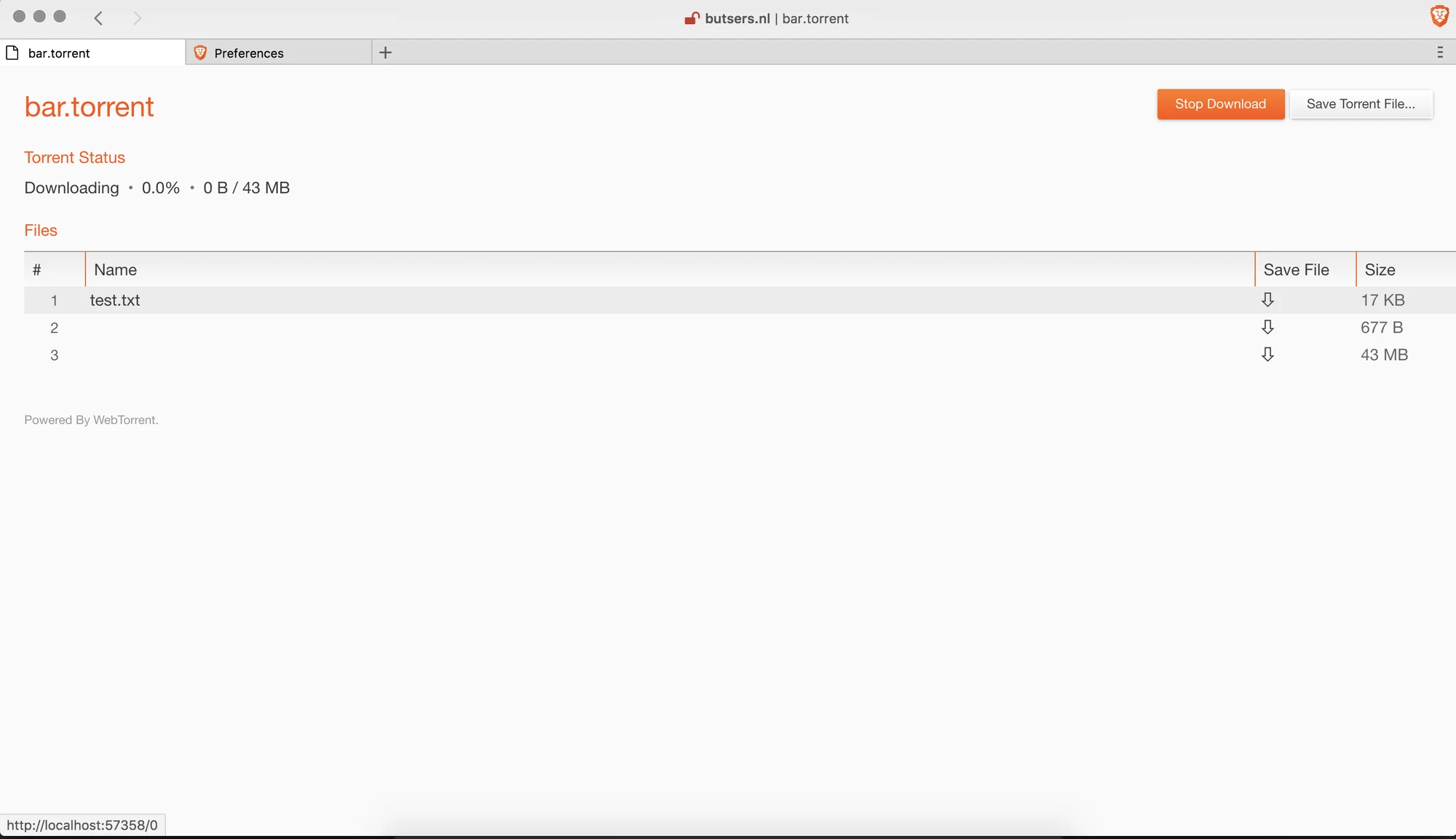
- Either hover over the "Save file" button to see the port to the web service (button_link.png), or perform an external portscan.
- Use different device to connect to the port.
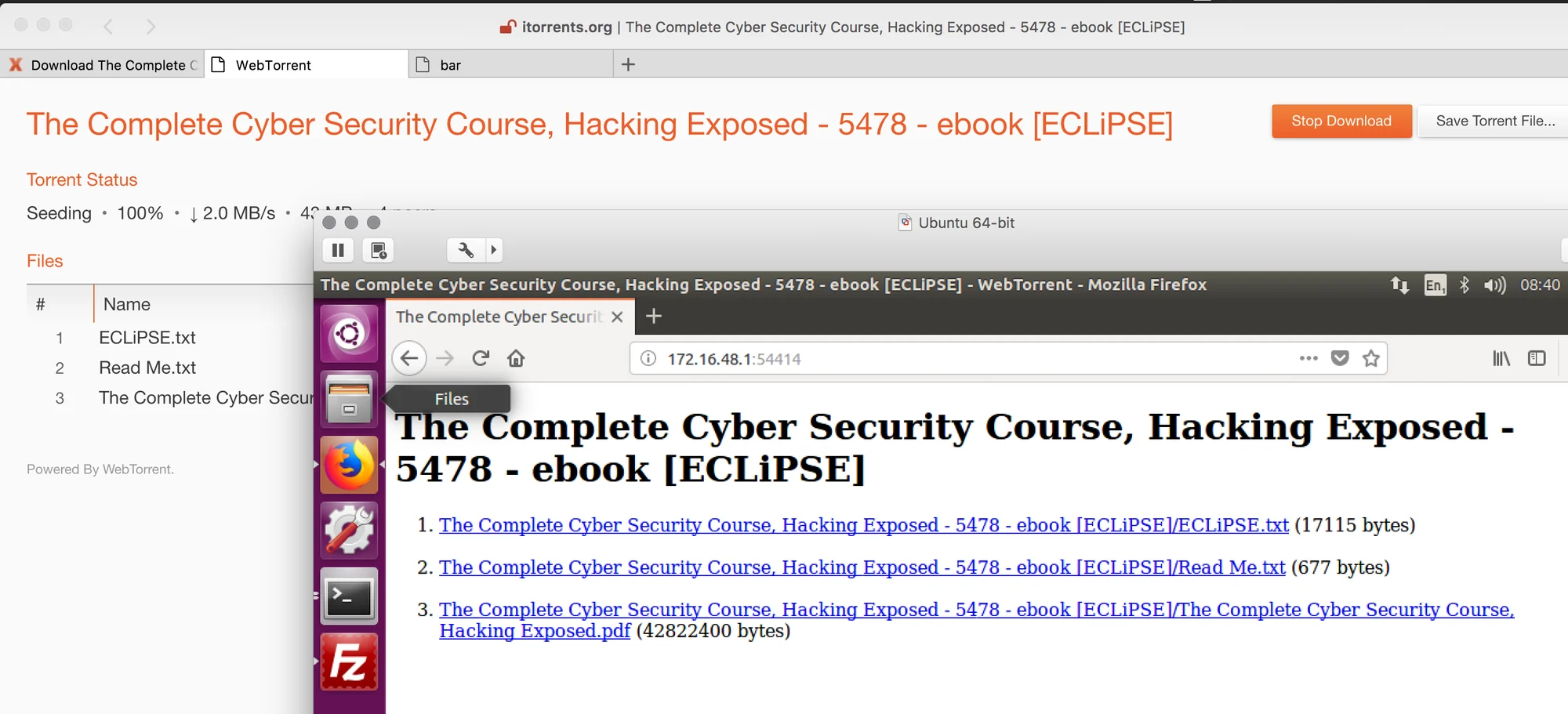
- See what the user is downloading (see Open torrent webservice.png)
Note that the port changes every time a download is started, but an attacker can simple perform a portscan to find this port.
Supporting Material/References:
- I've included two screenshots that show the port (button_click.png) and me viewing downloaded files from a VM (Open torrent webservice.png). This issue has also been tested from a phone instead of the VM, to ensure that it wasn't just my vmnet being viewed as a local address.
Impact
If an 'attacker' (or any privacy-snooping agent) is on the same network as the user, it's possible to list all files that are currently downloaded. It's also possible to download these files from the user.
This vulnerability does not affect users that have their firewall set to block all incoming connections.
Attachments
Not written yet. The AI write-up for this report has not been written yet. The Original tab links to the source.
How it worked
Root cause
Likely the local web service was bound to all network interfaces instead of only the loopback address.
Impact
An attacker on the same network could list and download the files the user is currently downloading, but a firewall that blocks incoming connections prevents this.
What the attacker needed
Attacker on the same network; victim starts a torrent download; firewall allows incoming connections
How it was found
- Disable the local firewall if it blocks external connections.
- Load a torrent in the Brave browser.
- Click 'Start download'.
- Find the port of the web service by hovering over the 'Save file' button or by scanning ports.
- From another device, connect to that port.
- View the files the user is downloading.
Explained by bugbounty.wiki with AI from the original and checked against quotes from it; it can still be wrong. Read the original before relying on a detail.
Not written yet. The AI write-up for this report has not been written yet. The Original tab links to the source.
When you download a torrent, the extension runs a small web server on your computer so you can save the file. This server is reachable from other devices on your network, not just your own computer. That means someone else on the same Wi-Fi could look at and copy the files you are downloading.
What is Info disclosure?
Data the application should keep private (personal data, internal details, other users' records) reaches someone it should not.