Injection via CSV Export feature in Admin Orders
The CSV export of admin orders only sanitised the first variant of a product, so a crafted product title beginning with a formula character survived into the exported file. An attacker could get a formula executed in a spreadsheet when an administrator opened the export in Excel.

- Triaged in 16 days
- Fixed in 17 days
- Disclosed after 18 days
i found out that the filtering of "=,-,+" is not working in all data. there's a way to bypass it.
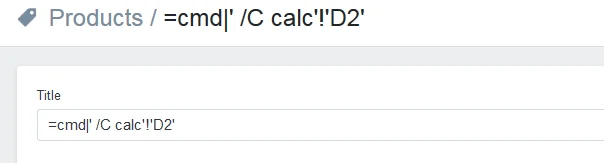
- Create a product with title =cmd|' /C calc'!'D2'
- Add variants (more than 2 variants) then save it.
- Go to Orders > Create Order
- search the product we made =cmd|' /C calc'!'D2'
- Add 2 variants from same item
- Mark as paid
- Create Order
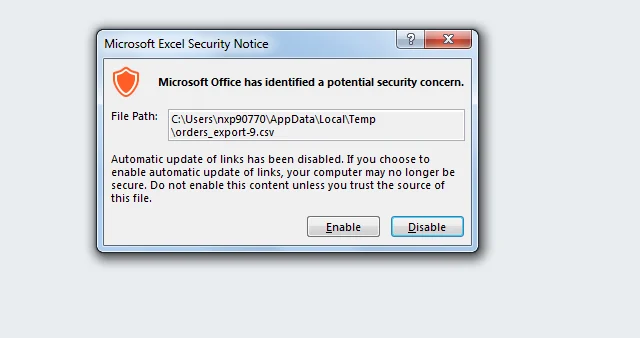
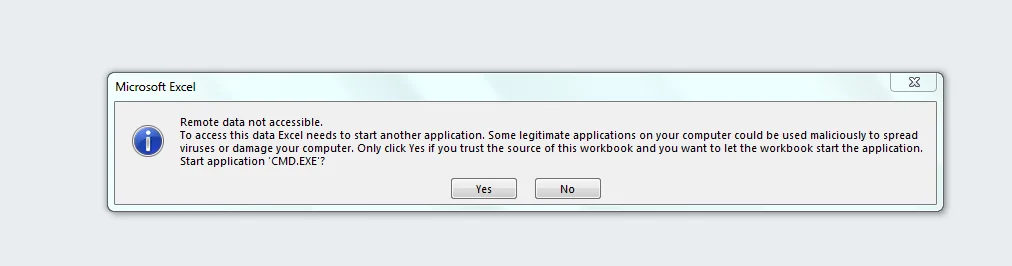
- Go Back to order page > Export > Open in excel
you will see that the first variant is successfully filtered the "=" but the next variant is not filtered anymore.
Attachments

Not written yet. The AI write-up for this report has not been written yet. The Original tab links to the source.
How it worked
Root cause
Likely the export sanitised only the first row or first variant of each product rather than every cell written to the CSV.
Impact
A crafted product title could cause a spreadsheet formula to run when an administrator opens the exported orders file, though the report does not demonstrate what the formula achieves beyond launching a calculator.
What the attacker needed
Ability to create products with variants; admin exports orders and opens in Excel
The fix
The export should neutralise leading formula characters in every variant, not just the first.
How it was found
- Create a product whose title starts with a formula character.
- Add more than two variants to the product and save it.
- Open Orders and start creating a new order.
- Search for the crafted product and add two variants of the same item.
- Mark the order as paid and create it.
- Return to the orders page, export the data and open the file in Excel.
Explained by bugbounty.wiki with AI from the original and checked against quotes from it; it can still be wrong. Read the original before relying on a detail.
Not written yet. The AI write-up for this report has not been written yet. The Original tab links to the source.
When a website exports data to a spreadsheet file, a cell that starts with a special character like = can be treated as a formula by the spreadsheet program. Here the site tried to strip those characters, but only did so for the first variant of a product and not the others, so a malicious title slipped through. Opening the file could then run the formula on the admin's computer.



