Hacking Swisscom’s End-to-End Encrypted Cloud Storage for $4,000
The passphrase reset feature did not change the underlying private keys, so an attacker who had previously obtained them could retain access even after a reset. Additionally, the recovery process returned the wrapped recovery passphrase before the recovery code was consumed, allowing an attacker to unwrap the private keys without using up the recovery code.
 Published on thomashouhou.com
On October 17, 2022, Swisscom sent an email inviting 15 selected hunters to test the security of a newly released feature within their cloud storage solution, MyCloud. This new service, called MyCloud Safe, introduces end-to-end encryption to MyCloud by employing client-side encryption.
The full write-up lives on its author's site
It belongs to its author, so we link to it rather than copy it. The other two tabs are our own rewrites, checked against it.
Context
MyCloud is Swisscom's cloud storage product. On 17 October 2022, Swisscom invited 15 selected hunters to test a newly released feature inside it, called MyCloud Safe, which adds end-to-end encryption to MyCloud through client-side encryption.
In MyCloud Safe a user owns two asymmetric key pairs: one for file encryption and one for request signing. The file encryption pair has a public key that encrypts files before upload and a private key that decrypts them for read or update. Because the service is protected by an additional password, it also needs a layer of authenticity, which is what the second pair provides: the private key signs each HTTP request and the public key lets the server verify the signature.
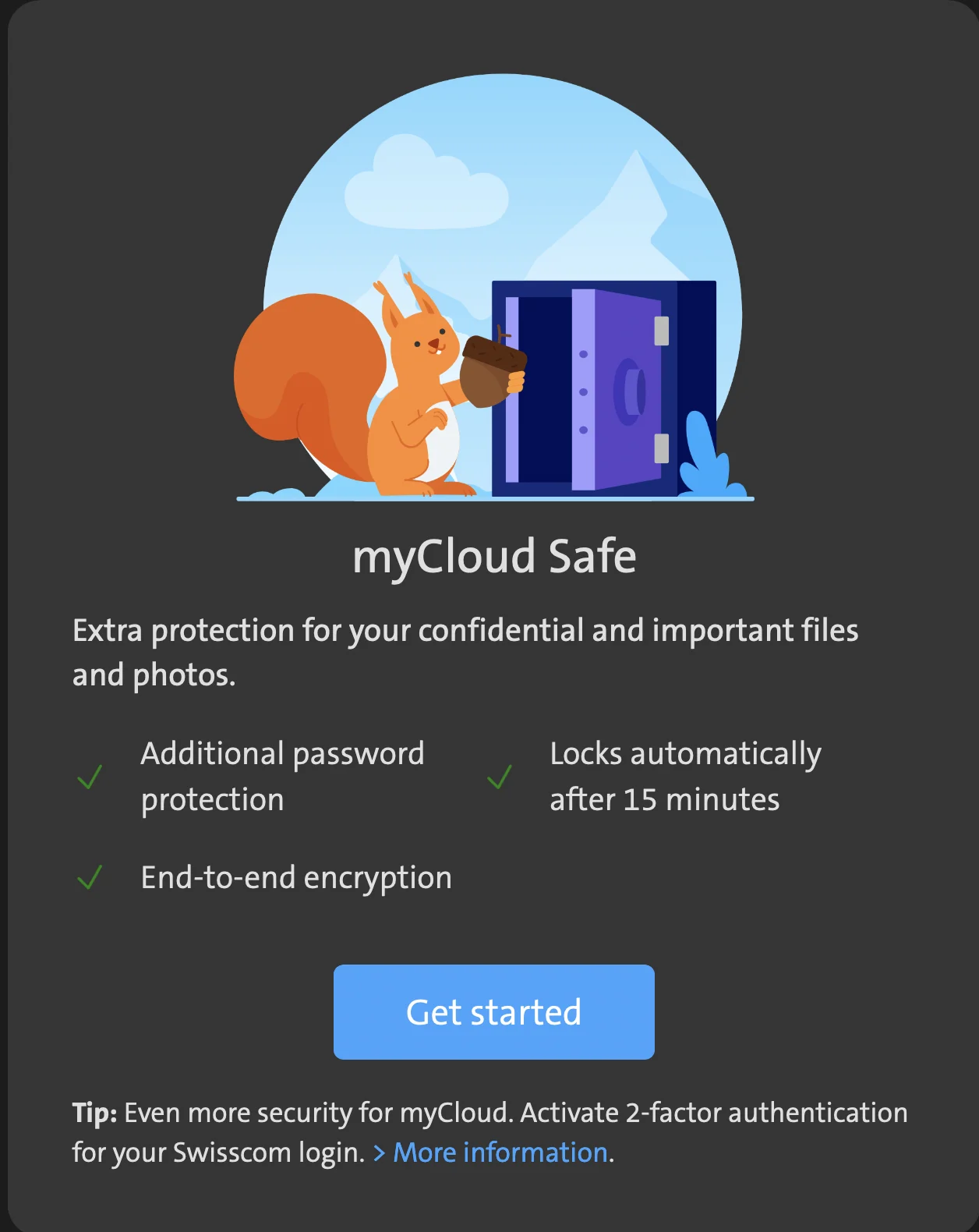
The interesting design problem is key storage. MyCloud Safe is web-only, and expecting a user to keep private keys in one browser forever, never using another device, is impractical. The server therefore has to keep some state about the client's private keys, while end-to-end encryption still requires that Swisscom, treated as a third party, gets no access to protected data or keys. The service must hand the client enough to recover its private keys without being able to read them itself.
Setup
Most of the internals described here were inferred by reading MyCloud Safe's client-side JavaScript. No special tooling, accounts or versions are listed beyond a browser and the ability to read the JavaScript files and observe the requests the application makes. The service is now public.
How MyCloud Safe works
1. Setting a secret passphrase
The UI asks the user to define a secret passphrase. It does not serve directly as a private key, but it plays a significant role later.
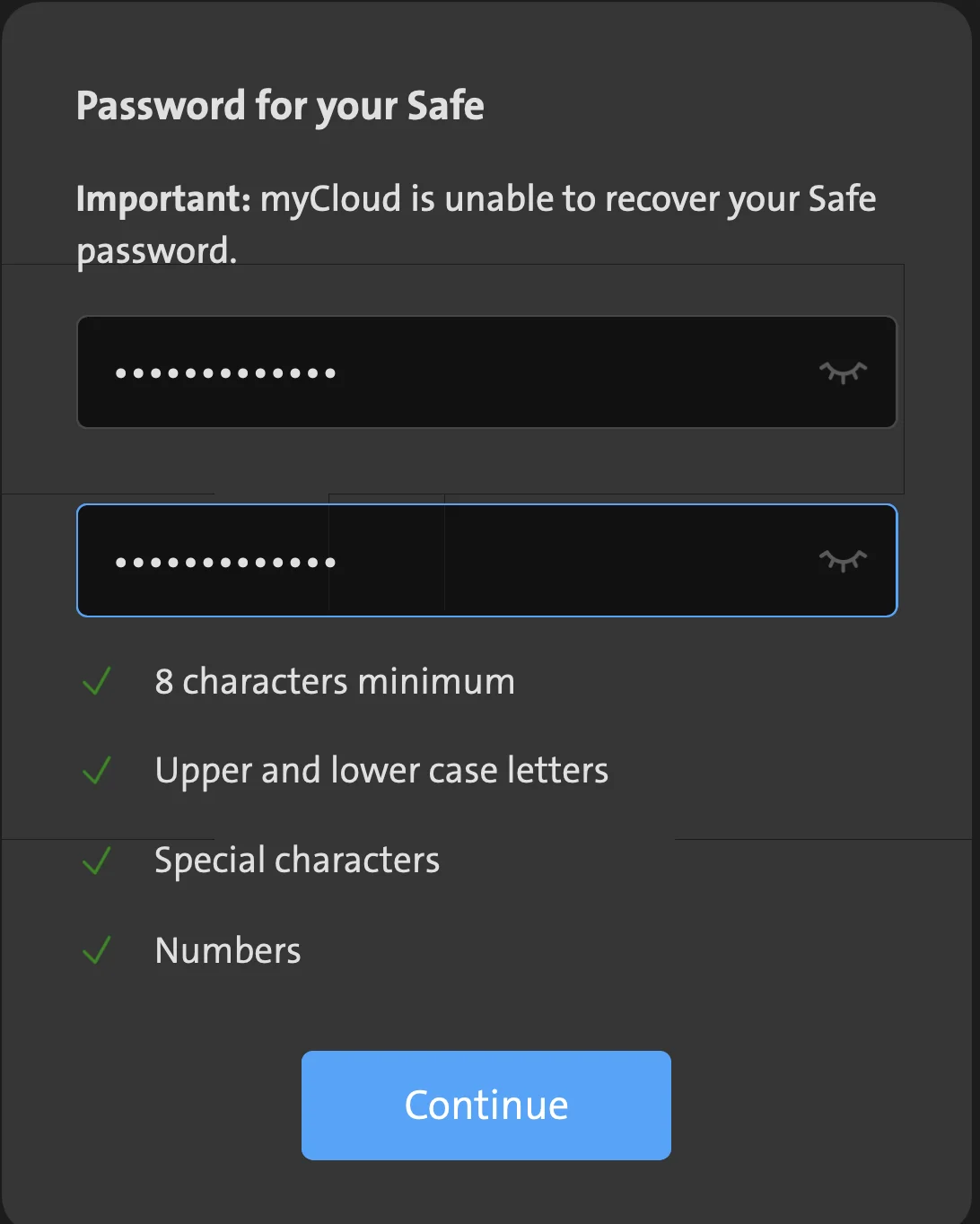
2. Generating recovery codes
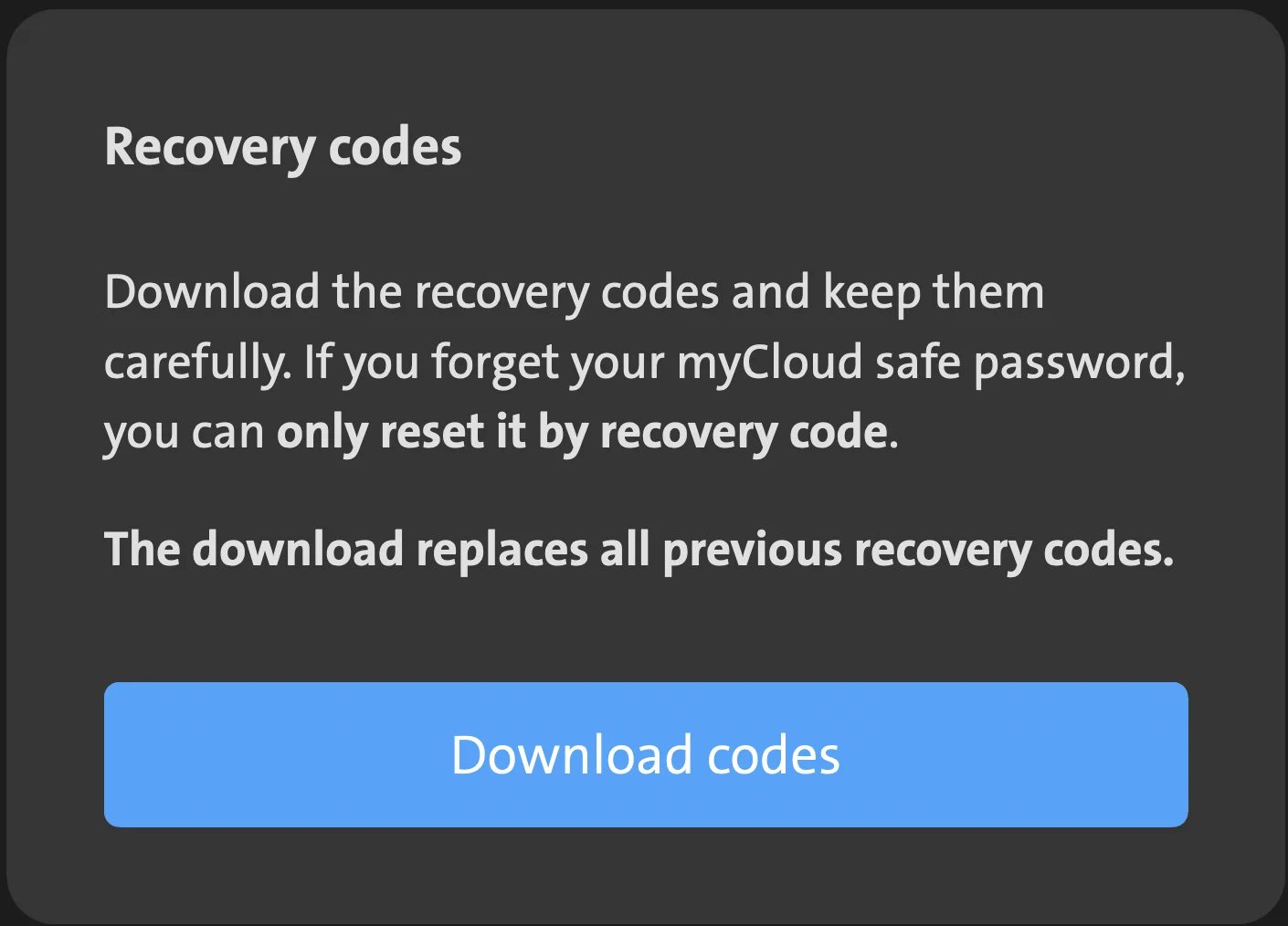
After setting a password and clicking Continue, client-side JavaScript generates 10 recovery codes. The second vulnerability is directly related to them.
The responsible code is:
o.recoveryCodeList = [],
o.recoveryCodePayloads = [];
try {
    const e = await cryptoService.Safe.generateRecoveryCodes(10);
    o.recoveryCodePassphrase = e.passphrase,
    o.recoveryCodeList = e.codes,
    o.recoveryCodePayloads = e.codesPayload,
    o.filename('myCloud_safe_recoveryCodes_{0}.txt'.storage_format((new Date).storage_toCustomizedString('dd.MM.yyyy HH:mm'))),
    o.downloadCodesValue('data:application/octet-stream,' + [...] o.recoveryCodeList.join('%0A'))
Line 4 calls generateRecoveryCodes, which looks like this:
generateRecoveryCodes: function(e) {
    return new Promise(async (t, i) => {
        const n = window.crypto.getRandomValues(new Uint8Array(32)),
            o = [],
            r = [];
        for(let t = 0; t < e; t++) {
            const e = await cryptoService.recoveryCode.generateCode(n);
            r.push(e.codeHex),
                o.push(e.payload)
        }
        t({
            passphrase: n,
            codes: r,
            codesPayload: o
        })
    })
}
Besides the 10 recovery codes (line 6 of the first snippet, line 13 of the second), the process also produces another passphrase (line 5 of the first snippet, line 12 of the second) and recovery code payloads (line 7 of the first snippet, line 14 of the second). Those two extra elements are the clue to how recovery codes work under the hood, and they lead to the second vulnerability.
3. Generating the asymmetric keys and securing them
3.1. Key generation
With initialisation nearly done, the keys are generated:
o.createSafeAccount = async
function() {
    storageUIService.Loader.Show(!0);
    const e = await cryptoService.Safe.generateUserKeys(o.repeatPasswordValue, o.recoveryCodePassphrase);
This creates the two asymmetric key pairs, one for request signing and one for file encryption:
userSigningKey: await cryptoService.keys.generateSigningKey(!0),
userEncryptionKey: await cryptoService.keys.generateEncryptionKey(!0)
generateSigningKey and generateEncryptionKey ultimately rely on the native Web Crypto API, calling window.crypto.subtle.generateKey with the key generation algorithm passed as argument.
3.2. The passphrase as a wrapping key
The passphrase set by the user is not used as a weak private key. It serves as a Key-Encryption-Key (KEK), or wrapping key, whose purpose is to encrypt the generated private keys. This lets MyCloud Safe store only the encrypted versions of the private keys, never the plain ones. The user can then fetch the encrypted private keys from the server and decrypt them locally with the passphrase.
Three lines of code are associated with the wrapping process:
a = await cryptoService.helpers.getImportKey(passphrase),
getImportKey derives a key in the right format from the passphrase string.
signingKey: await cryptoService.helpers.getKeyPayload(u.userSigningKey, a, i, r, h),
userKey: await cryptoService.helpers.getKeyPayload(u.userEncryptionKey, a, i, o, d)
getKeyPayload wraps the keys with the key derived from the passphrase.
3.3. Recovery data
The extra passphrase generated alongside the 10 recovery codes is randomly generated and acts as another KEK for the private keys, in a way very similar to the regular process above.
The recovery codes themselves are also used as key-encryption-keys. Their role is to encrypt, or wrap, the recovery passphrase, which is itself a KEK for the private keys. The recovery payloads are therefore the encrypted versions of the recovery passphrase, where the encryption key is an associated recovery code. Each recovery code maps to one recovery code payload.
This extra layer is likely there for efficiency. Hiding the private key behind, or mapping it to, the passphrase, a much smaller structure, produces a smaller ciphertext than wrapping the entire high-entropy private keys would. Since the user already fetches the wrapped private keys regularly, the recovery process only needs to fetch the encrypted recovery passphrase, that is the recovery code payload. That keeps bandwidth and storage lower for both the server and the user.
4. Sending the non-revealing data to the server
The client completes setup with an HTTP POST to https://mycloud.swisscom.ch/safe. The POST body contains:
- the wrapped private keys for signature and encryption, in both the regular and the recovery cases, four private keys in total;
- the associated public keys, which by definition need no wrapping;
- the ten recovery code payloads, that is the same recovery passphrase encrypted with each of the ten recovery codes.
After that POST, most of the body, excluding the recovery-related data, populates the same /safe endpoint for a GET request. The response is:
{
   "keys":{
      "signingKey":{
         "id":"0140c60f-d416-6986-0e2d-34346b95c350",
         "pub":{
            "d":"eyJrdHkiOiJFQyIsImNydiI6Il[...][redacted]"
         },
         "pri":{
            "d":"DQMlWZr14sNI8R/OvKfPuRoalEKRUBq2/[....]BLlHygfJ/E=",
            "iv":"zVDQ+5Vc+QnuQw7L"
         }
      },
      "userKey":{
         "id":"6f8abf14-0930-6aae-8120-d7a58bfa8f62",
         "pub":{
            "d":"eyJrdHkiOiJSU0E[...]Wm1zTTM2YyJ9"
         },
         "pri":{
            "d":"4VfhC1sva[....]Qw1q+Pspm4CMAiXXh",
            "iv":"A4O7TmAcH6WfS/rp"
         }
      },
      "keyDerivationInfo":{
         "salt":"K3VsCEYkCcGVH5C1DzpgTg",
         "iterationCount":300000,
         "algo":"PBKDF2"
      }
   },
   "remainingRecoveryCodes":10
}
Login then proceeds as follows:
- Client-side JavaScript sends a GET to /safe to retrieve the wrapped private keys for encryption and signature.
- The user enters the secret passphrase.
- The passphrase is transformed into a key, which decrypts the wrapped private keys.
- The plain private keys are stored in the user's browser.
Finding it
MyCloud Safe offers a passphrase reset that can be triggered in two ways: via a recovery code when the passphrase is forgotten, or via the authenticated MyCloud Safe panel when the user remembers the passphrase but wants to change it because of a compromise concern.
Fetching mycloud.swisscom.ch/safe and comparing the returned JSON before and after a passphrase reset shows that the d attribute inside the pri objects changes. Since pri is supposed to represent the private key, it is tempting to conclude that the reset did what it should. The naming is misleading. As the POST that finalises setup shows, the d attribute of the pub object holds the plain public key, but the d attribute of the pri object holds the wrapped, encrypted private key, not the plain one.
A change in d under pri after a reset can therefore mean two different things:
- both the plain private keys and the passphrase changed, which is secure;
- the plain private keys did not change and only the passphrase did, which is not.
The public key settles it. The d attribute of the public key objects stays the same across resets. Since a public key is always derived from its private key, an unchanged public key implies a static private key.
Exploitation
Vulnerability 1: passphrase reset does not rotate the private keys (CHF 750)
The consequence of the static private key is that if an attacker ever learns the private keys, for example through an initial compromise of the MyCloud Safe account, no passphrase reset will ever remove that access. The access is persistent, and the reset does not behave as the user expects.
Vulnerability 2: recovery code not consumed until the last step (CHF 3000)
When a user forgets the passphrase, recovery codes reset it and restore access to MyCloud Safe files. The reset is a multi-step process, and the second vulnerability lives in it.
Step 1: enter the recovery code
Step 2: the recovery package request
As soon as the user clicks Continue, a body-less POST is sent asynchronously to:
https://safe-backend.prod.mdl.swisscom.ch/safe/recovery-package/[HASH_OF_RECOVERY_CODE]
The response is JSON of this form:
{
   "passphrase_protected_keys":{
      "signingKey":{
         "id":"0140c60f-d416-6986-0e2d-34346b95c350",
         "pub":{
            "d":"eyJrdHkiOiJFQyIsImNydiI6Il[...][redacted]"
         },
         "pri":{
            "d":"3yVO04ASwgstHGBw[...]ik7nozcISpwO72bR8+O9Ws=",
            "iv":"FbZsFnZCmSSQFkUx"
         }
      },
      "userKey":{
         "id":"6f8abf14-0930-6aae-8120-d7a58bfa8f62",
         "pub":{
            "d":"eyJrdHkiOiJSU0E[...]Xk0Wm1zTTM2YyJ9"
         },
         "pri":{
            "d":"bbRzDBhltDE7t[...]XQJrzk0q0nRyYzLU4f/y5V3YOzFw1nufVY2ZcZUnXhZ+tiqT",
            "iv":"ud72bkPNyxJOMyn3"
         }
      },
      "keyDerivationInfo":{
         "salt":"tTrZFYZ2HR+j42yofZKKTQ==",
         "iterationCount":300000,
         "algo":"PBKDF2"
      }
   },
   "recovery_code":{
      "keyDerivationInfo":{
         "salt":"wujxdmx6EfPJgIEu26Sl1A==",
         "iterationCount":300000,
         "algo":"PBKDF2"
      },
      "hash":"[HASH_OF_RECOVERY_CODE]",
      "passphrase":{
         "d":"JwIdjRCYwvtaVy2ekZ3toLG9/[redacted]+wH5fM",
         "iv":"4LsBSiiZVRtVjABm"
      }
   }
}
Step 3: new passphrase
If the response indicates success, meaning the recovery code's hash is recognised, the user is prompted for a new passphrase.
Step 4: the PATCH that consumes the code
Once the new passphrase is entered and the user clicks Continue, a final request is sent:
PATCH /safe HTTP/1.1
Host: safe-backend.prod.mdl.swisscom.ch
Cookie:[...]
[...Headers]
Content-Type: application/json;

{
   "type":"pw_change_with_recovery",
   "diff":{
      "keyDerivationInfo":{
         "algo":"PBKDF2",
         "iterationCount":300000,
         "salt":"bgZkT5NSoBovAF1JBRXRwQ=="
      },
      "signingKey":{
         "id":"0140c60f-d416-6986-0e2d-34346b95c350",
         "pub":{
            "d":"eyJhbGci[...]nQ2dGQifQ=="
         },
         "pri":{
            "d":"oU9Ukd7A54Ef[...]xmkwKk2I=",
            "iv":"LYkqQcCOapFKKMQP"
         }
      },
      "userKey":{
         "id":"6f8abf14-0930-6aae-8120-d7a58bfa8f62",
         "pub":{
            "d":"eyJhbGciOiJ[...]0zNmMifQ=="
         },
         "pri":{
            "d":"APicSIKJTy[...]e+tE+P2LZnNcUGx",
            "iv":"8ANrh21eTsOLfAeh"
         }
      },
      "recoveryCodeHash":"[HASH_OF_RECOVERY_CODE]"
   }
}
Only after this step is the recovery code consumed and unusable, and only then is the user assigned a new passphrase.
The shortcut
The recovery code is consumed only at step 4, but the response from step 2 already contains everything needed to reach the user's private key. The whole multi-step process can be cut short, making the passphrase reset irrelevant and leaving the recovery code unconsumed.
Recall the key chain: the recovery code is a KEK for the randomly generated recovery passphrase, which differs from the passphrase the user set, and that recovery passphrase is a KEK for the private keys. The wrapped recovery passphrase is returned in the step 2 JSON on line 37, under the misleading name passphrase, even though it is the wrapped passphrase. Unwrapping that value with the recovery code yields the plain recovery passphrase, and that passphrase unwraps the wrapped private keys, giving their plain versions.
All of these unwrapping operations happen purely client-side, and the server learns nothing further. The process has to be followed to the end of step 2, but it can then be aborted freely.
Root cause
Two design mistakes combine here.
First, the passphrase reset leaves the private keys unchanged, as the unchanged public key shows. The unchanged public key in the /safe response is the observable proof. The wrapping protects the keys at rest, but it cannot revoke a key an attacker already holds.
Second, the recovery flow hands out the full recovery package, including the wrapped recovery passphrase and the wrapped private keys, as soon as the recovery code hash is recognised, while the code is only invalidated at the final PATCH. The recovery code is only consumed at step 4, but step 2 alone is enough to decrypt everything. The misleading field names (d under pri holding ciphertext, passphrase holding the wrapped passphrase) make the responses look safer than they are.
Impact
For the first issue, an attacker who has already obtained the private keys keeps access to the user's MyCloud Safe data even after the user resets the passphrase in response to a suspected compromise. The reset gives a false sense of remediation.
For the second issue, anyone holding a valid recovery code can obtain the user's private keys without completing the reset, so the code is not spent and the passphrase is not changed. The user gets no signal that the code was used.
Fix
Swisscom fixed the second issue by consuming the recovery code directly at step 2, so the package can no longer be fetched without spending the code.
Variants to test
- Reset without key rotation. Reset the passphrase on any end-to-end encrypted product and compare the public key before and after. A positive result is an identical public key with a changed wrapped private key, meaning the private key was not rotated.
- Multi-step flows that reveal before they commit. Walk any recovery, invitation or verification flow and stop at each intermediate response. A positive result is a response that already contains wrapped keys, tokens or secrets that the final step is supposed to gate.
- Recovery code reuse. Complete only the early steps of a recovery flow, then try the same code again. A positive result is the code still being accepted after it has served its purpose.
- Misleading field names. Where a response has fields such as
pri.dorpassphrase, check whether they hold plaintext or ciphertext by trying to unwrap them. A positive result is a field named like a secret that is actually ciphertext you can decrypt with material you already have. - Client-side-only enforcement. Look for flows where the browser performs the security-relevant step, such as unwrapping or verification, and check whether the server enforces the same ordering. A positive result is a server that accepts or serves state out of order.
What happened, in plain words
Swisscom is a large telecoms company in Switzerland. One of its products is MyCloud, a service for storing files online, similar to Google Drive or Dropbox. In October 2022 Swisscom invited 15 selected security testers, often called bug hunters, to try to break a brand new feature inside MyCloud. The feature was called MyCloud Safe, and its selling point was end-to-end encryption.
End-to-end encryption means the files are scrambled, or encrypted, on your own computer before they ever travel to the company's servers, and only you hold the key to unscramble them. The company stores a locked box it cannot open. That is the promise. The tester in this story found two flaws in how MyCloud Safe handled the keys behind that promise. The first was worth CHF 750 and the second CHF 3000. Both came from reading the application's own JavaScript, the code that runs inside the browser, and from asking why things behaved the way they did.
This article walks through the whole story slowly, explaining every concept as it appears. You only need to know how to use a browser and a computer.
Context
MyCloud is Swisscom's cloud storage product. On 17 October 2022, Swisscom invited 15 selected hunters to test a newly released feature inside it, called MyCloud Safe, which adds end-to-end encryption to MyCloud through client-side encryption.
A few words first. Cloud storage is simply files kept on someone else's computers, reachable over the internet. Client-side encryption means the scrambling happens on the client, that is your own device and browser, before anything is sent. The opposite, server-side encryption, would have the company's server do the scrambling, which means the company could also unscramble. Client-side encryption is what makes the promise of end-to-end encryption possible.
In MyCloud Safe a user owns two asymmetric key pairs: one for file encryption and one for request signing. The file encryption pair has a public key that encrypts files before upload and a private key that decrypts them for read or update. Because the service is protected by an additional password, it also needs a layer of authenticity, which is what the second pair provides: the private key signs each HTTP request and the public key lets the server verify the signature.
That paragraph is dense, so let us unpack it. A key pair is two mathematically linked pieces of data. One is called the public key and can be shared with anyone. The other is the private key and must stay secret. They are linked in a one-way way: something locked with the public key can only be opened with the private key, and something signed with the private key can only be verified with the public key. This is called asymmetric cryptography, because the two sides use different keys. A useful everyday comparison is a padlock and its only key: you can hand out open padlocks to anyone, they snap one onto a box, and only you, holding the key, can open it.
MyCloud Safe uses two such pairs. The first pair protects files: the public key locks a file before upload, the private key opens it again. The second pair proves that a request really came from the account owner: the private key signs the request, and the server checks the signature with the public key. A signature here is like a wax seal that only your private key can produce and that anyone with your public key can check.
The image shows the MyCloud Safe initialisation page, the screen where a user first sets the service up.
The interesting design problem is key storage. MyCloud Safe is web-only, and expecting a user to keep private keys in one browser forever, never using another device, is impractical. The server therefore has to keep some state about the client's private keys, while end-to-end encryption still requires that Swisscom, treated as a third party, gets no access to protected data or keys. The service must hand the client enough to recover its private keys without being able to read them itself.
This is the central tension of the whole story. If your private key only ever lives in your browser, then logging in from a new laptop, or after clearing your browser data, would lose all your files forever. So the server must store something. But if the server stores the private key in a readable form, the company can read your files and the end-to-end promise is broken. The solution, as we will see, is to store the private key in a locked form that only the user can unlock.
Setup
Most of the internals described here were inferred by reading MyCloud Safe's client-side JavaScript. No special tooling, accounts or versions are listed beyond a browser and the ability to read the JavaScript files and observe the requests the application makes. The service is now public.
In other words, the tester did not need exotic software. A browser has built-in developer tools, usually opened with a key such as F12, that show the code a page runs and the network requests it makes. Reading that code and watching those requests is how the whole picture was built.
How MyCloud Safe works
1. Setting a secret passphrase
The UI asks the user to define a secret passphrase. It does not serve directly as a private key, but it plays a significant role later.
The image shows the screen where the user sets that secret passphrase. A passphrase is like a password but usually longer, a phrase rather than a single word. The important point to remember is that this passphrase is not itself the private key. It is used to lock and unlock the private key, which we will explain shortly.
2. Generating recovery codes
After setting a password and clicking Continue, client-side JavaScript generates 10 recovery codes. The second vulnerability is directly related to them.
The image shows the recovery code generation step. Recovery codes are one-time backup codes, the kind of thing you are told to print and keep somewhere safe, so that if you forget your password you can still get back into your account.
The responsible code is:
o.recoveryCodeList = [],
o.recoveryCodePayloads = [];
try {
    const e = await cryptoService.Safe.generateRecoveryCodes(10);
    o.recoveryCodePassphrase = e.passphrase,
    o.recoveryCodeList = e.codes,
    o.recoveryCodePayloads = e.codesPayload,
    o.filename('myCloud_safe_recoveryCodes_{0}.txt'.storage_format((new Date).storage_toCustomizedString('dd.MM.yyyy HH:mm'))),
    o.downloadCodesValue('data:application/octet-stream,' + [...] o.recoveryCodeList.join('%0A'))
Line by line:
- The first two lines create two empty lists, one for the recovery codes and one for something called payloads, which we will meet in a moment.
try {starts a block of code that might fail, so the program can handle an error gracefully.- The line with
generateRecoveryCodes(10)asks the crypto service to make 10 recovery codes. The wordawaitmeans the program waits for that work to finish before continuing. - The next three lines store the results: a passphrase, the list of codes, and the list of payloads. Notice that a passphrase comes out of this step too, not just codes. That detail matters later.
- The
filename(...)line builds a file name for the download, including the current date and time. - The last line prepares the codes to be downloaded as a text file, joining them with
%0A, which is the code for a line break.
Line 4 calls generateRecoveryCodes, which looks like this:
generateRecoveryCodes: function(e) {
    return new Promise(async (t, i) => {
        const n = window.crypto.getRandomValues(new Uint8Array(32)),
            o = [],
            r = [];
        for(let t = 0; t < e; t++) {
            const e = await cryptoService.recoveryCode.generateCode(n);
            r.push(e.codeHex),
                o.push(e.payload)
        }
        t({
            passphrase: n,
            codes: r,
            codesPayload: o
        })
    })
}
Line by line:
- The function takes one argument,
e, which is how many codes to make. Here it is 10. new Promise(...)is a way of writing code that finishes later, like placing an order and being told you will be called when it is ready.- The line with
getRandomValues(new Uint8Array(32))creates 32 random bytes. Randomness is essential in cryptography: a value nobody can guess. This random value becomes a passphrase. - The next two lines create two empty lists, one for the codes and one for the payloads.
- The
forloop runs once per code, so 10 times. Each time it asks the crypto service to generate one code from the random value, then adds the code and its payload to the two lists. - Finally the function hands back an object with three things: the passphrase, the codes, and the payloads.
Besides the 10 recovery codes (line 6 of the first snippet, line 13 of the second), the process also produces another passphrase (line 5 of the first snippet, line 12 of the second) and recovery code payloads (line 7 of the first snippet, line 14 of the second). Those two extra elements are the clue to how recovery codes work under the hood, and they lead to the second vulnerability.
A payload here is simply a bundle of data that goes with each code. Keep in mind that each recovery code comes with a payload, and that a separate random passphrase is created at the same time. Both facts will matter.
3. Generating the asymmetric keys and securing them
3.1. Key generation
With initialisation nearly done, the keys are generated:
o.createSafeAccount = async
function() {
    storageUIService.Loader.Show(!0);
    const e = await cryptoService.Safe.generateUserKeys(o.repeatPasswordValue, o.recoveryCodePassphrase);
Line by line:
o.createSafeAccount = async function() {defines a function that creates the account, andasyncmeans it can wait for slow operations.storageUIService.Loader.Show(!0);shows a loading spinner so the user knows something is happening.- The last line calls
generateUserKeys, passing the password the user typed twice and the recovery passphrase generated in the previous step. This is where the actual keys get made.
This creates the two asymmetric key pairs, one for request signing and one for file encryption:
userSigningKey: await cryptoService.keys.generateSigningKey(!0),
userEncryptionKey: await cryptoService.keys.generateEncryptionKey(!0)
Line by line:
- The first line generates the signing key pair, the one used to sign requests.
- The second line generates the encryption key pair, the one used to lock and unlock files.
generateSigningKey and generateEncryptionKey ultimately rely on the native Web Crypto API, calling window.crypto.subtle.generateKey with the key generation algorithm passed as argument.
An API is a defined way for one piece of software to ask another to do something, like a menu of allowed requests at a counter. The Web Crypto API is a menu built into browsers for cryptographic operations, so the page does not have to invent its own maths. window.crypto.subtle.generateKey is the specific item on that menu that makes a new key pair.
3.2. The passphrase as a wrapping key
The passphrase set by the user is not used as a weak private key. It serves as a Key-Encryption-Key (KEK), or wrapping key, whose purpose is to encrypt the generated private keys. This lets MyCloud Safe store only the encrypted versions of the private keys, never the plain ones. The user can then fetch the encrypted private keys from the server and decrypt them locally with the passphrase.
A Key-Encryption-Key, or wrapping key, is a key whose job is to lock up another key. Think of a small safe that holds your house keys: the small safe's combination is your passphrase, and the house keys inside are your private keys. The server can store the small safe, but without the combination it cannot get the house keys out. Wrapping is the act of locking a key this way, and unwrapping is opening it again.
Three lines of code are associated with the wrapping process:
a = await cryptoService.helpers.getImportKey(passphrase),
getImportKey derives a key in the right format from the passphrase string.
A passphrase is just text, and cryptographic functions need a key of a specific shape and size. Deriving means turning the text into such a key in a repeatable way, so the same passphrase always produces the same key.
signingKey: await cryptoService.helpers.getKeyPayload(u.userSigningKey, a, i, r, h),
userKey: await cryptoService.helpers.getKeyPayload(u.userEncryptionKey, a, i, o, d)
getKeyPayload wraps the keys with the key derived from the passphrase.
Line by line:
- The first line wraps the signing private key using the key derived from the passphrase.
- The second line does the same for the encryption private key.
3.3. Recovery data
The extra passphrase generated alongside the 10 recovery codes is randomly generated and acts as another KEK for the private keys, in a way very similar to the regular process above.
So there are now two small safes holding the same house keys: one opened by the user's passphrase, and one opened by this random recovery passphrase. The first is for normal daily use. The second exists so that recovery can work without the user's passphrase.
The recovery codes themselves are also used as key-encryption-keys. Their role is to encrypt, or wrap, the recovery passphrase, which is itself a KEK for the private keys. The recovery payloads are therefore the encrypted versions of the recovery passphrase, where the encryption key is an associated recovery code. Each recovery code maps to one recovery code payload.
This is a chain of safes. Your private keys sit inside a safe opened by the recovery passphrase. That recovery passphrase sits inside ten different safes, each opened by one of your ten recovery codes. Each of those ten locked copies is a payload. To reach your private keys with a recovery code, you open the outer safe with the code, get the recovery passphrase, then open the inner safe with that passphrase.
This extra layer is likely there for efficiency. Hiding the private key behind, or mapping it to, the passphrase, a much smaller structure, produces a smaller ciphertext than wrapping the entire high-entropy private keys would. Since the user already fetches the wrapped private keys regularly, the recovery process only needs to fetch the encrypted recovery passphrase, that is the recovery code payload. That keeps bandwidth and storage lower for both the server and the user.
Ciphertext is the scrambled output of encryption, as opposed to plaintext, the readable original. High-entropy means very random and therefore long and bulky. A passphrase is short; a private key is long. Locking the short thing and storing it ten times is cheaper than locking the long thing ten times. Bandwidth is how much data travels over the network.
4. Sending the non-revealing data to the server
The client completes setup with an HTTP POST to https://mycloud.swisscom.ch/safe. The POST body contains:
- the wrapped private keys for signature and encryption, in both the regular and the recovery cases, four private keys in total;
- the associated public keys, which by definition need no wrapping;
- the ten recovery code payloads, that is the same recovery passphrase encrypted with each of the ten recovery codes.
HTTP is the language browsers and servers use to talk. A POST is a request that sends data to the server, like handing in a form. A GET is a request that asks for data back, like opening a page. The body of a request is the content being sent. Notice what is sent: only locked versions of the private keys, never the plain ones. The public keys travel as they are, because public keys are meant to be public.
After that POST, most of the body, excluding the recovery-related data, populates the same /safe endpoint for a GET request. The response is:
{
   "keys":{
      "signingKey":{
         "id":"0140c60f-d416-6986-0e2d-34346b95c350",
         "pub":{
            "d":"eyJrdHkiOiJFQyIsImNydiI6Il[...][redacted]"
         },
         "pri":{
            "d":"DQMlWZr14sNI8R/OvKfPuRoalEKRUBq2/[....]BLlHygfJ/E=",
            "iv":"zVDQ+5Vc+QnuQw7L"
         }
      },
      "userKey":{
         "id":"6f8abf14-0930-6aae-8120-d7a58bfa8f62",
         "pub":{
            "d":"eyJrdHkiOiJSU0E[...]Wm1zTTM2YyJ9"
         },
         "pri":{
            "d":"4VfhC1sva[....]Qw1q+Pspm4CMAiXXh",
            "iv":"A4O7TmAcH6WfS/rp"
         }
      },
      "keyDerivationInfo":{
         "salt":"K3VsCEYkCcGVH5C1DzpgTg",
         "iterationCount":300000,
         "algo":"PBKDF2"
      }
   },
   "remainingRecoveryCodes":10
}
This is JSON, a text format for structured data, made of names and values in curly braces. Reading it piece by piece:
keysholds the two key pairs.signingKeyis the pair used to sign requests. Inside it,pubis the public part andpriis the private part.- Under
pub, the fielddholds the public key value. Underpri, the fielddholds the private key value, andivis an initialisation vector, a random starting value used by encryption so that the same input does not always produce the same ciphertext. userKeyis the file encryption pair, with the same structure.keyDerivationInfodescribes how the passphrase is turned into a key:saltis a random value mixed in so identical passphrases give different keys,iterationCountis how many times the derivation is repeated to slow down guessing, andalgonames the method, here PBKDF2.remainingRecoveryCodessays how many recovery codes are left, here 10.
Remember one thing from this response: the d under pri is described as the private key value. As we will see, that label is misleading.
Login then proceeds as follows:
- Client-side JavaScript sends a GET to /safe to retrieve the wrapped private keys for encryption and signature.
- The user enters the secret passphrase.
- The passphrase is transformed into a key, which decrypts the wrapped private keys.
- The plain private keys are stored in the user's browser.
Notice that the passphrase never travels to the server. It stays in the browser and is used there to unlock what the server sent. That is what keeps the promise of end-to-end encryption.
Finding it
MyCloud Safe offers a passphrase reset that can be triggered in two ways: via a recovery code when the passphrase is forgotten, or via the authenticated MyCloud Safe panel when the user remembers the passphrase but wants to change it because of a compromise concern.
A reset here means changing the passphrase that unlocks the private keys. The natural expectation is that after a reset, anyone who knew the old passphrase, or the old keys, is locked out.
Fetching mycloud.swisscom.ch/safe and comparing the returned JSON before and after a passphrase reset shows that the d attribute inside the pri objects changes. Since pri is supposed to represent the private key, it is tempting to conclude that the reset did what it should. The naming is misleading. As the POST that finalises setup shows, the d attribute of the pub object holds the plain public key, but the d attribute of the pri object holds the wrapped, encrypted private key, not the plain one.
This is the key insight. The field called d under pri looks like it should be the private key itself, but it is actually the locked version. So when it changes after a reset, that only proves the lock changed, not the key inside.
A change in d under pri after a reset can therefore mean two different things:
- both the plain private keys and the passphrase changed, which is secure;
- the plain private keys did not change and only the passphrase did, which is not.
The public key settles it. The d attribute of the public key objects stays the same across resets. Since a public key is always derived from its private key, an unchanged public key implies a static private key.
This is a neat piece of reasoning. The public key is mathematically tied to the private key, so if the private key were replaced, the public key would have to change too. It did not change. Therefore the private key did not change. Only the wrapping around it did.
Exploitation
Vulnerability 1: passphrase reset does not rotate the private keys (CHF 750)
The consequence of the static private key is that if an attacker ever learns the private keys, for example through an initial compromise of the MyCloud Safe account, no passphrase reset will ever remove that access. The access is persistent, and the reset does not behave as the user expects.
Rotating a key means replacing it with a brand new one. A good reset should rotate the keys, so that old stolen keys become useless. Here it did not. If someone had copied your keys, changing your passphrase would feel like changing the locks, but the old key would still open the door.
Vulnerability 2: recovery code not consumed until the last step (CHF 3000)
When a user forgets the passphrase, recovery codes reset it and restore access to MyCloud Safe files. The reset is a multi-step process, and the second vulnerability lives in it.
Consumed means used up, like a single-use ticket that is torn when you enter. A recovery code should be consumed the moment it is used, so it cannot be used again.
Step 1: enter the recovery code
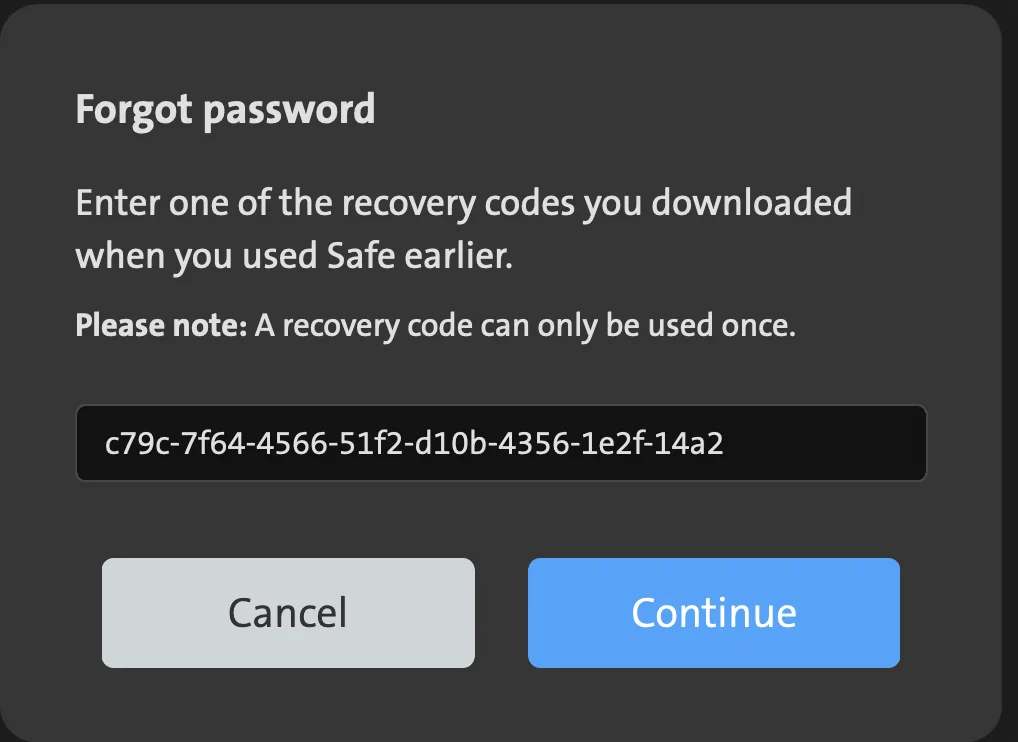
The image shows the Forgot Password screen where the user types a recovery code.
Step 2: the recovery package request
As soon as the user clicks Continue, a body-less POST is sent asynchronously to:
https://safe-backend.prod.mdl.swisscom.ch/safe/recovery-package/[HASH_OF_RECOVERY_CODE]
Body-less means the request carries no content, only the address. Asynchronously means it is sent in the background while the page carries on. The address ends with a hash of the recovery code. A hash is a one-way fingerprint: you can turn a code into a hash easily, but you cannot turn the hash back into the code. The server stores hashes, so it can check a code without storing the code itself. [HASH_OF_RECOVERY_CODE] is a placeholder for that fingerprint.
The response is JSON of this form:
{
   "passphrase_protected_keys":{
      "signingKey":{
         "id":"0140c60f-d416-6986-0e2d-34346b95c350",
         "pub":{
            "d":"eyJrdHkiOiJFQyIsImNydiI6Il[...][redacted]"
         },
         "pri":{
            "d":"3yVO04ASwgstHGBw[...]ik7nozcISpwO72bR8+O9Ws=",
            "iv":"FbZsFnZCmSSQFkUx"
         }
      },
      "userKey":{
         "id":"6f8abf14-0930-6aae-8120-d7a58bfa8f62",
         "pub":{
            "d":"eyJrdHkiOiJSU0E[...]Xk0Wm1zTTM2YyJ9"
         },
         "pri":{
            "d":"bbRzDBhltDE7t[...]XQJrzk0q0nRyYzLU4f/y5V3YOzFw1nufVY2ZcZUnXhZ+tiqT",
            "iv":"ud72bkPNyxJOMyn3"
         }
      },
      "keyDerivationInfo":{
         "salt":"tTrZFYZ2HR+j42yofZKKTQ==",
         "iterationCount":300000,
         "algo":"PBKDF2"
      }
   },
   "recovery_code":{
      "keyDerivationInfo":{
         "salt":"wujxdmx6EfPJgIEu26Sl1A==",
         "iterationCount":300000,
         "algo":"PBKDF2"
      },
      "hash":"[HASH_OF_RECOVERY_CODE]",
      "passphrase":{
         "d":"JwIdjRCYwvtaVy2ekZ3toLG9/[redacted]+wH5fM",
         "iv":"4LsBSiiZVRtVjABm"
      }
   }
}
Reading it piece by piece:
passphrase_protected_keysholds the two key pairs, each with a public partpuband a private partpri, exactly as in the normal login response. Thedunderpriis again the wrapped private key.recovery_codeholds information about the recovery code itself: its ownkeyDerivationInfo, itshash, and a field calledpassphrase.- That
passphrasefield has adand aniv, the same shape as a wrapped key. Despite the name, it is the wrapped recovery passphrase, not a plain one.
Step 3: new passphrase
If the response indicates success, meaning the recovery code's hash is recognised, the user is prompted for a new passphrase.
Step 4: the PATCH that consumes the code
Once the new passphrase is entered and the user clicks Continue, a final request is sent:
PATCH /safe HTTP/1.1
Host: safe-backend.prod.mdl.swisscom.ch
Cookie:[...]
[...Headers]
Content-Type: application/json;

{
   "type":"pw_change_with_recovery",
   "diff":{
      "keyDerivationInfo":{
         "algo":"PBKDF2",
         "iterationCount":300000,
         "salt":"bgZkT5NSoBovAF1JBRXRwQ=="
      },
      "signingKey":{
         "id":"0140c60f-d416-6986-0e2d-34346b95c350",
         "pub":{
            "d":"eyJhbGci[...]nQ2dGQifQ=="
         },
         "pri":{
            "d":"oU9Ukd7A54Ef[...]xmkwKk2I=",
            "iv":"LYkqQcCOapFKKMQP"
         }
      },
      "userKey":{
         "id":"6f8abf14-0930-6aae-8120-d7a58bfa8f62",
         "pub":{
            "d":"eyJhbGciOiJ[...]0zNmMifQ=="
         },
         "pri":{
            "d":"APicSIKJTy[...]e+tE+P2LZnNcUGx",
            "iv":"8ANrh21eTsOLfAeh"
         }
      },
      "recoveryCodeHash":"[HASH_OF_RECOVERY_CODE]"
   }
}
Line by line:
PATCH /safe HTTP/1.1is a request that changes part of an existing record, like editing one field of a form rather than replacing the whole form.HTTP/1.1is the version of the protocol.Hostnames the server being talked to.Cookie:[...]carries the cookie, a small piece of data the browser stores and sends back with each request so the server knows who you are. It is like a wristband at an event. The actual value is hidden here.[...Headers]stands for other headers, the extra labels attached to a request.Content-Type: application/json;says the body is JSON.- In the body,
typesays what kind of change this is: a password change done with a recovery code. diffholds the new values: new key derivation settings, the two key pairs with new wrapped private keys, and the recovery code hash.
Only after this step is the recovery code consumed and unusable, and only then is the user assigned a new passphrase.
The shortcut
The recovery code is consumed only at step 4, but the response from step 2 already contains everything needed to reach the user's private key. The whole multi-step process can be cut short, making the passphrase reset irrelevant and leaving the recovery code unconsumed.
This is the heart of the second bug. The server hands over the full recovery package at step 2, before the code has been spent. If that package is enough to unlock the keys, then the rest of the process is decoration.
Recall the key chain: the recovery code is a KEK for the randomly generated recovery passphrase, which differs from the passphrase the user set, and that recovery passphrase is a KEK for the private keys. The wrapped recovery passphrase is returned in the step 2 JSON on line 37, under the misleading name passphrase, even though it is the wrapped passphrase. Unwrapping that value with the recovery code yields the plain recovery passphrase, and that passphrase unwraps the wrapped private keys, giving their plain versions.
In plain words: the response from step 2 contains the outer safe, the one opened by your recovery code. Open it and you get the recovery passphrase. Use that to open the inner safe and you get the private keys. All of this happens in your own browser, with material the server already gave you.
All of these unwrapping operations happen purely client-side, and the server learns nothing further. The process has to be followed to the end of step 2, but it can then be aborted freely.
So an attacker with a valid recovery code can stop after step 2, unlock everything locally, and never finish the reset. The code is not spent and the passphrase is not changed.
Root cause
Two design mistakes combine here.
First, the passphrase reset leaves the private keys unchanged, as the unchanged public key shows. The unchanged public key in the /safe response is the observable proof. The wrapping protects the keys at rest, but it cannot revoke a key an attacker already holds.
At rest means stored, as opposed to in transit while travelling over the network. Revoke means cancel or take away. Wrapping protects the keys while they sit on the server, but if someone already copied the unwrapped key, changing the wrapping does nothing to them.
Second, the recovery flow hands out the full recovery package, including the wrapped recovery passphrase and the wrapped private keys, as soon as the recovery code hash is recognised, while the code is only invalidated at the final PATCH. The recovery code is only consumed at step 4, but step 2 alone is enough to decrypt everything. The misleading field names (d under pri holding ciphertext, passphrase holding the wrapped passphrase) make the responses look safer than they are.
Impact
For the first issue, an attacker who has already obtained the private keys keeps access to the user's MyCloud Safe data even after the user resets the passphrase in response to a suspected compromise. The reset gives a false sense of remediation.
Remediation means fixing the problem. A reset that does not rotate the keys feels like a fix but is not one.
For the second issue, anyone holding a valid recovery code can obtain the user's private keys without completing the reset, so the code is not spent and the passphrase is not changed. The user gets no signal that the code was used.
Fix
Swisscom fixed the second issue by consuming the recovery code directly at step 2, so the package can no longer be fetched without spending the code.
Variants to test
- Reset without key rotation. Reset the passphrase on any end-to-end encrypted product and compare the public key before and after. A positive result is an identical public key with a changed wrapped private key, meaning the private key was not rotated.
- Multi-step flows that reveal before they commit. Walk any recovery, invitation or verification flow and stop at each intermediate response. A positive result is a response that already contains wrapped keys, tokens or secrets that the final step is supposed to gate.
- Recovery code reuse. Complete only the early steps of a recovery flow, then try the same code again. A positive result is the code still being accepted after it has served its purpose.
- Misleading field names. Where a response has fields such as
pri.dorpassphrase, check whether they hold plaintext or ciphertext by trying to unwrap them. A positive result is a field named like a secret that is actually ciphertext you can decrypt with material you already have. - Client-side-only enforcement. Look for flows where the browser performs the security-relevant step, such as unwrapping or verification, and check whether the server enforces the same ordering. A positive result is a server that accepts or serves state out of order.
Glossary
- API: a defined way for one piece of software to ask another to do something, like a menu of allowed requests.
- Asymmetric cryptography: encryption that uses two linked keys, a public one anyone can have and a private one kept secret.
- Asynchronous: happening in the background while the page carries on.
- At rest: stored, as opposed to travelling over the network.
- Bandwidth: how much data travels over a network.
- Body: the content of an HTTP request or response, as opposed to its address and labels.
- Body-less: a request that carries no content.
- Bug hunter: a person who tests software for security flaws, often for a reward.
- Ciphertext: scrambled output of encryption, unreadable without the key.
- Client-side: happening on the user's own device and browser.
- Cloud storage: files kept on someone else's computers and reached over the internet.
- Consumed: used up, like a single-use ticket.
- Cookie: a small piece of data the browser stores and sends back with requests so the server knows who you are.
- Deriving: turning something like a passphrase into a key of the right shape in a repeatable way.
- End-to-end encryption: scrambling data on the user's device so that only the user holds the key to unscramble it.
- Entropy: randomness; high entropy means very random and hard to guess.
- GET: an HTTP request that asks for data back.
- Hash: a one-way fingerprint of data; easy to compute, practically impossible to reverse.
- HTTP: the language browsers and servers use to talk.
- Initialisation vector (IV): a random starting value used in encryption so the same input does not always produce the same ciphertext.
- JSON: a text format for structured data made of names and values.
- Key pair: two mathematically linked keys, one public and one private.
- Key-Encryption-Key (KEK): a key whose job is to lock up another key.
- PATCH: an HTTP request that changes part of an existing record.
- Payload: a bundle of data carried along with something else.
- Plaintext: the readable original before encryption.
- POST: an HTTP request that sends data to the server.
- Private key: the secret half of a key pair.
- Public key: the shareable half of a key pair.
- Recovery code: a backup code used to regain access when a password is forgotten.
- Remediation: fixing a problem.
- Reset: changing the passphrase that unlocks the private keys.
- Revoke: cancel or take away.
- Rotating a key: replacing a key with a brand new one.
- Salt: a random value mixed into key derivation so identical passphrases give different keys.
- Signature: a value only a private key can produce and anyone with the public key can check, proving origin.
- Unwrapping: opening a key that was locked by a wrapping key.
- Web Crypto API: a set of cryptographic operations built into browsers.
- Wrapping: locking a key with another key so it can be stored safely.
- Wrapping key: see Key-Encryption-Key.


