Reset password cookie leads to account takeover
A password reset link behaved inconsistently: on a second click it sent the user to the login page instead of the reset page, and the current password stopped working. A reset-related cookie also stayed in the browser for hours, so anyone with later access to the same computer could open the forgotten-password page and set a new password.

- Disclosed after 2 days
Hi
There are 3 issues on this report lead to account takeover.
1- When the user requests a reset password link, server sends a link for the user via email, whenever the user click on the link for the first time redirects to Reset password page but if the user close browser or tab and click again on the link the user will redirect to the wrong address https://hosted.weblate.org/accounts/login and receives the following error:
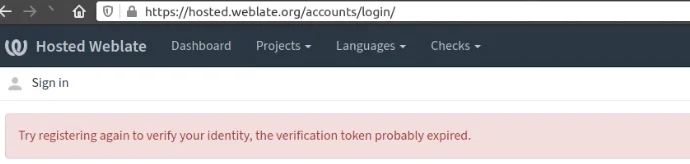
#Remediation: ==The reset password link should always redirect the user to the reset password page.==
2- If the user tries to login the account couldn't log in with the current password and receives the following error:
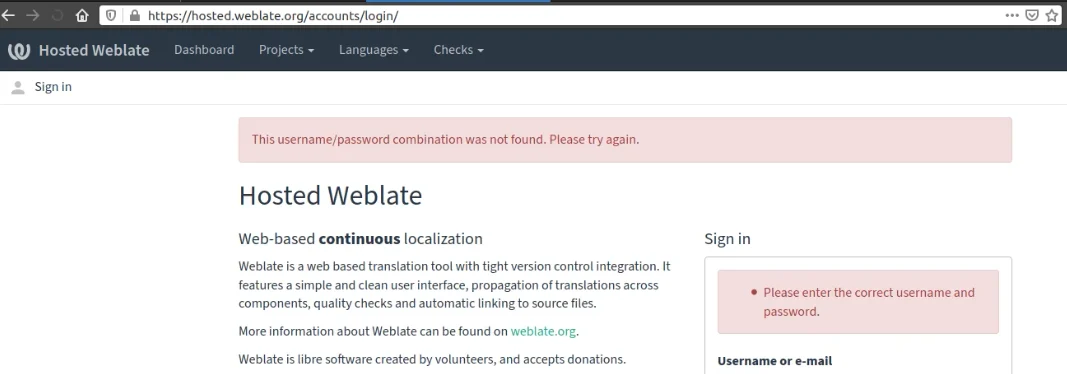
#Remediation: ==The user should access to her/his account after clicking on the reset password link, it might remember the current password and the user doesn't need to change password==
The above issues are logic issue but at the end leads to account takeover.
3- When the user request for reset password link, if click on the link and close the reset password page after clicking on the link redirects to the wrong address and couldn't log in via the current password. After clicking on reset password link a cookie stores in the browser and remain for hours
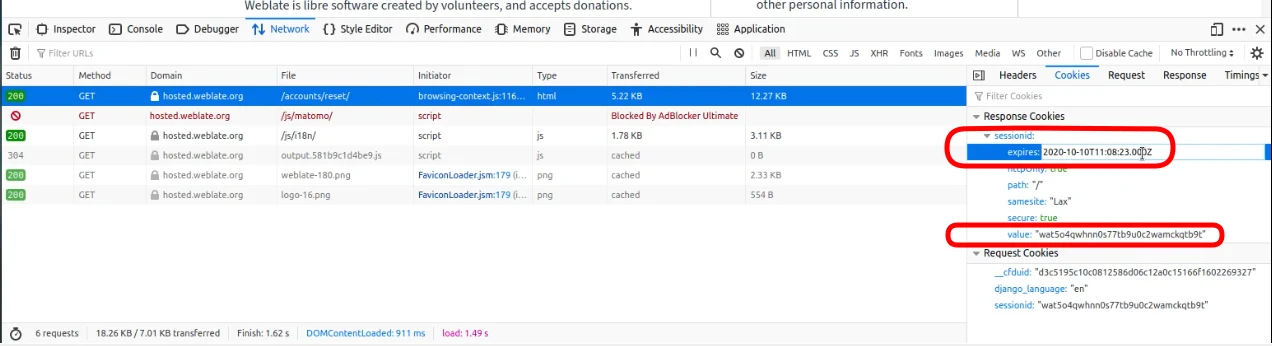
If the user uses a shared computer or someone access on the user's computer can go to the Forgotten your password page and change the user password.
#Remediation: ==1- The user should always redirect to correct link after clicking on the reset password link. 2- The cookie remain for hours on the computer, decreasing cookie expiration can decrease account takeover risk.==
For more clarification, please watch the following video:
████
If you have any questions, please let me know.
Knid regards.
Impact
A combination of wrong redirection on reset password link and cookie expiration time can lead to account takeover.
Not written yet. The AI write-up for this report has not been written yet. The Original tab links to the source.
How it worked
Root cause
Likely the reset flow redirects incorrectly on link reuse and leaves a long-lived reset cookie in the browser.
Impact
Combined with the long cookie lifetime, an attacker with access to the victim's computer could take over the account; the report does not show remote exploitation.
What the attacker needed
Victim requests a reset link; attacker has access to the same computer; victim's browser keeps the reset cookie
The fix
The reset link should always land on the reset page, and the reset cookie's lifetime should be shortened to reduce takeover risk.
How it was found
- Request a password reset link and open it from the email.
- Close the browser or tab, then click the same link again.
- Observe the redirect to the login page and the error, and that the current password no longer works.
- On the same computer, open the forgotten-password page and change the password using the leftover cookie.
Explained by bugbounty.wiki with AI from the original and checked against quotes from it; it can still be wrong. Read the original before relying on a detail.
Not written yet. The AI write-up for this report has not been written yet. The Original tab links to the source.
When you forget your password, a site emails you a special link to set a new one. Here that link did not always work properly, and it left a marker (a cookie, a small file the site stores in your browser) that stayed valid for hours. On a shared or unattended computer, the next person could use that leftover marker to change the password and take over the account.
What is Account takeover?
Getting into someone else's account through a flaw in sign-in, password reset, second factor, single sign-on or session handling.