2FA Bypass via Logical Rate Limiting Bypass
The 2FA implementation lacked rate limiting on the account unlock functionality, allowing an attacker to repeatedly guess 2FA codes by unlocking the account after each set of failed attempts. This enabled bypassing 2FA and potentially taking over accounts.
 Published on web.archive.org
{{media:0}}
The full write-up lives on its author's site
It belongs to its author, so we link to it rather than copy it. The other two tabs are our own rewrites, checked against it.
Context
Two-factor authentication is one of my favourite things to attack on a bug bounty program. A 2FA implementation often presents a challenge that is difficult but simple at the same time: nothing more than a code input field. It brings me back to the HackThis!! levels I used to spend hours on.

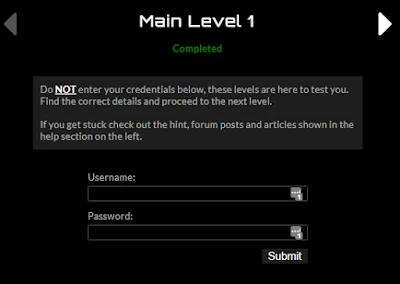
A classical HackThis!! level.
A 2FA code is usually four or six digits, which makes it inherently vulnerable to brute force unless proper rate limiting is in place. On bug bounty targets that protection is usually present and working. This is the story of a business logic error that let me bypass the rate limiting on a private program's 2FA implementation, which effectively made it possible to bypass 2FA altogether.
Setup
The target was a web application on a private bug bounty program. The attack required valid victim credentials and access to the email inbox that receives the unlock links. I automated the inbox side with the Gmail API, so the mailbox I controlled was a Gmail account. No special tooling beyond a script of my own was needed.
Finding it
After logging in, the site redirected the user to a 2FA security check page. I tried to brute force it, but after 10 incorrect 2FA authentication attempts the site locked the user account. Annoyed that the attack had failed, I pressed the Unlock Account link to continue testing.
At that point the potential vulnerability was already visible: I tested whether the Unlock Account functionality was rate limited. It was not.
Interesting...
Some additional research turned up the following misfeatures:
- There was no rate limiting on the login page if the submitted credentials were valid.
- Unlock Account links could be requested by an account that was not locked, and the links would remain valid.
Taken together, the account lockout that was supposed to stop a 2FA brute force could be lifted at will, as often as needed, without any limit on how many unlock links could be requested.
Exploitation
With those pieces in place, exploitation was a matter of looping. I wrote a quick script that would:
- Send an Unlock Account request email.
- Submit valid victim credentials.
- Attempt to randomly guess the 2FA code 10 times.
- Read my email inbox and find the Unlock Account link using the Gmail API.
- Send a GET request to the endpoint to unlock the account.
- Repeat until the correct code is guessed.
The account unlocking request is sent first, to minimise time wasted waiting for the email to arrive in the inbox. Each cycle therefore spends the full allowance of 10 guesses, gets the account locked, and then unlocks it again using the link that was already requested before the guesses were made.
Step 1: request the unlock email
Before touching the login form, the script triggers an Unlock Account request for the victim's email address. Because the functionality is not rate limited and does not check that the account is actually locked, the request succeeds and a valid unlock link is sent to the inbox. Requesting it up front means the email is already waiting by the time the guesses are exhausted.
Step 2: submit valid credentials
With valid victim credentials, the login page does not rate limit the submission. The login succeeds as far as the password check and the user is taken to the 2FA security check page.
Step 3: guess the 2FA code ten times
The script submits ten random guesses for the 2FA code. On the tenth incorrect attempt the account is locked, exactly as it was during my manual testing. That lockout is the only defence standing between the attacker and an unlimited number of guesses.
Step 4: retrieve the unlock link from the inbox
The script reads the mailbox through the Gmail API and extracts the Unlock Account link from the email that was requested in step 1.
Step 5: unlock the account
The script sends a GET request to the endpoint behind the unlock link. The account is unlocked, so the lockout no longer blocks further guesses.
Step 6: repeat
Steps 2 to 5 are repeated until the correct code is guessed. Each iteration buys another ten attempts, so the effective limit on guesses disappears.
I submitted the report to the program including the PoC script. The Bugcrowd triager seemed a bit sceptical initially because of the email inbox access the attack requires, but the security team quickly accepted the report and even praised me for my creativity. The reward was a $500 bounty.
Root cause
The mistake is in the business logic around the lockout rather than in the 2FA code itself. The lockout after 10 incorrect attempts is a sound defence only if lifting it is hard. Here it was trivial, for three reasons that reinforce each other:
- The Unlock Account functionality had no rate limiting, so unlock emails could be requested without limit.
- Unlock links could be requested for an account that was not locked, and they stayed valid, so a link could be obtained in advance of the lockout it would later clear.
- The login page did not rate limit submissions with valid credentials, so the attacker could return to the 2FA prompt as often as the unlock loop allowed.
Neither assumption holds against an attacker who controls the mailbox and can read it through an API.
Impact
An attacker who holds valid credentials for an account and can read the mailbox those credentials are tied to can brute force the 2FA code and take over the account. The attack can bypass the 2FA check, given valid credentials and inbox access. The conditions are significant: valid credentials are required, and so is access to the email inbox that receives the unlock links. The triager's initial scepticism centred on exactly that inbox requirement. Where those two conditions hold, the lockout provides no protection at all.
Fix
Rate limit the Unlock Account functionality, so unlock emails cannot be requested repeatedly. Only issue unlock links for accounts that are actually locked, and invalidate links once they have been used or once the account is unlocked, so a link cannot be stockpiled in advance. Rate limit login submissions with valid credentials as well, so the 2FA prompt cannot be reached at will. Together these close the loop that turns a ten-guess lockout into an unlimited number of guesses.
Variants to test
- Unlock and password reset flows. Check whether unlock or reset emails can be requested without limit, whether they can be requested for accounts that are not locked, and whether old links stay valid after use. A positive result is a mailbox that fills with usable links while the target account stays reachable.
- Lockout counters that reset on any successful step. Look for flows where completing an earlier step, such as a valid password submission or a fresh session, clears the failure counter for the 2FA prompt. A positive result is a counter that returns to zero without the correct code ever being entered.
- Other lockout-lifting features. Support tickets, admin unlocks, "remember this device" toggles and similar features may reset the same state. A positive result is any of them restoring the full allowance of guesses.
- Rate limiting keyed on the wrong thing. If the limit is applied per session, per IP or per cookie rather than per account, try obtaining a fresh session or cookie between batches of guesses. A positive result is a new batch of attempts without waiting.
- Email-driven flows in general. Any security control whose reset depends on a link delivered by email inherits the same weakness when the mailbox can be read programmatically. A positive result is a control that can be cleared faster than the guesses it is meant to stop.
What happened, in plain words
This is the story of a security researcher who found a way to defeat two-factor authentication (2FA) on a website that was part of a private bug bounty program. A bug bounty program is a scheme where a company invites independent researchers to look for security problems in its systems and pays them for reporting what they find. "Private" means the program is not open to everyone; only invited researchers can take part.
Two-factor authentication is the second step of a login. After you type your username and password, the site asks for a short extra code, usually four or six digits, that is sent to your phone or email or generated by an app. The idea is that even if someone steals your password, they still cannot get in without that code. The researcher's favourite thing to attack is exactly this second step, because the challenge is difficult but simple at the same time: all you have in front of you is a small box where a code goes in.
A classical HackThis!! level.
HackThis!! is a set of practice challenges for people learning about security, and the researcher spent hours on them in the past. A 2FA code is short, so in principle an attacker could simply try every possible combination, one after another, until the right one comes up. This is called a brute force attack: instead of being clever, you are patient and try everything. The defence against it is rate limiting, which means the site counts how many attempts you make and stops you after a few. On most bug bounty targets that defence works. Here it did not, because of a mistake in the site's business logic, meaning the rules the site follows about what a user is allowed to do and in what order.
Setup
The target was a web application on a private bug bounty program. To carry out the attack, the researcher needed valid victim credentials and access to the email inbox that receives the unlock links. The inbox side was automated with the Gmail API. An API (application programming interface) is a way for one piece of software to talk to another over the internet without a human clicking buttons: you send a request in a fixed format and get an answer back in a fixed format. The Gmail API lets a script read a Gmail mailbox, so the mailbox the researcher controlled was a Gmail account. Apart from a script the researcher wrote, no special tools were needed.
Finding it
After logging in, the site redirected the user to a 2FA security check page. The researcher tried to brute force it, but after 10 incorrect 2FA authentication attempts the site locked the user account. A lockout is a common defence: after too many wrong tries, the account is frozen so that nobody can keep guessing, not even the real owner, until it is unlocked again.
Annoyed that the attack had failed, the researcher pressed the Unlock Account link to continue testing. The site asked for an email address, and a reset link was sent to the inbox. At that point the potential vulnerability was already visible: the researcher tested whether the Unlock Account functionality was rate limited. It was not. In other words, the very feature that lifts the lockout could itself be used as many times as you like, with no counter and no limit.
Interesting...
Some additional research turned up the following misfeatures:
- There was no rate limiting on the login page if the submitted credentials were valid.
- Unlock Account links could be requested by an account that was not locked, and the links would remain valid.
Credentials here means the username and password pair. "Valid credentials" means the password was correct. The first point matters because it means an attacker who already knows the password can keep coming back to the 2FA prompt without being slowed down. The second point matters because it means an unlock link can be ordered in advance, before the account is even locked, and it will still work later. Taken together, the account lockout that was supposed to stop a 2FA brute force could be lifted at will, as often as needed, without any limit on how many unlock links could be requested.
Exploitation
With those pieces in place, exploitation was a matter of looping. A loop is simply a set of steps a program repeats over and over until a condition is met. The researcher wrote a quick script that would:
- Send an Unlock Account request email.
- Submit valid victim credentials.
- Attempt to randomly guess the 2FA code 10 times.
- Read my email inbox and find the Unlock Account link using the Gmail API.
- Send a GET request to the endpoint to unlock the account.
- Repeat until the correct code is guessed.
A GET request is the ordinary kind of request a browser makes when you open a web page or click a link: it asks the server to give you something. An endpoint is the specific address on the server that handles a particular action. The account unlocking request is sent first, to minimise time wasted waiting for the email to arrive in the inbox. Each cycle therefore spends the full allowance of 10 guesses, gets the account locked, and then unlocks it again using the link that was already requested before the guesses were made.
Step 1: request the unlock email
Before touching the login form, the script triggers an Unlock Account request for the victim's email address. Because the functionality is not rate limited and does not check that the account is actually locked, the request succeeds and a valid unlock link is sent to the inbox. Requesting it up front means the email is already waiting by the time the guesses are exhausted. Think of it like ordering a spare key before you lock yourself out, rather than after.
Step 2: submit valid credentials
With valid victim credentials, the login page does not rate limit the submission. The login succeeds as far as the password check and the user is taken to the 2FA security check page. The password step is passed, and the only thing left between the attacker and the account is the short code.
Step 3: guess the 2FA code ten times
The script submits ten random guesses for the 2FA code. On the tenth incorrect attempt the account is locked, exactly as it was during the manual testing. That lockout is the only defence standing between the attacker and an unlimited number of guesses. If the lockout could not be lifted, ten guesses would be the end of the attack.
Step 4: retrieve the unlock link from the inbox
The script reads the mailbox through the Gmail API and extracts the Unlock Account link from the email that was requested in step 1. This is why the inbox access matters: the link is delivered by email, and the script needs to read that email to get the link out.
Step 5: unlock the account
The script sends a GET request to the endpoint behind the unlock link. The account is unlocked, so the lockout no longer blocks further guesses. The counter is the site's internal tally of wrong guesses; resetting it means the site forgets that any wrong guesses happened.
Step 6: repeat
Steps 2 to 5 are repeated until the correct code is guessed. Each iteration buys another ten attempts, so the effective limit on guesses disappears. A four or six digit code has a limited number of possible values, and with enough batches of ten guesses the right one will eventually come up.
The researcher submitted the report to the program including the proof-of-concept script. A proof of concept (PoC) is a small demonstration that shows a problem is real rather than theoretical. The Bugcrowd triager seemed a bit sceptical initially because of the email inbox access the attack requires. Bugcrowd is a platform that runs bug bounty programs, and a triager is the person who first reads a report and decides whether it is worth passing to the company. The security team quickly accepted the report and even praised the researcher for the creativity. The reward was a $500 bounty.
Root cause
The mistake is in the business logic around the lockout rather than in the 2FA code itself. The lockout after 10 incorrect attempts is a sound defence only if lifting it is hard. Here it was trivial, for three reasons that reinforce each other:
- The Unlock Account functionality had no rate limiting, so unlock emails could be requested without limit.
- Unlock links could be requested for an account that was not locked, and they stayed valid, so a link could be obtained in advance of the lockout it would later clear.
- The login page did not rate limit submissions with valid credentials, so the attacker could return to the 2FA prompt as often as the unlock loop allowed.
Neither assumption holds against an attacker who controls the mailbox and can read it through an API. A human waiting for an email is slow; a script reading an inbox through an API is fast.
Impact
An attacker who holds valid credentials for an account and can read the mailbox those credentials are tied to can brute force the 2FA code and take over the account. The attack can bypass the 2FA check, given valid credentials and inbox access. The conditions are significant: valid credentials are required, and so is access to the email inbox that receives the unlock links. The triager's initial scepticism centred on exactly that inbox requirement. Where those two conditions hold, the lockout provides no protection at all.
Fix
Rate limit the Unlock Account functionality, so unlock emails cannot be requested repeatedly. Only issue unlock links for accounts that are actually locked, and invalidate links once they have been used or once the account is unlocked, so a link cannot be stockpiled in advance. Rate limit login submissions with valid credentials as well, so the 2FA prompt cannot be reached at will. Together these close the loop that turns a ten-guess lockout into an unlimited number of guesses.
Variants to test
- Unlock and password reset flows. Check whether unlock or reset emails can be requested without limit, whether they can be requested for accounts that are not locked, and whether old links stay valid after use. A positive result is a mailbox that fills with usable links while the target account stays reachable.
- Lockout counters that reset on any successful step. Look for flows where completing an earlier step, such as a valid password submission or a fresh session, clears the failure counter for the 2FA prompt. A positive result is a counter that returns to zero without the correct code ever being entered.
- Other lockout-lifting features. Support tickets, admin unlocks, "remember this device" toggles and similar features may reset the same state. A positive result is any of them restoring the full allowance of guesses.
- Rate limiting keyed on the wrong thing. If the limit is applied per session, per IP or per cookie rather than per account, try obtaining a fresh session or cookie between batches of guesses. A session is the site's way of remembering that you are logged in, and a cookie is the small piece of data your browser stores to carry that memory. An IP address is the number that identifies a device on the internet. A positive result is a new batch of attempts without waiting.
- Email-driven flows in general. Any security control whose reset depends on a link delivered by email inherits the same weakness when the mailbox can be read programmatically. A positive result is a control that can be cleared faster than the guesses it is meant to stop.
Glossary
- 2FA (two-factor authentication): a login that needs a second proof besides the password, usually a short code.
- API (application programming interface): a way for software to talk to software over the internet in a fixed format, without a human clicking.
- Brute force: trying every possible value, one after another, until the right one is found.
- Bug bounty program: a scheme where a company pays independent researchers for reporting security problems.
- Business logic: the rules a site follows about what a user may do and in what order.
- Cookie: a small piece of data a browser stores for a site, often used to remember that you are logged in.
- Credentials: the username and password pair used to log in.
- Endpoint: the specific address on a server that handles a particular action.
- GET request: the ordinary request a browser makes to fetch a page or follow a link.
- Gmail API: Google's interface that lets a script read a Gmail mailbox.
- IP address: the number that identifies a device on the internet.
- Lockout: freezing an account after too many failed attempts so nobody can keep guessing.
- Loop: a set of steps a program repeats until a condition is met.
- PoC (proof of concept): a small demonstration showing that a problem is real rather than theoretical.
- Rate limiting: counting how many attempts someone makes and stopping them after a set number.
- Session: the site's way of remembering that you are logged in.
- Triager: the person on a bug bounty platform who first reads a report and decides whether to pass it to the company.
- Vulnerability: a weakness in a system that an attacker could use.


