A search box that JOINed to your token table: ORM filter injection in KoboToolbox
The asset-search endpoint built a Django Q object from a user-supplied field name, allowing relational lookups such as owner__auth_token__key__startswith. An authenticated attacker with a shared project could use the response count as a boolean oracle to recover the first 10 characters of the owner's API token.
 Published on medium.com
KoboToolbox describes itself as an open source data collection platform designed for humanitarian action, development, environmental protection, research, and social good. kpi is its server. Kobo told me it is used widely with self-hosting it does not manage, and its release note for this fix asks self-hosted…
The full write-up lives on its author's site
It belongs to its author, so we link to it rather than copy it. The other two tabs are our own rewrites, checked against it.
KoboToolbox is an open source data collection platform aimed at humanitarian action, development, environmental protection, research and social good. kpi is its server. The asset list has a search parameter, GET /api/v2/assets/?q=<query>, parsed by a PEG grammar. The parser turns a field:value term into a Django Q object, and Django ORM lookups are strings like name__icontains or owner__username: double underscores walk relationships and apply lookup functions.
Walking relationships is a feature here. The parser's own docstring uses owner__username as an example, the view's default search fields include owner__username__icontains and tags__name__icontains, and the advisory describes traversal as intended. The flaw the advisory names is that sensitive fields could be targeted.
Context
Sharing is part of how the product works: the kpi repo lists sharing settings among the things its API manages. In the recorded run, the only thing the attacker needed beyond their own account was one project shared to them. From there, a plain GET on the search endpoint could test the project owner's API token one character at a time.
Four filter backends run on the queryset, in this order:
# kpi/views/v2/asset.py, tag 2.026.21c (lines 436-441)
    filter_backends = [
        ExcludeOrgAssetFilter,
        KpiObjectPermissionsFilter,
        SearchFilter,
        AssetOrderingFilter,
    ]
The one that matters is KpiObjectPermissionsFilter running before SearchFilter. The permission filter scopes the queryset to assets you're allowed to see, and that set includes assets other people shared with you. The search filter then applies your q= on top of that set.
Setup
The proof of concept ran locally on the official kobotoolbox/kpi:2.026.21c image, with real PostgreSQL, MongoDB and Redis containers, three synthetic accounts and synthetic tokens. No live or third-party system was touched.
- Victim (V) owns a project and has DRF token
1eb52c7152…. - Attacker (A) has their own account and token, nothing more.
- A was granted
view_asseton V's project withasset.assign_perm, the equivalent of the share action. The run did not go through the UI. A's asset list then returnedcount=1.
The requests ran as A, authenticated with A's own token.
Finding it
The term handler that builds the Q object is where the problem sits:
# kpi/utils/query_parser/query_parser.py, tag 2.026.21c (lines 166-176, inside term())
            field = elements[0].elements[0]
            # Bypass `status` field because it does not really exist.
            # It's only a property of Asset model.
            if field == 'status':
                return Q()
            # Trivial case, `field` is not a list inside a jsonb field.
            if not re.search(r'(\[\]$|\[\]__.+)', field):
                value = _get_value(field, elements)
                return Q(**{field: value})
There's a special case for status and a branch for jsonb list fields. Nothing limits which field a lookup can reach. Whatever field name you supply becomes the key of a Q() lookup.
And the grammar accepts underscores:
# kpi/utils/query_parser/grammar.peg, tag 2.026.21c (line 35)
  name      <- [a-zA-Z_\[\]] [a-zA-Z0-9\-_\[\]]*       %name
So owner__auth_token__key__startswith is a single valid name token. Fed into Q(**{field: value}), it becomes a relational lookup that JOINs Asset -> owner (User) -> auth_token (Token) and tests the owner's key column with a startswith match.
The search filter applies that Q to the permission-scoped queryset:
# kpi/filters.py, tag 2.026.21c (lines 483-492, inside SearchFilter.filter_queryset())
        try:
            # If we are searching on an n-to-many field, we may get multiple results
            # from the same model, so we need to de-duplicate with distinct(). Rely
            # on the view to tell us if this is not necessary
            if getattr(view, 'skip_distinct', False):
                return queryset.filter(q_obj)
            else:
                return queryset.filter(q_obj).distinct()
        except (FieldError, ValueError):
            return queryset.model.objects.none()
The leak doesn't depend on the except. A valid path that matches a row gives count=1, and a valid path that doesn't match gives count=0, through normal filtering. The except handles invalid paths: in the recorded run one returned HTTP 200 with count=0, so a bad path looks like no match. The class docstring says that empty result is there "to make the problem obvious", and the handler is still in the code after the fix.
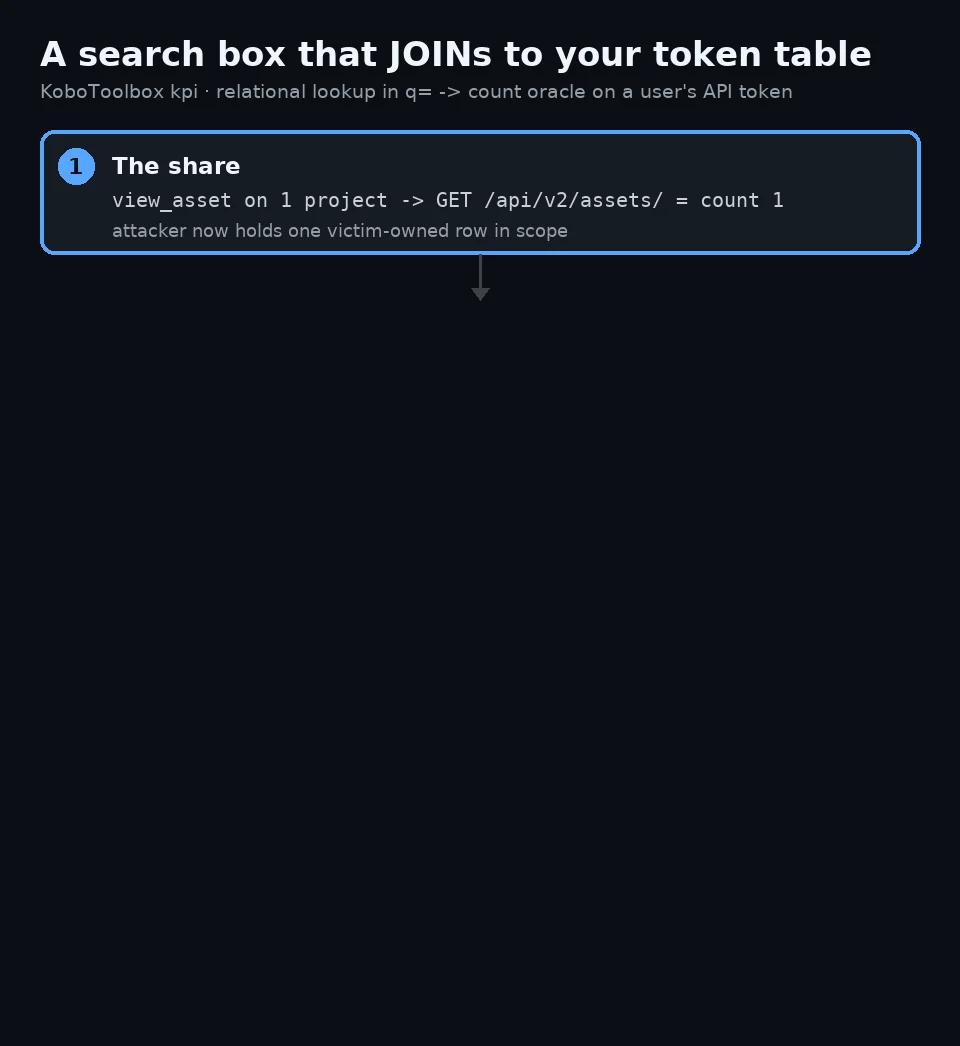
The "aha" moment: the permission filter scoped the query to a row you were allowed to see, but the lookup could walk from that row to a column you were never allowed to read. You can see the asset, because someone shared it. You cannot see the owner's API token. But owner__auth_token__key__startswith:1e doesn't return the token. It returns the asset, if and only if the token starts with 1e.
Exploitation
Step 1: confirm the shared asset is visible
As A, the plain asset list returns one row:
GET /api/v2/assets/
-> count = 1 (A sees V's shared asset)
This establishes the baseline: the permission filter has put V's project into A's queryset, so any Q applied on top of it is evaluated against that row.
Step 2: send a correct prefix
GET /api/v2/assets/?q=owner__auth_token__key__startswith:1e
(correct prefix) -> count = 1
The q= term is parsed as a single name token, becomes the key of Q(**{field: value}), and the resulting JOIN reaches the owner's token row. Because the token begins with 1e, the asset matches and the paginated count is 1.
Step 3: send a wrong prefix
GET /api/v2/assets/?q=owner__auth_token__key__startswith:zz
(wrong prefix) -> count = 0
The same lookup with a prefix that does not match returns no rows, so count is 0. The difference between the two responses is one bit per query.
Step 4: iterate over the alphabet
Iterating over [0-9a-f] recovered this token's first 10 characters. This is the script's output as copied into the same notes, with its status lines and indentation trimmed:
baseline wrong-prefix count: 0  (expect 0)
recovered so far: 1
recovered so far: 1e
recovered so far: 1eb
...
recovered so far: 1eb52c7152
VERDICT: CONFIRMED  recovered='1eb52c7152'
The recovered value matches the first 10 characters of V's synthetic token.
Controls
The controls, run in the same session:
- No shared project (a third account with nothing shared to it): the correct 10-character prefix returned
count=0. - Invalid path (
owner__totally_bogus_field__startswith:x): HTTP 200,count=0. - Unauthenticated (no
Authorizationheader, one prefix tested): HTTP 200,count=0.
The first control shows that without a shared asset in the permission-scoped set, the correct prefix returned count=0. The second shows an invalid path is indistinguishable from a non-match by status code. The third shows that without an Authorization header, one tested prefix returned HTTP 200 with count=0.
Limits of the run
The run stopped at 10 of the token's 40 hex characters, because the script was set to N=10. The loop was not run further, and no recovered token was used against the API. A DRF token authenticates as its user, so the full token would give that user's API access, but that part is inferred and was not run. Only the token lookup was run, not other columns. The controls ran on the default list route and public collections were not tested, so they describe this setup and not a full boundary. The advisory rates it PR:L. Kobo reports no evidence of exploitation in the wild.
Root cause
The endpoint built a Django Q(**{field: value}) from the field name in q=, and nothing limited which fields that name could reach. The grammar allows __, so an authenticated user could send a relational lookup like owner__auth_token__key__startswith, which JOINs from an asset to its owner's API token. The permission filter answered "may this user see this asset?" and said nothing about what a lookup could reach from that asset. The JOIN went from a row the caller could see to a column they could not.
The permission filter ran first and correctly scoped the queryset, but the search filter then applied the caller's Q on top of that set. The except (FieldError, ValueError) branch only turns invalid paths into an empty queryset; a valid path that matches or does not match is handled by normal filtering, and that is exactly where the bit leaks. The uniform 200 on invalid paths only removes a second signal, since a caller can't tell a bad path from no match by status code.
Impact
The paginated count in the response works as a boolean oracle. In a local test with synthetic accounts and one project shared to the attacker, it recovered the first 10 of the owner's 40 token characters. The loop was not run further and no token was used. The published GitHub advisory rates it High 8.6 (CVSS:4.0/AV:N/AC:L/AT:N/PR:L/UI:N/VC:H/VI:H/VA:N/SC:N/SI:N/SA:N), with CWE-203 and CWE-943.
The precondition is an authenticated account plus one asset shared to it. Kobo told the researcher it is used widely with self-hosting it does not manage, and its release note for this fix asks self-hosted installations to update as soon as possible.
Fix
Shipped in 2.026.23a (PR #7189). Before the Q is built, term() now calls _validate_field, which walks the lookup path one __ segment at a time. It rejects a path that reaches a sensitive model (the DRF token, MFA, digest, SSO and email-confirmation models) or a column named password, private_data, secret or token. As shipped in that tag:
# kpi/utils/query_parser/query_parser.py, tag 2.026.23a (lines 47-58, 73-80, 338, 357-378; "..." marks dropped lines)
SENSITIVE_LOOKUP_MODELS = frozenset(
    {
        'authtoken.token',                 # DRF API token
        'mfa.authenticator',               # allauth MFA authenticators
        'accounts_mfa.mfamethodswrapper',  # MFA
        'django_digest.partialdigest',     # HTTP digest auth
        'account.emailconfirmation',       # e-mail confirmation
        'socialaccount.socialaccount',     # SSO account
        'socialaccount.socialtoken',       # SSO tokens
        'socialaccount.socialapp',         # SSO application
    })
...
SENSITIVE_LOOKUP_COLUMNS = frozenset(
    {
        'password',
        'private_data',
        'secret',
        'token',
    })
...
    def _validate_field(self, field):
        ...
        current_model = self.model
        for segment in field.replace('[]', '').split('__'):
            try:
                model_field = current_model._meta.get_field(segment)
            except FieldDoesNotExist:
                # A lookup/transform (e.g. `icontains`) or a `JSONField` key:
                # no further table can be reached from here
                return
            if not model_field.is_relation:
                if segment in SENSITIVE_LOOKUP_COLUMNS:
                    raise QueryParserNotSupportedFieldLookup
                # A concrete column; the rest of the path can only be lookups
                return
            related_model = model_field.related_model
            if related_model is None:
                # e.g. a generic relation that cannot be traversed in a lookup
                return
            if related_model._meta.label_lower in SENSITIVE_LOOKUP_MODELS:
                raise QueryParserNotSupportedFieldLookup
            current_model = related_model
owner__auth_token__key__startswith now stops at its second segment, because auth_token leads to authtoken.token, and the PR's tests list that lookup among the rejected ones. In the source that exception is an HTTP 400. Those tests were read, not run, and the PoC was not re-run against a patched release.
Other relational lookups, such as owner__username and parent__uid, still work, and the PR says that is intended. Kobo later replaced this denylist with a per-model allowlist, ALLOWED_LOOKUP_FIELDS, in PR #7243, first shipped in 2.026.27 on 2026-07-15.
Variants to test
- Other
Q(**{field: value})builders. Grep forQ(**{field: value})or.filter(**...)where the key comes from the caller, then check what a__path can reach from that model. - Other sensitive relations from a shared row. A positive result is a
countthat flips with a guessed prefix of a value you cannot read directly. - Other columns on the same model. The recorded run only tested the token lookup.
- Invalid-path behaviour. Send a lookup with a bogus field name and compare the status and body with a valid non-matching lookup.
- Unauthenticated and unshared baselines. Repeat the correct-prefix request without an
Authorizationheader, and from an account with nothing shared to it.
Takeaways
- An ORM lookup string is query input.
Q(**{field: value})took its key from the request, so the caller chose what the query could test. Relational traversal was a legitimate feature here, so a blanket ban on__was never an option. The question is which fields a caller may reach, and an allowlist answers that most directly. Kobo blocked sensitive models first and moved to a per-model allowlist about three weeks later (PR #7189, then PR #7243). - Seeing a row did not limit what a lookup could test through it. The permission filter here answered "may this user see this asset?" It said nothing about what a lookup could reach from that asset.
- A count can answer a question the caller can't ask directly. The difference between
count=1andcount=0on a valid path is the leak: one bit per query.
Disclosure timeline
- 2026-06-16: found during source review.
- 2026-06-23: reported by email to KoboToolbox's security address.
- 2026-06-25: Kobo acknowledged the report and merged PR #7189.
- 2026-06-29:
2.026.23atagged and deployed to Kobo-managed instances, per the maintainer. - 2026-07-02: Kobo confirmed the fix and asked the researcher to wait until after 2026-07-29 before posting.
- 2026-07-09: the PoC was run on the pre-fix
2.026.21cimage (synthetic data, local only): first 10 token characters recovered. - 2026-07-15:
2.026.27replaced the denylist with a per-model allowlist (PR #7243). - 2026-07-29: advisory GHSA-xrq7-925g-qg5m published by the KoboToolbox team, High 8.6, affected
<= 2.026.23, patched>= 2.026.23a, crediting the researcher as finder.
If you build Django filters from request input, this is a short grep worth doing today: look for Q(**{field: value}) or .filter(**...) where the key comes from the caller, then check what a __ path can reach from that model. If you self-host KoboToolbox, update; the advisory lists 2.026.23a as the first patched release.
What happened, in plain words
KoboToolbox is a free, open source platform for collecting data, used by humanitarian, development, environmental and research organisations. Think of it as a very serious version of an online form builder: people in the field fill in surveys, and the answers land in a central place. The server part of KoboToolbox is a piece of software called kpi.
Inside kpi there is a search box. When you open your list of projects (KoboToolbox calls them "assets") you can type a search term, and the server sends back only the projects that match. That search term travels in the web address, like this: GET /api/v2/assets/?q=<query>.
The search term has a small grammar. You write field:value, for example "find projects whose name contains the word health". The server takes the part before the colon (the field name) and the part after it (the value) and builds a database query out of them.
The problem: the server trusted the field name completely. It never checked which parts of the database that field name was allowed to touch. And the grammar allows double underscores (__), which in this database system mean "follow a link to another table". So a user could write a field name that starts at a project they are allowed to see, follows the link to the project's owner, follows the owner's link to their API token, and then tests the token's characters one at a time.
The answer never contained the token. It only contained a number: how many results matched. But that number is enough. If the guess is right, the count is 1. If the guess is wrong, the count is 0. One bit of information per request, and with enough requests you can read a secret character by character.
In a local test with fake accounts, this recovered the first 10 characters of another user's 40-character token. The test stopped there on purpose and the token was never used. The issue was rated High 8.6 and fixed in version 2.026.23a.
The pieces you need to know
Before the details, a few everyday ideas.
- API: a way for one program to talk to another over the web. When your browser loads a page you get a picture; when a program calls an API it gets data, usually in a structured text format. The KoboToolbox API is what the web page and the mobile app use behind the scenes to list your projects, save a survey and so on.
- Endpoint: one specific address in an API, like one counter in a large office.
GET /api/v2/assets/is the endpoint that lists assets.GETis the verb that means "give me something", as opposed to sending something in. - Token: a long random string that acts like a password for a program. Instead of typing a username and password on every request, a program sends its token in a header (a small piece of extra information attached to the request). Whoever holds the token is treated as that user. KoboToolbox uses tokens from a Django component called DRF (Django REST Framework), so the report calls them "DRF tokens".
- Header: extra lines sent along with a web request, such as
Authorization: Token ..., which is how a program proves who it is. - Database and table: the place where the server stores data permanently. Data is organised in tables, a bit like spreadsheets. One table holds users, another holds projects, another holds tokens.
- Column and row: a table has columns (the kinds of information, such as "name" or "password") and rows (the individual records, such as one particular user).
- JOIN: a database operation that follows a link from a row in one table to a related row in another table. If a project row says "owner: user 42", a JOIN can fetch user 42's row, and from there the token row that belongs to user 42.
- ORM: "object relational mapping", a layer in a web framework that lets programmers write database queries in the programming language instead of raw database language. Django's ORM is the one used here. A lookup like
name__icontainsmeans "the name column contains this text". Double underscores walk relationships:owner__usernamemeans "the username of the owner". - Query object (
Q): Django's way of packaging a filter condition in code.Q(name='health')means "rows whose name is health". The dangerous part in this story is that the key inside theQwas taken from the user's request. - Filter: a step that narrows a list of results down to the ones that match a condition.
- Queryset: the list of database rows a piece of code is currently working with, before it is turned into a response.
- Boolean oracle: a yes/no question you can ask a system repeatedly. "Does the secret start with
1e?" Yes or no. Ask enough yes/no questions and you can reconstruct the secret. The word "oracle" here just means something that answers questions. - Vulnerability class: the family a bug belongs to. This one is an injection problem: user input was treated as part of a query instead of as plain data. The advisory labels it CWE-203 (information exposed through observable differences) and CWE-943 (improper neutralisation of special characters in a query).
- CVSS: a standard scoring system for how serious a vulnerability is. The advisory gives it High 8.6 with the vector string
CVSS:4.0/AV:N/AC:L/AT:N/PR:L/UI:N/VC:H/VI:H/VA:N/SC:N/SI:N/SA:N. - Advisory: the public notice a project publishes about a security bug, usually with the affected versions, the fixed version and a credit to the reporter.
- PR (pull request): a proposed change to the source code of a project, which can be reviewed and then merged.
- Tag / release: a named snapshot of the code, such as
2.026.21c, so people can refer to exactly which version they mean. - Self-hosting: running the software on your own servers instead of using the vendor's service. Those installations only get fixes when their operators update.
Why this matters in practice
KoboToolbox describes itself as an open source data collection platform designed for humanitarian action, development, environmental protection, research and social good. kpi is its server. Kobo told the researcher that it is used widely with self-hosting that Kobo does not manage, and the release note for this fix asks self-hosted installations to update as soon as possible.
Sharing is a normal part of how the product works: the kpi repository lists sharing settings among the things its API manages. In the recorded run, the only thing the attacker needed beyond their own account was one project shared with them. From there, a plain GET on the search endpoint could test the project owner's API token one character at a time.
That is the uncomfortable part. Sharing a project with a colleague is an ordinary, intended action. It should let them see the project. It should not let them read your token.
How the search works
The asset list has a search parameter, GET /api/v2/assets/?q=<query>, parsed by a PEG grammar. A PEG grammar is a formal description of what a valid search term looks like, a bit like the rules of a board game written down precisely so a computer can follow them. The parser turns a field:value term into a Django Q object, and Django ORM lookups are strings like name__icontains or owner__username: double underscores walk relationships and apply lookup functions.
Walking relationships is a feature here, not an accident. The parser's own docstring (a comment block at the top of the code) uses owner__username as an example, the view's default search fields include owner__username__icontains and tags__name__icontains, and the advisory describes traversal as intended. The flaw the advisory names is that sensitive fields could be targeted.
In other words: "follow the link to the owner and search by their username" was a designed feature. The bug was that the same mechanism could also follow the link to the owner's token.
Four filter backends run on the queryset, in this order:
# kpi/views/v2/asset.py, tag 2.026.21c (lines 436-441)
    filter_backends = [
        ExcludeOrgAssetFilter,
        KpiObjectPermissionsFilter,
        SearchFilter,
        AssetOrderingFilter,
    ]
Line by line:
filter_backends = [starts a list of four processing steps that the server applies, in order, to the list of assets before sending it back.ExcludeOrgAssetFilterremoves assets that should not appear in this particular listing.KpiObjectPermissionsFilteris the permission check. It narrows the list to assets you are allowed to see, and that set includes assets other people shared with you.SearchFilterapplies yourq=search term on top of whatever the previous steps left.AssetOrderingFiltersorts the results.
The one that matters is KpiObjectPermissionsFilter running before SearchFilter. The permission filter scopes the queryset to assets you're allowed to see, and that set includes assets other people shared with you. The search filter then applies your q= on top of that set.
Why does the order matter? Because the permission check and the search are two separate questions. The permission check asks "which rows may this person see?" The search asks "which of those rows match this condition?" The second question was allowed to be far more creative than the first.
The test setup
The proof of concept ran locally on the official kobotoolbox/kpi:2.026.21c image, with real PostgreSQL, MongoDB and Redis containers, three synthetic accounts and synthetic tokens. No live or third-party system was touched.
A few words on that: an "image" is a ready-made copy of a piece of software that you can run on your own machine. PostgreSQL, MongoDB and Redis are the database and storage programs KoboToolbox needs; running them in "containers" means running them in isolated boxes on the same machine. "Synthetic" means made up for the test: fake accounts, fake tokens, nothing belonging to a real person.
- Victim (V) owns a project and has DRF token
1eb52c7152…. - Attacker (A) has their own account and token, nothing more.
- A was granted
view_asseton V's project withasset.assign_perm, the equivalent of the share action. The run did not go through the UI. A's asset list then returnedcount=1.
view_asset is the permission that means "may look at this project". asset.assign_perm is the code call that grants it, the same thing that happens when a user clicks share in the interface. The test skipped the clicking and called the function directly, which is faster and more repeatable.
The requests ran as A, authenticated with A's own token. That detail matters: the attacker never needed the victim's credentials. Their own account was enough.
Finding the bug
The term handler that builds the Q object is where the problem sits:
# kpi/utils/query_parser/query_parser.py, tag 2.026.21c (lines 166-176, inside term())
            field = elements[0].elements[0]
This line takes the parsed search term and pulls out the field name, the part before the colon. If you typed owner__username:santosh, this line produces the string owner__username. From here on, that string is treated as trustworthy.
            # Bypass `status` field because it does not really exist.
            # It's only a property of Asset model.
            if field == 'status':
                return Q()
            # Trivial case, `field` is not a list inside a jsonb field.
            if not re.search(r'(\[\]$|\[\]__.+)', field):
                value = _get_value(field, elements)
                return Q(**{field: value})
Line by line:
- The two comment lines explain a special case:
statusis not a real database column, it is a computed property of the asset, so searching on it is skipped. if field == 'status':checks for that special case.return Q()returns an empty condition, meaning "no filter from this term".- The next comment introduces the normal case: the field is not a list inside a JSON field (JSON is a way of storing structured text in one column).
if not re.search(r'(\[\]$|\[\]__.+)', field):checks whether the field name contains the[]marker used for those JSON lists. If it does not, we take the simple path.value = _get_value(field, elements)extracts the value after the colon.return Q(**{field: value})builds the query condition. The**{...}syntax means "use this dictionary as the set of named arguments", so the dictionary key becomes the field name in the query. Whatever string arrived infieldbecomes the key.
There's a special case for status and a branch for jsonb list fields. Nothing limits which field a lookup can reach. Whatever field name you supply becomes the key of a Q() lookup.
And the grammar accepts underscores:
# kpi/utils/query_parser/grammar.peg, tag 2.026.21c (line 35)
  name      <- [a-zA-Z_\[\]] [a-zA-Z0-9\-_\[\]]*       %name
This is the rule that defines what a field name may look like:
name <-says "a name is defined as follows".[a-zA-Z_\[\]]means the first character may be a letter (upper or lower case), an underscore, or a square bracket.[a-zA-Z0-9\-_\[\]]*means every following character may be a letter, a digit, an underscore, a hyphen or a square bracket, repeated any number of times.%namelabels the result so the surrounding code can refer to it.
The underscore is explicitly allowed. That is the whole point: __ is not a special character that gets rejected, it is just two ordinary characters inside a valid name.
So owner__auth_token__key__startswith is a single valid name token. Fed into Q(**{field: value}), it becomes a relational lookup that JOINs Asset -> owner (User) -> auth_token (Token) and tests the owner's key column with a startswith match.
Read that path from left to right:
owner: from the asset row, follow the link to the user who owns it.auth_token: from that user, follow the link to their API token row.key: the column in the token table that holds the actual token string.startswith: the test to apply, "does this column begin with the value I supplied?".
The search filter applies that Q to the permission-scoped queryset:
# kpi/filters.py, tag 2.026.21c (lines 483-492, inside SearchFilter.filter_queryset())
        try:
            # If we are searching on an n-to-many field, we may get multiple results
            # from the same model, so we need to de-duplicate with distinct(). Rely
            # on the view to tell us if this is not necessary
            if getattr(view, 'skip_distinct', False):
                return queryset.filter(q_obj)
            else:
                return queryset.filter(q_obj).distinct()
        except (FieldError, ValueError):
            return queryset.model.objects.none()
Line by line:
try:starts a block where errors are caught rather than crashing the request.- The comment explains that searching on a field with many related rows can produce duplicate results, so duplicates are removed with
distinct(). if getattr(view, 'skip_distinct', False):checks whether this particular view has said it does not need de-duplication.return queryset.filter(q_obj)applies the search condition to the already permission-filtered list and returns the result.else:covers the normal case.return queryset.filter(q_obj).distinct()applies the condition and removes duplicates.except (FieldError, ValueError):catches two kinds of errors: a field that does not exist, and a value that cannot be used.return queryset.model.objects.none()returns an empty list instead of an error message.
The leak doesn't depend on the except. A valid path that matches a row gives count=1, and a valid path that doesn't match gives count=0, through normal filtering. The except handles invalid paths: in the recorded run one returned HTTP 200 with count=0, so a bad path looks like no match. The class docstring says that empty result is there "to make the problem obvious", and the handler is still in the code after the fix.
The "aha" moment: the permission filter scoped the query to a row you were allowed to see, but the lookup could walk from that row to a column you were never allowed to read. You can see the asset, because someone shared it. You cannot see the owner's API token. But owner__auth_token__key__startswith:1e doesn't return the token. It returns the asset, if and only if the token starts with 1e.
A comparison: imagine a library where you are allowed to borrow a book, and each book has a card listing the librarian's home address. You may not read the card. But if the librarian will answer "yes" or "no" to "does the address on this book's card start with '1e'?", you can work out the address letter by letter without ever seeing the card. The book is the shared asset. The card is the token. The yes/no answer is the count.
Proof of concept, step by step
Step 1: confirm the shared asset is visible
As A, the plain asset list returns one row:
GET /api/v2/assets/
-> count = 1 (A sees V's shared asset)
This establishes the baseline: the permission filter has put V's project into A's queryset, so any Q applied on top of it is evaluated against that row.
Why do this first? Because the whole attack depends on there being a row the attacker can see that links to the victim. If the list were empty, there would be nothing to walk from. The count = 1 proves the sharing worked and the starting point exists.
Step 2: send a correct prefix
GET /api/v2/assets/?q=owner__auth_token__key__startswith:1e
(correct prefix) -> count = 1
The q= term is parsed as a single name token, becomes the key of Q(**{field: value}), and the resulting JOIN reaches the owner's token row. Because the token begins with 1e, the asset matches and the paginated count is 1.
"Paginated" means the API returns results in pages, and the response includes a count field saying how many results there are in total. That number is what the attacker reads. The response never contains the token itself.
Step 3: send a wrong prefix
GET /api/v2/assets/?q=owner__auth_token__key__startswith:zz
(wrong prefix) -> count = 0
The same lookup with a prefix that does not match returns no rows, so count is 0. The difference between the two responses is one bit per query.
A bit is the smallest unit of information: a yes or a no. One bit per request sounds tiny, and it is, but a computer can send thousands of requests. That is why this kind of leak is taken seriously even when each answer is only a number.
Step 4: iterate over the alphabet
Iterating over [0-9a-f] recovered this token's first 10 characters. This is the script's output as copied into the same notes, with its status lines and indentation trimmed:
baseline wrong-prefix count: 0  (expect 0)
recovered so far: 1
recovered so far: 1e
recovered so far: 1eb
...
recovered so far: 1eb52c7152
VERDICT: CONFIRMED  recovered='1eb52c7152'
Line by line:
baseline wrong-prefix count: 0 (expect 0)is a sanity check before the loop starts: a deliberately wrong guess returns 0, as it should.recovered so far: 1means the script tried each character in[0-9a-f]as the first character and found that1gives a match.recovered so far: 1emeans it then tried each character after1and founde.recovered so far: 1ebcontinues the same way, one character at a time....marks the lines that were trimmed out of the notes.recovered so far: 1eb52c7152is the result after ten characters.VERDICT: CONFIRMED recovered='1eb52c7152'is the script's own conclusion.
The alphabet [0-9a-f] is the set of characters the script tries: the digits 0 to 9 and the letters a to f. That is 16 possibilities per position, which is why the token is described as hex characters. For each position, the script sends one request per candidate until the count flips to 1, then moves to the next position.
The recovered value matches the first 10 characters of V's synthetic token.
Controls
The controls, run in the same session:
- No shared project (a third account with nothing shared to it): the correct 10-character prefix returned
count=0. - Invalid path (
owner__totally_bogus_field__startswith:x): HTTP 200,count=0. - Unauthenticated (no
Authorizationheader, one prefix tested): HTTP 200,count=0.
A control is a comparison test: you repeat the experiment with one thing changed, to check that the result really comes from the thing you think it does.
The first control shows that without a shared asset in the permission-scoped set, the correct prefix returned count=0. The second shows an invalid path is indistinguishable from a non-match by status code. The third shows that without an Authorization header, one tested prefix returned HTTP 200 with count=0.
Limits of the run
The run stopped at 10 of the token's 40 hex characters, because the script was set to N=10. The loop was not run further, and no recovered token was used against the API. A DRF token authenticates as its user, so the full token would give that user's API access, but that part is inferred and was not run. Only the token lookup was run, not other columns. The controls ran on the default list route and public collections were not tested, so they describe this setup and not a full boundary. The advisory rates it PR:L. Kobo reports no evidence of exploitation in the wild.
PR:L is part of the CVSS score and means the attacker needs low privileges, in this case an ordinary account. "No evidence of exploitation in the wild" means nobody has been found using this against real installations.
The root cause
The endpoint built a Django Q(**{field: value}) from the field name in q=, and nothing limited which fields that name could reach. The grammar allows __, so an authenticated user could send a relational lookup like owner__auth_token__key__startswith, which JOINs from an asset to its owner's API token. The permission filter answered "may this user see this asset?" and said nothing about what a lookup could reach from that asset. The JOIN went from a row the caller could see to a column they could not.
The permission filter ran first and correctly scoped the queryset, but the search filter then applied the caller's Q on top of that set. The except (FieldError, ValueError) branch only turns invalid paths into an empty queryset; a valid path that matches or does not match is handled by normal filtering, and that is exactly where the bit leaks. The uniform 200 on invalid paths only removes a second signal, since a caller can't tell a bad path from no match by status code.
HTTP 200 is the status code for "the request worked". A 400 would mean "your request was malformed". Because invalid paths also return 200, the attacker cannot use the status code to tell a broken guess from a wrong guess. That removes a distraction but does not close the leak.
Impact
The paginated count in the response works as a boolean oracle. In a local test with synthetic accounts and one project shared to the attacker, it recovered the first 10 of the owner's 40 token characters. The loop was not run further and no token was used. The published GitHub advisory rates it High 8.6 (CVSS:4.0/AV:N/AC:L/AT:N/PR:L/UI:N/VC:H/VI:H/VA:N/SC:N/SI:N/SA:N), with CWE-203 and CWE-943.
The precondition is an authenticated account plus one asset shared to it. Kobo told the researcher it is used widely with self-hosting it does not manage, and its release note for this fix asks self-hosted installations to update as soon as possible.
The fix
Shipped in 2.026.23a (PR #7189). Before the Q is built, term() now calls _validate_field, which walks the lookup path one __ segment at a time. It rejects a path that reaches a sensitive model (the DRF token, MFA, digest, SSO and email-confirmation models) or a column named password, private_data, secret or token. As shipped in that tag:
# kpi/utils/query_parser/query_parser.py, tag 2.026.23a (lines 47-58, 73-80, 338, 357-378; "..." marks dropped lines)
SENSITIVE_LOOKUP_MODELS = frozenset(
    {
        'authtoken.token',                 # DRF API token
        'mfa.authenticator',               # allauth MFA authenticators
        'accounts_mfa.mfamethodswrapper',  # MFA
        'django_digest.partialdigest',     # HTTP digest auth
        'account.emailconfirmation',       # e-mail confirmation
        'socialaccount.socialaccount',     # SSO account
        'socialaccount.socialtoken',       # SSO tokens
        'socialaccount.socialapp',         # SSO application
    })
...
SENSITIVE_LOOKUP_COLUMNS = frozenset(
    {
        'password',
        'private_data',
        'secret',
        'token',
    })
...
    def _validate_field(self, field):
        ...
        current_model = self.model
        for segment in field.replace('[]', '').split('__'):
            try:
                model_field = current_model._meta.get_field(segment)
            except FieldDoesNotExist:
                # A lookup/transform (e.g. `icontains`) or a `JSONField` key:
                # no further table can be reached from here
                return
Line by line:
SENSITIVE_LOOKUP_MODELS = frozenset({starts a fixed set of table names that must never be reached.frozensetis a collection that cannot be changed after it is created, which is a safe choice for a list of forbidden things.'authtoken.token'is the table holding DRF API tokens, the one used in the attack.'mfa.authenticator'and'accounts_mfa.mfamethodswrapper'are tables for multi-factor authentication, the extra code you sometimes type after your password.'django_digest.partialdigest'is for HTTP digest authentication, another login mechanism.'account.emailconfirmation'holds e-mail confirmation data.'socialaccount.socialaccount','socialaccount.socialtoken'and'socialaccount.socialapp'are for single sign-on, logging in through another provider.SENSITIVE_LOOKUP_COLUMNS = frozenset({starts a second set, this time of column names that must never be tested.'password','private_data','secret','token'are those column names.def _validate_field(self, field):defines the new check, which receives the field name from the search term.current_model = self.modelstarts the walk at the table being searched, the asset table.for segment in field.replace('[]', '').split('__'):removes the JSON list marker and splits the field name on double underscores, soowner__auth_token__key__startswithbecomes four pieces:owner,auth_token,key,startswith. Each piece is checked in turn.try:begins a block that may fail if the piece is not a real column.model_field = current_model._meta.get_field(segment)looks up that piece in the current table.except FieldDoesNotExist:catches the case where it is not a column at all.- The comment explains that such a piece is a lookup function like
icontainsor a key inside a JSON field, and no further table can be reached from there. returnaccepts the path at that point, because there is nothing more to walk.
            if not model_field.is_relation:
                if segment in SENSITIVE_LOOKUP_COLUMNS:
                    raise QueryParserNotSupportedFieldLookup
                # A concrete column; the rest of the path can only be lookups
                return
            related_model = model_field.related_model
            if related_model is None:
                # e.g. a generic relation that cannot be traversed in a lookup
                return
            if related_model._meta.label_lower in SENSITIVE_LOOKUP_MODELS:
                raise QueryParserNotSupportedFieldLookup
            current_model = related_model
Line by line:
if not model_field.is_relation:asks whether this piece is an ordinary column rather than a link to another table.if segment in SENSITIVE_LOOKUP_COLUMNS:checks whether that column is on the forbidden list.raise QueryParserNotSupportedFieldLookuprejects the whole search term with an error.- The comment notes that for an ordinary column the rest of the path can only be lookup functions, so there is nothing more to walk.
returnaccepts the path.related_model = model_field.related_modelgets the table this piece links to.if related_model is None:handles links that cannot be followed in a search, such as generic relations.returnaccepts the path in that case.if related_model._meta.label_lower in SENSITIVE_LOOKUP_MODELS:checks whether the linked table is on the forbidden list.raise QueryParserNotSupportedFieldLookuprejects the term if it is.current_model = related_modelmoves the walk to the linked table and continues with the next piece.
owner__auth_token__key__startswith now stops at its second segment, because auth_token leads to authtoken.token, and the PR's tests list that lookup among the rejected ones. In the source that exception is an HTTP 400. Those tests were read, not run, and the PoC was not re-run against a patched release.
Other relational lookups, such as owner__username and parent__uid, still work, and the PR says that is intended. Kobo later replaced this denylist with a per-model allowlist, ALLOWED_LOOKUP_FIELDS, in PR #7243, first shipped in 2.026.27 on 2026-07-15.
A denylist says "everything is allowed except these". An allowlist says "nothing is allowed except these". The second is generally safer, because a new sensitive table added later is blocked by default instead of being forgotten.
Variants to test
- Other
Q(**{field: value})builders. Grep forQ(**{field: value})or.filter(**...)where the key comes from the caller, then check what a__path can reach from that model. "Grep" means searching the source code for a text pattern. - Other sensitive relations from a shared row. A positive result is a
countthat flips with a guessed prefix of a value you cannot read directly. A foreign key is a column that points at a row in another table. - Other columns on the same model. The recorded run only tested the token lookup.
- Invalid-path behaviour. Send a lookup with a bogus field name and compare the status and body with a valid non-matching lookup.
- Unauthenticated and unshared baselines. Repeat the correct-prefix request without an
Authorizationheader, and from an account with nothing shared to it.
Takeaways
- An ORM lookup string is query input.
Q(**{field: value})took its key from the request, so the caller chose what the query could test. Relational traversal was a legitimate feature here, so a blanket ban on__was never an option. The question is which fields a caller may reach, and an allowlist answers that most directly. Kobo blocked sensitive models first and moved to a per-model allowlist about three weeks later (PR #7189, then PR #7243). - Seeing a row did not limit what a lookup could test through it. The permission filter here answered "may this user see this asset?" It said nothing about what a lookup could reach from that asset.
- A count can answer a question the caller can't ask directly. The difference between
count=1andcount=0on a valid path is the leak: one bit per query.
Disclosure timeline
- 2026-06-16: found during source review.
- 2026-06-23: reported by email to KoboToolbox's security address.
- 2026-06-25: Kobo acknowledged the report and merged PR #7189.
- 2026-06-29:
2.026.23atagged and deployed to Kobo-managed instances, per the maintainer. - 2026-07-02: Kobo confirmed the fix and asked the researcher to wait until after 2026-07-29 before posting.
- 2026-07-09: the PoC was run on the pre-fix
2.026.21cimage (synthetic data, local only): first 10 token characters recovered. - 2026-07-15:
2.026.27replaced the denylist with a per-model allowlist (PR #7243). - 2026-07-29: advisory GHSA-xrq7-925g-qg5m published by the KoboToolbox team, High 8.6, affected
<= 2.026.23, patched>= 2.026.23a, crediting the researcher as finder.
If you build Django filters from request input, this is a short grep worth doing today: look for Q(**{field: value}) or .filter(**...) where the key comes from the caller, then check what a __ path can reach from that model. If you self-host KoboToolbox, update; the advisory lists 2.026.23a as the first patched release.
Glossary
- API: a way for one program to talk to another over the web, usually exchanging data rather than web pages.
- Endpoint: one specific address in an API that performs one job, such as listing assets.
- GET: the web request verb that means "give me something".
- Header: extra information attached to a web request, such as the line that carries a token.
- Token: a long random string that acts as a password for a program; whoever holds it is treated as that user.
- DRF token: a token produced by Django REST Framework, the component KoboToolbox uses for its API.
- Database: the place where a server stores data permanently.
- Table: a collection of data organised in rows and columns, like a spreadsheet.
- Row: one record in a table, such as one user.
- Column: one kind of information in a table, such as a name or a password.
- JOIN: a database operation that follows a link from a row in one table to a related row in another.
- Foreign key: a column that points at a row in another table.
- ORM: a layer that lets programmers write database queries in their programming language instead of raw database language.
- Django: the web framework KoboToolbox is built with.
- Lookup: a condition applied to a column, such as "starts with" or "contains".
Qobject: Django's way of packaging a filter condition in code.- Queryset: the list of database rows a piece of code is currently working with.
- Filter: a step that narrows a list of results to those matching a condition.
- Filter backend: one processing step applied to a list of results before it is returned.
- Permission filter: the step that narrows results to what the current user is allowed to see.
- PEG grammar: a precise written description of what a valid piece of text looks like, which a computer can follow.
- Parser: the code that reads text according to a grammar and turns it into something usable.
- Docstring: a comment block at the top of a piece of code that explains what it does.
- JSON: a way of storing structured text, often inside a single database column.
- Boolean oracle: a yes/no question you can ask a system repeatedly to learn a secret.
- Bit: the smallest unit of information, a yes or a no.
- Count: the number in a paginated API response saying how many results exist in total.
- Paginated: returned in pages, with a total count alongside.
- HTTP 200: the status code meaning the request worked.
- HTTP 400: the status code meaning the request was malformed or rejected.
Authorizationheader: the request header that carries a token to prove who is calling.- Injection: a vulnerability class where user input is treated as part of a query instead of as plain data.
- CWE-203: the weakness category for information exposed through observable differences, such as a changing count.
- CWE-943: the weakness category for improper neutralisation of special characters in a query.
- CVSS: a standard scoring system for the severity of a vulnerability.
PR:L: the CVSS part meaning the attacker needs low privileges, such as an ordinary account.- Advisory: the public notice a project publishes about a security bug, with affected and fixed versions.
- PR (pull request): a proposed change to a project's source code that can be reviewed and merged.
- Tag / release: a named snapshot of the code, such as
2.026.21c. - Image: a ready-made copy of a piece of software that can be run on a machine.
- Container: an isolated box on a machine in which a program such as a database runs.
- PostgreSQL, MongoDB, Redis: the database and storage programs KoboToolbox needs to run.
- Synthetic data: fake data created for a test, not belonging to real people.
- Self-hosting: running software on your own servers instead of using the vendor's service.
- Denylist: a list of things that are forbidden, with everything else allowed.
- Allowlist: a list of things that are allowed, with everything else forbidden.
- Grep: searching source code for a text pattern.
- Control: a comparison test where one thing is changed, to check that a result comes from the thing you think it does.
- Proof of concept (PoC): a small, controlled demonstration that a vulnerability is real.
- Exploitation in the wild: real attackers using a vulnerability against real systems.



