Account Takeover by OTP bypass
The web application exposed a teacher's mobile number in client-side script and failed to validate the mobile number server-side when sending an OTP. An attacker could change the disabled mobile number field to their own number, receive the OTP, and log in as the victim teacher.
Vaibhav Kumar Srivastava Follow
 Published on codewithvamp.medium.com
Hey everyone! This bypass is little bit interesting and you will get to learn a lot hopefully.
The full write-up lives on its author's site
It belongs to its author, so we link to it rather than copy it. The other two tabs are our own rewrites, checked against it.
Context
The target was a government website used for teacher login and education-related functions. The author refers to it throughout as "example.com". The feature in question is the teacher login flow: a teacher enters a registered mobile number, the application verifies it, and then an OTP is sent to that number to complete authentication. The author had family members working in the education sector, so he had legitimate registered numbers to test the normal flow with, and he was able to log in after completing verification with one of them.
Setup
The only tooling the report mentions is the browser's inspect element and Burp, used to intercept the OTP request and check whether the response leaked the OTP. No versions, accounts or special preconditions are described beyond a working teacher login flow and a mobile number that the application would accept as registered.
Finding it
While going through the application, the author found a contact number inside the script of the web application. He treats this as a flaw in itself, a "hidden treasure", because it gives an attacker a contact number found in the application's script..
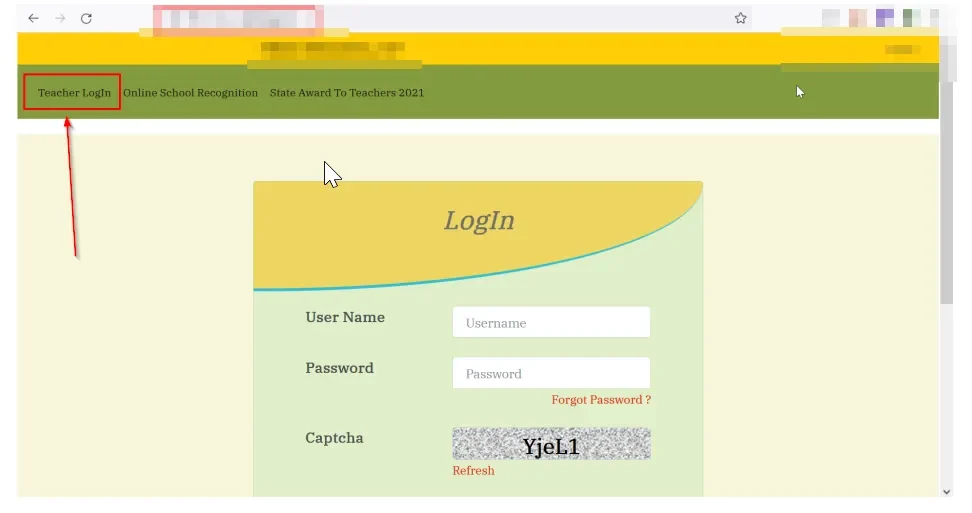
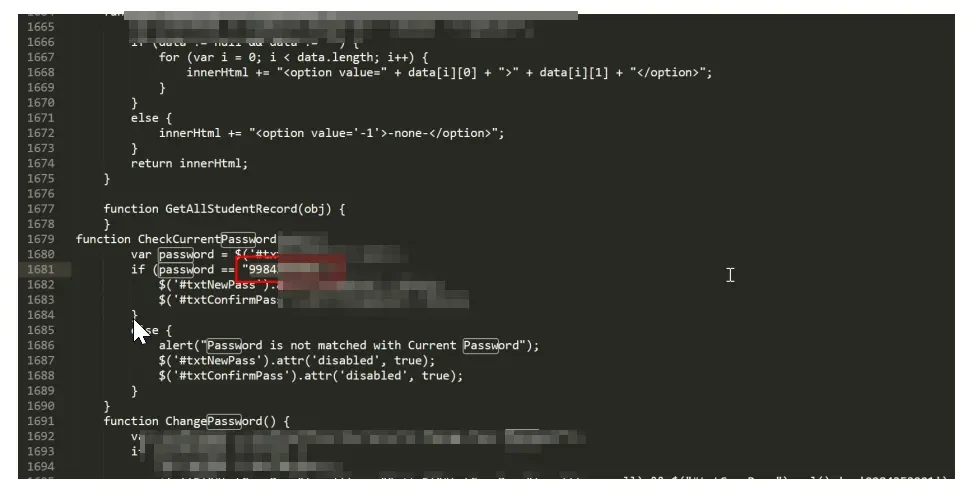
With that number in hand, the plan was to walk the teacher login flow as if he were that user. The interesting part is what happens between the "verify" step and the "Send OTP" step.
Exploitation
Step 1: Enter the victim's number and trigger verification
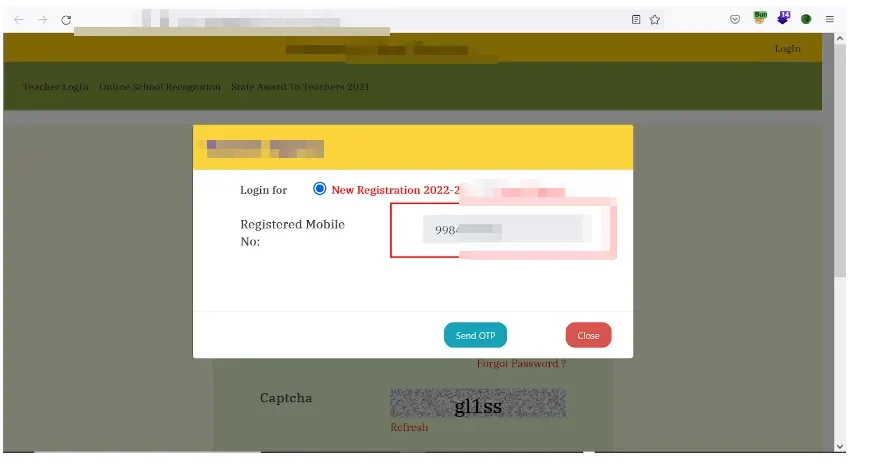
The author clicked on the teacher's login and entered the contact number found in the script, which he calls the victim's number.
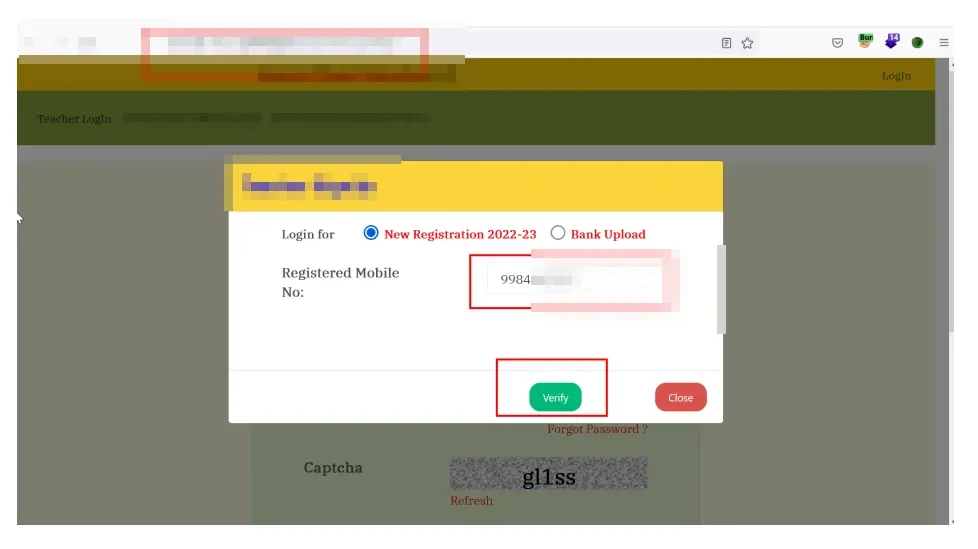
Clicking "verify" opened a new screen for sending the OTP. He notes the constraint here: if he had entered his own mobile number and clicked verify, the application would not have let him proceed, because he is not registered as a teacher in the portal. With the victim's registered number, verification passes. If he then clicked "Send OTP", the OTP would go to the victim's number, where he could not see it.
Step 2: Check whether the OTP leaks in the response
He intercepted the request in Burp to see whether the response disclosed the OTP. It did not, so this route was a dead end.
Step 3: Inspect the mobile number field
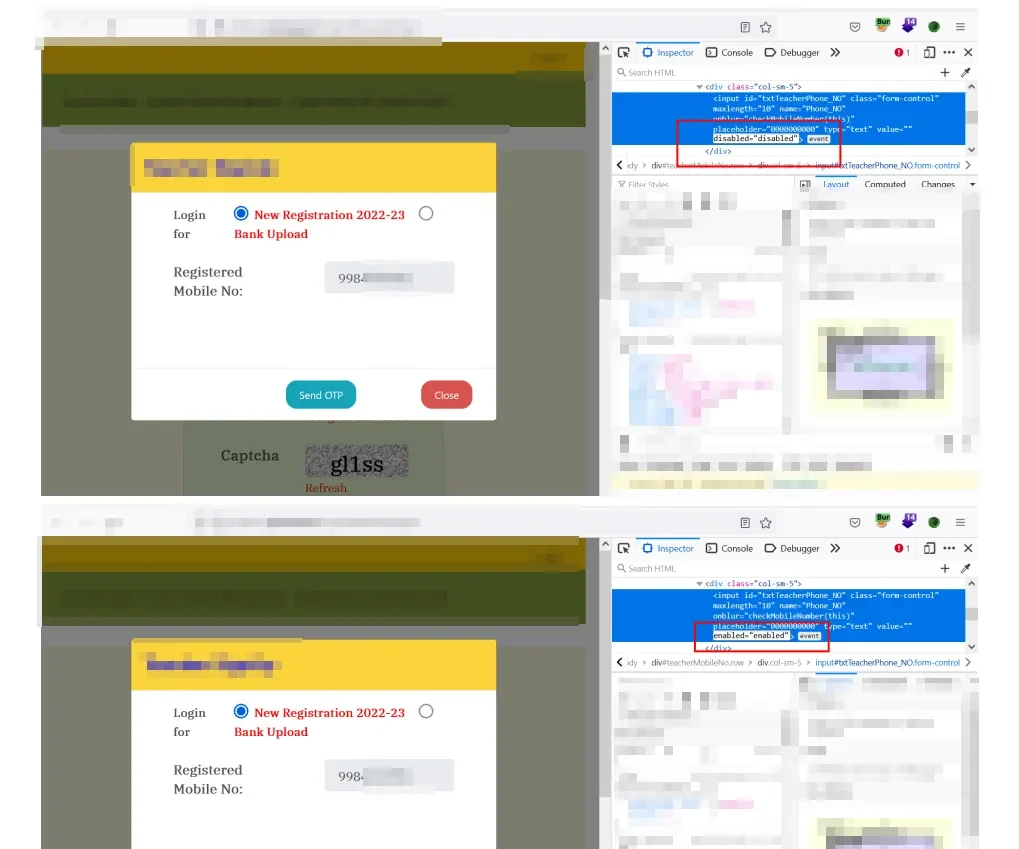
He opened inspect element on the same page and looked at the mobile number field. The field was marked as disabled. Changing its status to enabled made the input editable.
Step 4: Swap the number and request the OTP
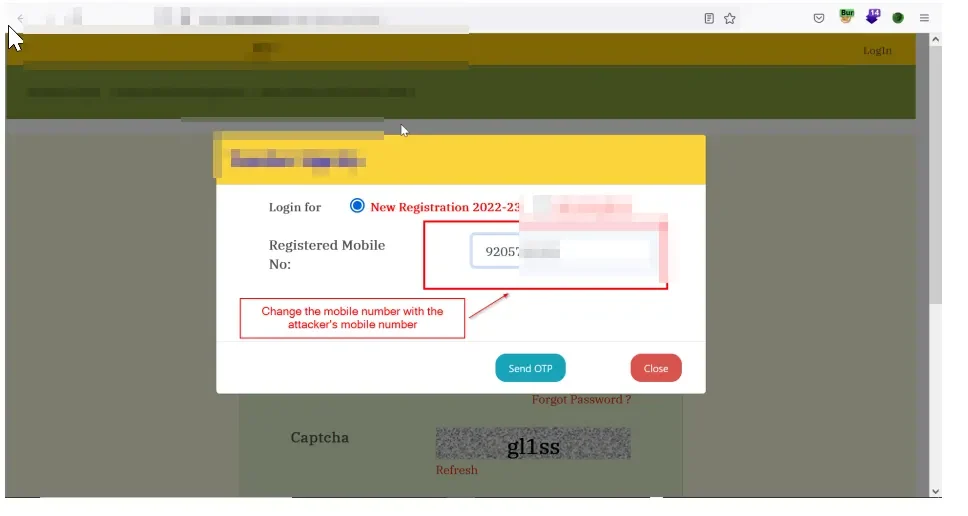
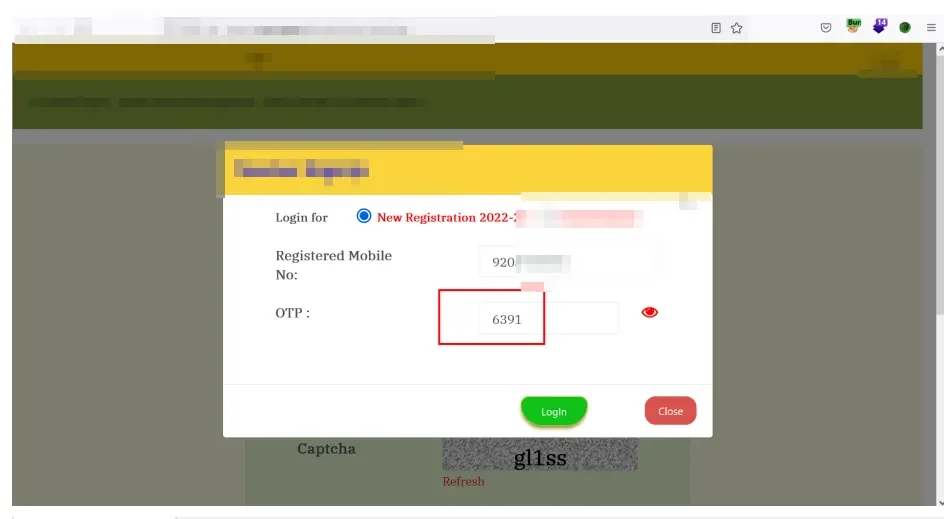
At this point the session was already verified against the victim's mobile number, and the only thing missing was the OTP. With the field now editable, he replaced the victim's number with his own and clicked "Send OTP".
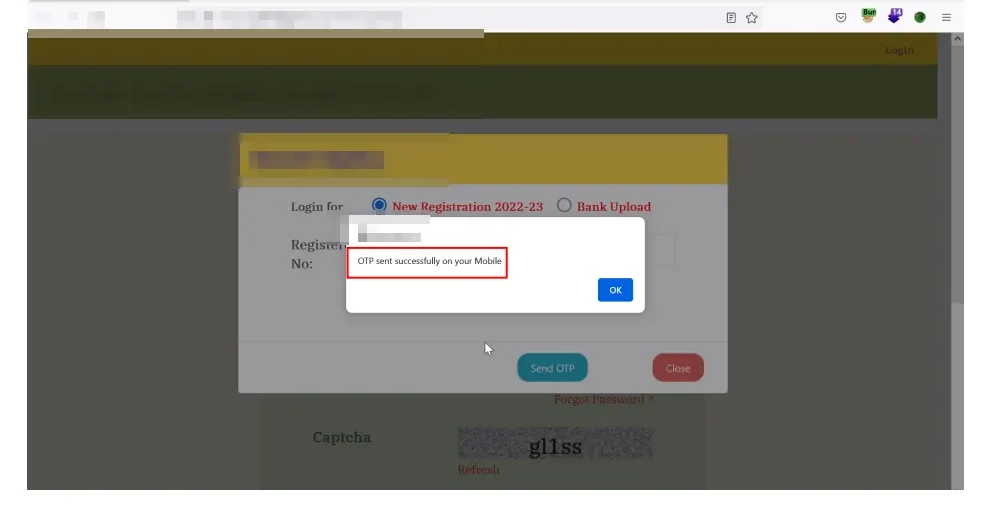
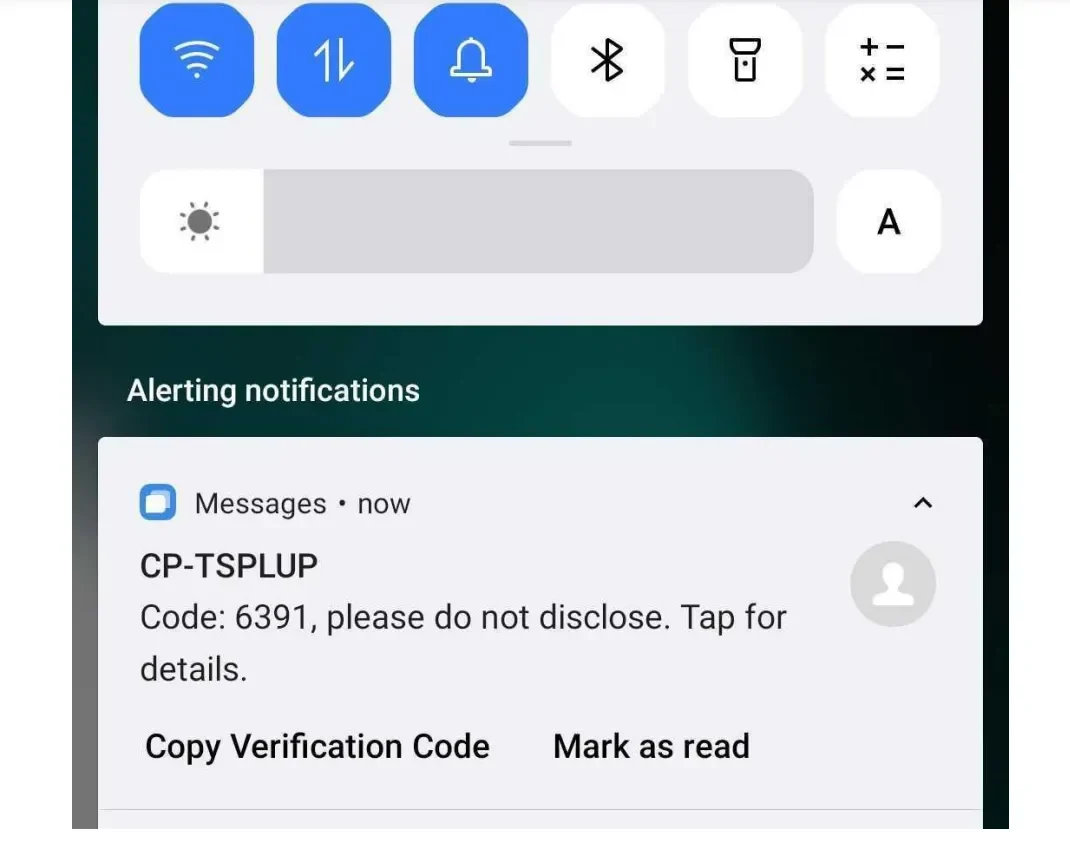
The OTP arrived on his own number. He entered it.
Step 5: Land in the victim's account
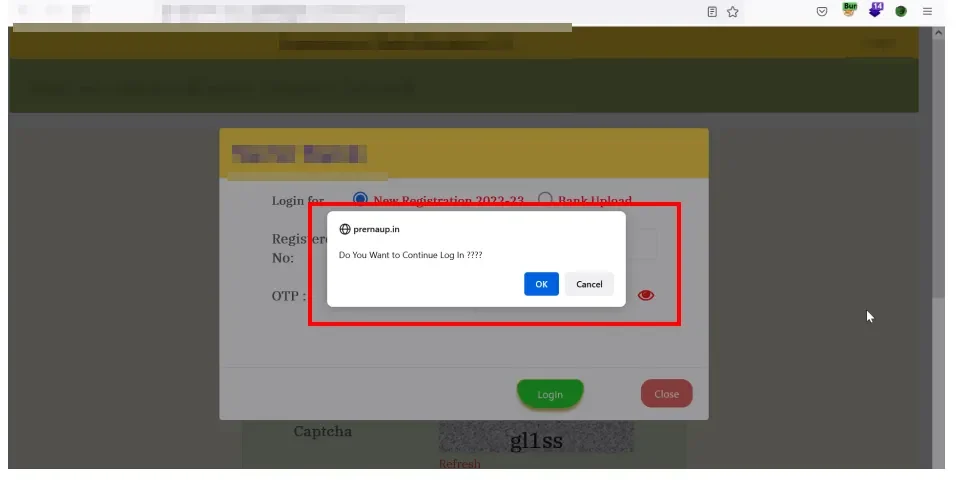
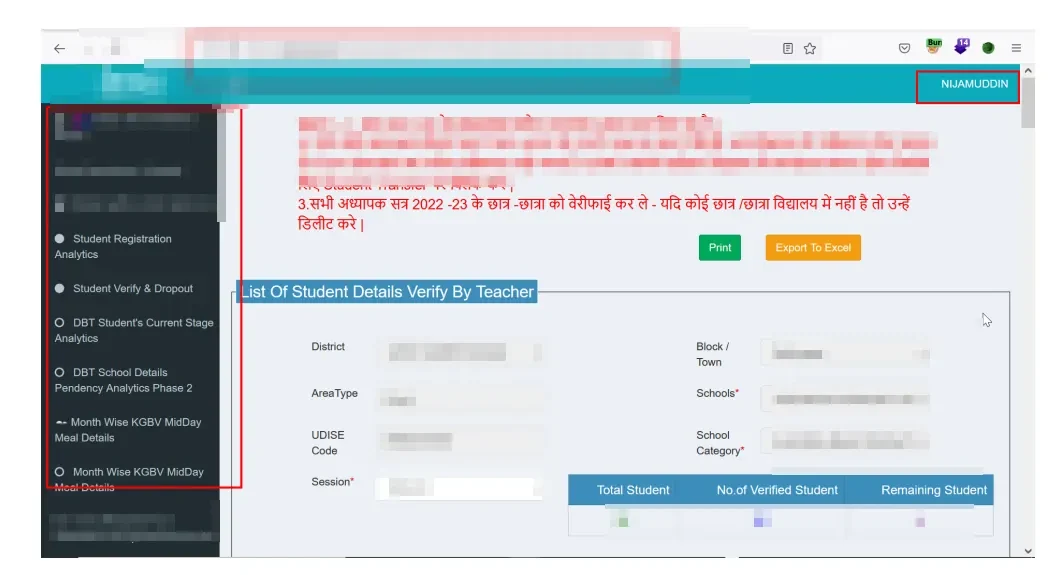
Entering the OTP logged him straight into the victim's account with complete access.
Root cause
The author lists three issues with the application:
- The mobile number is exposed in the script.
- The "verify" process validates the mobile number on the server side, but "Send OTP" does not. That mismatch is what let him receive the OTP on his own number.
- The application was also vulnerable to OTP bruteforcing, which he found on further testing.
The second point is the core of the takeover. The verify step validated the mobile number on the server side, but Send OTP did not validate it, so the OTP went to the number supplied by the client. The mobile number field was disabled, and enabling it in the browser made the input editable. and it is a client-side control that anyone can remove in the browser. In other words, the server-side check on one step did not carry over to the next, and the client-side restriction on the field was not backed by any server-side enforcement.
Impact
An attacker who knows a registered teacher's mobile number can complete verification with that number, redirect the OTP to a number they control, and log in to the victim's account with complete access. The precondition is a registered number, which in this case was available in the application's own script. The author also notes that OTP bruteforcing was possible, which would matter even without the number swap. The report does not describe what data or actions the victim's account exposed beyond "complete access".
Fix
The report does not say what was changed. Based on the root cause, the OTP should be bound server-side to the number that was verified in the previous step, and the server should reject any OTP request whose number differs from the verified one. The disabled state of the field should be treated as presentation only, never as a security control. The mobile number should not be exposed in client-side scripts, and OTP attempts should be rate limited to stop bruteforcing.
Variants to test
- Number swap between verify and OTP. Complete verification with a known registered number, then change the number in the OTP request to one you control. A positive result is receiving the OTP on your number and being logged in as the original user.
- Client-side disabled fields. Look for inputs marked disabled or readonly in login, registration and password reset flows, enable them in the developer tools, and submit changed values. A positive result is the server accepting the modified value.
- OTP response leakage. Intercept the OTP request and inspect the response body and headers for the code. A positive result is the OTP appearing anywhere in the response.
- OTP bruteforce. Submit repeated wrong OTPs for a valid session and watch for lockout, throttling or CAPTCHA. A positive result is being able to keep guessing without any limit.
- Numbers in client-side scripts. Read the JavaScript served to the browser for contact numbers, identifiers or other user data. A positive result is a real registered number that can be fed into the login flow.
What happened, in plain words
A security researcher found a way to log into someone else's account on a government education website. The site is used by teachers to log in, and the login works by sending a one-time password (OTP) to the teacher's registered mobile number. The researcher discovered that after the site verified a teacher's number, he could change the number in the browser to his own before requesting the OTP. The OTP then arrived on his phone, and entering it logged him straight into the teacher's account. He also found that the teacher's mobile number was exposed in the website's code, and that the OTP could be guessed by trying many times.
The target and the normal login flow
The website is a government portal for teachers and education-related tasks. The author calls it "example.com" to keep it anonymous. To log in as a teacher, you enter your registered mobile number. The site checks that the number belongs to a registered teacher (this is the "verify" step). After that, the Send OTP step sends an OTP, but it does not validate the number. You then enter the OTP to complete login.
The author had family members in the education sector, so he had real registered numbers to test with. He logged in normally with one of them to understand the flow.
Finding a victim's number in the site's code
While exploring the site, the author found a contact number in the script of the web application. These files are part of the website's code and are visible to anyone using the browser's developer tools. In one of them, he found a contact number. He considered this a flaw in itself because it gives an attacker a real user's number to target. He calls it a "hidden treasure".
Trying to log in as the victim
He clicked on the teacher's login and entered the number he found, treating it as the victim's number.
When he clicked "verify", a new screen appeared asking to send the OTP. Here is the catch: if he had entered his own number and clicked verify, the site would have refused because his number is not registered as a teacher. But with the victim's registered number, verification succeeded. If he then clicked "Send OTP", the OTP would go to the victim's phone, and he could not see it.
Checking if the OTP leaks in the response
He used Burp Suite, a tool that lets you intercept and inspect the requests and responses between your browser and the server. He wanted to see if the server's response to the OTP request contained the OTP itself. It did not, so that approach failed.
Making the mobile number field editable
He opened the browser's inspect element on the same page and looked at the mobile number field. The field was marked as "disabled", meaning the browser prevented users from changing it. He changed the status to "enabled", which made the field editable.
This is a key point: the "disabled" attribute is a client-side control. It only tells the browser to block editing; it does not stop someone from removing it with developer tools. The server has no idea the field was changed.
Swapping the number and getting the OTP
At this stage, the session was already verified with the victim's number. The only missing piece was the OTP. With the field now editable, he replaced the victim's number with his own and clicked "Send OTP".
The OTP arrived on his own phone. He entered it.
Logging into the victim's account
As soon as he entered the OTP, he was logged into the victim's account with complete access.
Why it worked: the root cause
The author lists three issues:
- The mobile number is exposed in the site's script.
- The "verify" step checks the number on the server, but the "Send OTP" step does not. That mismatch allowed him to receive the OTP on his own number.
- The site was also vulnerable to OTP bruteforcing (guessing many OTPs).
The second point is the core of the takeover. The verify step validated the number on the server, but the Send OTP step did not validate it, so the OTP went to the number he entered. The mobile number field was disabled, a client-side control that anyone can remove in the browser. In other words, the server-side check on one step did not carry over to the next, and the client-side restriction was not backed by server-side enforcement.
Impact
An attacker who knows a registered teacher's mobile number can complete verification with that number, redirect the OTP to a number they control, and log in to the victim's account with complete access. The precondition is a registered number, which in this case was available in the site's own script. The author also notes that OTP bruteforcing was possible, which would matter even without the number swap. The report does not describe what data or actions the victim's account exposed beyond "complete access".
Fix
The report does not say what was changed. Based on the root cause, the OTP should be bound server-side to the number that was verified in the previous step, and the server should reject any OTP request whose number differs from the verified one. The disabled state of the field should be treated as presentation only, never as a security control. The mobile number should not be exposed in client-side scripts, and OTP attempts should be rate limited to stop bruteforcing.
Variants to test
- Number swap between verify and OTP. Complete verification with a known registered number, then change the number in the OTP request to one you control. A positive result is receiving the OTP on your number and being logged in as the original user.
- Client-side disabled fields. Look for inputs marked disabled or readonly in login, registration and password reset flows, enable them in the developer tools, and submit changed values. A positive result is the server accepting the modified value.
- OTP response leakage. Intercept the OTP request and inspect the response body and headers for the code. A positive result is the OTP appearing anywhere in the response.
- OTP bruteforce. Submit repeated wrong OTPs for a valid session and watch for lockout, throttling or CAPTCHA. A positive result is being able to keep guessing without any limit.
- Numbers in client-side scripts. Read the JavaScript served to the browser for contact numbers, identifiers or other user data. A positive result is a real registered number that can be fed into the login flow.
Glossary
- OTP (One-Time Password): A short numeric code sent to your phone or email that you enter to prove it's you. It expires after one use.
- Account takeover: When an attacker gains full access to someone else's account.
- Client-side: Anything that happens in your browser (like HTML, CSS, JavaScript). It can be viewed and changed by the user.
- Server-side: Anything that happens on the web server, which the user cannot directly change.
- JavaScript: The programming language that runs in your browser to make web pages interactive. It is delivered as files that anyone can read.
- Inspect element: A browser tool that lets you see and edit the HTML and CSS of a page in real time.
- Disabled attribute: An HTML attribute that makes an input field non-editable. It only affects the browser, not the server.
- Burp Suite: A tool used by security testers to intercept and modify HTTP requests between the browser and the server.
- Request/Response: When your browser asks the server for something (request), the server sends back data (response).
- Bruteforcing: Trying many combinations (like guessing OTPs) until you find the right one.
- Rate limiting: A server-side control that limits how many requests you can make in a certain time, to stop bruteforcing.
- Verification: The step where the server checks that the information you provided (like a mobile number) is valid and belongs to a registered user.
- Session: A temporary state on the server that remembers you are logged in, usually identified by a cookie.
- Cookie: A small piece of data stored in your browser that helps the server remember who you are.
- API: A set of rules that lets different software talk to each other, often used by web pages to send and receive data from the server.
- Endpoint: A specific URL where an API or web service can be accessed.
- Parameter: A piece of data sent in a request, like a form field or a value in the URL.
- Header: Extra information sent with an HTTP request or response, like the type of browser or cookies.
- POC (Proof of Concept): A demonstration that a vulnerability exists, often with steps or code.
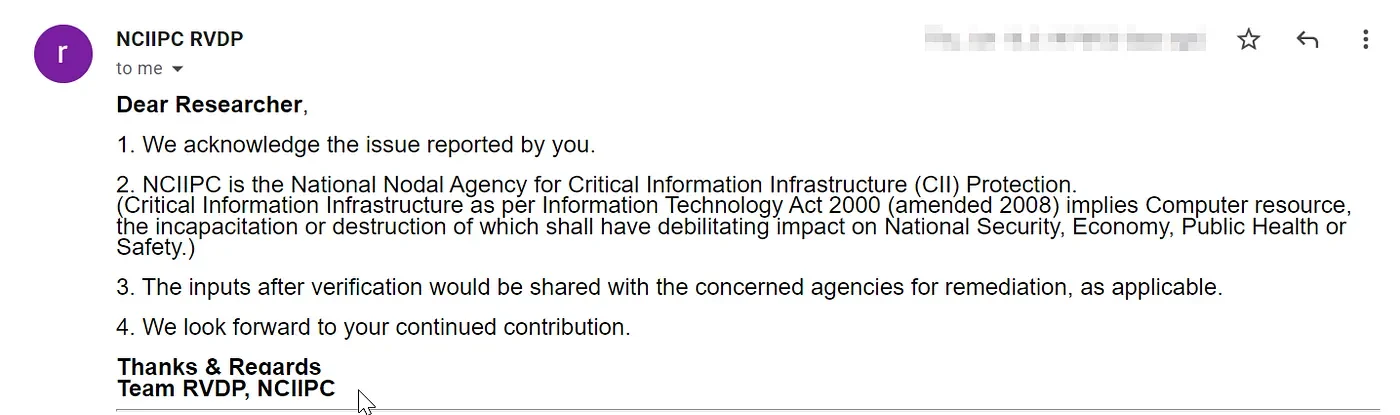
- NCIIPC: National Critical Information Infrastructure Protection Centre, an Indian government organisation that handles cybersecurity incidents.
- Vulnerability: A weakness in a system that can be exploited to cause harm.
- Exploit: Taking advantage of a vulnerability to achieve something, like logging in as someone else.
- Root cause: The underlying reason why a vulnerability exists.
- Impact: The potential damage or consequences of a vulnerability.
- Fix: The change made to remove a vulnerability.
- Rate limiting: (already defined above)
- CAPTCHA: A challenge to prove you are human, often used to stop automated attacks.
- Lockout: A security measure that temporarily blocks access after too many failed attempts.
- Throttling: Slowing down or limiting requests to prevent abuse.
- Readonly: An HTML attribute that makes an input field read-only (cannot be changed), similar to disabled but the value is still submitted with the form.
- Developer tools: Built-in browser features that let you inspect and modify web pages and network traffic.
- HTTP: The protocol used for communication between browsers and web servers.
- HTML: The language used to structure web pages.
- CSS: The language used to style web pages.
- Input field: A box on a web page where you can type information.
- Form: A collection of input fields that you fill out and submit to the server.
- Session cookie: A cookie that identifies your session on the server.
- Token: A piece of data used to authenticate or verify something, like a session token or an OTP.
- API endpoint: A specific URL where an API can be accessed.
- Request body: The part of an HTTP request that contains data sent to the server, like form fields.
- Response body: The part of an HTTP response that contains the data returned by the server, like HTML or JSON.
- JSON: A format for structuring data, often used in APIs.
- Government website: A website operated by a government organisation.
- Education sector: The field of teaching and learning.
- Teacher's login: The login page specifically for teachers.
- Registered mobile number: A phone number that is already associated with a user account in the system.
- Verify button: A button that triggers the server-side check of the mobile number.
- Send OTP button: A button that triggers the server to send an OTP to the mobile number.
- OTP bruteforcing: Repeatedly guessing OTPs to gain access.
- Hidden treasure: The author's term for a flaw that provides useful information, like a contact number in the script.
- Script: A file containing code, usually JavaScript, that is executed by the browser.
- Contact number: A phone number.
- Victim's number: The mobile number belonging to the target user.
- Complete access: Full control over the victim's account, as if logged in as them.
- POC: Proof of Concept.
- NCIIPC: National Critical Information Infrastructure Protection Centre.
- Stay curious stay protected: A closing phrase encouraging curiosity and security awareness.



