Account Takeovers — Believe the Unbelievable
The article describes several account takeover vulnerabilities, including predictable session IDs, weak WordPress admin credentials, an Etherpad admin bypass, security question brute-forcing, email disclosure leading to credential stuffing, default Mailman passwords, and plaintext password hints. An attacker could take over user accounts through these flaws.

I had set a goal for myself to look for only account takeover issues for a certain period of time. Fortunately, I did accomplish my goal and reported a lot of ATOs.
The full write-up lives on its author's site
It belongs to its author, so we link to it rather than copy it. The other two tabs are our own rewrites, checked against it.
Context
This is a collection of account takeover (ATO) findings from a period when the author set out to look only for ATO issues. The targets were several different programmes, most of them wildcard scope, and on most of them only unauthenticated testing was allowed. The author notes that the findings may look easy on the surface, but a good amount of time went into recon. The write-up covers seven separate issues: session prediction, weak WordPress admin credentials, CVE-2018-9845 in Etherpad Lite, brute-forced security answers, email disclosure combined with breached-password reuse, weak Mailman list passwords, and a registration application that leaked password hints in plain text.
Setup
The tools used throughout are Burp Suite (Intruder and the proxy history) and public wordlists from SecLists. The first finding depends on a previous write-up by the same author on unauthenticated account takeover through forget password, which is where the D** Ids (user identifiers) come from. On the WordPress target the programme had been running for more than four years and had already accepted almost 700 bugs, and it was in additional incentives mode (called blitz). The federal programmes were older wildcard programmes, and one of them had an Imperva WAF in front of the application.
Finding it
The author went through each target looking specifically for ways to take over an account without authentication. The pattern in most cases was a login or forget-password flow that leaked or accepted something it should not: a predictable session identifier, a default credential, a security answer that could be guessed from a wordlist, an error message that confirmed valid usernames and disclosed their email addresses, or a password hint field that users filled with their actual password.
Exploitation
Step 1: Session prediction
After logging into the application with credentials, the author looked at how the session is created. In the Burp history, each login produced an hd_sessionID value. The value is a 4-digit integer, for example 5000, and it increases by 1 on each successful login: if the current value is 5000, the next login gets 5001.
To exploit this, the author took the login request into Intruder and set the payload position to hd_sessionID.
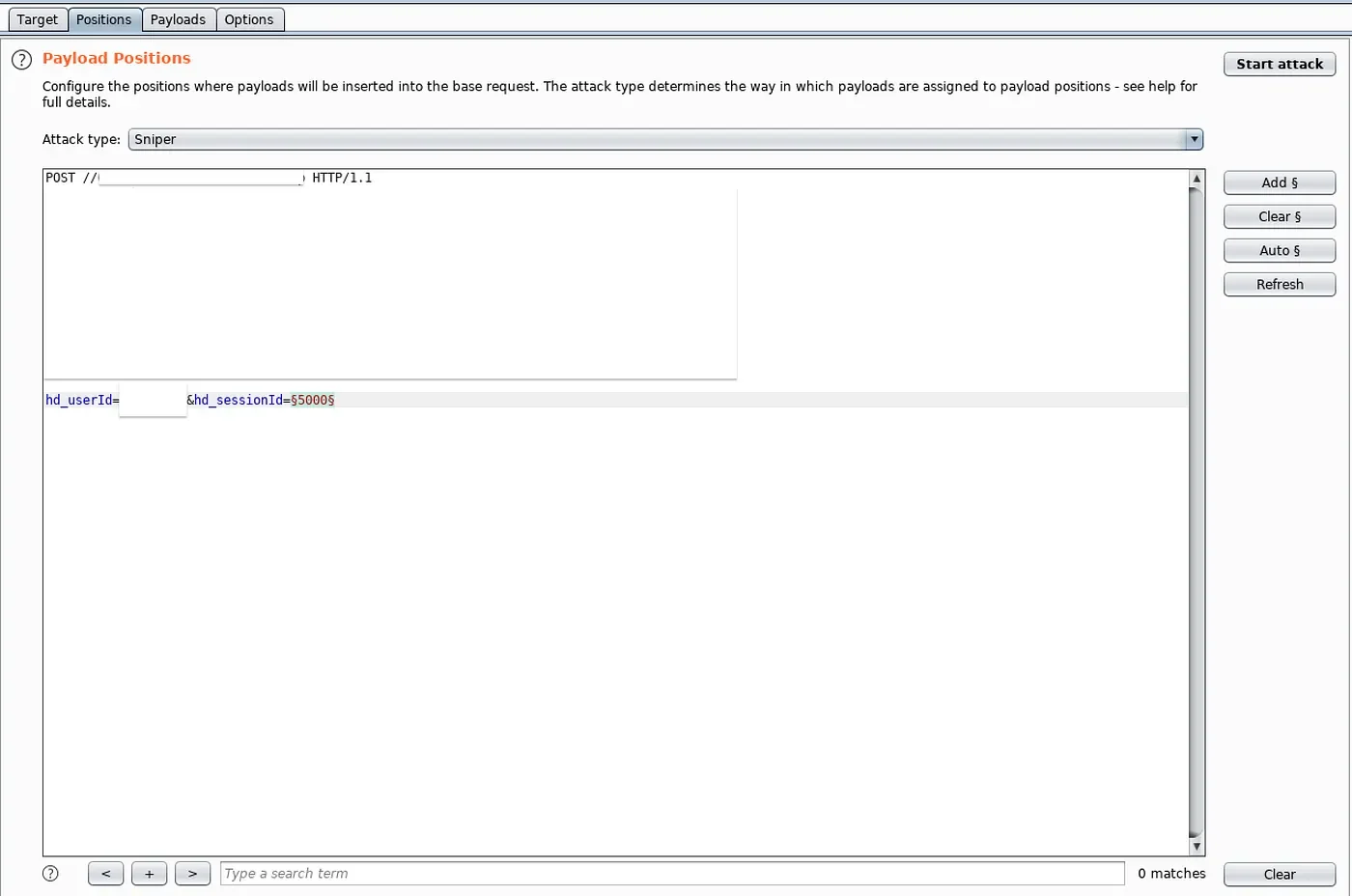
The screenshot shows the request in Intruder with the payload position set on hd_sessionID.
A hd_userId also has to be fixed to the D** Id of the account to be taken over, and then the Intruder attack is run.
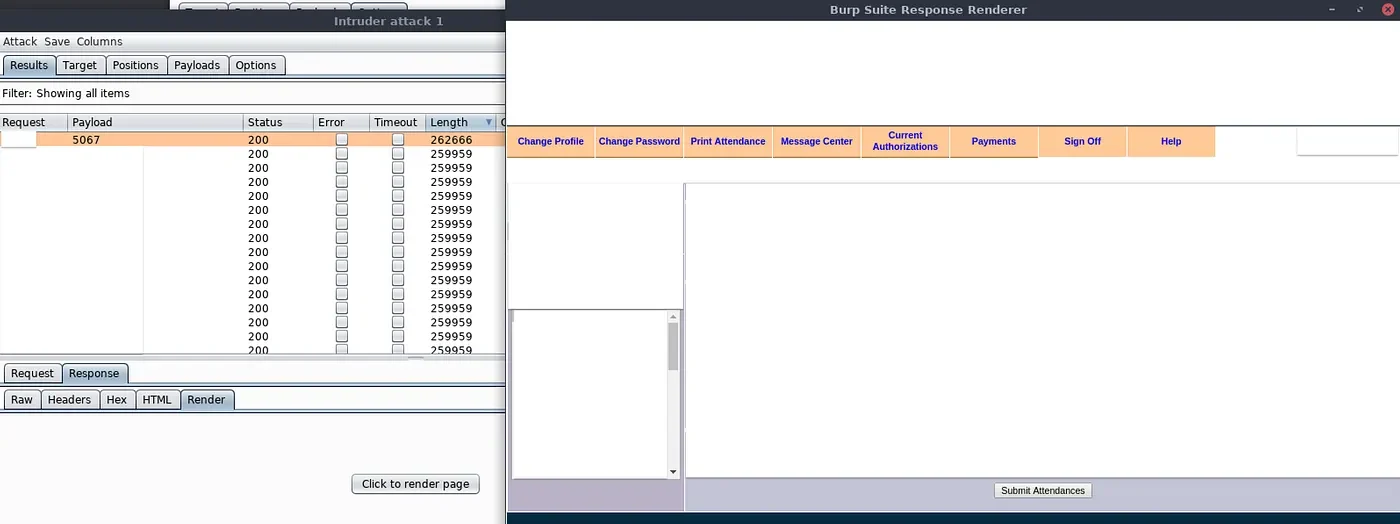
The second screenshot shows the hd_userId fixed to the target account's identifier while the session ID is being brute-forced.
5067 was the correct session ID for the chosen user. Some details are hidden in the write-up.
Step 2: WordPress admin with weak credentials
The target was the main application (www.target.com) of a textbook rental company, running WordPress. Supplying /wp-admin/ moved the author to the WordPress admin login.
The first step was to find a valid username through the forget-password flow, which revealed the username test. A few passwords were then tried, and testtest worked, giving access to the admin account. Remote code execution could easily have been achieved from there, but the programme had a STOP and Report rule, so the author did not escalate. They were using WordPress for multiple other products and services, and these credentials worked for all of them.
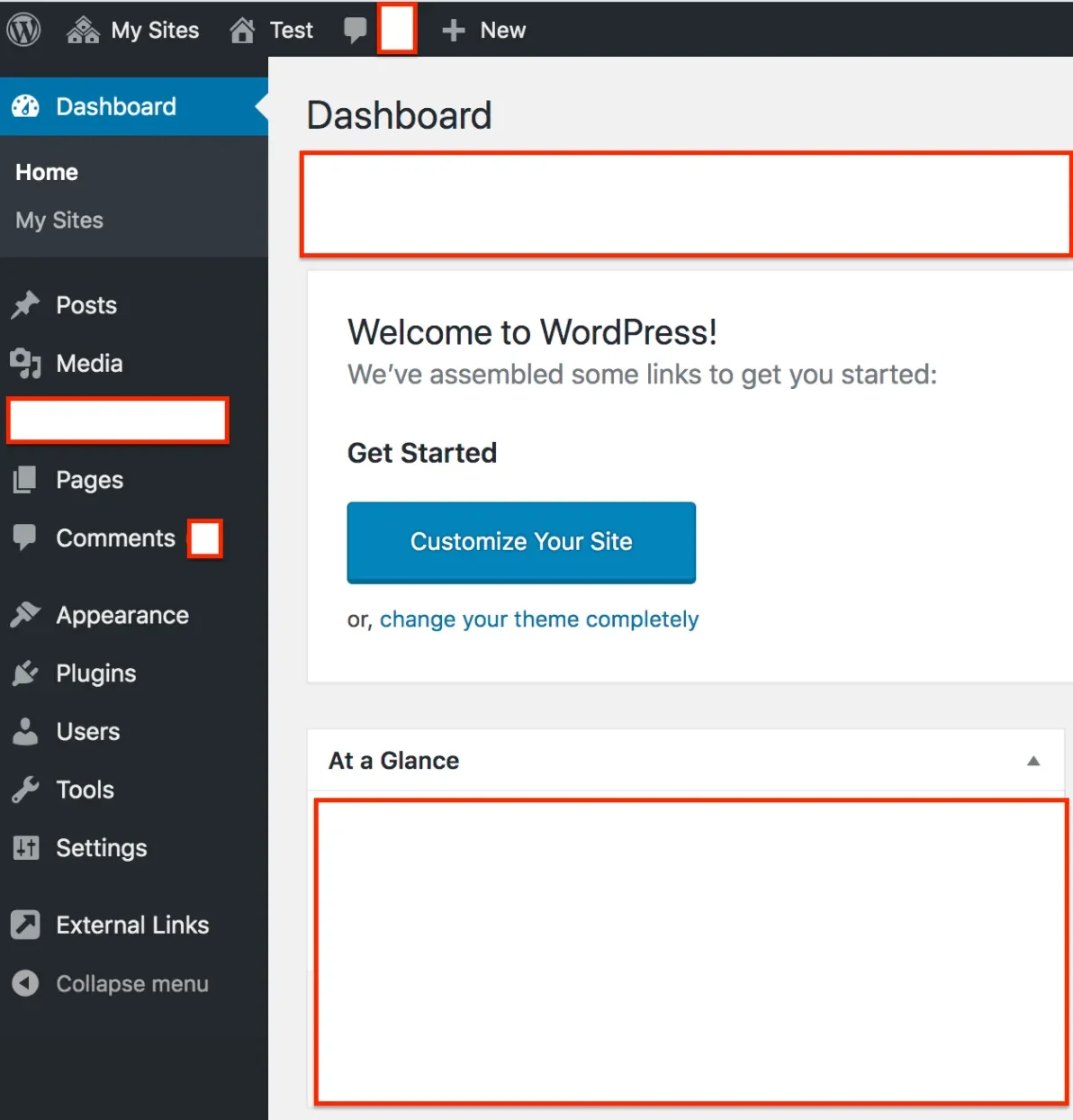
The screenshot shows the WordPress admin access obtained with the weak credentials.
The finding was rated CVSS 10, and the author received a $5000 additional bonus on top of the bounty.
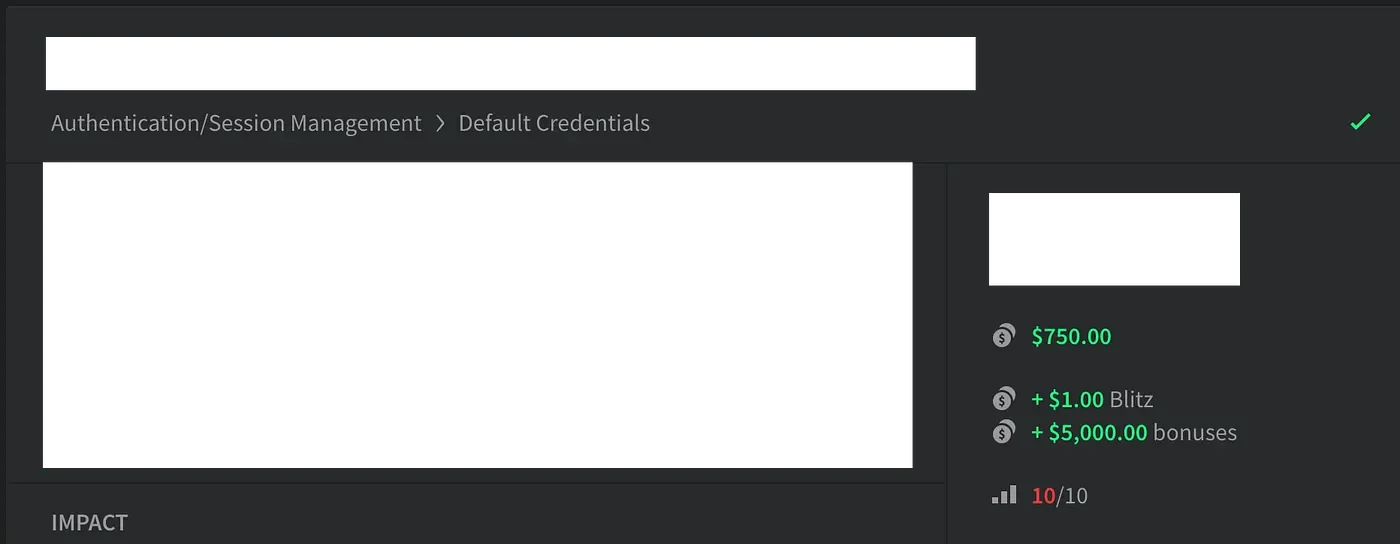
The screenshot shows the bonus award notification.
Step 3: CVE-2018-9845 in Etherpad Lite
On the same application, the author came across a live session where a tutor teaches a student. This was a paid feature (pay as you go), and the client wanted more focus on this area, which suggests it is a core part of the app.
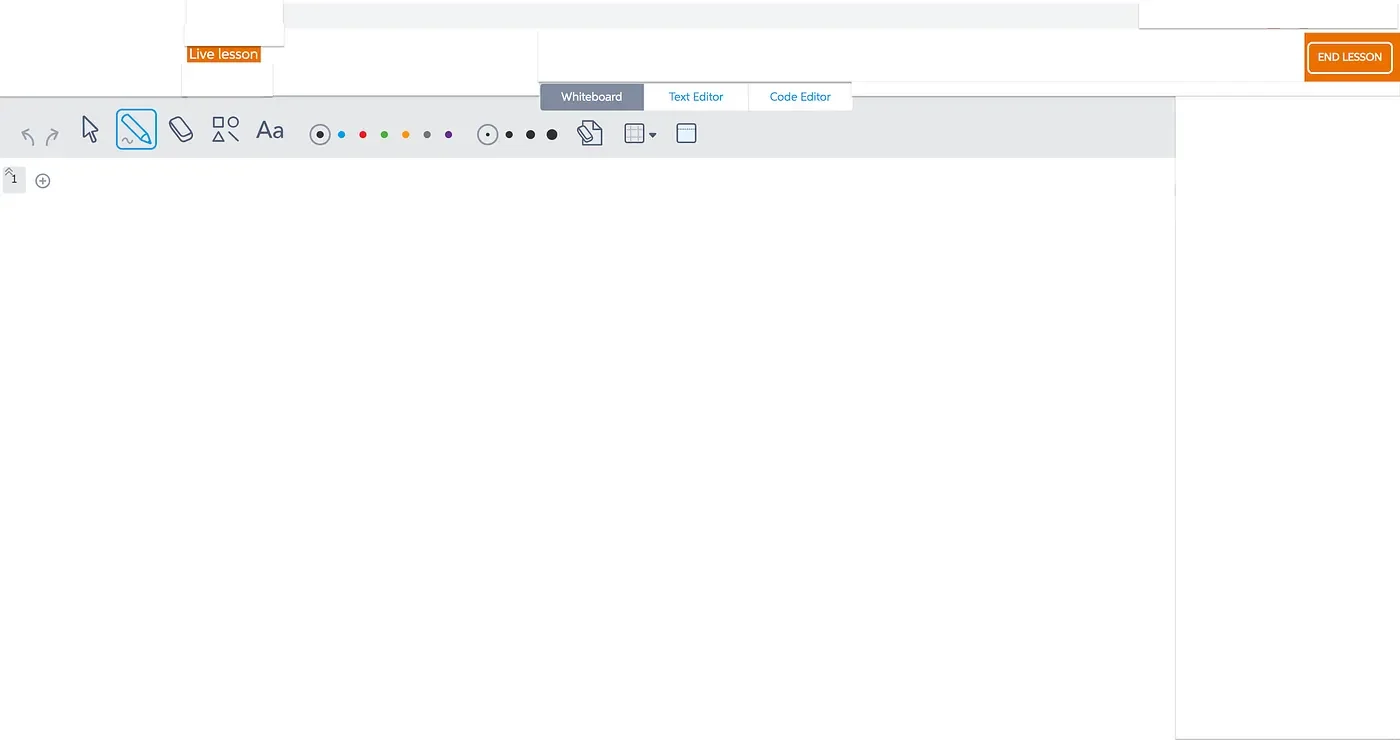
The screenshot shows the live tutoring session.
Inspecting a text editor element revealed that it was running Etherpad. A search showed that Etherpad is vulnerable to several CVEs, and CVE-2018-9845 looked interesting: "Etherpad Lite before 1.6.4 is exploitable for admin access." No relevant exploit was available, so the author read the commit at https://github.com/ether/etherpad-lite/commit/[redacted].
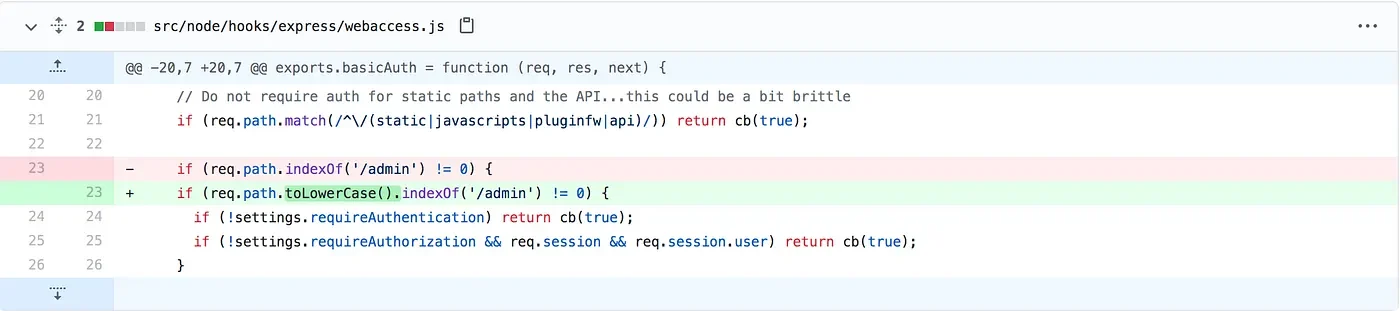
The screenshot shows the commit that was reviewed.
Browsing to /path/path2//ec2/admin/ produced a prompt for a username and password.
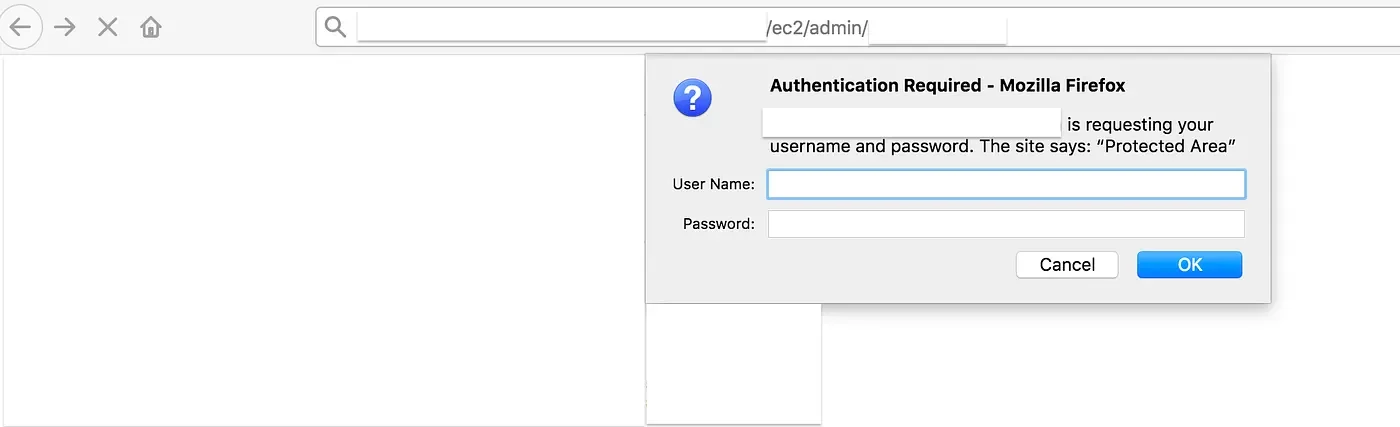
The screenshot shows the authentication prompt on the admin path.
To bypass it, the author only had to upper-case Admin, which gave admin access.
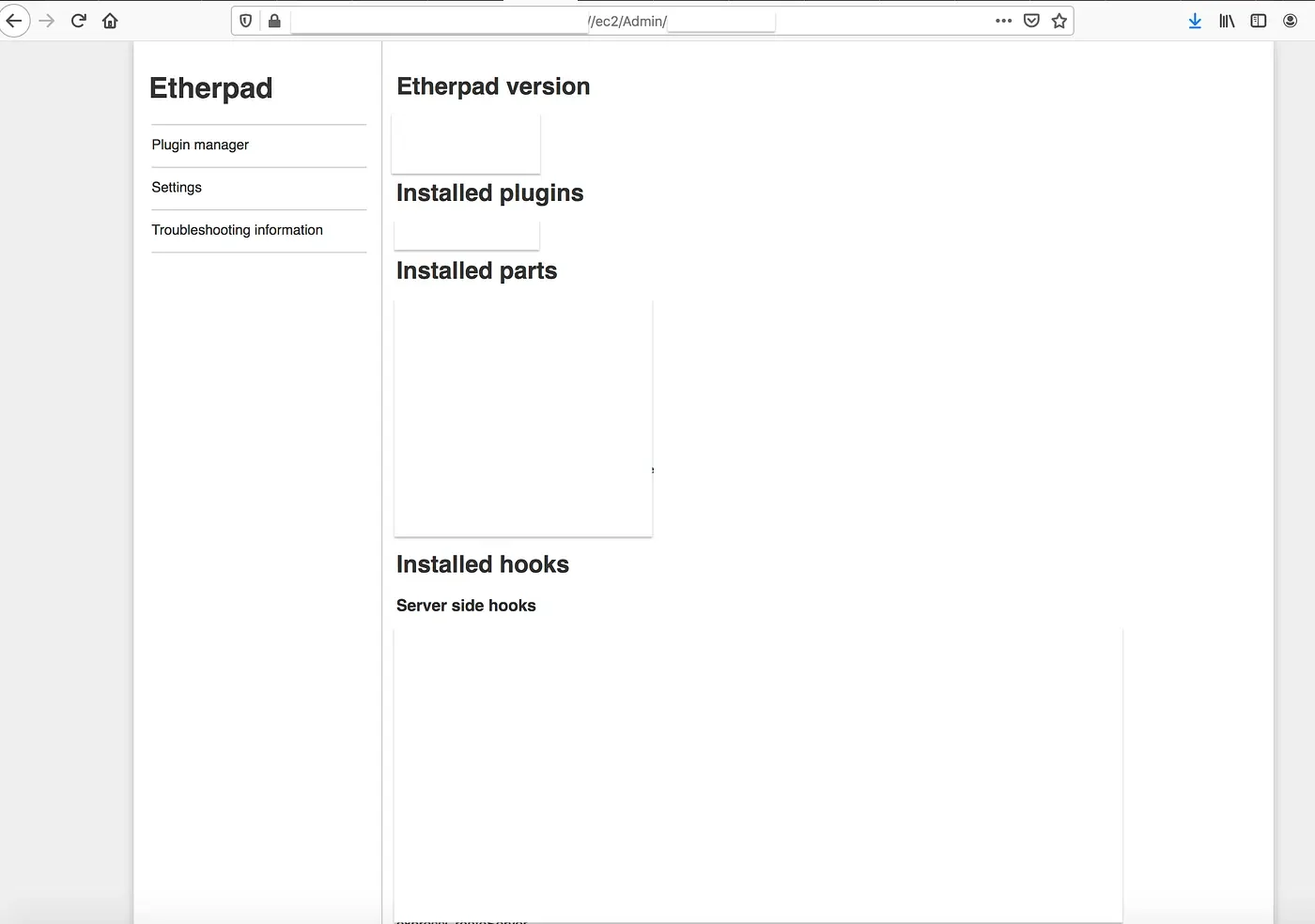
The screenshot shows the admin access obtained after the case change.
Step 4: Brute-forcing security answers
This was one of the federal programmes, a wildcard scope. Recon found a subdomain with a login and forget-password flow. The author first collected valid usernames by following the password reset process, which asks for a username first, and running Intruder with the SecLists names wordlist:
https://github.com/danielmiessler/SecLists/blob/master/Usernames/Names/names.txt
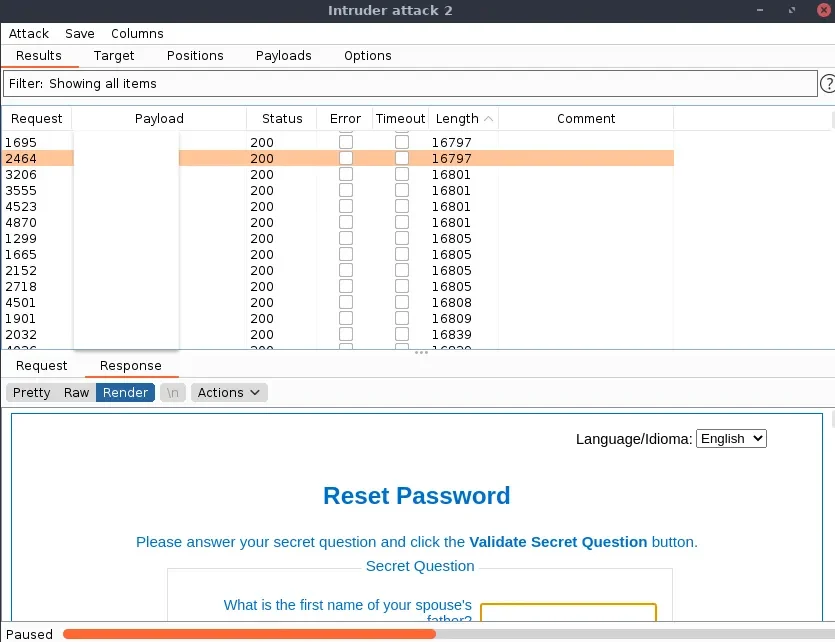
The screenshot shows the Intruder attack used to find valid usernames.
With plenty of valid usernames found, the next screen asks for security answers. Each username has its own security questions, and the author focused on the one with the question "What is the first name of your spouse father's", because there was another wordlist available to brute-force it:
https://github.com/danielmiessler/SecLists/blob/master/Usernames/Names/malenames-usa-top1000.txt
A second Intruder attack was run on the security answer using the first-name list.
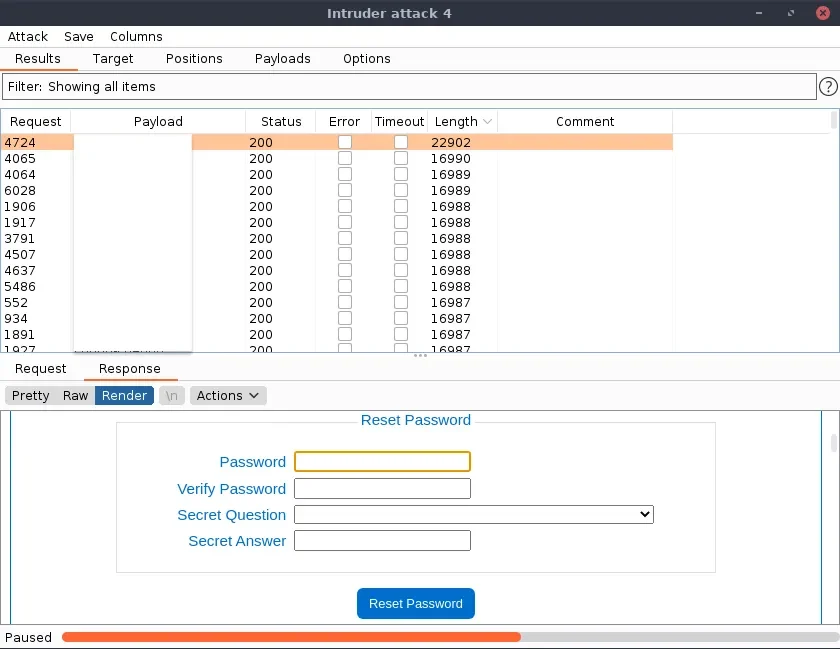
The screenshot shows the Intruder attack against the security answer.
The correct name was found in the list. From there, setting a new password and security question for the user takes over the account.
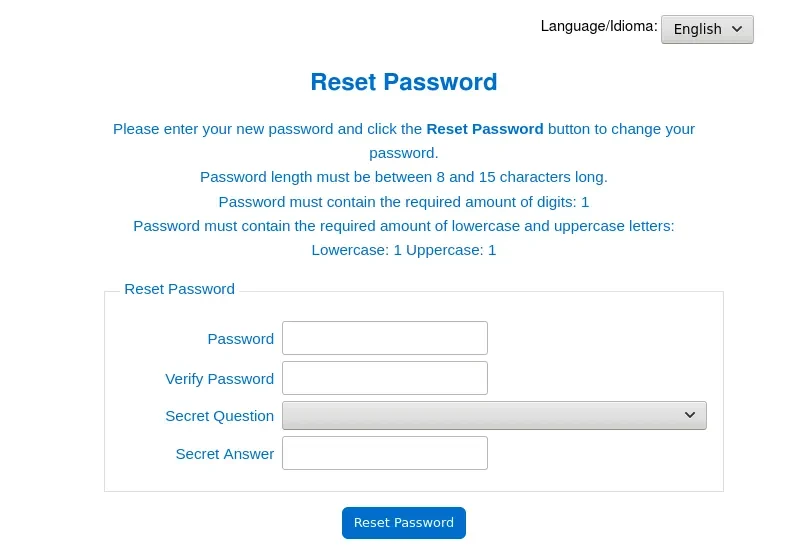
The screenshot shows the password and security question being reset for the target user.
The author notes that this issue could also have locked users out of resetting their passwords if someone set a new security question on their account. An Imperva WAF was in place to prevent abuse, but it only kicks in after 1,000 attempts, so it was never an obstacle.
Step 5: Email disclosure and breached-password reuse
Another subdomain of the federal programmes had another login and forget-password flow. Entering a username in the forget-password form produced an error related to email (the author does not recall the exact message). Running Intruder on it with the usernames list showed that it discloses the email addresses of valid usernames. The email is hidden in the write-up for privacy.
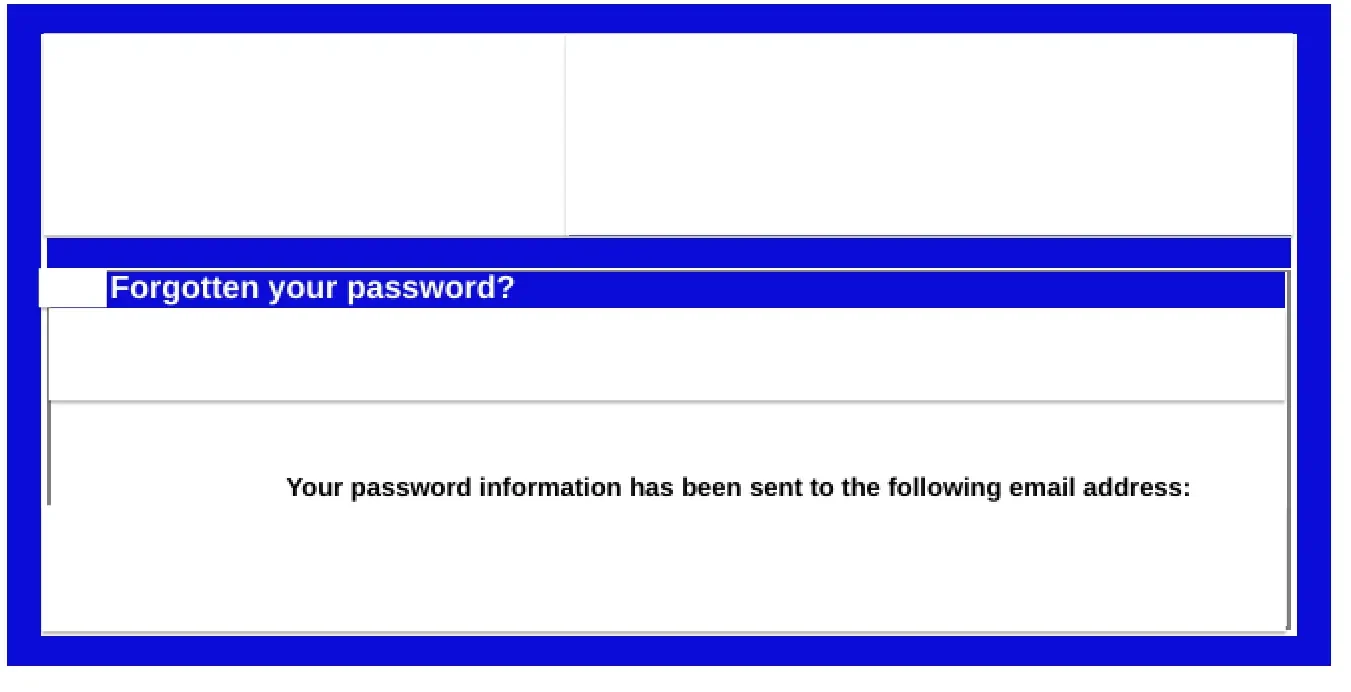
The screenshot shows the email addresses disclosed for valid usernames.
The next step was to search breached password collections for the user. The author went through an application with large collections of breached passwords (credited to Parth Malhotra for referring one). Searching returned just three results, and only one of them contained a plaintext password.
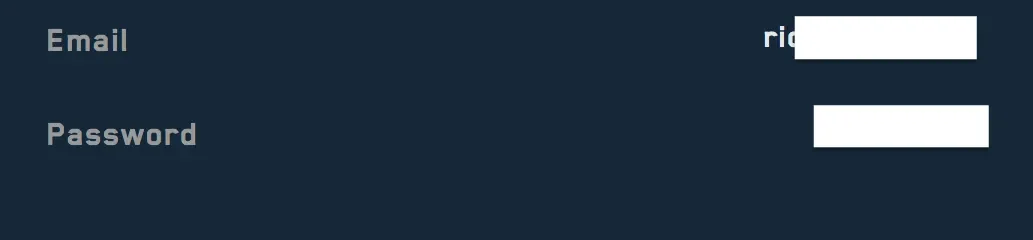
The screenshot shows the breach search results, with one plaintext password.
The username and password were then attempted on the portal, and the login succeeded.
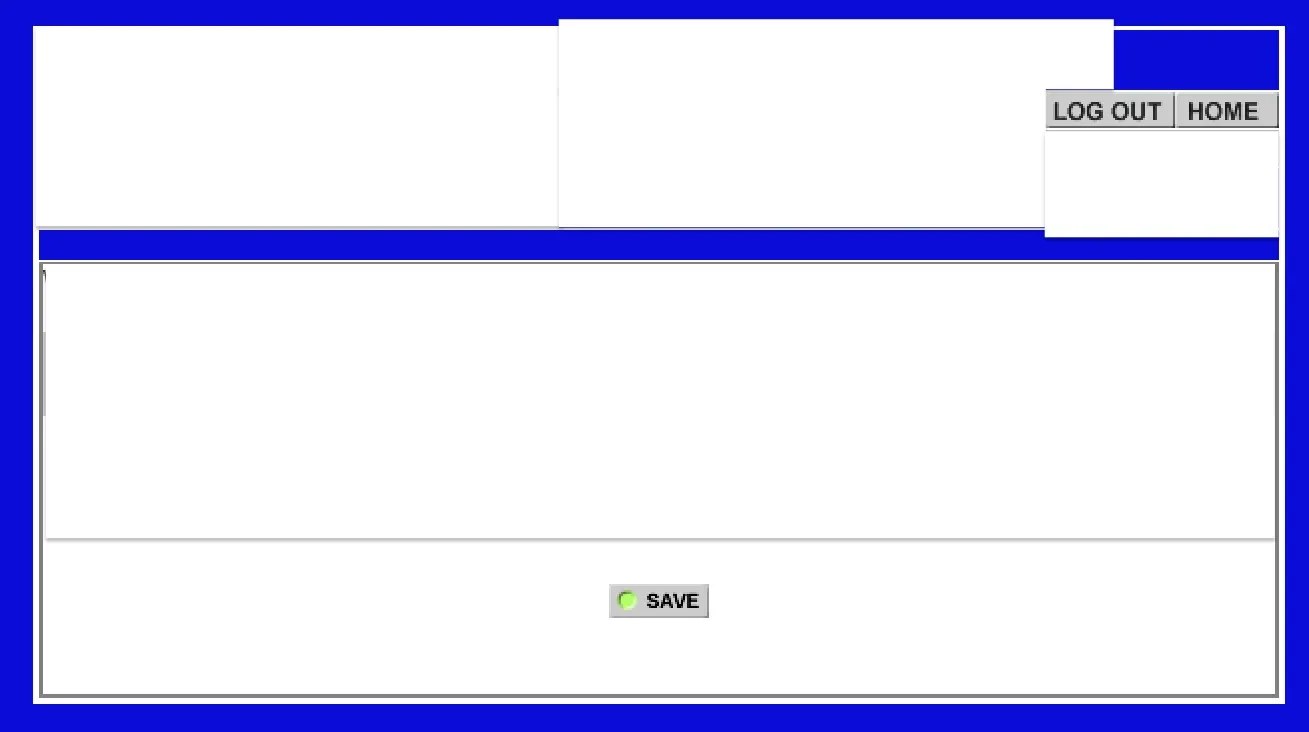
The screenshot shows the successful login with the breached credentials.
The same approach can take over any account on the application where the password has leaked in a breach and the user reused it on the portal. The author found quite many of them.
Step 6: Mailman admin with a default password
During recon on the same target, the author found a subdomain running Mailman (https://www.gnu.org/software/mailman/). It had a couple of lists, and browsing to /mailman/admin/{listname} asked for a password.

The screenshot shows the Mailman admin password prompt.
Entering just password and clicking "let me in" gave access to the admin account. This was not limited to one list: three or four others had the same password.
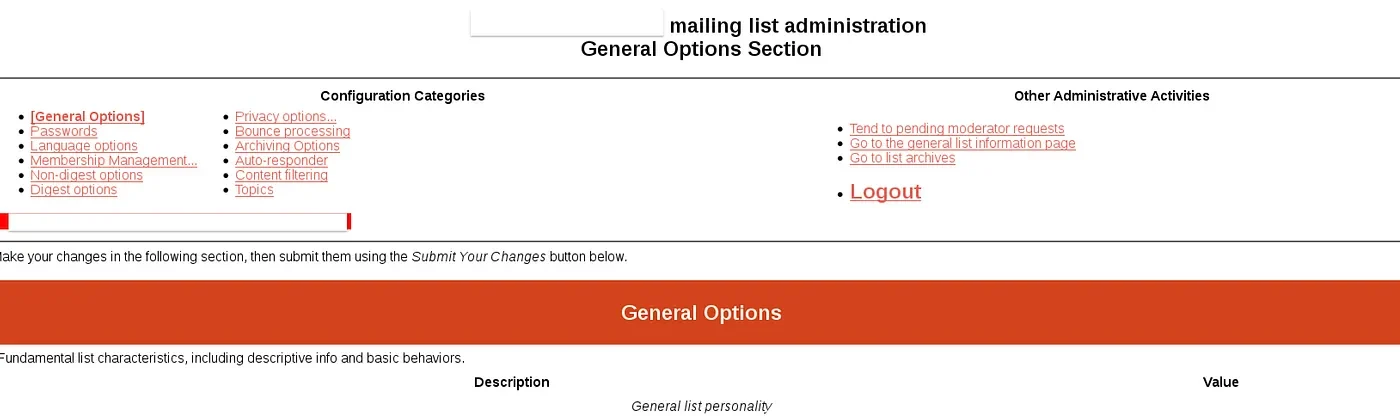
The screenshot shows the Mailman admin access obtained with the default password.
Step 7: Password hints stored in plain text
On the same target, another subdomain had an application that registers users for some kind of report. A Google search using:
site:subdomain.com
returned interesting results.
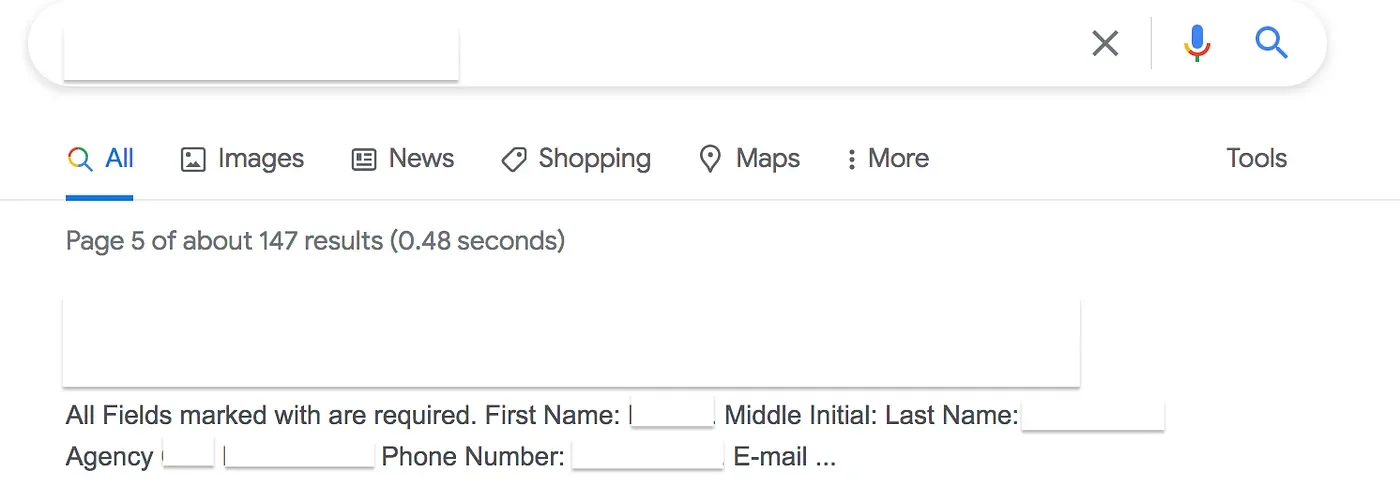
The screenshot shows the search results exposing registration pages.
Clicking a link showed the application disclosing the following information.
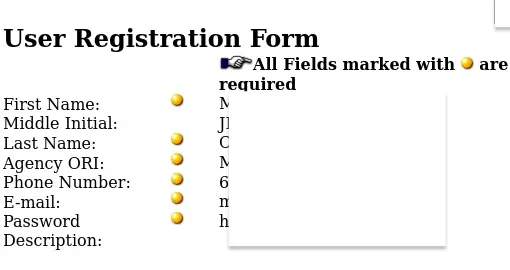
The screenshot shows the disclosed registration information, including the password description field.
All user registration form information remains available on the site through a unique link. The PII disclosure was notable, but the more interesting part was the password description field, which is meant to be used as a password hint. Users had shared their actual password in this field, and it is stored in plain text on the website. To confirm, the author did credential stuffing on one of the accounts and it worked.
Root cause
Each finding has its own cause:
- Session prediction: the session identifier is a sequential 4-digit integer that increments by one per login, so it is trivially guessable once a valid user identifier is known.
- WordPress: the admin account used a weak, guessable password (
testtest) that was reused across multiple WordPress installations. - Etherpad: the admin path could be reached by changing the case of
Admin, which bypassed the authentication check. - Security answers: the security question asked for a common first name, which can be brute-forced from a wordlist, and the WAF threshold of 1,000 attempts was too high to stop it.
- Email disclosure and breach reuse: the forget-password flow disclosed email addresses for valid usernames, and users reused passwords that had already leaked in breaches.
- Mailman: the list admin password was the default
password, shared across several lists. - Password hints: the password description field was stored and displayed in plain text, and users entered their real passwords there.
Impact
- Session prediction: an attacker who knows a user's D** Id can brute-force the session ID and take over that account.
- WordPress: admin access to the main application and to multiple other products and services that shared the same credentials. RCE was possible but not escalated because of the STOP and Report rule.
- Etherpad: admin access to the admin path through the case-change bypass.
- Security answers: account takeover by resetting the password and security question, and potential lockout of users from password resets.
- Email disclosure and breach reuse: account takeover of any user whose password had leaked in a breach and was reused on the portal.
- Mailman: admin access to several mailing lists.
- Password hints: account takeover through credential stuffing, since the password was stored in plain text and visible on the site.
Fix
The write-up does not describe the fixes that were applied. Based on the findings, the following changes would address the root causes:
- Replace sequential session identifiers with cryptographically random values.
- Enforce strong passwords and avoid reusing credentials across installations.
- Upgrade Etherpad Lite to a version that is not affected by CVE-2018-9845, and fix the case-sensitivity issue in the admin path check.
- Use security questions that cannot be answered from a small wordlist, and lower the WAF threshold to block brute-force attempts earlier.
- Avoid disclosing email addresses in forget-password responses, and encourage users not to reuse breached passwords.
- Change default Mailman list passwords.
- Do not store password hints in plain text, and do not display them publicly.
Variants to test
- Sequential session IDs: look for session identifiers that are short integers or that increment between logins. A positive result is a session ID that can be predicted from a known value.
- Weak WordPress credentials: try common usernames and passwords on
/wp-admin/. A positive result is admin access. - Etherpad CVE-2018-9845: check for Etherpad Lite versions before 1.6.4 and try case variations on the admin path.
- Security answer brute force: find security questions with answers from a small set (first names, cities, common words) and run Intruder with a matching wordlist. A positive result is a correct answer that allows a password reset.
- Email disclosure in forget password: submit valid and invalid usernames and compare responses. A positive result is a different response for valid usernames that includes the email address.
- Breached password reuse: search breach collections for disclosed email addresses and try the plaintext passwords on the login form. A positive result is a successful login.
- Default Mailman passwords: browse to
/mailman/admin/{listname}and trypassword. A positive result is admin access to the list. - Password hints in plain text: search for registration pages indexed by search engines and inspect the password description field. A positive result is a plaintext password that works for login.
What happened, in plain words
A security researcher spent a period of time hunting for one specific kind of bug: account takeover, usually shortened to ATO. Account takeover means getting into someone else's account without their permission, the way a thief who copies your house key can walk in as if they were you. The researcher found several of these across different bug bounty programmes and wrote them up together.
A bug bounty programme is a deal between a company and outside testers: the company says "if you find a security problem in our systems and report it responsibly, we will pay you a reward (a bounty) instead of suing you". Some programmes pay a flat amount, some pay more for more serious bugs. The researcher notes that on most of these targets only unauthenticated testing was allowed, meaning the tester was only permitted to poke at parts of the site reachable without logging in. That makes the findings more interesting, because the tester had no insider access.
The write-up covers seven separate issues. A session number that could be guessed. A password that was the word "testtest". A security question whose answer is a common first name. A mailing list admin password that was literally "password". A password hint field where users typed their real password. None of these required advanced exploitation; they required patience during reconnaissance (recon), which is the work of mapping out what a target has before attacking anything.
Below, each finding is explained from scratch. If you have never done security testing, the concepts are introduced as they come up, and there is a glossary at the end.
The tools and the setup
Two tools appear throughout. The first is Burp Suite, a program that sits between your browser and the website and lets you see and change every request and response. Think of it as a transparent mail sorting office: every letter your browser sends to the site, and every reply, passes through Burp, where you can read it, edit it, and send it again. Two parts of Burp matter here:
- Proxy history: a log of every request and response that passed through Burp. Useful for looking back at what the site did earlier, for example what value it set when you logged in.
- Intruder: a tool that takes one request and sends it many times, each time replacing a chosen part with a different value from a list. This is how you try thousands of passwords, session numbers or usernames quickly. The part you replace is called the payload position.
The second tool is SecLists, a public collection of wordlists. A wordlist is just a text file with one entry per line: common passwords, common usernames, common first names. Intruder feeds these entries into the payload position one at a time.
The first finding builds on an earlier write-up by the same researcher about unauthenticated account takeover through the forget-password flow. That earlier article is where the "D** Ids" come from: user identifiers, the numbers or strings that uniquely label each account. The asterisks hide part of the name; the point is that these identifiers can be obtained, and once you have one, you can refer to a specific user's account.
On the WordPress target, the programme had been running for more than four years and had already accepted almost 700 bugs, and it was in additional incentives mode, called blitz. "Blitz" here means the company was paying extra to encourage more reports during a period. The federal programmes were older wildcard programmes. Wildcard scope means the programme covers everything under a domain, for example every subdomain of *.example.com, rather than a single named host. One of those programmes had an Imperva WAF in front of the application. A WAF, web application firewall, is a filter that sits in front of a site and tries to block abusive traffic such as brute-force attempts. It is like a bouncer at a door who starts turning people away after a while.
Finding it
The researcher went through each target looking specifically for ways to take over an account without authentication. The pattern in most cases was a login or forget-password flow that leaked or accepted something it should not:
- a predictable session identifier,
- a default credential,
- a security answer that could be guessed from a wordlist,
- an error message that confirmed valid usernames and disclosed their email addresses,
- or a password hint field that users filled with their actual password.
Before going further, two concepts need explaining because they recur.
A session is how a website remembers that you are logged in. When you log in, the server sends your browser a small piece of data, usually stored in a cookie, and the browser sends it back with every later request. The server looks at that value and says "ah, this is the person who logged in earlier". A cookie is like a wristband at an event: you show it at the door, and staff let you back in without checking your ID again. If someone else can guess or steal your wristband value, they can walk in as you. That is why the value must be long and random.
A security question is a backup way to prove who you are when you forget your password. The site asks something like "what is your mother's maiden name?" and if you answer correctly, it lets you set a new password. The weakness is that many answers are not secret at all: they can be found on social media, or guessed from a short list of common names.
Exploitation
Step 1: Session prediction
After logging into the application with credentials, the researcher looked at how the session is created. In the Burp history, each login produced an hd_sessionID value. The value is a 4-digit integer, for example 5000, and it increases by 1 on each successful login: if the current value is 5000, the next login gets 5001.
This is the core flaw. A session identifier should be a long random string, so that guessing it is hopeless. Here it is a small number that simply counts up. If you can log in once and see 5000, you know the next person to log in will get 5001, and the one after that 5002, and so on. You do not need to steal anyone's cookie; you can predict it.
To exploit this, the researcher took the login request into Intruder and set the payload position to hd_sessionID.
The screenshot shows the request in Intruder with the payload position set on hd_sessionID. In other words, the part of the request that carries the session number is marked so that Intruder will replace it with each value from a list.
A hd_userId also has to be fixed to the D** Id of the account to be taken over, and then the Intruder attack is run.
The second screenshot shows the hd_userId fixed to the target account's identifier while the session ID is being brute-forced. "Fixed" means that value stays the same in every request; only the session ID changes. So each request says "I am user X, and my session number is N", and Intruder tries a different N each time. When the server accepts one of them, you are effectively logged in as that user.
5067 was the correct session ID for the chosen user. Some details are hidden in the write-up.
Step 2: WordPress admin with weak credentials
The target was the main application (www.target.com) of a textbook rental company, running WordPress. WordPress is a very popular system for building websites and blogs; it has a well-known administration area at /wp-admin/ where the site owner logs in to manage content, users and settings. Supplying /wp-admin/ moved the researcher to the WordPress admin login.
The first step was to find a valid username through the forget-password flow, which revealed the username test. This is a common first move: many sites tell you "no such user" or "reset link sent" depending on whether the username exists, which lets you confirm which usernames are real. A few passwords were then tried, and testtest worked, giving access to the admin account. This is a weak credential problem: the password is short, predictable and based on the username itself.
Remote code execution could easily have been achieved from there, but the programme had a STOP and Report rule, so the researcher did not escalate. Remote code execution (RCE) means getting the server to run commands or code of your choosing, which is usually the most severe kind of compromise. A STOP and Report rule tells testers: once you have proven the impact, stop, do not go further, and report. It protects the company from unnecessary damage. They were using WordPress for multiple other products and services, and these credentials worked for all of them. That is credential reuse: one password protecting many doors.
The screenshot shows the WordPress admin access obtained with the weak credentials.
The finding was rated CVSS 10, and the researcher received a $5000 additional bonus on top of the bounty. CVSS is a standard scoring system for the severity of a vulnerability, from 0 to 10, where 10 is the worst. The bonus was extra money on top of the normal reward because of that severity.
The screenshot shows the bonus award notification.
Step 3: CVE-2018-9845 in Etherpad Lite
On the same application, the researcher came across a live session where a tutor teaches a student. This was a paid feature (pay as you go), and the client wanted more focus on this area, which suggests it is a core part of the app.
The screenshot shows the live tutoring session.
Inspecting a text editor element revealed that it was running Etherpad. Etherpad is an open-source collaborative text editor: several people can type in the same document at once and see each other's changes. "Inspecting an element" means using the browser's built-in developer tools to look at the page's code and see what components it uses. A search showed that Etherpad is vulnerable to several CVEs, and CVE-2018-9845 looked interesting: "Etherpad Lite before 1.6.4 is exploitable for admin access." A CVE is a public catalogue number for a known vulnerability, so anyone can look it up. The description says that versions of Etherpad Lite older than 1.6.4 can be abused to get admin access.
No relevant exploit was available, so the researcher read the commit at https://github.com/ether/etherpad-lite/commit/[redacted]. A commit is a recorded change to a software project's code. When a bug is fixed, the commit that fixes it often shows exactly what was wrong, which is a useful way to understand a vulnerability when no ready-made exploit exists.
The screenshot shows the commit that was reviewed.
Browsing to /path/path2//ec2/admin/ produced a prompt for a username and password.
The screenshot shows the authentication prompt on the admin path. A prompt like this is the browser's built-in login box: the server is asking for credentials before it will show the page.
To bypass it, the researcher only had to upper-case Admin, which gave admin access.
The screenshot shows the admin access obtained after the case change. The lesson is that changing the case of Admin was enough to get past the prompt. It is like a guard who checks for a badge that says "staff" and waves through anyone whose badge says "Staff".
Step 4: Brute-forcing security answers
This was one of the federal programmes, a wildcard scope. Recon found a subdomain with a login and forget-password flow. The researcher first collected valid usernames by following the password reset process, which asks for a username first, and running Intruder with the SecLists names wordlist:
https://github.com/danielmiessler/SecLists/blob/master/Usernames/Names/names.txt
This is a link to a public list of common personal names. Intruder tries each name as a username, and the site's responses reveal which ones exist. Brute force means trying many possibilities systematically until one works, like trying every key on a keyring rather than picking the lock.
The screenshot shows the Intruder attack used to find valid usernames.
With plenty of valid usernames found, the next screen asks for security answers. Each username has its own security questions, and the researcher focused on the one with the question "What is the first name of your spouse father's", because there was another wordlist available to brute-force it:
https://github.com/danielmiessler/SecLists/blob/master/Usernames/Names/malenames-usa-top1000.txt
This list contains the top 1,000 male first names in the USA. The question asks for a first name, and the researcher had a list of common male first names to try. That is the flaw: the question's answer space is tiny and public.
A second Intruder attack was run on the security answer using the first-name list.
The screenshot shows the Intruder attack against the security answer.
The correct name was found in the list. From there, setting a new password and security question for the user takes over the account. Once you can answer the security question, the site treats you as the owner and lets you choose a new password. You can also change the security question, which locks the real owner out of their own recovery flow.
The screenshot shows the password and security question being reset for the target user.
The researcher notes that this issue could also have locked users out of resetting their passwords if someone set a new security question on their account. An Imperva WAF was in place to prevent abuse, but it only kicks in after 1,000 attempts, so it was never an obstacle. In other words, the protection existed but was set so high that a wordlist of 1,000 names could be tried before it reacted.
Step 5: Email disclosure and breached-password reuse
Another subdomain of the federal programmes had another login and forget-password flow. Entering a username in the forget-password form produced an error related to email (the researcher does not recall the exact message). Running Intruder on it with the usernames list showed that it discloses the email addresses of valid usernames. The email is hidden in the write-up for privacy.
This is an information disclosure bug: the site tells you something it should not. Confirming that a username exists is already useful to an attacker; getting the email address attached to it is more useful still, because email addresses are the key to searching breach data.
The screenshot shows the email addresses disclosed for valid usernames.
The next step was to search breached password collections for the user. A breach is an incident where a company's user data, often including passwords, is stolen and later published or sold. Researchers and attackers keep large collections of these leaked credentials. The researcher went through an application with large collections of breached passwords (credited to Parth Malhotra for referring one). Searching returned just three results, and only one of them contained a plaintext password. Plaintext means not encrypted or hashed: the password is readable exactly as the user typed it.
The screenshot shows the breach search results, with one plaintext password.
The username and password were then attempted on the portal, and the login succeeded. This works because people reuse passwords: the password leaked from some other site, and the same person used it on this portal too. This is called credential stuffing: taking username and password pairs leaked elsewhere and trying them on a different service.
The screenshot shows the successful login with the breached credentials.
The same approach can take over any account on the application where the password has leaked in a breach and the user reused it on the portal. The researcher found quite many of them.
Step 6: Mailman admin with a default password
During recon on the same target, the researcher found a subdomain running Mailman (https://www.gnu.org/software/mailman/). Mailman is free software for running email discussion lists: you subscribe an address, and messages sent to the list go to everyone on it. Each list has an admin area for managing members and settings.
It had a couple of lists, and browsing to /mailman/admin/{listname} asked for a password. The {listname} part is a placeholder: you replace it with the name of the list you want to manage.
The screenshot shows the Mailman admin password prompt.
Entering just password and clicking "let me in" gave access to the admin account. This is a default password: the software or the person who set it up chose an obvious placeholder and never changed it. This was not limited to one list: three or four others had the same password.
The screenshot shows the Mailman admin access obtained with the default password.
Step 7: Password hints stored in plain text
On the same target, another subdomain had an application that registers users for some kind of report. A Google search using:
site:subdomain.com
returned interesting results. The site: operator tells Google to show only results from that domain. It is a quick way to find pages that the site did not intend to advertise but that search engines have indexed anyway.
The screenshot shows the search results exposing registration pages.
Clicking a link showed the application disclosing the following information.
The screenshot shows the disclosed registration information, including the password description field.
All user registration form information remains available on the site through a unique link. PII, personally identifiable information, is data that can identify a specific person, such as a name, address or email. The PII disclosure was notable, but the more interesting part was the password description field, which is meant to be used as a password hint. Users had shared their actual password in this field, and it is stored in plain text on the website. To confirm, the researcher did credential stuffing on one of the accounts and it worked.
A password hint is supposed to jog your memory without giving the password away, for example "my first pet's name". When users type the real password there, and the site stores and shows it without protection, the hint becomes the password.
Root cause
Each finding has its own cause:
- Session prediction: the session identifier is a sequential 4-digit integer that increments by one per login, so it is trivially guessable once a valid user identifier is known.
- WordPress: the admin account used a weak, guessable password (
testtest) that was reused across multiple WordPress installations. - Etherpad: the application was running a vulnerable Etherpad Lite version (before 1.6.4), and the admin path could be reached by changing the case of
Admin, which bypassed the authentication check. - Security answers: the security question asked for a common first name, which can be brute-forced from a wordlist, and the WAF threshold of 1,000 attempts was too high to stop it.
- Email disclosure and breach reuse: the forget-password flow disclosed email addresses for valid usernames, and users reused passwords that had already leaked in breaches.
- Mailman: the list admin password was the default
password, shared across several lists. - Password hints: the password description field was stored and displayed in plain text, and users entered their real passwords there.
Impact
- Session prediction: an attacker who knows a user's D** Id can brute-force the session ID and take over that account.
- WordPress: admin access to the main application and to multiple other products and services that shared the same credentials. RCE was possible but not escalated because of the STOP and Report rule.
- Etherpad: admin access to the admin path through the case-change bypass.
- Security answers: account takeover by resetting the password and security question, and potential lockout of users from password resets.
- Email disclosure and breach reuse: account takeover of any user whose password had leaked in a breach and was reused on the portal.
- Mailman: admin access to several mailing lists.
- Password hints: account takeover through credential stuffing, since the password was stored in plain text and visible on the site.
Fix
The write-up does not describe the fixes that were applied. Based on the findings, the following changes would address the root causes:
- Replace sequential session identifiers with cryptographically random values.
- Enforce strong passwords and avoid reusing credentials across installations.
- Upgrade Etherpad Lite to a version that is not affected by CVE-2018-9845, and fix the case-sensitivity issue in the admin path check.
- Use security questions that cannot be answered from a small wordlist, and lower the WAF threshold to block brute-force attempts earlier.
- Avoid disclosing email addresses in forget-password responses, and encourage users not to reuse breached passwords.
- Change default Mailman list passwords.
- Do not store password hints in plain text, and do not display them publicly.
Variants to test
- Sequential session IDs: look for session identifiers that are short integers or that increment between logins. A positive result is a session ID that can be predicted from a known value.
- Weak WordPress credentials: try common usernames and passwords on
/wp-admin/. A positive result is admin access. - Etherpad CVE-2018-9845: check for Etherpad Lite versions before 1.6.4 and try case variations on the admin path.
- Security answer brute force: find security questions with answers from a small set (first names, cities, common words) and run Intruder with a matching wordlist. A positive result is a correct answer that allows a password reset.
- Email disclosure in forget password: submit valid and invalid usernames and compare responses. A positive result is a different response for valid usernames that includes the email address.
- Breached password reuse: search breach collections for disclosed email addresses and try the plaintext passwords on the login form. A positive result is a successful login.
- Default Mailman passwords: browse to
/mailman/admin/{listname}and trypassword. A positive result is admin access to the list. - Password hints in plain text: search for registration pages indexed by search engines and inspect the password description field. A positive result is a plaintext password that works for login.
Glossary
- Account takeover (ATO): gaining access to someone else's account without their permission.
- Authentication: proving who you are, usually with a username and password.
- Unauthenticated testing: testing only the parts of a site reachable without logging in.
- Bug bounty programme: a scheme where a company pays researchers for responsibly reported security bugs.
- Bounty: the reward paid for a valid report.
- Blitz: an additional incentives period where a programme pays extra to attract more reports.
- Wildcard scope: programme coverage of every subdomain under a domain, not just one host.
- Recon (reconnaissance): mapping out a target's hosts, pages and features before attacking.
- Burp Suite: a tool that intercepts, logs and modifies traffic between browser and website.
- Proxy history: Burp's log of past requests and responses.
- Intruder: Burp's tool for sending one request many times with different values in a chosen position.
- Payload position: the part of a request that Intruder replaces with each entry from a list.
- Wordlist: a text file of candidate values, one per line, used for brute forcing.
- SecLists: a public collection of wordlists for security testing.
- Brute force: trying many possibilities systematically until one succeeds.
- Session: the server's record that you are logged in, referenced by a value your browser sends back.
- Session identifier (session ID): the value that identifies your session; it must be long and random.
- Cookie: a small piece of data a site stores in your browser and receives back on later requests.
- Session prediction: guessing a valid session identifier because it is generated predictably.
- WordPress: a popular website and blog platform with an admin area at
/wp-admin/. - Weak credential: a password that is short, predictable or based on the username.
- Credential reuse: using the same password on more than one service.
- Remote code execution (RCE): making a server run code or commands of your choosing.
- STOP and Report rule: a programme rule to stop escalating once impact is proven and report instead.
- CVSS: a 0 to 10 severity score for vulnerabilities, where 10 is the worst.
- Etherpad / Etherpad Lite: open-source collaborative text editor software.
- CVE: a public catalogue number for a known vulnerability.
- Commit: a recorded change to a software project's code, often the fix for a bug.
- Security question: a backup identity check, such as a family member's first name, used for password recovery.
- Information disclosure: a bug where a site reveals data it should not.
- Breach: an incident where user data, often including passwords, is stolen and later leaked.
- Plaintext: data stored or shown unencrypted, readable exactly as entered.
- Credential stuffing: trying username and password pairs leaked elsewhere on a different service.
- Mailman: free software for running email discussion lists, with an admin area per list.
- Default password: an obvious placeholder password that was never changed.
- PII (personally identifiable information): data that can identify a specific person.
- Password hint: a reminder meant to jog your memory without revealing the password.
- WAF (web application firewall): a filter in front of a site that tries to block abusive traffic such as brute forcing.
- Imperva WAF: a commercial web application firewall product.





