Bug Hunting on Android: Finding an Old Session Bug After Password Change
The article describes a session management weakness where an old authenticated session may remain valid after the account password is changed. An attacker who already holds a stolen session could potentially keep accessing the account even after the victim changes their password.

Cybersecurity
The full write-up lives on its author's site
It belongs to its author, so we link to it rather than copy it. The other two tabs are our own rewrites, checked against it.
Context
This write-up is about session invalidation after a password change: the expectation that when a user changes their password, sessions created before that change stop working. The author describes testing this behaviour on a target site using only an Android phone and a browser, without a PC-based setup. The report does not name the target, the program, or any endpoint, parameter or header involved; it presents the testing concept and the reproduction steps rather than a specific request and response pair.
The feature under scrutiny is ordinary session handling. A session keeps a user authenticated after login, and the report illustrates the normal flow like this:
Login ↓Server creates session ↓Browser stores session cookie ↓User remains authenticated
After a password change, the application should invalidate existing sessions, especially those created before the change. If an old session still grants access to the account afterwards, the application may have a session invalidation issue.
Setup
The requirements described are minimal:
- An authorised account on the target site, tested only within the scope of a legal bug bounty program or security lab.
- An Android phone with a browser. The author states that a browser was used to find the bug and that no PC is needed.
- Two separate browser contexts logged in with the same account. The report suggests Chrome and Firefox, and notes that incognito mode can be used as well.
No tool versions, extensions, proxies or scripts are mentioned.
Finding it
The reasoning starts from what a password change is supposed to achieve. If someone has obtained an active session, the victim changes the password believing the account is no longer compromised. If the previously stolen session is still valid, changing the password alone may not remove the attacker's access. That makes session invalidation an important part of account security, and it makes a surviving old session worth checking on any target that offers a password change.
The testing concept is stated as a simple loop:
Account Login ↓Change password ↓Check old session ↓Does it still work?
The author frames the whole exercise as an observation rather than a complicated exploitation: the key question is what happens to an old authenticated session after the password is changed.
Exploitation
Step 1: Create an account on the target site
An account on the target is the precondition for everything else. Testing must stay within the scope of a legal bug bounty program or security lab.
Step 2: Log in from two browsers with the same account
Log in with the same account in two separate browser contexts, for example Chrome and Firefox, or a normal window and an incognito window. Both contexts now hold a session created before the password change. Keeping them separate is what allows the old session to be observed after the change.
Step 3: Change the password in one browser, then refresh the other
Change the password in Chrome. After a successful password change, refresh the logged-in account in Firefox or the incognito window. The refresh is the test: it re-issues the request with the old session and shows whether that session is still accepted.
Step 4: Interpret the result
If the second browser is still logged in after the refresh, the old session survived the password change, and the author treats that as a bug. The expected and observed states are summarised as:
Before password change:

Old session → ValidPassword changed:Old session → Should normally be invalidatedAfter password change:Old session → Still validThis behavior may indicate improper session invalidation.
In other words: before the change the old session is valid; after the change it should normally be invalidated; if it is still valid, that behaviour may indicate improper session invalidation.
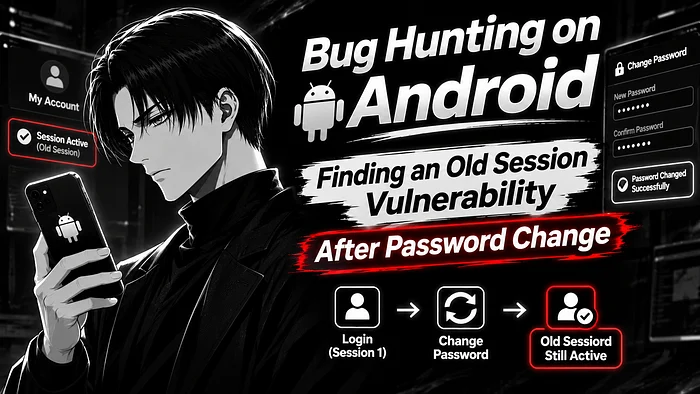
The image is a header illustration credited to ChatGPT; it carries no technical content.
Root cause
The report does not examine the application's code or describe how sessions are stored. The implied cause is that the password-change operation does not invalidate sessions that already exist, so a session created before the change continues to be accepted afterwards. The report does not say whether session identifiers are rotated, whether a server-side session store is used, or which defence failed; any statement about the mechanism would be speculation.
Impact
The impact depends heavily on the application's functionality and threat model, as the report stresses. The scenario given is an attacker who obtains a victim's active session through another security issue. The victim notices suspicious activity and changes the password. If the application does not invalidate the attacker's existing session, the attacker may potentially continue accessing the account: the password has changed, but the old authenticated session remains usable. This can make the password change less effective as an account-recovery or security-response mechanism.
Fix
The behaviour it describes implies that a password change should invalidate existing sessions, particularly those created before the change, so that a previously obtained session stops granting access. The report does not go into how that invalidation should be implemented.
Variants to test
In each case, keep a second browser context logged in before the action, perform the action in the first, then refresh the second and see whether it is still authenticated.
- Password change: the case described here. A positive result is the second context still logged in after a refresh.
In every variant, test only with accounts you are authorised to use, within the scope of a legal program or lab.
What happened, in plain words
When you log in to a website, the site needs a way to remember that you are you on every following page. It does this with a session: a small piece of information the site gives your browser after a successful login, which your browser sends back with every request. As long as that piece of information is accepted, you stay logged in.
The question this write-up asks is simple: what happens to that remembered login when you change your password? Most people assume that changing the password kicks out every device that was logged in before, including a device an attacker might be using. The author tested whether that actually happens, using only an Android phone and its browser, with no computer, no special tools and no scripts.
The method is to log in twice with the same account in two separate browser windows, change the password in one of them, then refresh the other. If the second window is still logged in after the refresh, the old session survived the password change. The author treats that as a bug, because it means a password change does not necessarily remove someone else's access to the account.
The report does not name the target site, the bug bounty program, or any specific web address, parameter or header. It describes the idea and the steps, not a particular request and response. Everything below follows that order: the concept, the setup, the steps, the result, why it matters, and what else you can test the same way.
The feature being tested: sessions
A session is how a website keeps you logged in after you type your username and password once. Think of a cloakroom: you hand in your coat, you get a numbered ticket, and every time you come back you show the ticket instead of proving again that the coat is yours. The ticket is the session. The website gives it to your browser at login, your browser stores it (usually in a cookie, a small file the site asks the browser to keep and to send back on later visits), and the site accepts the ticket on each request instead of asking for your password again.
The report draws the normal flow like this:
Login ↓Server creates session ↓Browser stores session cookie ↓User remains authenticated
Line by line:
Loginis you submitting your username and password once.Server creates sessionmeans the website's computer (the server) makes a new session record and gives it an identifier, the ticket number.Browser stores session cookiemeans your browser saves that identifier and will send it automatically with your next requests to the same site.User remains authenticatedmeans the site recognises the ticket and treats you as logged in, without asking for the password again.
Now the important part. When you change your password, the site should throw away the old tickets, especially the ones handed out before the change. If an old ticket still opens the account after the password has been changed, the site has a problem with session invalidation: it is not cancelling sessions when it should.
Why this matters
Imagine someone else has got hold of your ticket, for example because of some other security flaw on the site. You notice something odd, so you change your password, believing the account is safe again. If the stolen ticket is still accepted, changing the password alone has not removed the attacker's access. The password is new, but the old session still works.
That is why cancelling old sessions is part of keeping an account secure. A password change is often the first thing a person does when they think an account is compromised, so it needs to actually end the other sessions.
Setting up the test
The requirements are minimal:
- An account on the target site that you are allowed to test with. Only test inside the scope of a legal bug bounty program or a security lab.
- An Android phone with a browser. The author says a browser was used to find the bug and that no PC is needed.
- Two separate browser contexts logged in with the same account. The report suggests Chrome and Firefox, and notes that incognito mode works as well.
No tool versions, extensions, proxies or scripts are mentioned. A browser context here just means a separate place where the browser keeps its cookies. A normal window and an incognito window are separate contexts: they do not share cookies, so each can hold its own session for the same account. That separation is the whole trick, because it lets you keep one old session alive while you change the password in the other.
The basic idea is a loop:
Account Login ↓Change password ↓Check old session ↓Does it still work?
Line by line:
Account Loginis logging in with your test account.Change passwordis performing the password change in one of the two contexts.Check old sessionis going back to the other context, which still holds a session created before the change.Does it still work?is the question the whole test answers: is that old session still accepted?
Step by step
Step 1: Create an account on the target site
You need an account before anything else, because the test is about what happens to a logged-in account. Keep the testing inside the scope of a legal bug bounty program or security lab. This step exists because every later step depends on having credentials you are authorised to use.
Step 2: Log in from two browsers with the same account
Log in with the same account in two separate browser contexts, for example Chrome and Firefox, or a normal window and an incognito window. Both contexts now hold a session created before the password change. Keeping them separate is what allows you to observe the old session after the change: if both windows shared the same cookies, changing the password in one would affect the other and you could not tell what happened to the old session.
Step 3: Change the password in one browser, then refresh the other
Change the password in Chrome. After a successful password change, refresh the logged-in account in Firefox or the incognito window. The refresh is the test itself: it makes the browser send a fresh request using the old session, and the response shows whether the site still accepts that session. Without a refresh you would be looking at a page that was loaded before the change, which proves nothing.
Step 4: Interpret the result
If the second browser is still logged in after the refresh, the old session survived the password change, and the author treats that as a bug. The expected and observed states are summarised like this:
Before password change:

Old session → ValidPassword changed:Old session → Should normally be invalidatedAfter password change:Old session → Still validThis behavior may indicate improper session invalidation.
Line by line:
Before password change:introduces the starting state.Old session → Validmeans the session works before the change, which is normal.Password changed:marks the moment of the change.Old session → Should normally be invalidatedmeans the site ought to cancel that session at this point.After password change:introduces the state you are checking.Old session → Still validis the observed result: the session still works.This behavior may indicate improper session invalidation.is the conclusion: the site is not cancelling sessions the way it should.
The image is a header illustration credited to ChatGPT. It carries no technical content.
What is behind it
The report does not examine the site's code or describe how sessions are stored. The implied cause is that the password-change operation does not cancel sessions that already exist, so a session created before the change keeps being accepted afterwards. The report does not say whether session identifiers are replaced, whether sessions are kept on the server, or which protection failed. Any statement about the exact mechanism would be guesswork.
Impact
The impact depends heavily on what the application does and on its threat model, as the report stresses. A threat model is simply a description of who might attack the system and what they could gain. The scenario given is an attacker who obtains a victim's active session through another security issue. The victim notices suspicious activity and changes the password. If the application does not cancel the attacker's existing session, the attacker may potentially keep accessing the account: the password has changed, but the old logged-in session remains usable. That can make the password change less effective as a way to recover an account or respond to a security problem.
CVSS is a standard scoring system for rating how serious a vulnerability is.
Fix
The behaviour it describes implies that a password change should cancel existing sessions, particularly those created before the change, so that a previously obtained session stops granting access. The report does not go into how that cancellation should be implemented.
Other things to test the same way
In each case, keep a second browser context logged in before the action, perform the action in the first, then refresh the second and see whether it is still logged in.
- Password change: the case described here. A positive result is the second context still logged in after a refresh.
In every variant, test only with accounts you are authorised to use, within the scope of a legal program or lab.
Glossary
- Session: a record a website keeps after you log in so it can recognise you on later requests without asking for your password again.
- Cookie: a small piece of data a website asks your browser to store and to send back with later requests to that site; often used to hold the session identifier.
- Session identifier: the value that names a particular session, like the number on a cloakroom ticket.
- Session invalidation: cancelling a session so it is no longer accepted, for example after a password change or a logout.
- Authenticated: recognised by the site as a logged-in user.
- Server: the computer that runs the website and answers your browser's requests.
- Browser context: a separate space in which a browser keeps its cookies; a normal window and an incognito window are separate contexts.
- Incognito mode: a private browsing window that does not share cookies with your normal windows.
- Refresh: reloading a page, which makes the browser send a new request to the site.
- Bug bounty program: a scheme in which an organisation authorises and often rewards people for reporting security problems in its systems.
- Scope: the set of systems and actions a program allows you to test.
- Security lab: a controlled environment set up for practising security testing.
- Threat model: a description of who might attack a system and what they could gain.
- Impact: the harm that could result from a vulnerability.
- Severity: how serious a vulnerability is judged to be.
- CVSS: a standard scoring system for rating the severity of vulnerabilities.
- Bounty: a reward, often money, paid for a valid security report.
- Multi-factor authentication: logging in with more than one kind of proof, such as a password plus a code from a phone.
- Vulnerability: a weakness in a system that could be used to cause harm.
- Endpoint: a specific address on a website that accepts requests, such as a login or password-change page.
- Parameter: a named value sent with a request, for example a field in a form.
- Header: extra information sent along with a web request or response, such as details about the browser or the content.
- Proxy: a tool that sits between your browser and the site and can record or change the traffic; the report mentions none.



