Case Study: Phishing to Full Endpoint Compromise & Persistence
A phishing email with an executable attachment led to a finance employee's workstation being compromised. The attacker used encoded PowerShell, process injection, browser credential theft, command-and-control communication, and two scheduled tasks for persistence at user and SYSTEM levels.
 Published on medium.com
Recently i learned and solve this case study of Phishing to Full Endpoint Compromise in an pracrice:
The full write-up lives on its author's site
It belongs to its author, so we link to it rather than copy it. The other two tabs are our own rewrites, checked against it.
Context
This is a case study of a phishing incident that escalated into a full endpoint compromise on a single Windows workstation. The affected machine was WS-ACCT-07, assigned to a finance employee identified as jdoe. The investigation was carried out as a practice exercise, and the telemetry came from several sources: Proofpoint Email Security for the mail side, Sysmon on the endpoint, EDR for process injection, and firewall telemetry for outbound connections. All eight alerts raised during the incident were confirmed as true positives.
The point of the case is not a single vulnerability. It is the sequence: a malicious attachment, an encoded PowerShell command, process injection, browser credential access, command and control (C2) traffic, and two scheduled tasks, one in the user context and one as SYSTEM. Each event on its own is ambiguous; together they describe an attack chain.
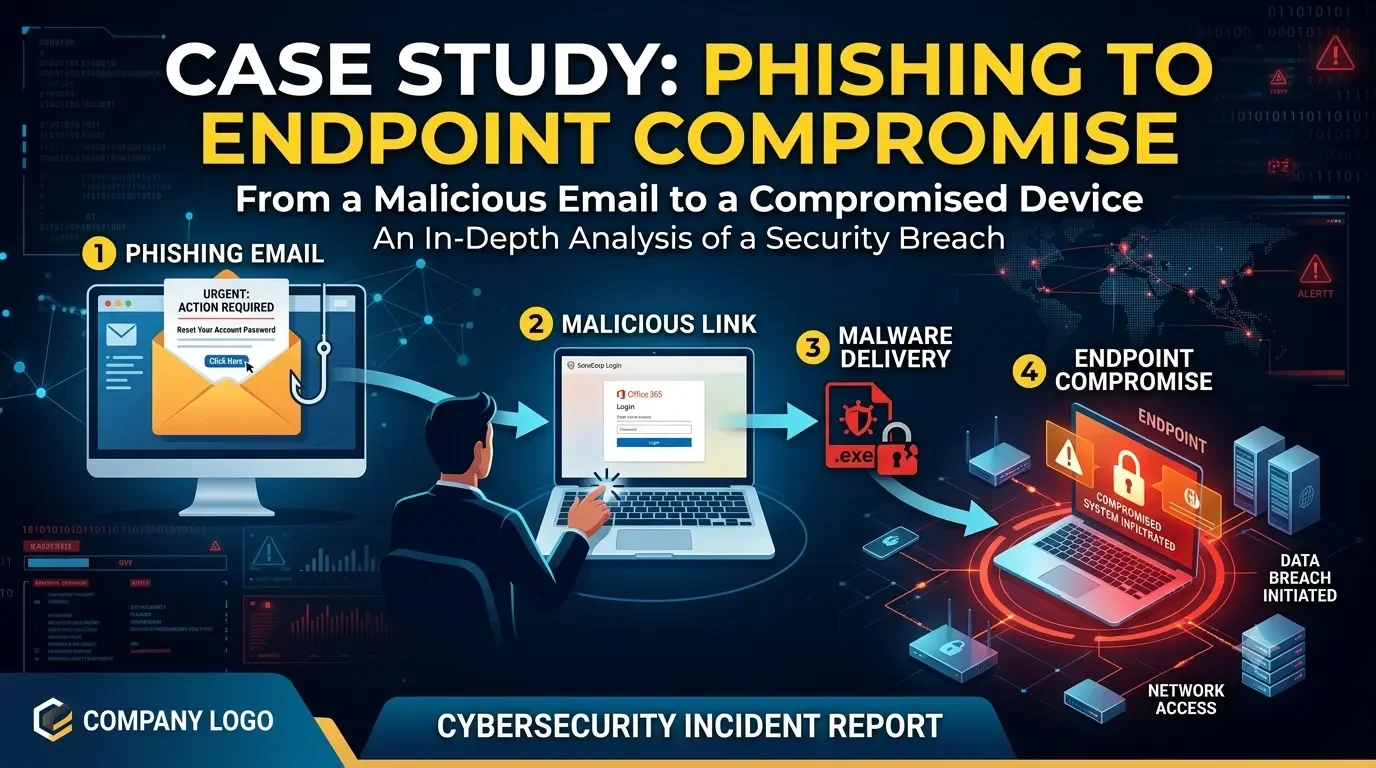
Setup
The case study describes a realistic attack chain investigated in a practice environment. The telemetry sources referenced are:
- Proofpoint Email Security, which flagged the inbound message.
- Sysmon, which recorded file creation and process activity on the endpoint.
- Windows PowerShell telemetry, which recorded the encoded command.
- EDR, which raised the process injection alert.
- Firewall telemetry, which recorded the outbound HTTPS connections.
The endpoint was WS-ACCT-07, used by the finance user jdoe. The report does not give operating system versions, EDR product names, or the contents of the attachment.
Finding it
The investigation began with an email alert, but the reasoning that drove it was about correlation. A suspicious attachment does not by itself prove a compromise, so the question was what happened after the email reached the user. That question moved the investigation from the mailbox to the endpoint, and from there the events were placed on a timeline.
The individual observations were all things that can be legitimate: a browser writing a file to a Downloads folder, PowerShell running, an HTTPS connection to an external address, a scheduled task being created. What made them suspicious was their order and their proximity in time, immediately after a malicious email was delivered.
Exploitation
Step 1: Phishing email with an executable attachment
At 09:05:41, Proofpoint Email Security flagged an inbound email containing an executable attachment sent to the finance user's mailbox. This was the initial warning only. The report is explicit that a suspicious attachment does not automatically mean a compromise occurred, so the next step was to follow the delivery to the endpoint.
Step 2: Payload written to the Downloads folder
At 09:14:23, Sysmon telemetry showed the browser writing a newly downloaded file into:
C:\Users\jdoe\Downloads
This was the correlation point between the mail alert and the endpoint: the email alert showed delivery, and the endpoint telemetry showed the payload reaching the workstation. The attack had moved from the inbox to the endpoint. The report does not give the file name or hash.
Step 3: Dropper executed and encoded PowerShell run
At 09:16:52, Windows PowerShell generated telemetry showing execution of a Base64-encoded command. The report does not reproduce the command itself.
The reasoning here is worth stating carefully, because Base64 is not malicious on its own. It is an encoding method used widely for legitimate purposes. What changed the interpretation was the context: encoded PowerShell appeared immediately after a suspicious attachment was executed. The question was not whether Base64 was used, but why Base64-encoded PowerShell ran at that exact point in the attack. The sequence strongly connected the PowerShell execution to the malicious payload, and the encoding was an attempt to make the command harder to read and potentially harder for basic monitoring to interpret.
Step 4: Process injection
At 09:22:15, the EDR generated an alert for process injection. This was a major escalation. Process injection places malicious code or execution into another process, and attackers abuse legitimate processes to make malicious activity harder to identify. A single process injection alert deserves investigation; process injection shortly after a phishing email, a downloaded executable and encoded PowerShell is much more suspicious. The events were no longer isolated but were forming a timeline.
Step 5: Browser credential access
At 09:23:08, telemetry showed activity targeting credentials stored by the user's browser. This is where the potential impact expanded significantly: the attacker was not simply executing malware but attempting to obtain credentials. Browser-stored credentials can include login information for websites and services the employee uses, and for a finance employee the account may interact with sensitive business systems. At this stage the workstation should no longer be treated as simply infected; the credentials associated with the endpoint should be treated as potentially compromised.
Step 6: Command and control traffic
At 09:35:12, firewall telemetry showed repeated HTTPS connections from WS-ACCT-07 to:
[redacted]
The repeated outbound connections were consistent with C2 activity. This was a critical correlation point: the endpoint had received a suspicious attachment, the payload executed PowerShell, process injection occurred, credential access followed, and now the workstation was repeatedly communicating with an external destination.
The report uses this to make a point about investigating alerts individually. Looking only at the firewall event would have shown an unusual outbound connection. Looking only at the PowerShell alert would have shown an encoded command. Looking only at the phishing alert might have led to the conclusion that the email was blocked. Placed on a timeline, the story became clear: the attacker had established communication with the compromised endpoint.
Step 7: Persistence at two privilege levels
At 11:10:23, telemetry showed a scheduled task being created under the jdoe user context. Two minutes later, at 11:12:30, another scheduled task was registered under the SYSTEM context. The attacker had established persistence at two privilege levels: the first task provided persistence within the user's context, and the second was more serious because it operated under SYSTEM privileges.
The purpose of persistence is to keep access beyond the initial compromise, so that a reboot does not necessarily end the attack.
The complete chain
Once the events were connected, the attack could be summarised as:
Phishing email
↓
Malicious attachment
↓
Payload downloaded
↓
Payload execution
↓
Encoded PowerShell
↓
Process injection
↓
Credential theft
↓
C2 communication
↓
User-level persistence
↓
SYSTEM-level persistence
This was no longer just a phishing incident but a full endpoint compromise.
Root cause
The root cause is a chain of behaviours that individually evade simple detection and only become clear when correlated:
- An executable attachment reached a finance user's mailbox.
- The downloaded file was opened.
- PowerShell was used with Base64 encoding to obscure the command.
- Code was injected into another process to blend in with legitimate activity.
- Browser-stored credentials were targeted.
- Repeated outbound HTTPS connections were consistent with C2 activity.
- Scheduled tasks were created at user and SYSTEM level to survive reboots.
The report frames the defensive gap as one of visibility and correlation rather than a single missing control. It notes that PowerShell execution, external HTTPS connections, scheduled tasks and browser downloads are all normal on their own, and that the interpretation changes only when they occur in a particular sequence after a malicious email.
Impact
Under the conditions described, the attacker obtained:
- Execution on the finance user's workstation.
- Concealed execution through encoded PowerShell and process injection.
- Potential access to credentials stored in the user's browser, which for a finance employee could include access to sensitive business systems.
- Repeated outbound HTTPS connections consistent with C2 activity.
- Persistence in the user context and at SYSTEM level.
The report treats the credentials associated with the endpoint as potentially compromised and notes that SYSTEM-level persistence makes simple cleanup unsafe. It does not quantify what data was accessed or whether the stolen credentials were used.
Fix
The report describes the response it would take and the improvements it would make.
Response, in order of priority once the endpoint was confirmed compromised:
- Host isolation: disconnect
WS-ACCT-07from the network to stop ongoing C2 communication and reduce the possibility of lateral movement. - Credential protection: reset the
jdoeaccount credentials and revoke active SSO and cloud sessions. - Block the identified C2 indicator across relevant security controls.
- Because SYSTEM-level persistence had been established, do not simply delete the scheduled task and return the machine to the user. Collect the necessary forensic evidence and re-image the workstation from a trusted baseline, to remove the possibility of hidden persistence or additional modifications that were not immediately visible.
Improvements:
- Email security: stricter inspection of executable attachments and suspicious archives, particularly for high-risk departments such as finance.
- PowerShell monitoring: enable PowerShell Script Block Logging and appropriate security controls across endpoints. The objective is not to block PowerShell, which is widely used legitimately, but to make suspicious PowerShell activity visible and investigateable.
- Credential protection: reconsider allowing browsers to store sensitive credentials on corporate endpoints; enterprise password managers, strong authentication and MFA can significantly reduce the impact of stolen passwords.
- Endpoint detection: behavioural detection across the sequence of execution, obfuscation, injection, credential access, network communication and persistence, so that defenders can connect the dots.
Mapping to MITRE ATT&CK, as the report does:
| Stage | ATT&CK area |
|---|---|
| Phishing email | Initial Access |
| PowerShell | Command and Scripting Interpreter |
| Process injection and obfuscation | Defence Evasion |
| Browser credential theft | Credential Access |
| External network communication | Command and Control |
| Scheduled tasks | Persistence |
Variants to test
Each is a detection or investigation exercise on a comparable endpoint.
- Encoded PowerShell after a download. Run a Base64-encoded PowerShell command shortly after a file lands in a user's Downloads folder. A positive result is PowerShell telemetry showing the encoded command with a parent or timing link to the download, which is the correlation the report relies on.
- Process injection into a legitimate process. Inject code into a common process and check whether the EDR raises an alert that can be tied to the preceding execution events. A positive result is an injection alert whose timeline sits between the initial execution and later credential or network activity.
- Browser credential access. Attempt to read credentials stored by the browser and check whether telemetry records the access. A positive result is an alert on browser credential storage access from a process that is not the browser itself.
- Outbound HTTPS to an external address. Generate repeated HTTPS connections from a test workstation to an external destination and check whether firewall telemetry records them in a way that can be correlated with endpoint events. A positive result is repeated connections that line up with the earlier stages on the timeline.
- User-context scheduled task. Create a scheduled task under a normal user account and confirm it is logged. A positive result is task creation telemetry attributed to the correct user context.
- SYSTEM-context scheduled task. Register a scheduled task under SYSTEM and confirm it is logged separately. A positive result is a second task creation event at a higher privilege level, which is the escalation the report highlights.
- Timeline reconstruction. Take all of the above events from one exercise and rebuild the chain in order. A positive result is a single narrative from phishing delivery to persistence, which is the analytical outcome the report describes as the main lesson.
The report's closing point is that the phishing email, the PowerShell alert, the process injection alert, the C2 connection and the scheduled task were not each the incident on their own; together they were the incident. The questions it lists for that reconstruction are: who was targeted, how did the attacker get in, what executed, what changed, what did the attacker access, did they communicate externally, did they establish persistence, and what needs to be done now to contain the incident and prevent it from happening again.
What happened, in plain words
This is the story of one ordinary-looking email that turned into a serious security incident on a single Windows computer. The computer was called WS-ACCT-07, and it belonged to a finance employee known in the logs as jdoe. Over a little more than two hours, an email with a dangerous attachment led to malicious software running on the machine, the attacker hiding inside normal programs, an attempt to steal saved passwords, the machine quietly talking to an outside server, and finally two mechanisms that would let the attacker come back even after a restart.
A few words before we start, because they come up constantly:
- Telemetry is the automatic record that computers and security tools keep of what happens on them. Think of it as a security camera log for a building: it does not stop a burglar, but it tells you afterwards who walked where and when.
- An alert is a warning raised by a security tool when it sees something that looks wrong. Like a smoke detector going off: it does not prove there is a fire, but someone should check.
- An endpoint is any device at the edge of a network that a person actually uses: a laptop, a desktop, a phone. Here it means the finance employee's PC.
- A true positive means an alert that turned out to be correct: something really bad was happening. The opposite, a false positive, is an alert that turned out to be harmless.
All eight alerts raised during this incident were confirmed as true positives. That is unusual and important: nothing here was noise.
The investigation was done as a practice exercise, using records from several tools: Proofpoint Email Security for the email side, Sysmon on the computer itself, an EDR product for the process injection alert, and firewall records for the outbound connections. The report does not name the EDR product, the operating system version, or the contents of the attachment.
The point of the case is not one broken piece of software. It is the sequence. Each event, looked at alone, could be perfectly normal. Together, in this order, they describe an attack.
The setup: who and what we are watching
The case study describes a realistic attack chain investigated in a practice environment. The sources of evidence were:
- Proofpoint Email Security: a product that inspects incoming email before it reaches a person's inbox, like a mailroom that opens and checks parcels before delivering them. It flagged the inbound message.
- Sysmon: a Sysinternals tool that records detailed activity on a Windows computer, such as programs starting and files being created. It recorded the file creation and process activity on the endpoint.
- Windows PowerShell telemetry: PowerShell is a tool built into Windows that lets you run commands and small programs, and it can be told to keep a record of what it ran. That record captured the encoded command.
- EDR: Endpoint Detection and Response, security software installed on the computer itself that watches behaviour and can raise alerts. It raised the process injection alert.
- Firewall telemetry: a firewall is the gatekeeper between a computer or network and the internet; it can log which connections were made and to where. It recorded the outbound HTTPS connections.
The endpoint was WS-ACCT-07, used by the finance user jdoe. The report does not give operating system versions, EDR product names, or the contents of the attachment.
Finding it: why one alert is not enough
The investigation began with an email alert, but the reasoning that drove it was about correlation: putting separate pieces of evidence next to each other and seeing whether they fit into one story. A suspicious attachment does not by itself prove a compromise, so the question was what happened after the email reached the user. That question moved the investigation from the mailbox to the computer, and from there the events were placed on a timeline: a single ordered list of what happened and when.
The individual observations were all things that can be legitimate: a browser saving a file into a Downloads folder, PowerShell running, an HTTPS connection to an external address, a scheduled task being created. What made them suspicious was their order and how close together in time they were, immediately after a malicious email was delivered.
Step by step: how the attack unfolded
Step 1: A phishing email with an executable attachment
At 09:05:41, Proofpoint Email Security flagged an inbound email containing an executable attachment sent to the finance user's mailbox.
Phishing is a fake message designed to trick someone into doing something harmful, usually opening an attachment or clicking a link. It is the digital version of a letter that looks like it comes from your bank but does not. An executable attachment is a file that runs as a program when opened, rather than just being read like a picture or a text document. Sending one by email is a classic way to get malicious software onto a machine.
This was the initial warning only. The report is explicit that a suspicious attachment does not automatically mean a compromise occurred: the mail filter may have caught it, or the user may have ignored it. So the next step was to follow the delivery to the endpoint.
Step 2: The payload lands in the Downloads folder
At 09:14:23, Sysmon telemetry showed the browser writing a newly downloaded file into:
C:\Users\jdoe\Downloads
This is a file path. Reading it from left to right: C:\ is the main drive of a Windows computer, Users is the folder holding one folder per person who uses the machine, jdoe is this employee's personal folder, and Downloads is where a browser puts files you download unless you tell it otherwise. So this line simply says: a file arrived in jdoe's downloads.
This was the correlation point between the mail alert and the endpoint. The email alert showed delivery; the endpoint telemetry showed the payload (the harmful part of an attack, the thing that actually does damage) reaching the workstation. The attack had moved from the inbox to the computer. A hash is a short fingerprint calculated from a file's contents, used to identify it precisely.
Step 3: The dropper runs, and PowerShell runs an encoded command
At 09:16:52, Windows PowerShell generated telemetry showing execution of a Base64-encoded command. The report does not reproduce the command itself.
A dropper is a small program whose job is to get the real malicious software onto the machine and start it. Think of a delivery van that drops off a parcel and drives away; the van is not the point, what it delivered is.
PowerShell is a command tool built into Windows. It is used legitimately by administrators every day to automate tasks, which is exactly why attackers like it: it is already there, it is trusted, and it can do almost anything on the machine.
Base64 is a way of writing data using only letters, digits and a couple of symbols, so that it can travel safely through systems that only expect text. It is not encryption and it is not secret: anyone can decode it. It is like writing a message in a different alphabet. Nothing is hidden from someone who knows the alphabet, but a casual reader cannot make sense of it.
The reasoning here is worth stating carefully, because Base64 is not malicious on its own. It is an encoding method used widely for legitimate purposes. What changed the interpretation was the context: encoded PowerShell appeared immediately after a suspicious attachment was executed. The question was not whether Base64 was used, but why Base64-encoded PowerShell ran at that exact point in the attack. The sequence strongly connected the PowerShell execution to the malicious payload, and the encoding was an attempt to make the command harder to read and potentially harder for basic monitoring to interpret.
Step 4: Process injection
At 09:22:15, the EDR generated an alert for process injection. This was a major escalation.
A process is a running program. When you open a browser, the operating system starts a process for it; when you open a text editor, that is another process. Each process has its own memory space, like each flat in a building has its own rooms.
Process injection means placing malicious code or execution into another, already-running process. It is like a burglar who does not break in through the front door but slips into a resident's flat and walks around wearing the resident's coat. The activity now appears to come from a trusted program, so it is harder to spot. Attackers abuse legitimate processes this way to make malicious activity harder to identify.
A single process injection alert deserves investigation. But process injection shortly after a phishing email, a downloaded executable and encoded PowerShell is much more suspicious. The events were no longer isolated but were forming a timeline.
Step 5: Browser credential access
At 09:23:08, telemetry showed activity targeting credentials stored by the user's browser.
Credentials are the username and password (and sometimes other proof) that let you log in somewhere. Browsers often offer to save them for you so you do not have to type them again. That convenience is exactly what an attacker wants: a single file on the computer can hold logins for many websites.
This is where the potential impact expanded significantly: the attacker was not simply executing malware but attempting to obtain credentials. Browser-stored credentials can include login information for websites and services the employee uses, and for a finance employee the account may interact with sensitive business systems. At this stage the workstation should no longer be treated as simply infected; the credentials associated with the endpoint should be treated as potentially compromised.
Step 6: The computer starts talking to an outside server
At 09:35:12, firewall telemetry showed repeated HTTPS connections from WS-ACCT-07 to:
[redacted]
This is an IP address, the numeric address of a computer on a network, the way a street address identifies a building. [redacted] is the address the workstation kept connecting to.
HTTPS is the normal, encrypted way browsers talk to websites. The padlock in your address bar means HTTPS is in use. Because it is encrypted and extremely common, malicious traffic over HTTPS looks much like ordinary browsing from the outside.
C2, short for Command and Control, is the channel an attacker uses to give instructions to malicious software and receive results. It is like a remote control: the infected machine checks in with the attacker's server, asks what to do next, and reports back.
The repeated outbound connections were consistent with C2 activity. This was a critical correlation point: the endpoint had received a suspicious attachment, the payload executed PowerShell, process injection occurred, credential access followed, and now the workstation was repeatedly communicating with an external destination.
The report uses this to make a point about investigating alerts individually. Looking only at the firewall event would have shown an unusual outbound connection. Looking only at the PowerShell alert would have shown an encoded command. Looking only at the phishing alert might have led to the conclusion that the email was blocked. Placed on a timeline, the story became clear: the attacker had established communication with the compromised endpoint.
Step 7: Persistence at two privilege levels
At 11:10:23, telemetry showed a scheduled task being created under the jdoe user context. Two minutes later, at 11:12:30, another scheduled task was registered under the SYSTEM context.
A scheduled task is an instruction Windows carries out automatically at a set time or when a certain event happens, like an alarm you set on your phone. It is a normal feature used for updates and maintenance, and it is also a favourite of attackers, because it means their code runs again by itself.
User context means the task runs with the permissions of that person, jdoe. SYSTEM is a special Windows account with far more power than a normal user; it is the machine's own account, used by the operating system itself. A task running as SYSTEM can do things a normal user cannot.
The attacker had established persistence at two privilege levels: the first task provided persistence within the user's context, and the second was more serious because it operated under SYSTEM privileges. Persistence means arranging for access to survive beyond the initial compromise, so that a reboot does not necessarily end the attack.
The complete chain
Once the events were connected, the attack could be summarised as:
Phishing email
↓
Malicious attachment
↓
Payload downloaded
↓
Payload execution
↓
Encoded PowerShell
↓
Process injection
↓
Credential theft
↓
C2 communication
↓
User-level persistence
↓
SYSTEM-level persistence
Read top to bottom, each arrow means "and then". The email arrived, the attachment came with it, the payload was downloaded, the payload ran, PowerShell ran an encoded command, code was injected into another process, credentials were targeted, the machine talked to the attacker's server, and two scheduled tasks were set up, one as the user and one as SYSTEM. This was no longer just a phishing incident but a full endpoint compromise.
Root cause: what actually went wrong
There is no single bug to patch. The root cause is a chain of behaviours that individually evade simple detection and only become clear when correlated:
- An executable attachment reached a finance user's mailbox.
- The downloaded file was opened.
- PowerShell was used with Base64 encoding to obscure the command.
- Code was injected into another process to blend in with legitimate activity.
- Browser-stored credentials were targeted.
- Repeated outbound HTTPS connections were consistent with C2 activity.
- Scheduled tasks were created at user and SYSTEM level to survive reboots.
The report frames the defensive gap as one of visibility and correlation rather than a single missing control. It notes that PowerShell execution, external HTTPS connections, scheduled tasks and browser downloads are all normal on their own, and that the interpretation changes only when they occur in a particular sequence after a malicious email.
Impact: what the attacker got
Under the conditions described, the attacker obtained:
- Execution on the finance user's workstation: their code was running on the machine.
- Concealed execution through encoded PowerShell and process injection: it was running in a way designed to be hard to see.
- Potential access to credentials stored in the user's browser, which for a finance employee could include access to sensitive business systems.
- Repeated outbound HTTPS connections consistent with C2 activity.
- Persistence in the user context and at SYSTEM level: two ways to come back.
The report treats the credentials associated with the endpoint as potentially compromised and notes that SYSTEM-level persistence makes simple cleanup unsafe. It does not quantify what data was accessed or whether the stolen credentials were used.
Fix: what to do about it
The report describes the response it would take and the improvements it would make.
Response, in order of priority once the endpoint was confirmed compromised:
- Host isolation: disconnect
WS-ACCT-07from the network to stop ongoing C2 communication and reduce the possibility of lateral movement, which means the attacker spreading from this machine to other machines on the same network. It is like closing the door of a room where a fire started so it does not spread down the corridor. - Credential protection: reset the
jdoeaccount credentials and revoke active SSO and cloud sessions. SSO, single sign-on, is the system that lets one login open many services; sessions are the logged-in states that services remember, so revoking them forces everything to log in again with the new password. - Block the identified C2 indicator across relevant security controls. An indicator here is the address the machine was talking to; blocking it cuts the remote control.
- Because SYSTEM-level persistence had been established, do not simply delete the scheduled task and return the machine to the user. Collect the necessary forensic evidence (the records needed to understand what happened) and re-image the workstation from a trusted baseline. Re-imaging means wiping the machine and reinstalling a known-good copy of the system, like replacing a contaminated batch with a fresh one from a sealed source. That removes the possibility of hidden persistence or additional modifications that were not immediately visible.
Improvements:
- Email security: stricter inspection of executable attachments and suspicious archives, particularly for high-risk departments such as finance.
- PowerShell monitoring: enable PowerShell Script Block Logging and appropriate security controls across endpoints. Script Block Logging makes PowerShell write down the commands it runs, so they can be reviewed later. The objective is not to block PowerShell, which is widely used legitimately, but to make suspicious PowerShell activity visible and investigateable.
- Credential protection: reconsider allowing browsers to store sensitive credentials on corporate endpoints; enterprise password managers, strong authentication and MFA can significantly reduce the impact of stolen passwords. MFA, multi-factor authentication, means logging in needs something more than a password, such as a code from your phone, so a stolen password alone is not enough.
- Endpoint detection: behavioural detection across the sequence of execution, obfuscation, injection, credential access, network communication and persistence, so that defenders can connect the dots. Obfuscation is deliberately making something hard to read, as Base64 did here.
Mapping to MITRE ATT&CK, as the report does. MITRE ATT&CK is a public catalogue of attacker techniques, organised by stage of an attack, used as a shared vocabulary:
| Stage | ATT&CK area |
|---|---|
| Phishing email | Initial Access |
| PowerShell | Command and Scripting Interpreter |
| Process injection and obfuscation | Defence Evasion |
| Browser credential theft | Credential Access |
| External network communication | Command and Control |
| Scheduled tasks | Persistence |
Variants to test
Each is a detection or investigation exercise on a comparable endpoint.
- Encoded PowerShell after a download. Run a Base64-encoded PowerShell command shortly after a file lands in a user's Downloads folder. A positive result is PowerShell telemetry showing the encoded command with a parent or timing link to the download, which is the correlation the report relies on.
- Process injection into a legitimate process. Inject code into a common process and check whether the EDR raises an alert that can be tied to the preceding execution events. A positive result is an injection alert whose timeline sits between the initial execution and later credential or network activity.
- Browser credential access. Attempt to read credentials stored by the browser and check whether telemetry records the access. A positive result is an alert on browser credential storage access from a process that is not the browser itself.
- Outbound HTTPS to an external address. Generate repeated HTTPS connections from a test workstation to an external destination and check whether firewall telemetry records them in a way that can be correlated with endpoint events. A positive result is repeated connections that line up with the earlier stages on the timeline.
- User-context scheduled task. Create a scheduled task under a normal user account and confirm it is logged. A positive result is task creation telemetry attributed to the correct user context.
- SYSTEM-context scheduled task. Register a scheduled task under SYSTEM and confirm it is logged separately. A positive result is a second task creation event at a higher privilege level, which is the escalation the report highlights.
- Timeline reconstruction. Take all of the above events from one exercise and rebuild the chain in order. A positive result is a single narrative from phishing delivery to persistence, which is the analytical outcome the report describes as the main lesson.
The report's closing point is that the phishing email, the PowerShell alert, the process injection alert, the C2 connection and the scheduled task were not each the incident on their own; together they were the incident. The questions it lists for that reconstruction are: who was targeted, how did the attacker get in, what executed, what changed, what did the attacker access, did they communicate externally, did they establish persistence, and what needs to be done now to contain the incident and prevent it from happening again.
Glossary
- Alert: a warning raised by a security tool when it sees something that looks wrong.
- Base64: a way of writing data using only letters, digits and a few symbols so it can travel as text; not encryption and not secret.
- Browser-stored credentials: usernames and passwords a browser has saved so you do not have to type them again.
- C2 (Command and Control): the channel an attacker uses to send instructions to malicious software and receive results.
- Correlation: putting separate pieces of evidence next to each other to see whether they form one story.
- Credentials: the username and password (and sometimes other proof) used to log in somewhere.
- Dropper: a small program whose job is to deliver and start the real malicious software.
- EDR (Endpoint Detection and Response): security software on a computer that watches behaviour and can raise alerts.
- Endpoint: a device a person actually uses, such as a laptop, desktop or phone.
- Executable attachment: a file attached to a message that runs as a program when opened.
- False positive: an alert that turned out to be harmless.
- Firewall: the gatekeeper between a computer or network and the internet, which can log connections.
- Forensic evidence: the records collected to understand what happened during an incident.
- Hash: a short fingerprint calculated from a file's contents, used to identify it.
- Host isolation: disconnecting a machine from the network to stop an attack spreading or communicating.
- HTTPS: the normal encrypted way browsers talk to websites.
- Indicator: a piece of evidence, such as an address, that points to an attack.
- IP address: the numeric address of a computer on a network.
- Lateral movement: an attacker spreading from one compromised machine to others on the same network.
- MFA (multi-factor authentication): logging in with something more than a password, such as a code from your phone.
- MITRE ATT&CK: a public catalogue of attacker techniques organised by stage of an attack.
- Obfuscation: deliberately making something hard to read or understand.
- Payload: the harmful part of an attack, the thing that actually does damage.
- Persistence: arranging for an attacker's access to survive reboots and cleanup.
- Phishing: a fake message designed to trick someone into opening an attachment or clicking a link.
- PowerShell: a command tool built into Windows, used legitimately by administrators and by attackers.
- Process: a running program on a computer.
- Process injection: placing malicious code into another, already-running process so it appears to come from a trusted program.
- Proofpoint Email Security: a product that inspects incoming email before it reaches a person's inbox.
- Re-imaging: wiping a machine and reinstalling a known-good copy of the system.
- Scheduled task: an instruction Windows carries out automatically at a set time or event.
- Script Block Logging: a PowerShell feature that records the commands it runs.
- Session: the logged-in state a service remembers for you; revoking it forces you to log in again.
- SSO (single sign-on): a system that lets one login open many services.
- SYSTEM: a special Windows account with more power than a normal user, used by the operating system itself.
- Sysmon: a Microsoft tool that records detailed activity on a Windows computer.
- Telemetry: the automatic record that computers and security tools keep of what happens on them.
- Timeline: a single ordered list of events showing what happened and when.
- True positive: an alert that turned out to be correct.
- User context: running with the permissions of a particular person's account.



