DoS worth $650 ? Interesting right!
The file upload feature accepted an image with extremely large dimensions, causing the server to allocate excessive memory and crash, resulting in an application-level denial of service. An attacker could upload such an image to slow down or take down the service.
 Published on sagarsajeev.medium.com
Hey Guys, my name is Sagar Sajeev. This is my second writeup and I would like to share how I was rewarded with a bounty of $650 for a Pixel flood Attack (which crashed the target server and caused an application level DoS.)
The full write-up lives on its author's site
It belongs to its author, so we link to it rather than copy it. The other two tabs are our own rewrites, checked against it.
Context
This is a write-up about a pixel flood attack that caused an application level denial of service on a private bug bounty program. The author, Sagar Sajeev, calls the target redacted.com because the program name cannot be disclosed. The affected feature is a file upload functionality on the target site: the kind of feature that normally accepts an image from a user and stores or processes it server side.
The weakness class is a pixel flood attack, which the author defines as follows:
A pixel flood attack is when you upload a very large image (image with huge amount of pixels or very large width and height), it allocates the pixels into huge heap of server memory, flooding it and ultimately crashing the server and causing an application level DoS.
The result was a bounty of $650, disclosed on 25 July 2022.
Setup
The author had been hunting on a private program for a while and had reported around 6 valid vulnerabilities there. No specific tooling, versions or account roles are described beyond Burp Suite, which is used to compare response times.
One precondition matters more than any tool: DoS is usually out of scope. The author states plainly that most of the time DoS will be out of scope, that no one wants their website down, and that you should go through the Terms of the program carefully and attempt this only with explicit permission.
Finding it
The starting point is any file upload functionality on the target site. The author's instruction is to locate the file upload functionality in your target site.
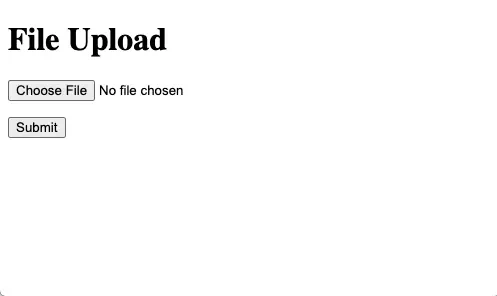
The image above is described in the report as a sample image only.
Exploitation
Step 1: Prepare the payload image
Choose the image you are about to use as the payload with the dimensions or pixels as 64000*64000 (Height, Width). Many such preset images are available online, or you can manually change the pixel ratio of images using various software and online services. A sample of such an image is shown below.
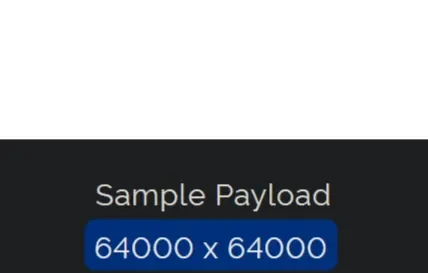
The report notes that this image is only for reference and is not the actual payload image.
Step 2: Upload and observe
Upload the image. Notice if the website starts to slow down in any way or acts sluggish, or whether you get a 503 or any 5XX. As the author puts it, you know what it means.
Step 3: Prove the impact with response times
If the website has very good backend support, it may not slow down to such an extent. To prove the impact in the PoC, the author suggests taking a reference of the response time in Burp before uploading the image and after uploading it: send the request to the Repeater tab and click Go, and the right bottom corner will show a time in ms. High ms means the server is having a hard time.
Root cause
The report does not analyse the server side code. What it implies is that the upload path accepts an image with an enormous pixel count and allocates the pixels into a huge heap of server memory, flooding it and ultimately crashing the server. The report does not say which library or component performed that allocation, nor which defences, if any, were present.
Impact
The impact described is an application level DoS: the author's definition says the server crashes, and during testing you watch for the site slowing down or returning 5XX responses. The author hedges that a site with very good backend support may not slow down to such an extent, which is why the response time comparison in Burp is offered as evidence of impact. The attack requires an upload feature to send the oversized image to, and explicit permission under the program's terms, since DoS is usually out of scope.
Fix
The report does not describe the fix that was applied. It only records that the issue was resolved on 07-07-2022, five days after submission.
Timeline
| Event | Date |
|---|---|
| Submitted | 02-07-2022 |
| Accepted | 03-07-2022 |
| Resolved | 07-07-2022 |
| Bounty rewarded | 08-07-2022 |
Variants to test
- Other upload endpoints. Try the same oversized image on other file upload functionality you find on the target site. A positive result is the site slowing down, acting sluggish, or returning a 503 or any 5XX after the upload.
- Response time comparison. Send the upload request to Burp Repeater and compare the time in ms before and after uploading the image. A large increase in ms is a positive signal that the server is struggling.
- Different dimensions. The report uses 64000*64000 (Height, Width); other preset images or manually adjusted pixel ratios can be tried.
Before attempting any of these, check the program's terms: DoS is usually out of scope, and the author is explicit that this should only be attempted with explicit permission.
What happened, in plain words
A security researcher named Sagar Sajeev found a way to make a website crash by uploading a single image. The image was not malicious in the usual sense: it was simply enormous, with a huge number of pixels (the tiny dots that make up a picture). The idea is that when the website tries to process it, the server allocates a huge amount of memory for the pixels, floods it and crashes. That kind of attack is called a pixel flood attack, and the result is a denial of service (DoS): the site becomes unavailable to normal users.
The researcher was testing a private bug bounty program, which is a scheme where companies invite selected researchers to look for security problems in their systems and pay them for valid findings. Because the program's name cannot be made public, the researcher calls the target redacted.com. The feature involved was a file upload: the part of a website that lets you send a picture (for example, a profile photo) from your computer to the site, which then stores or processes it.
The finding earned a bounty of $650 and was disclosed on 25 July 2022.
Before you try anything: permission
Most bug bounty programs explicitly exclude DoS attacks from their scope. Scope is the list of systems and types of testing a program allows. No company wants its website taken down, even briefly, so a crash can hurt real users and break the rules of the program.
The author is direct about this: go through the terms of the program carefully, and attempt this only if you have explicit permission. He also says he is not responsible for your actions in any way. Treat that as the first and most important step, before any of the technical work below.
Finding the vulnerable feature
The starting point is any place on the target site where you can upload a file. The author's instruction is simple:
Locate the file upload functionality in your target site.
The image above is described in the report as a sample image only. The point is not the specific site but the kind of feature: a form with a button that lets you choose a file from your computer and send it to the server.
Why start here? Because the attack depends on the server accepting an image and then doing work with it. If there is no upload feature, there is nothing to send the oversized image to.
Preparing the payload
A payload is the input you send to a system to trigger the behaviour you are testing. Here the payload is an image file with an extreme size in pixels.
The author's instruction is to choose an image with dimensions of 64000*64000 (Height, Width). The report gives the dimensions as 64000*64000 (Height, Width).
Many such preset images are available online, or you can change the pixel ratio of an image yourself using various software and online services. A sample is shown below.
The report notes that this image is only for reference and is not the actual payload image.
Why does the size matter? When a server receives an image, it often has to unpack it into memory to read its dimensions, resize it, or check it. Each pixel takes up a small amount of memory, and a huge number of pixels adds up to a huge amount of memory. Think of it like a delivery van: a normal parcel fits easily, but if someone sends a parcel the size of a house, the loading bay fills up and nothing else can get in.
Uploading and watching what happens
Upload the image. Then watch the site. Does it start to slow down or act sluggish? Do you get a 503 or any 5XX response?
A 5XX is a family of HTTP status codes, the short numbers a web server sends back to your browser to say how a request went. Codes starting with 5 mean the server itself had a problem. A 503 specifically means the service is unavailable. If you see one of these after your upload, the server is struggling, which is exactly the signal the author is looking for.
Why observe rather than assume? Because not every server will fall over. The author adds a bonus tip for exactly this case.
Proving the impact with response times
If the website has very good backend support, it may not slow down to such an extent. The backend is the part of the system you never see: the server and its software that do the actual work. A well built backend may absorb the oversized image without crashing.
To prove the impact in a PoC (proof of concept, a small demonstration that the problem is real), the author suggests comparing the response time before and after the upload. The tool used is Burp Suite, a program security testers use to intercept and replay web requests. The method:
- Send the request to the Repeater tab. Repeater is a part of Burp that lets you send the same request again and again and look at the reply.
- Click Go to send it.
- Look at the right bottom corner, which shows a time in milliseconds (ms).
The author's rule of thumb: high ms means the server is having a hard time. A response that normally takes a fraction of a second but now takes many seconds is evidence that the server is spending its resources on your image.
Why is this useful? Because a crash is not the only proof. Even if the site stays up, a large jump in response time shows the server is being pushed, and that is something you can put in a report.
Why it works
The report does not analyse the server side code, so we do not know which library or component handled the image, or what defences, if any, were in place. What the author's definition implies is that the upload path accepts an image with an enormous pixel count and allocates the pixels into a huge heap of server memory, flooding it and ultimately crashing the server.
A safer design would check the dimensions first and reject anything too large, the way a bouncer checks the guest list before letting people in rather than after the room is full.
Impact
The impact described is an application level DoS: the author's definition says the server crashes, and during testing you watch for the site slowing down or returning 5XX responses. The author is careful to note that a site with very good backend support may not slow down to such an extent, which is why the response time comparison is offered as evidence.
The attack needs two things: an upload feature to send the oversized image to, and explicit permission under the program's terms, since DoS is usually out of scope.
Fix
The report does not describe the fix that was applied. It only records that the issue was resolved on 07-07-2022, five days after submission.
Timeline
| Event | Date |
|---|---|
| Submitted | 02-07-2022 |
| Accepted | 03-07-2022 |
| Resolved | 07-07-2022 |
| Bounty rewarded | 08-07-2022 |
Variants to test
- Other upload endpoints. An endpoint is a specific address on a site that does a particular job. Try the same oversized image on other file upload functionality you find on the target site. A positive result is the site slowing down, acting sluggish, or returning a 503 or any 5XX after the upload.
- Response time comparison. Send the upload request to Burp Repeater and compare the time in ms before and after uploading the image. A large increase in ms is a positive signal that the server is struggling.
- Different dimensions. The report uses 64000*64000 (Height, Width); other preset images or manually adjusted pixel ratios can be tried.
Before attempting any of these, check the program's terms: DoS is usually out of scope, and the author is explicit that this should only be attempted with explicit permission.
Glossary
- Pixel flood attack: an attack where a very large image, with a huge number of pixels or very large width and height, is uploaded so that the server allocates a huge amount of memory for the pixels, floods it and crashes.
- Denial of service (DoS): an attack that makes a service unavailable to normal users, for example by crashing it or making it too slow to respond.
- Application level DoS: a denial of service caused by the behaviour of the application itself, rather than by flooding the network with traffic.
- Bug bounty program: a scheme where an organisation invites researchers to find security problems in its systems and pays for valid findings.
- Private program: a bug bounty program open only to selected researchers, whose details are not public.
- Scope: the list of systems and types of testing a program allows.
- File upload functionality: the part of a website that lets a user send a file from their computer to the server, which then stores or processes it.
- Payload: the input sent to a system to trigger the behaviour being tested.
- Pixel: one of the tiny dots that make up a digital image; width times height gives the total number of pixels.
- Pixel ratio / dimensions: the width and height of an image in pixels.
- Server: the computer and software that store a website and respond to requests from browsers.
- Backend: the part of a system users do not see, where the server and its software do the actual work.
- Memory / heap: the working space a program uses while running; the heap is the area where it stores data such as image pixels.
- HTTP status code: a short number a web server returns with each response to say how the request went.
- 5XX: the family of HTTP status codes starting with 5, meaning the server itself had a problem.
- 503: an HTTP status code meaning the service is unavailable.
- Response time: how long a server takes to answer a request, often measured in milliseconds (ms).
- Millisecond (ms): one thousandth of a second.
- Burp Suite: a tool security testers use to intercept, inspect and replay web requests.
- Repeater: the part of Burp Suite that lets you send the same request repeatedly and inspect the reply.
- PoC (proof of concept): a small demonstration that a security problem is real.
- Endpoint: a specific address on a site that performs a particular function, such as an upload form.
- Bounty: the payment a program gives a researcher for a valid finding.


