Escalating SSTI to Reflected XSS using curly braces {}
The signup form did not filter curly braces, allowing a template injection payload that executed as self-XSS. The attacker then used the same payload as a project name, and when an authenticated user opened the shared project link, the XSS executed, turning it into reflected XSS.
 Published on sagarsajeev.medium.com
Hello everyone! My name is Sagar Sajeev and this is my writeup explaining how I was able to escalate a Server Side Template Injection (P4) to a much more severe XSS.
The full write-up lives on its author's site
It belongs to its author, so we link to it rather than copy it. The other two tabs are our own rewrites, checked against it.
Context
This write-up describes how a Server Side Template Injection (SSTI) rated P4 was escalated into a reflected XSS. The target is referred to only as redacted.com; the report does not name the product or the program. The relevant feature is a hidden sign-up page, plus a project section where users can create projects (described as folders for storing files) and share them with other authenticated users through a link.
The author recommends understanding SSTI before reading: it is a way to inject a payload into the template engine, which then gets executed on the server side. A separate write-up on SSTI is linked from the report.
Setup
The report does not describe any special accounts, roles or tool versions beyond the following:
- A sign-up page that was kept hidden, at a URL of the form:
https://www.redacted.com/engine/signup/create.php
- Burp, used to intercept the sign-up request and insert a URL-encoded payload, because the direct payload was not going through for some reason.
- The project feature, where the project admin can share a project with other authenticated users. Only authenticated users can view a shared project, so the application forces a login before the shared project is shown.
Finding it
After trying to find an endpoint vulnerable to XSS, the author came to the hidden sign-up page, which looked interesting. XSS payloads sent there were filtered. The author then tried adding curly braces {} to the first name, last name and address fields. None of the three fields carried out any specific filtering for curly braces.
The payload tried was:
{{ <svg/onload=prompt("XSS")> }}
The entities are URL-encoded. Decoded, the payload looks like:
{{ <svg/onload=prompt(“XSS”)> }}
The direct payload was not going through for some reason, so the request had to be intercepted with Burp and the encoded payload added there. XSS fired, but at that point it was only self-XSS.
Exploitation
Step 1: Move the payload into a project name
The site had a section where you could create projects, which the author describes as folders for storing files. The project admin can share a project with other authenticated users, and the project must be given a name and is shared using a link. The author named the project with the payload, so the file name became:
{{ <svg/onload=prompt("XSS")> }}
There were no file name restrictions, so the project could be named in any way.
Step 2: Share the project link
The share project link was copied and sent to other authenticated users. Because only authenticated users can view the project, the application forces the user to log in before the shared project can be seen.
Step 3: The victim opens the link
When an authenticated user clicks the link, the XSS pop-up appears.
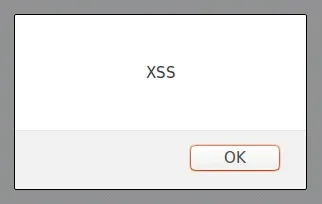
The image accompanies the point where the XSS pop-up appears for the authenticated user who opens the shared link.
Root cause
The sign-up fields did not filter curly braces, which allowed the SSTI payload to reach the template engine. The project name field likewise had no restrictions, so the same payload could be stored as a project name and rendered when the shared project was viewed.
Impact
The author classifies the chain as SSTI to self-XSS to reflected XSS, noting that the exact classification differs according to the attack scenario. The impact is limited by the requirement that the victim be authenticated and click the shared link. The author notes that this could be escalated further: an attacker could create a project and share its link on social media, and if an authenticated user randomly clicks the link, XSS could be triggered.
Fix
Based on the described behaviour, the sign-up fields and the project name field should reject or neutralise template syntax such as curly braces, and project names should be escaped when rendered.
Variants to test
- Try
{}in every text field of a form, including hidden or less obvious ones such as first name, last name and address. A positive result is that the braces are accepted without filtering. - Try the encoded payload through an intercepting proxy when the direct payload is blocked. A positive result is that the payload is accepted and the template engine evaluates it.
- Try storing the payload in object names that are later rendered to other users, such as project or file names. A positive result is that the payload fires when another authenticated user views the shared object.
- Test whether the shared link requires authentication before rendering. A positive result is that an authenticated victim who clicks the link triggers the payload.
Timeline
| Event | Date |
|---|---|
| Submitted | 18-09-2022 |
| Accepted | 19-09-2022 |
| Rewarded with Amazon gift card | 22-09-2022 |
What happened, in plain words
A security researcher found a small weakness in a website's sign-up form. The form let him type special characters called curly braces ({ and }) into the first name, last name and address boxes. Those braces are meaningful to a piece of software on the server called a template engine, which builds the web pages you see. By putting a small piece of code between the braces, he could make the server run that code. This kind of bug is called Server Side Template Injection, or SSTI.
On its own, that was not very dangerous: the code only ran in his own browser session, which is called self-XSS. So he looked for somewhere else to put the same text where another person would see it. The site had a feature for creating projects (think of a project as a folder that holds files), and a project could be shared with other logged-in users through a link. The project name accepted the same braces with no checks. He named a project with the payload, shared the link, and when a logged-in user opened it, the code ran in that user's browser: a pop-up appeared. That is cross-site scripting, or XSS, and because it fired when the victim opened a link, the author calls the result reflected XSS.
The chain is: SSTI, then self-XSS, then reflected XSS. The report does not name the product or the bug bounty program; the site is only called redacted.com.
Before reading further, it helps to know what SSTI is. The author recommends learning about it first and links to a separate write-up of his on the subject. In short, SSTI is a way to inject something (a payload) into the template engine, which then gets executed on the server side. A template engine is a program that takes a page template with blanks in it and fills the blanks with data, like a mail merge letter: the template says "Dear [name]" and the engine writes the actual name in. If the engine treats what you typed as instructions rather than as plain text, you have SSTI.
The target
After hours of trying to find a page vulnerable to XSS, the author came to one that seemed interesting: a sign-up page that was kept hidden. The URL looked something like:
https://www.redacted.com/engine/signup/create.php
Line by line: https:// is the secure web protocol your browser uses. www.redacted.com is the site's address, with the real name replaced by redacted.com in the report. /engine/signup/create.php is the path to a particular page on that site, here a sign-up form. The .php ending tells you the page is generated by a program written in the PHP language, though the report does not say what the template engine behind it is.
A sign-up page is a form where a new user creates an account by entering details such as a first name, last name and address. Hidden pages are interesting to a tester because they are often less polished and less tested than the pages everyone uses.
Trying XSS on the sign-up form
XSS, or cross-site scripting, is a bug where a website shows text that a visitor supplied as if it were part of the page's own instructions. The browser cannot tell the difference, so it runs it. A simple example is a page that displays your name without cleaning it up: if your name is a piece of code instead of a name, the browser runs the code. The usual result is a pop-up box, which proves the code ran.
The author first tried ordinary XSS payloads on the sign-up page, but the form filtered everything: it removed or rejected the dangerous characters. Filtering means the site checks what you typed and strips out or blocks anything it considers risky, like a bouncer checking bags at a door.
He then thought of adding curly braces {} to the first name, last name and address fields. To his surprise, all three fields did not carry out any specific filtering for curly braces. In other words, the filter knew about the usual XSS characters but had no rule about braces, so they passed straight through.
He tried this payload:
{{ <svg/onload=prompt("XSS")> }}
Line by line: the outer {{ and }} are the curly braces, doubled, which is the syntax many template engines use to mark "evaluate what is inside me". Inside them is <svg/onload=prompt("XSS")>, but written with entities. An entity is a code that stands for a character: < stands for <, > stands for >, and " stands for a double quote. So the browser or the server, depending on where the decoding happens, turns the entities back into the real characters. svg is an image format that browsers can draw; onload is an event that fires when the image has loaded; prompt("XSS") opens a pop-up box showing the text XSS. The whole thing is a small piece of code that asks the browser to show a pop-up as soon as the image loads.
The author notes the payload looks complicated, and explains that it is just that all entities are URL-encoded. URL encoding is a way of writing characters that are not allowed, or are ambiguous, in a web address or form submission: each one is replaced by a percent sign and a code. The report shows the decoded payload like this:
{{ <svg/onload=prompt(“XSS”)> }}
Line by line: this is the same payload with the entities turned back into real characters. The braces are still there, the <svg ...> tag is now readable, and the pop-up call is inside it. The curly quotes around XSS are typographic quotes as they appear in the write-up; the encoded version above uses the straight " entity.
The direct payload was not going through for some reason, so the author had to intercept the request using Burp and then add the encoded payload. A request is the message your browser sends to a server when you submit a form or open a page: it contains the address, some headers (extra information such as what browser you use) and the form data. Burp is a tool that sits between your browser and the server and lets you pause, read and edit that message before it is sent. Intercepting lets you edit the message after the browser has sent it, before it reaches the server. The author does not say why the direct payload failed, only that it did.
XSS fired, meaning the pop-up appeared. But at that point it was only self-XSS: the code ran in the author's own browser, triggered by his own input, so no other person was affected. Self-XSS is like writing on your own hand; it proves the ink works but harms nobody else. To make it matter, the payload had to reach someone else.
From self-XSS to stored XSS
The target website had a section where you could create projects. The author describes a project as a folder where you can store files. The project admin can share a project with other authenticated users. Authenticated means the person is logged in, that is, the site knows who they are, usually because they signed in with a username and password and the site gave their browser a cookie. A cookie is a small piece of data the site stores in your browser and that your browser sends back with every request, so the site can recognise you on the next page. The project must be given a name and is shared using a link.
The author named the project with the payload. So the file name became:
{{ <svg/onload=prompt("XSS")> }}
Line by line: this is the same encoded payload as before, now used as the name of a project instead of as a first name. The point of moving it here is that a project name is shown to other people, not just to the person who typed it. There were no file name restrictions, so the project could be named in any way the author wanted. A restriction here would be a rule such as "names may only contain letters and numbers"; there was none.
He copied the share project link and sent it to other authenticated users. Because only authenticated users can view the project, the application forces the user to log in before the shared project can be seen. That login step matters: it means the victim must already have an account and be signed in, which limits who can be attacked.
When an authenticated user clicks the link, the pop-up appears. The author's reaction in the write-up is 'Voilà and here it is!'.
The image accompanies the point where the XSS pop-up appears for the authenticated user who opens the shared link.
Why it worked
The sign-up fields did not filter curly braces, which allowed the SSTI payload to reach the template engine. The project name field likewise had no restrictions, so the same payload could be stored as a project name and rendered when the shared project was viewed. Rendered means turned into the page the browser displays: the template engine takes the project name and puts it into the page, and if it treats the name as instructions rather than as text, the code runs. What the escalation relies on is the payload being evaluated when the project is displayed to an authenticated user.
Impact
The author classifies the chain as SSTI to self-XSS to reflected XSS, noting that the exact classification differs according to the attack scenario. Reflected XSS means the payload comes back to the victim from the site in response to a request the victim made, here by opening the shared link, rather than being permanently stored and shown to everyone who visits a page. The impact is limited by the requirement that the victim be authenticated and click the shared link. The author notes that this could be escalated further: an attacker could create a project and share its link on social media, and if an authenticated user randomly clicks the link, XSS could be triggered. In other words, the attacker does not need to know the victim in advance; the link could be shared on social media.
Fix
Based on the described behaviour, the sign-up fields and the project name field should reject or neutralise template syntax such as curly braces, and project names should be escaped when rendered. Escaping means converting characters that have a special meaning into harmless equivalents, so that < is displayed as a less-than sign rather than treated as the start of a tag.
Variants to test
These are the same ideas generalised, so a beginner can repeat the process on another site:
- Try
{}in every text field of a form, including hidden or less obvious ones such as first name, last name and address. A positive result is that the braces are accepted without filtering. - Try the encoded payload through an intercepting proxy when the direct payload is blocked. A positive result is that the payload is accepted and the template engine evaluates it.
- Try storing the payload in object names that are later rendered to other users, such as project or file names. A positive result is that the payload fires when another authenticated user views the shared object.
- Test whether the shared link requires authentication before rendering. A positive result is that an authenticated victim who clicks the link triggers the payload.
Timeline
| Event | Date |
|---|---|
| Submitted | 18-09-2022 |
| Accepted | 19-09-2022 |
| Rewarded with Amazon gift card | 22-09-2022 |
The author also offers general advice: spend time understanding the target (he spent nearly a week on this one), do not keep switching programs because you cannot find a specific bug, keep a list of vulnerability types you have learned and test each one, explain the highest potential impact when you report, and take notes, handwritten or in an app such as Notion.
Glossary
- SSTI (Server Side Template Injection): a bug where text you supply is treated as instructions by the template engine on the server, so the server runs it.
- Template engine: software that fills a page template with data, like a mail merge, and produces the final web page.
- Payload: the piece of text or code an attacker sends to try to trigger a bug.
- XSS (cross-site scripting): a bug where a site shows text supplied by a visitor as if it were part of the page, so the browser runs it.
- Self-XSS: XSS that only affects the person who typed the payload, because the code runs only in their own browser.
- Reflected XSS: XSS where the payload comes back to the victim in the response to a request the victim made, such as opening a link.
- Stored XSS: XSS where the payload is saved by the site and shown later to other users.
- Endpoint: a particular address on a site that accepts requests, such as a sign-up page.
- URL: the address of a page or resource on the web.
- URL encoding: writing characters as a percent sign plus a code so they can travel safely in a web address or form.
- Entity (HTML entity): a code such as
<that stands for a character such as<. - Filtering: a site checking input and removing or rejecting characters it considers dangerous.
- Request: the message a browser sends to a server when you open a page or submit a form.
- Header: extra information attached to a request or response, such as the browser type.
- Burp: a tool that sits between browser and server so you can pause, read and edit requests.
- Intercept: to pause a request in such a tool and change it before it reaches the server.
- Authenticated: logged in, so the site knows who you are.
- Cookie: a small piece of data a site stores in your browser and your browser sends back with each request, used to recognise you.
- Project: in this report, a folder-like object that holds files and can be shared with other logged-in users by a link.
- Rendered: turned into the page the browser displays, by filling a template with data.
- Escaping: converting characters with special meaning into harmless equivalents so they are displayed as text.
- P4: a severity rating used by the platform, lower than the most severe levels; the report gives no further detail on it.
- Bug bounty program: an arrangement where a company rewards people for reporting security bugs to it.



