Drupal 11.4.12 RCE Vulnerability: CVE-2026–132165 PoC & Exploit Analysis
Drupal's installer could misinterpret temporary database connection failures as evidence that the site was not installed, allowing an unauthenticated attacker to reopen the installation workflow. Under demonstrated conditions, an attacker could introduce a malicious database configuration and achieve arbitrary PHP code execution.
 Published on medium.com
What if a temporary database connection failure could allow an attacker to reopen the installation process of an already-running website?
The full write-up lives on its author's site
It belongs to its author, so we link to it rather than copy it. The other two tabs are our own rewrites, checked against it.
Context
CVE-2026-132165, named Fail2Install, is a remote code execution vulnerability in Drupal Core. It lives in the installer that ships with every Drupal deployment at /core/install.php. That installer exists to configure a new website. Once a site is installed, the installer is supposed to be inert, because an anonymous visitor must never be able to restart the setup of a running site.
Fail2Install breaks that assumption. By manipulating database connectivity failures, an attacker can make Drupal misread an existing installation as an uninstalled website, reopening the installation workflow. Completing the subsequent steps can let the attacker change the site's database configuration, take over the application and reach arbitrary PHP code execution. The report states that exploitation has been confirmed on real websites, and that public technical research and proof-of-concept implementations exist.
| Attribute | Detail |
|---|---|
| CVE | CVE-2026-132165 |
| Name | Fail2Install |
| Affected software | Drupal Core |
| Vulnerable example | Drupal 11.4.12 |
| Vulnerability type | Remote Code Execution |
| Authentication | None required under vulnerable conditions |
| Drupal risk rating | Highly Critical, 20/25 |
| Disclosure date | November 18, 2026 |
| Security advisory | SA-CORE-2026-017 |
| Exploitation status | Exploited in the wild |
The official advisory is at https://www.drupal.org/sa-core-2026-017.
Setup
The public research environment is a Docker-based lab built to reproduce the vulnerability and to contrast vulnerable and patched Drupal installations. It is designed for authorised research and educational testing only.
Prerequisites listed by the repository:
- Linux or macOS, or Windows with WSL.
- Docker Engine.
- Docker Compose v2.
- Python 3.8 or newer.
- The Python Requests library.
curlandtar.
The lab contains three primary components: Drupal web containers, a MySQL database, and a database proxy that controls connection behaviour so the failure sequence can be reproduced deterministically. The proxy is laboratory infrastructure, not part of the actual Drupal vulnerability. The repository also ships a Python proof of concept for checking the lab, demonstrating the vulnerability and analysing the resulting behaviour, plus patch analysis between the two Drupal versions, captured evidence, mitigation examples and cleanup scripts.
Step 1: Clone the repository
git clone https://github.com/lxdwnpiper/CVE-2026-132165-Drupal.git
cd CVE-2026-132165-Drupal
Step 2: Download the Drupal source releases
The repository fetches the required Drupal source trees into the local build contexts:
./fetch-sources.sh
Step 3: Build the Docker lab
docker compose up -d --build
The lab creates separate environments for the vulnerable and patched versions. According to its documentation, vulnerable Drupal 11.4.12 runs on [redacted]:8080 and patched Drupal 11.4.13 runs on [redacted]:8081. The lab is intentionally bound to localhost.
Finding it
The starting observation is architectural rather than a single malformed request. Drupal's installer remains part of the deployed application after installation, and the installer decides whether a site is already installed by performing database connectivity checks and verifying the existing installation state. The published research identifies a failure pattern in those checks:
FAIL → FAIL → SUCCESS
When the checks fail in that unexpected sequence, the installer can conclude that the site has not been installed, even though it has. A temporary availability problem is therefore treated as a security-relevant state, which is the central weakness. The report frames the lesson directly: an application must distinguish between a database that does not exist, a database that is temporarily unavailable, and a database that exists but cannot currently be verified. Those three conditions should never be interchangeable.
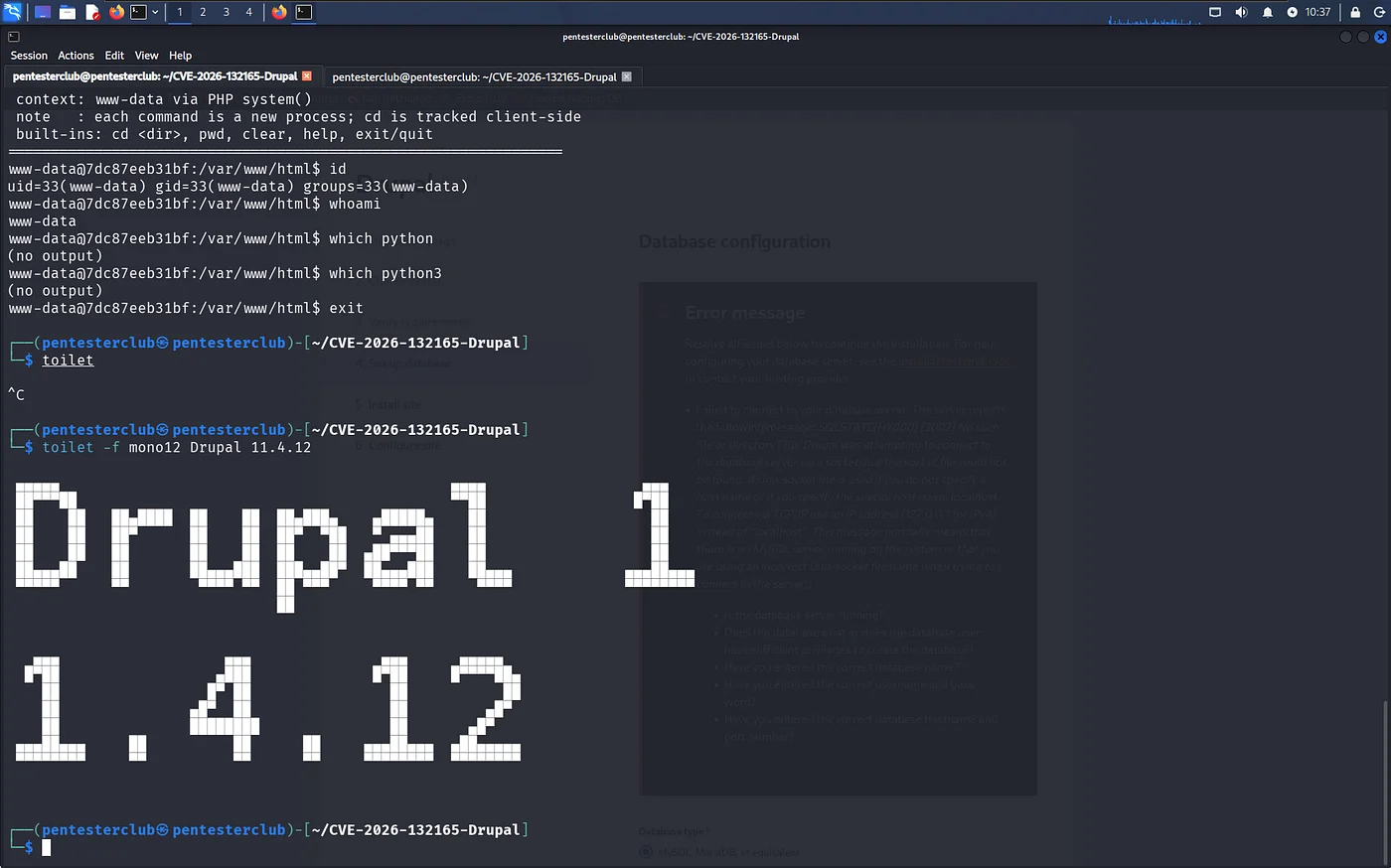
The image accompanies the introduction of the vulnerability, described as Fail2Install, and the point that it abuses Drupal's installation workflow to potentially take over an existing website without traditional authentication.
Exploitation
The public research describes a complete chain rather than a simple exposure of the installer.
Stage 1: Triggering the installer failure condition
Temporary resource exhaustion causes the installer's database checks to produce the vulnerable failure sequence. Researchers demonstrated several ways of creating this condition, including file descriptor exhaustion, database connection exhaustion and TCP source-port exhaustion. In the lab, the MySQL database proxy reproduces the required sequence deterministically instead of relying on unpredictable exhaustion on a real server.
Stage 2: Reopening the installer
The vulnerable application incorrectly determines that the existing installation is incomplete, and the installer becomes accessible to an unauthenticated visitor. The affected endpoint is:
/core/install.php
Stage 3: Database configuration manipulation
The installation workflow allows an attacker-controlled database configuration to be introduced. The public research demonstrates an SQLite-based technique that can be used to progress toward code execution.
Stage 4: PHP execution
The exploit chain abuses the way the installation process handles SQLite database files and PHP execution through Apache path handling. Under the demonstrated conditions, attacker-controlled PHP content can be written into a file that is subsequently interpreted as PHP, resulting in arbitrary code execution under the privileges of the web-server account. This is why the issue is classified as remote code execution rather than installer access.
Comparing vulnerable and patched behaviour
The repository includes evidence from both installations. The vulnerable environment shows that Drupal 11.4.12 can enter the affected installation workflow. The patched Drupal 11.4.13 environment instead reports that the configured database cannot be verified. That contrast is useful for understanding the security fix.
The repository includes intrusive exploitation functionality, and its remote-checking safeguards should not be bypassed against third-party systems. The demonstration belongs inside the isolated local lab.
Root cause
The installer's installation-state verification logic does not fail securely. When the database connection check fails and the subsequent installation-state check also fails, the vulnerable installer can interpret the situation as evidence that the website has not been installed, rather than as an unresolved database error. A later database verification then succeeds, and the combination of earlier failures with the later success lets the installer continue into a workflow that should not be available on an established site.
The installer's state checks conflated distinct conditions: a missing database, an unavailable database and an unverifiable database. The report describes the outcome as a temporary availability problem becoming a security boundary bypass because the application does not fail securely. The exact code path is not reproduced in the report; the failure pattern and the resulting behaviour are what the research documents.
Impact
Under vulnerable conditions, no authentication is required. An attacker who reopens the installer may be able to:
- Reopen the Drupal installation workflow.
- Modify database configuration.
- Take control of an existing Drupal installation.
- Create unauthorised administrator accounts.
- Execute arbitrary PHP code under certain configurations.
- Potentially compromise the underlying web server.
- Access sensitive application data and credentials.
The actual impact depends on server configuration, filesystem permissions, database connectivity and the privileges available to the web-server process. The report highlights the risk for organisations running Drupal sites that hold sensitive customer information, business applications and enterprise content management systems. Drupal rates the issue Highly Critical at 20/25, and the report states it has been exploited in the wild.
Fix
The original fixes were released in these versions:
| Drupal branch | Original fixed release |
|---|---|
| Drupal 11.4.x | 11.4.13 |
| Drupal 11.3.x | 11.3.22 |
| Drupal 10.6.x | 10.6.22 |
A related vulnerability, CVE-2026-136716, was disclosed on November 25, 2026, affecting certain unusual installation states. Administrators should therefore use the newer recommended baseline rather than stopping at the original patch:
| Drupal branch | Recommended baseline |
|---|---|
| Drupal 11.4.x | 11.4.14 or later |
| Drupal 11.3.x | 11.3.23 or later |
| Drupal 10.6.x | 10.6.23 or later |
The latest supported release should always be verified on Drupal.org before updating.
The patch analysis between 11.4.12 and 11.4.13 shows changes to the installation-state verification logic:
- Database connection exceptions are no longer silently treated as evidence of an uninstalled website.
- Failed database verification is handled as an installation requirement error.
- The installer maintains explicit verification state.
- Existing installation checks use additional installation-state information.
- Installation sessions receive additional protection.
- Installer requirement checks avoid automatically making
settings.phpwritable.
The principle behind the fix is that a failed security check must not automatically grant access to a privileged workflow.
Additional hardening
Drupal recommends preventing public access to /core/install.php after installation.
For Apache:
<LocationMatch "^/core/install\.php">
    Require all denied
</LocationMatch>
For Nginx:
location ^~ /core/install.php {
    return 404;
}
Other measures from the report: ensure the web server cannot unnecessarily write to or change permissions on Drupal's settings file; apply appropriate database connection limits and network restrictions; run Apache and PHP-FPM with restricted operating-system privileges. If a site was vulnerable during the exploitation period, review historical logs and administrator accounts even after patching, because patching does not remove an existing web shell or reverse an attacker's changes.
Variants to test
These follow from the failure pattern and the lab design rather than from additional published exploits.
- Other resource-exhaustion triggers. The research lists file descriptor exhaustion, database connection exhaustion and TCP source-port exhaustion. On a target, try to make the database connection fail while the installation-state check also fails, then let connectivity return. A positive result is the installer responding with setup forms on a site that is already installed.
- Installer reachability after deployment. Request
/core/install.phpon production Drupal sites. A positive result is anything other than a refusal or a clear "already installed" response, especially setup forms served to an unauthenticated client. - SQLite-based configuration injection. Where the reopened installer accepts database configuration, look for the SQLite technique described in the research. A positive result is a file under the web root whose initial bytes contain
SQLite format 3while carrying a PHP filename. - Apache path handling. The chain relies on Apache path handling to have written content interpreted as PHP. A positive result is attacker-controlled PHP content executing under the web-server account.
- Patched-version comparison. Run the same sequence against 11.4.13. A positive result for the fix is the installer reporting that the configured database cannot be verified instead of entering the workflow.
Hunting notes
This class of bug hides in setup and installation interfaces that remain deployed after provisioning, and in error-handling paths where a failed check is treated as a state rather than an error. During recon, the signals are an exposed /core/install.php, a Drupal version in the affected branches, and any behaviour suggesting the installer can still be reached anonymously. The report's detection guidance points at the same places: unexpected requests to /core/install.php, unusual POST requests and repeated installer access; unexpected modifications to sites/default/settings.php, particularly database connection parameters; a PHP file under the web root beginning with SQLite format 3; unexpected administrator creation, changes to administrator email addresses, password changes without an approved request and unusual account modifications, especially around user 1; and unexpected child processes launched by Apache or PHP-FPM, including suspicious scripts, unexpected outbound connections and commands run by web-server accounts. Correlating web server access logs, PHP error logs, Drupal application logs, database logs, operating system audit logs and endpoint detection telemetry is far more meaningful than an isolated HTTP request.
The lab reproduces the failure sequence in an isolated environment with both vulnerable and patched versions, showing that the vulnerable build enters the installation workflow while the patched build reports the database cannot be verified. The lab's database proxy makes the sequence deterministic, which is what turns an intermittent availability condition into a repeatable proof.
What happened, in plain words
Drupal is a piece of software for building websites. It ships with a setup wizard, a set of web pages that walk you through creating a new site: you tell it which database to use, it saves those settings, and it creates the first administrator account. That wizard lives at the path /core/install.php. On a brand new site the wizard is exactly what you need. On a site that has been running for years, the wizard should be switched off, because a stranger who reaches it could try to set the site up again from scratch.
A vulnerability called Fail2Install, tracked as CVE-2026-132165, breaks that assumption. By making the site's connection to its database fail at the right moments, an attacker can trick Drupal into believing the site was never installed. The setup wizard opens again, and an anonymous visitor, with no username or password, can walk through it. Doing so can let them change the site's database settings, take over the site, and eventually run their own code on the server. That last part is what security people call remote code execution: the attacker gets the server to run commands of their choosing, from a distance.
The report says exploitation has been confirmed on real websites, and that public research and proof-of-concept code exist. A proof of concept, or PoC, is a small demonstration that shows a vulnerability is real, usually in a safe test environment.
The image sits at the point where the report introduces the vulnerability and its nickname, Fail2Install, and explains that it abuses Drupal's installation workflow to potentially take over an existing website without traditional authentication.
The vulnerability at a glance
Before the details, here is the summary table from the report. Each row is a single fact about the bug.
| Attribute | Detail |
|---|---|
| CVE | CVE-2026-132165 |
| Name | Fail2Install |
| Affected software | Drupal Core |
| Vulnerable example | Drupal 11.4.12 |
| Vulnerability type | Remote Code Execution |
| Authentication | None required under vulnerable conditions |
| Drupal risk rating | Highly Critical, 20/25 |
| Disclosure date | November 18, 2026 |
| Security advisory | SA-CORE-2026-017 |
| Exploitation status | Exploited in the wild |
A few of those terms deserve a plain explanation.
- CVE stands for Common Vulnerabilities and Exposures. It is a public catalogue number given to a security flaw so that everyone, everywhere, can refer to the same bug by the same name. Think of it as a registration plate for a vulnerability.
- Drupal Core is the main body of the Drupal software, the part that everyone who installs Drupal gets. On top of Core you can add extra modules, but the flaw here is in Core itself.
- Authentication means proving who you are, usually with a username and password. "None required" means the attacker does not need an account at all.
- Exploited in the wild means real attackers have used it against real systems, not just researchers in a lab.
- A security advisory is the official notice a software maker publishes to tell users what is wrong and what to do about it. This one is SA-CORE-2026-017, published at
https://www.drupal.org/sa-core-2026-017.
Why this one is dangerous
The report's point is that the bug abuses something that should only matter on day one of a website's life. Once Drupal is installed, its setup wizard should refuse to let an anonymous visitor restart the process. Fail2Install shows that temporary database failures can interfere with the wizard's internal safety checks.
If an attacker manages it, the report lists what they may be able to do:
- Reopen the Drupal installation workflow.
- Modify database configuration.
- Take control of an existing Drupal installation.
- Create unauthorised administrator accounts.
- Execute arbitrary PHP code under certain configurations.
- Potentially compromise the underlying web server.
- Access sensitive application data and credentials.
PHP is the programming language most Drupal sites are written in. "Arbitrary PHP code" means code the attacker wrote, not code the site's owners wrote. Credentials are the secret details a system uses to prove its identity, such as database usernames and passwords.
How bad it gets depends on how the server is set up: its configuration, which files the web server is allowed to write to, whether the database can be reached, and what permissions the web server process has. The report singles out organisations whose Drupal sites hold sensitive customer information, run business applications, or serve as enterprise content management systems. A content management system, or CMS, is software for publishing and editing website content without writing code by hand.
The root cause, step by step
To understand the bug you need to know how Drupal decides whether a site is already installed. The installer checks that it can reach the database, and it checks whether the existing installation state is valid. The problem appears when those checks fail in an unexpected order. The published research names the pattern:
FAIL → FAIL → SUCCESS
Read that as: first check fails, second check fails, third check succeeds. Here is what each step means.
Step 1: the database connection fails
Drupal tries to verify its configured database connection. Normally the connection succeeds and Drupal recognises the existing installation. An attacker can potentially create temporary resource-exhaustion conditions that make the connection fail. Resource exhaustion means using up a limited supply of something, such as open network connections, until new requests cannot get one. It is like filling every parking space in a car park so that the next car cannot park, then leaving so the spaces free up again.
Step 2: the installation-state check also fails
A second check, meant to determine whether the site is already installed, also hits a failure. Instead of treating this as an unresolved database error, the vulnerable installer can read it as a sign that the site has not been installed. This is the central weakness: a failure is mistaken for a fact.
Step 3: the database comes back
A later database check succeeds. The earlier failures plus this later success let the installer carry on into a setup workflow that should never have been available on an established site.
Step 4: the setup wizard reopens
The attacker now sees installation forms meant only for initial deployment. Those forms can accept database settings chosen by the attacker. Under the conditions the researchers demonstrated, that leads to taking over the application and eventually to remote code execution.
The lesson the report draws is that an application must tell apart three different situations:
- A database that does not exist.
- A database that is temporarily unavailable.
- A database that exists but cannot currently be verified.
Those are three different conditions and should never be treated as interchangeable. A useful comparison is a doctor's receptionist: "no such patient on file", "the records system is down right now" and "the patient exists but I cannot open their file" are not the same answer, and only the first should lead to creating a new patient record.
How the public exploit chain works
The public research shows Fail2Install is more than an exposed setup page. It can become a full chain, in four stages.
Stage 1: trigger the failure condition
Temporary resource exhaustion makes the installer's database checks produce the vulnerable failure sequence. The researchers demonstrated several ways to create it: file descriptor exhaustion, database connection exhaustion, and TCP source-port exhaustion.
- A file descriptor is a handle the operating system gives a program for each open file or network connection. Programs have a limited number of them, so exhausting them is like using up every coat hook in a cloakroom.
- Database connection exhaustion means using up the pool of connections the database will accept.
- TCP source-port exhaustion relates to the numbered ports a computer uses when it opens outgoing network connections. There are a finite number of them, and using them all up prevents new connections.
Stage 2: reopen the installer
The vulnerable application wrongly decides the existing installation is incomplete, and the installer becomes reachable by an unauthenticated visitor. The affected address is:
/core/install.php
This is a path on the website. If a site lives at https://example.com, the installer is at https://example.com/core/install.php. You could type that into a browser's address bar. The report does not show any request beyond this path.
Stage 3: manipulate the database configuration
The setup workflow lets an attacker-controlled database configuration be introduced. The public research demonstrates an SQLite-based technique to move toward code execution. SQLite is a database that lives entirely in a single file on disk, rather than in a separate database server. That matters because a file the attacker can influence may end up somewhere the web server will later read.
Stage 4: get PHP to run
The chain abuses how the installation process handles SQLite database files, and how Apache handles paths. Apache is one of the most common web server programs; it is the software that receives browser requests and sends back pages. Under the demonstrated conditions, attacker-controlled PHP content can be written into a file that is later interpreted as PHP. The result is arbitrary code execution with the privileges of the web-server account, meaning the attacker's code runs as the same user the web server runs as.
That is why the issue is classed as remote code execution rather than merely "the installer is reachable".
Comparing vulnerable and patched behaviour
The research repository includes evidence from both versions. The vulnerable environment shows Drupal 11.4.12 can enter the affected installation workflow. The patched Drupal 11.4.13 environment instead reports that the configured database cannot be verified. That side-by-side contrast is useful for understanding the security fix.
The repository contains intrusive exploitation functionality, and its remote-checking safeguards should not be bypassed against third-party systems. In plain terms: run this only in the isolated local lab, never against a website you do not own or have written permission to test.
Setting up the research lab
The public research environment is a Docker-based lab built to reproduce the vulnerability and to contrast vulnerable and patched Drupal installations. It is meant for authorised research and educational testing only.
Docker is software that packages an application and everything it needs into a container, a bit like a shipping container that holds a complete furnished room. You can start it, use it, and throw it away without touching your own computer's setup. Docker Compose is the companion tool that starts several containers together from one description file.
Prerequisites listed by the repository:
- Linux or macOS, or Windows with WSL. WSL is Windows Subsystem for Linux, a way to run a Linux environment inside Windows.
- Docker Engine.
- Docker Compose v2.
- Python 3.8 or newer.
- The Python Requests library. Python is a programming language; Requests is an add-on library that makes it easy to send web requests from Python.
curlandtar.curlis a command-line tool for fetching web pages and files;tarbundles files into an archive.
The lab has three main parts: Drupal web containers, a MySQL database, and a database proxy that controls connection behaviour so the failure sequence can be reproduced deterministically. MySQL is a popular database server. A proxy is a middleman that sits between two parties and can alter what passes between them. Here the proxy lets the researchers make the database connection fail on cue, instead of hoping a real server happens to be overloaded. The proxy is laboratory infrastructure, not part of the actual Drupal vulnerability.
The repository also ships a Python proof of concept for checking the lab, demonstrating the vulnerability and analysing the result, plus patch analysis between the two Drupal versions, captured evidence, mitigation examples and cleanup scripts.
Step 1: clone the repository
git clone https://github.com/lxdwnpiper/CVE-2026-132165-Drupal.git
cd CVE-2026-132165-Drupal
Line by line:
git clonecopies a project from a code hosting service onto your computer. Git is a version-control system that tracks changes to files; GitHub is a website that hosts such projects. The URL points at the project's repository, which is the folder of code plus its history.cdmeans change directory. It moves your terminal into the folder that was just downloaded, so the following commands run in the right place.
A terminal is a text window where you type commands instead of clicking buttons.
Step 2: download the Drupal source releases
./fetch-sources.sh
This runs a script that fetches the required Drupal source trees into the local build contexts. A script is a small program stored in a file. The ./ prefix means "the file in the current folder". The script downloads the Drupal code the lab needs, so the containers can be built from it.
Step 3: build the Docker lab
docker compose up -d --build
Line by line:
docker composeinvokes the Compose tool.upmeans start the services described in the project's configuration.-dmeans detached: run in the background and give your terminal back.--buildmeans build the container images first, from the downloaded source, rather than using pre-made ones.
The lab creates separate environments for the vulnerable and patched versions. According to its documentation, vulnerable Drupal 11.4.12 runs on [redacted]:8080 and patched Drupal 11.4.13 runs on [redacted]:8081. The lab is intentionally bound to localhost.
[redacted] is the address a computer uses to talk to itself, also called localhost. Binding to it means the lab is reachable only from your own machine, not from the internet. The :8080 and :8081 parts are port numbers, which distinguish different services on the same machine, like flat numbers in one building.
Finding it
The starting observation is about design, not a single malformed request. Drupal's installer stays part of the deployed application after installation, and it decides whether a site is already installed by checking database connectivity and verifying the existing installation state. The published research identifies the failure pattern in those checks: FAIL → FAIL → SUCCESS. When the checks fail in that order, the installer can conclude the site was never installed, even though it was. A temporary availability problem is treated as a security-relevant state, and that is the central weakness.
Exploitation, stage by stage
The public research describes a complete chain rather than a simple exposed page.
- Trigger the failure condition. Temporary resource exhaustion makes the installer's database checks produce the vulnerable sequence. The researchers demonstrated file descriptor exhaustion, database connection exhaustion and TCP source-port exhaustion. In the lab, the MySQL database proxy reproduces the sequence deterministically instead of relying on unpredictable exhaustion on a real server.
- Reopen the installer. The application wrongly decides the installation is incomplete, and the installer becomes accessible to an unauthenticated visitor at
/core/install.php. - Manipulate the database configuration. The workflow accepts an attacker-controlled database configuration, and the research demonstrates an SQLite-based technique to progress toward code execution.
- Get PHP execution. The chain abuses how the installation process handles SQLite database files and how Apache handles paths. Attacker-controlled PHP content is written into a file that is later interpreted as PHP, giving arbitrary code execution under the web-server account.
Root cause in one paragraph
The installer's installation-state verification logic does not fail securely. When the database connection check fails and the installation-state check also fails, the vulnerable installer can read that as evidence the site was never installed, rather than as an unresolved database error. A later database verification then succeeds, and the combination lets the installer continue into a workflow that should not exist on an established site. The installer's state checks conflated a missing database, an unavailable database and an unverifiable database. The report describes the outcome as a temporary availability problem becoming a security boundary bypass because the application does not fail securely. The exact code path is not reproduced in the report; the failure pattern and the resulting behaviour are what the research documents.
Impact
Under vulnerable conditions no authentication is required. An attacker who reopens the installer may be able to reopen the installation workflow, modify database configuration, take control of the installation, create unauthorised administrator accounts, execute arbitrary PHP code under certain configurations, potentially compromise the underlying web server, and access sensitive application data and credentials. The real impact depends on server configuration, filesystem permissions, database connectivity and the privileges of the web-server process. Drupal rates the issue Highly Critical at 20/25, and the report states it has been exploited in the wild.
The fix
The original fixes were released in these versions:
| Drupal branch | Original fixed release |
|---|---|
| Drupal 11.4.x | 11.4.13 |
| Drupal 11.3.x | 11.3.22 |
| Drupal 10.6.x | 10.6.22 |
A branch here is a line of development, such as all 11.4 releases. A related vulnerability, CVE-2026-136716, was disclosed on November 25, 2026, affecting certain unusual installation states. Administrators should therefore use the newer recommended baseline rather than stopping at the original patch:
| Drupal branch | Recommended baseline |
|---|---|
| Drupal 11.4.x | 11.4.14 or later |
| Drupal 11.3.x | 11.3.23 or later |
| Drupal 10.6.x | 10.6.23 or later |
The latest supported release should always be verified on Drupal.org before updating.
The patch analysis between 11.4.12 and 11.4.13 shows changes to the installation-state verification logic:
- Database connection exceptions are no longer silently treated as evidence of an uninstalled website.
- Failed database verification is handled as an installation requirement error.
- The installer maintains explicit verification state.
- Existing installation checks use additional installation-state information.
- Installation sessions receive additional protection.
- Installer requirement checks avoid automatically making
settings.phpwritable.
The principle behind the fix is that a failed security check must not automatically grant access to a privileged workflow.
Additional hardening
Drupal recommends preventing public access to /core/install.php after installation.
For Apache:
<LocationMatch "^/core/install\.php">
    Require all denied
</LocationMatch>
Line by line:
<LocationMatch "^/core/install\.php">opens a rule that applies to any request whose path matches the pattern. The^means "starts with", and\.is an escaped dot, so the dot is treated literally rather than as a wildcard.Require all deniedtells Apache to refuse every request that matches.</LocationMatch>closes the rule.
For Nginx:
location ^~ /core/install.php {
    return 404;
}
Line by line:
location ^~ /core/install.php {starts a rule for that path. Nginx is another widely used web server.return 404;answers with the standard "not found" status, so the installer looks as if it does not exist.}closes the rule.
Other measures from the report: ensure the web server cannot unnecessarily write to or change permissions on Drupal's settings file; apply appropriate database connection limits and network restrictions; run Apache and PHP-FPM with restricted operating-system privileges. PHP-FPM is the component that runs PHP code for the web server. If a site was vulnerable during the exploitation period, review historical logs and administrator accounts even after patching, because patching does not remove an existing web shell or reverse an attacker's changes. A web shell is a small piece of attacker code left on a server so they can keep coming back.
Variants to test
These follow from the failure pattern and the lab design rather than from additional published exploits.
- Other resource-exhaustion triggers. The research lists file descriptor exhaustion, database connection exhaustion and TCP source-port exhaustion. On a target, try to make the database connection fail while the installation-state check also fails, then let connectivity return. A positive result is the installer responding with setup forms on a site that is already installed.
- Installer reachability after deployment. Request
/core/install.phpon production Drupal sites. A positive result is anything other than a refusal or a clear "already installed" response, especially setup forms served to an unauthenticated client. - SQLite-based configuration injection. Where the reopened installer accepts database configuration, look for the SQLite technique described in the research. A positive result is a file under the web root whose initial bytes contain
SQLite format 3while carrying a PHP filename. - Apache path handling. The chain relies on Apache path handling to have written content interpreted as PHP. A positive result is attacker-controlled PHP content executing under the web-server account.
- Patched-version comparison. Run the same sequence against 11.4.13. A positive result for the fix is the installer reporting that the configured database cannot be verified instead of entering the workflow.
Hunting notes
This class of bug hides in setup and installation interfaces that remain deployed after provisioning, and in error-handling paths where a failed check is treated as a state rather than an error. During recon, the signals are an exposed /core/install.php, a Drupal version in the affected branches, and any behaviour suggesting the installer can still be reached anonymously. Recon, short for reconnaissance, is the information-gathering phase before testing.
The report's detection guidance points at the same places:
- Unexpected requests to
/core/install.php, unusual POST requests and repeated installer access. A POST request is the kind a browser sends when you submit a form, as opposed to simply loading a page. - Unexpected modifications to
sites/default/settings.php, particularly database connection parameters. This file holds the site's configuration, including how it reaches its database. - A PHP file under the web root beginning with
SQLite format 3. The web root is the folder the web server serves files from. - Unexpected administrator creation, changes to administrator email addresses, password changes without an approved request and unusual account modifications, especially around user 1. User 1 is Drupal's primary administrator account.
- Unexpected child processes launched by Apache or PHP-FPM, including suspicious scripts, unexpected outbound connections and commands run by web-server accounts.
Correlating web server access logs, PHP error logs, Drupal application logs, database logs, operating system audit logs and endpoint detection telemetry is far more meaningful than an isolated HTTP request. Correlating means putting several sources side by side to see whether they tell the same story. Telemetry is data collected automatically about what a system is doing.
The lab reproduces the failure sequence in an isolated environment with both vulnerable and patched versions, showing that the vulnerable build enters the installation workflow while the patched build reports the database cannot be verified. The lab's database proxy makes the sequence deterministic, which is what turns an intermittent availability condition into a repeatable proof.
Glossary
- Apache: a widely used web server program that receives browser requests and returns pages.
- Authentication: proving who you are, usually with a username and password.
- Branch: a line of software development, such as all 11.4 releases of Drupal.
- CMS (content management system): software for publishing and editing website content without writing code by hand.
- Container: a packaged, self-contained environment holding an application and everything it needs to run.
- Correlating: comparing several sources of information to see whether they agree.
- Credentials: secret details a system uses to prove its identity, such as database usernames and passwords.
- CVE: Common Vulnerabilities and Exposures, a public catalogue number that identifies a specific security flaw.
- Database: organised storage for a website's data, such as content, users and settings.
- Database connection exhaustion: using up all the connections a database will accept so new ones fail.
- Docker: software that packages applications into containers so they can run the same way anywhere.
- Docker Compose: a tool that starts several containers together from one description file.
- Drupal Core: the main body of the Drupal software that every installation includes.
- Exploited in the wild: used by real attackers against real systems, not only in a lab.
- File descriptor: an operating system handle for an open file or network connection; there is a limited supply.
- Git: a version-control system that tracks changes to files.
- GitHub: a website that hosts code repositories.
- Hardening: reducing the ways an attacker can succeed, by tightening configuration and permissions.
- Localhost: the address a computer uses to talk to itself,
[redacted]. - MySQL: a popular database server program.
- Nginx: a widely used web server program, an alternative to Apache.
- PHP: the programming language most Drupal sites are written in.
- PHP-FPM: the component that runs PHP code on behalf of the web server.
- PoC (proof of concept): a small demonstration showing a vulnerability is real, usually in a safe test environment.
- Port: a number that distinguishes different services on the same machine.
- POST request: a request a browser sends when submitting a form, carrying data to the server.
- Proxy: a middleman that sits between two parties and can alter what passes between them.
- Recon (reconnaissance): the information-gathering phase before testing.
- Remote code execution: getting a remote server to run commands or code of the attacker's choosing.
- Repository: a project's folder of code together with its change history.
- Resource exhaustion: using up a limited supply of something, such as connections, until new requests fail.
- Script: a small program stored in a file.
- Security advisory: an official notice from a software maker describing a flaw and what to do about it.
- SQLite: a database that lives entirely in a single file on disk rather than in a separate server.
- TCP source-port exhaustion: using up the numbered ports a computer uses for outgoing connections so new ones fail.
- Telemetry: data collected automatically about what a system is doing.
- Terminal: a text window where you type commands instead of clicking buttons.
- User 1: Drupal's primary administrator account.
- Web root: the folder a web server serves files from.
- Web server: the software that receives browser requests and sends back pages.
- Web shell: small attacker code left on a server so the attacker can keep returning.
- WSL: Windows Subsystem for Linux, a way to run a Linux environment inside Windows.


