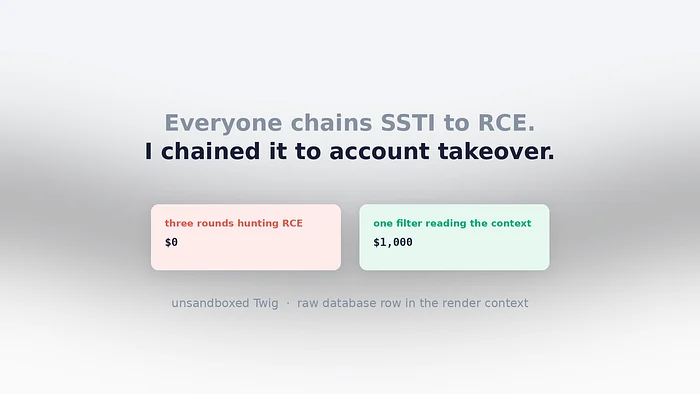
Everyone Chains SSTI to RCE. I Chained It to Account Takeover.
A template injection in the email editor let a company admin read the raw database row of any customer whose invoice they previewed, including the customer's password hash, salt and login token. By triggering a password reset for a customer and then previewing their invoice, the attacker could obtain a live login token and log into that customer's portal account.

medium.com
Published on medium.com
Bug Bounty
The full write-up lives on its author's site
It belongs to its author, so we link to it rather than copy it. The other two tabs are our own rewrites, checked against it.
Context: a billing platform with two logins and an email editor
The target is a subscription billing platform. Companies use it to bill their own customers on a recurring basis, for example a gym billing members monthly or a software company billing subscribers.
There are two separate populations of users, with two completely separate login systems:
- Company staff log into the admin panel. They add customers, create invoices and configure how billing works. The free trial signup is public, needs no invite, and grants full settings access straight away.
- The company's customers log into a separate customer portal with their own email and password, to view and pay invoices. It is a different login page with a different set of credentials.
One of the things company staff can configure is the emails the platform sends to customers: the invoice email, the receipt, the payment reminder. An editor lets staff write the wording, and the platform fills in details such as customer name, amount due and due date before sending.
That editor is where the bug lives. The wall the researcher was trying to break: as company staff, you can write the emails customers receive, but you cannot see their portal passwords and cannot log into their portal accounts. By the end of the chain, he could.
Every "customer" in the write-up is a test account the researcher created himself, inside his own trial company, using email addresses he controls. No real customer data was touched.
Setup: accounts, roles and preconditions
The only account the researcher ever held was a company staff account obtained through the public free trial. No customer portal credentials were known at any point.
Preconditions for the chain:
- A company admin account (free trial signup).
- At least one customer created under that company, with an email address the attacker controls or knows, and an invoice generated for them.
- Access to the email template editor and the email preview screen.
- The public password reset form, reachable while logged out.
The report does not name the programme, the vendor or the bounty platform beyond stating that the payout was the maximum the programme pays.
Finding it: the default template gave away the engine
The researcher was not fuzzing. He opened the email editor and read the default wording that shipped with the product:
{% if %} … {% endif %}{{invoice.balance|number_format(2)}}
The {{ }} and {% %} markers are how a template engine works: placeholders are swapped for real values before sending, so {{invoice.balance}} becomes the actual amount owed. That specific syntax, {% %} blocks with |filter(args) pipes, is Twig, the template engine used by PHP applications.
The obvious question followed: the app runs this text through a template engine, and the researcher can edit the text. Can he write his own placeholder and make the server run it?
The false dead end in the invoice number format field
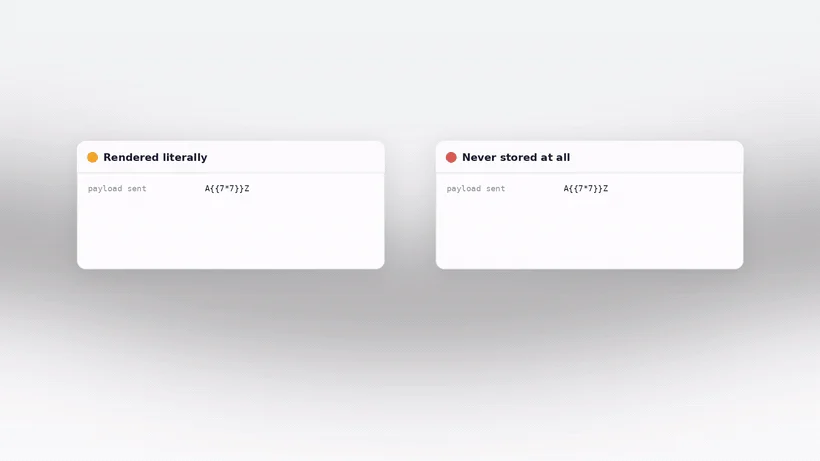
Before touching the email editor, he tested a smaller field, the setting that controls the invoice number format, with a classic probe:
A{{7*7}}Z
If a template engine processes it, {{7*7}} comes back as 49. The app replied HTTP 200, success. The next invoice came out normal, with no 49. Three more variations produced three more 200 responses and nothing else.
Four saves, four success responses, zero evaluation. The natural conclusion was that the text was stored and printed exactly as typed, so the field does not run a template engine. That conclusion would have been wrong.
Instead of trusting the response, he reloaded the settings page and looked at what was actually saved. The field was unchanged: the payload was not in there at all. The app had silently thrown the input away and replied 200 regardless.
Two very different situations look identical from the client side:
- The text was saved and printed as-is, so there is no template engine and it is a genuine dead end.
- The text was never saved, which proves nothing and is still worth investigating.
A success response cannot tell those apart. Only reloading and re-reading the saved value can. That field turned out to be genuinely safe, accepting only six specific placeholders from a fixed list, but it nearly caused the whole feature to be written off.
Exploitation
The attack needs two separate requests that do completely different jobs.
- Request A decides what the template does. It stores the expression in the invoice email template's subject line.
- Request B decides whose information the template acts on. The
ref_idparameter of the preview selects the invoice, and therefore the customer whose record is loaded.
The researcher injects once, then changes ref_id and previews again to aim the same expression at a different customer.
Step 1: store the expression in the subject line
In the email editor, the expression goes into the subject line of the invoice email template and is saved:
POST /…/settings/messages/save
message[message_subject]={{ my expression here }}
This is the injection point. The expression is now stored inside the company's email template and sits there until something renders that template. Nothing happens yet, and no result is visible, which was the problem for a while.
Step 2: render it through the email preview
To see a template render, an email normally has to be sent, but the platform has an email preview screen that builds the email on the server and shows the finished result before anything goes out:
GET /…/customer/email?ref_id=1000
ref_id is the invoice number to preview. When the server builds the preview it needs real values to fill the placeholders, so it loads the details of whichever customer that invoice belongs to: their name, their email, their account record.
Step 3: prove the engine evaluates input
First check:
ARITHMETIC[{{7*7}}] → ARITHMETIC[49]
It is evaluating, but 49 proves little on its own, because even a locked-down template engine is allowed to do arithmetic. So he asked for something a locked-down engine is supposed to refuse:
PHP[{{constant("PHP_VERSION")}}] → PHP[8.2.28]
constant() is a PHP function that reads values out of the language itself. A real version number coming back means the expression ran inside the actual application and constant() was not blocked. It is only proof: it plays no part in the attack that follows. The vendor later said their protection was switched on but not configured to block constant(). The researcher confirmed the sandbox himself: {{ [1,2]|reduce("max") }} aborts while the arrow-function form renders, which only happens under a sandbox.
Step 4: three failed rounds of RCE
Template injection in a PHP app suggests remote code execution, and that is what nearly every write-up with this fingerprint does. Three separate attempts all failed for one reason: to run code you need a function you can call, and every value available inside this template was plain data (names, numbers, text) with no functions attached. He worked through roughly 200 possible function names across all 25 values the template could see. There was nothing to call. Clean negative, zero dollars.
Step 5: dump what the template can see
Instead of trying to do something with the template, he asked what was already inside it:
{{_context|json_encode}}
_context is Twig's name for everything the template can currently see. Encoding it as JSON prints the whole lot. About 20 KB of internal data came back, and inside it was users[0].
users[0] is the customer portal account belonging to the customer who owns the previewed invoice, the exact account they use to log in. It was not the tidy version the app shows elsewhere: it was the raw database row with every column included.
He then asked for three columns:
[hash={{users[0].saas_password}}][salt={{users[0].saas_salt}}][tok={{users[0].login_token}}]
Back came:
- The password hash, the scrambled form of the portal password.
- The salt, random text mixed in before scrambling to make cracking harder. With both, the password could be cracked offline with no rate limits.
- A login token, a single-use code that logs straight into the portal with no password at all, the mechanism behind the "click here to reset your password" link.
Because users[0] is filled from whichever invoice is named in ref_id, changing one number in the preview URL changes whose password hash and login token are printed back. In one sentence: the attacker chooses the customer, and the app hands over their login credentials.
Step 6: make a login token exist
A login token only exists in the database after something creates one. A customer who has never requested a password reset has an empty token field, so one had to be made to appear. The password reset form is public: logged out, normal browser, no account needed. The target's email address is known because they are the company's customer and it is listed in the admin panel.
POST /…/reset_do
email=[redacted]
This writes a fresh login_token into that customer's database row and emails them a link containing it. Two things matter: it does not change their password, which keeps working, and the token stays valid in the database until somebody uses it. There is no race against the email; the attacker only needs to use it before the customer clicks the link, and the customer was not expecting the email.
Step 7: point the template at that customer
Back in the admin account, the customer's invoice number is looked up in the admin panel. Then the invoice email is previewed against their invoice:
GET /…/customer/email?ref_id=<their invoice number>
The server fills the saved template with their record, including the token created seconds earlier.
Step 8: read the token off the screen
The template subject line contains {{users[0].login_token}}, and the preview screen prints it back in plain text. The attacker now holds a working login credential for someone else's portal account without going near their inbox.
Step 9: log in as the customer
Logged out, in a fresh browser with no cookies, the token is used exactly the way the reset email link would be:
GET /…/logintoken/<token>
The attacker is inside the customer portal. That is how the token was confirmed to work: not because it looked important in the JSON, but because redeeming it logged him in. The profile page showed the customer's real name and email address. He then ran the entire chain again against a second customer to prove it was not a fluke.

Two things make it worse than it first looks:
- The token never has to reach the customer. It is read out of the database before they would ever open the email.
- Their password still works. The reset never changed it; the hash was identical afterwards. Nothing on the customer's side breaks, so nothing looks wrong.
Reproduction, in short
- Sign up for the free trial to become a company admin.
- Create a customer with an email address you control and generate an invoice for them.
- In the email template editor, put
{{users[0].login_token}}into the invoice email's subject line and save. - Logged out, submit the public password-reset form for that customer's email.
- Back in the admin panel, open the email preview for that customer's invoice.
- The subject line now displays their live login token.
- In a clean browser, visit the login-token URL with that value.
- You are logged into their portal.
Root cause
The app has a clean version of a user and a raw database version, and it handed the template the raw one.
The platform's own API returns a user object with no password hash, no salt and no login token; those fields are not included at all. The app therefore already knows which fields are secret, applies that knowledge in the API, and forgets it in the template.
The template protection tells the same story: not missing, just incomplete. It was switched on and still allowed constant(). A half-finished control looks exactly like a working one until somebody asks it the right question.
The report classifies the issue as CVSS 8.5 · High · CWE-1336 → CWE-522 / CWE-640, with A05:2025 Injection · A02:2025 Security Misconfiguration.
Impact
An attacker with a free trial company account can read the password hash, salt and live login token of any customer of their own company, by changing the invoice number in the preview request. The login token gives direct portal access without a password, and the hash and salt are crackable offline.
The scope is bounded: templates belong to one company, so every account reached was a customer of the attacker's own trial company, and in this research all of them were test accounts he created. The report does not claim cross-company access. The customer still receives a password reset email they never asked for, so the attack is not invisible. The hash and salt were reported as crackable material; the researcher stopped there and did not crack a password.
The bounty was $1,000, the maximum the programme pays.
Fix
The report recommends:
- Finish the template protection. Allow only the handful of placeholders the feature actually documents. That removes
constant()and most of the risk in one change. - Send the clean user object to the template, the same one the API already returns, never the raw database row.
- Return a real error when input is rejected. A silent success response confuses customers as much as attackers.
Variants to test
- Dump the render context first. On any suspected template injection, try
{{_context|json_encode}}(Twig) or the equivalent for the engine in use. A positive result is a large JSON blob of internal data, ideally containing raw database rows with credential columns. - Look for object fields the API hides. Compare the user object returned by the public API with what the template can see. A positive result is a field present in the template context but absent from the API response, such as a hash, salt or token.
- Check whether a preview or render endpoint takes an object identifier. Change the identifier and see whether the rendered output changes to another record's data. A positive result is another customer's values appearing in the output.
- Test whether a public reset or invite flow writes a reusable token. Trigger it for a target and then read the token through the injection. A positive result is a token that logs you in at the token endpoint.
- Probe the sandbox rather than assuming it is absent. Try
{{constant("PHP_VERSION")}}and compare with a construct the sandbox should block, such as{{ [1,2]|reduce("max") }}versus its arrow-function form. A positive result is a version string coming back while the blocked form aborts, which indicates a sandbox that is enabled but incomplete. - Do not trust a
200on a settings save. Reload the page and re-read the stored value before concluding a field is safe. A positive result is the payload present in the saved value and evaluated on render. - Enumerate callable functions in the context before chasing RCE. Walk every value the template exposes and try to reach a function. A positive result is any callable, which turns the finding into code execution; a clean negative is itself worth reporting as a limit.
What happened, in plain words
A security researcher found a bug in a billing website. The website lets companies write the emails they send to their own customers. The researcher discovered that the text he typed into those emails was not treated as plain text: the server treated parts of it as instructions and ran them. That kind of bug is called template injection.
Most people who find this bug try to make the server run their own programs, which is called remote code execution (RCE). The researcher tried that three times and got nothing. Then he asked a simpler question: what information can this template already see? The answer included the login details of the customers whose invoices he was previewing. By changing one number in a web address, he could choose which customer's details came back, including a login token, a short code that logs you into an account without a password. He used that token to log in as those customers.
The company paid him $1,000, the maximum its bug bounty programme pays. A bug bounty programme is a scheme where a company pays people for reporting security problems responsibly instead of exploiting them.
Every "customer" in this story was a test account the researcher created himself, inside his own free trial company, using email addresses he controls. No real person's data was involved.
The product, and the two kinds of login
Before the bug makes sense, you need to know what the product is.
It is a subscription billing platform. A company uses it to charge its own customers again and again, for example a gym charging members every month, or a software company charging subscribers.
Two completely separate groups of people use it, with two separate login systems:
- Company staff log into an admin panel. They add customers, create invoices and set up how billing works. Anyone can get one of these accounts: the free trial signup is public, needs no invitation, and gives full access to settings immediately. This was the only account the researcher ever had.
- The company's customers log into a separate customer portal with their own email address and password, to look at and pay their invoices. It is a different login page with a different set of credentials.
One thing company staff can configure is the emails the platform sends to customers: the invoice email, the receipt, the payment reminder. There is an editor where staff write the wording, and the platform fills in the details (customer name, amount due, due date) before sending.
That editor is where the bug lives. The wall the researcher was trying to break: as company staff, you can write the emails customers receive, but you cannot see their portal passwords and you cannot log into their portal accounts. By the end of the chain, he could.
Part 1: the app told him which template engine it used
The researcher was not guessing or throwing random input at the site. Fuzzing is the technique of sending lots of random or malformed input to see what breaks; he did not need it here. He opened the email editor and read the default wording that came with the product:
{% if %} … {% endif %}{{invoice.balance|number_format(2)}}
What this means, piece by piece:
{{ }}marks a placeholder. The server replaces it with a real value before sending the email.{% %}marks a block, a piece of logic such as a condition (if) or a loop.invoice.balanceis the name of a value: the amount owed on the invoice.|number_format(2)is a filter: it takes the value on its left and formats it, here with two decimal places.
A template engine is a program that takes text containing placeholders and swaps in real values. Think of a mail merge: you write "Dear [NAME]" once, and the system fills in each person's name. The template engine is the part that does the filling.
That specific syntax, {% %} blocks with |filter(args) pipes, is Twig, the template engine used by applications written in PHP, a popular programming language for websites.
The obvious question followed. The app runs this text through a template engine, and the researcher can edit the text. Can he write his own placeholder and make the server run it?
Part 2: four "success" responses that meant nothing
Before touching the email editor, he tested a smaller field: the setting that controls the format of invoice numbers. He used a classic probe:
A{{7*7}}Z
Line by line:
AandZare ordinary letters, there to make the result easy to spot.{{7*7}}is a placeholder containing a small sum. If a template engine processes it, it calculates 7 times 7 and puts49in its place.
So if the field runs a template engine, the saved value should become A49Z. If it does not, it stays A{{7*7}}Z.
The app replied HTTP 200. HTTP is the language browsers and servers use to talk, and 200 is the status code meaning "OK, that worked". The next invoice came out normal, with no 49. He tried three more variations. Three more 200 responses, and nothing else.
Four saves, four success responses, zero evaluation. The natural conclusion was that the text was stored and printed exactly as typed, so this field does not run a template engine. That conclusion would have been wrong.
Instead of trusting the response, he reloaded the settings page and looked at what was actually saved. The field was unchanged: his payload was not in there at all. The app had silently thrown the input away and replied 200 regardless.
Two very different situations look identical from the person sending the request:
- The text was saved and printed as-is, so there is no template engine and it is a genuine dead end.
- The text was never saved, which proves nothing and is still worth investigating.
A success response cannot tell those apart. Only reloading the page and re-reading the saved value can. That field turned out to be genuinely safe, accepting only six specific placeholders from a fixed list, but it nearly caused the whole feature to be written off.
Part 3: two requests, two different jobs
The attack needs two separate requests, and they do completely different things. A request is one message your browser sends to a server, for example "save this" or "show me that page".
- Request A decides what the template does. It stores the expression in the subject line of the invoice email template.
- Request B decides whose information the template acts on. The
ref_idvalue in the preview address selects the invoice, and therefore the customer whose record is loaded.
The researcher injects once, then changes ref_id and previews again to aim the same expression at a different customer.
Request A: store the expression in the subject line
In the email editor, the expression goes into the subject line of the invoice email template and is saved:
POST /…/settings/messages/save
message[message_subject]={{ my expression here }}
What this means:
POSTis the type of request used to send data to a server, usually to create or change something.GET, used later, is the type used to ask for a page./…/settings/messages/saveis the address of the part of the app that saves message settings. The…stands for parts of the path the report leaves out.message[message_subject]is the name of the field being saved: the subject of the message template. The square brackets are how this app groups fields.{{ my expression here }}is where the researcher's own placeholder goes.
This is the injection point, the place where attacker-controlled text enters the system. The expression is now stored inside the company's email template and sits there until something renders that template. Rendering means the template engine turning the template into a finished document by filling in the placeholders. Nothing happens yet, and no result is visible, which was the problem for a while.
Request B: render it through the email preview
To see a template render, an email normally has to be sent. But the platform has an email preview screen that builds the email on the server and shows the finished result before anything goes out:
GET /…/customer/email?ref_id=1000
What this means:
GETasks the server to show something./…/customer/emailis the address of the preview screen.?ref_id=1000is a parameter, an extra piece of information attached to the address.ref_idis the name of the parameter and1000is its value. Hereref_idis the invoice number to preview.
When the server builds the preview it needs real values to fill the placeholders, so it loads the details of whichever customer that invoice belongs to: their name, their email, their account record.
Proving the engine really runs the input
First check:
ARITHMETIC[{{7*7}}] → ARITHMETIC[49]
ARITHMETIC[and]are plain text around the placeholder, so the result is easy to find on the page.{{7*7}}is the sum again.- The arrow
→shows what came back: the server calculated the sum and printed49.
It is evaluating. But 49 proves little on its own, because even a properly locked-down template engine is allowed to do arithmetic. A sandbox is a restricted mode of a template engine that only allows a safe subset of features. So he asked for something a locked-down engine is supposed to refuse:
PHP[{{constant("PHP_VERSION")}}] → PHP[8.2.28]
PHP[and]are again plain text around the placeholder.constant("PHP_VERSION")is a PHP function that reads a value out of the language itself. A function is a named piece of code you can ask to do something and give an answer back.PHP_VERSIONis the name of the value being read: the version of PHP the server runs.- The arrow shows the answer:
8.2.28, a real version number.
A real version number coming back means the expression ran inside the actual application and constant() was not blocked. It is only proof: it plays no part in the attack that follows. The vendor later said their protection was switched on but not configured to block constant(). The researcher confirmed the sandbox himself: {{ [1,2]|reduce("max") }} aborts while the arrow-function form renders, which only happens under a sandbox.
Part 4: three failed rounds of RCE
Template injection in a PHP app suggests remote code execution, and that is what nearly every write-up with this fingerprint does. Remote code execution means making the server run code of your choosing, which is usually the most serious outcome of a bug like this.
Three separate attempts all failed for one reason: to run code you need a function you can call, and every value available inside this template was plain data (names, numbers, text) with no functions attached. He worked through roughly 200 possible function names across all 25 values the template could see. There was nothing to call. A clean negative, and zero dollars.
Part 5: the question he should have asked on day one
Instead of trying to do something with the template, he asked what was already inside it:
{{_context|json_encode}}
_contextis Twig's name for everything the template can currently see: all the values the server has made available to it.|json_encodeis a filter that turns that whole collection into JSON, a plain-text format for structured data that both people and programs can read.
So the placeholder prints the entire set of values the template can see, in a readable form. About 20 KB of internal data came back, and inside it was users[0].
users[0] is the customer portal account belonging to the customer who owns the previewed invoice, the exact account they use to log in. The [0] means the first entry in a list called users. It was not the tidy version the app shows elsewhere: it was the raw database row with every column included. A database is where an application stores its data in tables, and a row is one record in such a table, here one user.
He then asked for three columns of that row:
[hash={{users[0].saas_password}}][salt={{users[0].saas_salt}}][tok={{users[0].login_token}}]
[hash=and]are plain text labels around each value, so the output is easy to read.users[0].saas_passwordis the password column of that user's row.users[0].saas_saltis the salt column.users[0].login_tokenis the login token column.
Back came three things:
- The password hash, the scrambled form of the portal password. A hash is the result of a one-way scrambling function: the app stores the scrambled value instead of the real password, so that even the app does not keep the password itself.
- The salt, random text mixed in before scrambling to make cracking harder. Cracking means guessing the original password from the hash, usually by trying many guesses quickly. With both the hash and the salt, the password could be cracked offline on the attacker's own machine, with no rate limits. A rate limit is a cap on how many attempts a server accepts in a period of time.
- A login token, a single-use code that logs straight into the portal with no password at all. It is the mechanism behind the "click here to reset your password" link in a reset email. A token is a long random string that acts as proof that you are allowed in, a bit like a cloakroom ticket: whoever holds it gets the item.
Because users[0] is filled from whichever invoice is named in ref_id, changing one number in the preview address changes whose password hash and login token are printed back. In one sentence: the attacker chooses the customer, and the app hands over their login credentials.
Part 6: the full chain
The hash is crackable offline, which is worth reporting by itself. The login token is better: it is a working credential right now, with no cracking required.
One catch: a login token only exists in the database after something creates one. A customer who has never requested a password reset has an empty token field, so one had to be made to appear.
Step 1: make a token exist
The password reset form is public: logged out, normal browser, no account needed. The target's email address is known because they are the company's customer and it is listed in the admin panel.
POST /…/reset_do
email=[redacted]
POST /…/reset_dois the request that submits the reset form.email=[redacted]is the form field being sent: the address to send the reset link to. The address shown is a placeholder example.
This writes a fresh login_token into that customer's database row and emails them a link containing it. Two things matter: it does not change their password, which keeps working, and the token stays valid in the database until somebody uses it. There is no race against the email; the attacker only needs to use it before the customer clicks the link, and the customer was not expecting the email.
Step 2: point the template at that customer
Back in the admin account, the customer's invoice number is looked up in the admin panel. Then the invoice email is previewed against their invoice:
GET /…/customer/email?ref_id=<their invoice number>
This is the same preview request as before, with ref_id set to the target customer's invoice number instead of 1000. The server fills the saved template with their record, including the token created seconds earlier.
Step 3: read the token off the screen
The template subject line contains {{users[0].login_token}}, and the preview screen prints it back in plain text. The attacker now holds a working login credential for someone else's portal account without going near their inbox.
Step 4: log in as the customer
Logged out, in a fresh browser with no cookies, the token is used exactly the way the reset email link would be:
GET /…/logintoken/<token>
/…/logintoken/is the address that accepts a login token.<token>is where the token value goes.
A cookie is a small piece of data a website stores in your browser to remember who you are between requests. Using a fresh browser with no cookies proves the login came from the token alone, not from any existing session.
The attacker is inside the customer portal. That is how the token was confirmed to work: not because it looked important in the JSON, but because redeeming it logged him in. The profile page showed the customer's real name and email address. He then ran the entire chain again against a second customer to prove it was not a fluke.
Two things make it worse than it first looks:
- The token never has to reach the customer. It is read out of the database before they would ever open the email.
- Their password still works. The reset never changed it; the hash was identical afterwards. Nothing on the customer's side breaks, so nothing looks wrong.
Reproduction, in short
- Sign up for the free trial to become a company admin.
- Create a customer with an email address you control and generate an invoice for them.
- In the email template editor, put
{{users[0].login_token}}into the invoice email's subject line and save. - Logged out, submit the public password-reset form for that customer's email.
- Back in the admin panel, open the email preview for that customer's invoice.
- The subject line now displays their live login token.
- In a clean browser, visit the login-token URL with that value.
- You are logged into their portal.
Why it happened
The app has a clean version of a user and a raw database version, and it handed the template the raw one.
The platform's own API returns a user object with no password hash, no salt and no login token; those fields are not included at all. An API is a way for programs to talk to a service and get data back in a structured form, rather than a page built for a person to look at. The app therefore already knows which fields are secret, applies that knowledge in the API, and forgets it in the template.
The template protection tells the same story: not missing, just incomplete. It was switched on and still allowed constant(). A half-finished control looks exactly like a working one until somebody asks it the right question.
The report classifies the issue as CVSS 8.5 · High · CWE-1336 → CWE-522 / CWE-640, with A05:2025 Injection · A02:2025 Security Misconfiguration. CVSS is a standard score for how severe a vulnerability is, and CWE is a catalogue of weakness types. Injection means untrusted input being treated as instructions, and security misconfiguration means a security setting that was set up wrongly or incompletely.
Impact
An attacker with a free trial company account can read the password hash, salt and live login token of any customer of their own company, by changing the invoice number in the preview request. The login token gives direct portal access without a password, and the hash and salt are crackable offline.
The scope is bounded: templates belong to one company, so every account reached was a customer of the attacker's own trial company, and in this research all of them were test accounts he created. The report does not claim cross-company access. The customer still receives a password reset email they never asked for, so the attack is not invisible. The hash and salt were reported as crackable material; the researcher stopped there and did not crack a password.
The bounty was $1,000, the maximum the programme pays.
How to fix it
The report recommends:
- Finish the template protection. Allow only the handful of placeholders the feature actually documents. That removes
constant()and most of the risk in one change. - Send the clean user object to the template, the same one the API already returns, never the raw database row.
- Return a real error when input is rejected. A silent success response confuses customers as much as attackers.
Variants to test
- Dump the render context first. On any suspected template injection, try
{{_context|json_encode}}(Twig) or the equivalent for the engine in use. A positive result is a large JSON blob of internal data, ideally containing raw database rows with credential columns. - Look for object fields the API hides. Compare the user object returned by the public API with what the template can see. A positive result is a field present in the template context but absent from the API response, such as a hash, salt or token.
- Check whether a preview or render endpoint takes an object identifier. Change the identifier and see whether the rendered output changes to another record's data. A positive result is another customer's values appearing in the output.
- Test whether a public reset or invite flow writes a reusable token. Trigger it for a target and then read the token through the injection. A positive result is a token that logs you in at the token endpoint.
- Probe the sandbox rather than assuming it is absent. Try
{{constant("PHP_VERSION")}}and compare with a construct the sandbox should block, such as{{ [1,2]|reduce("max") }}versus its arrow-function form. A positive result is a version string coming back while the blocked form aborts, which indicates a sandbox that is enabled but incomplete. - Do not trust a
200on a settings save. Reload the page and re-read the stored value before concluding a field is safe. A positive result is the payload present in the saved value and evaluated on render. - Enumerate callable functions in the context before chasing RCE. Walk every value the template exposes and try to reach a function. A positive result is any callable, which turns the finding into code execution; a clean negative is itself worth reporting as a limit.
Glossary
- API: a way for programs to talk to a service and get structured data back, rather than a page built for a person to look at.
- Block: in a template, a piece of logic such as a condition or a loop, written with
{% %}in Twig. - Bug bounty programme: a scheme where a company pays people for reporting security problems responsibly.
- Cookie: a small piece of data a website stores in your browser to remember who you are between requests.
- Cracking: guessing an original password from its hash, usually by trying many guesses quickly.
- CVSS: a standard score for how severe a vulnerability is.
- CWE: a catalogue of weakness types used to classify vulnerabilities.
- Database: where an application stores its data in tables.
- Filter: in a template, a function applied to a value to change or format it, written after a
|pipe. - Function: a named piece of code you can ask to do something and give an answer back.
- Fuzzing: sending lots of random or malformed input to see what breaks.
- GET: the type of HTTP request used to ask for a page or data.
- Hash: the result of a one-way scrambling function, stored instead of the real password.
- HTTP: the language browsers and servers use to talk to each other.
- HTTP 200: the status code meaning "OK, that worked".
- Injection: untrusted input being treated as instructions by the system.
- Injection point: the place where attacker-controlled text enters the system.
- JSON: a plain-text format for structured data that both people and programs can read.
- Login token: a single-use code that logs you into an account without a password.
- Parameter: an extra piece of information attached to a web address, after a
?. - PHP: a popular programming language for websites.
- Placeholder: a marker in a template that the server replaces with a real value.
- POST: the type of HTTP request used to send data to a server, usually to create or change something.
- Rate limit: a cap on how many attempts a server accepts in a period of time.
- Remote code execution (RCE): making a server run code of your choosing.
- Rendering: the template engine turning a template into a finished document by filling in the placeholders.
- Request: one message your browser sends to a server, for example "save this" or "show me that page".
- Row: one record in a database table.
- Salt: random text mixed into a password before hashing, to make cracking harder.
- Sandbox: a restricted mode of a template engine that only allows a safe subset of features.
- Security misconfiguration: a security setting that was set up wrongly or incompletely.
- Subscription billing platform: software a company uses to charge its own customers repeatedly, for example monthly.
- Template engine: a program that takes text containing placeholders and swaps in real values.
- Template injection: a bug where text a user types is treated as instructions by a template engine instead of as plain text.
- Token: a long random string that acts as proof that you are allowed in, like a cloakroom ticket.
- Twig: the template engine used by PHP applications, with
{{ }}placeholders and{% %}blocks.



