Finding SQL Injection in a Government Website
A government website's gallery detail page had an 'id' parameter vulnerable to UNION-based SQL injection. An unauthenticated attacker could retrieve database structure and sensitive personal data, including identity card information.

medium.com
Published on medium.com
Ethical Hacking
The full write-up lives on its author's site
It belongs to its author, so we link to it rather than copy it. The other two tabs are our own rewrites, checked against it.
Context
A government website had a gallery detail page that looked entirely ordinary. The page took an id parameter to load a single gallery item, and the researcher noticed that the parameter's value appeared to reach a backend SQL query. The target is redacted throughout the write-up, as is the sensitive database content.
The vulnerable endpoint had this shape:
The parameter of interest was:
id=9
Setup
No accounts, roles, tools or versions are described. The testing was done against the live site with ordinary HTTP requests, and the researcher notes that the finding was reported through responsible disclosure with the target and sensitive database information redacted.
Finding it
A normal request returned the expected page:
Appending a single quote to the id value changed the response: the page no longer behaved normally. That was the first indication that the parameter might be reaching an SQL query without being handled properly.
Exploitation
1. Initial test
The baseline request was the one above. The researcher then appended a single quote:
The response changed and the page no longer behaved normally, which suggested the quote was breaking the query.
2. Testing SQL comment syntax
Next, the researcher tried adding a comment after the quote:
The page returned to its previous behaviour. The idea was to use SQL comment syntax to terminate the injected portion and comment out the remainder of the original query. The difference between the two responses gave enough confidence to keep testing.
3. Determining the column count
ORDER BY was used to probe how many columns the underlying query returned. First:
id=9’ORDER+BY+15--+-
This resulted in an error. Then:
id=9’ORDER+BY+10--+-
This returned normally.

At this point ORDER BY 15 was clearly exceeding the usable column range while ORDER BY 10 was accepted. The researcher is careful about the conclusion: rather than claiming the query had exactly 10 columns, the safer reading is that the query appeared to expose 10 or fewer usable columns based on these tests.
4. UNION SELECT
To see whether values could be injected into the query result, the researcher tested:
id=9’UNION+SELECT+,1,2,3,4,5,6,7,8,9,10--+-
The number 3 appeared in the response. That meant values supplied through the UNION SELECT were reaching the application's output: the application was taking part of the attacker-controlled UNION result and rendering it in the page. This confirmed the injection was UNION-based and that column 3 was a usable reflected output position.
5. Viewing database tables
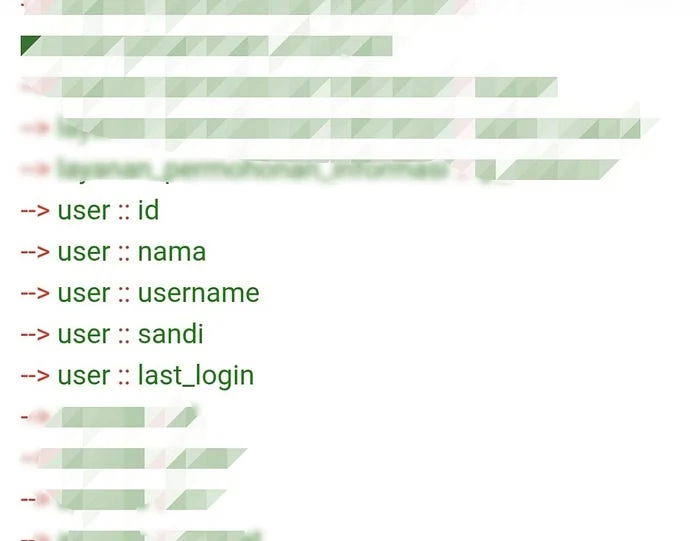
With a reflected column identified, the researcher performed limited database enumeration to see how far the injection could interact with the database, and to identify what information was accessible from the backend. The testing showed that information about the database structure could be retrieved, including table and column names.
Root cause
The report does not include the application code, so the exact mistake is not shown. The behaviour is consistent with the id value being concatenated into an SQL query without proper handling, since a single quote changed the response, a comment restored normal behaviour, and UNION SELECT output was rendered on the page. Which defences, if any, were present and why they did not stop the injection is not stated.
Impact
According to the report, the SQL Injection allows an unauthenticated attacker to access sensitive data from the backend database, including identity card information and other personal information belonging to residents of the redacted organisation. The enumeration described in the write-up was limited to database structure, such as table and column names; the report does not show the extraction of resident records themselves.
Fix
The report does not describe any fix or remediation that was applied. It only records that the finding was reported and acknowledged.
Variants to test
These are general techniques that follow from the steps above; the report does not test them.
- Quote and comment pairs on other numeric parameters. Send
id=9'and thenid=9'--+-(URL-encoded as needed). A positive result is a changed or broken page for the quote and a return to normal behaviour once the comment is added. ORDER BYbisection. Walk the column count up and down, for exampleORDER BY 15thenORDER BY 10, until the error boundary is found. A positive result is an error above a certain number and a normal page at or below it.UNION SELECTwith placeholder values. Use a list of numbers matching the accepted column count and look for one of them appearing in the page. A positive result is a reflected number, which identifies a usable output column.- Structure enumeration through the reflected column. Once a column reflects, query schema metadata through it. A positive result is table and column names appearing in the response.
- String context. If the parameter is quoted in the query rather than numeric, try a quoted string with a comment, for example
id=9' AND '1'='1versusid=9' AND '1'='2, and compare the responses. A positive result is a normal page for the true condition and a changed page for the false one.
What happened, in plain words
A security researcher was looking at a government website. One of its pages showed a gallery, and each gallery item was loaded by a number in the web address. That number is called a parameter: it is a small piece of information the page sends to the server so the server knows which item to show.
The researcher tested the number and found signs that it was being pasted directly into a database command. A database is a program that stores information in tables, a bit like a very large, very strict spreadsheet. The website asks the database questions, and the database answers. If a visitor can sneak extra words into the question, they can change what the database is asked, and sometimes make it hand back information it was never meant to show.
The behaviour was consistent with that. By adding a single quote character to the number, the researcher made the page break. By adding a comment marker, the page went back to normal. By using a technique called UNION SELECT, the researcher made the page print a number that came from the injected command. Finally, the researcher found that the names of the database's tables and columns could be retrieved. The report says the flaw would let an unauthenticated attacker, meaning someone with no login at all, reach sensitive data including identity card information and other personal information of residents.
The target is redacted throughout the write-up, and so is the sensitive database content. The researcher reported the issue to the relevant CSIRT team on 12 August 2025, got an acknowledgement the next day, and received an appreciation certificate on 9 September 2025.
The page and the parameter
The page looked completely ordinary. It was a gallery detail page: you click a gallery item, and the site loads the details for that one item. To know which item you want, the page uses a value in the web address.
A web address can carry extra pieces of information after a question mark. Each piece has a name and a value, joined by an equals sign, and pieces are separated by ampersands (&). For example, ?p=example-example&id=9&example=example carries three pieces: p with the value example-example, id with the value 9, and example with the value example. The server reads these pieces and decides what to send back.
The vulnerable endpoint, meaning the address the site responds to, looked like this:
Line by line:
https://is the protocol, the set of rules browsers and servers use to talk to each other securely.[REDACTED]stands in for the site's real name, which the researcher removed on purpose./index.phpis the file on the server that handles the request. The.phpending tells you the server runs a programming language called PHP to build the page.?marks the start of the parameters.p=example-exampleis one parameter, probably telling the site which kind of page to build.id=9is the parameter of interest: it tells the site which gallery item to show.example=exampleis another parameter, kept as a placeholder in the write-up.
The parameter the researcher focused on was:
id=9
Why start here? If a site builds such a lookup by gluing the number into a database command as text, then anything a visitor types in place of 9 becomes part of the command. That is the whole idea behind this class of bug, called SQL Injection. SQL is the language databases use to answer questions, and injection means slipping your own SQL into someone else's question.
Step 1: the single quote test
First, the researcher sent the normal request to see what a healthy page looks like:
This returned the expected page. That is the baseline: the picture of normal behaviour you compare everything else against. Without a baseline you cannot tell whether a later change is caused by your test or by something else.
Then the researcher added a single quote character to the id value:
Line by line:
- Everything is the same as the baseline except the
idvalue, which is now9’instead of9. - The
’is a single quote, the character used in SQL to mark where a piece of text starts and ends.
The response changed and the page no longer behaved normally. Why does that matter? Imagine a sentence where the words in quotes are treated as one block: show item '9'. If you type 9' into the slot, the sentence becomes show item '9'', with an odd number of quotes. The database gets confused about where the text ends and reports an error. A page that breaks when you add a quote is a strong hint that your input is being pasted into a database command without being handled properly. Handling it properly means treating the value as data only, never as part of the command itself.
Step 2: adding a comment
Next, the researcher tried adding a comment marker after the quote:
Line by line:
- The
idvalue is now9’ — +-. - The quote opens or closes a piece of text in the database command, as before.
- The dash-dash sequence is how SQL marks the rest of a line as a comment. A comment is text the database ignores completely.
- The
+signs are how a plus sign is written inside a web address; the server turns them back into spaces before using them.
The page returned to its previous behaviour. Why is that a good sign? Because the comment swallows whatever came after the injection point in the original command. The difference between the broken response and the restored one gave enough confidence to keep testing. The difference between the broken response and the restored one gave enough confidence to keep going.
Step 3: counting the columns
Before you can add your own data to a database answer, you need to know how many columns that answer has. A column is one field in a table, like "name" or "price". If a query returns three columns and you try to add four, the database refuses. So the researcher used ORDER BY, a SQL instruction that sorts results by a chosen column number, to probe the limit.
First:
id=9’ORDER+BY+15--+-
Line by line:
id=9’closes the original value and injects new SQL.ORDER+BY+15becomesORDER BY 15after the plus signs turn into spaces: sort the results by column 15.--+-becomes-- -after decoding: a comment that ignores the rest of the original command.
This resulted in an error. Sorting by a column that does not exist is an error in SQL, so the answer has fewer than 15 columns.
Then:
id=9’ORDER+BY+10--+-
This returned normally.
So sorting by column 10 worked, and sorting by column 15 did not. The researcher is careful about the conclusion: rather than claiming the query had exactly 10 columns, the safer reading is that the query appeared to expose 10 or fewer usable columns based on these tests. That caution matters. A test like this gives you a boundary, not a precise count, and overstating what you know is how reports get challenged.
Step 4: making the page print your own value
Now the researcher wanted to see whether values could be pushed into the query result and shown on the page. The tool for that is UNION SELECT. UNION joins the results of two queries into one list, and SELECT is the instruction that asks for data. If the site displays the combined result, your made-up values appear on the page.
The test was:
id=9’UNION+SELECT+,1,2,3,4,5,6,7,8,9,10--+-
Line by line:
id=9’closes the original value and starts the injection.UNION+SELECTbecomesUNION SELECT: combine the original result with a new one.,1,2,3,4,5,6,7,8,9,10is the list of made-up values for the new result. The list starts with an empty slot before the first comma, then counts from 1 to 10. The number of values has to match the number of columns in the original query.--+-comments out the rest of the original command.
The number 3 appeared in the response. That is the key moment. It means the application took part of the attacker-controlled UNION result and rendered it in the page. In everyday terms: you asked the site to show a list, you slipped your own entries into that list, and the site printed one of your entries as if it were real data. This confirmed the injection was UNION-based and that column 3 was a usable reflected output position, a spot on the page where injected values are displayed.
Step 5: reading the database structure
With a reflected column identified, the researcher performed limited database enumeration. Enumeration means listing things out one by one, the way you might open a cupboard and note down what is on each shelf. The aim was to see how far the injection could interact with the database and what information was accessible from the backend, meaning the server side that visitors never see.
The testing showed that information about the database structure could be retrieved, including table and column names.
Why does knowing names matter? Because to read a table you first have to know it exists and what its columns are called. Table and column names are the map; the records are the treasure. The report says the enumeration was limited to this structure.
Why it worked
The report does not include the application code, so the exact mistake is not shown. The behaviour is consistent with the id value being concatenated into an SQL query without proper handling. Concatenated means glued together as text: the site takes whatever the visitor typed and sticks it onto the end of its command. Three observations support that: a single quote changed the response, a comment restored normal behaviour, and UNION SELECT output was rendered on the page. Which defences, if any, were present and why they did not stop the injection is not stated.
What an attacker could do with it
According to the report, the SQL Injection allows an unauthenticated attacker to access sensitive data from the backend database, including identity card information and other personal information belonging to residents of the redacted organisation. Unauthenticated means no account or login is needed: anyone who can reach the page could try it. The enumeration described in the write-up was limited to database structure, such as table and column names; the report does not show the extraction of resident records themselves.
Was it fixed?
The report does not describe any fix or remediation that was applied. It only records that the finding was reported and acknowledged. The timeline was:
- 12 August 2025: reported to the relevant CSIRT team. A CSIRT is a computer security incident response team, the group an organisation sets up to handle security reports.
- 13 August 2025: a response saying the report would be reviewed internally.
- 9 September 2025: an appreciation certificate recognising the contribution to improving the security of their systems.
The researcher reported through responsible disclosure, meaning giving the organisation a private chance to fix the problem before publishing details, and intentionally redacted the target and sensitive database information from the write-up.
Other places to try the same ideas
These are general techniques that follow from the steps above; the report does not test them.
- Quote and comment pairs on other numeric parameters. Send
id=9'and thenid=9'--+-(URL-encoded as needed). A positive result is a changed or broken page for the quote and a return to normal behaviour once the comment is added. ORDER BYbisection. Walk the column count up and down, for exampleORDER BY 15thenORDER BY 10, until the error boundary is found. A positive result is an error above a certain number and a normal page at or below it.UNION SELECTwith placeholder values. Use a list of numbers matching the accepted column count and look for one of them appearing in the page. A positive result is a reflected number, which identifies a usable output column.- Structure enumeration through the reflected column. Once a column reflects, query schema metadata through it. A positive result is table and column names appearing in the response.
- String context. If the parameter is quoted in the query rather than numeric, try a quoted string with a comment, for example
id=9' AND '1'='1versusid=9' AND '1'='2, and compare the responses. A positive result is a normal page for the true condition and a changed page for the false one.
Glossary
- Parameter: a named value carried in a web address or request, such as
id=9, that tells the server what to do. - Endpoint: the specific address on a server that handles a particular request.
- Database: a program that stores information in tables and answers questions about it.
- Table: a set of rows and columns in a database, like a spreadsheet.
- Column: one field in a table, such as a name or a price.
- SQL: the language used to ask a database questions and give it instructions.
- SQL Injection: a flaw where a visitor's input is treated as part of a database command, letting them change that command.
- UNION SELECT: a SQL feature that combines the results of two queries into one list.
- ORDER BY: a SQL instruction that sorts results by a chosen column number; used here to probe how many columns exist.
- Comment (SQL): text in a command that the database ignores, used here to cut off the rest of the original query.
- Enumeration: listing items out one by one to learn what exists, such as table and column names.
- Backend: the server-side part of a site that visitors do not see.
- Baseline: the normal response you record first, so you can tell what your test changed.
- Reflected output: a spot on the page where a value you supplied is displayed back to you.
- Unauthenticated: acting without any account or login.
- CSIRT: a computer security incident response team that handles security reports for an organisation.
- Responsible disclosure: reporting a flaw privately to the organisation so it can be fixed before details are published.
- Redacted: removed or replaced with a placeholder to protect sensitive information.



