How a Login Link Could Switch kChat to an Attacker’s Server
The kChat Android app accepted a server address from a deep link without validating that it belonged to a legitimate kChat server, then used that address in its magic link login flow. An attacker could supply a link to their own server, causing the app to send the device push token and provision the attacker's server as a workspace, so that messages typed afterwards went to the attacker.
 Published on medium.com
Cybersecurity
The full write-up lives on its author's site
It belongs to its author, so we link to it rather than copy it. The other two tabs are our own rewrites, checked against it.
Context
kChat is an Android messaging client, and the finding here concerns its magic link login flow. A magic link is a login link that carries the information needed to complete authentication, so the user does not have to type credentials manually. In kChat, such a link can be delivered as an Android deep link: a website or another app can open a particular screen or action inside the app.
The problem was that the app took a server address from the incoming deep link and passed it into the magic link login flow without checking that the address belonged to a legitimate kChat server. With a compatible server under the researcher's control, the official app could be made to send its device push token to that server and to provision it as a workspace. Once the attacker's workspace became active, messages subsequently typed there went to the attacker's server.
The issue was reported through YesWeHack. Infomaniak validated it, reassessed it as High severity with a CVSS v3.1 score of 7.1, and released a fix. The researcher verified that the behaviour no longer reproduced in the updated Play Store build.
Setup
The reproduction used the official Play Store build, kChat v1.0.48, on a Samsung SM-A166P running Android 16, with the user logged in. The proof of concept used an HTTPS endpoint under the researcher's control that answered the configuration, health check and login requests the client expected. A minimal Mattermost-compatible stub was enough to reach the relevant behaviour. The test used a server the researcher controlled and a token value the researcher supplied; it did not require a valid login token for the user's legitimate workspace.
Exploitation required user interaction. The reported user-facing scenario involved opening a link from a web page, including Android's app-opening confirmation where shown. The report also included an ADB trigger for repeatability, which delivered the same type of Android VIEW intent used by the deep link path; that was a testing convenience rather than the attack scenario.
Finding it
In the affected build, Android registered custom URL schemes including kchat://, kChat:// and mmauthbeta:// as browsable links, so a website could present a link that Android would hand to kChat when the user opened it. The relevant route had this structure:
kchat://<server-address>/login/one_time_link?t=<token>
The handler extracted two values: the server address and the token in the t parameter. It checked that the token matched a 64-character lowercase alphanumeric format. It did not establish whether the server address was trusted before invoking the login flow.
That mattered because the address determined where the app would send the login request and which server it would add to its local configuration. The token format check offered no protection against a server the attacker controlled and could make accept the request.
The source analysis followed the input across four parts of the app:
| Component | Relevant behaviour |
|---|---|
android/app/src/main/AndroidManifest.xml |
Registered the browsable custom schemes. |
app/utils/deep_link/index.ts |
Matched the magic link route and passed the extracted server address and token into magicLinkLogin. |
app/actions/remote/session.ts |
Resolved the server address, created a client, performed login, and created local server state. |
app/client/rest/users.ts |
Sent the magic link token and device identifier to the selected server. |
An unknown server could enter the magic link login branch directly. The flow resolved the supplied address with a HEAD request, followed redirects, fetched client configuration, and proceeded with login. The report gives this simplified representation of the sequence, not a verbatim source excerpt:
serverUrl, token = parseIncomingLink(link)
resolvedUrl = getServerUrlAfterRedirect(serverUrl)
client = createClient(resolvedUrl)
client.getClientConfigOld()
client.loginByMagicLinkLogin(token, getDeviceToken())
createServerDatabase(resolvedUrl)
The missing check belonged before the app contacted the supplied destination or sent device information to it. Redirect handling also mattered: a trusted starting address would provide little protection if resolution could finish at an untrusted host.
The report noted another detail. Although the app had removed the multi-server "add server" interface, this deep link path still allowed an unknown server to be provisioned. Removing the visible interface had left another route to the same underlying capability.
Exploitation
Step 1: Prepare a compatible server
The researcher stood up an HTTPS endpoint under their control that answered the configuration, health check and login requests the client expected. A minimal Mattermost-compatible stub was sufficient to reach the relevant behaviour.
Step 2: Deliver the deep link
The link followed the route structure above, with the attacker's server address in the host position and a researcher-supplied value in t. Delivering it as an Android VIEW intent reproduced the same path the deep link uses; the report describes this as a testing convenience, while the user-facing scenario is opening a link from a web page.
Step 3: Observe the login request
After the deep link reached the app, the researcher's server received a login request containing both the supplied magic link token and the device push registration token. The structure was:
POST /api/v4/users/login
Content-Type: application/json
{
  "magic_link_token": "<researcher-supplied value>",
  "device_id": "<device push token — redacted>"
}
The server log established that device information had crossed to the selected destination. App logs and the resulting workspace state supported the separate finding that the app had provisioned the unknown server.
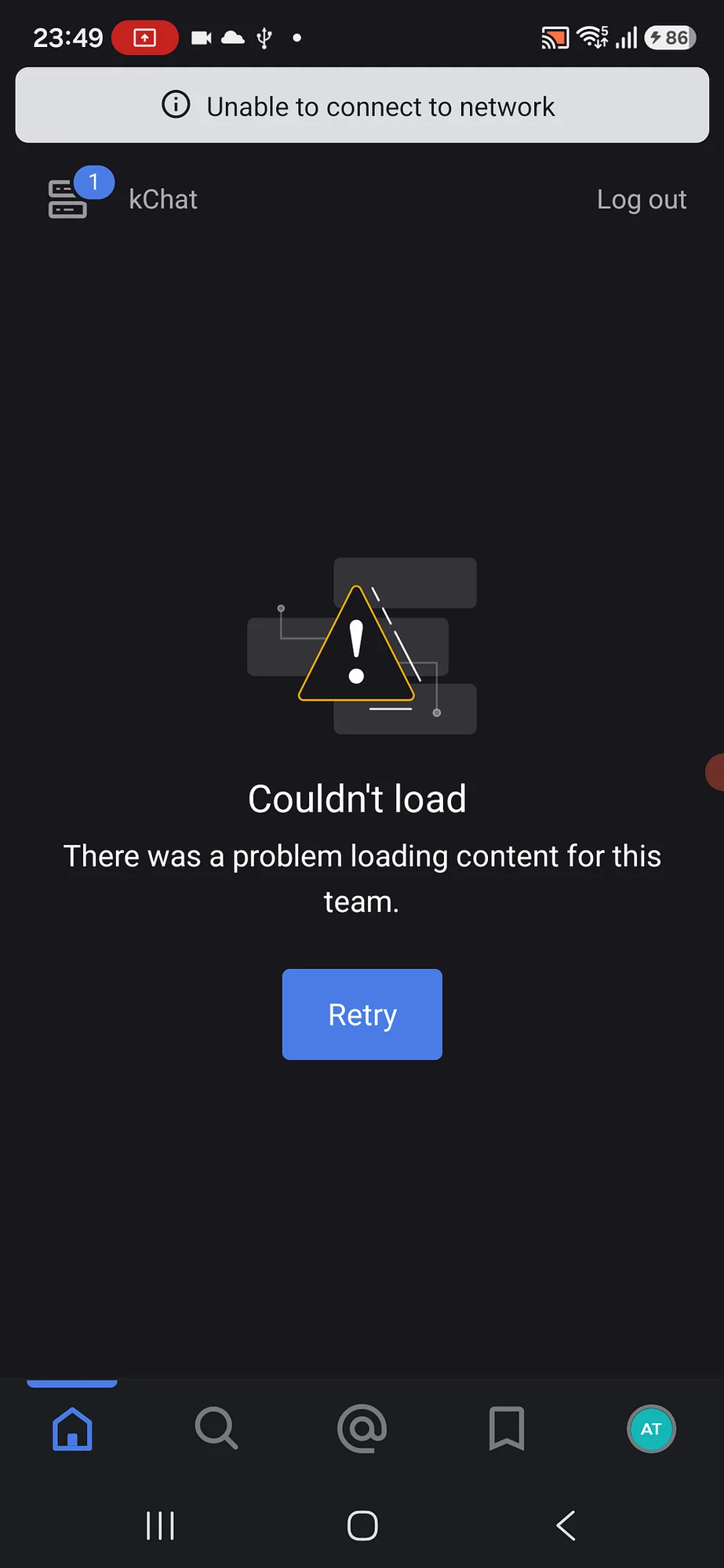
The minimal stub had a practical limitation: it did not implement every API the app expected, so some screens could fail to load. A connection error alone would have been weak evidence; the login request received by the server, combined with the app's server state, was much more useful for establishing what had happened.
Step 4: Observe the workspace switch
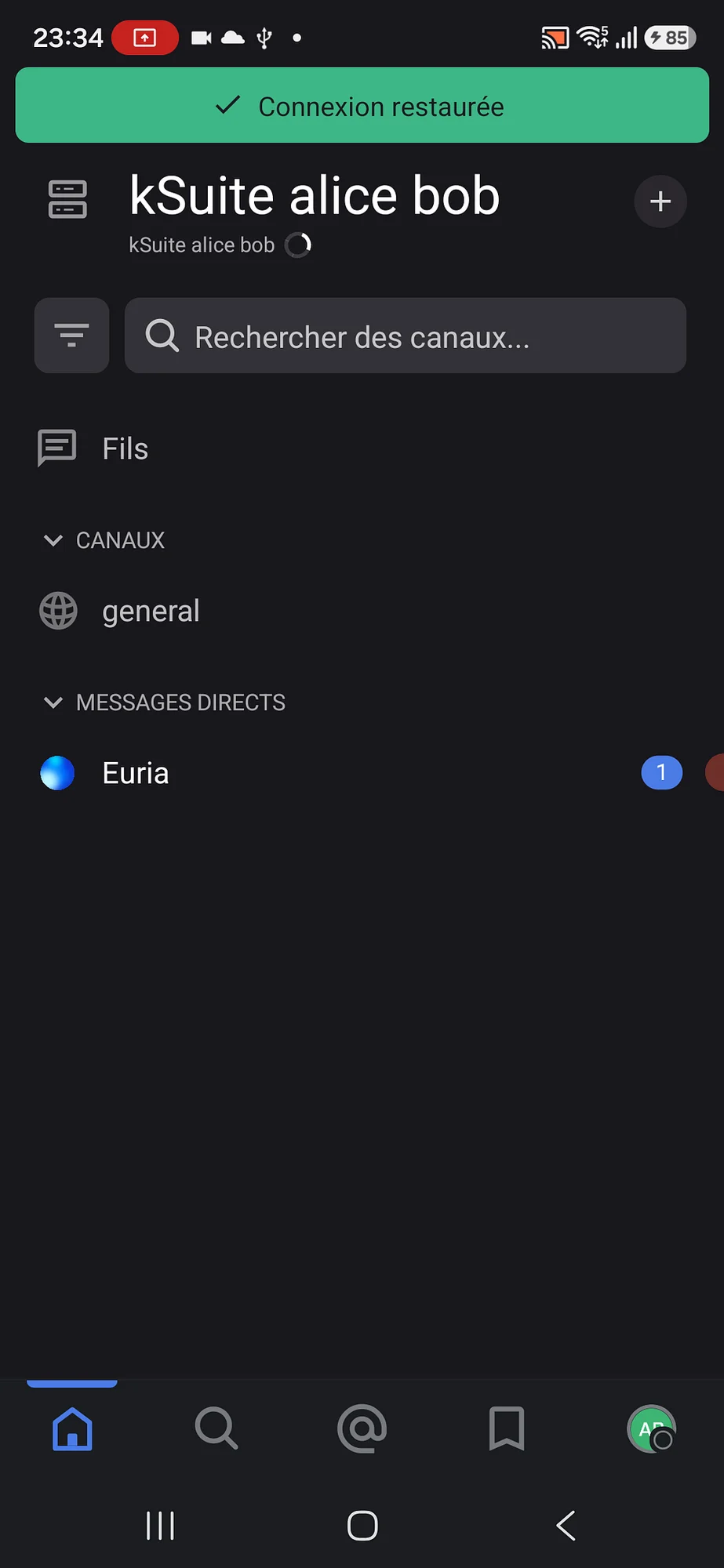
The initial report focused on the push token disclosure and unauthorised server provisioning. Those were observable consequences, but the active workspace also determined the destination for later messages. When the app switched to the attacker's workspace, content entered there was sent to the attacker's server.
Root cause
The clearest description of the root cause is insufficient validation of deep link parameters leading to unauthorised server configuration. A value obtained from an external link became the authority for choosing a backend, and the app's normal configuration and messaging behaviour carried the impact forward.
The handler checked that the token in t matched a 64-character lowercase alphanumeric format. Nothing verified that the server address, or the address it resolved to after redirects, belonged to a legitimate kChat host before the app contacted it, sent device information to it, or persisted it as local server state. Redirect following widened the gap: even a trusted starting address could resolve to an untrusted host.
The program categorised the report as SSRF under CWE-918. In the reproduced flow the requests originated from the Android client, so the evidence showed a mobile app being induced to contact and trust an attacker-selected destination. For mobile testing this fits the broader category of insecure deep link handling; OWASP's MASWE-0029 covers insecure deep links and input validation in their handlers, and Android's security guidance calls for validating incoming parameters and checking relevant application state before sensitive operations.
Impact
On 14 October 2026, Infomaniak updated the assessment after considering the additional demonstrated impact. The revised assessment recorded continuous disclosure of communications typed in the app after the switch, together with a change to the app's configuration and rendered content. The final vector was:
CVSS:3.1/AV:N/AC:L/PR:N/UI:R/S:U/C:H/I:L/A:N
That corresponds to 7.1, High. User interaction remained required. The revised confidentiality impact reflected the subsequent communications; the integrity impact reflected the attacker's ability to alter the app's workspace state and content.
The distinction between existing and subsequent data is essential. The evidence established disclosure of the push token and of messages entered into the attacker's active workspace. It did not establish access to previous conversations on the legitimate server, theft of the user's existing account session, or compromise of Infomaniak's backend infrastructure. Possession of a push registration token was not evidence that arbitrary push messages could be sent or intercepted; the stronger confidentiality finding came from where subsequent application messages were delivered.
Fix
The researcher's original recommendation was to validate the supplied server address and its resolved destination against the legitimate kChat hosts before login or server provisioning. Redirects needed the same restrictions, and device information should only be sent after the destination was established as trusted.
The remediation recorded in the fix verification notes removed the affected magic link login path. Links pointing to an unknown server no longer caused the app to provision that server.
On 5 November 2026 the researcher recorded a retest against kChat v1.0.51, version code 100051001, from the Play Store, on the same device as the original proof of concept. The app still opened when it received the deep link, but it stayed on the legitimate workspace. The researcher observed no request to the attacker endpoint, no login POST carrying the device token, and no creation of local server state for that endpoint. These checks addressed both parts of the original finding: the initial device information disclosure and the workspace change that enabled later message disclosure.
Disclosure timeline
| Date | Event |
|---|---|
| 5 October 2026 | Submitted the initial report through YesWeHack. |
| 6 October 2026 | Infomaniak validated and accepted the finding. |
| 14 October 2026 | Infomaniak reassessed the additional impact and raised the score from 4.3 to 7.1. |
| 15 October 2026 | The team requested verification of a new release. |
| 5 November 2026 | Recorded fix verification on Play Store version 1.0.51. |
| 17 November 2026 | The report was closed as resolved. |
Variants to test
- Host, tenant or workspace parameters in login links. If a link carries a host, tenant, workspace or environment address, follow that value until the app uses it to make a request or persist configuration. A positive result is a request to a destination you control, or a new entry in the app's server configuration, before any trust check.
- Redirect-based bypass. Point the link at a trusted-looking address that redirects to your host. A positive result is the app following the redirect and sending device information or login data to the final destination.
- Data sent before the trust decision. Inspect what leaves the device before the destination is validated, such as device identifiers or push tokens. A positive result is any such value arriving at your endpoint.
- State after login. Check whether a server added during authentication becomes the recipient of data entered later. A positive result is messages typed after the switch arriving at your server.
- Removed interfaces with surviving routes. Where a multi-server or "add server" interface has been removed, test deep links and other entry points that reach the same capability. A positive result is provisioning of an unknown server through a path other than the removed UI.
Thanks to the Infomaniak Security Team for reviewing the additional evidence and involving the researcher in fix verification, and to YesWeHack for providing the reporting platform.
References
- Research record: YesWeHack report
YWH-PGM7461-3803, its assessment updates, and the recorded fix verification. - Android Developers: Unsafe use of deep links.
- OWASP Mobile Application Security: MASWE-0029, Insecure Deep Links.
What happened, in plain words
kChat is a messaging app for Android phones. It is a client: the app on your phone talks to a server, which stores your conversations and your account. The app talks to a server, which stores your conversations and your account.
This report is about a way to make the official app talk to a different server, one chosen by an attacker, without the user realising. The trick was a login link.
A login link is a link that carries everything needed to sign in, so you do not have to type a username and password. In kChat such a link can arrive as an Android deep link. A deep link is a link that opens a specific screen or action inside an app instead of a web page. When you tap a link on a website and Android asks whether to open it in an app, that is a deep link at work.
The problem: the app took the server address out of the incoming link and used it in its login flow without checking that the address belonged to a real kChat server. With a server under the researcher's control that spoke the same language as the app, the official app could be made to send its device push token to that server and to add it as a workspace. A workspace is the place inside the app where your conversations for a given server live. Once the attacker's workspace was active, messages typed there afterwards went to the attacker's server.
The issue was reported through YesWeHack, a bug bounty platform where security researchers report problems to companies. Infomaniak validated it, reassessed it as High severity with a CVSS v3.1 score of 7.1, and released a fix. The researcher verified that the behaviour no longer reproduced in the updated Play Store build.
A few terms used above, from zero:
- Server: a computer somewhere on the internet that answers requests from apps and browsers. When you open a website, your browser asks a server for the page. When kChat shows your messages, it asks a server for them.
- Client: the program on your side that talks to the server. The kChat app on your phone is the client.
- API: the fixed set of requests a server accepts, like a menu of things you can ask it to do. An app and a server can only work together if the app sends requests the server's menu includes.
- Token: a short piece of text that stands in for something, like a claim ticket. You show the ticket and the server knows who you are or what you are allowed to do, without you repeating a password every time.
- Push token: a device identifier used to deliver notifications to your phone. It is issued for your specific installation of the app.
- Deep link: a link that opens a particular place inside an app rather than a web page.
- Workspace: the container inside the app for one server's conversations and settings.
- Severity and CVSS: a way of scoring how serious a security problem is. CVSS produces a number, and 7.1 falls in the High band.
Setup
The reproduction used the official Play Store build, kChat v1.0.48, on a Samsung SM-A166P running Android 16, with the user logged in. In other words, the researcher tested the real app that anyone could download, on a real phone, signed in as a normal user, not a special debug build.
The proof of concept used an HTTPS endpoint under the researcher's control that answered the configuration, health check and login requests the client expected. An endpoint here simply means a web address the researcher ran a small server on. HTTPS is the encrypted version of the web protocol, the one with the padlock. The researcher's little server had to answer the same kinds of requests a real kChat server would, because the app only proceeds if it gets sensible answers.
A minimal Mattermost-compatible stub was enough to reach the relevant behaviour. A stub is a deliberately incomplete imitation: it answers only the requests needed for the test and ignores the rest.
The test used a server the researcher controlled and a token value the researcher supplied; it did not require a valid login token for the user's legitimate workspace. That is an important point for understanding the impact: the researcher did not need to steal a real login token. The app sent the researcher-supplied token to the server named in the link.
Exploitation required user interaction. The reported user-facing scenario involved opening a link from a web page, including Android's app-opening confirmation where shown. So this was not something that happened silently in the background: the user had to tap a link, and Android might show its usual prompt asking whether to open the link in the app.
The report also included an ADB trigger for repeatability, which delivered the same type of Android VIEW intent used by the deep link path; that was a testing convenience rather than the attack scenario. ADB is the Android Debug Bridge, a tool developers use from a computer to send commands to a phone over a cable. A VIEW intent is Android's internal message meaning "show this thing", and it is what Android creates when a link is opened. Using ADB let the researcher fire the same internal message again and again without tapping a link by hand each time. It was a shortcut for testing, not the way a real attacker would reach a victim.
Finding it
In the affected build, Android registered custom URL schemes including kchat://, kChat:// and mmauthbeta:// as browsable links, so a website could present a link that Android would hand to kChat when the user opened it.
A URL scheme is the part before :// in a link, like https in a web address. It tells the system what kind of link this is and which program should handle it. By registering these custom schemes, the app told Android: "links starting with these words are mine, give them to me". Browsable means a web page is allowed to contain such a link, so any website could offer one.
The relevant route had this structure:
kchat://<server-address>/login/one_time_link?t=<token>
Line by line, in plain words:
kchat://is the scheme, the part that says "this link belongs to kChat".<server-address>is a placeholder for a server address. Whatever is written there is the server the app will be told to use./login/one_time_linkis the path, the part that names which action inside the app should run. Here it names the one-time login link flow.?t=<token>is the query string, extra information attached to the link.tis the name of a value and<token>is a placeholder for the actual value. The app reads the token from here.
The handler extracted two values: the server address and the token in the t parameter. It checked that the token matched a 64-character lowercase alphanumeric format. It did not establish whether the server address was trusted before invoking the login flow.
A handler is the piece of code that receives the link and decides what to do with it. A parameter is a named value in a link, here t. The only check was on the shape of the token: 64 characters, all lowercase letters and digits. That is like checking that a claim ticket is printed on the right size of paper, without checking who issued it. Nothing checked the server address at all.
That mattered because the address determined where the app would send the login request and which server it would add to its local configuration. The token format check offered no protection against a server the attacker controlled and could make accept the request. Local configuration means the app's own saved settings on the phone, including the list of servers it knows about. If the app saves the attacker's server there, the app will keep using it.
The source analysis followed the input across four parts of the app. Source analysis means reading the app's code to see how a value travels through it. The four parts were:
| Component | Relevant behaviour |
|---|---|
android/app/src/main/AndroidManifest.xml |
Registered the browsable custom schemes. |
app/utils/deep_link/index.ts |
Matched the magic link route and passed the extracted server address and token into magicLinkLogin. |
app/actions/remote/session.ts |
Resolved the server address, created a client, performed login, and created local server state. |
app/client/rest/users.ts |
Sent the magic link token and device identifier to the selected server. |
In plain words, the table traces the journey of the value from the link:
- The manifest file is the app's declaration to Android. This is where the app says which link schemes it wants to receive.
- The deep link utility recognises that the link is a magic link and hands the server address and token to the login function.
- The session code takes the server address, works out the real address (following redirects), builds a client for it, logs in, and saves the server in the app's local state.
- The users code sends the token and the device identifier to whichever server was selected.
An unknown server could enter the magic link login branch directly. The flow resolved the supplied address with a HEAD request, followed redirects, fetched client configuration, and proceeded with login. A HEAD request is a request that asks a server for information about a page or resource without downloading its contents, a quick way of asking "are you there and where do you lead?". A redirect is a server's answer saying "not here, go to this other address instead". Following redirects means the app obeys that answer and goes to the new address. Fetching client configuration means asking the server for the settings the app needs before it can talk to it properly.
The report gives this simplified representation of the sequence, not a verbatim source excerpt:
serverUrl, token = parseIncomingLink(link)
resolvedUrl = getServerUrlAfterRedirect(serverUrl)
client = createClient(resolvedUrl)
client.getClientConfigOld()
client.loginByMagicLinkLogin(token, getDeviceToken())
createServerDatabase(resolvedUrl)
Line by line:
serverUrl, token = parseIncomingLink(link)takes the link apart and pulls out two things: the server address and the token.resolvedUrl = getServerUrlAfterRedirect(serverUrl)asks where the address really leads, following any redirects, and stores the final address.client = createClient(resolvedUrl)builds the app's connection object for that final address.client.getClientConfigOld()asks that server for its configuration.client.loginByMagicLinkLogin(token, getDeviceToken())performs the login, sending the token from the link together with the device's push token.createServerDatabase(resolvedUrl)saves the server in the app's local state, so the app now treats it as one of its servers.
The missing check belonged before the app contacted the supplied destination or sent device information to it. Redirect handling also mattered: a trusted starting address would provide little protection if resolution could finish at an untrusted host. In everyday terms, checking the address on the envelope is useless if the post office is allowed to forward the letter anywhere.
The report noted another detail. Although the app had removed the multi-server "add server" interface, this deep link path still allowed an unknown server to be provisioned. Removing the visible interface had left another route to the same underlying capability. Provisioning here means setting a server up in the app so it becomes usable. The app's menus no longer offered a way to add a server, but the deep link still did the same job behind the scenes. Closing the front door does not help if a window is still open.
Exploitation
Step 1: Prepare a compatible server
The researcher stood up an HTTPS endpoint under their control that answered the configuration, health check and login requests the client expected. A minimal Mattermost-compatible stub was sufficient to reach the relevant behaviour.
Why this step: the app will only go ahead if the server it contacts behaves like a server it recognises. A health check is a simple request a client makes to confirm the server is alive and working. By answering these requests, the researcher's stub convinced the app that it was talking to a real server.
Step 2: Deliver the deep link
The link followed the route structure above, with the attacker's server address in the host position and a researcher-supplied value in t. Delivering it as an Android VIEW intent reproduced the same path the deep link uses; the report describes this as a testing convenience, while the user-facing scenario is opening a link from a web page.
Why this step: the whole problem starts with the app accepting a server address from outside. Putting the attacker's address in the host position of the link is the core of the trick. The researcher used the internal Android message (VIEW intent) to fire the link reliably during testing; a real victim would simply tap a link on a web page.
Step 3: Observe the login request
After the deep link reached the app, the researcher's server received a login request containing both the supplied magic link token and the device push registration token. The structure was:
POST /api/v4/users/login
Content-Type: application/json
Line by line:
POST /api/v4/users/loginis the request line.POSTis the method used when a client sends data to a server, as opposed to just asking for a page./api/v4/users/loginis the path on the server that handles logins.apisignals it is part of the server's programming interface,v4is a version number in the path, andusers/loginsays what the request is about.Content-Type: application/jsonis a header, a line of extra information about the request. It tells the server that the body of the request is formatted as JSON, a common text format for structured data.
{
  "magic_link_token": "<researcher-supplied value>",
  "device_id": "<device push token — redacted>"
}
Line by line:
- The outer braces
{and}mark the start and end of one JSON object, a set of named values. "magic_link_token": "<researcher-supplied value>"is the token taken from the link. The researcher chose this value; it was not a real login token for the user's account."device_id": "<device push token — redacted>"is the device's push token, the identifier used to deliver notifications to that phone. It is redacted here because it is sensitive.
The server log established that device information had crossed to the selected destination. A server log is the record a server keeps of the requests it received. App logs and the resulting workspace state supported the separate finding that the app had provisioned the unknown server. App logs are the app's own record of what it did, and workspace state is what the app shows as its current setup.
The minimal stub had a practical limitation: it did not implement every API the app expected, so some screens could fail to load. A connection error alone would have been weak evidence; the login request received by the server, combined with the app's server state, was much more useful for establishing what had happened. In other words, "the app showed an error" proves little, because errors happen for many reasons. "My server received this exact request, and the app now lists my server as its workspace" is direct evidence of what actually happened.
Step 4: Observe the workspace switch
The initial report focused on the push token disclosure and unauthorised server provisioning. Those were observable consequences, but the active workspace also determined the destination for later messages. When the app switched to the attacker's workspace, content entered there was sent to the attacker's server.
Why this step matters: the first leak, the push token, was only the beginning. The bigger problem is that the app now treats the attacker's server as the place to send messages. Anything typed after the switch goes there. Disclosure means information being revealed to someone who should not have it.
Root cause
The clearest description of the root cause is insufficient validation of deep link parameters leading to unauthorised server configuration. Validation means checking that a value is acceptable before using it. Here the app failed to check the server address from the link, and as a result an unauthorised server got configured in the app.
A value obtained from an external link became the authority for choosing a backend, and the app's normal configuration and messaging behaviour carried the impact forward. A backend is the server side of the system, the part that stores and serves the data. The app let an outside value decide which backend to trust, and then behaved normally with that backend, which is what turned a small mistake into a real leak.
The only check on the extracted values was the format of the token in t (64 lowercase alphanumeric characters). Nothing verified that the server address, or the address it resolved to after redirects, belonged to a legitimate kChat host before the app contacted it, sent device information to it, or persisted it as local server state. Persisted means saved so it survives, here saved in the app's settings on the phone. Redirect following widened the gap: even a trusted starting address could resolve to an untrusted host.
The program categorised the report as SSRF under CWE-918. SSRF stands for server-side request forgery, a class of bug where an attacker makes a system send requests to a destination the attacker chooses. CWE-918 is the catalogue number for that bug class in a widely used list of weakness types. In the reproduced flow the requests originated from the Android client, so the evidence showed a mobile app being induced to contact and trust an attacker-selected destination. That is a useful nuance: the classic SSRF happens on a server, but here the app on the phone was the one making the request.
For mobile testing this fits the broader category of insecure deep link handling; OWASP's MASWE-0029 covers insecure deep links and input validation in their handlers, and Android's security guidance calls for validating incoming parameters and checking relevant application state before sensitive operations. OWASP is a well-known non-profit that publishes guidance on application security, and MASWE is one of its catalogues of mobile weaknesses. The general lesson is simple: anything that arrives from outside the app, like a link, must be checked before it is used for something sensitive.
Impact
On 14 October 2026, Infomaniak updated the assessment after considering the additional demonstrated impact. The revised assessment recorded continuous disclosure of communications typed in the app after the switch, together with a change to the app's configuration and rendered content. Rendered content means what the app actually displays on screen. The final vector was:
CVSS:3.1/AV:N/AC:L/PR:N/UI:R/S:U/C:H/I:L/A:N
This is a CVSS vector, a compact string that records how a vulnerability scores. Each part is a metric with a value:
CVSS:3.1says which version of the scoring system is used.AV:Nmeans attack vector network: the attacker can work over a network, not only with physical access.AC:Lmeans attack complexity low: no special conditions are needed.PR:Nmeans privileges required none: the attacker does not need an account on the target system.UI:Rmeans user interaction required: the victim has to do something, here open a link.S:Umeans scope unchanged: the impact stays within the same security authority.C:Hmeans confidentiality impact high: a lot of information can be exposed.I:Lmeans integrity impact low: some data can be altered.A:Nmeans availability impact none: the service is not taken down.
That corresponds to 7.1, High. User interaction remained required. The revised confidentiality impact reflected the subsequent communications; the integrity impact reflected the attacker's ability to alter the app's workspace state and content.
The distinction between existing and subsequent data is essential. The evidence established disclosure of the push token and of messages entered into the attacker's active workspace. It did not establish access to previous conversations on the legitimate server, theft of the user's existing account session, or compromise of Infomaniak's backend infrastructure. In plain words: messages typed after the switch leaked, but old conversations on the real server did not, the user's existing login on the real server was not stolen, and Infomaniak's own systems were not broken into.
Possession of a push registration token was not evidence that arbitrary push messages could be sent or intercepted; the stronger confidentiality finding came from where subsequent application messages were delivered. Having the push token is not the same as being able to send or read notifications with it. The serious part was that later messages went to the wrong server.
Fix
The researcher's original recommendation was to validate the supplied server address and its resolved destination against the legitimate kChat hosts before login or server provisioning. Redirects needed the same restrictions, and device information should only be sent after the destination was established as trusted. In everyday terms: check the address, check where it really leads, and only then send anything.
The remediation recorded in the fix verification notes removed the affected magic link login path. Links pointing to an unknown server no longer caused the app to provision that server. Remediation means the actual change made to fix the problem. Here the fix was to take out the vulnerable login path rather than to patch it.
On 5 November 2026 the researcher recorded a retest against kChat v1.0.51, version code 100051001, from the Play Store, on the same device as the original proof of concept. A retest is repeating the original test against the fixed version. A version code is an internal number Android uses to identify a build.
The app still opened when it received the deep link, but it stayed on the legitimate workspace. The researcher observed no request to the attacker endpoint, no login POST carrying the device token, and no creation of local server state for that endpoint. These checks addressed both parts of the original finding: the initial device information disclosure and the workspace change that enabled later message disclosure. In other words, the link still opened the app, but no request reached the attacker endpoint and no workspace changed.
Disclosure timeline
| Date | Event |
|---|---|
| 5 October 2026 | Submitted the initial report through YesWeHack. |
| 6 October 2026 | Infomaniak validated and accepted the finding. |
| 14 October 2026 | Infomaniak reassessed the additional impact and raised the score from 4.3 to 7.1. |
| 15 October 2026 | The team requested verification of a new release. |
| 5 November 2026 | Recorded fix verification on Play Store version 1.0.51. |
| 17 November 2026 | The report was closed as resolved. |
A disclosure timeline is the record of who did what and when, from the first report to the final fix. It matters because it shows the process was coordinated: the company was told first, fixed the problem, and the researcher checked the fix.
Variants to test
These are the things the researcher suggests checking in a similar review of another app:
- Host, tenant or workspace parameters in login links. If a link carries a host, tenant, workspace or environment address, follow that value until the app uses it to make a request or persist configuration. A positive result is a request to a destination you control, or a new entry in the app's server configuration, before any trust check. A tenant is one customer's separate space inside a shared service, and an environment is a separate deployment such as test or production.
- Redirect-based bypass. Point the link at a trusted-looking address that redirects to your host. A positive result is the app following the redirect and sending device information or login data to the final destination. A bypass is a way around a check.
- Data sent before the trust decision. Inspect what leaves the device before the destination is validated, such as device identifiers or push tokens. A positive result is any such value arriving at your endpoint.
- State after login. Check whether a server added during authentication becomes the recipient of data entered later. A positive result is messages typed after the switch arriving at your server.
- Removed interfaces with surviving routes. Where a multi-server or "add server" interface has been removed, test deep links and other entry points that reach the same capability. A positive result is provisioning of an unknown server through a path other than the removed UI. UI means user interface, the menus and screens you see and tap.
Thanks to the Infomaniak Security Team for reviewing the additional evidence and involving the researcher in fix verification, and to YesWeHack for providing the reporting platform.
References
- Research record: YesWeHack report
YWH-PGM7461-3803, its assessment updates, and the recorded fix verification. - Android Developers: Unsafe use of deep links.
- OWASP Mobile Application Security: MASWE-0029, Insecure Deep Links.
Glossary
- ADB (Android Debug Bridge): a tool that lets a computer send commands to an Android phone, used here to fire the deep link repeatedly during testing.
- API: the fixed set of requests a server accepts, like a menu of allowed actions.
- Backend: the server side of a system, the part that stores and serves data.
- Browsable link: a link that a web page is allowed to contain and that the system can hand to an app.
- Bug bounty platform: a service where researchers report security problems to companies, here YesWeHack.
- Bypass: a way of getting around a check or restriction.
- Client: the program on the user's side that talks to a server, here the kChat app.
- Confidentiality: keeping information from being seen by people who should not see it.
- Content-Type: a header that says what format the body of a request is in, such as JSON.
- CVSS: a scoring system that turns the characteristics of a vulnerability into a number, here 7.1, High.
- CVSS vector: the compact string of metrics that produces a CVSS score.
- CWE-918: the catalogue entry for server-side request forgery in a widely used list of weakness types.
- Deep link: a link that opens a particular screen or action inside an app instead of a web page.
- Disclosure: information being revealed to someone who should not have it.
- Endpoint: a web address where a server answers requests.
- Environment: a separate deployment of a service, such as test or production.
- Handler: the code that receives an input, such as a link, and decides what to do with it.
- HEAD request: a request that asks a server about a resource without downloading its contents.
- Header: an extra line of information attached to a request or response.
- Health check: a simple request used to confirm a server is alive and working.
- Host: the part of an address that names the server, or a customer's space on a shared service.
- HTTPS: the encrypted version of the web protocol, shown by the padlock in a browser.
- Integrity: the property that data has not been altered by someone who should not alter it.
- JSON: a common text format for structured data, using braces and quoted names.
- Local configuration / local server state: the app's own saved settings on the phone, including which servers it knows about.
- Magic link: a login link that carries what is needed to sign in, so no password has to be typed.
- Manifest (AndroidManifest.xml): the file in an Android app that declares to the system what the app can do, including which link schemes it accepts.
- MASWE-0029: an OWASP catalogue entry about insecure deep links and input validation in their handlers.
- Mattermost: another messaging product whose server API kChat's client understands.
- OWASP: a non-profit that publishes guidance and catalogues about application security.
- Parameter: a named value attached to a link or request, here
tin the link. - Path: the part of an address that names which action or resource is meant, such as
/api/v4/users/login. - Persist: to save something so it survives, here saving a server in the app's settings.
- POST: the request method used when a client sends data to a server.
- Proof of concept: a working demonstration that a problem is real.
- Provision: to set a server up in the app so it becomes usable.
- Push token: a device identifier used to deliver notifications to a specific installation of an app.
- Query string: the part of a link after
?, carrying extra named values. - Redirect: a server's answer saying the requested thing is at another address.
- Remediation: the actual change made to fix a security problem.
- Rendered content: what the app actually displays on screen.
- Retest: repeating the original test against a fixed version to confirm the fix.
- Scheme (URL scheme): the part before
://in a link, such ashttpsorkchat, that says what kind of link it is. - Server: a computer on the internet that answers requests from apps and browsers.
- Severity: how serious a security problem is, often expressed as a band such as High.
- SSRF (server-side request forgery): a bug class where an attacker makes a system send requests to a destination the attacker chooses.
- Stub: a deliberately incomplete imitation of a server that answers only the requests needed for a test.
- Tenant: one customer's separate space inside a shared service.
- Token: a short piece of text that stands in for something, like a claim ticket, so a password need not be repeated.
- UI (user interface): the menus and screens a person sees and taps.
- URL scheme: see scheme.
- Validation: checking that a value is acceptable before using it.
- Version code: an internal number Android uses to identify a build of an app.
- VIEW intent: Android's internal message meaning "show this thing", created when a link is opened.



