How a Shopping Filter Led to a $4,000 Bug Bounty
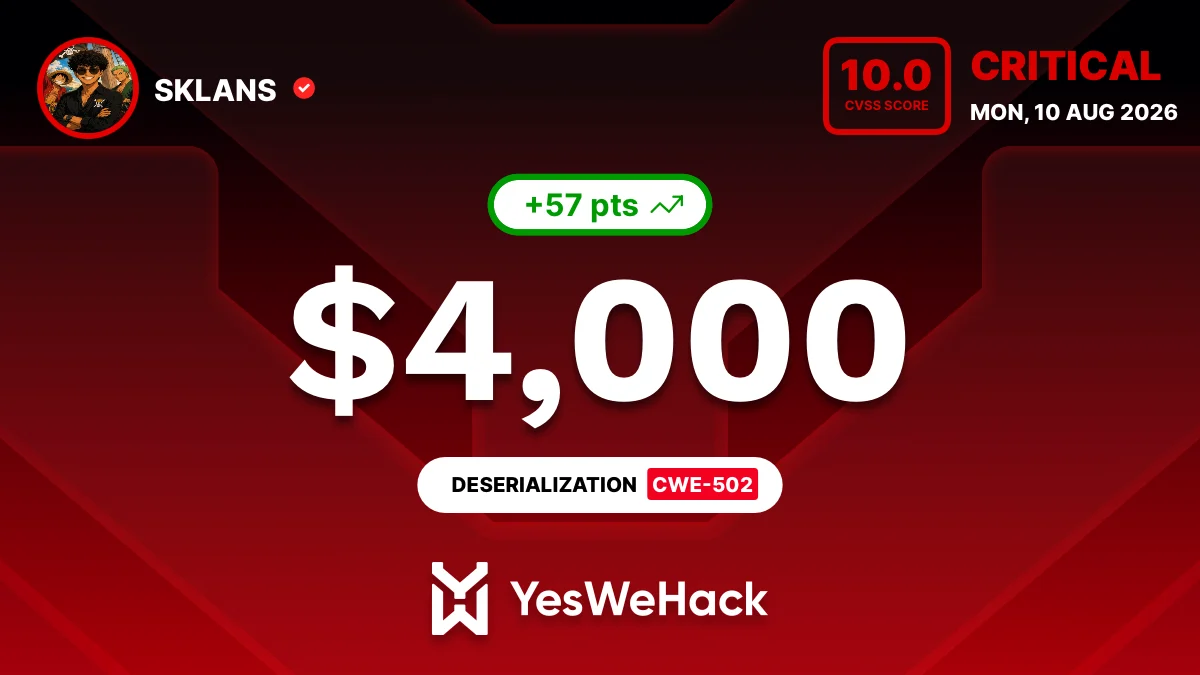
A storefront's product filter module was running a release affected by a known deserialization vulnerability, allowing an attacker to rebuild application objects from untrusted data. The hunter confirmed remote code execution without a signed-in session and reported it, earning a $4,000 bounty.

I followed a version match from a public advisory to a live application, then came back to verify the patch.
The full write-up lives on its author's site
It belongs to its author, so we link to it rather than copy it. The other two tabs are our own rewrites, checked against it.
Context
The target was an in-scope storefront. The feature at the centre of the report is the product catalogue filter: the part of the shop that narrows the list of products when a shopper selects a filter. Behind that filter sat a module, and that module was running a release affected by a known deserialisation vulnerability, documented as CVE-2026-54159.
The researcher reported the deployment through YesWeHack. The finding was rated Critical at CVSS 10.0 and earned a $4,000 bounty. The report is as much about evidence discipline as about the bug: a version match gave a lead, and the work was proving what was actually true on this particular deployment.
Setup
The report does not describe accounts, roles or tooling. What it does establish is the precondition that mattered: the application exposed version metadata for the filter module, so the researcher had a specific component and release to compare against the public advisory. The test was confirmed without a signed-in session, so no authenticated access was needed for the impact that was reported.
Finding it
While reviewing the storefront, the researcher identified the module responsible for filtering the product catalogue. The exposed version metadata allowed a direct comparison with the advisory for CVE-2026-54159: module name, deployed release, affected range, and the vendor's fix release. The deployed version fell inside the affected range, so it was recorded as a lead.
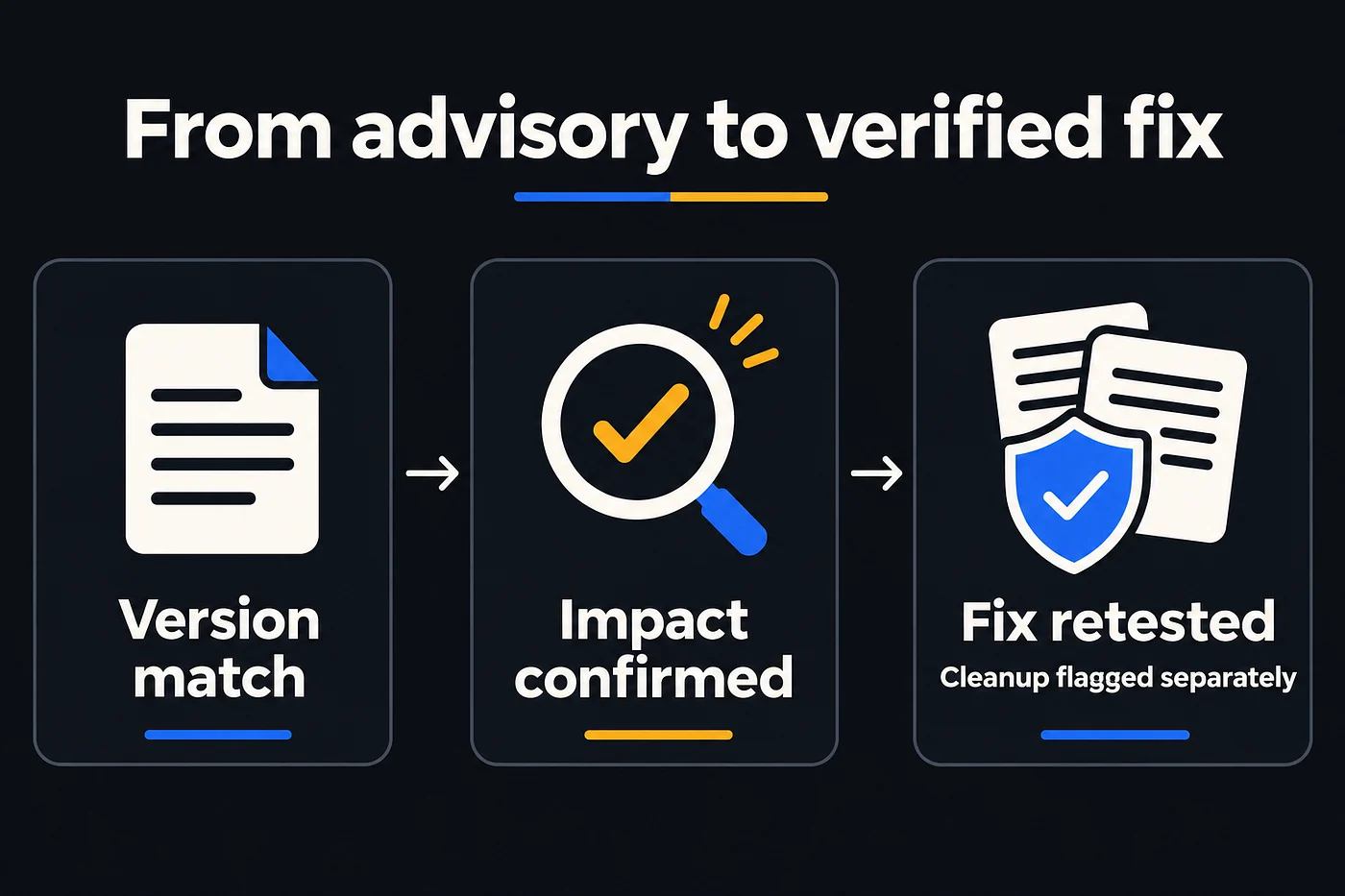
A version match on its own proves little. A storefront can run an affected release without ever using the vulnerable feature, and a version label says nothing about local changes made after installation. The researcher needed evidence that held up on this deployment, which is what the rest of the work establishes.
Exploitation
Step 1: confirm the feature is actually in use
The researcher compared the catalogue with and without a normal filter selected. The filtered page returned fewer products and reflected the selection. That is a small piece of evidence, but a useful one: the storefront was actively processing the feature that had been matched to the advisory.
Step 2: review the source of the deployed release
The filter module stored application state and rebuilt it on later reads. The security concern is that the application could reconstruct objects from data it should not treat as trusted. That is the deserialisation risk the advisory describes, and the source review explained why the risky behaviour was plausible on this deployment.
The report contrasts this with a plain-data design: a catalogue filter can accept a small set of fields, verify their types and allowed values, and build the application's own state from those values. Rebuilding application objects directly from untrusted data gives the input more influence over the program's behaviour.
Step 3: obtain server-side evidence
A feature in use plus plausible source is not impact. To support the severity in the report, the researcher needed separate evidence of what actually happened on the server, and looked for a result distinguishable from an ordinary page response. The validation produced a recognisable marker from server-side execution, giving an observable result to document alongside the affected component and the conditions of the test. The report confirmed remote code execution without a signed-in session.
The report does not include the request, payload or marker itself.
Step 4: triage and acceptance
The finding was submitted on August 1. During triage the security team asked for the exact materials behind the test, and the researcher shared them privately through the report so the team could verify the evidence on their side. On August 10 the program accepted the finding and awarded $4,000.
Step 5: verify the fix and flag leftover state
The next day the team said a fix had been deployed and asked for verification. The researcher confirmed the component had been updated and checked the behaviour that had been reported: the original result was no longer reproducible.
The researcher also checked what the initial test had left behind. Two files from the validation were still present, and they were flagged to the team for cleanup in the same retest update. On August 13 the program marked the report resolved.
Root cause
The filter module stored application state and rebuilt it on later reads, reconstructing objects from data it should not treat as trusted. The report frames the correct design as plain data: accept a small set of fields, verify their types and allowed values, and construct the application's own state from those values rather than rebuilding application objects directly from untrusted input.
The report does not describe the specific code path or the defensive controls that were present or missing, so why existing defences did not stop the issue is not stated. The version evidence places the deployment inside the affected range of CVE-2026-54159, and the vendor's fix release is linked in the references.
Impact
The finding was rated Critical at CVSS 10.0. The conditions are those of the test: the affected filter module deployed at a release inside the advisory's affected range, with the filtering feature actively processing input.
Fix
The vendor's patched release is linked in the references as v4.0.4 of ps_facetedsearch. The team deployed a fix and asked for verification; the researcher confirmed the component had been updated and that the original result was no longer reproducible.
Separately, two files created by the validation were still present after the fix and were flagged for cleanup. The researcher's point is that an upgrade can fix how an application handles future input while leaving existing files untouched, so fix verification should answer two questions: whether the vulnerability is closed, and whether any state from the original test remains.
Variants to test
- Other modules with exposed version metadata. Compare the deployed release against public advisories for that component. A positive result is a deployed version inside an affected range, which is a lead, not a finding.
- Other features that persist and rebuild state. Look for components that store application state and reconstruct it on later reads. A positive result is source showing objects rebuilt from data the application should treat as untrusted.
- Feature-in-use checks on any version match. Compare behaviour with and without the feature engaged. A positive result is an observable difference that shows the feature is actively processing input.
- Server-side markers for deserialisation candidates. Look for a result you can distinguish from an ordinary page response. A positive result is a recognisable marker produced by server-side execution.
- Post-fix state checks. After a patch is deployed, check whether artefacts from your own test remain. A positive result is files or state still present after the fix, which belongs in the retest note as a cleanup item.
Hunting notes
This kind of bug hides behind ordinary features. A shopping filter looks like a storefront detail, but the module behind it was the component to compare against the advisory. The signal during recon was version metadata exposed by the application for that module, which turned a public advisory into a specific, checkable lead.
Keep three kinds of evidence separate:
- Version evidence. The exact component identified, where the version information came from, and how it compares with the advisory.
- Behaviour evidence. One ordinary comparison showing the feature is in use, then the evidence that actually supports the reported impact.
- Retest evidence. What changed after the fix, what outcome was observed, and any cleanup asked of the team.
When triage asked for the exact materials behind the test, the researcher shared them privately through the report. The finding was submitted on August 1 and accepted on August 10. The retest confirmed the vulnerability was closed, and the leftover files were flagged in the same update.
References
What happened, in plain words
A security researcher was looking at an online shop. The shop had a normal, everyday feature: a filter that lets a shopper narrow down the list of products, for example by choosing a category or an option so that only matching products are shown.
Behind that filter sat a piece of software (a "module") that was running an old version. That old version had a known security flaw, already written up publicly and given an ID number, CVE-2026-54159. The flaw is a type called "deserialisation", which we will explain below.
Finding that the shop ran the old version was the easy part. The hard part was proving that the flaw actually mattered on this particular shop: that the filter was really being used, that the risky behaviour was plausible, and that something observable really happened on the shop's server. The researcher reported it through the bug bounty platform YesWeHack. It was rated Critical at CVSS 10.0 and paid a $4,000 bounty.
The story then continues after the fix. The shop's team patched the software and asked the researcher to check the patch. The researcher confirmed the original problem was gone, but also noticed that two files created during the original test were still sitting on the server, and flagged them for cleanup.
This beginner version walks through the same steps in the same order, explaining each idea from zero as it appears.
The background ideas you need first
Before the steps, here are the concepts the report leans on. Each one is explained as if you have never met it.
- A web application / storefront. A website that does something useful, like a shop. Your browser asks it for pages, and it answers. The shop in this report is a "storefront": the public, shopper-facing part of an online store.
- A module (or component). A self-contained piece of software that adds one feature to a bigger application. Think of it like an accessory plugged into a machine: the machine is the shop, the module is the part that does the filtering. Modules are made by other people, updated separately, and each update has a version number.
- A version number. A label like "4.0.4" that says which release of a piece of software you have. It is like the edition number on a book: same book, but you can tell which printing you are holding.
- Version metadata. Information the application publishes about which version of a module it is running. It is like a shop putting a small sign on the wall saying which model of coffee machine it uses. Useful for support, but also useful for someone checking whether that model has a known problem.
- A public advisory. An official notice that a particular version of a piece of software has a security flaw. It usually says which versions are affected (the "affected range") and which version fixes it (the "fix release").
- A CVE. A globally agreed ID number for a publicly known security flaw, so everyone can refer to the same issue. CVE-2026-54159 is the ID for the flaw in this story.
- A vulnerability. A weakness in software that someone could abuse to make it do something it should not.
- Deserialisation. This is the core flaw, so it deserves a careful explanation. When a program wants to save something (a setting, a shopping selection, an object in memory) so it can read it back later, it turns it into a stream of data. That turning-into-data step is called serialisation. Turning it back into a live object later is deserialisation. The danger: if the program deserializes data that came from an untrusted source (like input from a shopper), an attacker can craft that data so that, when it is turned back into an object, it does something harmful. A simple comparison: imagine a form where you write down instructions for a robot, and later the robot reads the form and follows it. If anyone can write on the form, anyone can give the robot instructions. Safe designs treat the form as plain text to be checked, not as commands to be obeyed.
- Remote code execution (RCE). The worst kind of impact: an attacker manages to make the server run code of their choosing. It is like getting someone else's computer to run a program you wrote, from a distance.
- Server-side. Happening on the shop's own computer (the server), not in your browser. This matters because the server holds the data and does the real work.
- A signed-in session / authentication. Being logged in as a user. "Without a signed-in session" means the researcher did not need an account to demonstrate the problem, which makes it more serious.
- Triage. The stage where the security team of the shop reviews a report, asks questions, and decides whether it is real and how serious it is.
- CVSS. A standard scoring system for how severe a vulnerability is. 10.0 is the maximum.
- A bounty. A reward, usually money, paid for a valid security report.
- A retest / fix verification. Going back after a patch to check that the problem is really gone.
Step 1: narrowing the search to the component
While reviewing the shop, the researcher identified the module responsible for filtering the product catalogue. The application exposed version metadata for that module, so there was a specific component and a specific release to compare against the public advisory.
The issue was already documented as CVE-2026-54159. The researcher compared the module name and the deployed release with the advisory's affected range, then checked the vendor's fix release. The deployed version fell inside the affected range, so it was recorded as a lead.
Why this step matters: a version match is a starting point, not a result. It tells you "this might be affected", the way noticing that your front door uses the same lock model as one in a recall notice tells you "this might be a problem". You still have to check your own door.
A storefront can run an affected release without ever using the vulnerable feature. A version label also tells you little about any local changes made after installation. The researcher needed evidence that held up on this deployment.
Step 2: checking the feature as a shopper would
The researcher compared the catalogue with and without a normal filter selected. The filtered page returned fewer products and reflected the selection. That gave a small but useful piece of evidence: the storefront was actively processing the feature that had been matched to the advisory.
Why this step matters: it answers the question "is this feature even switched on and being used?". If the filter did nothing, the risky code behind it might never run, and the version match would be much less interesting. Comparing with and without the filter is like pressing a light switch to confirm the bulb is actually wired up, rather than just assuming it is because the switch exists.
Then the researcher reviewed the source for the deployed release. The filter module stored application state and rebuilt it on later reads. The security concern was that the application could reconstruct objects from data it should not treat as trusted.
In plain words: the module remembered the shopper's selection by saving it, and later turned that saved data back into live objects. That is exactly the deserialisation pattern described above. If the saved data can be influenced by an outsider, the rebuilding step becomes dangerous.
The report contrasts this with a plain-data design. A catalogue filter can accept a small set of fields, verify their types and allowed values, and build the application's own state from those values. Rebuilding application objects directly from untrusted data gives the input more influence over the program's behaviour.
A comparison: a safe design is like a form that only accepts a tick in one of five boxes, and the clerk builds the order from the ticked box. A risky design is like accepting a free-text note and following whatever it says.
Step 3: getting evidence of server-side impact
The normal filtering comparison established that the feature was in use. The source review explained why the risky behaviour was plausible. To support the severity in the report, the researcher needed separate evidence of what actually happened on the server.
Why this step matters: "the feature is used" plus "the code looks risky" is still not proof of harm. The researcher needed something observable that could only come from the server actually running something.
For the proof, the researcher looked for a result that could be distinguished from an ordinary page response. The validation produced a recognisable marker from server-side execution. That gave an observable result to document alongside the affected component and the conditions of the test. The report confirmed remote code execution without a signed-in session.
In plain words: the researcher arranged for the server to produce a specific, recognisable sign that it had executed something, rather than just returning a normal page. That sign is the evidence. The report does not include the request, the payload or the marker itself, so there is no code to show here.
Step 4: triage and acceptance
The finding was submitted on August 1. During triage, the security team asked for the exact materials behind the test. The researcher shared those privately through the report so the team could verify the evidence on their side. On August 10, the program accepted the finding and awarded $4,000.
Why this matters for a beginner: keeping your evidence tidy and shareable is part of the job. When the team asks "show us exactly what you did", you should be able to hand over the materials without exposing them publicly.
Step 5: verifying the fix and flagging leftover state
The next day, the team said a fix had been deployed and asked the researcher to verify it. The researcher confirmed the component had been updated and checked the behaviour that had been reported. The original result was no longer reproducible.
Why this matters: a patch is a claim until someone checks it. "No longer reproducible" means the same test that worked before now does not work, which is the evidence that the fix is effective.
The researcher also checked what the initial test had left behind. Two files from the validation were still present. They were flagged to the team for cleanup in the same retest update. On August 13, the program marked the report resolved.
Why this matters: an upgrade can fix how an application handles future input while leaving existing files untouched. It is like fixing a leaky tap but leaving the bucket of water on the floor. The vulnerability is closed, but the mess from the test is still there, and it should be cleaned up.
The root cause, in plain words
The filter module stored application state and rebuilt it on later reads, reconstructing objects from data it should not treat as trusted. The correct design is plain data: accept a small set of fields, verify their types and allowed values, and construct the application's own state from those values rather than rebuilding application objects directly from untrusted input.
The report does not describe the specific code path, or which defensive controls were present or missing, so why existing defences did not stop the issue is not stated. What the report does establish is that the deployed version was inside the affected range of CVE-2026-54159, and the vendor's fix release is linked in the references.
What the impact was
That is the impact the researcher documented. The finding was rated Critical at CVSS 10.0. The conditions are those of the test: the affected filter module deployed at a release inside the advisory's affected range, with the filtering feature actively processing input.
The report does not describe what an attacker could reach beyond code execution on the server, nor which data or other systems were exposed.
The fix
The vendor's patched release is linked in the references as v4.0.4 of ps_facetedsearch. The team deployed a fix and asked for verification. The researcher confirmed the component had been updated and that the original result was no longer reproducible.
Separately, two files created by the validation were still present after the fix and were flagged for cleanup. The point is that an upgrade can fix how an application handles future input while leaving existing files untouched, so fix verification should answer two questions: whether the vulnerability is closed, and whether any state from the original test remains.
Other places to look for the same pattern
These are the variants the report suggests testing, explained for a beginner.
- Other modules with exposed version metadata. Compare the deployed release against public advisories for that component. A positive result is a deployed version inside an affected range, which is a lead, not a finding. In plain words: check the label, but do not stop there.
- Other features that persist and rebuild state. Look for components that store application state and reconstruct it on later reads. A positive result is source showing objects rebuilt from data the application should treat as untrusted. In plain words: look for features that remember things and turn them back into live objects.
- Feature-in-use checks on any version match. Compare behaviour with and without the feature engaged. A positive result is an observable difference that shows the feature is actively processing input. In plain words: press the switch and see if the light comes on.
- Server-side markers for deserialisation candidates. Look for a result you can distinguish from an ordinary page response. A positive result is a recognisable marker produced by server-side execution. In plain words: get the server to leave a sign that only it could leave.
- Post-fix state checks. After a patch is deployed, check whether artefacts from your own test remain. A positive result is files or state still present after the fix, which belongs in the retest note as a cleanup item. In plain words: after the repair, check whether your own mess is still there.
Notes for your own hunting
This kind of bug hides behind ordinary features. A shopping filter looks like a storefront detail, but the module behind it was the component to compare against the advisory. The signal during recon was version metadata exposed by the application for that module, which turned a public advisory into a specific, checkable lead.
Keep three kinds of evidence separate:
- Version evidence. The exact component identified, where the version information came from, and how it compares with the advisory.
- Behaviour evidence. One ordinary comparison showing the feature is in use, then the evidence that actually supports the reported impact.
- Retest evidence. What changed after the fix, what outcome was observed, and any cleanup asked of the team.
When triage asked for the exact materials behind the test, the researcher shared them privately through the report. The finding was submitted on August 1 and accepted on August 10. The retest confirmed the vulnerability was closed, and the leftover files were flagged in the same update.
References
Glossary
- Advisory: an official public notice that a piece of software has a security flaw, usually naming affected versions and the fix.
- Affected range: the set of software versions that contain a known flaw.
- Authentication / signed-in session: being logged in as a user; "without a signed-in session" means no account was needed.
- Bounty: a reward, usually money, paid for a valid security report.
- Bug bounty platform: a service (here, YesWeHack) that receives security reports and passes them to the organisation that owns the software.
- Component / module: a self-contained piece of software that adds one feature to a larger application.
- CVE: a globally agreed ID number for a publicly known security flaw.
- CVSS: a standard scoring system for the severity of a vulnerability; 10.0 is the maximum.
- Deserialisation: turning saved data back into a live object in a program; dangerous when the data came from an untrusted source.
- Fix release: the version of software that repairs a known flaw.
- Metadata: information about something, here the version label an application publishes about a module.
- Plain-data design: a design where input is treated as simple values (fields, types, allowed values) rather than as objects to be rebuilt.
- Remote code execution (RCE): making a server run code of your choosing, from a distance.
- Retest / fix verification: going back after a patch to check that the problem is really gone.
- Serialisation: turning a live object in a program into a stream of data so it can be saved or sent.
- Storefront: the public, shopper-facing part of an online store.
- Triage: the stage where the security team reviews a report, asks questions, and decides whether it is real and how serious it is.
- Trust boundary: the line between data you can trust and data you cannot; input from outside should stay on the untrusted side.
- Version number: a label identifying which release of a piece of software you have.
- Vulnerability: a weakness in software that someone could abuse to make it do something it should not.




