How an Exposed API Key Led Me to a Critical Webservice Finding
An API key was exposed in a publicly accessible file, and it granted access to a production webservice with broad permissions, including administrative and customer-related resources. An attacker could use the key to read sensitive data and perform write operations, though delete access was not tested.

Cybersecurity
The full write-up lives on its author's site
It belongs to its author, so we link to it rather than copy it. The other two tabs are our own rewrites, checked against it.
Context
This is an anonymized bug bounty case study about credential exposure, API permissions, and verifying a fix. The organization, endpoint, filename and credentials have been anonymized, and the examples use fictional values that illustrate the testing logic rather than a production endpoint or real credential.
The affected application exposed a webservice API. An API key was used as a credential for that API, and that key was sitting in a file that could be retrieved without signing in. The report was submitted through YesWeHack and was resolved with a CVSS score of 9.8.
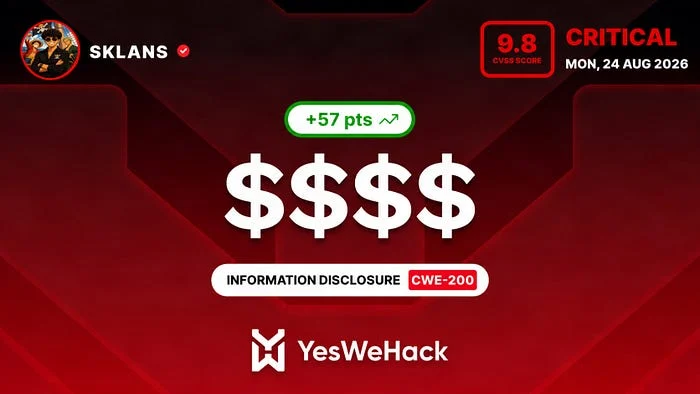
The interesting part of the investigation was the chain of questions: where did the key come from, what access did it grant, and after the team deployed a fix, could it still be used?
Setup
The work was done during an authorized bug bounty assessment. The only precondition that mattered for the finding was that a file containing the key was publicly retrievable without an authenticated session. The file could be retrieved without signing in; a test account was used later for the controlled write check.
Finding it
During the assessment I identified a file that could be retrieved without signing in. The file contained an API key.
Finding a key in a file is a lead, not a conclusion. Its impact depends on whether it is valid, where it can be used, and what its permissions allow. My next step was to understand the service associated with the key and determine the access it granted.
Exploitation
Step 1: Retrieve the file without a session
The file was reachable anonymously and its contents included the key. In the report I explained to the security team where the key could be found and how it was used to authenticate.
Step 2: Use the key against the webservice
The key was used as a credential for the webservice API. The simplified pseudocode below uses fictional values and shows the validation sequence rather than a production endpoint or real credential.
1. Retrieve a test file without a signed-in session
GET /public/example-export → file contains TEST_API_KEY2. Use the test key against a lab API GET /api/test-resource Authorization: <TEST_API_KEY> → access granted3. Check a permitted write using a test account Update a field on the test account → response accepted → read back the field to confirm it persisted
The first line is the anonymous retrieval of the export file, which yields the key. The second block sends the key in the Authorization header to the API and receives access. The third block performs a single write against a test account, then reads the field back to confirm the change persisted.
Step 3: Map the boundary
I used the key to check the webservice's available access. The original report records that it could reach administrative and customer-related resources. It also records one write test against a test account, where a change was accepted and persisted.
The service advertised broader operations, including delete access. I did not exercise delete. The report distinguishes the permitted operations from the single write test I performed.
That distinction matters when describing impact. A response that lists permissions tells the receiving team what the credential appears to allow. A controlled test can establish whether a specific operation actually works.
For a real report, the evidence needs to show the authorization boundary and a reproducible result while keeping the test within the program's rules. I shared the actual details privately with the program.
Root cause
A file containing a secret was placed in a publicly accessible location and could be fetched without authentication. The key inside it was a valid credential for a production webservice with broad permissions, including access to administrative and customer-related resources and advertised read and write operations across multiple resources.
Impact
An exposed credential is more serious when it grants broad access. In this case, the report described a key with access to sensitive resources and an API that advertised read and write operations across multiple resources. The key could reach administrative and customer-related resources, and a write against a test account was accepted and persisted.
The service also advertised delete access, which I did not exercise, so the report does not establish that delete worked in practice. The impact described is bounded by what was actually observed: the reachable resources and the single confirmed write.
Fix
I asked the team to disable the affected webservice access, review other keys, and rotate affected credentials. I also recommended reviewing access to the exposed file and any other possible exposure paths.
After the team deployed a fix, they asked me to verify it. My follow-up checks recorded that the webservice returned a disabled-service response and that the alternative request paths I tested were also blocked. I confirmed that the original issue was no longer reproducible in those checks.
The report was marked Resolved in my YesWeHack export. The status and score are from that export; the technical narrative comes from the report and its triage discussion.
For developers, the checks that follow from this case are:
- Keep exports and backups containing secrets out of public web directories.
- Treat API keys as credentials, store them securely, and rotate them after exposure.
- Grant each service account only the permissions it needs.
- Disable unused APIs and review access from outside the trusted network.
- Add a repeatable check for exposed credentials and public files to release and incident-response workflows.
Variants to test
- Anonymous export and backup paths. Request export and backup files without a session and inspect their contents for keys. A positive result is a file returned to an unauthenticated client that contains a credential-shaped string.
- Key validity against the associated API. Send the recovered key in the
Authorizationheader to the service it appears to belong to. A positive result is a successful response rather than an authentication error. - Permission mapping. Enumerate the resources the key can reach, including administrative and customer-related ones. A positive result is access to a resource the key should not logically need.
- Controlled write. Perform a single write against a test account and read the field back. A positive result is an accepted response followed by the persisted value on read.
- Post-fix re-test. After a fix is deployed, repeat the original request and try alternative request paths. A positive result for the defender is a disabled-service response and blocked alternatives; anything still reachable means the fix is incomplete.
What I learned
The clearest report connects the exposed value to a concrete access boundary. For this case, that meant documenting the file, the API credential, the permissions I observed, and the controlled write test.
The follow-up was also part of the work. Verifying the service after the fix let me give the team a direct answer about the original behaviour.
I keep the organization and operational details private in this write-up.
What happened, in plain words
A company had a file sitting on its website that anyone could open, without logging in. Inside that file was an API key. An API key is a long string of characters that works like a password for software: instead of a person typing it, one program shows it to another program to prove it is allowed in. Think of it as a key card for a building, except it is a line of text that a computer sends along with a request.
That key turned out to be a working credential for one of the company's online services, called a webservice. A webservice is a part of a website that is built to be used by other software rather than by a person clicking around in a browser. The key gave broad access: the report records that it could reach administrative and customer-related resources, and that one change made against a test account was accepted and kept.
The researcher reported this through YesWeHack, a bug bounty platform. A bug bounty programme is a scheme where an organisation invites outside people to look for security problems and report them, often for a reward. The report was resolved with a CVSS score of 9.8. CVSS is a standard way of scoring how serious a security problem is, on a scale from 0 to 10, where higher is worse.
The interesting part was not just finding the key. It was the chain of questions that followed: where did the key come from, what exactly was it allowed to do, and after the company fixed the problem, could the key still be used?
The organisation, the endpoint, the filename and the credentials have all been anonymised in this write-up. An endpoint is the specific address that a program sends a request to. The examples use fictional values and show the testing logic rather than a real production address or a real key.
Before you start: the words you will need
A few ideas come up again and again, so here they are before the story starts.
- A request is what your browser sends to a website when you open a page. It is a short message asking for something, and the website sends a response back.
- A session is how a website remembers that you are logged in. After you sign in, the site gives your browser a small piece of data, often called a cookie, and your browser shows it on every later request so the site knows who you are. A request made without a session is one where nobody is logged in: the site has no idea who is asking.
- An API is a way for software to talk to other software. A useful comparison is a restaurant. The menu is the list of things you can ask for, the waiter is the API, and the kitchen is the system doing the work. You do not walk into the kitchen yourself; you ask through the waiter, in a fixed way. An API works the same: it accepts certain requests and returns certain answers.
- A webservice is simply an API that is reached over the web, usually at a web address, the same way a page is.
- A header is an extra line of information attached to a request, alongside the address. Headers carry things like what kind of data you accept, or, in this case, a credential proving who you are. The
Authorizationheader is the standard place to put proof of identity in a web request. - A credential is anything that proves identity: a password, a key, a token. An API key is a credential used by software.
- A resource is a thing the API manages: a customer record, an order, an account. Reaching a resource means being able to read or change that thing.
- A write means changing something, as opposed to a read, which only looks at it. If you update your profile picture, that is a write. If you view it, that is a read.
- Rotating a credential means replacing it with a new one and switching off the old one, the way you would change a lock after losing a key.
The setup
The work was done during an authorised bug bounty assessment. Authorised is the important word: the researcher had permission from the programme to test, within its rules. Testing without permission is not security research; it is unauthorised access.
The only precondition that mattered for this finding was that a file containing the key could be fetched by anyone, without being logged in. The file could be fetched without being logged in. A test account was used later, for the controlled write check.
Finding the exposed key
During the assessment, the researcher found a file that could be retrieved without signing in. The file contained an API key.
Finding a key in a file is a lead, not a conclusion. This is worth pausing on, because it is the heart of the whole story. A key lying in a public file only matters if three things are true: the key is still valid, there is a service somewhere that accepts it, and that service lets the key do something worth doing. A key that has expired, or that belongs to a service that no longer exists, is just a string of characters. So the next step was to work out which service the key belonged to and what access it granted.
Testing the boundary
The researcher used the key to check what the webservice would let it do. The report records that the key could reach administrative and customer-related resources. It also records one write test against a test account, where a change was accepted and persisted. Persisted means the change was not just acknowledged in the reply; it was actually saved, and reading the value back showed the new value.
The service advertised broader operations, including delete access. The researcher did not exercise delete. This distinction matters: the report separates what the service said it allowed from the single write test that was actually performed. A response that lists permissions tells the receiving team what the credential appears to allow. A controlled test can establish whether a specific operation really works.
Why be so careful? Because a report that claims more than was demonstrated is easy to dismiss. If you say "this key can delete customer records" when you only saw a list of permissions, the team may push back. If you say "this key reached these resources, and here is one change I made to a test account that was saved", the team can check it and act on it.
The simplified example
The following pseudocode uses fictional values. It shows the validation sequence rather than a production endpoint or a real credential. Pseudocode means a sketch of the steps in plain language, not code that would actually run.
1. Retrieve a test file without a signed-in session
This first line is the starting point: fetch a file with no login at all. If the file comes back and contains a key, the exposure is real. The reason to do this first, and to write it down, is that it is the step that proves anyone on the internet could have done the same.
GET /public/example-export → file contains TEST_API_KEY2. Use the test key against a lab API GET /api/test-resource Authorization: <TEST_API_KEY> → access granted3. Check a permitted write using a test account Update a field on the test account → response accepted → read back the field to confirm it persisted
This block is dense, so here it is line by line.
GET /public/example-exportis a request for a file.GETis the everyday kind of request a browser makes when you open a page or download a file: it asks the server to give you something. The path/public/example-exportis the address of the file on the site. The arrow says the result was that the file containedTEST_API_KEY, a made-up key used for the example.GET /api/test-resourcewithAuthorization: <TEST_API_KEY>is the key being tried against the API. TheAuthorizationheader is where the key is placed, so the service can check it. The arrow says access was granted, meaning the service accepted the key instead of rejecting it.- The last part updates a field on a test account, sees that the response accepted the change, and then reads the field back to confirm it persisted. Reading it back is the part beginners often skip. A service can say "OK" and still not save anything, so the only proof of a real write is seeing the new value when you ask for it again.
For a real report, the evidence needs to show the authorisation boundary and a reproducible result, while keeping the test within the programme's rules. The authorisation boundary is simply the line between what a credential is allowed to do and what it is not. Reproducible means someone else following your steps gets the same result. The actual details were shared privately with the programme, which is normal: you do not publish a working key or a live address.
Why this was serious
An exposed credential is more serious when it grants broad access. In this case, the report described a key with access to sensitive resources and an API that advertised read and write operations across multiple resources. The key could reach administrative and customer-related resources, and a write against a test account was accepted and persisted.
The service also advertised delete access, which was not exercised, so the report does not establish that delete worked in practice. The impact described is bounded by what was actually observed: the reachable resources and the single confirmed write. Bounded here means kept within the evidence, not stretched beyond it.
The fix
The researcher asked the team to disable the affected webservice access, review other keys, and rotate affected credentials. Rotating, as above, means issuing new keys and switching off the old ones, because once a key has been public you have to assume someone copied it. The researcher also recommended reviewing access to the exposed file and any other possible exposure paths, since the same mistake is often made in more than one place.
After the team deployed a fix, they asked the researcher to verify it. This is a normal and healthy step: the person who found the problem is well placed to check that it is really gone. The follow-up checks recorded that the webservice returned a disabled-service response, meaning the service itself said it was switched off, and that the alternative request paths tested were also blocked. The original issue was no longer reproducible in those checks.
The report was marked Resolved in the YesWeHack export. The status and score come from that export; the technical narrative comes from the report and its triage discussion. Triage is the first stage where the programme reviews a report, asks questions and decides what to do with it.
What developers can check
- Keep exports and backups containing secrets out of public web directories. An export is a file generated from a system, often for backup or reporting, and it is easy to leave one somewhere public by accident.
- Treat API keys as credentials, store them securely, and rotate them after exposure.
- Grant each service account only the permissions it needs. A service account is an identity used by software rather than a person; giving it more access than its job requires is what turns a small leak into a large one.
- Disable unused APIs and review access from outside the trusted network.
- Add a repeatable check for exposed credentials and public files to release and incident-response workflows, so the same mistake is caught automatically next time.
Other things worth testing
These are the same ideas generalised, so you can apply them elsewhere.
- Anonymous export and backup paths. Request export and backup files without a session and look inside them for keys. A positive result is a file returned to a logged-out visitor that contains something that looks like a credential.
- Key validity against the associated API. Send the recovered key in the
Authorizationheader to the service it seems to belong to. A positive result is a successful response rather than an authentication error. - Permission mapping. List the resources the key can reach, including administrative and customer-related ones. A positive result is access to something the key should not logically need.
- Controlled write. Make a single change to a test account and read the field back. A positive result is an accepted response followed by the saved value when you read it again.
- Post-fix re-test. After a fix is deployed, repeat the original request and try alternative request paths. For the defender, a positive result is a disabled-service response and blocked alternatives; anything still reachable means the fix is incomplete.
What I learned
The clearest report connects the exposed value to a concrete access boundary. For this case, that meant documenting the file, the API credential, the permissions observed, and the controlled write test.
The follow-up was also part of the work. Verifying the service after the fix let the researcher give the team a direct answer about the original behaviour.
The organisation and operational details stay private in this write-up.
Glossary
- API: a fixed way for one piece of software to ask another for something, like a menu and waiter in a restaurant.
- API key: a long string of characters that software uses as a password to prove who it is.
- Authentication: proving who you are, for example by logging in or by presenting a key.
- Authorisation: what you are allowed to do once you have proved who you are.
- Authorisation boundary: the line between what a credential may do and what it may not.
- Authorised assessment: testing done with the owner's permission, within agreed rules.
- Bug bounty programme: a scheme where an organisation invites outside researchers to report security problems, often for a reward.
- Cookie: a small piece of data a site stores in your browser so it can recognise you on later requests.
- Credential: anything that proves identity, such as a password, key or token.
- CVSS: a standard 0 to 10 score for how serious a security problem is; higher is worse.
- Endpoint: the specific address a request is sent to.
- Export: a file generated from a system, often for backup or reporting.
- GET: the ordinary kind of web request that asks a server to return something.
- Header: an extra line of information attached to a request, such as proof of identity.
- Persisted: actually saved, so that reading the value back shows the change.
- Pseudocode: a plain-language sketch of steps, not runnable code.
- Reproducible: a result someone else can get again by following the same steps.
- Resource: a thing an API manages, such as a customer record or an account.
- Rotate: replace a credential with a new one and switch off the old one.
- Service account: an identity used by software rather than by a person.
- Session: how a site remembers that you are logged in across requests.
- Triage: the first review of a report, where the programme asks questions and decides what to do.
- Webservice: an API reached over the web at a web address.
- Write: a change to data, as opposed to a read, which only looks at it.
- YesWeHack: the bug bounty platform through which this report was submitted.



