Personal Access Token Disclosure in Asana Desktop Application
The Asana desktop app for Mac exposed a personal access token, rated P1 and awarded a bounty.
 Published on security.lauritz-holtmann.de
This post gives an insight into a sensitive data exposure vulnerability in Asana for Mac that was rated as P1 and was awarded a bounty.
The full write-up lives on its author's site
It belongs to its author, so we link to it rather than copy it. The other two tabs are our own rewrites, checked against it.
Context
Asana ships a desktop application for macOS that is built on Electron, the framework that wraps web technologies (HTML, JavaScript, CSS) into something that installs and runs like a native application. Electron applications are packaged with the asar (Electron Archive) format, and the asar command-line utility can extract files from a packed bundle. Because the bundle is just an archive of the application's web assets, anything the build process puts into it ends up on every user's disk.
This write-up describes a sensitive data exposure in Asana for Mac: a Personal Access Token was bundled into the shipped application. The report was rated P1 and awarded a bounty. The author notes that this was his first report of this kind, and that he suspects this type of deployment and build chain issue is more common than one may think.
The issue was reported to Asana through their Bugcrowd program on 16 June; Asana notified that it was fixed on 17 June. The initial triage by Bugcrowd was fast enough that the leaked secret could be revoked within hours of the report.
Setup
The only tool needed beyond a shell is asar, installed globally with npm:
$ npm install -g asar
The subject of the analysis is the macOS disk image, downloaded from a fixed URL:
$ cd /tmp
$ wget https://desktop-downloads.asana.com/darwin_universal/prod/latest/Asana.dmg
On macOS the .dmg file is mounted with the open command, and the application itself (Asana.app) is copied to an arbitrary destination:
$ open Asana.dmg
$ cp -r /Volumes/Asana/Asana.app /tmp/Asana.app
No account, role or special access was required for any of this: the application is a public download, and the analysis is entirely local.
Finding it
Running the file command shows that the copied Asana.app is actually a folder. The asar extract command is then used to pull the actual web application sources out of the wrapper bundle:
$ file /tmp/Asana.app
/tmp/Asana.app: directory
$ asar extract /tmp/Asana.app/Contents/Resources/app.asar /tmp/sources
The extracted sources can be opened in a text editor or IDE of your choice:
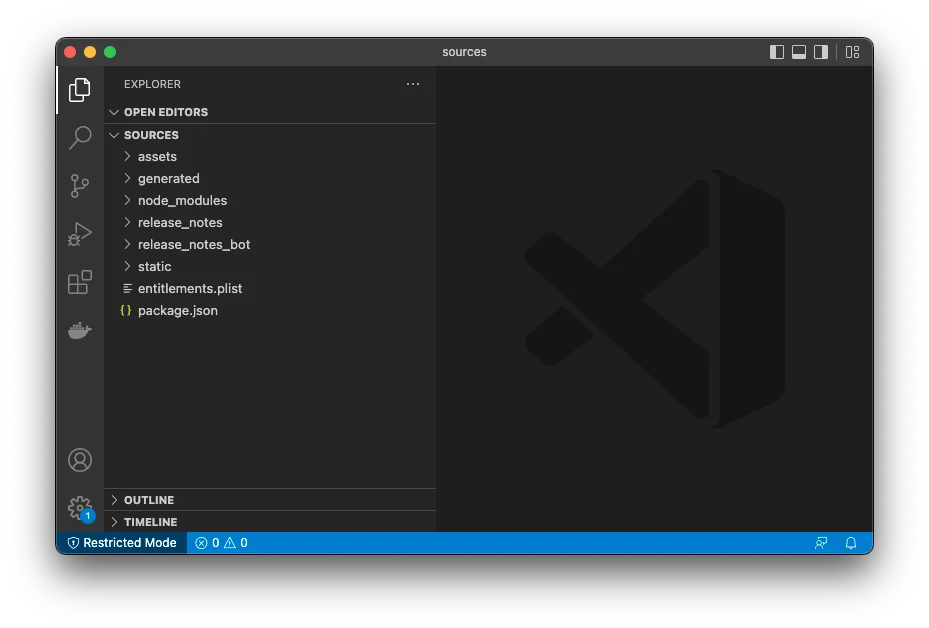
After browsing the folder structure and bundled contents, the author found a folder named release_notes_bot containing a file named .env. Its contents looked odd:
$ cat /tmp/sourcecode/release_notes_bot/.env
DESKTOP_RELEASE_NOTES_PERSONAL_ACCESS_TOKEN='0/a7f89e98g007e0s07da763a'
As the variable name indicates, the value appears to be a Personal Access Token (the value shown in the post is the default example from the documentation). Hardcoding or bundling secrets is bad practice, and the Asana documentation advises, for good reasons:
Remember to keep your tokens secret; treat them just like passwords! They act on your behalf when interacting with the API. Don't hardcode them into your programs. Instead, opt to use them as environment variables.
At this point the finding is only a candidate. The token could be bound to a limited service account without access to anything of interest, or it could be invalid anyway. That has to be established before the impact is real.
Exploitation
Step 1: Identify the right API call
The Asana API documentation points almost immediately to a request that returns the identity behind a token:
GET /api/1.0/users/me HTTP/1.1
Host: app.asana.com
Authorization: Bearer [PERSONAL-ACCESS-TOKEN]
The Authorization: Bearer header carries the token; the endpoint returns the user the token acts as.
Step 2: Send the request with the extracted token
Sending the request with the obtained token returns something like this:
HTTP/1.1 200 OK
Content-Type: application/json; charset=UTF-8
[...]

{
    "data":{
        "gid":"[REDACTED]",
        "email":"[john.smith]@asana.com",
        "name":"[john.smith]@asana.com",
        "photo":{
            "image_21x21":"https://s3.amazonaws.com/profile_photos/[REDACTED].png",
            [...]
        },"resource_type":"user",
        "workspaces":[{
            "gid":"[REDACTED]",
            "name":"[REDACTED]",
            "resource_type":"workspace"
        },{
            "gid":"[REDACTED]",
            "name":"Asana, Inc",
            "resource_type":"workspace"
        }]
    }
}
The response shows that the token is valid, bound to a real user account (not just a limited service account), and has access to multiple workspaces. One of those workspaces appears to be the internal Asana workspace for their employees.
Step 3: Confirm access to internal data
To prove the impact, the author consulted the documentation again and requested projects in the workspace, with a limit of ten:
https://app.asana.com/api/1.0/projects?limit=10&workspace=[REDACTED]
The limited output of that request included the names of some internal Asana projects. With that, the report was filed at Bugcrowd.
Root cause
The .env file belonging to release_notes_bot was included in the app.asar bundle that ships inside the production .dmg. In other words, a development artifact made its way into a production build, and the build chain did not catch it. The token was a real Personal Access Token acting on behalf of a real user account with access to multiple workspaces, including the internal Asana workspace.
The report does not describe why the file ended up in the production build.
Impact
Anyone who downloads the public macOS application can extract the bundle and read the token, with no account or access of their own. With that token, an attacker can act as the token's owner against the Asana API: read the identity behind it, enumerate the workspaces it can reach, and list projects in those workspaces, including internal Asana projects. The report demonstrates read access to user identity and project names; it does not describe any write operations or further data being accessed.
The impact depends on the privileges of the account the token belongs to. Here the token was valid, bound to a real user rather than a limited service account, and had access to multiple workspaces, one of which was internal. A token bound to a restricted service account, or an invalid one, would have limited or no impact.
Fix
Asana notified that the report was fixed, and the leaked secret could be revoked within hours of the report.
The general guidance the author gives for application developers is to make sure development artifacts do not make their way into production builds. Build processes are often fragile chains of multiple tools, so each component should be evaluated regularly to confirm it really acts as expected. More generally, sensitive secrets such as personal access tokens or API tokens should be handled with care: limit their scope to their intended use case, and regularly rotate and revoke them to limit the impact of leakage.
Variants to test
- Extract the asar bundle of any Electron desktop app. Run
asar extractonContents/Resources/app.asar(or the platform equivalent) and search the extracted tree for.env, config and credential files. A positive result is a file containing a token, key or password that is not a placeholder. - Grep the extracted sources for secret-looking strings. Look for variable names containing
TOKEN,SECRET,KEYorPASSWORD, and for bearer-style values. A positive result is a value that authenticates successfully against the vendor's API. - Validate every candidate token against an identity endpoint. For Asana,
GET /api/1.0/users/mewithAuthorization: Bearer <token>. A200response with a real user and workspace list confirms the token is live and shows its reach. - Enumerate what the token can reach. List projects or other resources in each workspace the identity endpoint returns. A positive result is any internal resource name that a normal external user should not see.
- Check other native assets. The author notes that many bug bounty programs include Android, iOS and desktop apps, and that Asana even ran a promotion for their desktop application, yet this trivial-to-identify issue still reached production. Fewer researchers appear to spend time on native assets, so they are worth a look.
What happened, in plain words
Asana makes a desktop application for macOS, the kind you download and install so you can use Asana without opening a browser tab. That application is built with a framework called Electron. Electron lets a company take a website (HTML, JavaScript, CSS) and wrap it up so it installs and runs like a normal program on your computer.
When Electron wraps a website like this, it packs all the website's files into a single archive file. That archive is called an asar file (short for Electron Archive). Think of it like a zip file: one file that holds many files inside it. The important consequence is simple: whatever the company's build process puts into that archive ends up on the hard drive of every person who installs the app. If a developer accidentally leaves a secret file in the folder that gets packed, that secret ships to the whole world.
That is exactly what happened here. A file containing a Personal Access Token was packed into the shipped Asana for Mac application. A Personal Access Token is a long string of characters that works like a password for a service's API. Whoever holds it can act as the account it belongs to. The researcher downloaded the public app, unpacked the archive, found the token, and proved it was live by using it to talk to Asana's API. The report was rated P1 (the highest priority in Bugcrowd's scale) and earned a bounty of 6,100 USD.
The author says this was his first report of this kind, and that he suspects this sort of deployment and build chain mistake is more common than people think.
He reported the issue to Asana through their Bugcrowd program on 16 June. Bugcrowd is a platform where companies run bug bounty programs: researchers submit security problems, and the company pays for good ones. The first triage (the platform's initial check that a report is real and worth passing on) was fast enough that the leaked secret could be revoked within hours of the report; Asana notified that the report was fixed on 17 June.
Some words you will need
Before the steps make sense, a few ideas need to be clear.
- API: an API is the way one program talks to another over the internet. A useful comparison is a restaurant. You do not walk into the kitchen; you tell the waiter what you want, and the waiter brings it. The API is the waiter: you send a request in a fixed format, and it sends back an answer. Asana's API lets programs read and change data in Asana, such as users, workspaces and projects.
- Token: a token is a secret string that proves who you are, much like a wristband at an event. You show it with each request, and the server treats you as the person it was issued to. A Personal Access Token is one tied to a single user account. Anyone who has it can act as that user, which is why the Asana documentation compares tokens to passwords.
- Request and response: when your browser or a program asks an API for something, that is a request. The API's answer is the response. Requests and responses have a structure: a method (like GET, meaning "give me this"), a path (which thing you want), headers (extra information, such as who you are), and sometimes a body (data you send along).
- Header: a header is a labelled line attached to a request or response. The
Authorizationheader is where a token usually goes. - Sensitive data exposure: this is the name of the vulnerability class here. It means secret information was left somewhere people can reach it, without any clever attack being needed. The secret was simply sitting in a public download.
- Hardcoded credentials: this means a password, token or key written directly into a program's files instead of being kept outside them. It is a bad practice because anyone who gets the files gets the secret.
- Build process: the chain of steps and tools a company runs to turn source code into the finished app people download. It is often a long chain, and a mistake at any link can end up in the final product.
Approaching Electron-based applications
The first job is to get the app's files out of the archive so they can be read. The only extra tool needed is asar, the command-line utility that packs and unpacks Electron archives. It is installed globally with npm, the package manager that comes with Node.js:
$ npm install -g asar
Line by line:
$is the shell prompt. It is not typed; it just shows that a command follows.npmis the program that installs JavaScript tools.installtells npm to fetch and set up a package.-gmeans globally, so the tool becomes available from any folder, not just one project.asaris the name of the package being installed.
Next, the app itself is downloaded. The researcher uses a fixed, public URL:
$ cd /tmp
$ wget https://desktop-downloads.asana.com/darwin_universal/prod/latest/Asana.dmg
Line by line:
cd /tmpchanges the current folder to/tmp, a temporary working area on macOS and Linux. Working there keeps the analysis away from personal files.wgetis a command-line downloader. It fetches the file at the URL and saves it in the current folder.- The URL points to
Asana.dmg, a disk image. A disk image is a single file that behaves like a virtual disk when opened.darwinis the internal name for macOS,universalsuggests it is built for more than one kind of Mac processor, andprodandlatestindicate this is the current production download.
No account, role or special access was needed for any of this. The application is a public download, and everything that follows happens on the researcher's own machine.
On macOS, the .dmg file is mounted with the open command, and the application inside is copied to a chosen destination:
$ open Asana.dmg
$ cp -r /Volumes/Asana/Asana.app /tmp/Asana.app
Line by line:
open Asana.dmgasks macOS to open the disk image. The system mounts it, which means it appears as a disk you can browse, here under/Volumes/Asana.cpcopies files.-rmeans recursive, so it copies a folder and everything inside it./Volumes/Asana/Asana.appis the application as it appears inside the mounted disk image./tmp/Asana.appis where the copy is placed, so the analysis can proceed without touching the mounted image.
Finding it
Running the file command shows that the copied Asana.app is actually a folder, not a single program file. The asar extract command is then used to pull the actual web application sources out of the wrapper bundle:
$ file /tmp/Asana.app
/tmp/Asana.app: directory
$ asar extract /tmp/Asana.app/Contents/Resources/app.asar /tmp/sources
Line by line:
fileinspects a file and reports what kind of thing it is. The answer here isdirectory, meaning a folder. On macOS, an.applooks like one icon to the user but is really a folder full of files.asar extractunpacks an asar archive./tmp/Asana.app/Contents/Resources/app.asaris the archive inside the app folder.Contents/Resourcesis the standard place where a macOS app keeps its resources./tmp/sourcesis the destination folder where the unpacked files are written.
The extracted sources can then be opened in a text editor or IDE of your choice. An IDE is an integrated development environment, a program for reading and editing code with helpful features such as search across many files.
The image shows the extracted Asana sources opened in VS Code, a popular free code editor, with the folder tree on the left and file contents on the right. This is the moment the app's insides become readable: what was a sealed download is now a normal folder of text files you can search and browse.
After browsing the folder structure and bundled contents, the researcher found a folder named release_notes_bot containing a file named .env. A file starting with a dot is hidden by default in many file browsers, and .env is a common name for a file that holds environment variables, settings and sometimes secrets. Its contents looked odd:
$ cat /tmp/sourcecode/release_notes_bot/.env
DESKTOP_RELEASE_NOTES_PERSONAL_ACCESS_TOKEN='0/a7f89e98g007e0s07da763a'
Line by line:
catprints the contents of a file to the screen.- The path points to the
.envfile inside therelease_notes_botfolder of the extracted sources. - The single line inside sets a variable named
DESKTOP_RELEASE_NOTES_PERSONAL_ACCESS_TOKEN. The name itself says what it is: a personal access token used by something called the desktop release notes bot. - The value in quotes is the token. The researcher notes that the value shown in the post is the default example from Asana's documentation, used in place of the real one.
As the variable name indicates, the value appears to be a Personal Access Token. Hardcoding or bundling secrets is bad practice, and the Asana documentation advises, for good reasons:
Remember to keep your tokens secret; treat them just like passwords! They act on your behalf when interacting with the API. Don't hardcode them into your programs. Instead, opt to use them as environment variables.
At this point the finding is only a candidate. A token found in a file might be bound to a limited service account with access to nothing interesting, or it might be invalid anyway. A service account is an account made for a program rather than a person, often with narrow permissions. Before claiming impact, the researcher has to establish which of these is true.
Proving impact
Step 1: Identify the right API call
The Asana API documentation points almost immediately to a request that returns the identity behind a token:
GET /api/1.0/users/me HTTP/1.1
Host: app.asana.com
Authorization: Bearer [PERSONAL-ACCESS-TOKEN]
Line by line:
GETis the method. It means "read this, do not change anything"./api/1.0/users/meis the path.users/memeans "the user I am", so this endpoint answers the question "who does this token belong to?".HTTP/1.1is the version of the protocol being used.Host: app.asana.comsays which server the request is for.Authorization: Bearer [PERSONAL-ACCESS-TOKEN]is the header that carries the token.Bearermeans "the holder of this string is authorised", which is exactly why a leaked token is dangerous: possession is enough. The placeholder is where the extracted token goes.
Step 2: Send the request with the extracted token
Sending the request with the obtained token returns something like this:
HTTP/1.1 200 OK
Content-Type: application/json; charset=UTF-8
[...]

{
    "data":{
        "gid":"[REDACTED]",
        "email":"[john.smith]@asana.com",
        "name":"[john.smith]@asana.com",
        "photo":{
            "image_21x21":"https://s3.amazonaws.com/profile_photos/[REDACTED].png",
            [...]
        },"resource_type":"user",
        "workspaces":[{
            "gid":"[REDACTED]",
            "name":"[REDACTED]",
            "resource_type":"workspace"
        },{
            "gid":"[REDACTED]",
            "name":"Asana, Inc",
            "resource_type":"workspace"
        }]
    }
}
Line by line:
HTTP/1.1 200 OKis the status line.200means success: the server accepted the request and answered it.Content-Type: application/json; charset=UTF-8says the answer is JSON, a text format for structured data, encoded in UTF-8.[...]marks parts of the response left out of the post.- The body is a JSON object.
dataholds the answer. gidis Asana's identifier for the object. It is redacted here.emailandnameidentify the account the token belongs to. They are redacted in the post.photoholds profile picture URLs, also redacted.resource_type: "user"confirms this object is a user.workspacesis a list of the workspaces the user belongs to. A workspace is a shared area inside Asana where a team's projects live. One entry is redacted, and another is namedAsana, Inc.
The response shows that the token is valid, bound to a real user account rather than a limited service account, and has access to multiple workspaces. One of those workspaces appears to be the internal Asana workspace for their employees. That last point is what turns a leaked string into a serious finding: the token reaches inside the company.
Step 3: Confirm access to internal data
To prove the impact, the researcher consulted the documentation again and requested projects in the workspace, with a limit of ten:
https://app.asana.com/api/1.0/projects?limit=10&workspace=[REDACTED]
Line by line:
https://app.asana.comis the server./api/1.0/projectsis the path for listing projects.?starts the query string, the part of a URL that carries settings for the request.limit=10asks for at most ten results, keeping the test small and careful.&separates settings.workspace=[REDACTED]says which workspace to list projects from. The identifier is redacted in the post.
The limited output of that request included the names of some internal Asana projects. With that, the report was filed at Bugcrowd. The researcher had now shown three things in sequence: the token was real, it belonged to a real person, and it could read internal project names.
Responsible disclosure timeline
- 16 June 2022: the initial report is filed via Bugcrowd.
- 16 June 2022: Bugcrowd passes triage and marks the report as P3. The P scale is Bugcrowd's priority rating, where P1 is the most severe.
- 17 June 2022: Asana notifies that the report is fixed, the severity is elevated to P1, and a 6,100 USD bounty is awarded.
Root cause
The .env file belonging to release_notes_bot was included in the app.asar bundle that ships inside the production .dmg. In other words, a development artifact made its way into a production build, and the build chain did not catch it. The token was a real Personal Access Token acting on behalf of a real user account with access to multiple workspaces, including the internal Asana workspace.
The report does not describe why the file ended up in the production build.
Impact
Anyone who downloads the public macOS application can extract the bundle and read the token, with no account or access of their own. With that token, an attacker can act as the token's owner against the Asana API: read the identity behind it, enumerate the workspaces it can reach, and list projects in those workspaces, including internal Asana projects. The report demonstrates read access to user identity and project names; it does not describe any write operations or further data being accessed.
The impact depends on the privileges of the account the token belongs to. Here the token was valid, bound to a real user rather than a limited service account, and had access to multiple workspaces, one of which was internal. A token bound to a restricted service account, or an invalid one, would have limited or no impact.
Fix
Asana notified that the report was fixed, and the leaked secret could be revoked within hours of the report. Revoking a token means switching it off so it no longer works, which is the first thing to do once a secret has leaked.
The general guidance the author gives for application developers is to make sure development artifacts do not make their way into production builds. Build processes are often fragile chains of multiple tools, so each component should be evaluated regularly to confirm it really acts as expected. More generally, sensitive secrets such as personal access tokens or API tokens should be handled with care: limit their scope to their intended use case, and regularly rotate and revoke them to limit the impact of leakage. Rotating means replacing a secret with a new one on a schedule, so an old leaked copy stops being useful.
Variants to test
If you want to try this kind of check yourself, these are the steps the author's approach suggests, in order.
- Extract the asar bundle of any Electron desktop app. Run
asar extractonContents/Resources/app.asar(or the platform equivalent) and search the extracted tree for.env, config and credential files. A positive result is a file containing a token, key or password that is not a placeholder. - Grep the extracted sources for secret-looking strings. Grep means searching text for a pattern. Look for variable names containing
TOKEN,SECRET,KEYorPASSWORD, and for bearer-style values. A positive result is a value that authenticates successfully against the vendor's API. - Validate every candidate token against an identity endpoint. For Asana,
GET /api/1.0/users/mewithAuthorization: Bearer <token>. A200response with a real user and workspace list confirms the token is live and shows its reach. - Enumerate what the token can reach. List projects or other resources in each workspace the identity endpoint returns. A positive result is any internal resource name that a normal external user should not see.
- Check other native assets. The author notes that many bug bounty programs include Android, iOS and desktop apps, and that Asana even ran a promotion for their desktop application, yet this trivial-to-identify issue still reached production. Fewer researchers appear to spend time on native assets, so they are worth a look.
Glossary
- API: the fixed way one program asks another program for data or actions over the internet, like a waiter carrying orders between you and the kitchen.
- API token: a secret string that a program uses to prove its identity to an API.
- asar: the archive format Electron uses to pack an application's files into one bundle, and the command-line tool that packs and unpacks it.
- Bearer token: a token where simply holding the string is enough to be treated as its owner.
- Bug bounty program: a scheme where a company pays researchers for reporting security problems in its products.
- Bugcrowd: the platform Asana used to run its bug bounty program and handle reports.
- Build process: the chain of tools and steps that turns source code into the finished app people download.
- Build chain: another name for the build process, emphasising that it is a sequence of linked tools.
- Command line: a text interface where you type commands instead of clicking buttons.
- Credential: any secret that proves identity, such as a password, token or key.
- Disk image (.dmg): a single file that macOS can mount and browse like a disk.
- Electron: a framework that wraps website files (HTML, JavaScript, CSS) into an installable desktop application.
- Endpoint: a specific address on an API that does one job, such as returning the current user.
- Environment variable: a named setting kept outside a program's code, often used to pass configuration or secrets at run time.
- .env file: a file that stores environment variables, commonly used in development and sometimes holding secrets.
- GET: the HTTP method that asks to read something without changing it.
- gid: Asana's identifier for an object such as a user or workspace.
- Hardcoded credentials: secrets written directly into a program's files rather than kept outside them.
- Header: a labelled line attached to a request or response carrying extra information, such as authorisation.
- HTTP: the protocol browsers and programs use to exchange requests and responses over the web.
- IDE: a program for reading and editing code, with features such as searching across many files.
- JSON: a text format for structured data, made of names and values in braces and brackets.
- npm: the package manager for JavaScript, used to install tools such as
asar. - P1 / P3: priority ratings used by Bugcrowd, where P1 is the most severe and P3 lower.
- Personal Access Token: a secret string tied to one user account that lets whoever holds it act as that user through the API.
- Production build: the version of an application that is released to real users, as opposed to a development version.
- Query string: the part of a URL after
?that carries settings for the request. - Request / response: a request is what a program sends to an API; the response is the answer it gets back.
- Revoke: switch a secret off so it no longer works.
- Rotate: replace a secret with a new one on a schedule so old copies stop being useful.
- Sensitive data exposure: a vulnerability class where secret information is left somewhere people can reach it, without any clever attack being needed.
- Service account: an account made for a program rather than a person, often with narrow permissions.
- Triage: the initial check by a bug bounty platform that a report is real and worth passing to the company.
- Workspace: a shared area inside Asana where a team's projects live.