One Token to leak them all : The story of a $8000 NPM_TOKEN
An NPM authentication token was exposed in a publicly accessible JavaScript file. An attacker could use this token to access the company's private npm registry and retrieve private package source code.
 Published on medium.com
Not long ago, I started a youtube channel, HackingSimplified.
The full write-up lives on its author's site
It belongs to its author, so we link to it rather than copy it. The other two tabs are our own rewrites, checked against it.
I had started a YouTube channel, HackingSimplified, and after a month of videos on the basics of web security attacks I began a bug bounty series covering the seven stages of bug bounty and how to approach them. Making those videos pushed me to brush up my own bug bounty skills and automation tooling.
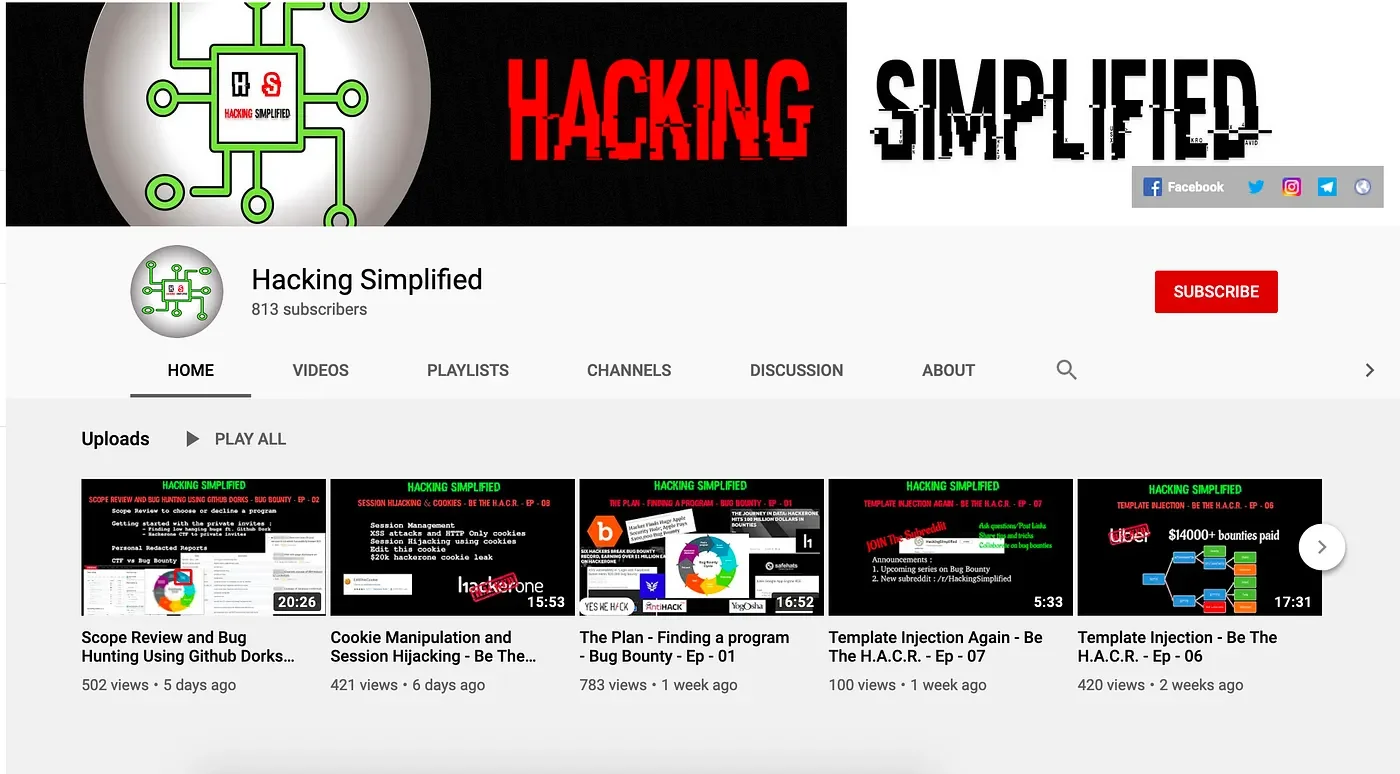
HackingSimplified YouTube Channel
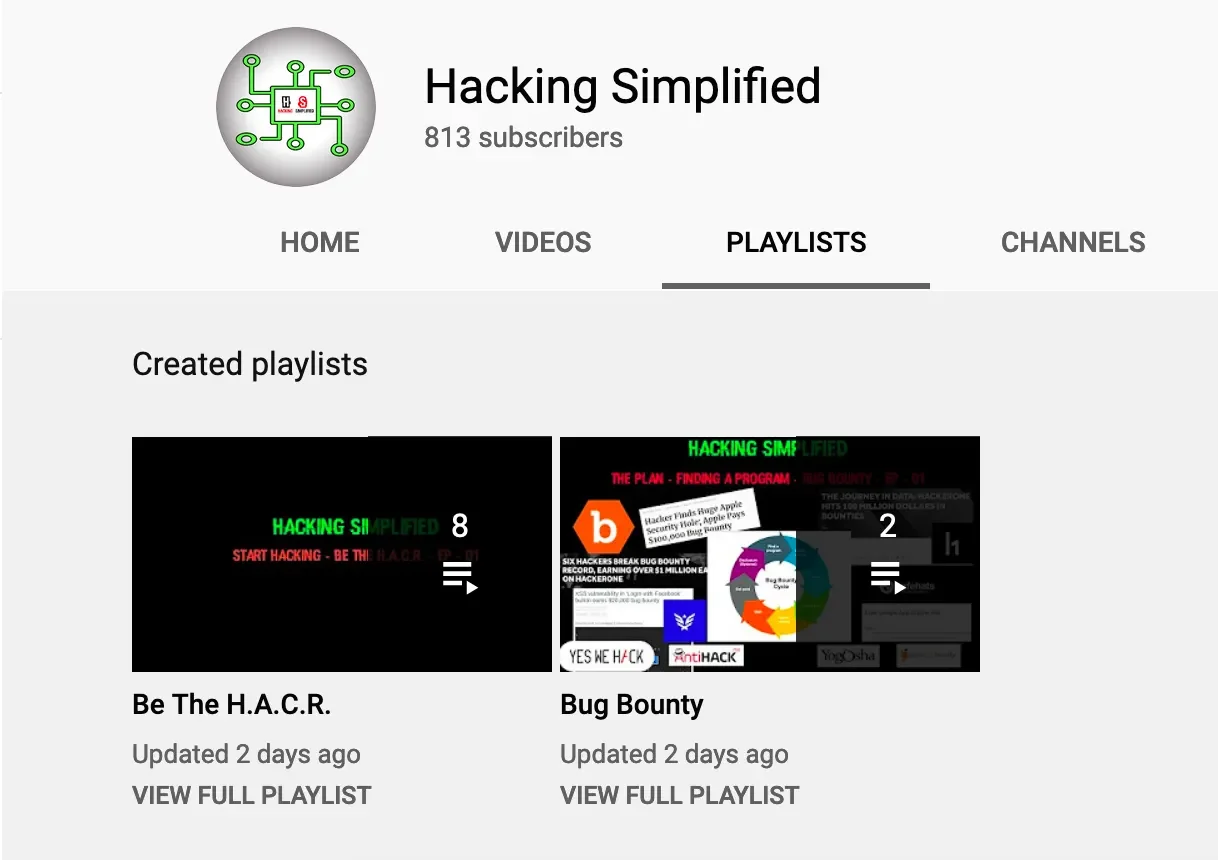
The two playlists
The last time I had browsed HackerOne for bug bounty work was back in January 2019. Over the previous month I had been reading a lot of reports, and they kindled my interest again. I went through the HackerOne program directory and my private invites looking for a program that satisfied the conditions I had laid out in my video Scope Review and Bug Hunting Using Github Dorks - Bug Bounty - Ep -02:
- Number of reports resolved
- Assets
- Payout
- Response efficiency
- Time to triage and time to bounty (personal choice)

This program happened to have all the stars aligned:
- Number of reports resolved: above 550
- Assets: all subdomains
- Payout: critical was $1000 to $4000 and the lowest was $50 to $200
- Response efficiency: 90%
- Time to triage: 2 days, and time to bounty: 10 days
Context
The target was a program on HackerOne whose scope covered all subdomains. The application shipped a large webpack-built JavaScript bundle, and the company also ran a private npm registry used by its CI to build and deploy the web app. The bug is an information disclosure: a credential embedded in client-side JavaScript that gave access to that private registry.
Setup
The tooling was deliberately light: a browser, Burp Suite (the Pro script extraction feature is mentioned, but I ended up not relying on it), wget, xargs, cut, tomnomnom's gf, and the npm CLI. No accounts on the target beyond ordinary browsing are described. The precondition for the whole chain is that the bundle contains a token and a registry URL.
Finding it
Since I had recently made a video on template injection, that was my main area of focus. I entered {{7*7}} and other payloads relevant to the templating engine in use into almost every input field. It did not work.
I then looked for IDORs and improper access control checks using Autorize, without much luck either.
So I turned to the JS files, looking for other endpoints and for secrets getting leaked. I downloaded all the JS files first and then grepped through them for secrets and URL endpoints.
To download all JS files:
- With Burp Suite Pro you can straightaway extract all scripts to one file. But that extracts every file into one file with the JS URL in it, which might be good in most use cases, yet I also wanted them in their individual files.
- So I first extracted all JS URLs and then wrote a small bash script to fetch all those files with their respective names:
cat urls.txt | xargs -I{} wget "{}"# Assuming urls are clean i.e. they don't have any extra parameters in the end# if the url is like this : https://storage.googleapis.com/workbox-cdn/releases/5.1.2/workbox-cacheable-response.prod.js?v=123122# Then you need to cut the part after '?' like the followingcat urls.txt | cut -d"?" -f1 | xargs -I{} wget "{}"
The first line feeds every URL in urls.txt to wget one at a time. The comment explains the caveat: if a URL carries a query string, the saved filename would include it, so the second form cuts everything after ? with cut -d"?" -f1 before handing the URL to wget.
Tomnomnom's gf tool came in handy here. Using gf urls to get URL endpoints, I found a private IP getting leaked: http://172.x.x.x. I looked near the place this was getting leaked and found an NPM_TOKEN value there. I immediately started looking for ways to use it. I had not used npm much, only knowing it was the node package manager, and had used it once earlier while developing a VueJS application.
After researching for some time I learnt the following:
- CI systems such as Jenkins pipelines or Travis CI use these tokens to build and deploy a web app in an automated fashion. The token helps them get access to an npm private repository.
- There are different types of tokens: read and publish only, readonly, and CIDR-whitelisted tokens that can only be used from a specified IP address range.
- How to use npm tokens: the token goes into the
.npmrcfile in the following format:
registry=https://registry_link_here//registry_link_here/:_authToken=auth_token_here
And a few more things.
Exploitation
Step 1: Try the token against the public registry
I tried accessing the npm registry using this token in my .npmrc file like this:
registry=https://registry.npmjs.org//registry.npmjs.org/:_authToken=auth_token_here
But in vain. I could not get a reply from npm whoami, which I should have got if the token was valid. Some articles also suggested that you could keep the NPM_TOKEN value in encrypted form in .npmrc. So I concluded that this must be an encrypted token. This was Wednesday, day 1 of hacking on this target.
Step 2: Look at the websockets in the meantime
The next day, after office work, around 8pm I started looking into the program again. Earlier in January this year I had been reading about CSWH, Cross Site Websocket Hijacking (though this might be unexploitable in some time now, see this), and this program was using websockets. So I started looking into it.
The condition for CSWH is that the websockets should communicate only using cookies, like any other CSRF attack. I practised on Burp Suite labs to refresh what I had learnt 6 months back. This website also had similar conditions and only a cookie was required to get the websocket communication up and running.
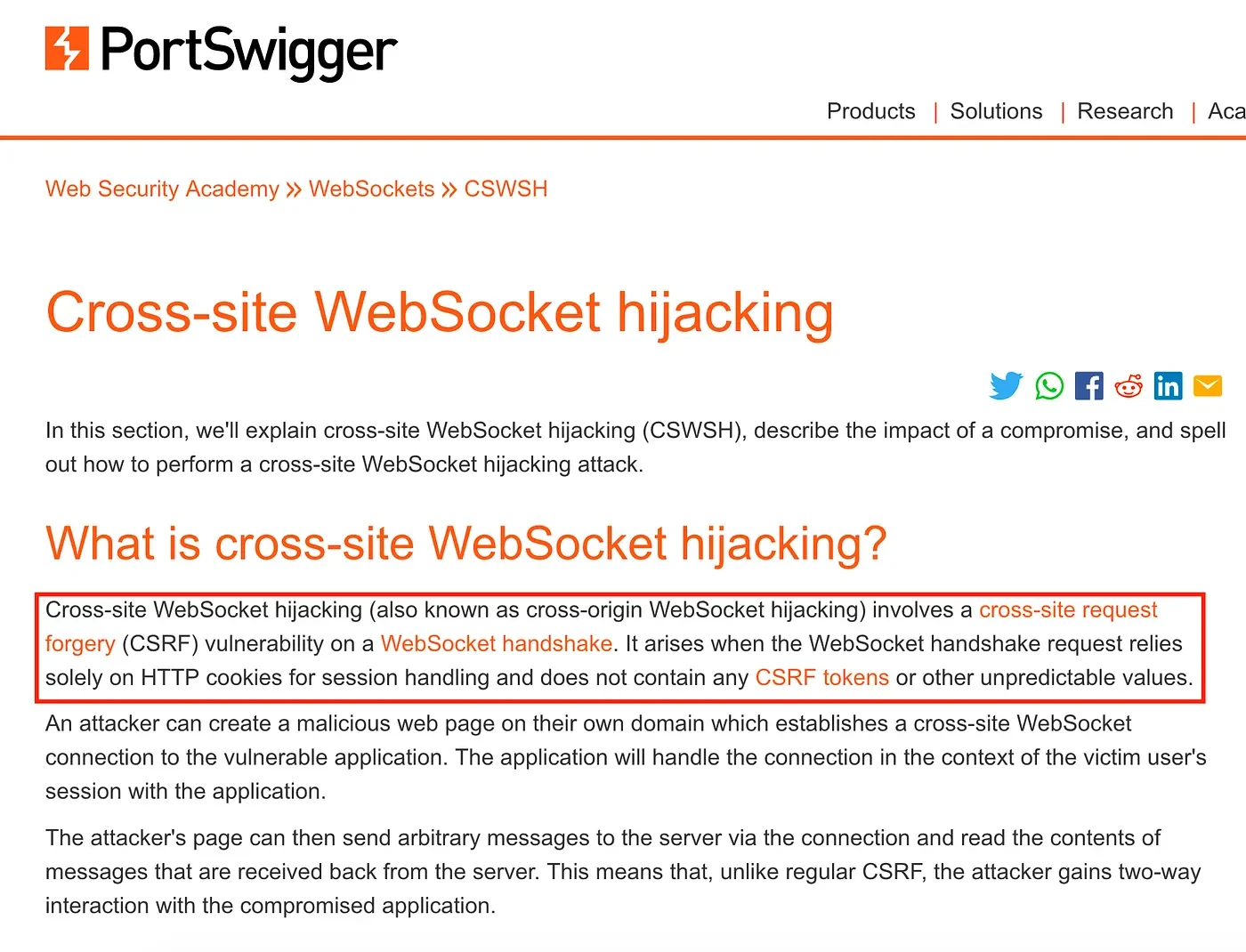
CSRF but on websocket requests
So I tried leaking the websocket messages but could not get that. On closer inspection I found that it was also using a nonce, and that nonce was given by the server to the client in a different request. So basically that acted as a CSRF token, which is usually used to thwart CSRF attacks. However I found some other bugs in their CSRF usage while looking for CSWH, and reported these on the same day. More on that in another post.
Step 3: Un-uglify the bundle and read around the token
Friday, day 3. After spending around two hours and not finding anything, I thought of looking back at the NPM_TOKEN again. I found the JS file and un-uglified it in the browser:
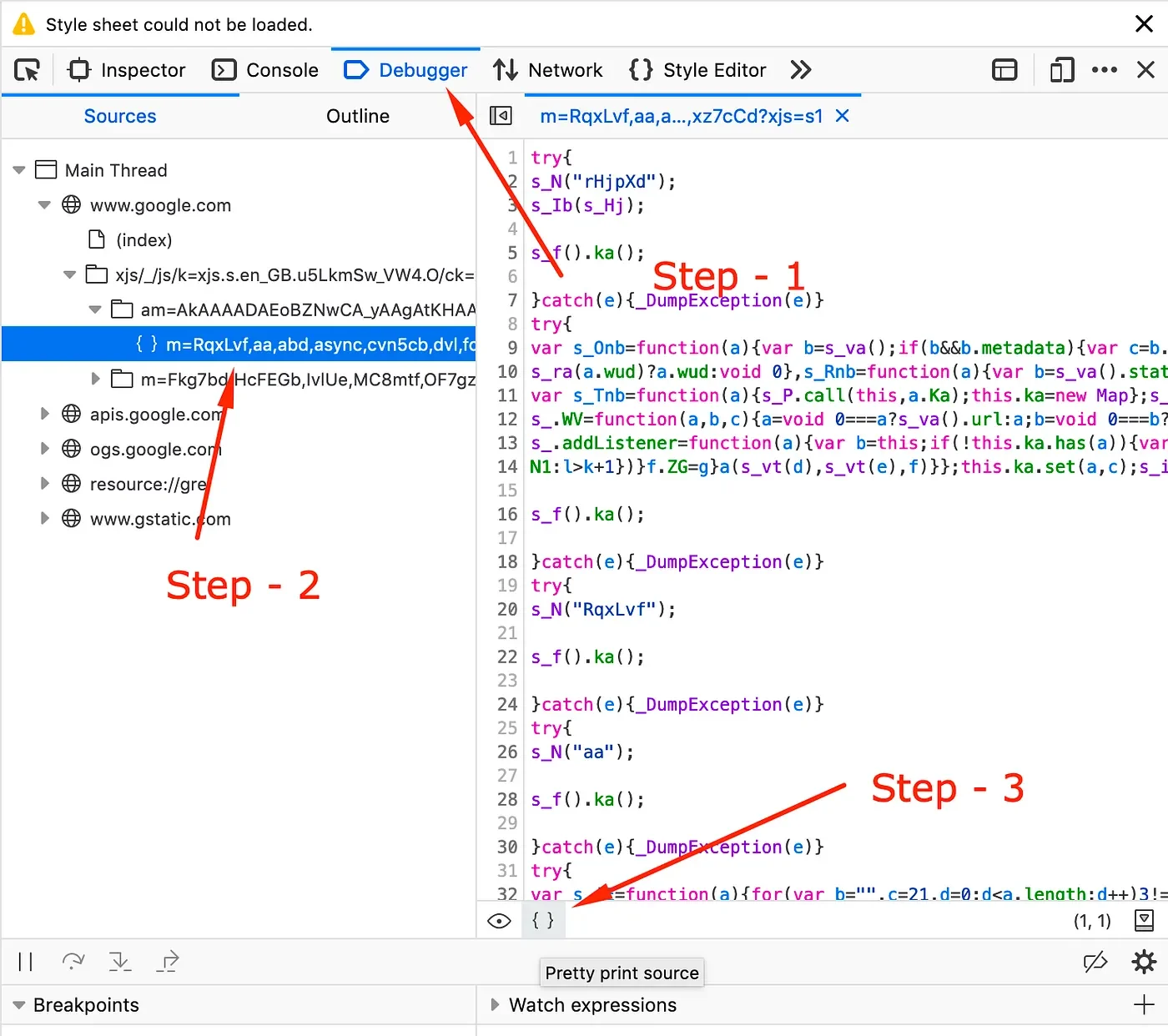
Firefox pretty print
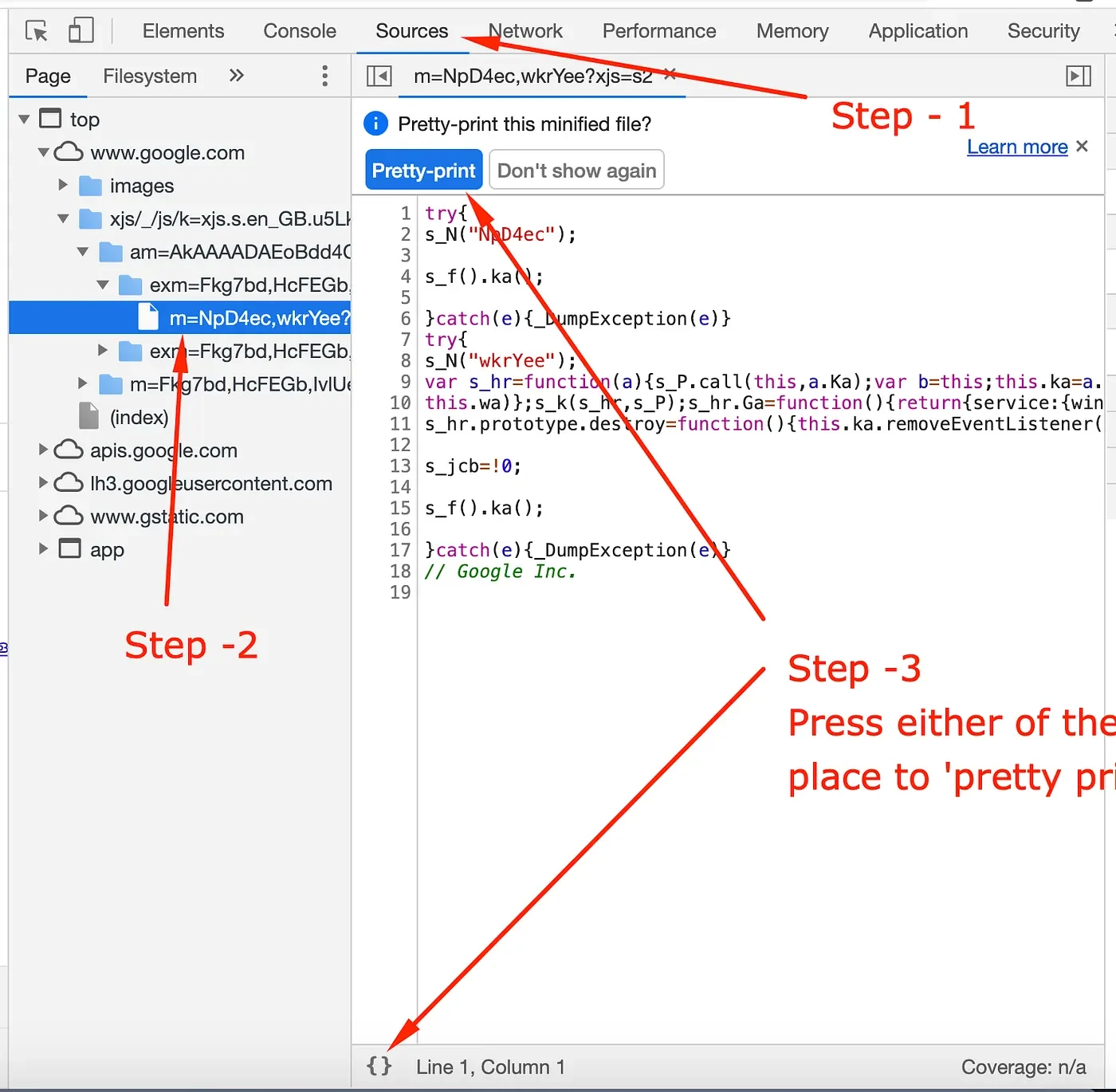
Chromium based browsers Pretty Print
You could do it online as well: https://unminify.com/.
There were around 17k lines, but since I had some experience looking at these I knew most of it was webpack generated code. So I skimmed through the code looking for something interesting, mostly near where I found the NPM_TOKEN value.

NPM_TOKEN
There I found a private registry link, and then I realised, why hadn't I thought of this.
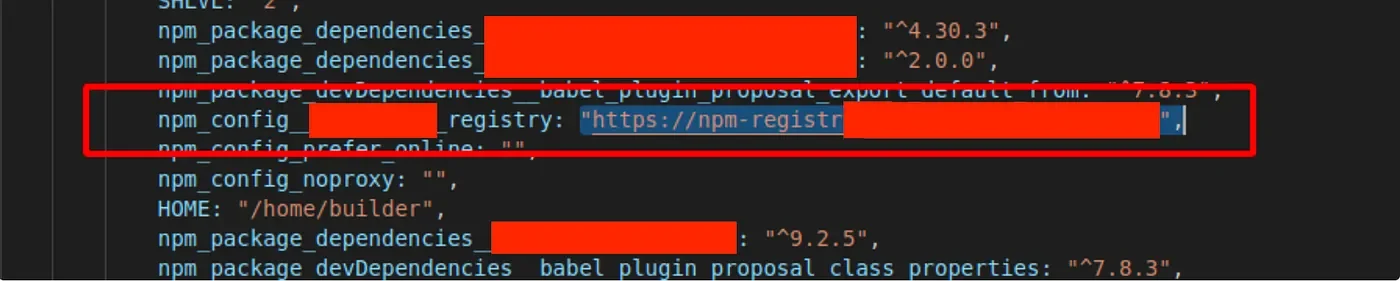
Private Repo Link
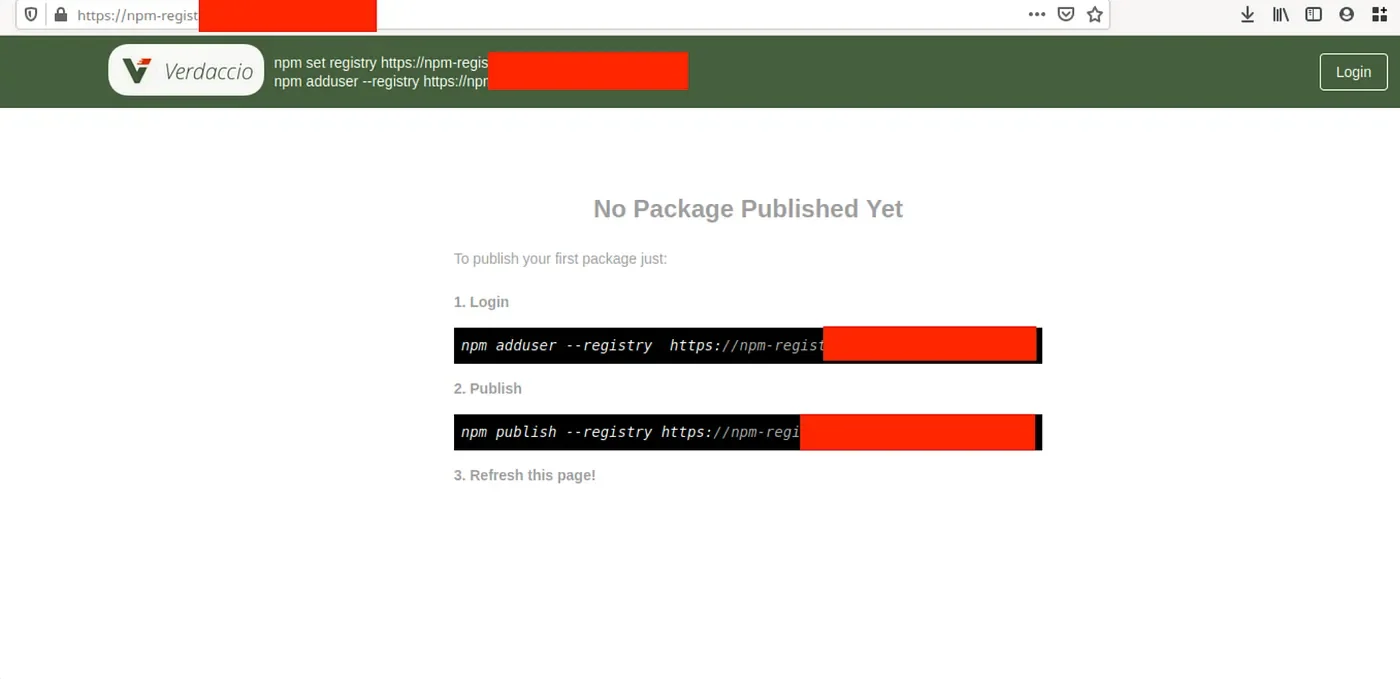
Private Registry's Frontpage
Step 4: Point .npmrc at the private registry
I quickly replaced the value of the registry in the .npmrc file with this:
registry=https://private_registry_link_here//private_registry_link_here/:_authToken=auth_token_here
And now my npm whoami command got a reply: srv-npm-registry-ci. The token was valid after all.
Step 5: Pull private packages
Then I tried fetching a list of all the packages in the private npm registry, but that is not possible: you cannot just list all the packages on the private registry. At least I could not find a way. So I tried retrieving the private code of the company using the following command:
npm view private_reponpm get private_repo
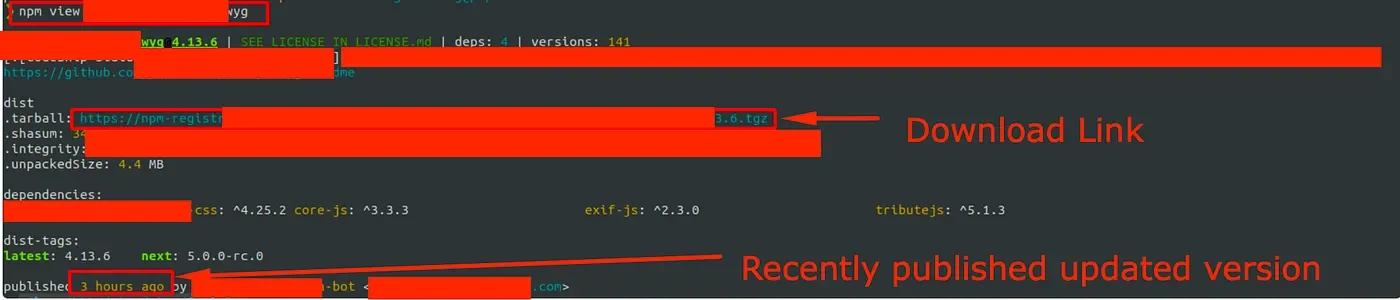
Output of npm view command
Step 6: Get the package names from the source map
You might ask how I got to know the names of the private repos. The repos were compiled into one JS file, and if the source map is available then any browser can easily decouple them in the sources tab in inspect element like this:
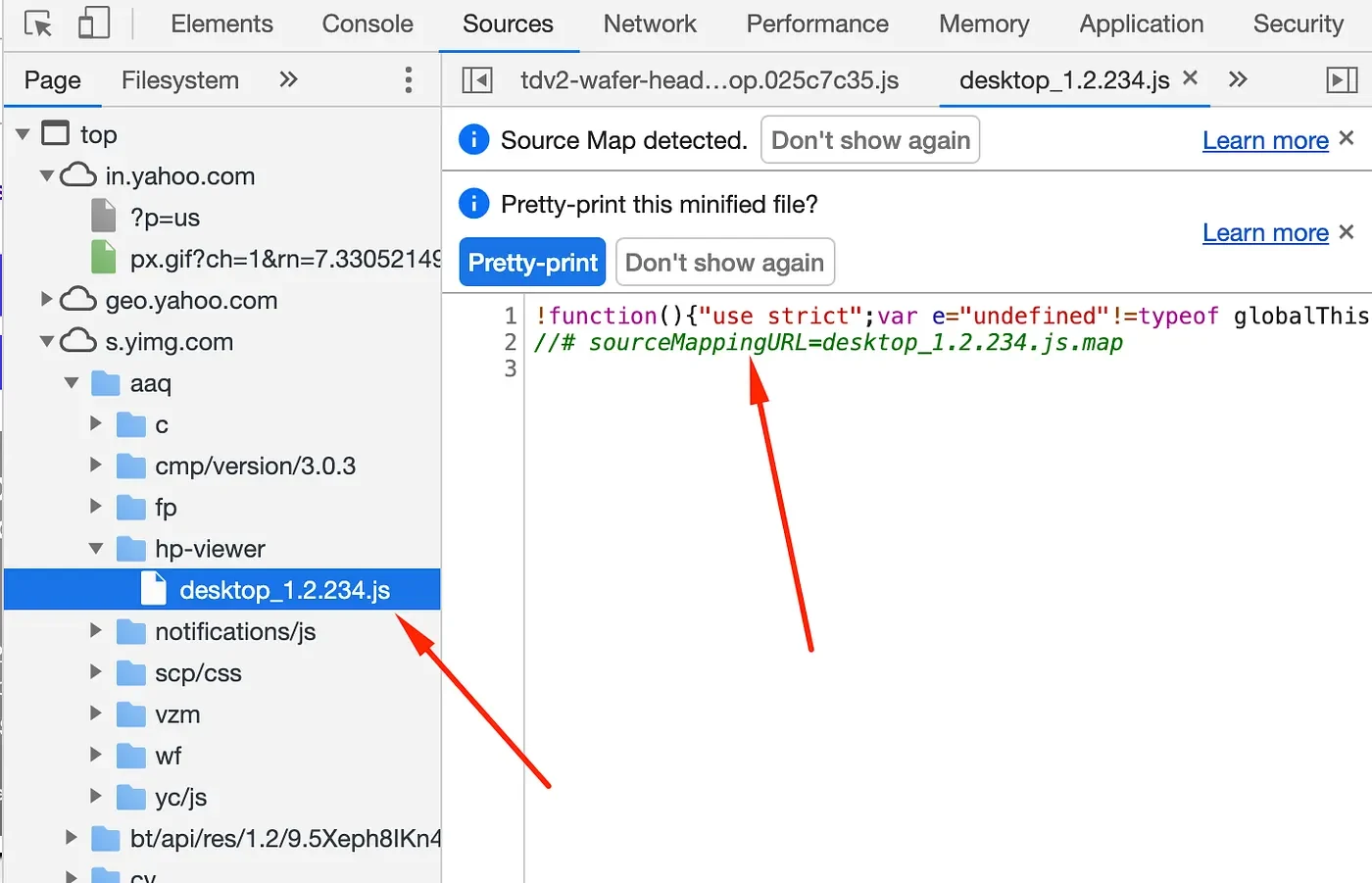
If source map available, then breakdown into separate components is possible
From there I got some unminified source code of the private JS files, and in those were some other includes which got me access to those, and so on. I could have downloaded almost all of their source code.
I did not check whether the key had publish access, as that would have required me to publish a package on their private registry, which I thought would not be wise. Moreover it should not have publish rights, as it was a CI key, but you never know: people do not generally follow the practice of least privilege.
Root cause
The token and the private registry URL were both embedded in the client-side JavaScript bundle. The bundle is webpack output, and the token sat in the generated code alongside a leaked private IP address, which is what drew my attention to that region in the first place. My first attempt against registry.npmjs.org failed and I wrongly concluded the value was encrypted; the credential was in fact usable once paired with the correct registry.
The only thing standing between a visitor and the private registry was the secrecy of a string shipped in the bundle. The report describes that if a source map is available, the private modules can be separated out and their names recovered. The report does not say how the token came to be included in the bundle; I asked the company and was still waiting on their reply.
Impact
With the token, an unauthenticated visitor could authenticate to the company's private npm registry as srv-npm-registry-ci and retrieve private packages by name, and from the unminified sources and their includes reach further private code, potentially almost all of their source code. Whether the token also allowed publishing was not tested, and the report notes it should not have had publish rights as a CI key, though least privilege is not always followed. The report does not state which token type this was.
Fix
What it does say is that the report was triaged in 17 hours and rewarded in another 7 days, and that the company handled it very professionally.
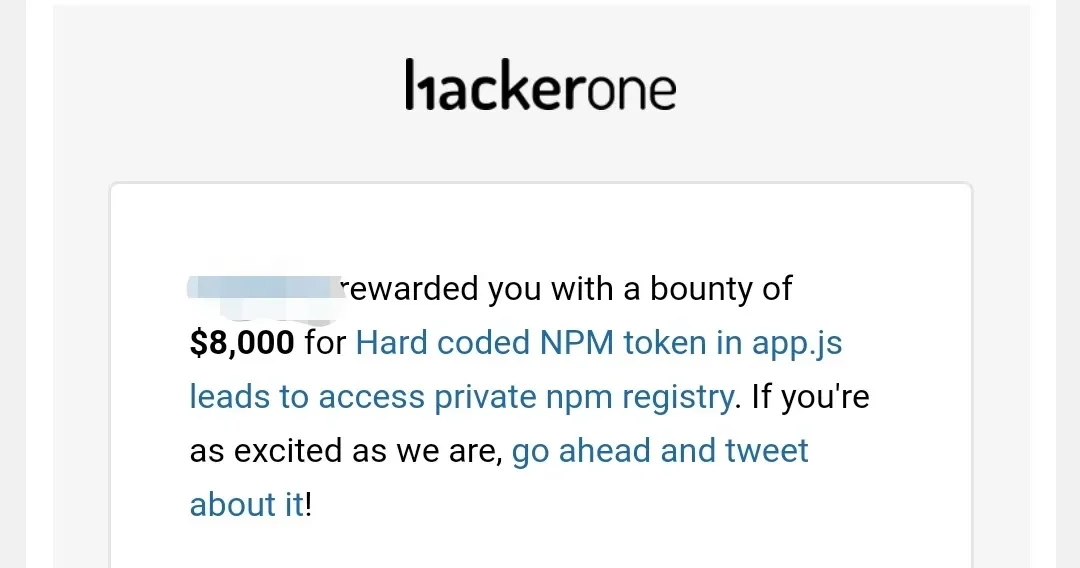
Highest bounty was $4000 but they awarded a bonus for this
Key takeaways
- Look for secrets in JS files, and try building automation around it.
- Learn to use your browser's dev tools: they alone will help in a lot of ways.
- Stay updated with the tools. Even if you are not doing bug bounties, they might help in other work.
- Persistence is the key.
There is a video writeup that talks about this writeup along with some Burp automation to find these secret tokens too: https://youtu.be/9LBl-uFiYUE.
I started out looking for something else, template injection, and ended up finding 6 other bugs, of which 3 have been duplicates. All in all it was a wonderful learning experience regarding websockets, and I will post a writeup of that too.
Update
I got a nice suggestion from @darthvader_htb about downloading JS files. You could use another of tomnomnom's tools to do this: https://github.com/tomnomnom/fff.
cat urls.txt | fff
I do not suggest installing a plethora of tools and not using the built-in tools. However, usage may vary.
Variants to test
- Grep every JS bundle for token-shaped strings (
NPM_TOKEN,_authToken,Authorization, cloud keys) and for private IPs. A positive result is a value that authenticates somewhere, confirmed with a harmless identity call such asnpm whoamiagainst the registry the value belongs to. - When a token fails against the public service, look for a private registry, API base or hostname in the same region of the bundle before concluding the value is encrypted. A positive result is a successful identity call against that private endpoint.
- Check whether source maps are published. A positive result is the sources tab showing separate original modules with readable names, which yields package and repository names to query.
- Test the token's scope rather than assuming it: read-only versus publish, and any CIDR restriction. A positive result is a read of a private package; do not attempt to publish.
- Repeat the download-and-grep workflow on every subdomain in scope, since the leak needs no authentication.
HackingSimplified Subreddit
What happened, in plain words
A security researcher was hunting for bugs in a Google program on HackerOne, a website where companies publish what they want tested and pay for good findings. He was not looking for anything exotic. He was reading the JavaScript files that a website sends to every visitor's browser, and inside one of them he found a secret string called an NPM_TOKEN, plus the address of a private package registry belonging to the company.
A token is a long random string that works like a password: whoever holds it can prove to a server that they are allowed in. A package registry is an online store of reusable code that developers download and install. The company's registry was private, meaning only its own staff and its automated build systems were supposed to reach it. Because the token and the registry address were both sitting in a file that any visitor's browser downloads, anyone who looked carefully could use them to log in to that private registry and pull down the company's private code.
The researcher reported it and was paid a bounty of $8000. The report was triaged in 17 hours and rewarded in another 7 days. This article walks through exactly how he got there, step by step, assuming you know nothing about security beyond using a browser.
Background: why he was looking at all
He had started a YouTube channel, HackingSimplified, and after a month of videos on the basics of web security attacks he began a bug bounty series covering the seven stages of bug bounty and how to approach them. Making those videos pushed him to brush up his own bug bounty skills and automation tooling.
HackingSimplified YouTube Channel
The two playlists
The last time he had browsed HackerOne for bug bounty work was back in January 2019. Over the previous month he had been reading a lot of reports, and they kindled his interest again. He went through the HackerOne program directory and his private invites looking for a program that satisfied the conditions he had laid out in his video Scope Review and Bug Hunting Using Github Dorks - Bug Bounty - Ep -02:
- Number of reports resolved
- Assets
- Payout
- Response efficiency
- Time to triage and time to bounty (personal choice)
A quick word on each, because these are the things a beginner should look at before spending time on a target. "Reports resolved" is how many findings the company has actually dealt with, which tells you it takes reports seriously. "Assets" means the list of things you are allowed to test, for example all subdomains of a domain. "Payout" is what they pay. "Response efficiency" is how reliably they reply. "Time to triage" is how long until someone confirms your report is real, and "time to bounty" is how long until you are paid.
This program happened to have all the stars aligned:
- Number of reports resolved: above 550
- Assets: all subdomains
- Payout: critical was $1000 to $4000 and the lowest was $50 to $200
- Response efficiency: 90%
- Time to triage: 2 days, and time to bounty: 10 days
Context
The target was a program on HackerOne whose scope covered all subdomains. The application shipped a large webpack-built JavaScript bundle, and the company also ran a private npm registry used by its CI to build and deploy the web app. The bug is an information disclosure: a credential embedded in client-side JavaScript that gave access to that private registry.
Two terms there need unpacking. A JavaScript bundle is what you get when a developer writes code across many files and a build tool squashes them all into one big file to send to the browser. Webpack is one such build tool. "Client-side" means the file is sent to the visitor's browser and runs there, so anyone can read it. A CI system, short for continuous integration, is an automated robot that builds and deploys the website whenever developers change the code; it needs credentials to fetch private packages, and those credentials are the kind of thing that can end up in the wrong file.
Setup
The tooling was deliberately light: a browser, Burp Suite (the Pro script extraction feature is mentioned, but he ended up not relying on it), wget, xargs, cut, tomnomnom's gf, and the npm CLI. No accounts on the target beyond ordinary browsing are described. The precondition for the whole chain is that the bundle contains a token and a registry URL.
For a beginner, the important part is that none of this required special access. A browser and a few free command-line tools were enough. Burp Suite is a program that sits between your browser and a website so you can see and change the traffic. wget is a command-line tool that downloads files. npm is the command-line tool for Node's package manager, which is how developers install and publish packages.
Finding it
Since he had recently made a video on template injection, that was his main area of focus. Template injection is a bug where a website takes what you typed and accidentally treats it as instructions for the code that builds the page, rather than as plain text. He entered {{7*7}} and other payloads relevant to the templating engine in use into almost every input field. It did not work.
Why {{7*7}}? Because if the page is built by a template engine, {{ }} is the syntax for "work this out and put the result here". If the site is vulnerable, the page would show 49 instead of the literal text {{7*7}}. Seeing 49 would prove the site ran his input as code. It did not, so that door was closed.
He then looked for IDORs and improper access control checks using Autorize, without much luck either. An IDOR, short for Insecure Direct Object Reference, is when a website lets you change a number or name in a request and see someone else's data, for example changing ?invoice=1001 to ?invoice=1002. Autorize is a Burp extension that automates trying those changes. "Improper access control" is the general name for the same family of mistakes: the site does not check whether you are allowed to do what you asked.
So he turned to the JS files, looking for other endpoints and for secrets getting leaked. An endpoint is simply a URL the application talks to behind the scenes, for example one that returns data rather than a page. A secret here means any value that is supposed to be private, such as a password, a key or a token. He downloaded all the JS files first and then grepped through them for secrets and URL endpoints. "Grep" means searching text for a pattern, like using your browser's find function but across many files at once.
To download all JS files:
- With Burp Suite Pro you can straightaway extract all scripts to one file. But that extracts every file into one file with the JS URL in it, which might be good in most use cases, yet he also wanted them in their individual files.
- So he first extracted all JS URLs and then wrote a small bash script to fetch all those files with their respective names:
cat urls.txt | xargs -I{} wget "{}"# Assuming urls are clean i.e. they don't have any extra parameters in the end# if the url is like this : https://storage.googleapis.com/workbox-cdn/releases/5.1.2/workbox-cacheable-response.prod.js?v=123122# Then you need to cut the part after '?' like the followingcat urls.txt | cut -d"?" -f1 | xargs -I{} wget "{}"
Line by line, in plain words:
cat urls.txtprints the contents of a file calledurls.txt, which holds one URL per line.- The
|symbol (a pipe) takes that output and hands it to the next command instead of showing it on screen. xargs -I{}takes each line one at a time and puts it wherever{}appears in the following command.wget "{}"downloads the file at that URL and saves it under its own name.- The comments (the parts starting with
#) explain the catch: if a URL ends with something like?v=123122, that extra part becomes part of the saved filename, which is messy. - The second form fixes that:
cut -d"?" -f1splits each line at the?character and keeps only the first piece, so the query string is dropped beforewgetruns.
Tomnomnom's gf tool came in handy here. gf is a small program that searches text for patterns that commonly indicate interesting things, such as URLs or credentials. Using gf urls to get URL endpoints, he found a private IP getting leaked: http://172.x.x.x. A private IP is an address used only inside a company's own network, not on the public internet, so seeing one in a public file is a strong hint that something internal slipped out. He looked near the place this was getting leaked and found an NPM_TOKEN value there. He immediately started looking for ways to use it. He had not used npm much, only knowing it was the node package manager, and had used it once earlier while developing a VueJS application.
After researching for some time he learnt the following:
- CI systems such as Jenkins pipelines or Travis CI use these tokens to build and deploy a web app in an automated fashion. The token helps them get access to an npm private repository.
- There are different types of tokens: read and publish only, readonly, and CIDR-whitelisted tokens that can only be used from a specified IP address range.
- How to use npm tokens: the token goes into the
.npmrcfile in the following format:
registry=https://registry_link_here//registry_link_here/:_authToken=auth_token_here
That snippet is a configuration file, not code. .npmrc is a settings file that the npm tool reads every time it runs. The first part, registry=, says which registry to talk to. The _authToken= part supplies the token that proves who you are. The doubled slash is just how the format is written. "Readonly" means the token can fetch packages but not upload new ones; "publish" means it can upload. "CIDR-whitelisted" means the token only works from a particular range of network addresses, so stealing it is not enough if you are calling from elsewhere.
And a few more things.
Exploitation
Step 1: Try the token against the public registry
He tried accessing the npm registry using this token in his .npmrc file like this:
registry=https://registry.npmjs.org//registry.npmjs.org/:_authToken=auth_token_here
Here registry.npmjs.org is the public registry, the one everyone uses. The idea was to point the tool at the public registry and hand it the stolen token, then ask the registry who the token belongs to. But in vain. He could not get a reply from npm whoami, which he should have got if the token was valid. npm whoami is a harmless command that simply asks the registry "which user is this token for?". A valid token gets a name back; an invalid one gets an error. Some articles also suggested that you could keep the NPM_TOKEN value in encrypted form in .npmrc. So he concluded that this must be an encrypted token. This was Wednesday, day 1 of hacking on this target.
That conclusion turned out to be wrong: the token was real. Asking the public registry about it was like showing a gym membership card at a library.
Step 2: Look at the websockets in the meantime
The next day, after office work, around 8pm he started looking into the program again. Earlier in January this year he had been reading about CSWH, Cross Site Websocket Hijacking (though this might be unexploitable in some time now, see this), and this program was using websockets. So he started looking into it.
A websocket is a connection that stays open in both directions, so the server can push new data to the page without the page asking again. Chat apps and live dashboards use them. CSWH is the websocket version of CSRF, Cross Site Request Forgery: a bug where another website you visit makes your browser send a request to the target site, and because your browser automatically attaches your login cookie, the target thinks the request came from you. A cookie is a small piece of data the site stores in your browser after you log in, and the browser sends it back with every request to that site.
The condition for CSWH is that the websockets should communicate only using cookies, like any other CSRF attack. He practised on Burp Suite labs to refresh what he had learnt 6 months back. This website also had similar conditions and only a cookie was required to get the websocket communication up and running.
CSRF but on websocket requests
So he tried leaking the websocket messages but could not get that. On closer inspection he found that it was also using a nonce, and that nonce was given by the server to the client in a different request. A nonce is a one-time random value: the server hands it out, and the client must send it back to prove the request is genuine. So basically that acted as a CSRF token, which is usually used to thwart CSRF attacks. However he found some other bugs in their CSRF usage while looking for CSWH, and reported these on the same day. More on that in another post.
Step 3: Un-uglify the bundle and read around the token
Friday, day 3. After spending around two hours and not finding anything, he thought of looking back at the NPM_TOKEN again. He found the JS file and un-uglified it in the browser:
Firefox pretty print
Chromium based browsers Pretty Print
"Uglified" or "minified" code is code that has had all its spaces, line breaks and readable names stripped out to make the file smaller. It still works, but it is almost impossible for a human to read. Every modern browser has a "pretty print" button that puts the spaces and line breaks back, which makes it readable again. You could do it online as well: https://unminify.com/.
There were around 17k lines, but since he had some experience looking at these he knew most of it was webpack generated code. So he skimmed through the code looking for something interesting, mostly near where he found the NPM_TOKEN value. This is a useful habit: once you find one interesting thing, look around it, because related settings and addresses tend to sit together.
NPM_TOKEN
There he found a private registry link, and then he realised, why hadn't he thought of this.
Private Repo Link
Private Registry's Frontpage
Step 4: Point .npmrc at the private registry
He quickly replaced the value of the registry in the .npmrc file with this:
registry=https://private_registry_link_here//private_registry_link_here/:_authToken=auth_token_here
This is the same format as before, with one change: the address now points at the company's private registry instead of the public one. The token stays the same. And now his npm whoami command got a reply: srv-npm-registry-ci. The token was valid after all. The name that came back, srv-npm-registry-ci, is the identity the token belongs to, and the ci in it is a strong hint that this was the automated build system's credential.
Step 5: Pull private packages
Then he tried fetching a list of all the packages in the private npm registry, but that is not possible: you cannot just list all the packages on the private registry. At least he could not find a way. So he tried retrieving the private code of the company using the following command:
npm view private_reponpm get private_repo
This is two commands written one after the other. npm view private_repo asks the registry for information about a package with that name. npm get private_repo asks npm for the value of a setting called private_repo. Both need the package name to be known in advance, which is why the next step mattered so much.
Output of npm view command
Step 6: Get the package names from the source map
You might ask how he got to know the names of the private repos. The repos were compiled into one JS file, and if the source map is available then any browser can easily decouple them in the sources tab in inspect element like this:
If source map available, then breakdown into separate components is possible
A source map is a companion file that tells the browser how the squashed bundle maps back to the original separate files. Developers use it for debugging. If it is published alongside the bundle, anyone can open the browser's developer tools, go to the sources tab, and see the original file names and structure. That is how he learned the package names he needed for the commands above.
From there he got some unminified source code of the private JS files, and in those were some other includes which got him access to those, and so on. He could have downloaded almost all of their source code. "Includes" here means one file referring to another, so each file you open points you to more.
He did not check whether the key had publish access, as that would have required him to publish a package on their private registry, which he thought would not be wise. Moreover it should not have publish rights, as it was a CI key, but you never know: people do not generally follow the practice of least privilege. Least privilege is the principle that any credential should have only the permissions it actually needs, nothing more.
Root cause
The token and the private registry URL were both embedded in the client-side JavaScript bundle. The bundle is webpack output, and the token sat in the generated code alongside a leaked private IP address, which is what drew his attention to that region in the first place. His first attempt against registry.npmjs.org failed and he wrongly concluded the value was encrypted; the credential was in fact usable once paired with the correct registry.
The only thing standing between a visitor and the private registry was the secrecy of a string shipped in the bundle. The report describes that if a source map is available, the private modules can be separated out and their names recovered. The report does not say how the token came to be included in the bundle; he asked the company and was still waiting on their reply.
Impact
With the token, an unauthenticated visitor could authenticate to the company's private npm registry as srv-npm-registry-ci and retrieve private packages by name, and from the unminified sources and their includes reach further private code, potentially almost all of their source code. "Unauthenticated" means the person never logged in to the company's systems at all; the stolen token did the logging in for them. Whether the token also allowed publishing was not tested, and the report notes it should not have had publish rights as a CI key, though least privilege is not always followed. The report does not state which token type this was.
Fix
What it does say is that the report was triaged in 17 hours and rewarded in another 7 days, and that the company handled it very professionally.
Highest bounty was $4000 but they awarded a bonus for this
Key takeaways
- Look for secrets in JS files, and try building automation around it.
- Learn to use your browser's dev tools: they alone will help in a lot of ways.
- Stay updated with the tools. Even if you are not doing bug bounties, they might help in other work.
- Persistence is the key.
There is a video writeup that talks about this writeup along with some Burp automation to find these secret tokens too: https://youtu.be/9LBl-uFiYUE.
He started out looking for something else, template injection, and ended up finding 6 other bugs, of which 3 have been duplicates. A duplicate is a report for a bug someone else already reported, so it earns nothing. All in all it was a wonderful learning experience regarding websockets, and he will post a writeup of that too.
Update
He got a nice suggestion from @darthvader_htb about downloading JS files. You could use another of tomnomnom's tools to do this: https://github.com/tomnomnom/fff.
cat urls.txt | fff
cat urls.txt prints the list of URLs, the pipe hands them to fff, and fff downloads each one and saves it under a sensible name. It does the same job as the earlier wget script with less typing.
He does not suggest installing a plethora of tools and not using the built-in tools. However, usage may vary.
Variants to test
- Grep every JS bundle for token-shaped strings (
NPM_TOKEN,_authToken,Authorization, cloud keys) and for private IPs. A positive result is a value that authenticates somewhere, confirmed with a harmless identity call such asnpm whoamiagainst the registry the value belongs to. - When a token fails against the public service, look for a private registry, API base or hostname in the same region of the bundle before concluding the value is encrypted. A positive result is a successful identity call against that private endpoint.
- Check whether source maps are published. A positive result is the sources tab showing separate original modules with readable names, which yields package and repository names to query.
- Test the token's scope rather than assuming it: read-only versus publish, and any CIDR restriction. A positive result is a read of a private package; do not attempt to publish.
- Repeat the download-and-grep workflow on every subdomain in scope, since the leak needs no authentication.
HackingSimplified Subreddit
Glossary
- API: a set of URLs a program uses to talk to another program, usually returning data rather than a web page.
- Asset: something a company explicitly allows you to test, such as a domain or all its subdomains.
- Bounty: the money a company pays for a valid security report.
- Bug bounty: a programme where companies invite outsiders to find and report security bugs in exchange for payment.
- Bundle: one large JavaScript file produced by squashing many source files together for the browser to download.
- Burp Suite: a tool that sits between your browser and a website so you can inspect and modify the traffic.
- CI (continuous integration): an automated system that builds and deploys software whenever the code changes.
- CIDR whitelist: a restriction that a credential only works from a particular range of network addresses.
- Client-side: code that runs in the visitor's browser, and is therefore readable by anyone.
- Cookie: a small piece of data a site stores in your browser after you log in, sent back automatically with later requests.
- CSRF (Cross Site Request Forgery): a bug where another website makes your browser send a request to a target site, and the target mistakes it for your own action.
- CSWH (Cross Site Websocket Hijacking): the websocket version of CSRF, where another site opens a websocket to the target using your cookie.
- Endpoint: a URL the application uses behind the scenes, often returning data.
- Grep: searching text for a pattern across one or many files.
- HackerOne: a platform where companies publish bug bounty programmes and researchers submit reports.
- IDOR (Insecure Direct Object Reference): a bug where changing an identifier in a request lets you see someone else's data.
- Information disclosure: a bug where private information is exposed to someone who should not have it.
- Least privilege: the principle that a credential or account should have only the permissions it actually needs.
- Minified / uglified: code with spaces, line breaks and readable names stripped out to make the file smaller.
- Nonce: a one-time random value the server issues and expects back, used to prove a request is genuine.
- npm: the package manager for Node.js, used to install and publish reusable code packages.
.npmrc: npm's settings file, which says which registry to use and which token to authenticate with.npm whoami: a harmless npm command that asks the registry which user a token belongs to.- Package: a bundle of reusable code published to a registry for others to install.
- Payload: the specific input a tester sends to try to trigger a bug.
- Pretty print: a browser feature that puts spaces and line breaks back into minified code so a human can read it.
- Private IP: a network address used only inside a company's internal network, not on the public internet.
- Private registry: a package registry that only authorised users and systems can reach.
- Publish access: permission to upload new packages to a registry.
- Readonly token: a token that can fetch packages but not upload them.
- Registry: an online store of packages that developers download from and publish to.
- Scope: the list of assets a programme allows you to test.
- Secret: any value meant to stay private, such as a password, key or token.
- Source map: a companion file that maps a squashed bundle back to its original separate source files.
- Subdomain: a prefix on a domain, such as
shop.example.comversusexample.com. - Template injection: a bug where user input is treated as instructions by the code that builds the page.
- Token: a long random string that works like a password, proving to a server that the holder is allowed in.
- Triage: the stage where a company confirms a report is valid and decides how to handle it.
- Unauthenticated: acting without ever logging in to the target's systems.
- Webpack: a build tool that combines many JavaScript files into one bundle.
- Websocket: a connection that stays open in both directions, letting the server push data to the page without being asked.
wget: a command-line tool for downloading files from URLs.xargs: a command-line tool that takes a list of items and runs a command once per item.cut: a command-line tool that splits text on a chosen character and keeps selected pieces.gf: a tool by tomnomnom that searches text for patterns commonly indicating interesting things such as URLs or credentials.fff: a tool by tomnomnom that downloads a list of URLs and saves each under a sensible name.